-
-
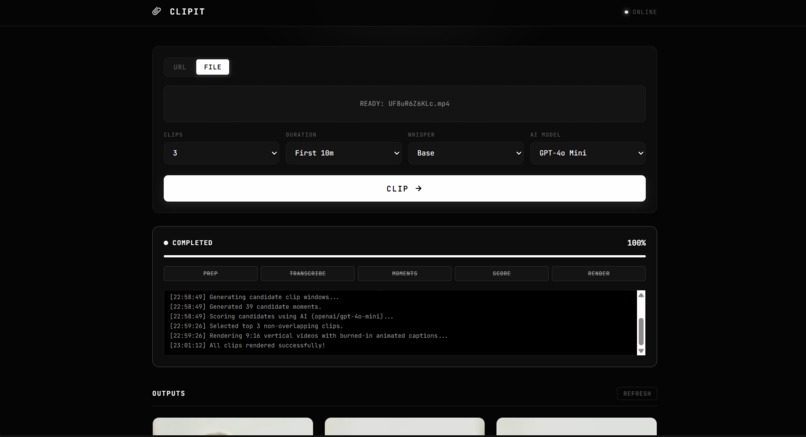
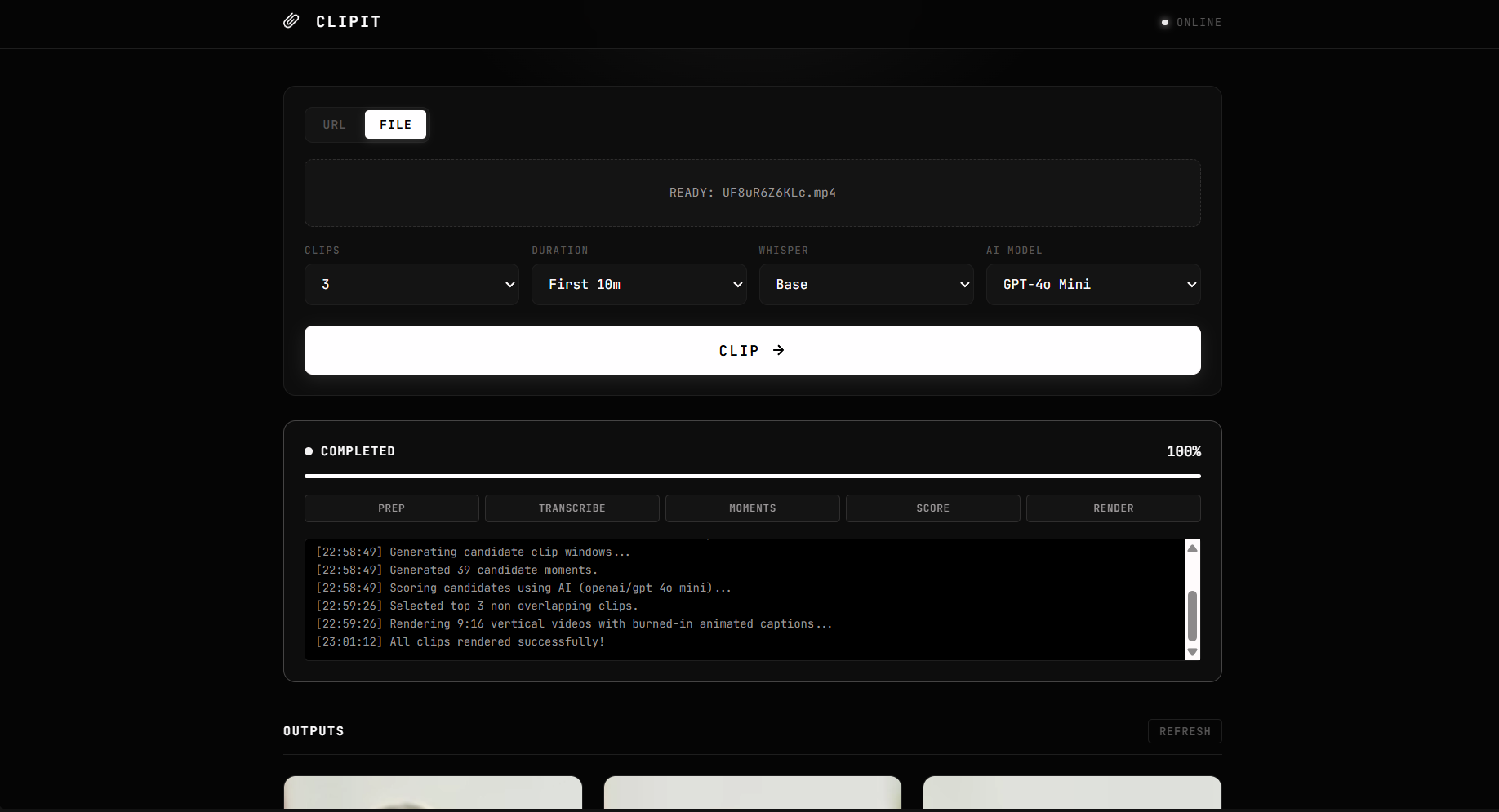
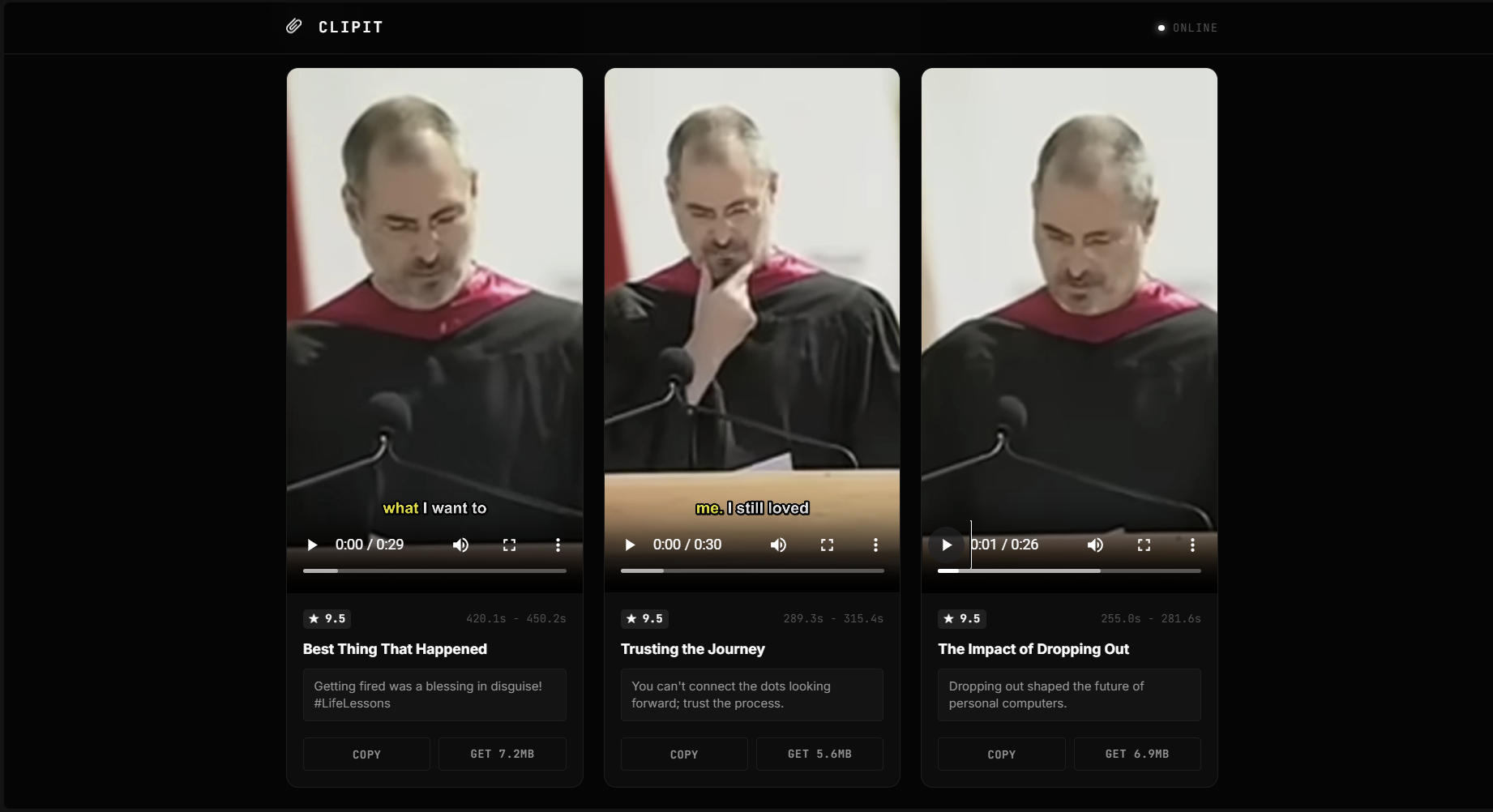
clip generation screen
-
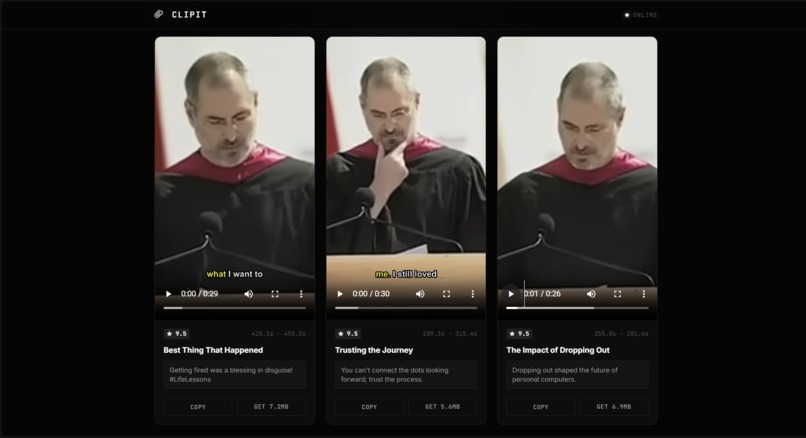
clips generated
-
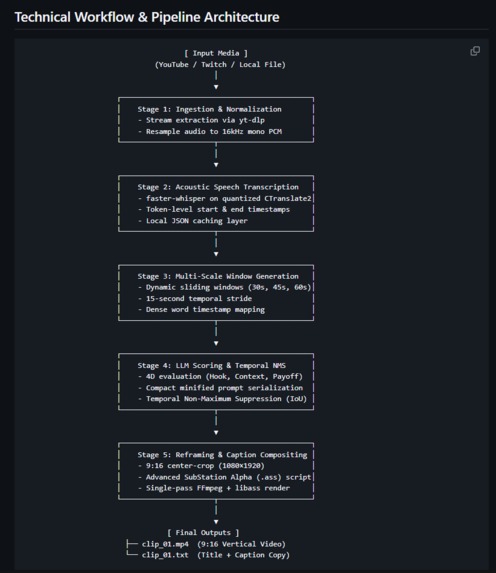
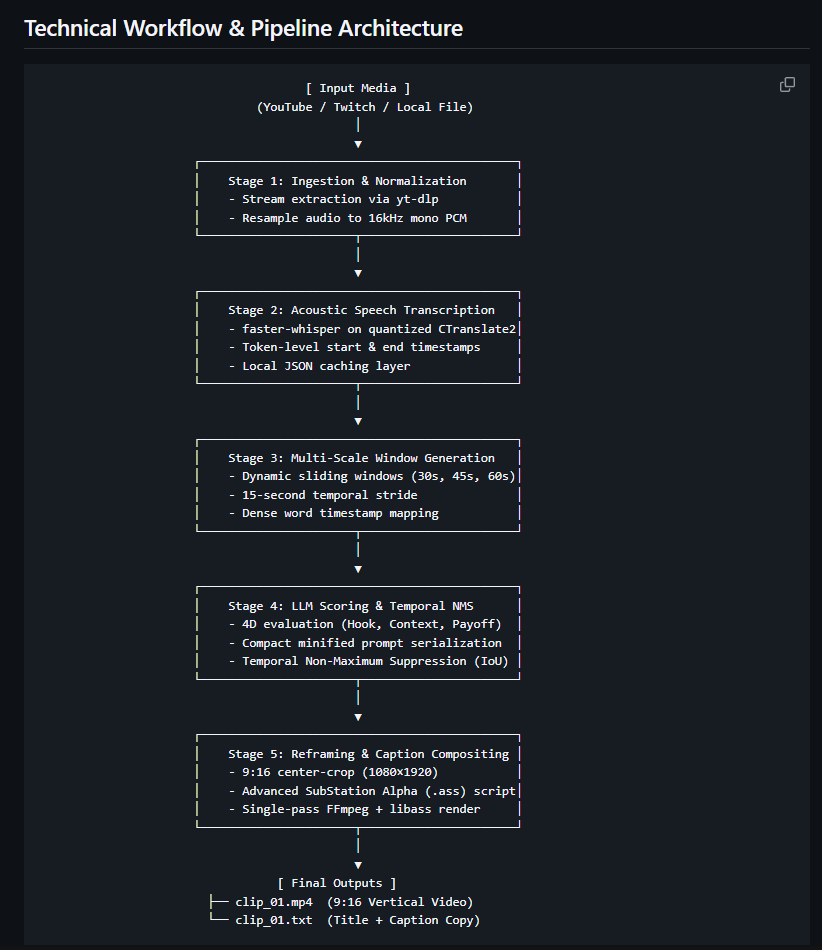
technical architecture
Inspiration
Long videos like podcasts, interviews, and lectures are full of great moments. But turning a 1-hour video into short vertical clips takes hours of boring work.
You have to watch the whole video, find the best parts, cut them, crop them to vertical format, and type out subtitles word by word.
We built CLIPIT to automate this entire process. You paste a link or drop a video file, and in one click you get ready-to-post vertical clips with animated subtitles.
What it Does
CLIPIT takes any long video and automatically turns it into viral 9:16 short clips:
- Transcribes audio locally with exact word-level timing.
- Finds the best moments using an AI model that looks for strong hooks and clear payoffs.
- Removes duplicate clips so you only get unique, interesting parts.
- Crops to vertical (9:16) format for TikTok, Reels, and Shorts.
- Burns in animated captions where the active spoken word lights up in yellow.
- Generates social media copy including catchy titles and captions with hashtags.
How We Built It
We built the project as a fast, 5-step pipeline:
1. Video Download & Audio Prep
We use yt-dlp to download video from YouTube or Twitch links. We extract the audio and convert it to clean 16kHz mono audio.
2. Fast Local Transcription
We use faster-whisper running locally on the computer. It gives us exact timestamps for every single word with zero API costs.
3. Finding Candidate Clips
We slide overlapping time windows (30 seconds, 45 seconds, and 60 seconds) across the transcript to capture complete thoughts and stories.
4. AI Scoring & Deduplication
We send the candidate text to an AI model (like ChatGPT or Llama via OpenRouter). The model scores each moment on a 0–10 scale based on:
- How strong the hook is in the first 3 seconds
- Whether the clip makes sense on its own
- If there is a good punchline or takeaway
To avoid getting two clips of the same moment, we use an overlap formula:
$$\text{Overlap}(A, B) = \frac{\text{Duration}(A \cap B)}{\min\Big(\text{Duration}(A),\, \text{Duration}(B)\Big)}$$
If two clips overlap by more than 50%, we keep only the highest-scoring one.
5. Vertical Cropping & Animated Subtitles
We use ffmpeg and libass to crop the video to $1080 \times 1920$ vertical format. We generate custom subtitle files that highlight words as they are spoken.
6. Minimalist Web UI
We built a clean black-and-white dashboard using FastAPI, HTML, and CSS. It shows live progress bars and lets you watch and download the finished clips.
Challenges We Faced
- Subtitle crashes on Windows: Regular FFmpeg text filters crashed on Windows. We fixed this by switching to native ASS subtitle files with
libass. - Keeping API costs low: We minified our transcript text before sending it to the AI. This brought the cost down to $0.0005 per video (over 2,000 runs per $1).
- Fullscreen video display: In the web UI, vertical videos were getting cropped in fullscreen mode. We fixed our CSS with
object-fit: containso all subtitles stay visible.
Accomplishments We're Proud Of
- Fully automatic: You just paste a link, and finished vertical videos come out ready to post.
- Super cheap to run: Transcription is completely free (local), and AI scoring costs less than a penny.
- Rock-solid tests: 57 automated unit tests ensure every part of the pipeline works reliably.
- Clean UI: A sleek, distraction-free monochrome interface.
What We Learned
- How to run fast local AI transcription models using CTranslate2.
- How to write custom ASS subtitle scripts for karaoke-style word highlighting.
- How to filter out overlapping video segments using math and IoU logic.
What's Next for CLIPIT
- Smart face tracking: Automatically panning the camera to follow the person speaking.
- Multiple speaker colors: Giving each speaker their own subtitle color.
- Direct posting: Uploading clips directly to TikTok, YouTube Shorts, and Instagram with one click.
Built With
- css3
- ctranslate2
- fastapi
- faster-whisper
- ffmpeg
- html5
- javascript
- libass
- openai
- openrouter
- python
- uvicorn
- yt-dlp

Log in or sign up for Devpost to join the conversation.