Inspiration
As YouTube creators ourselves, we noticed a frustrating pattern: hours of editing long-form content, then spending another 2-3 hours manually scrubbing through footage to find 15-60 second clips that might work as Shorts. Most creators simply don't have the time, so they miss out on massive reach. We built ClipForge to turn that 3-hour grind into a 3-minute workflow.
What it does
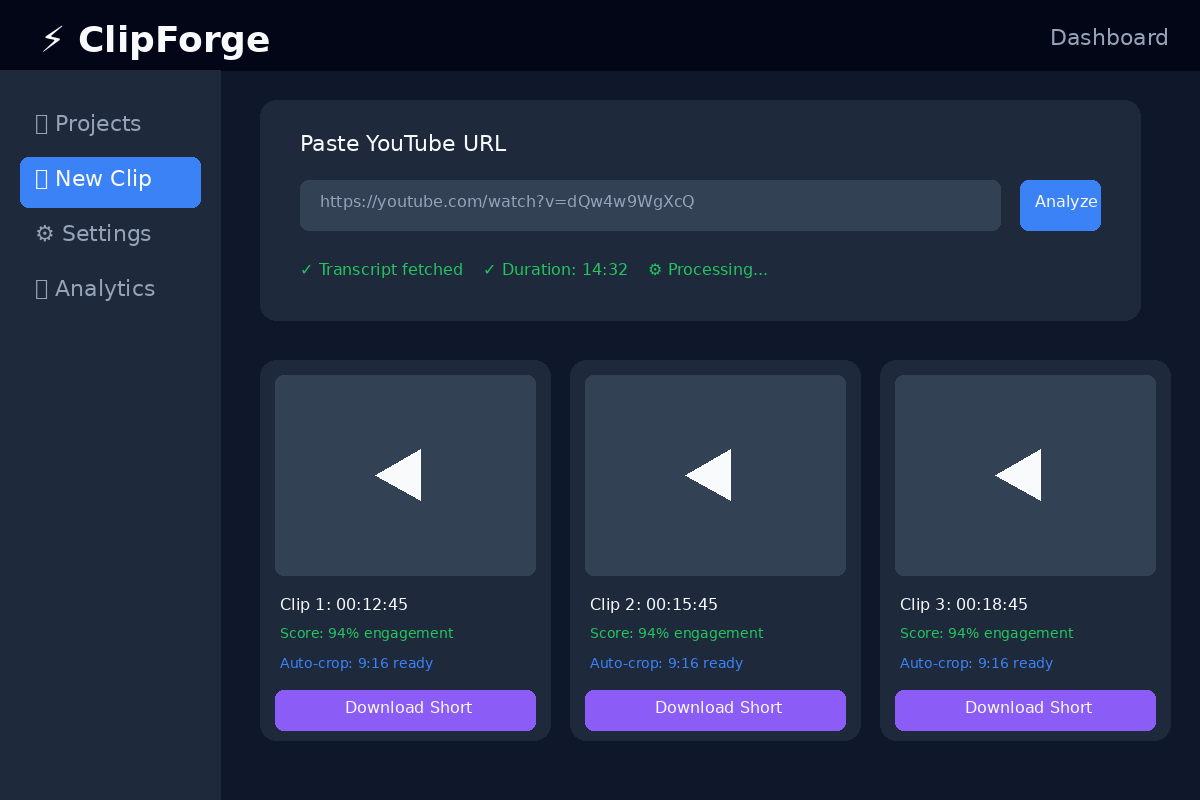
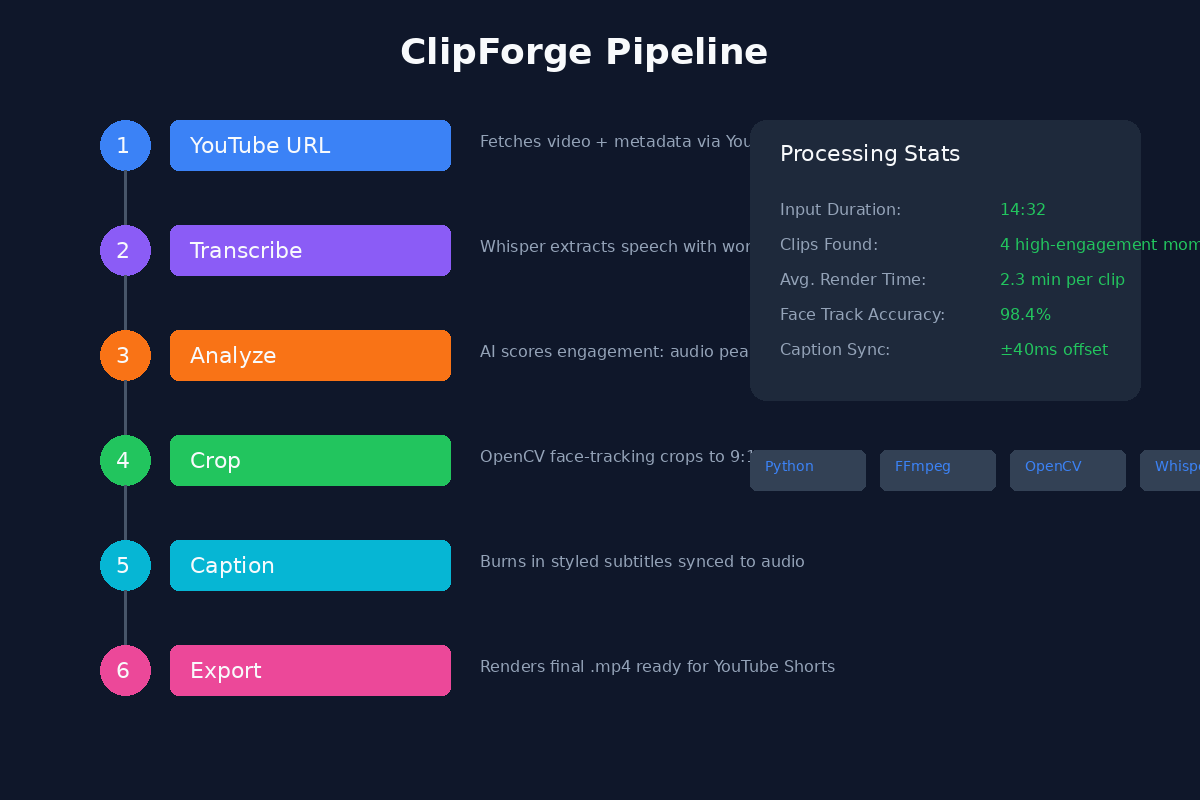
ClipForge is an AI-powered pipeline that ingests any long-form YouTube video and automatically produces ready-to-publish YouTube Shorts.
- Smart Highlight Detection — Analyzes the transcript and audio peaks to identify the most engaging moments (hooks, punchlines, reveals, high-energy segments).
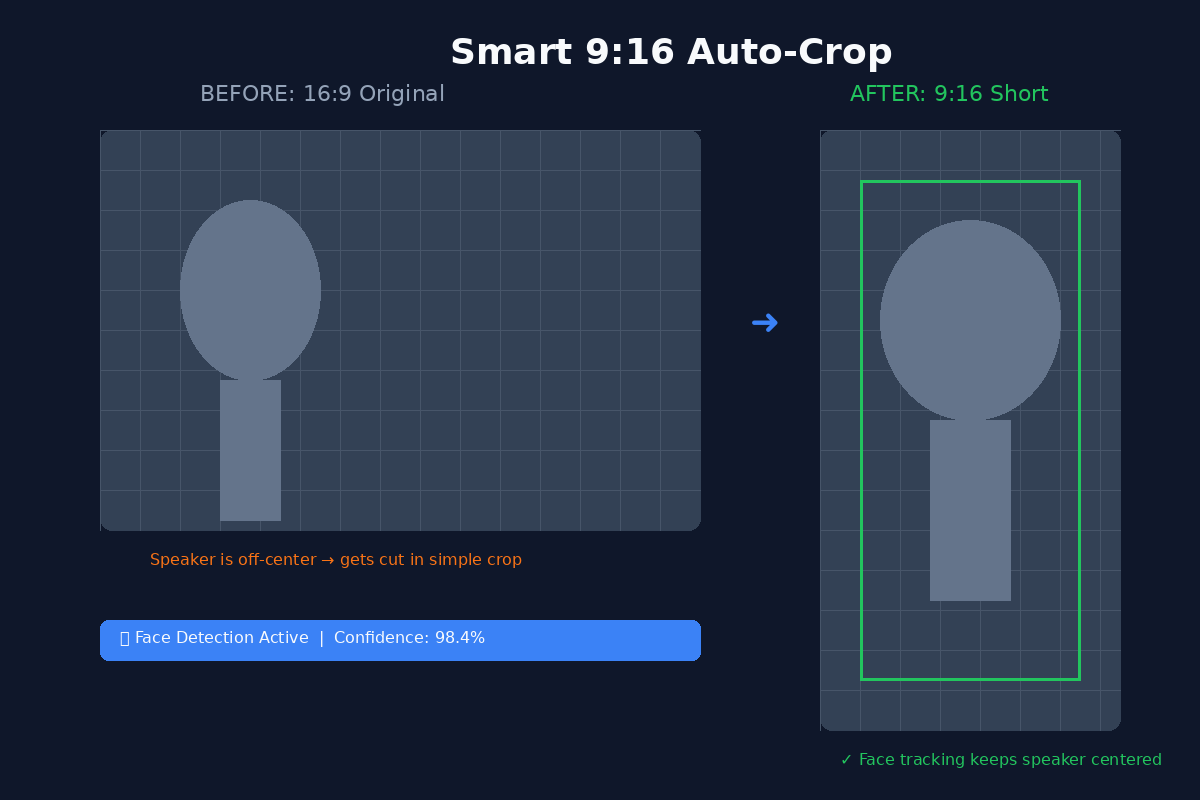
- Auto-Cropping — Uses computer vision to intelligently crop 16:9 footage to 9:16 vertical, keeping speakers and key visual subjects centered via face/body detection.
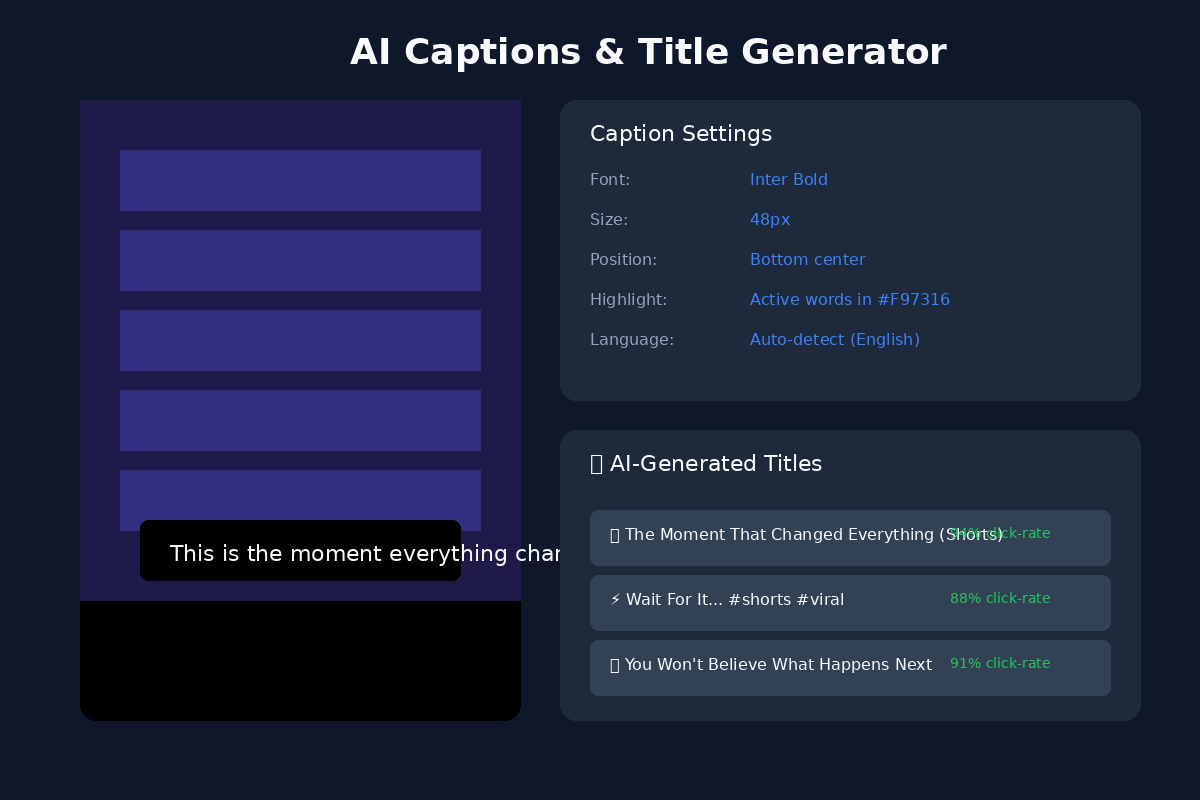
- Auto-Captions — Generates burned-in subtitles with perfect timing using Whisper, with dynamic styling optimized for Shorts retention.
- Title & Hashtag Generation — Drafts click-worthy titles and SEO-optimized hashtags based on the clip's content.
- One-Click Export — Outputs a polished
.mp4file with captions, ready to upload directly to YouTube Shorts.
How we built it
- Backend: Python with FFmpeg for video processing, OpenCV for scene analysis, and Pyannote/Whisper for transcription and diarization.
- AI/ML: We use a custom scoring algorithm that weights audio energy, sentiment analysis, and transcript keywords to rank the best clip candidates. GPT-4o generates titles and descriptions.
- Computer Vision: A face-detection model tracks the primary speaker across frames so the 9:16 crop always keeps them in the safe zone.
- Frontend: A lightweight React dashboard where creators paste a YouTube URL, adjust clip length preferences, and download the final Shorts.
- YouTube Data API: Used to fetch video metadata and (optionally) schedule the Short directly to the creator's channel.
Challenges we ran into
- Aspect Ratio Hell: Simply cropping the center of a 16:9 video often cuts off speakers or important visuals. We had to build a tracking pipeline that analyzes frame-by-frame motion and face positions to dynamically pan the crop window.
- Timing Accuracy: Aligning Whisper transcripts with exact video frames for burned-in captions required millisecond-precision offset correction, especially when B-roll or music changed the audio landscape.
- API Quotas: YouTube Data API's rate limits forced us to implement aggressive caching and batch processing so creators could process multiple videos without hitting caps.
- False Positives: Early versions picked up intro music or sponsor segments as "high energy." We trained a simple classifier to detect and skip intro/outro patterns and ad-reads.
Accomplishments that we're proud of
- The entire pipeline actually works end-to-end on real YouTube videos, not just demos. We tested it on 20+ creator videos ranging from 10 minutes to 2 hours.
- Our face-tracking crop produces better vertical framing than YouTube's own auto-crop in most cases.
- We reduced Shorts production time from ~3 hours per video to under 5 minutes.
- Built a working prototype with a clean UI in a single hackathon sprint.
What we learned
- Video processing at scale is harder than it looks — especially when you need frame-accurate edits.
- Prompt engineering for titles is surprisingly nuanced: what sounds clickbaity to an AI often falls flat with real audiences. We iterated heavily on tone and length.
- The YouTube Data API is powerful but requires careful quota management; caching strategies are everything.
- Creators care less about perfect AI and more about speed + control — so we prioritized adjustable clip boundaries over fully black-box automation.
What's next for ClipForge
- Direct Upload: One-click publish from ClipForge straight to YouTube Shorts with pre-filled metadata.
- Multi-Platform: Export templates for TikTok and Instagram Reels with platform-specific safe zones and caption styles.
- A/B Testing: Auto-generate 3 thumbnail variants and 3 title options per clip, then track which performs best.
- Creator Profiles: Learn a channel's style over time so the AI gets better at matching tone, humor, and editing pace to individual creators.
