-
Thumbnail
-
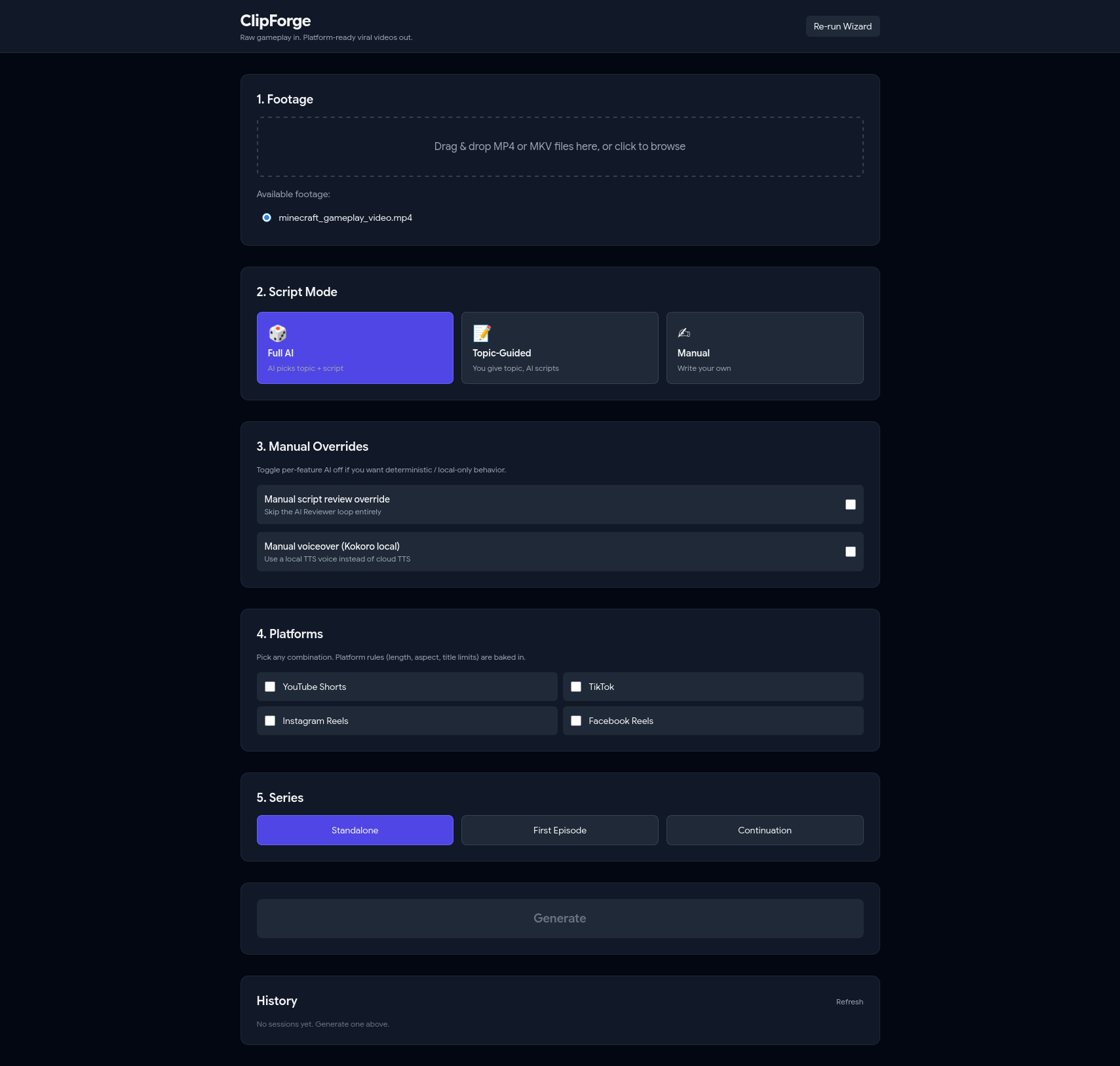
Main UI
-
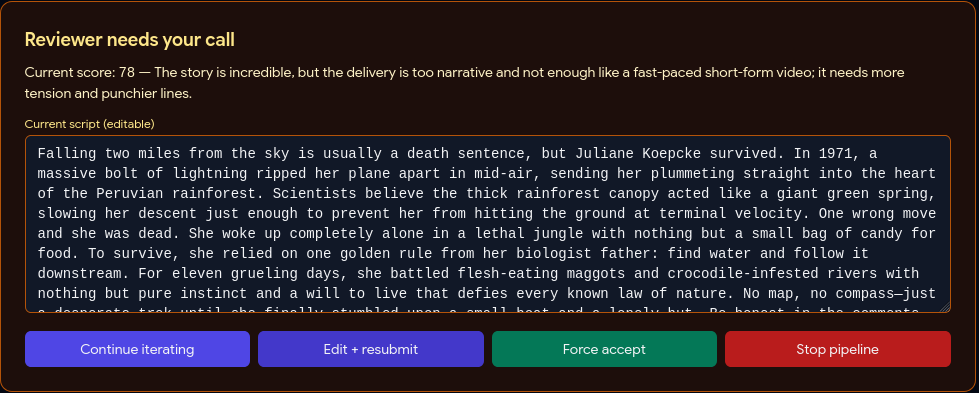
Reviewer Call
-
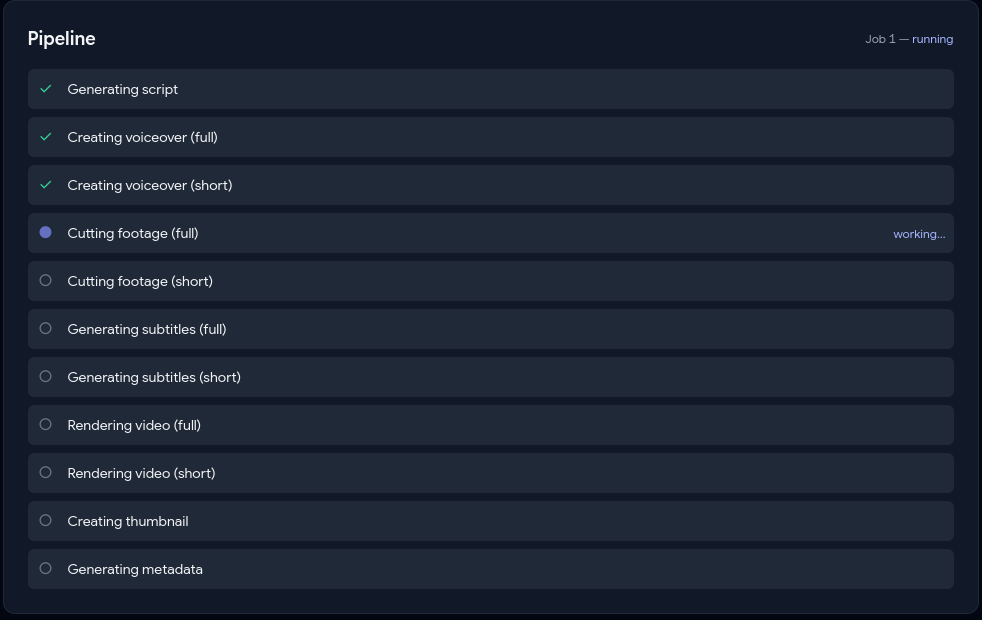
Live Pipeline View
-
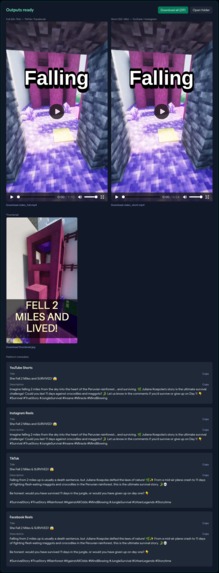
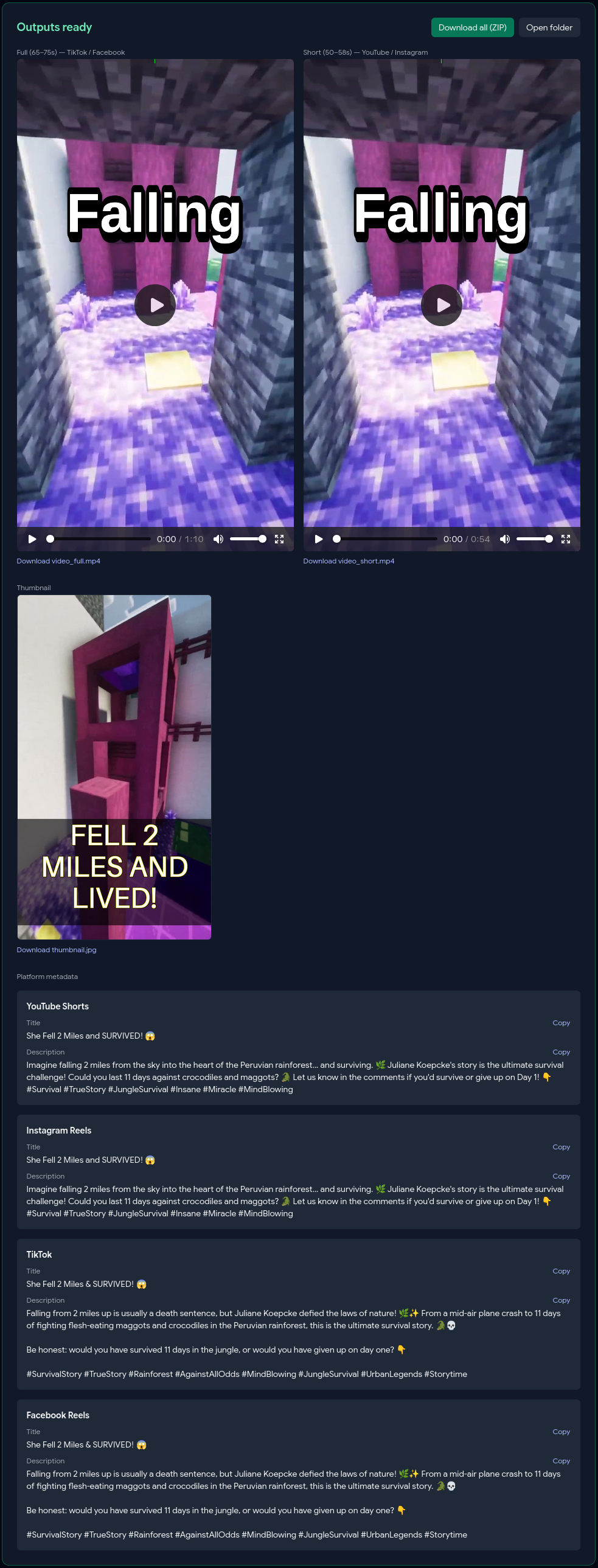
Output Dashboard
-

History Panel

Inspiration
Content creators and story writers who post viral short-form video face a multi-hour manual edit per piece — scripting, voiceover, cutting, subtitles, thumbnail, metadata, then reformatting for each platform. No end-to-end tool exists for that full loop. Gameplay footage is a perfect retention layer, so ClipForge pairs your story with any looping clip and produces four platform-ready videos in one pass.
What it does
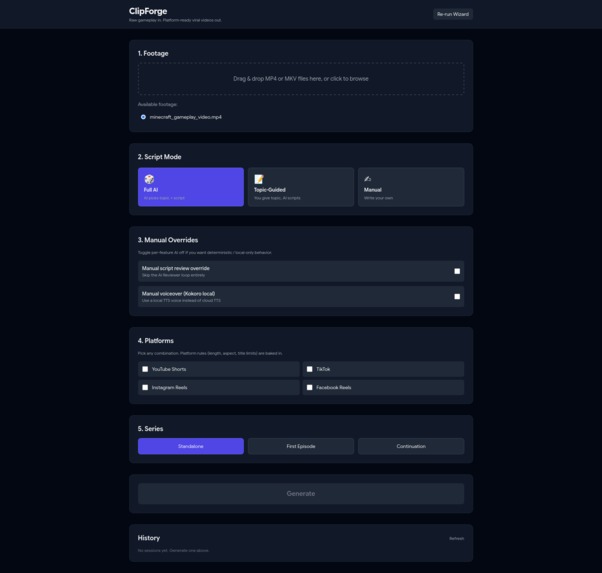
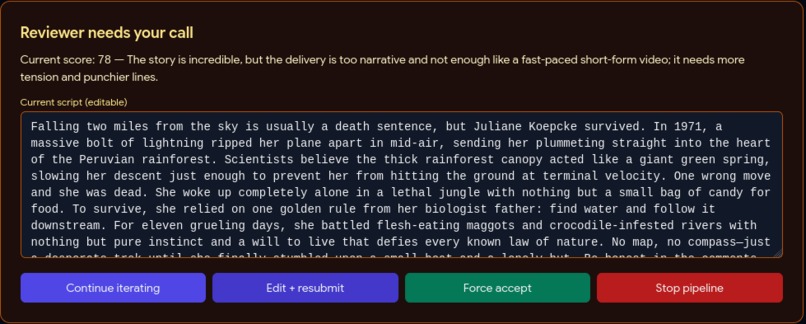
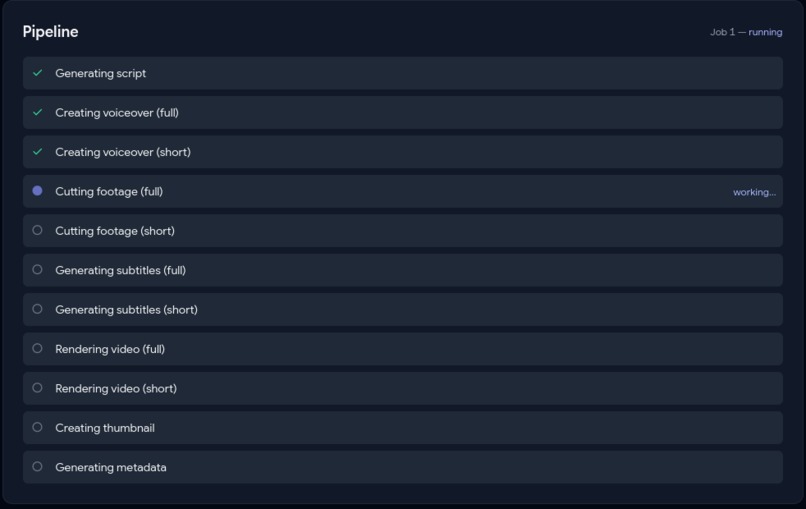
Drop in background footage, pick a mode (Full AI / Topic-Guided / Manual), and the pipeline handles the rest: an AI agent loop writes and reviews the script, TTS generates the voiceover, FFmpeg cuts the footage to target duration, Whisper generates synced burned-in subtitles, a green progress bar travels the frame perimeter for retention, a thumbnail is auto-generated with AI hook text, and per-platform titles and descriptions are written respecting each platform's character limits.
How we built it
- Python 3.11, FastAPI (async + WebSocket), Alpine.js + Tailwind via CDN (zero build step), SQLite with WAL mode, FFmpeg, Pillow, Typer + Questionary for the CLI.
- Google Gemma 4 (
gemma-4-31b-it) via the new google-genai SDK powers all four AI roles — Generator, Reviewer, Modifier, Tightener — differentiated only by prompt.CLIPFORGE_MODELenv var lets users swap togemini-pro-latestfor maximum quality. - Microsoft edge-tts (free, 25+ English neural voices, no local model download) for voiceover. Google Cloud TTS supported as an alternate cloud option.
- OpenAI Whisper
smallfor word-level subtitle timestamps. - WebSocket pushes a
state_syncsnapshot on connect (solves the race where fast steps complete before the frontend connects) plusstep_updateevents per transition. Output dashboard blooms open oncomplete. - Per-step checkpoints in the
job_stepstable. Startup sweep marksin_progressjobsinterrupted; user clicks Resume explicitly — no auto-resume crash loops.
Challenges
- The planned FFmpeg
geqspatial-gradient rainbow border was far too slow. Replaced with a pre-rendered PNG frame sequence showing a green progress bar travelling the perimeter — 150× faster and arguably more useful. - Kokoro TTS was planned as the local fallback but proved slow on CPU and required a 1.5 GB first-run download. Swapped to edge-tts, which streams with no local model.
- TTS output rarely matched target duration. Added a voiceover time-stretch step using FFmpeg
atempoto lock tracks to exactly 70 s (full) and 54 s (short). - WebSocket race condition: fast-completing steps were landing before the frontend connection opened. Fixed with the
state_syncsnapshot pattern.
What I learned
Built using a structured spec-driven development (SDD) process — scope → PRD → spec → checklist → build, each phase producing a document. The biggest lesson: 3-4 hours spent on planning artifacts before writing code saved more time than it cost. The checklist became a script for the build, and when reality diverged (geq filter too slow, Kokoro swapped for edge-tts, Gemini swapped for Gemma) the plan adapted cleanly instead of collapsing.
What's next
- Multi-language support (TTS voices + Whisper languages)
- Batch generation — multiple videos from one footage dump
- Export preset profiles
- SaaS packaging with user accounts and cloud storage
- Subtitle customisation (font, size, color, position, animation)

Log in or sign up for Devpost to join the conversation.