-
-
ClipFindr Custom Logo
-
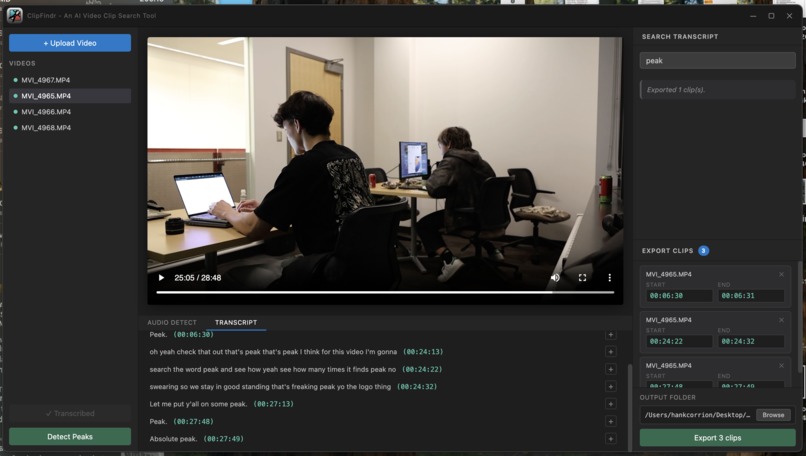
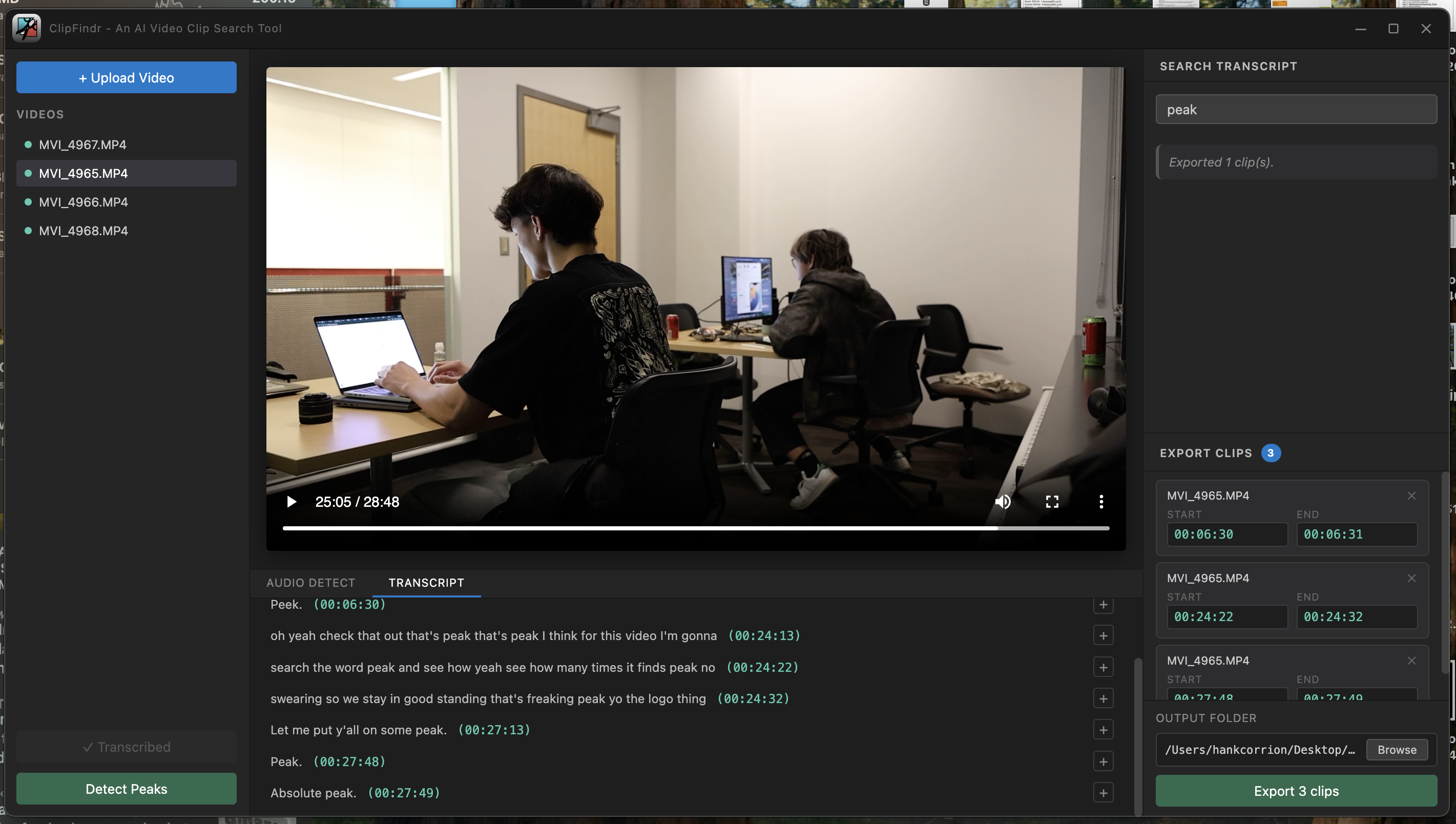
Screenshot of our app in-use

Project Story
Inspiration
We built ClipFindr to solve a simple but frustrating problem: finding specific moments inside long video files.
Whether it's:
- searching for a quote in a lecture,
- finding a highlight in a gameplay session,
- or clipping a hype moment from hours of footage, manually scrubbing through timelines is inefficient and time-consuming.
We based this problem off of our past experience as content creators where we've spent hours trying to find the specifics and manually splitting and cutting up videos. With ClipFindr, we're confident that this tool can be utilized to help streamline the video-making process.
What it does
ClipFindr is a desktop application that allows users to:
- Upload local video files
- Automatically generate timestamped transcripts
- Search for keywords and jump directly to matching moments
- Detect loud audio peaks to find potential highlight clips
- View transcript lines formatted like YouTube captions
It combines text-based search and audio-based highlight detection, giving users two powerful ways to navigate video content.
How we built it
ClipFindr is built using:
- Electron — desktop application shell
- React + Vite — frontend UI
- Python + FastAPI — backend processing
- FFmpeg — audio extraction
- Librosa + SciPy — audio signal analysis
Architecture
- Electron launches a Python backend server.
- The React frontend communicates with FastAPI over HTTP.
- When a video is uploaded:
- FFmpeg extracts audio.
- The transcription module generates timestamped segments.
- For peak detection:
- We compute RMS energy over short audio frames.
- Convert amplitude to decibels.
- Smooth the signal.
- Use
scipy.signal.find_peaksto detect significant audio spikes. - Expand peaks into usable clip ranges.
Challenges we ran into
1) Integrating Python with Electron
Running a Python backend reliably inside Electron required careful handling of process spawning, paths, and local environments.
2) Audio peak calibration
Peak detection required tuning:
- frame sizes,
- smoothing windows,
- prominence thresholds,
- and minimum gaps between peaks,
so the app finds real “hype” moments without producing too many false positives.
3) UI data flow
Transcript search results and audio clip detections use different data shapes. Routing results to the correct UI tab without breaking the experience took iteration.
Accomplishments that we're proud of
- A working hybrid system combining transcript search + audio peak detection
- A clean Electron + React + FastAPI architecture
- YouTube-style transcript formatting with clickable timestamps
- Fully local processing (no upload required)
What we learned
- How to bridge JS and Python cleanly in a desktop app
- Practical audio signal processing (RMS, dB scaling, smoothing, peak detection)
- How important good state/data flow is for UI clarity
- How much complexity hides behind “simple” video tooling
What's next for ClipFindr
We’d love to add:
- One-click export of detected clips to a folder (MP4 highlight files)
- Better highlight detection (adaptive thresholds or ML-based scoring)
- Keyword highlighting inside transcript lines
- A visual timeline of peaks + matches
- Speaker diarization (multiple speakers)
As people with backgrounds in photography, videography, and content creating, we know we'll be utilizing this tool ourselves in the future. We hope it can of use to you as well!

Log in or sign up for Devpost to join the conversation.