-
-
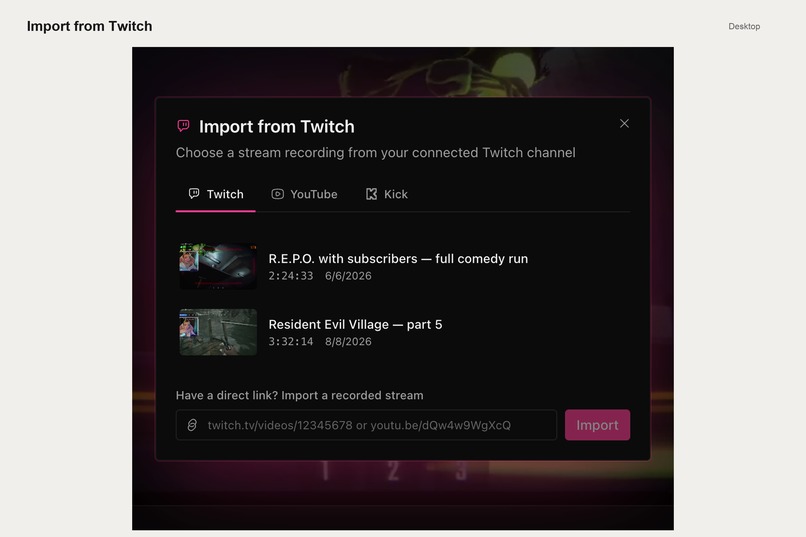
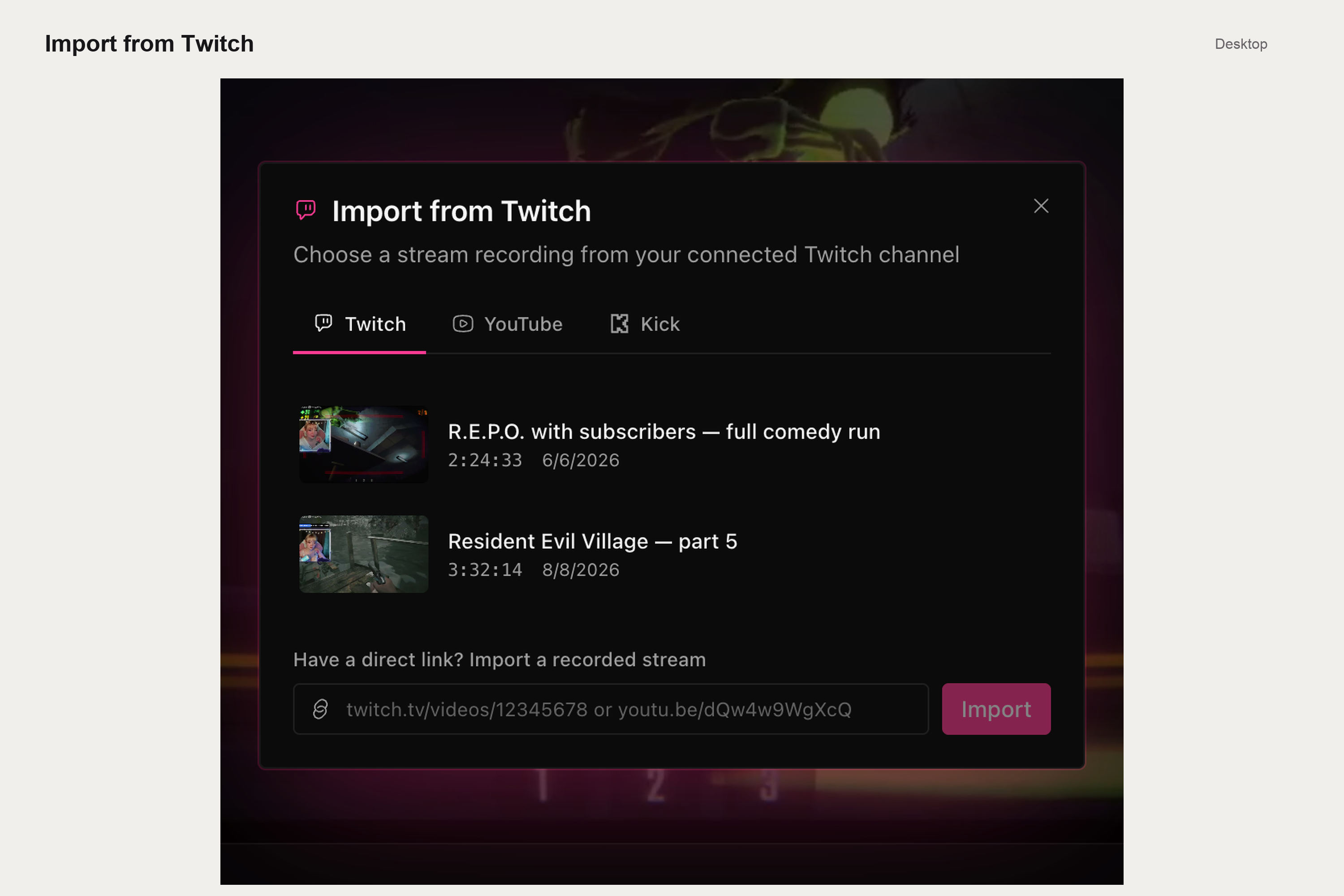
import from twitch/youtube/kick
-
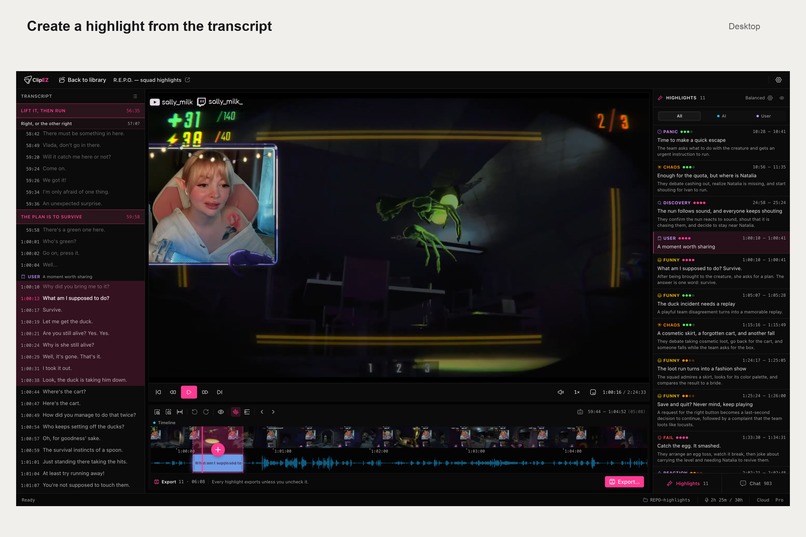
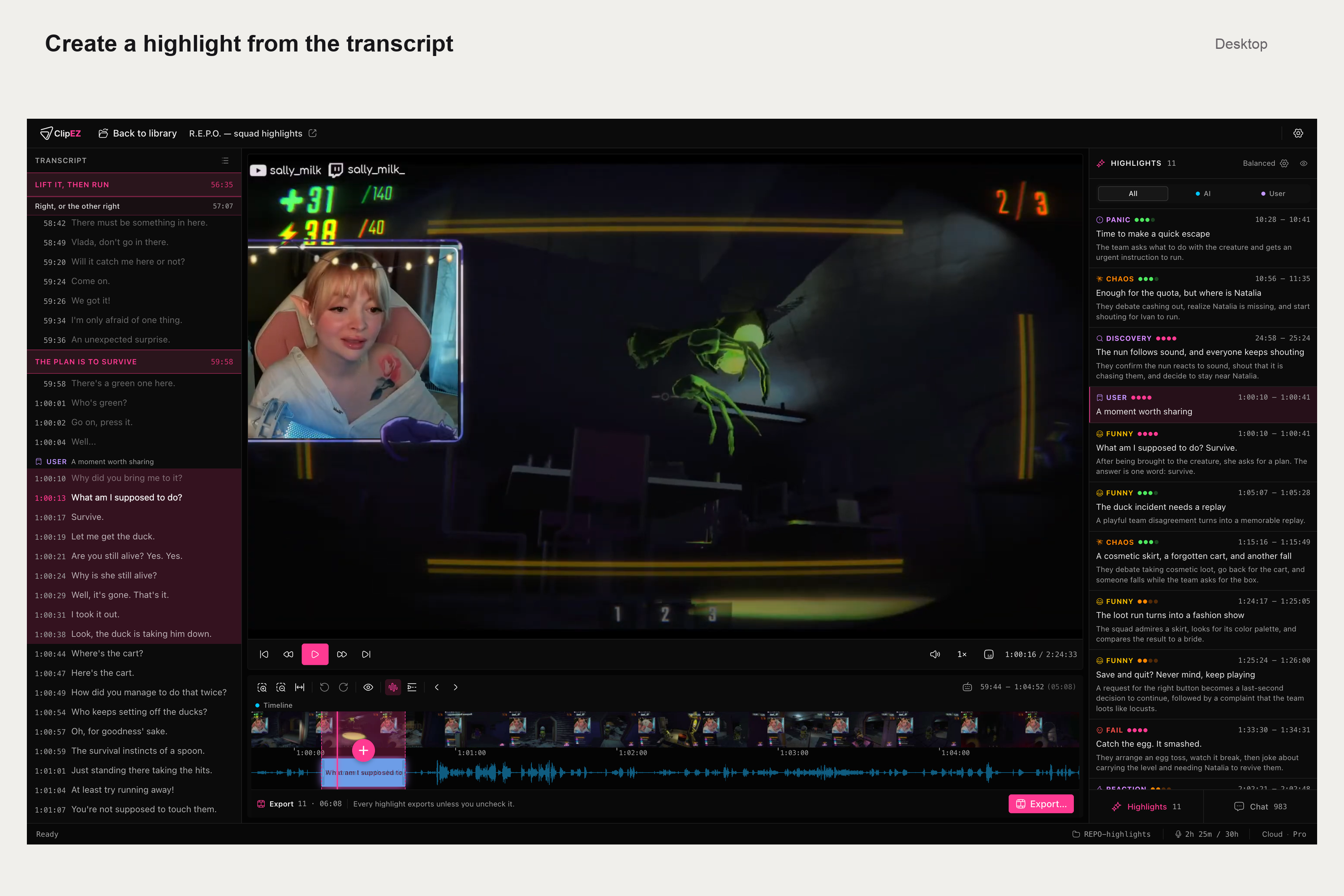
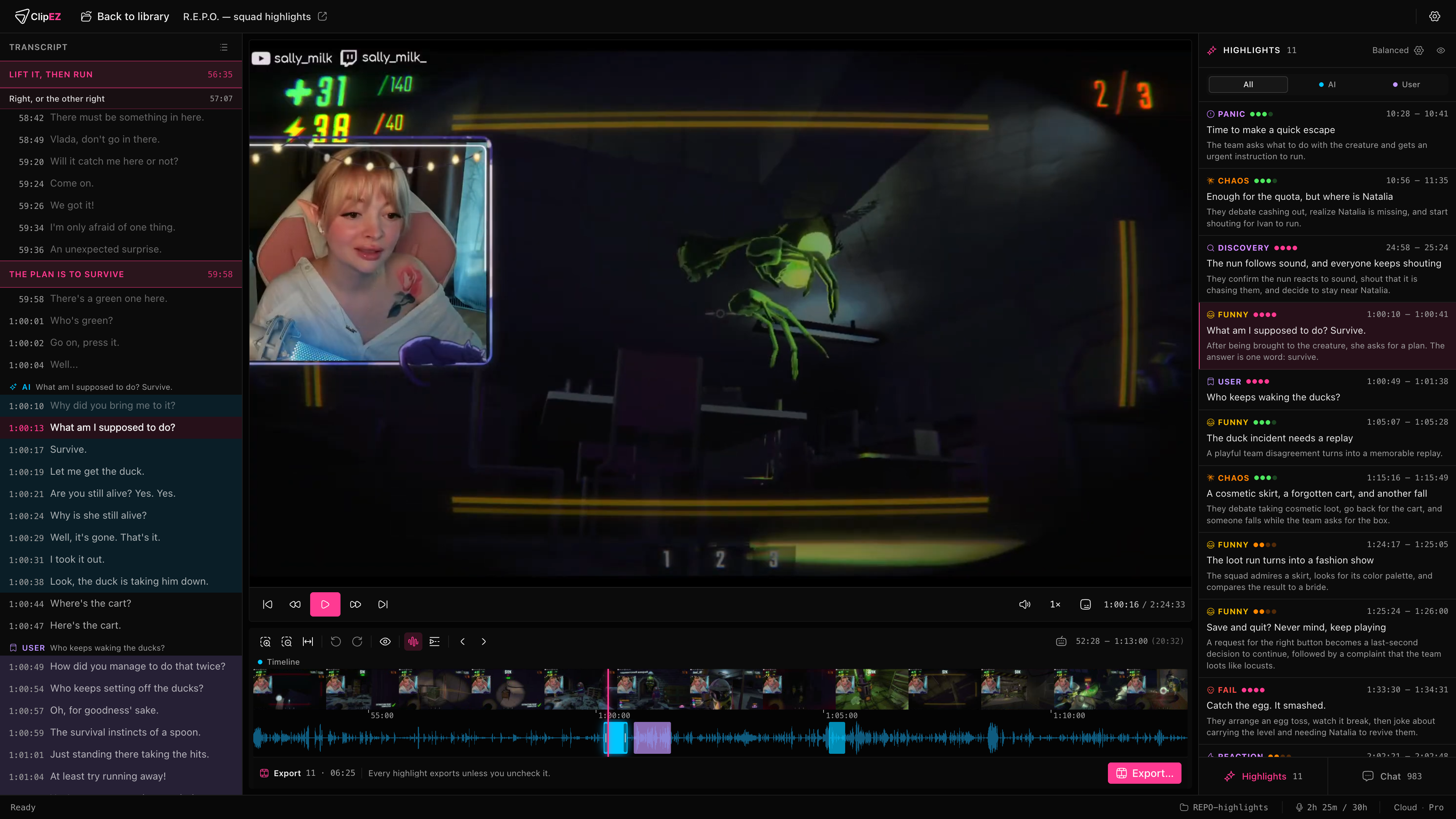
highlight creation from transcript
-
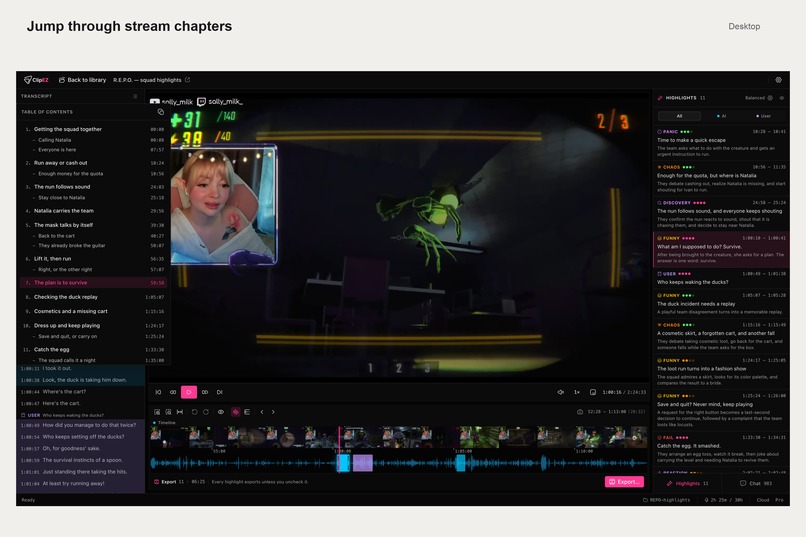
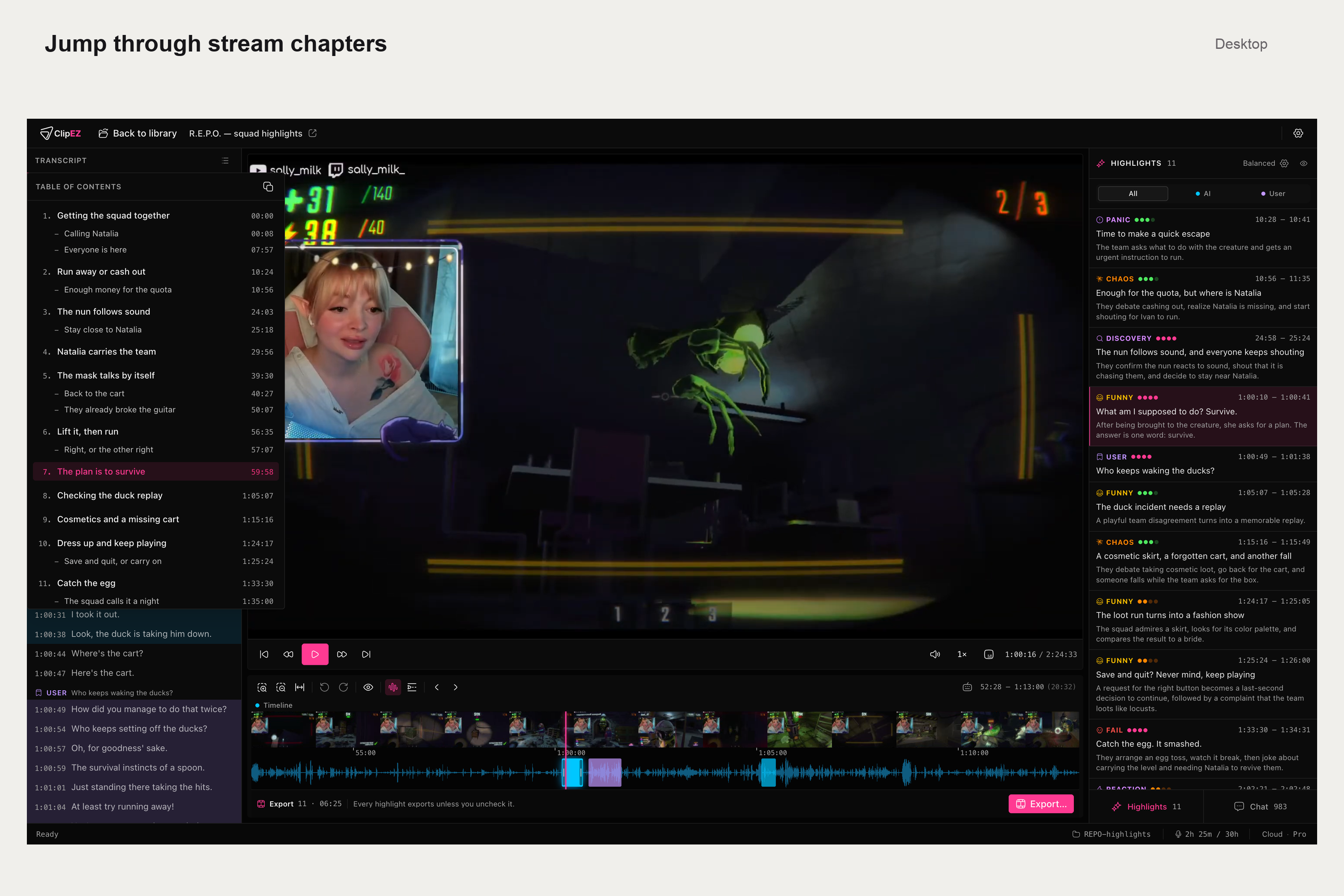
navigation through transcript
-
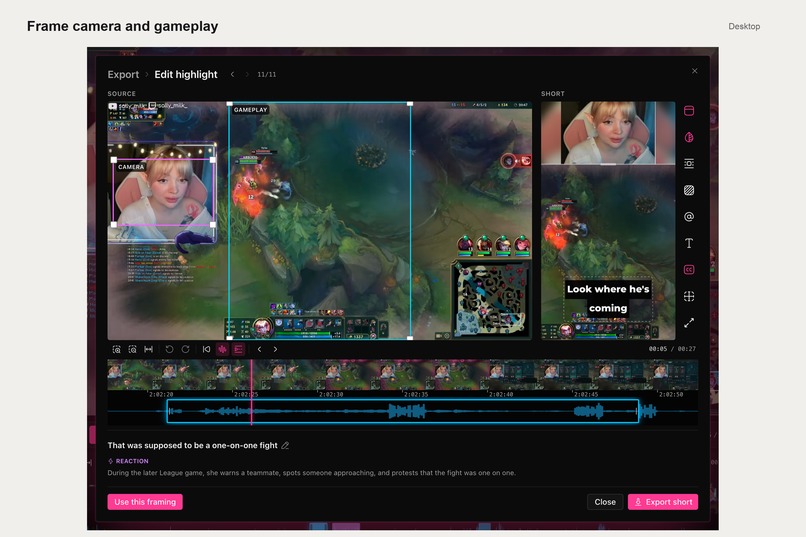
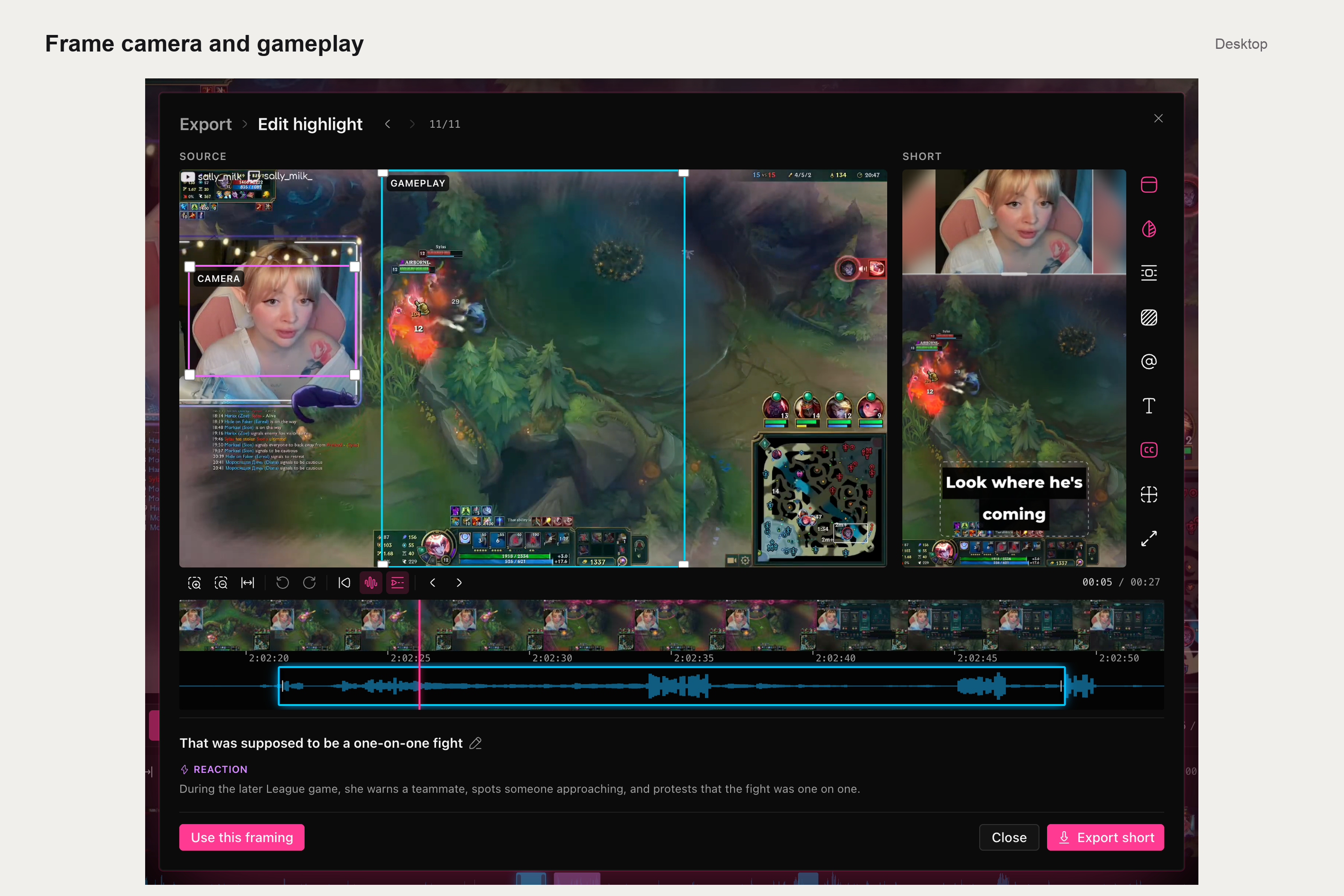
desktop short editor composition
-
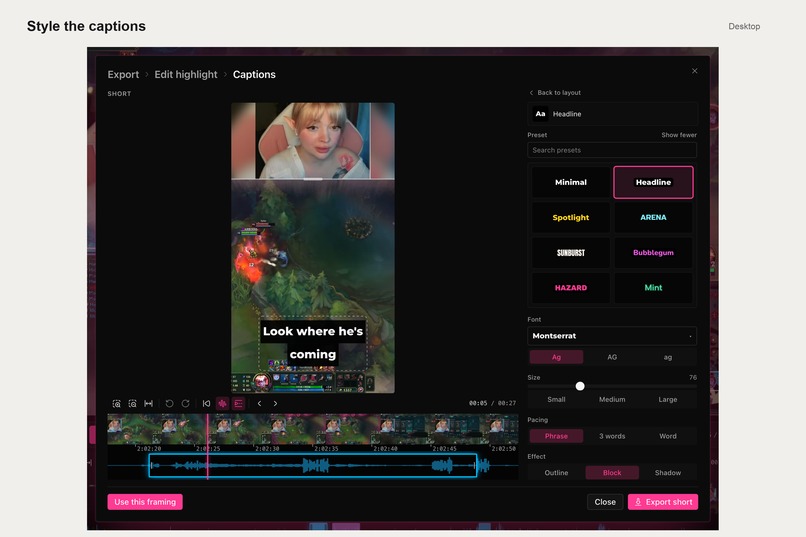
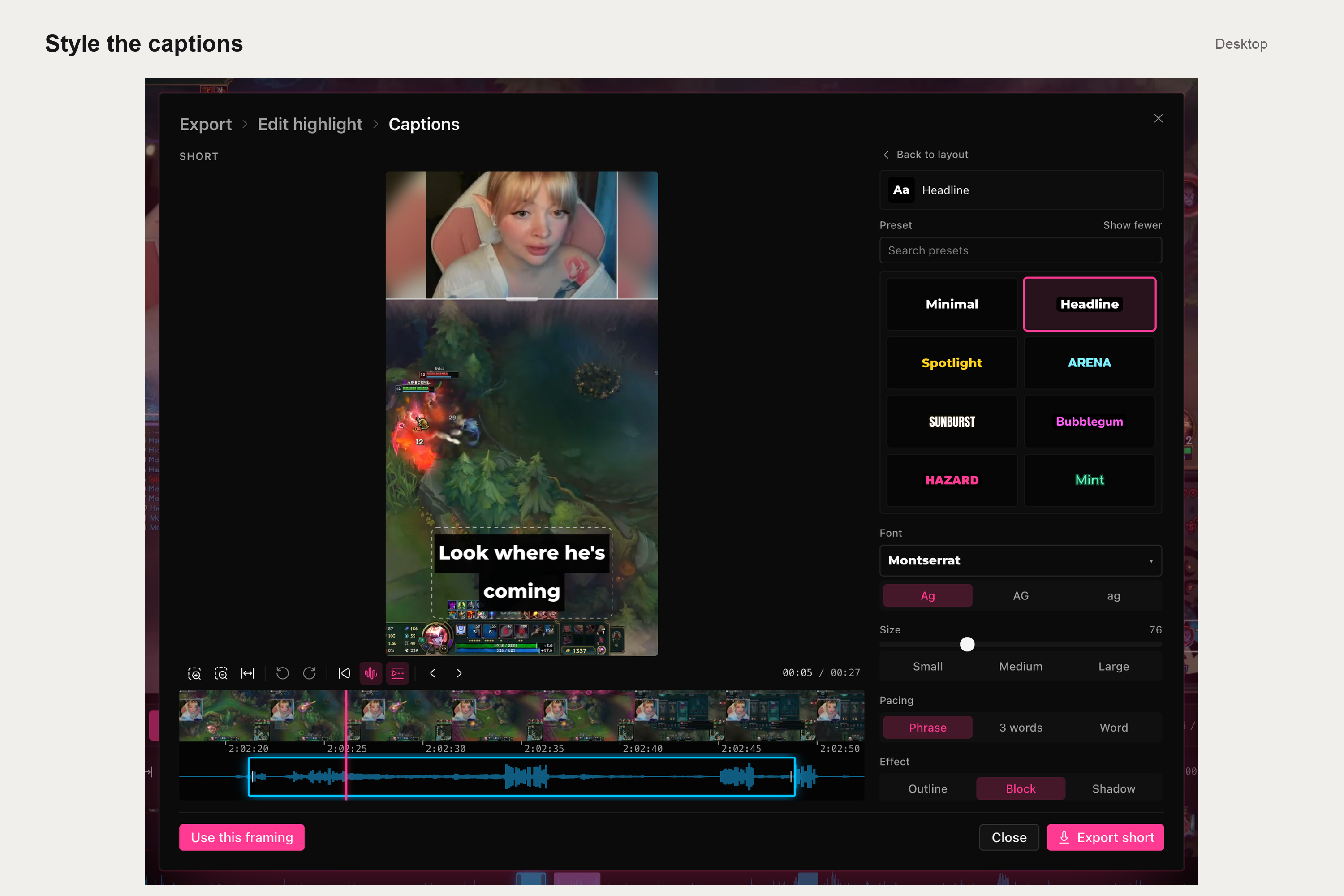
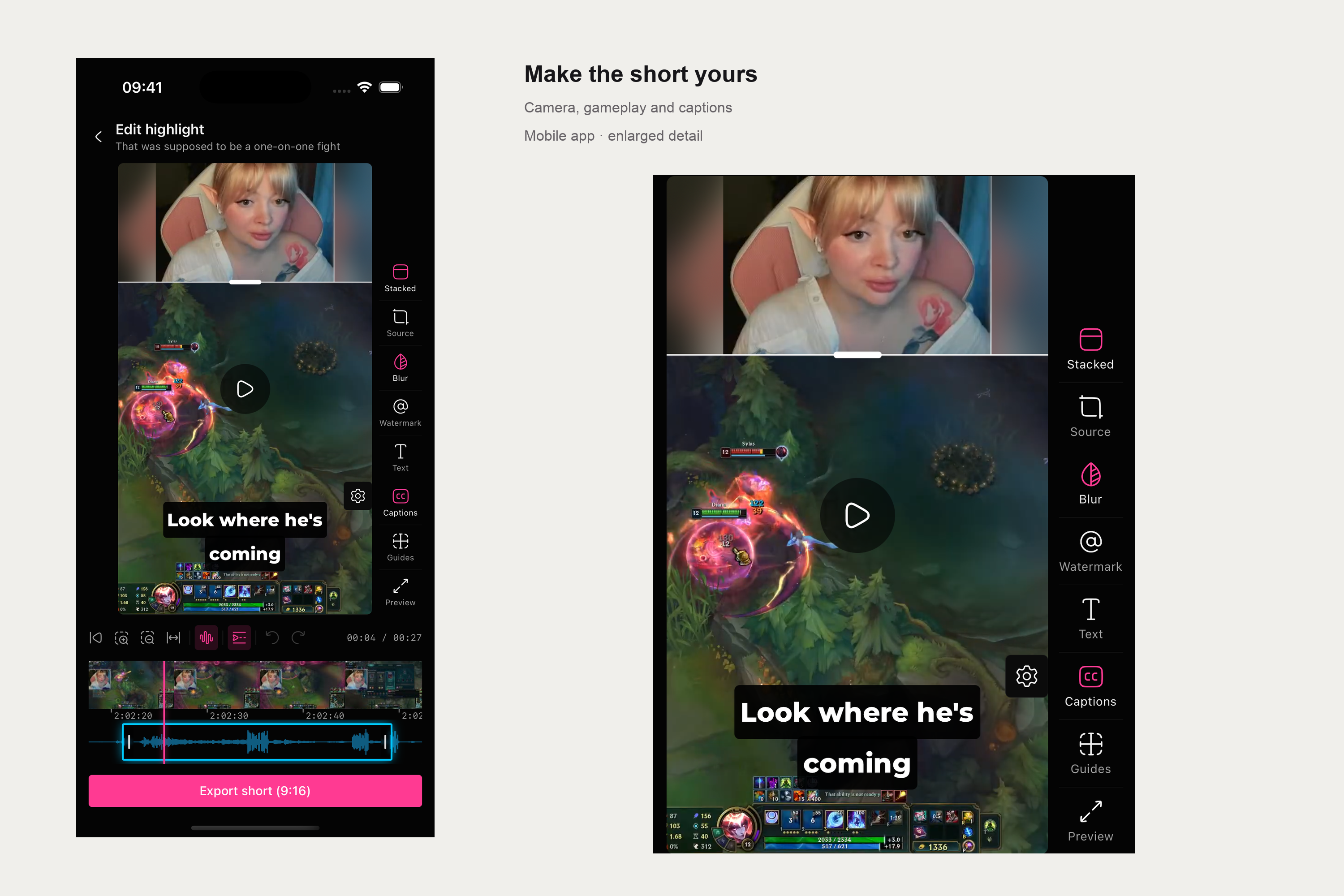
desktop short editor captons
-
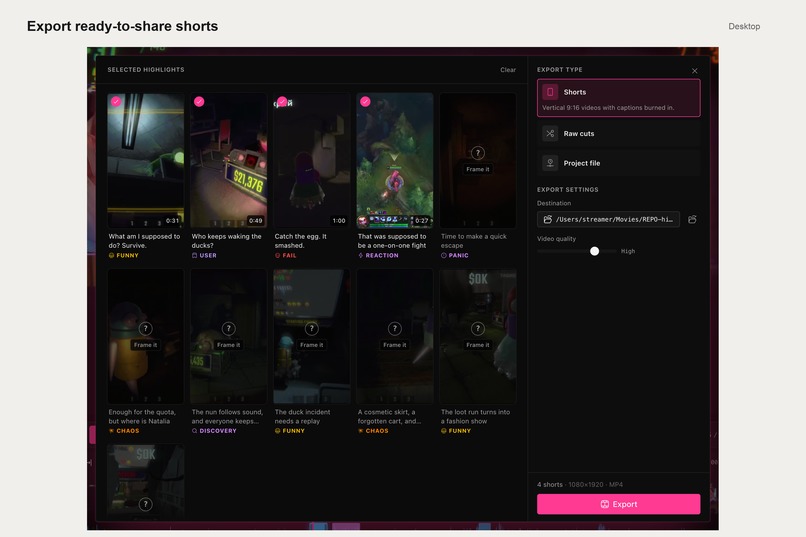
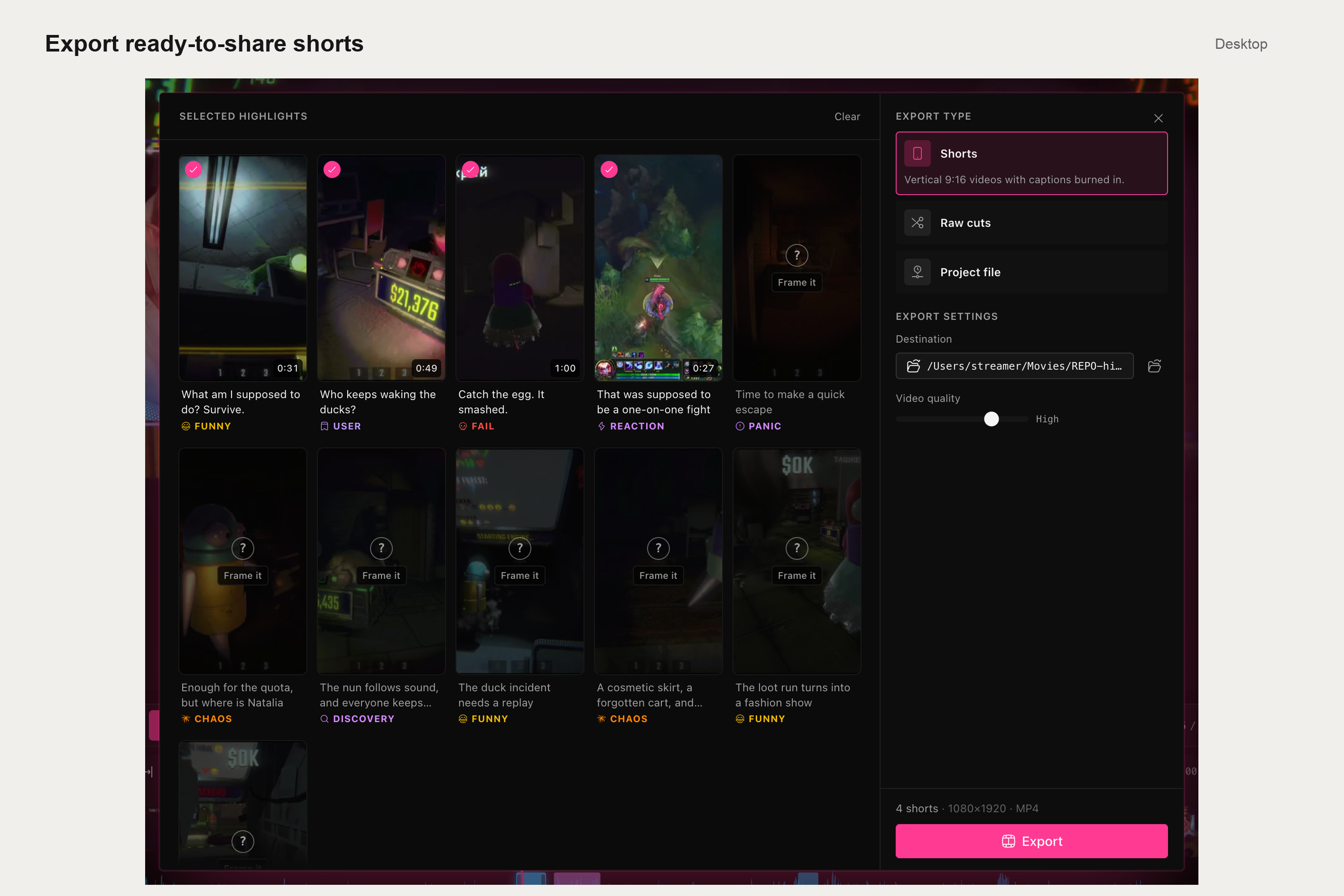
desktop export
-
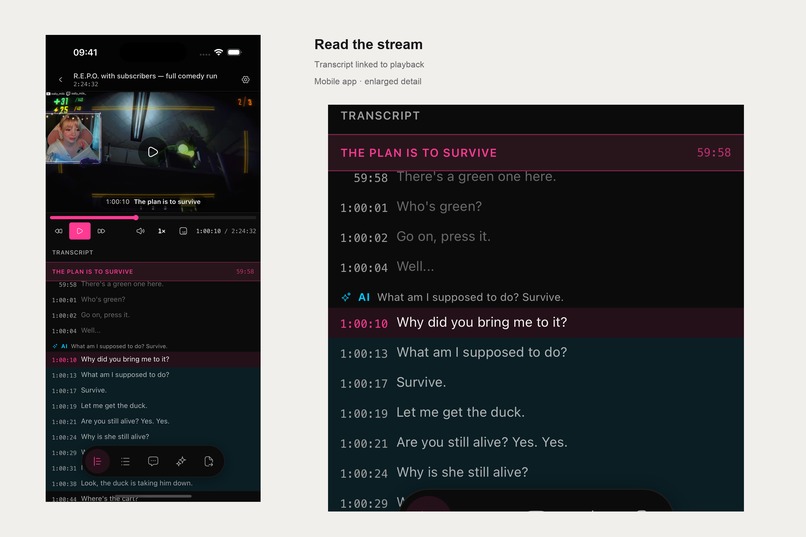
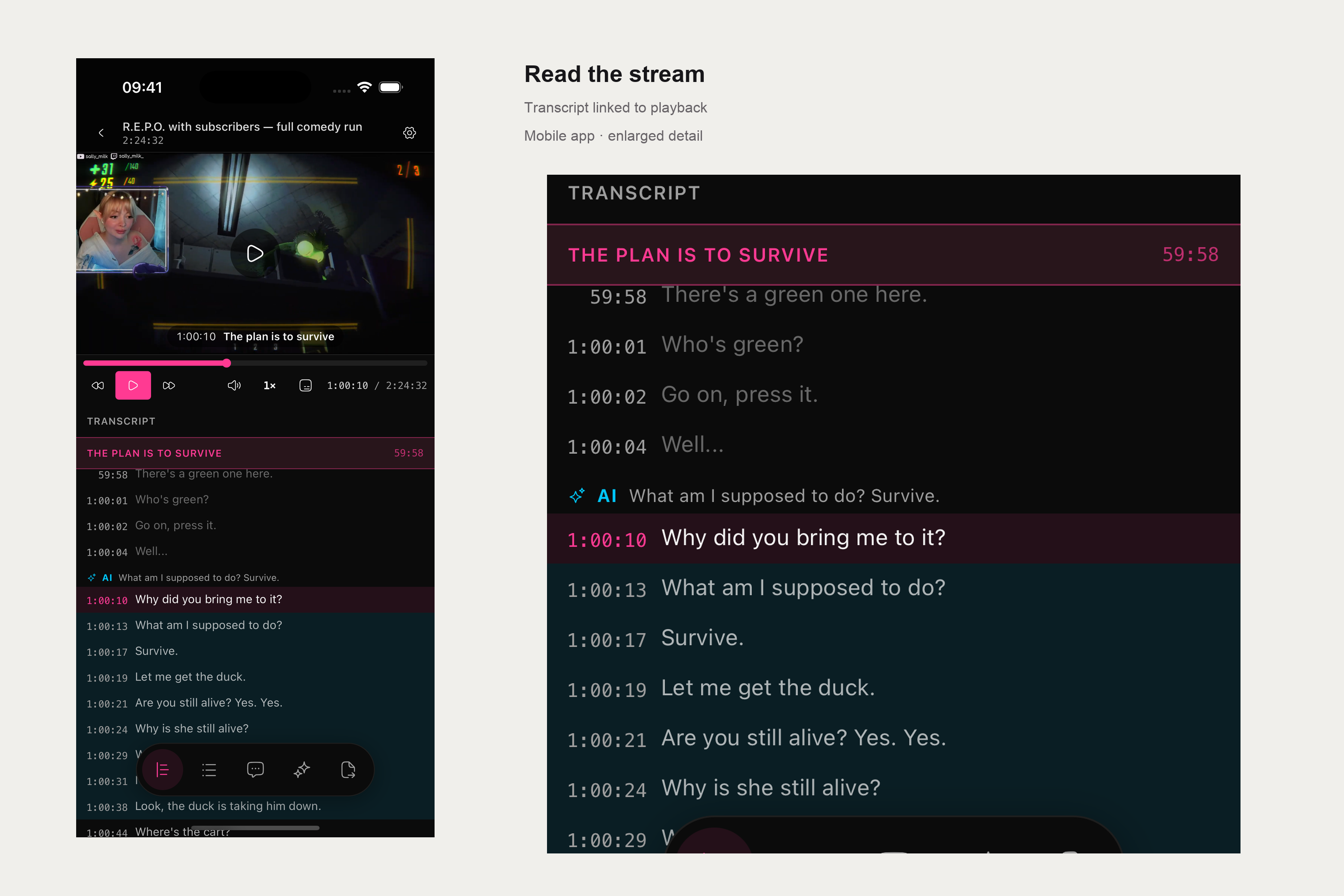
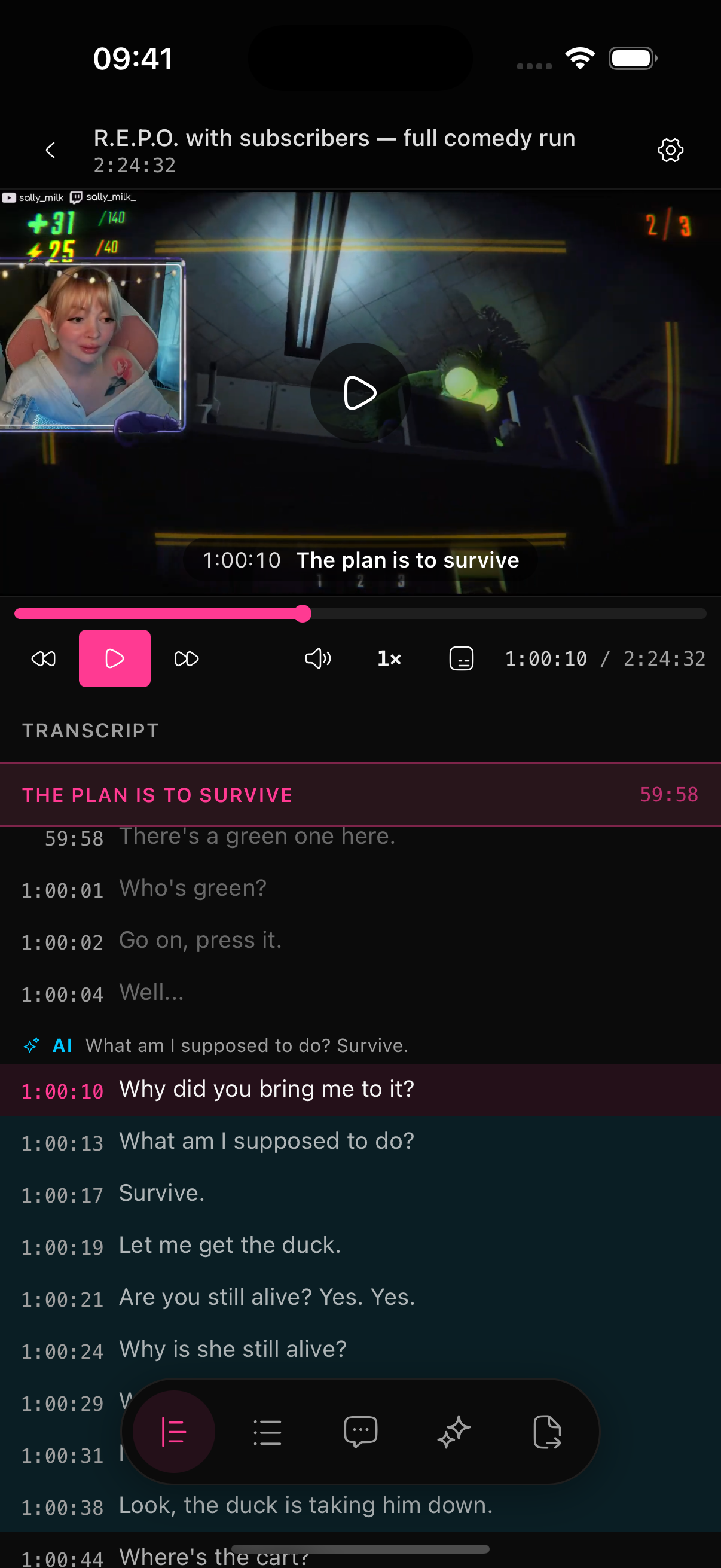
live transcript
-
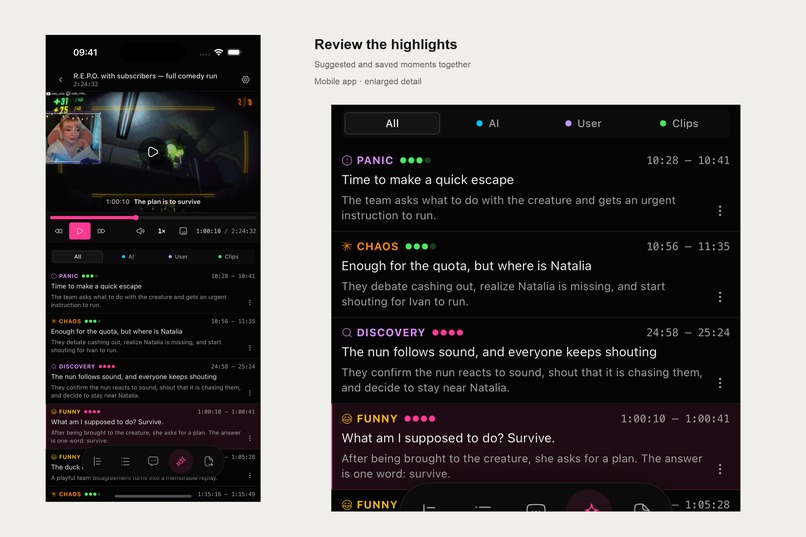
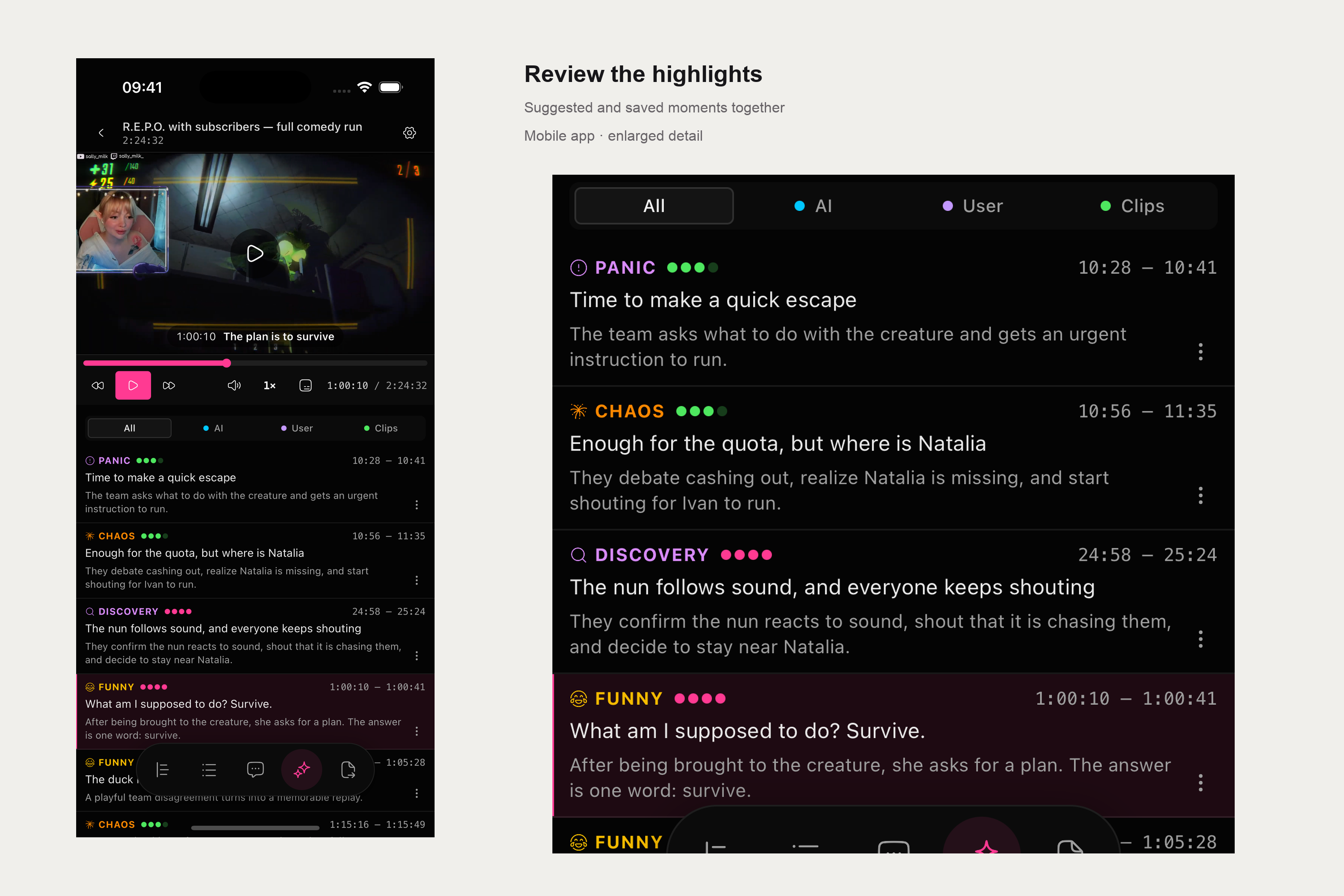
highlights
-
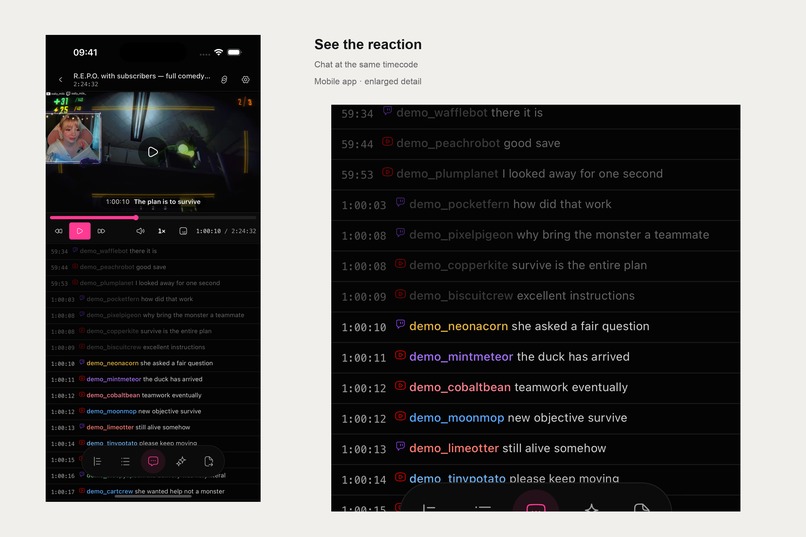
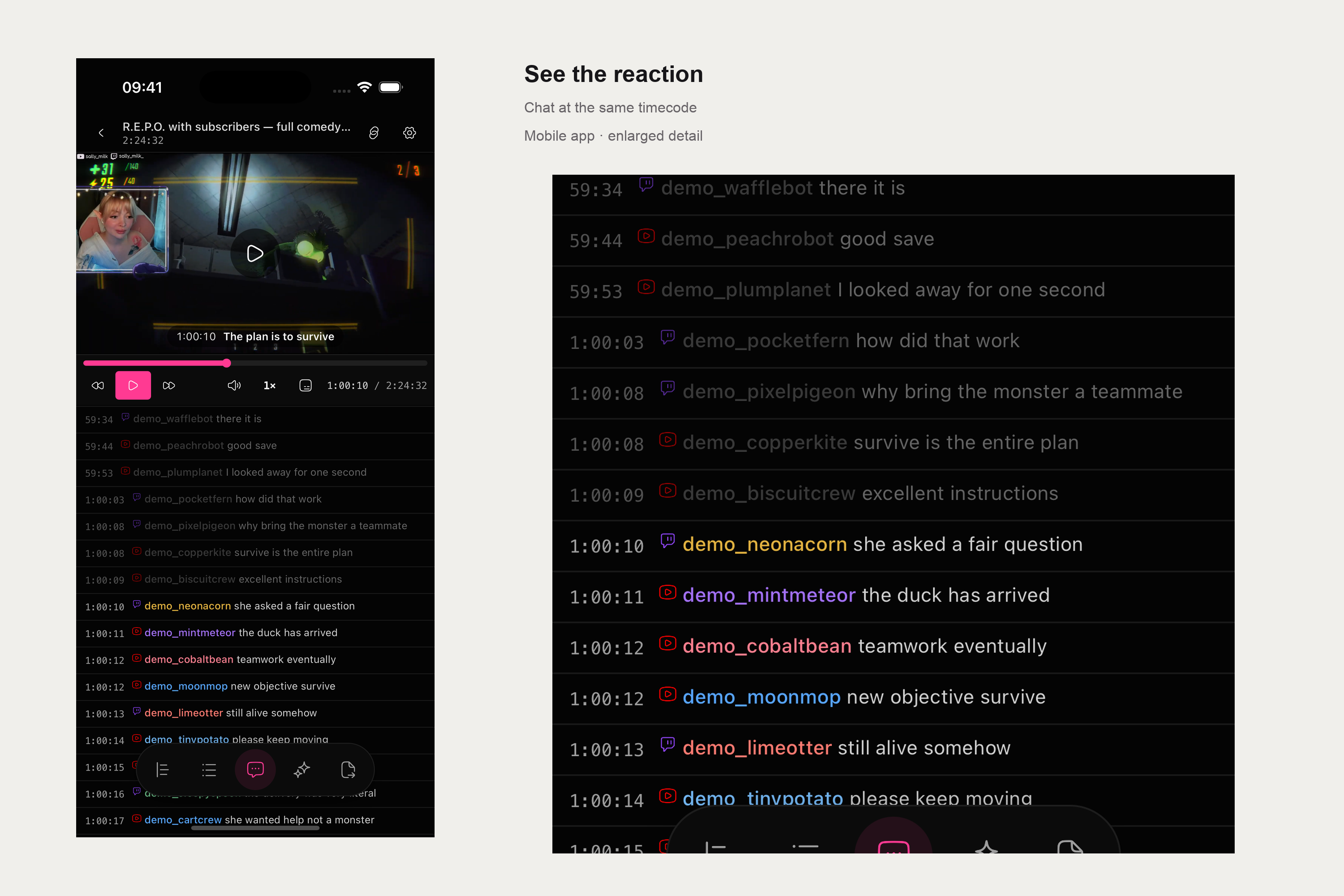
synced multi-platform chat
-
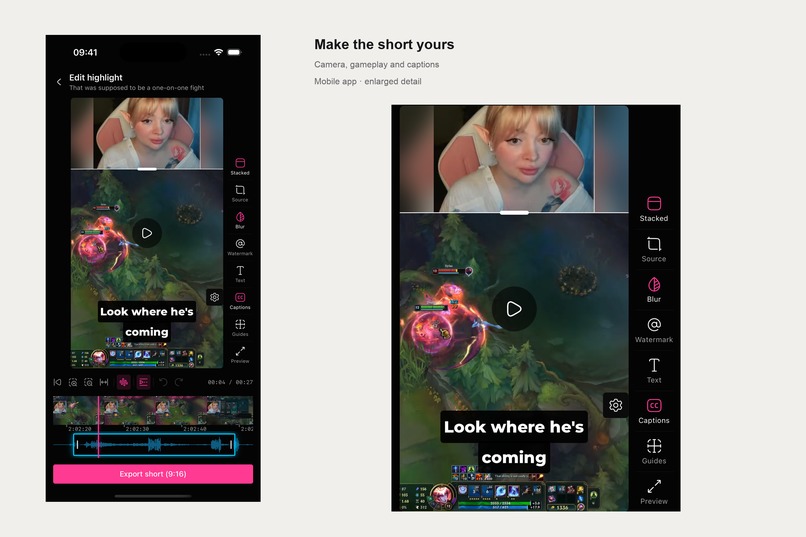
mobile shorts editor
-
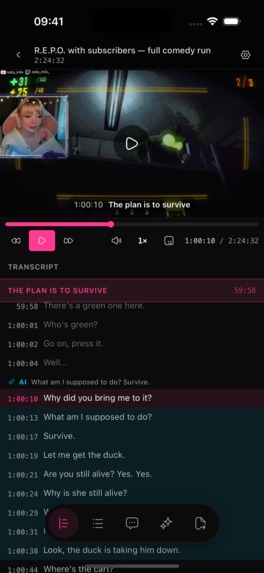
mobile app no frames
-

app icon
-
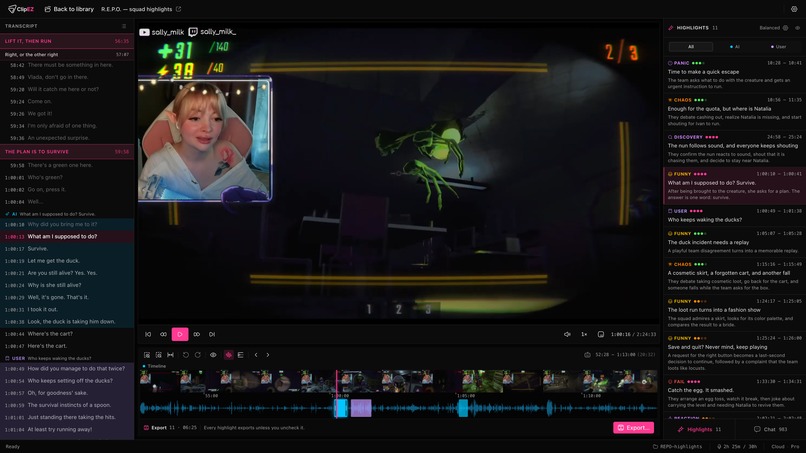
desktop app no frames

Inspiration
My wife started streaming while at university, as a side hustle. Getting the first subscribers is hard — Twitch gives new streamers almost no discovery of their own, so most of them bring an audience in from somewhere else. Twitch clips kept showing up in my TikTok, YouTube and Instagram feeds, so I suggested she do the same.
She hit a wall immediately. Her streams run several hours, and finding the few moments worth posting meant re-watching all of it. That cost her an entire evening per stream, and she started avoiding it. I built her a tool that turned the stream into readable text with a table of contents, so she could skim it and jump straight to the interesting parts instead of dragging the video back and forth.
Finding the moments solved half the problem. Publishing them was the other half: add captions, put her webcam over the gameplay, add a watermark, crop it to fit a phone screen. She was working through a separate tutorial for every step, and the sheer number of those tutorials told me plenty of other streamers were stuck in the same place. So I added editing and publishing to the app. She uses it every day now.
What it does
ClipEZ takes a stream that ran for hours and hands back the handful of moments worth posting.
You paste a Twitch or YouTube link, or open a recording from your computer. The app writes out everything that was said, splits the stream into chapters, pulls in the chat, and then picks out the moments most likely to work as clips — each one with a short reason why. It also reads the chat for people shouting "clip it", so anything the audience already reacted to is waiting for you.
Everything stays in sync. Click a line of the transcript, a chapter, or a chat message, and the video jumps to that second. Streamers who go live on Twitch and YouTube at the same time can pull in both chats, and every message lands at the moment it was actually sent.
Once you have picked a moment, there are two ways out:
- Make a vertical clip for TikTok, Reels or Shorts — webcam stacked over the gameplay, captions burned in from 54 styles, your handle over the video if you wish. It comes out ready to post.
- Send it to your editor — the app can export the video files, or hand the whole list of cuts to Final Cut, DaVinci Resolve, Premiere or CapCut, so the editing timeline opens with every clip already in place.
There is a phone app too. It runs the same analysis in the cloud, so you can start it from your phone, close the app, and come back to a finished breakdown you can watch, read and clip on the go. The app speaks 11 languages.
How we built it
I built it on evenings and weekends, around a full-time engineering job at a big tech company. I owned the product vision and the architecture of the thing; Claude Code did most of the building and a good deal of the design work, and I reviewed everything that came back.
Ten years of building software for millions of users came with me. A side project usually skips all of that — no monitoring, no automated releases, no idea what breaks until a user writes in. ClipEZ got the same treatment I would give something at work: it tells me when a stream fails to process and why, updates ship to users automatically and can be rolled back, and I can see which features people actually open. That is the difference between a demo and something my wife can rely on every day.
It started as a tool for exactly one person. My wife had a specific problem — she could not face re-watching her own streams — so the first version only solved that: turn the stream into something readable, with a table of contents, so she could skim it in ten minutes. I watched her use it, dropped the parts she ignored, and built the parts she kept asking for. Nothing went in because it sounded good on paper.
The order followed her workflow. Find the moment first, because that was the thing stopping her posting at all. Then make the clip, once finding them stopped being the bottleneck and the editing did. Then get it out, either as a finished vertical video or handed to the editing software she already knew. The desktop app came first because video work wants a real computer, and the phone app came later, once it was clear that deciding what is funny happens on the sofa rather than at a desk.
Challenges we ran into
Uploading was slower than the stream itself. A three-hour Twitch stream is about 9 GB. Sending that from a normal home internet connection takes roughly an hour before any work can even start. I moved that step to a server, which pulls the video straight from Twitch at data-centre speed — under three minutes, and the user's own connection never carries it.
A phone cannot hold a stream, let alone process one. Few people are carrying 9 GB of spare room on their phone for a single stream, and even with the space free, grinding through hours of video would empty the battery long before it finished. That is why the phone app does none of the heavy work itself: you paste a link, a server handles it, and you can close the app and come back later to a finished breakdown. It also means the phone app never asks you to download anything you were not going to watch.
Accomplishments that we're proud of
The original goal was one person posting clips again. She does, every day, and the clips come out of this app.
An evening of work became a few minutes. A three-hour stream now goes from link to shortlist without anyone watching it back.
You can go from a raw stream to something ready for TikTok without opening another program — captions, webcam over gameplay, your handle in the corner. And what you see while editing is exactly what comes out, which is the part that makes people trust it.
For anyone who already has an editor they like, the app fits in rather than asking them to switch: it hands the whole set of cuts to Final Cut, Resolve, Premiere or CapCut with everything already in position.
It shipped everywhere it needed to — Mac, Windows, Linux, the browser, iPhone, iPad and Android — in 11 languages, from a side project.
What we learned
The bottleneck was deciding, not editing. Everyone assumes the hard part of clipping is the editing software. It isn't. The hard part is finding four good minutes inside four hours, and once you can read a stream instead of watching it, the rest stops feeling like work.
The audience is a better judge than any model. Chat shouting "clip it" turned out to be the single most reliable signal in the whole app. The people who were there already voted; the app just had to count.
Nobody wants it done for them. Streamers were happy to have a shortlist handed over and deeply unhappy at the idea of software picking and posting on its own. Their name is on the clip. The app suggests, they decide.
Watch a real person use it. Every feature that survived did so because I sat next to someone using it. Several that seemed obviously useful got quietly deleted after nobody touched them twice.
What's next for ClipEZ
- Android, properly. The app runs on Android today, but iPhone and iPad are the versions I have fully tested.
- Server-side imports for everyone. The fast import path is limited today because the cost of running it is open-ended; the next step is a fair allowance so every subscriber gets it.
- A tool that learns your taste. Every suggested clip you accept or reject is already recorded. Feeding that back means the shortlist gradually starts matching what you personally think is worth posting, not what an average viewer would.
- Ask your stream a question. Pull up anything that happened during a broadcast — what a viewer asked, when you talked about something — without scrubbing for it.

Log in or sign up for Devpost to join the conversation.