-
-
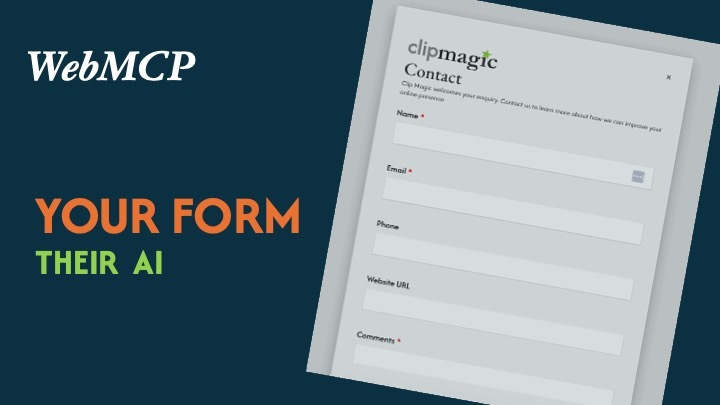
Using WebMCP on an existing website
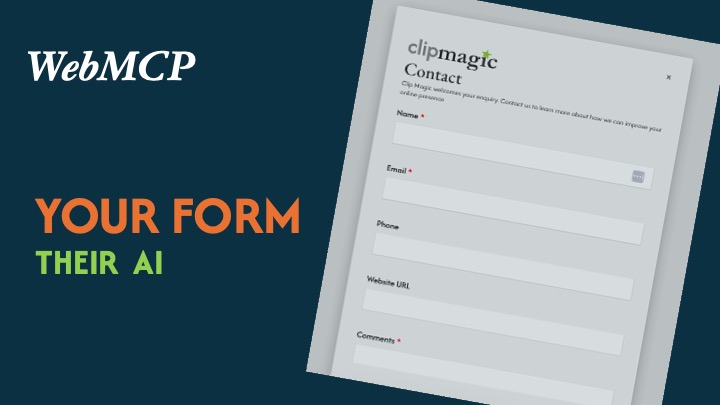
Clip Magic: making a real-world SMB website agent-ready
Inspiration
Most small businesses do not need another chatbot.
They need fewer obstacles between a potential customer deciding, "I need help with this," and actually taking the next step.
That was the attraction of WebMCP.
The interesting part for me is that the user owns the AI agent. A business website does not have to create its own assistant, replace its existing workflow or force visitors to learn a new interface. Instead, it can expose a small number of safe, useful capabilities that a person's chosen agent can understand and use.
Clip Magic is a real small-business website, so I deliberately chose a practical task for this challenge: preparing a website-review enquiry.
I chose a pragmatic approach rather than a dramatic one. The problem is familiar: people often know what they need, but do not know which service label to choose or how much detail to type into a set of fields. For some users, especially those who find dense, field-by-field interfaces difficult, a conversational route can be useful. It is not a replacement for accessible form design, and it does not remove human choice. The ordinary form remains available; the agent simply helps a user reach the same workflow and leaves the final decision with them. Most people I know would rather explain what they need than fill in boxes on screen or on paper.
The opportunity extends well beyond one website. Small and medium-sized enterprises represent around 90% of businesses worldwide, yet reliable data about the proportion of websites they operate is not generally available. What is clear is that there is already a large installed base of small-business websites: in 2025, 76.67% of EU small enterprises with 10–49 employees reported having a website (Eurostat e-business data), while 17% reported using AI, compared with 55% of large enterprises (Eurostat AI statistics).
That suggests a practical path between the old web and the AI-first web. Most small businesses are not going to abandon their CMS, rebuild their website, or become AI companies overnight. They may, however, be able to add small, useful, standards-based capabilities to the websites and workflows they already rely on.
The question behind the project was simple:
Can a user's AI agent understand that Clip Magic may be able to help, gather the minimum missing information, and prepare the existing enquiry form without bypassing the human or creating a separate AI workflow?
The aim was not to build the most elaborate WebMCP demo. It was to see whether WebMCP could remove friction from something businesses and customers already do every day.
What it does
The live Clip Magic website exposes one bounded WebMCP capability:
request_website_review
A user can describe what they want in natural language. Their agent can inspect the public website, determine whether the request is relevant, ask for missing information, open the existing Contact workflow and populate the visible form.
The important part is what happens next: nothing is submitted automatically.
The user can read the completed form, change anything they want, and decide whether to click Submit.
The human and agent therefore use the same underlying workflow:
Contact dialog → existing FormBuilder form → existing validation and spam controls → human review → human submission
WebMCP does not bypass that process. It progressively enhances it.
If WebMCP is unavailable, the standard human form still works exactly as before.
How I built it
Clip Magic is an existing ProcessWire website. Its Contact form is managed by the commercial ProcessWire FormBuilder module, which already handles validation, spam filtering, storage and email delivery.
Rather than duplicate any of that logic, I kept FormBuilder authoritative and added a thin WebMCP layer around the existing form.
The implementation has two parts.
First, the rendered form carries declarative WebMCP metadata describing the capability and its parameters. This keeps the agent-facing schema close to the real form instead of maintaining a separate copy of the business rules.
Second, I added a small imperative compatibility bridge. During testing, Chrome's WebMCP client could discover the declarative tool, but ChatGPT's in-app browser did not. The bridge derives its name, description, parameters and required fields from the rendered declarative form, so it provides compatibility without becoming a second independent schema.
WebMCP tools are discovered at the document level, so the capability is available as soon as the page loads. The Contact form remains the existing destination for the agent's prepared data, and the existing FormBuilder workflow remains unchanged.
The capability is not tied to the Contact dialog's open or closed state. The dialog can be opened and closed normally without changing WebMCP availability; when the agent uses the capability, it opens the existing Contact workflow and populates the visible form.
The live implementation was tested in both ChatGPT's in-app browser and Chrome with WebMCP enabled.
Challenges
The biggest challenge was not creating the tool. It was making WebMCP coexist safely with a real website that already had years of working behaviour and production constraints.
Working with an existing form
The challenge was to add an agent-facing capability without rebuilding the Contact system or duplicating its business rules. The solution was to keep the WebMCP layer close to the existing visible form while leaving the shared dialog system and FormBuilder workflow intact.
Different WebMCP client behaviour
Declarative WebMCP worked in Chrome testing but was not discovered by ChatGPT's in-app browser during development. Even Google's public declarative demo showed the same limitation in that environment.
Rather than abandon the declarative implementation, I kept it as the primary definition and added the small compatibility bridge. This let both clients exercise the same capability without duplicating the schema manually.
Preserving human control
It would have been easy to make the demo look more impressive by allowing the agent to auto-submit the form.
I chose not to.
Sending an enquiry is a consequential action. The useful boundary for this project is that the agent can do the repetitive preparation work, but the person sees the actual values in the real form and remains responsible for submission.
Testing beyond the happy path
Because this runs on a real production website, successful population was only the start.
The workflow was tested for cancellation, required-field validation, stale tool reuse, rapid double-submission, unexpected parameters, honeypot handling, email-header injection, unsafe URL schemes, prompt-injection text, session/token behaviour and controlled network failure.
The supplied website URL is treated as form data only. The site does not fetch it, and no CMS, customer, authenticated or administrative capability is exposed through WebMCP.
What I learned
The most useful lesson was that WebMCP does not have to mean rebuilding a website for agents.
For an existing business site, the better approach may be to identify a useful customer outcome, find the authoritative workflow that already handles it, and expose the smallest capability needed to help the user's agent reach that workflow reliably.
I also learned that progressive enhancement matters just as much for agents as it does for browsers.
The human path should not become dependent on WebMCP. The WebMCP path should not gain privileges the human path does not have. Both should meet at the same validation, security and business rules.
Finally, testing natural-language requests reinforced an important distinction: the website does not need to encode every sales or qualification decision as another tool. The agent can reason from public website content. The site only needs to expose the capability that benefits from a reliable machine-readable contract.
What comes next
This prototype uses a website-review enquiry, but the same pattern applies to many everyday service-business tasks:
- checking whether a business services a location;
- preparing a quote request;
- checking suitability for a service;
- finding relevant booking options;
- preparing an appointment or reservation.
The commercial opportunity is not "install WebMCP."
It is helping businesses identify where a customer's AI assistant can remove friction from an existing journey, then integrating that capability into the systems the business already trusts.
For Clip Magic, this challenge was a small proof of that idea:
customer intent → less hunting and fewer clicks → the same trusted business workflow
Source
Public challenge repository: https://github.com/clipmagic/webmcp-challenge
Built With
- formbuilder
- html
- javascript
- php
- processwire
- webmcp

Log in or sign up for Devpost to join the conversation.