-
-
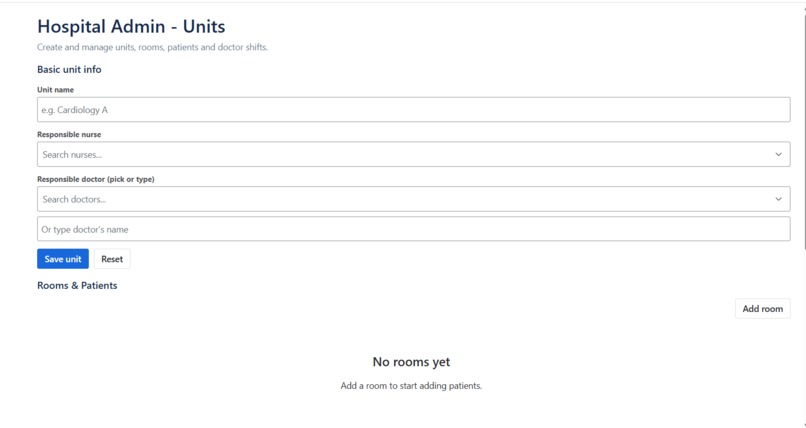
Create a unit for hospital
-
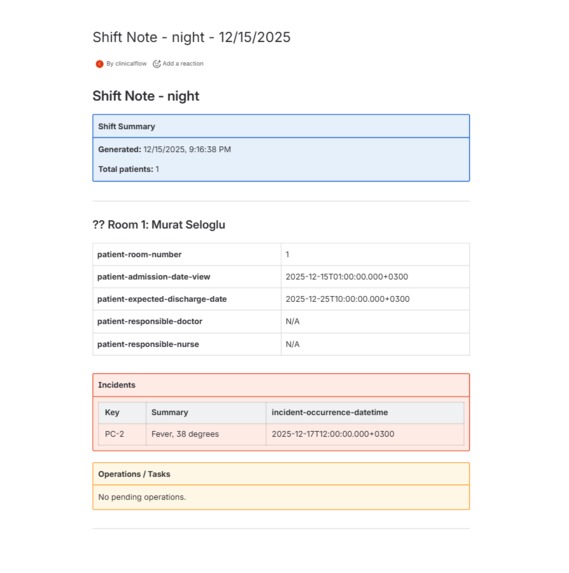
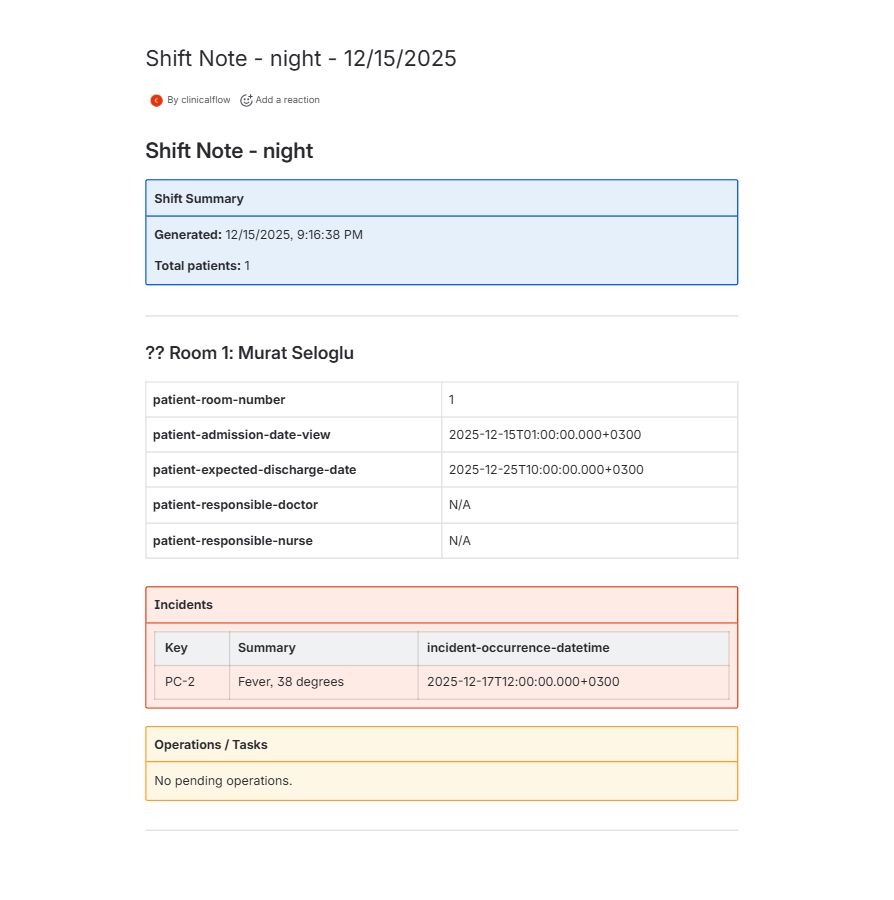
Shift note consisting of all incidents happened to patients in the unit and all tasks
-
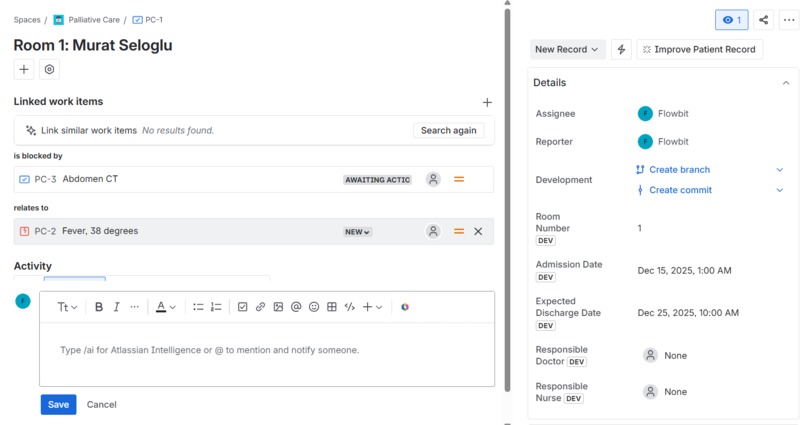
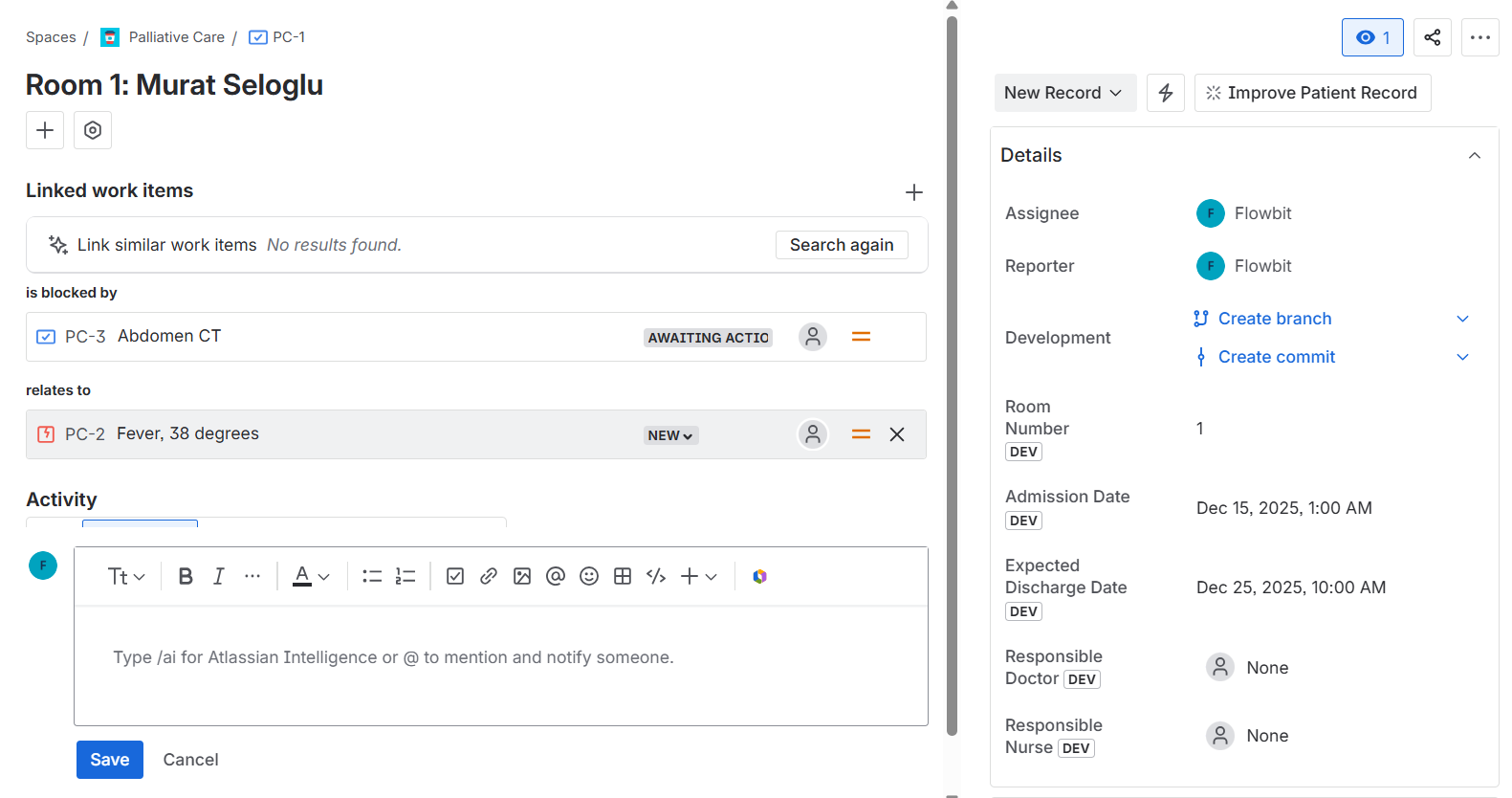
Patient Record issue type
🩺 Clinical Flow – Automating Shift Notes for Healthcare Teams
✨ Inspiration
The inspiration for this project came directly from real life.
My husband is a medical doctor, and through him I’ve seen how demanding hospital workflows are — especially during shift changes. While hospitals already use systems to record patient data, the shift note itself is still prepared manually. Doctors gather patient statuses, incidents, and pending operations, then rewrite everything into a structured handover note.
This process is:
- Time-consuming
- Error-prone
- Repetitive
- Mentally exhausting at the end of long shifts
Seeing doctors spend valuable time reformatting information instead of resting or focusing on patient care made me want to solve this problem.
Clinical Flow aims to turn existing structured patient data into clear, automated shift notes, reducing cognitive load and saving time during handovers.
🧠 What I Learned
Building this project taught me a lot about both Atlassian Forge and designing for high-responsibility workflows.
Technically, I learned:
- How to build a multi-surface Forge app using Jira project pages, admin pages, and custom fields
- How to safely integrate Jira and Confluence APIs in the same Forge app
- How to work with Confluence v2 APIs and the storage format
- How to design backend-driven content generation without macros
- How to manage permissions, scopes, and app installation correctly across products
Beyond the technical side, I learned how important clarity, speed, and trust are when designing tools for healthcare professionals.
🛠️ How I Built the Project
The project is built entirely using Atlassian Forge.
Architecture Overview
Jira is used as the structured data source:
- Patients are represented as issues
- Incidents and operations are linked issues
- Custom fields store clinical metadata (room, responsible doctor, deadlines)
Forge Custom UI provides:
- A custom Jira Project Page
- Admin configuration for units and shifts
Confluence is used as the output medium:
- Shift notes are generated as well-formatted Confluence pages
- Pages include structured sections, panels, and tables
- Incidents and operations are clearly separated for fast scanning
Automation Flow
- Doctor opens the Jira project page
- Clicks “Generate Shift Note”
- The app:
- Queries relevant Jira issues using JQL
- Structures the data by patient
- Creates or updates a Confluence page in the correct space
- The shift note is instantly ready to share, review, or print
This approach removes manual rewriting while preserving clinical clarity.
🚧 Challenges I Faced
The biggest challenge was time.
I was working under a very dense schedule due to final exams, which limited the hours I could dedicate to development. Every design and technical decision had to be efficient and purposeful.
Other challenges included:
- Navigating deprecated Jira and Confluence endpoints
- Understanding Forge’s strict manifest and scope requirements
- Designing Confluence content that looks good without relying on macros
- Ensuring the solution remains reliable and simple for non-technical users
Despite these challenges, the real-world motivation kept me focused and determined to finish.
🌱 Closing Thoughts
Clinical Flow is built with the belief that technology should reduce friction, not add to it — especially in healthcare.
By automating shift notes, this project helps doctors spend less time on repetitive documentation and more time on what truly matters: patient care and rest.
Building this with Forge showed me how powerful platform-native tools can be when combined with empathy and real-world insight.
Thank you for the opportunity to build and learn.
Built With
- atlassianforge
- react


Log in or sign up for Devpost to join the conversation.