-
-
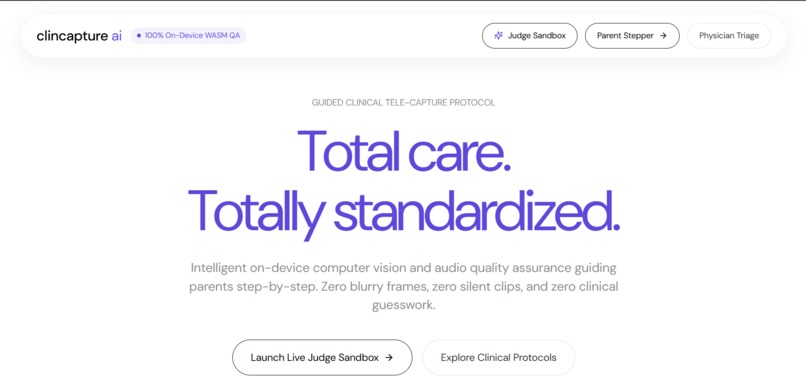
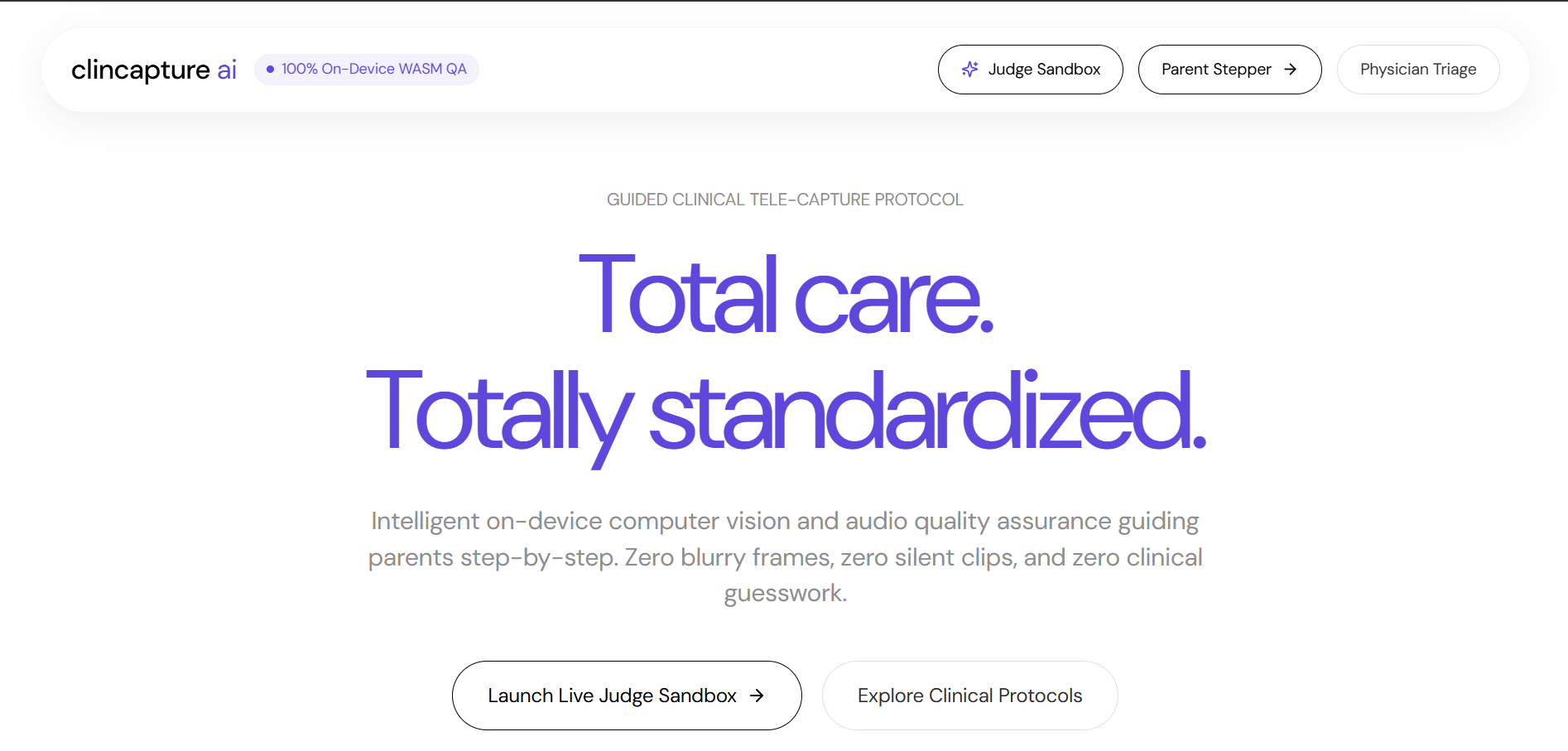
Landing Page
-
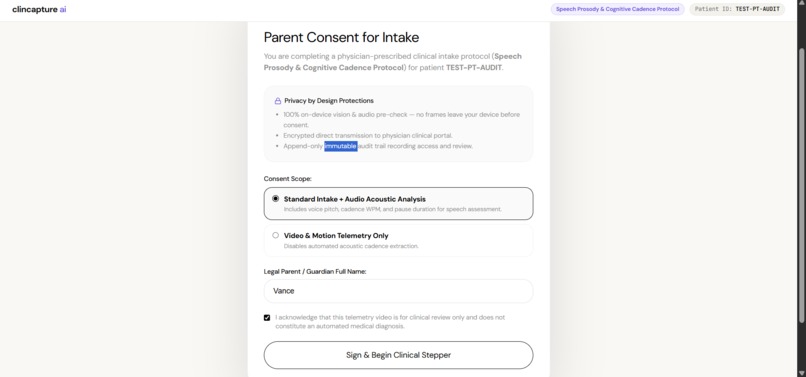
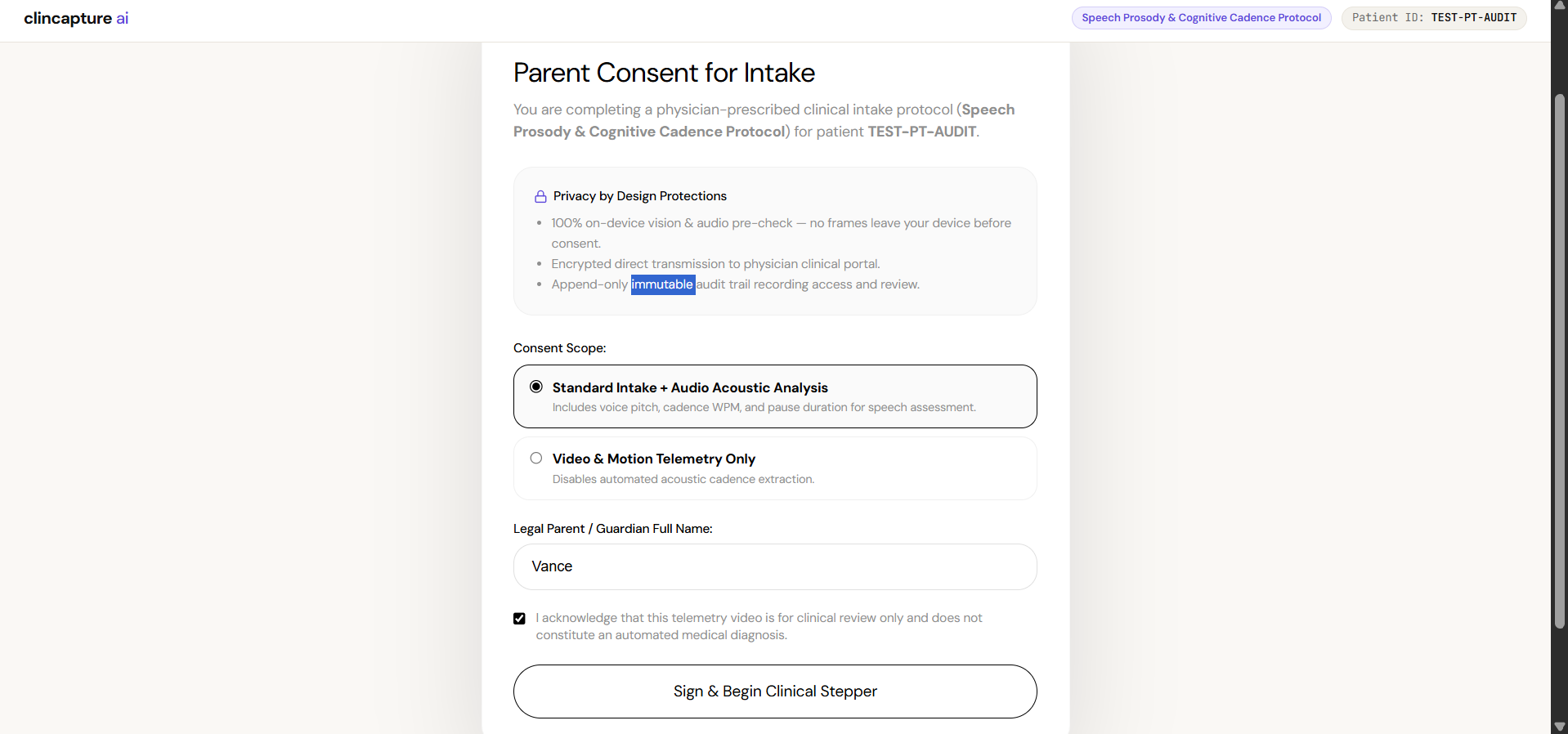
Patient Consent Form
-
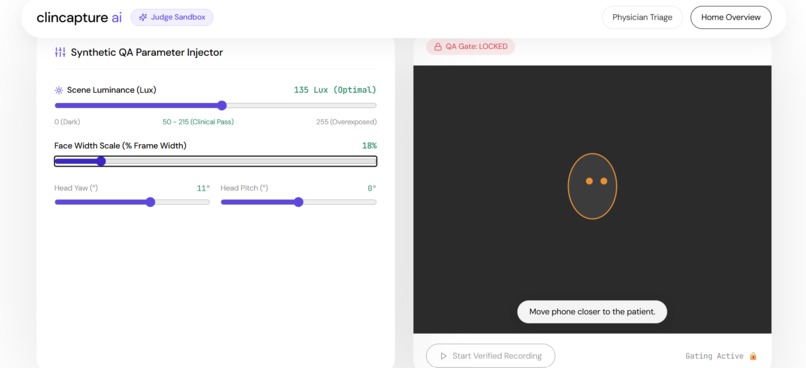
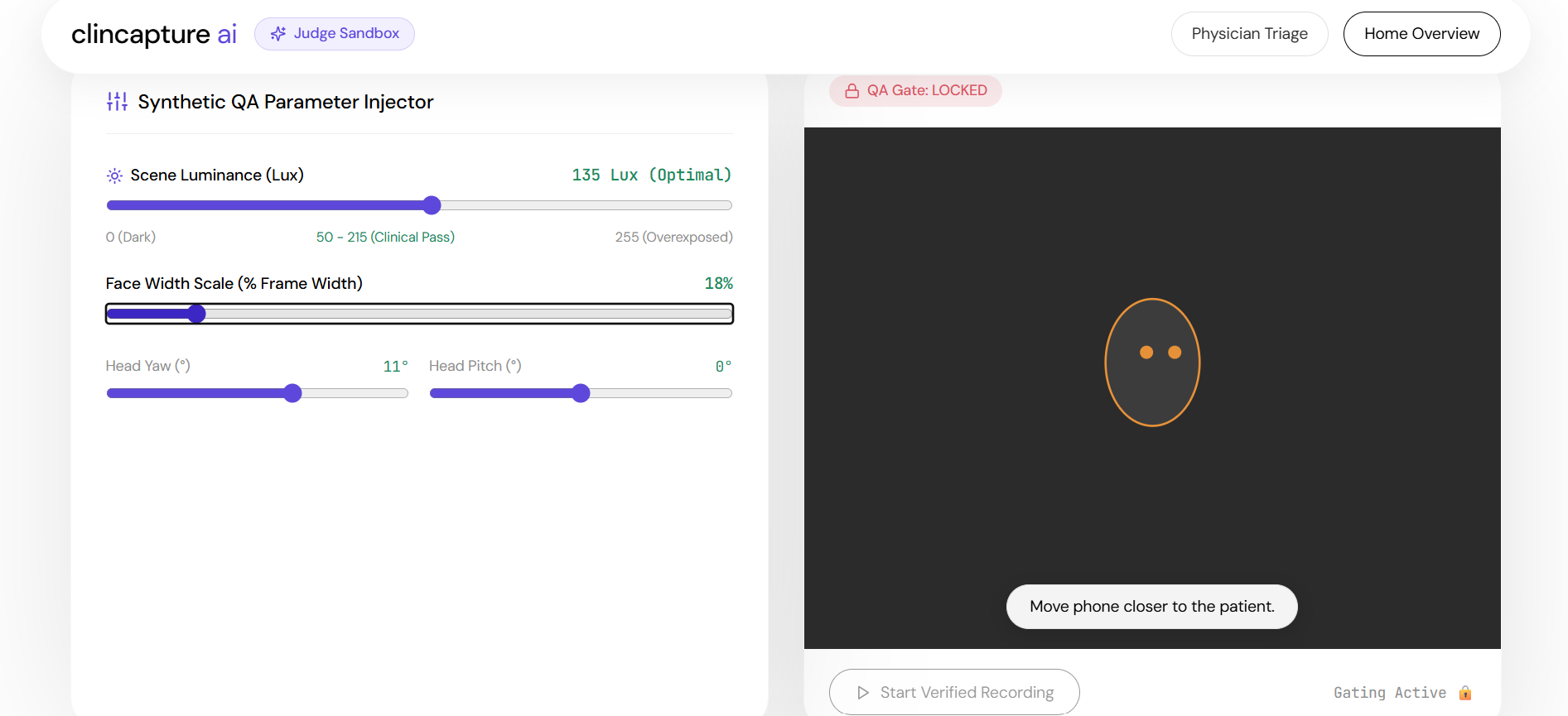
Core Pipeline (Showing error)
-
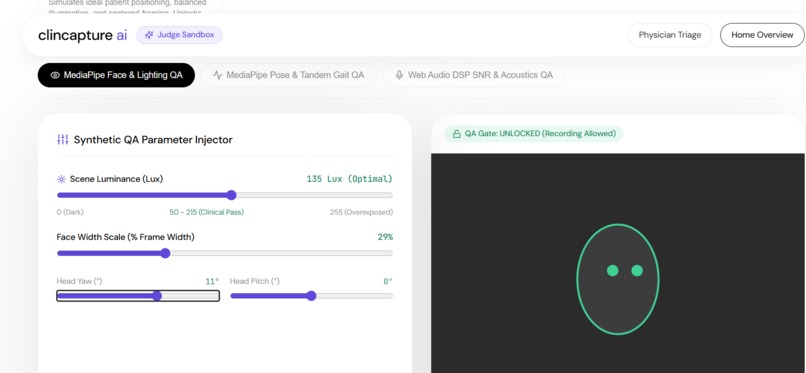
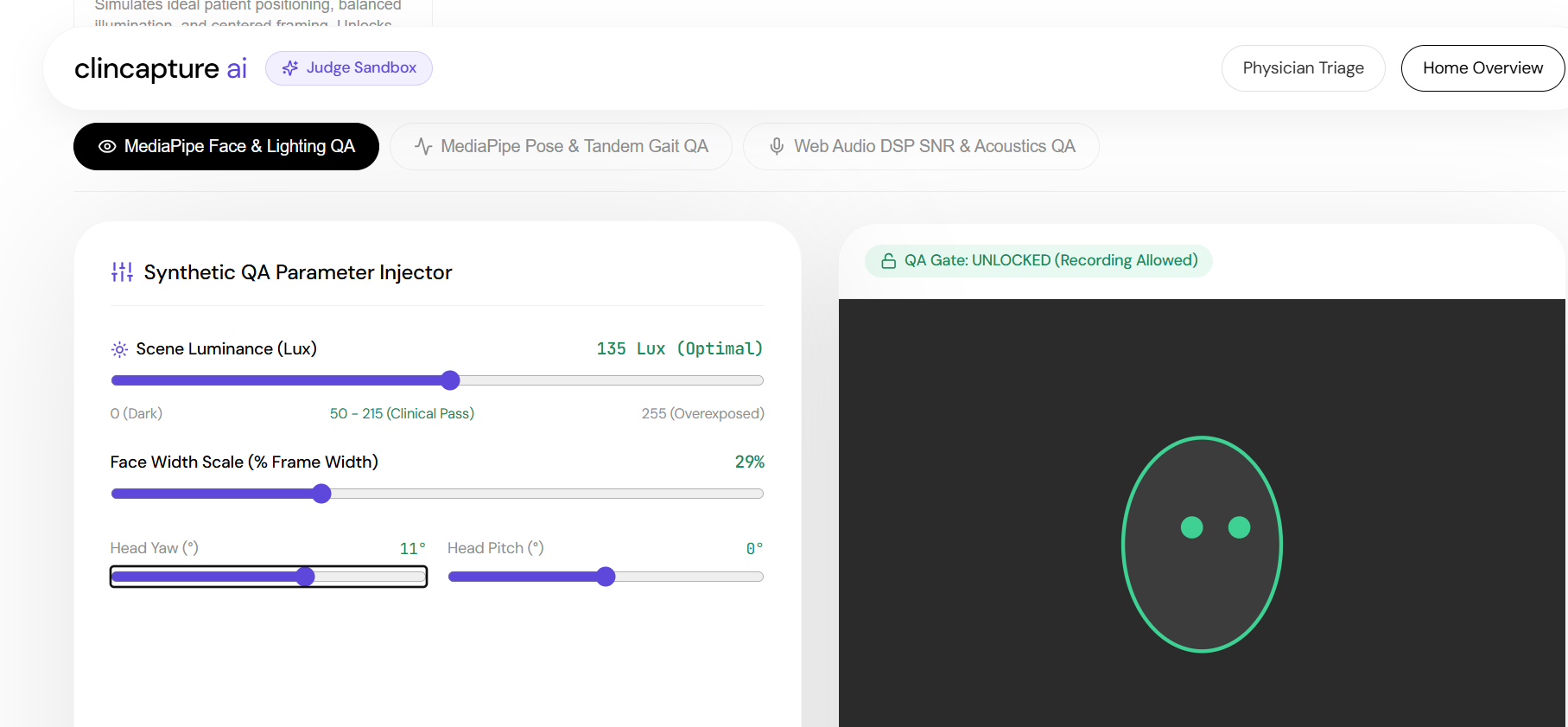
Core Pipeline(Passed)
-
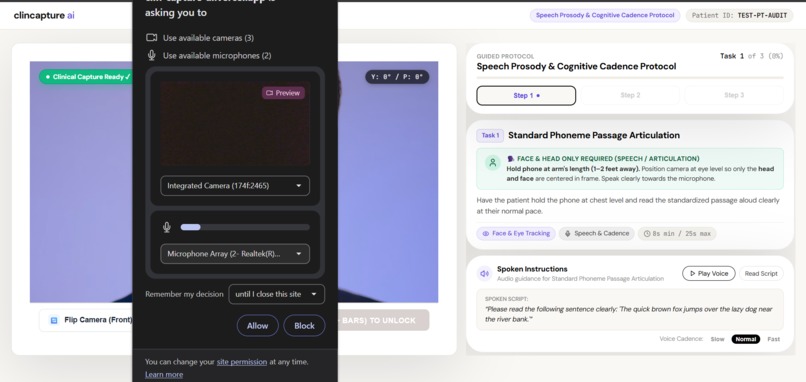
Video Recording
-
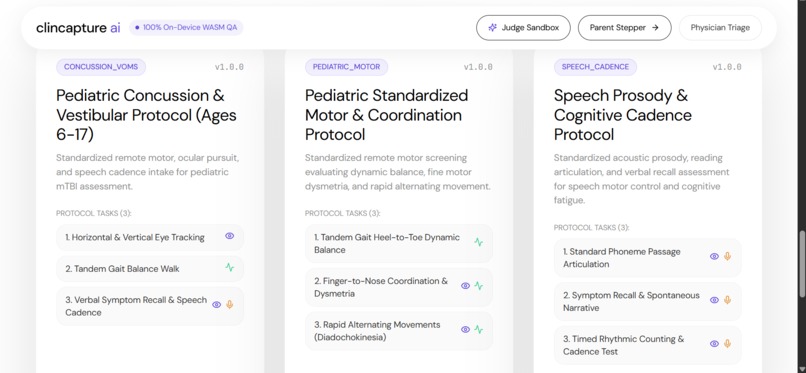
demo
-
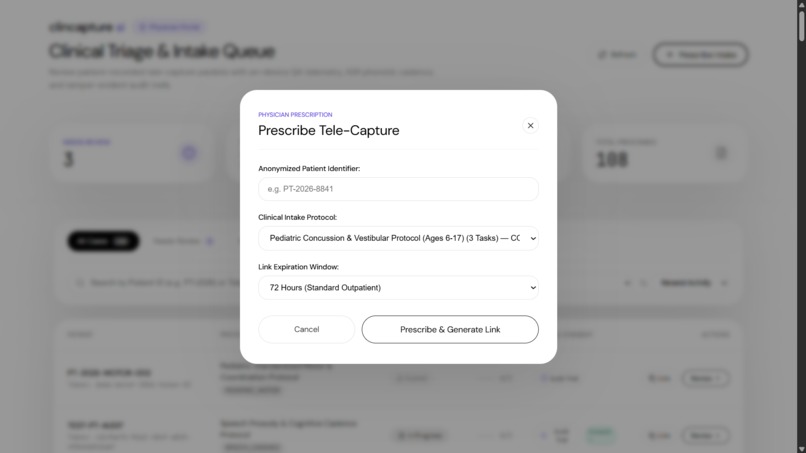
Prescribing
-
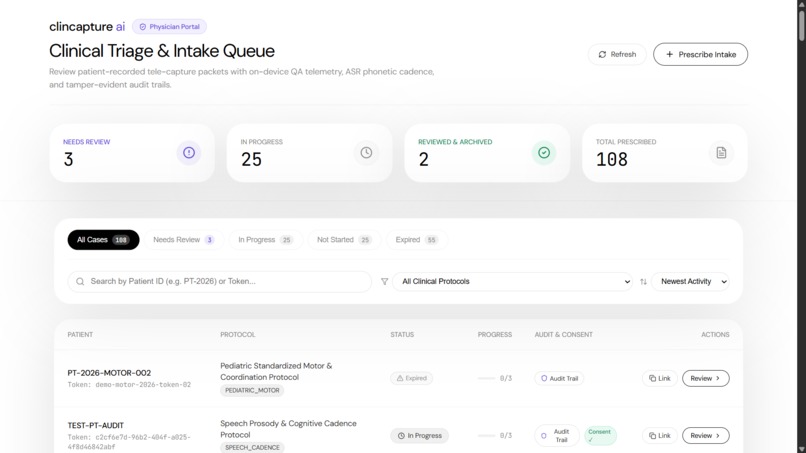
Clinician Dashboard
Inspiration
Remote care for concussion recovery, pediatric neurology, and physical therapy depends on video evidence. Doctors need to see how a patient moves, balances, tracks with their eyes, and articulates speech.
When clinics ask families to record these assessments at home, the submissions are often unusable. Parents hold phones at odd angles, record in dim rooms, or submit clips where background noise drowns out speech. Clinicians waste time asking for retakes or making decisions based on poor footage.
During discussions with practicing physicians, one point stood out: doctors do not want an AI model guessing a diagnosis. They want a reliable tool that helps parents capture clear, standardized video so the physician can make an accurate clinical judgment. We built ClinCapture AI to solve that intake problem.
What it does
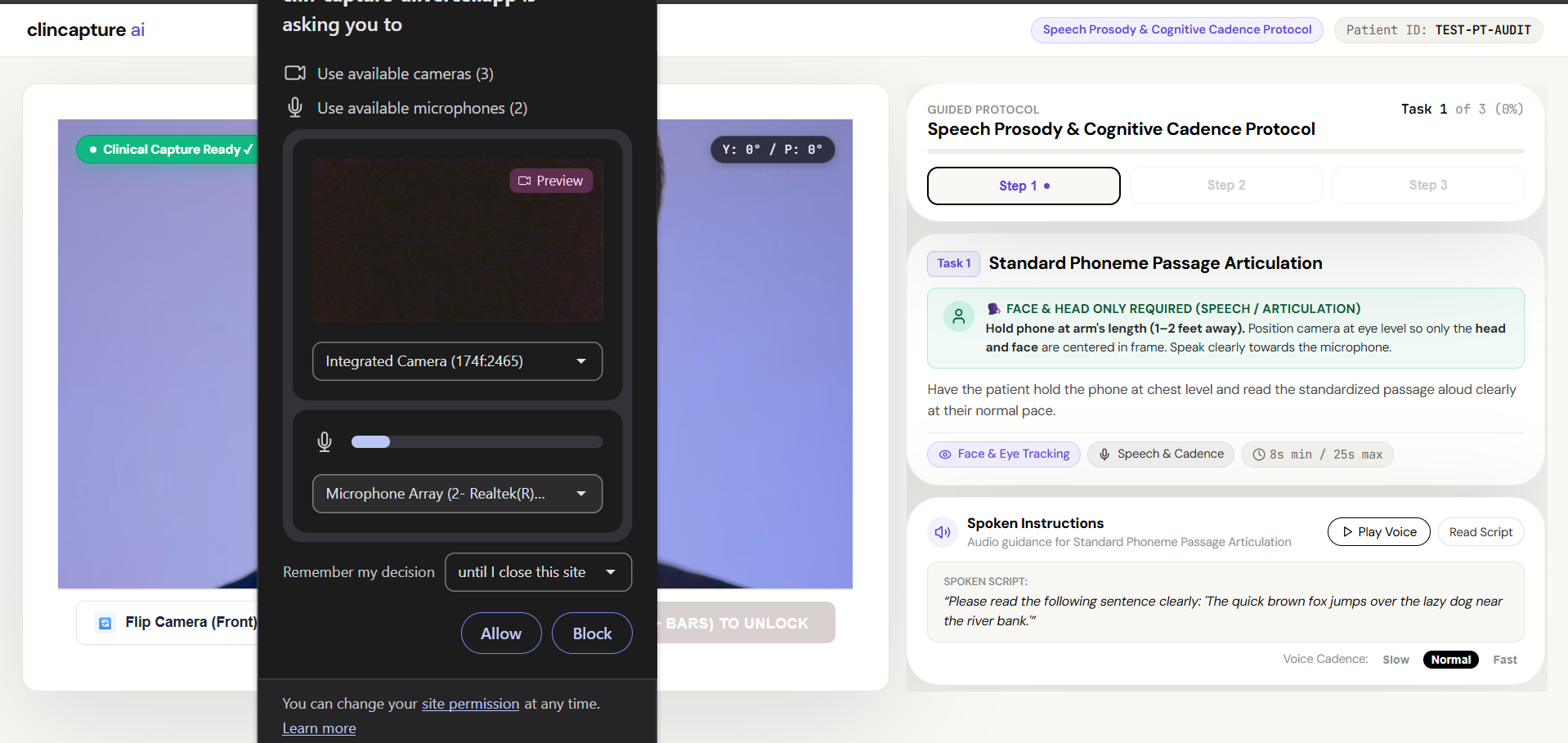
ClinCapture AI turns a mobile browser into a guided clinical intake station.
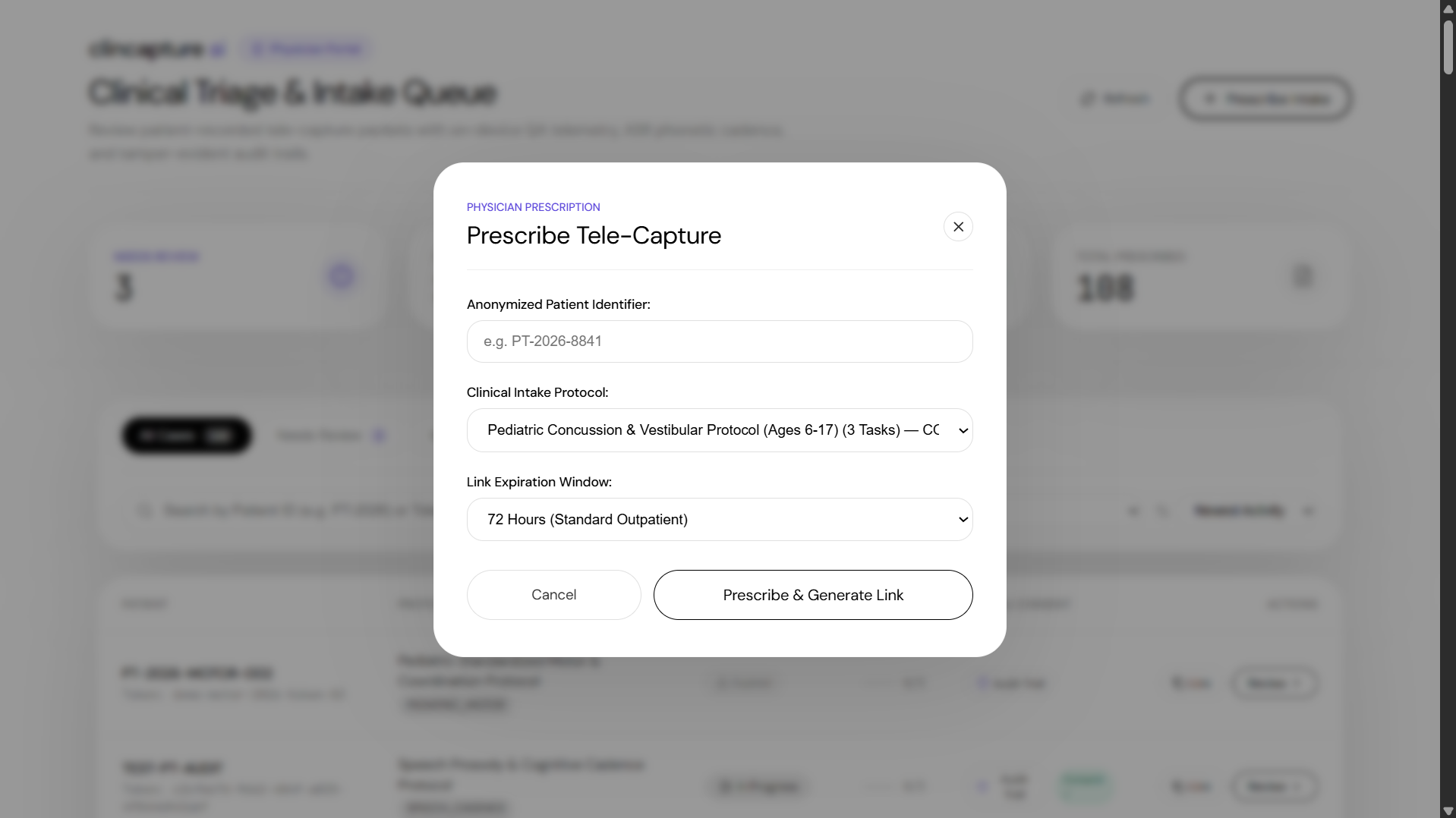
- Zero-install parent workflow: Parents receive a secure link via SMS or email. They do not need to install an app or register an account.
- On-device quality checks: The browser evaluates video and audio in real time using client-side WebAssembly and audio processing. It checks room lighting (requiring at least 50 lux), face and limb framing, and audio clarity (requiring at least 15 dB signal-to-noise ratio). Recording stays locked until these conditions pass.
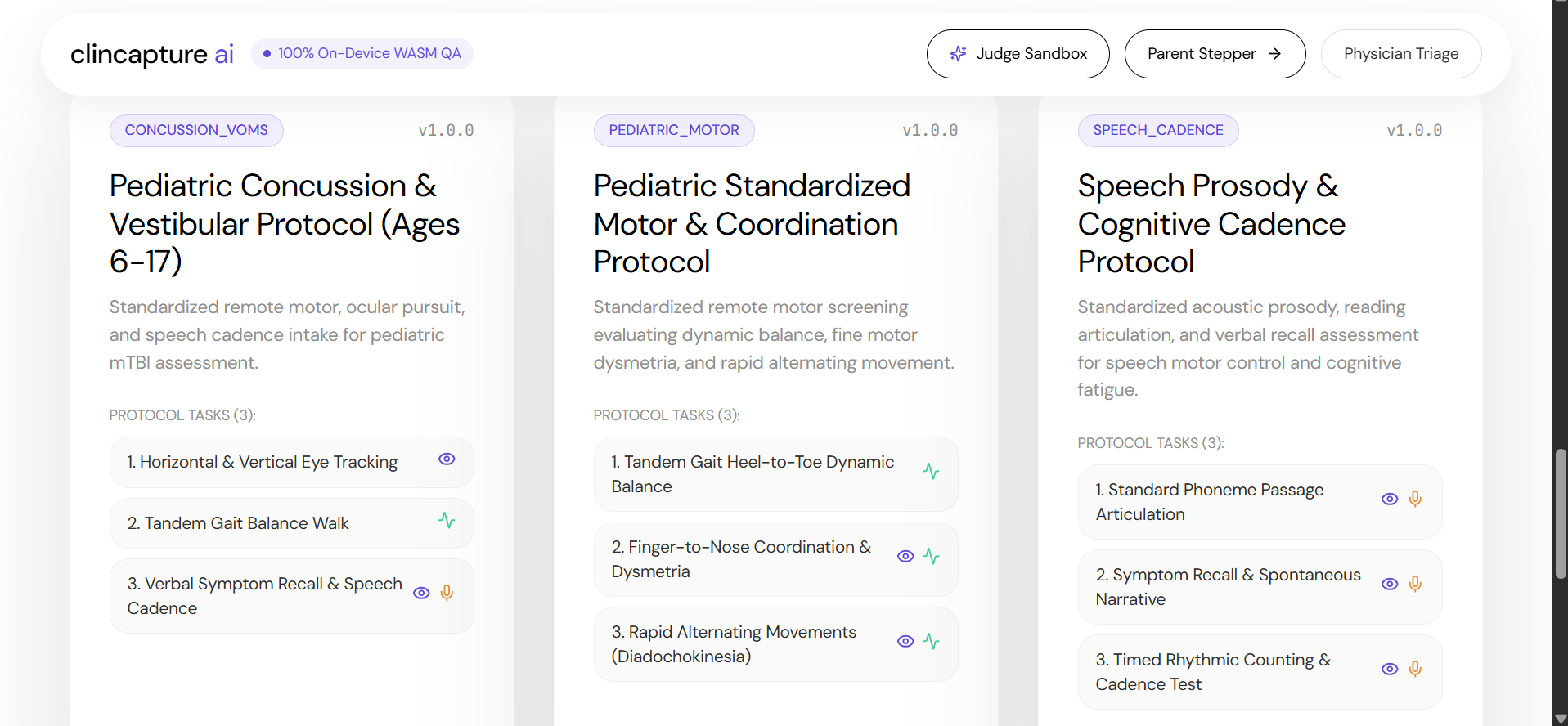
- Standardized protocols: The interface guides parents step by step through clinical assessments, including the Vestibular/Ocular Motor Screening (VOMS) protocol, tandem gait balance tests, and speech articulation tasks.
- Direct encrypted upload: Once the parent reviews and approves the clip, the file uploads directly to cloud storage. No unapproved frames leave the phone during setup or alignment.
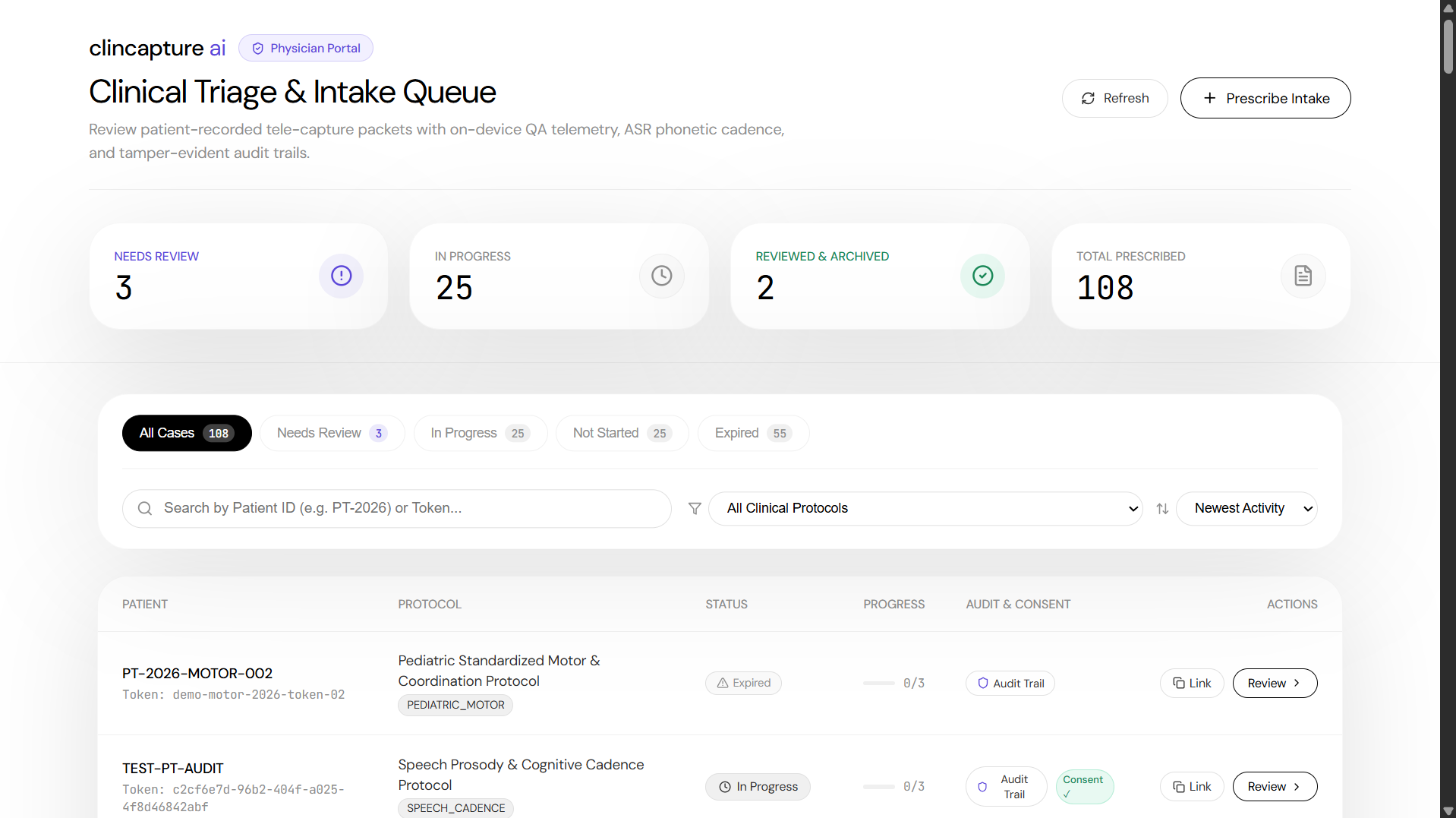
- Clinician review dashboard: Physicians open a structured case file containing synchronized video and word-level transcripts. Clicking any word in the transcript jumps the video directly to that timestamp. The dashboard also displays objective acoustic measurements (words per minute, pause length) and maintains an immutable audit log of consent and review actions.
How we built it
- Frontend: Next.js 14 App Router, React 19, TypeScript, and custom CSS design tokens optimized for clinical readability and accessibility.
- On-device computer vision and audio DSP: Google MediaPipe Tasks Vision (Face Landmarker and Pose Landmarker running in WebAssembly) alongside the Web Audio API (
AnalyserNode) for real-time luminance, bounding box, RMS volume, and noise floor calculations. - Backend and storage: Next.js route handlers, PostgreSQL with Prisma ORM, and storage adapters supporting both local server storage for local testing and Cloudinary for production media hosting.
- Worker pipeline: A dedicated background worker running OpenAI Whisper for word-level speech transcription and acoustic cadence extraction.
- Infrastructure: Multi-service cloud architecture deployed on Render via
render.yaml. - Testing: Automated test suite written with Vitest, covering math routines, audio signal processing, database schema contracts, and API endpoints.
Challenges we ran into
- Performance on mobile browsers: Running face and full-body pose tracking in WebAssembly while handling a live camera feed can cause thermal throttling on older phones. We tuned canvas render loops, reduced unnecessary redraws, and decoupled frame analysis intervals from the display frame rate to maintain steady 30 FPS playback.
- Audio floor calibration: Smartphone microphones vary widely in sensitivity and hardware noise suppression. We calibrated our SNR calculations and speech detection algorithms to avoid false rejections when quiet children speak in treated rooms.
- Transcript synchronization: Aligning word-level timestamps from Whisper with variable frame-rate video playback required building custom time-scrubbing logic so clicking a word jumps to the exact millisecond in the video element without audio desync.
- Parent user experience: Communicating technical constraints (lux levels, head yaw/pitch, SNR) to an anxious parent without using technical jargon required multiple iterations on the visual HUD cues.
Accomplishments that we're proud of
- Privacy by design: All computer vision and audio quality checks execute 100% on the user's device. No video frames leave temporary browser memory until the parent explicitly clicks upload.
- Interactive clinician HUD: The synchronized transcript and video scrubber works smoothly, letting physicians review specific speech tokens and physical movements in seconds.
- Responsible AI implementation: The system enforces a strict boundary: the AI handles capture quality gating and objective telemetry extraction, while the licensed physician retains full control over clinical diagnosis.
- Comprehensive test coverage: Built with a test-driven approach, including dedicated test suites for audio math, landmark geometry, database invariants, and worker pipelines.
What we learned
- Modern mobile browsers are capable of running complex computer vision and signal processing workloads locally through WebAssembly, removing the need for server-side video streaming during intake.
- In telehealth, intake UX directly controls clinical data quality. Clear visual feedback during capture prevents the majority of unreadable submissions.
- Physicians prefer raw, high-fidelity evidence paired with objective measurements (cadence, pause distribution) over opaque, black-box diagnostic scores.
What's next for Clin CaptureAI
- EHR integration: Exporting structured clinical review packets and video clips directly into hospital record systems via standard HL7 and FHIR APIs.
- Expanded protocol library: Adding validated capture routines for stroke recovery assessments, Parkinson's tremor tracking, and pediatric developmental milestone tests.
- Offline recording support: Adding Progressive Web App capabilities so rural clinics with intermittent network access can run protocols offline and sync when connected.
- Multi-angle capture: Supporting dual-device setups for simultaneous sagittal and frontal recording during complex gait and orthopedic assessments.
Built With
- asr
- mediapipe
- next.js
- postgresql
- prisma
- react
- render
- typescript
- vitest
- whisper

Log in or sign up for Devpost to join the conversation.