-
-
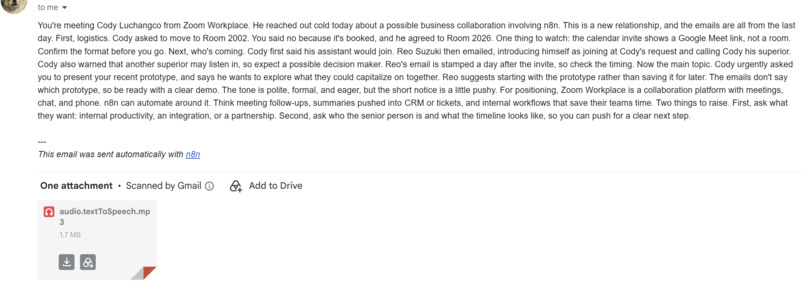
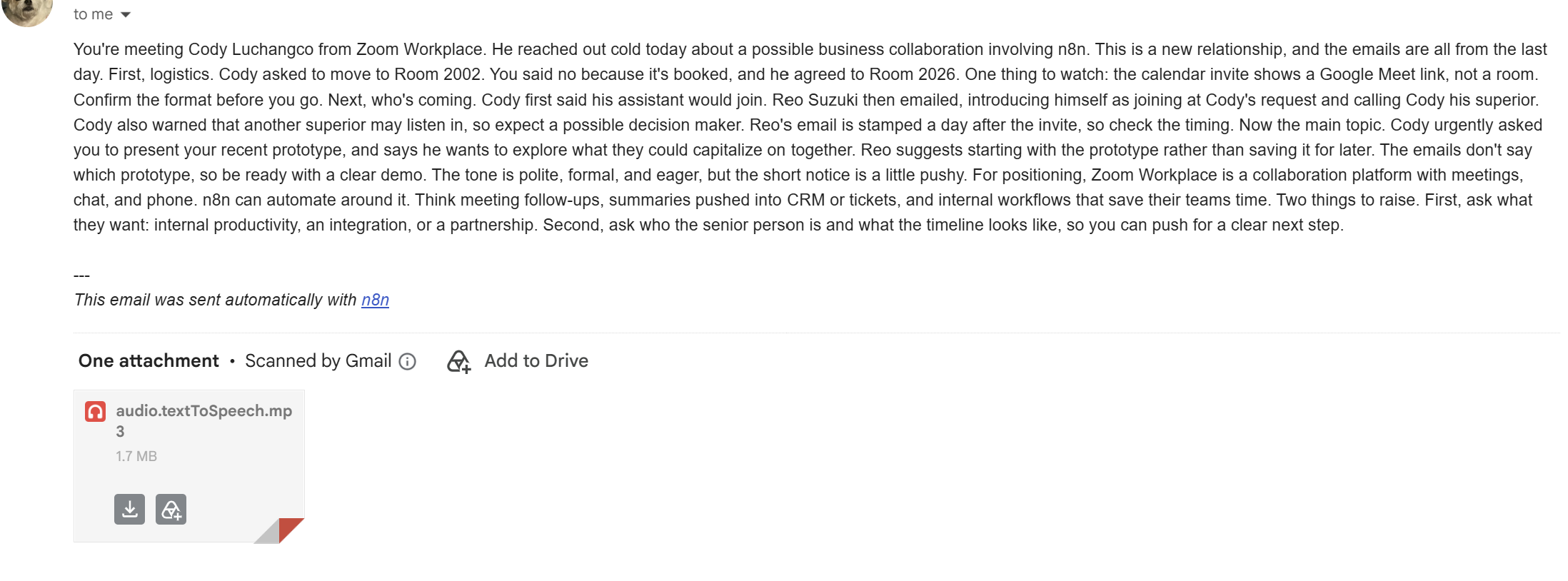
Example email, summarizes a complex meeting with 2 individuals working at zoom.
-
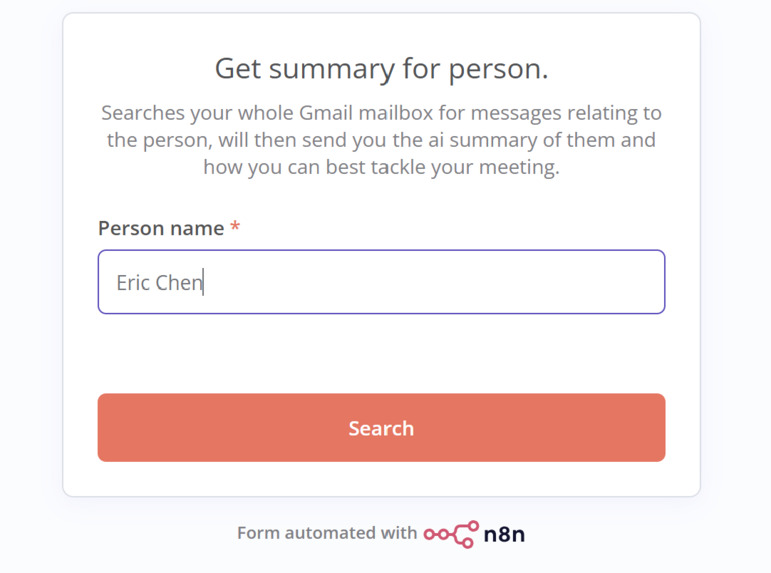
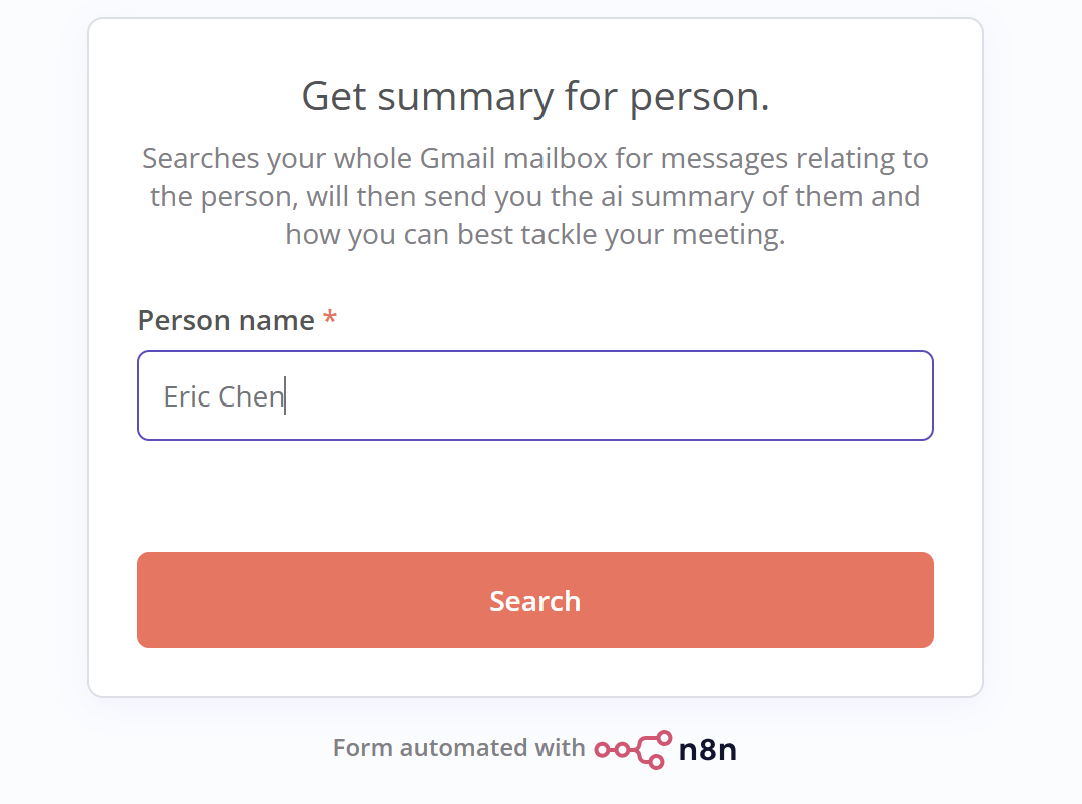
The form for manually getting a summary of a person.
-
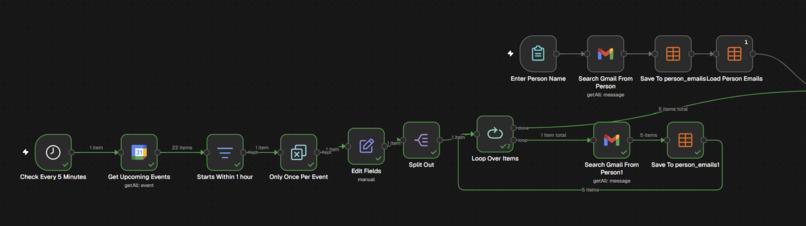
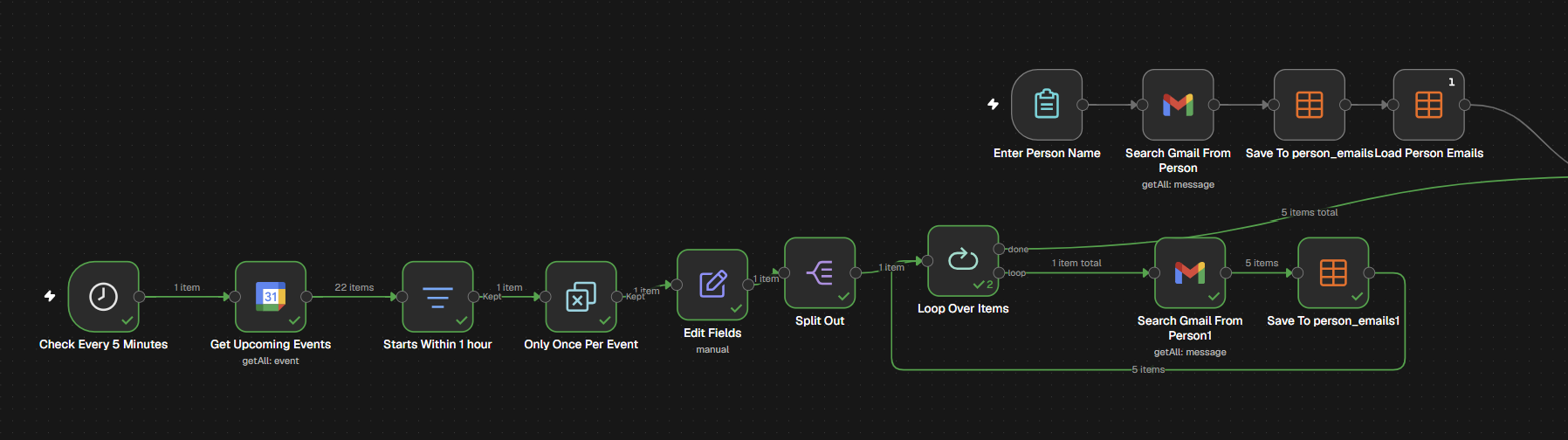
The two triggers for our project in the n8n workspace.
-
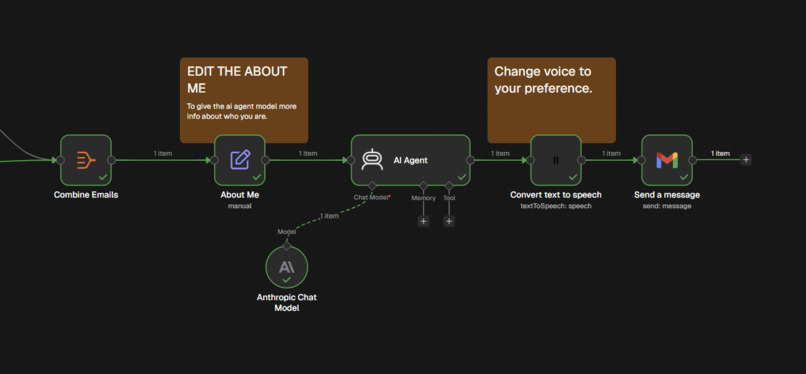
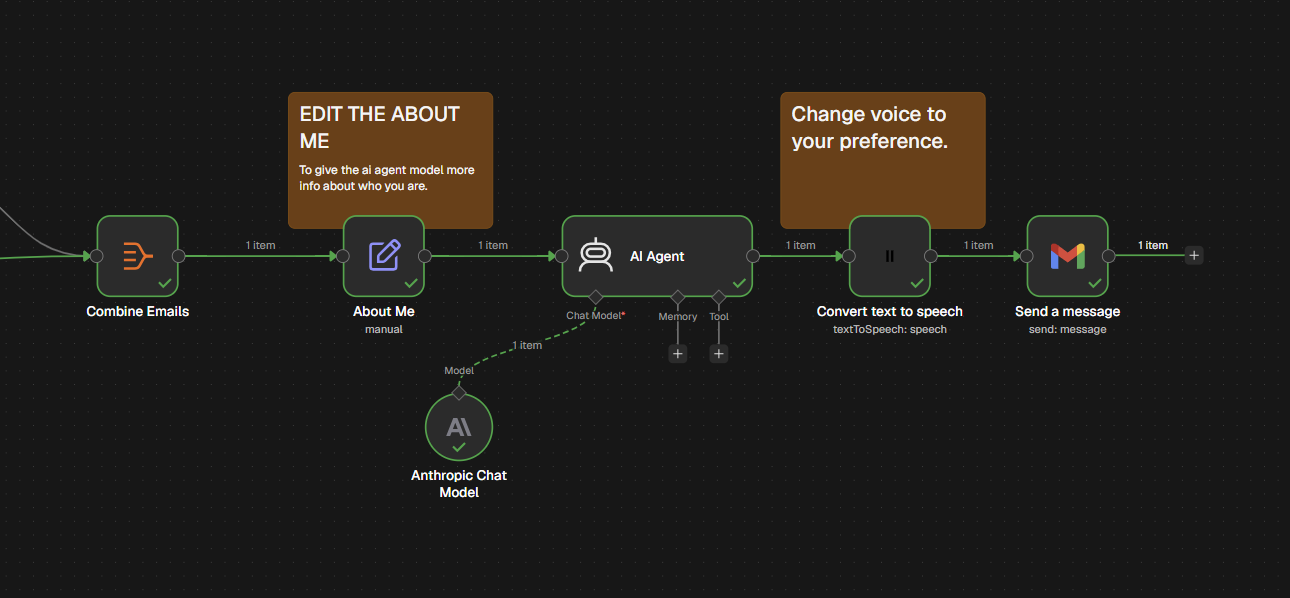
The ai summarizer and the text to speech portion of the n8n workspace.
Inspiration
Our project was inspired by the real-world business challenges faced by our group members' close relatives, mostly businessmen. Having back-to-back multiple client meetings, they often don't have the time to manually search through every email with individual clients before joining the meeting. We recognized it would be crucial to have an automated "cheat sheet" that summarizes client's information in order to be prepared and save time.
What it does
Trigger one (Manual Trigger):
- You input the client's name, the system searches through and captures all your previous emails that includes the input name. After that, the workflows structures all those data into a clean JSON format.
- We use your personal/business profile as a context, the AI bot summarizes the client's role, key background details, and how they are compatible with company's goal. This would ensure that you can run the meeting smoothly, and be prepared to answer any potential client question that you might face.
- This summary is then converted into an informative audio made by Eleven Labs. You will receive both the audio file and written transcript in your Gmail inbox. With this, you can know the client details while simultaneously performing other tasks. For instance, you can listen to the audio while driving a car, on a crowded train heading to the meeting location, or riding a roller coaster.
Trigger two (Automated, Scheduled Trigger):
- If you put an event on Google Calendar, the function will be performed automatically, and an email will be sent to you 60 minutes before the scheduled meeting on Google Calendar.
- This version performs the summary on everyone, and AI weighs each individual client's information by how relevant they are to the event, and send the important ones to you.
How we built it
We utilized n8n to incorporate the entire pipeline, mapping out each node from the retrieved data, processed it via AI and delivered email. ElevenLabs was also used for converting the AI output to an audible format. To ensure its functionality we simulated real world scenario by sending test emails with fake client profiles to each other, and tested both triggers.
Challenges we ran into
A major issue we ran into was dealing with a single Google Calendar event with multiple attendees. We solved this by looping through each individual client, retrieving information, merging the data together, and prompting our AI agent to weigh and summarize information.
Accomplishments that we're proud of
We are proud of how efficient the programs runs and the number of features we incorporated into our workflow under limited time. We were also proud of our ability to communicate and work as a team.
What we learned
We learned a lot about n8n, how to work with AI and as a team to accomplish our goal. It was an insightful opportunity to discover the various tools we can use, as well as how to integrate them together to solve an initially complicated problem. This was also a great exercise in collaboration, as we learned to delegate tasks to complete the project as quickly as possible.
What's next for RECAPP
Moving forward, we plan to expand our RECAPP into end-to-end meeting assistant. First, we want to make the "cheat sheet" more accessible on the go, by adding direct delivery to platforms such as Slack and WhatsApp so users can listen to their audio wherever they communicate and check the most. Another potential idea we are exploring is closing the loop by automating post-meeting workflows, generating to-do list and drafting follow-up emails right after a calendar event wraps up.
Built With
- anthropic-chat-model
- eleven-labs
- gmail
- google-calendar
- google-sheet
- json
- n8n


