-
-
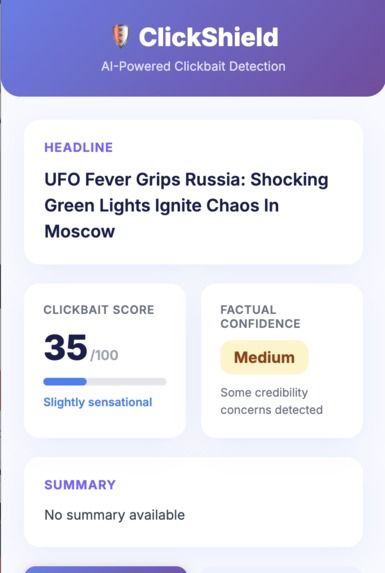
A snapshot
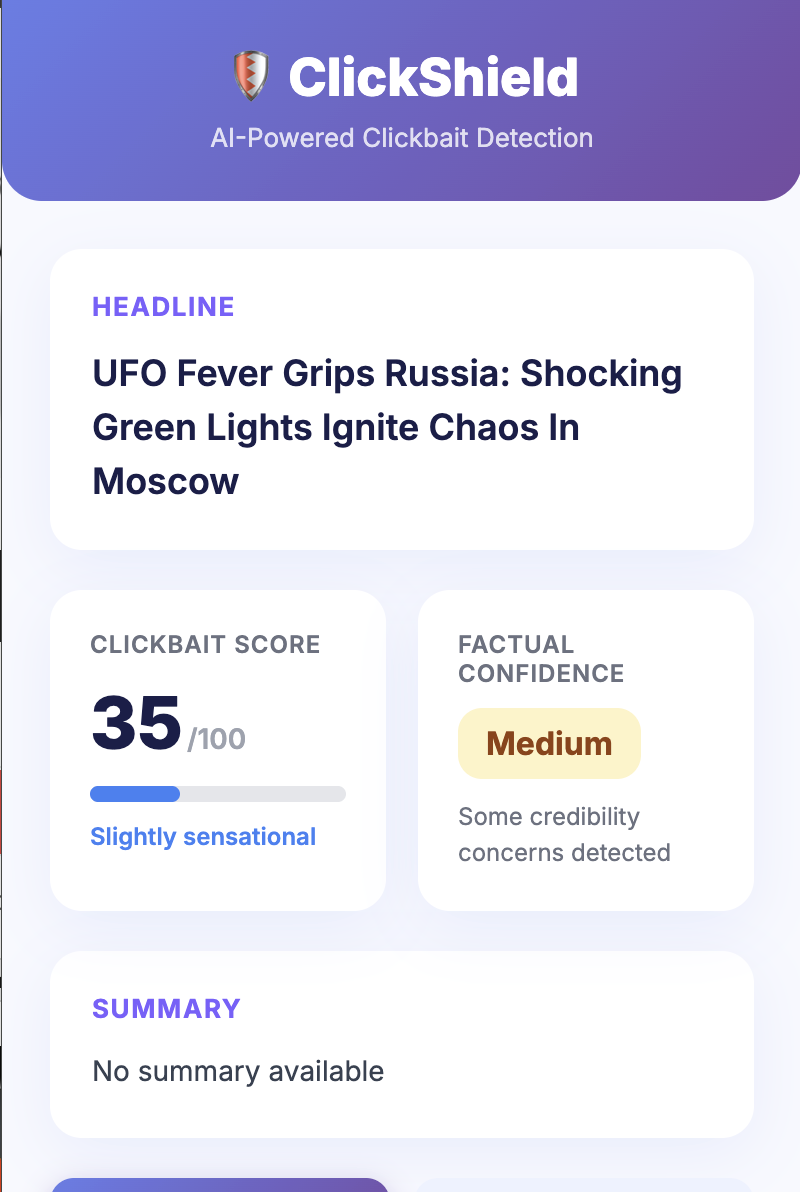
ClickShield
ClickShield is a Chrome Extension (Manifest V3) that analyzes web pages to detect clickbait and assess factual credibility.
It is designed to use Chrome’s built-in AI (Gemini Nano) for local analysis, with robust, logic-based fallbacks to maintain functionality when AI models are unavailable.
Overview
ClickShield evaluates web content using a two-layered approach:
- AI-first: Attempts to analyze text using the
ai.languageModelAPI. - Logic-second: Falls back to a rules-based "Bag-of-Words" (BoW) detector if AI is unavailable.
The system prioritizes privacy and local execution — all analysis is intended to run directly on the user’s device.
Features
Clickbait Score (0–100):
Quantifies how likely an article’s headline is to be clickbait.Factual Confidence:
Displays a factual confidence rating — High, Medium, or Low — based on text analysis.On-Demand Verification:
A "Verify Source" button triggers a deeper AI-powered credibility check.AI-First, Logic-Second Architecture:
Uses AI when available; automatically falls back to deterministic, rules-based methods when it isn’t.Local & Private:
All analysis runs locally when possible, ensuring that user data remains on the device.
System Architecture
The extension is structured around three main components:
1. Content Script (content.js)
- Automatically activates when a page loads.
- Extracts the headline and main article text using a prioritized set of selectors:
<meta>tags<h1>elements- Common article container classes (
.post-content,.article-body, etc.)
- Filters out unwanted elements (
nav,footer,aside,.comments) and junk phrases like "Continue reading" or "Back to Home".
2. Popup UI (popup.js)
- Displays analysis results when the extension icon is clicked.
- Checks whether a cached analysis exists for the current tab; if not, requests fresh data from the content script.
3. Service Worker (background.js)
- Central logic controller handling both AI and fallback analyses.
- Executes the
handleAnalysisfunction when receiving data from the content script.
Analysis Workflow
Clickbait Detection
- Attempts to initiate an AI session with
ai.languageModel. - If successful, runs
analyzeClickbait()for semantic scoring. - If the AI API is unavailable, runs
analyzeClickbait_BoW()— a JavaScript-based keyword and pattern detector.
- Attempts to initiate an AI session with
Factual Confidence Assessment
- Attempts to use the AI model via
assessFactualConfidence(). - Defaults to “Medium” confidence if AI analysis fails.
- Attempts to use the AI model via
Result Storage and Display
- The service worker caches the analysis results.
- The popup retrieves and displays the final score and confidence level.
Key Development Challenges
1. AI API Unavailability
Problem:
The extension initially depended entirely on ai.languageModel and ai.summarizer.
When unavailable, the extension failed completely with:
Prompt API session creation failed: AI APIs not available.
Resolution:
All AI-dependent logic was refactored into try...catch blocks.
If AI initialization fails, the BoW fallback (analyzeClickbait_BoW) runs automatically.
2. Poor Content Extraction
Problem:
Early versions of content.js extracted incomplete or irrelevant text, often triggering:
Unable to analyze this page: No content provided for analysis.
Resolution:
A layered extraction approach was implemented.
The final version:
- Clones the document body.
- Removes known junk selectors.
- Filters text for noise phrases.
This significantly improved the reliability of extracted article content.
3. Unreliable Summary Generation
Problem:
Extracted junk text corrupted summaries, producing incoherent results.
Resolution:
The summarization feature was completely removed:
- Deleted all summarizer-related code from
background.js. - Removed summary elements from
popup.htmlandpopup.js.
This streamlined the extension to focus on reliable features — clickbait scoring and factual confidence.
Known Limitations
Verification Is AI-Only:
The "Verify Source" button does not have a non-AI fallback.
If the AI API is unavailable, the feature will fail.Content Extraction Is Imperfect:
Complex, div-based layouts without semantic structure may still defeat the extractor.BoW Clickbait Detector Is Simplistic:
While effective for common clickbait patterns, it lacks nuance.
For example:- Correctly flags: “10 Reasons Why You’ll Love This Gadget”
- May misflag: “Why We Love This Device”
Future work could introduce NLP-based heuristics or fine-tuned scoring weights.
- Correctly flags: “10 Reasons Why You’ll Love This Gadget”
Technical Summary
| Component | Purpose | Fallback Mechanism |
|---|---|---|
content.js |
Extracts main article text and headline | Layered DOM scraping |
background.js |
Core logic: analysis, caching, messaging | BoW fallback for clickbait detection |
popup.js |
Displays results and triggers verification | Error message if AI unavailable |
manifest.json |
Defines permissions, service worker, popup | N/A |
Future Work
- Implement a logic-based fallback for "Verify Source."
- Enhance the BoW detector with contextual phrase weighting.
- Explore hybrid heuristics using local embeddings if supported by the browser.
- Improve extraction for JavaScript-rendered and non-semantic articles.
Summary
ClickShield began as an AI-dependent credibility checker but evolved into a resilient, dual-layer system designed for real-world reliability.
The extension prioritizes consistent functionality and user privacy over speculative AI features, making it a practical tool for everyday browsing — even when the AI backend fails.
Built With
- chrome
- javascript
- summarizer

Log in or sign up for Devpost to join the conversation.