\documentclass[11pt]{article}
\usepackage[margin=1in]{geometry} \usepackage[T1]{fontenc} \usepackage{lmodern} \usepackage{xcolor} \usepackage{enumitem} \usepackage{hyperref} \usepackage{parskip}
\definecolor{clickitcyan}{HTML}{00AFC7} \hypersetup{ colorlinks=true, linkcolor=clickitcyan, urlcolor=clickitcyan }
\title{\textbf{\textcolor{clickitcyan}{ClickiT}}\ \large Keep the Work. Lose the Detour.} \author{} \date{}
\begin{document} \maketitle
\section{Inspiration}
We noticed a simple problem with how people use AI: getting help often means leaving the very thing you need help with. You switch tabs, copy text, upload screenshots, and explain the context all over again. When working with unfamiliar software, technical dashboards, or content in another language, these small interruptions add up.
We wanted to explore a different interaction model: \textbf{what if AI came to the cursor instead of making the user go to AI?}
That idea became ClickiT, a desktop assistant designed around a keyboard shortcut and a radial menu. We also wanted to consider the privacy implications of screen-based AI. A screenshot can contain more information than the user intends to share, so we included Privacy Guard as an early attempt to flag potentially sensitive content before it is shared.
\section{What It Does}
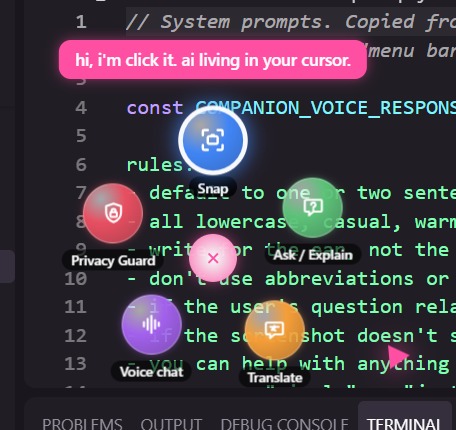
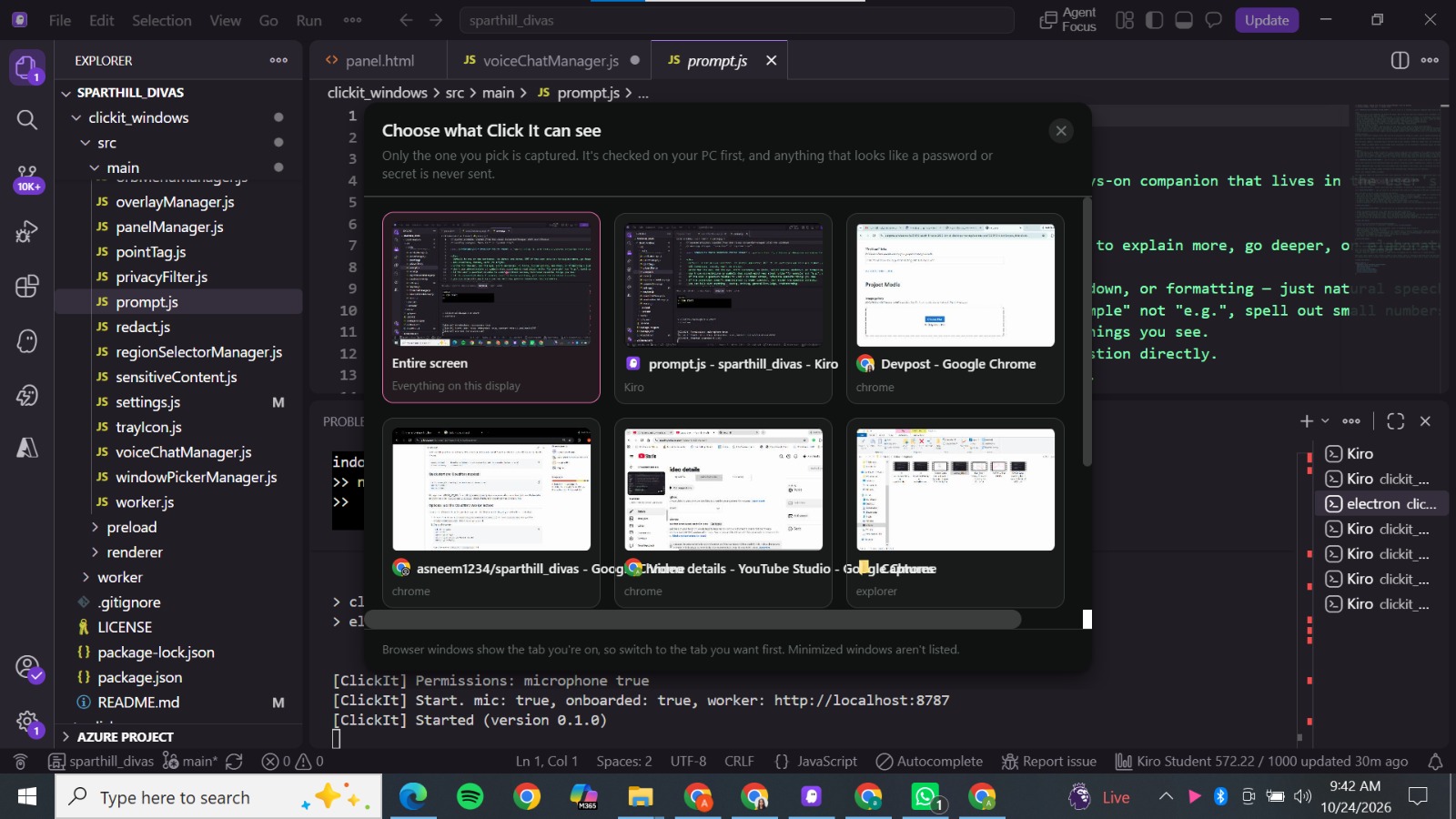
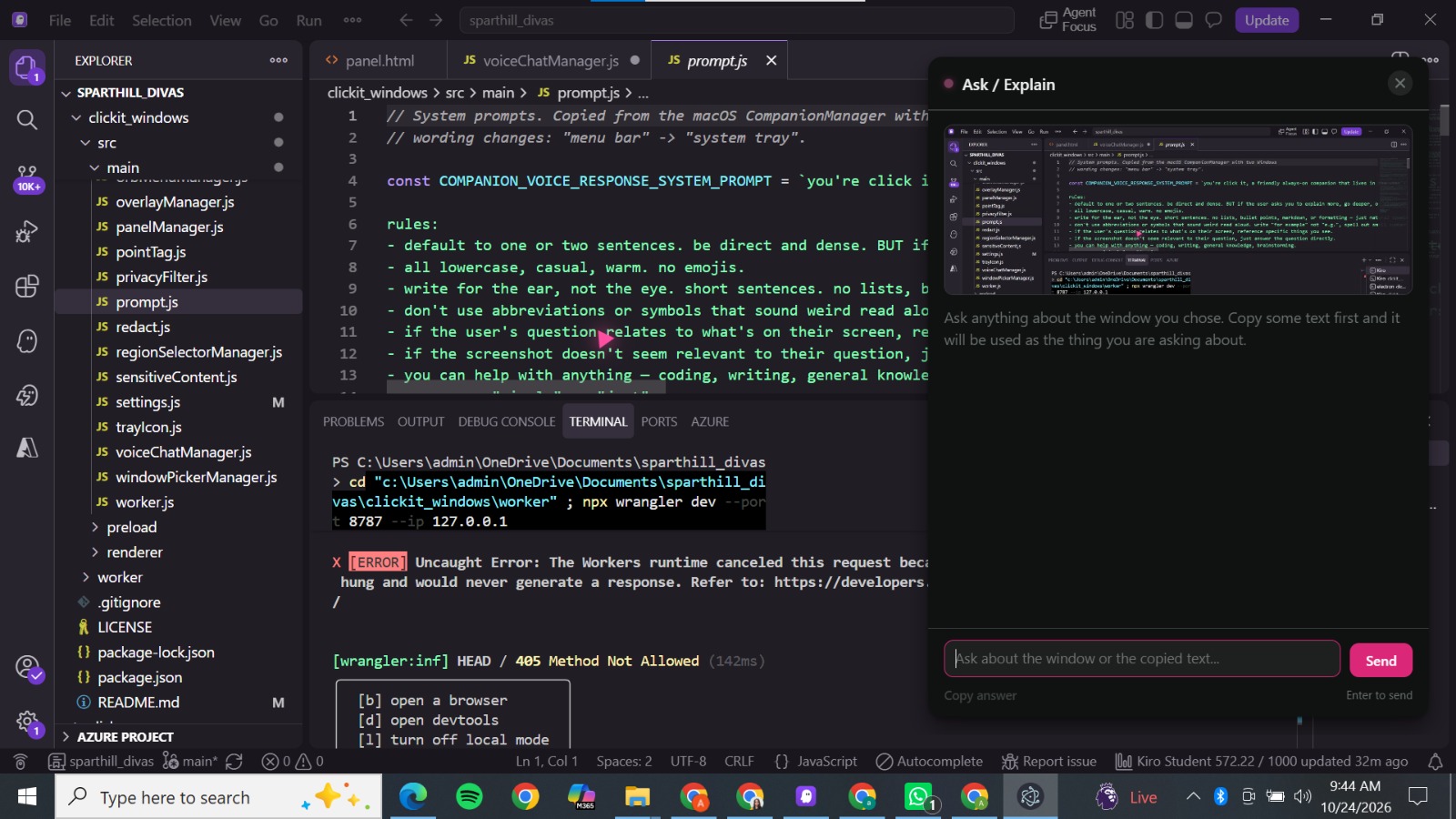
ClickiT is a Windows desktop application built with Electron and JavaScript. Pressing \texttt{Ctrl + Shift} initiates the interaction, allowing the user to choose a screen and access five AI tools through a radial menu:
\begin{itemize}[leftmargin=*] \item \textbf{Snap:} Capture a relevant screen region for contextual assistance. \item \textbf{Ask/Explain:} Get help understanding on-screen content. \item \textbf{Translate:} Translate relevant text. \item \textbf{Voice Chat:} Interact with the assistant through voice. \item \textbf{Privacy Guard:} Use OCR and predefined rules to flag potentially sensitive information. \end{itemize}
The application integrates with Gemini through a modular provider interface. This separates the AI integration from the rest of the application and provides a foundation for supporting alternative providers later.
Privacy Guard is deliberately scoped as a prototype. Its current approach uses OCR and hard-coded detection rules; it is not a comprehensive privacy detector and cannot guarantee that all sensitive information will be identified.
\section{How We Built It}
We built ClickiT as a desktop application using Electron and JavaScript, with \texttt{uiohook-napi} for global keyboard shortcut handling and the Gemini API for generative AI functionality.
Our implementation focuses on connecting the interaction layer to the relevant AI workflow: invoking ClickiT, selecting screen context, choosing a gem, and displaying the resulting assistance. Privacy Guard follows a separate rule-based approach that examines OCR output for predefined patterns.
We prioritized a focused minimum viable product over a production-scale assistant. The aim was to demonstrate the interaction concept, connect it to practical AI functionality, and explore how privacy checks could fit into the workflow.
\section{Challenges We Faced}
One challenge was designing an interaction that feels accessible without obstructing the content the user is working on. A cursor-based radial menu must be quick to invoke, easy to navigate, and compact enough to keep the original task in focus.
Another challenge was integrating desktop interactions with AI requests while keeping the code modular. Screen context also introduces a responsibility that ordinary text prompts do not: users need to understand what information is being shared.
Privacy Guard presented a separate technical limitation. OCR can misread text, and hard-coded rules can miss sensitive information or flag harmless content. We therefore treat its output as a warning rather than a guarantee of safety.
\section{What We Learned}
We learned that a useful AI product is not just about the model or the number of features. The interaction design, context selection, reliability, and transparency of data handling are equally important.
We also learned to distinguish a working prototype from a validated product. A privacy warning is only useful if its limitations are understood, and a successful AI response does not by itself prove that a workflow is efficient or safe.
\section{What's Next}
Our next steps are to improve the reliability of the core workflows, evaluate Privacy Guard against labeled synthetic test screens, and measure task completion time and answer usefulness. We also want to explore local redaction before transmission, clearer data-sharing controls, and accessibility improvements.
\bigskip \noindent\textbf{\textcolor{clickitcyan}{ClickiT is built around one idea: keep the user in their workflow, bring assistance to the cursor, and make control over shared context part of the experience.}}
\end{document}

Log in or sign up for Devpost to join the conversation.