-
-
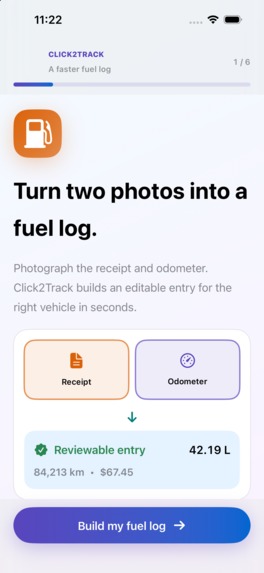
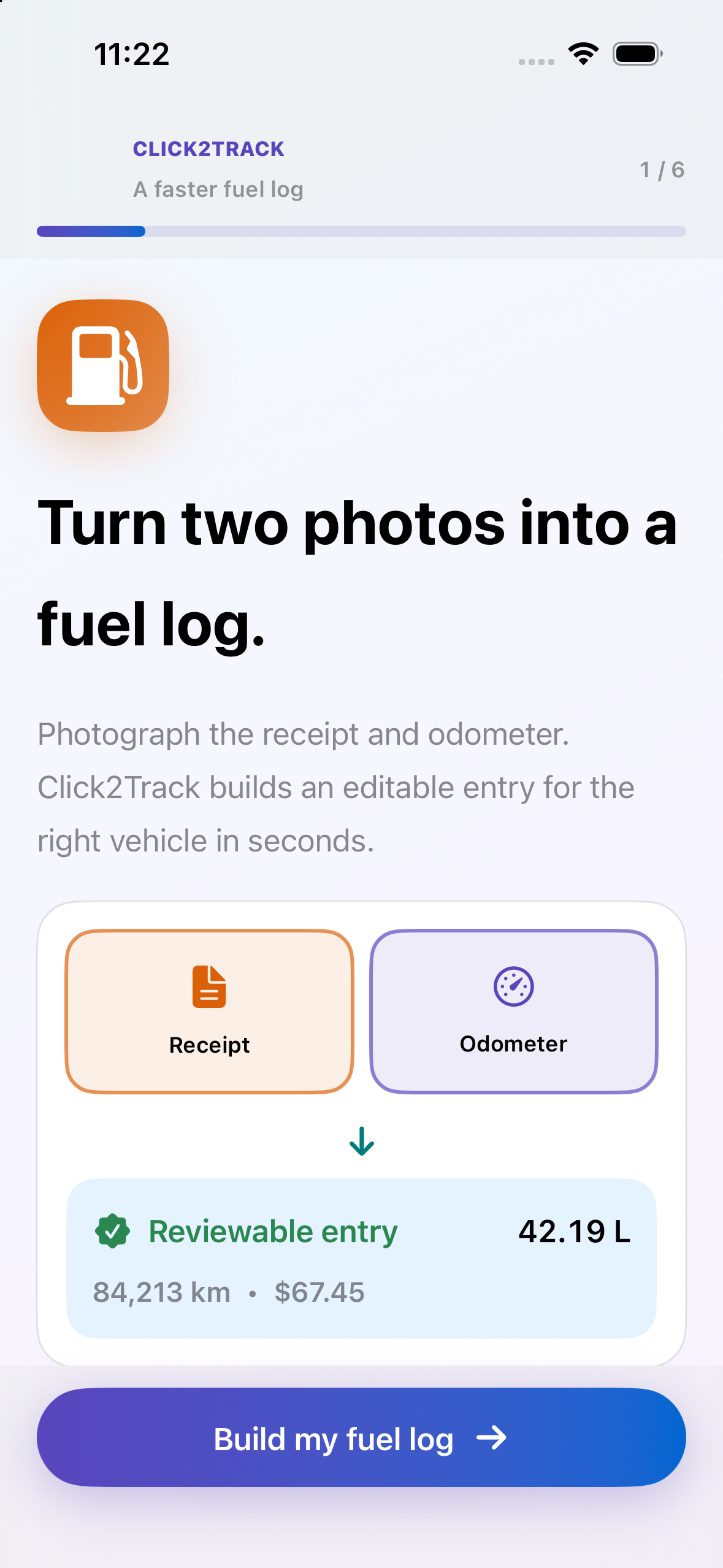
Click2Track onboarding — native 1179 × 2556 screenshot, no device frame
-
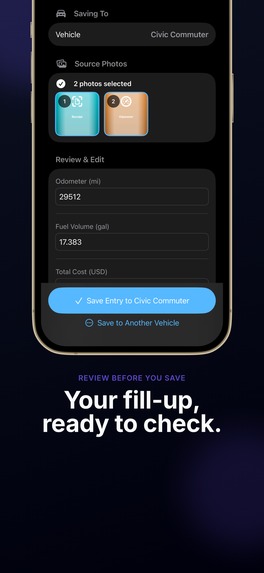
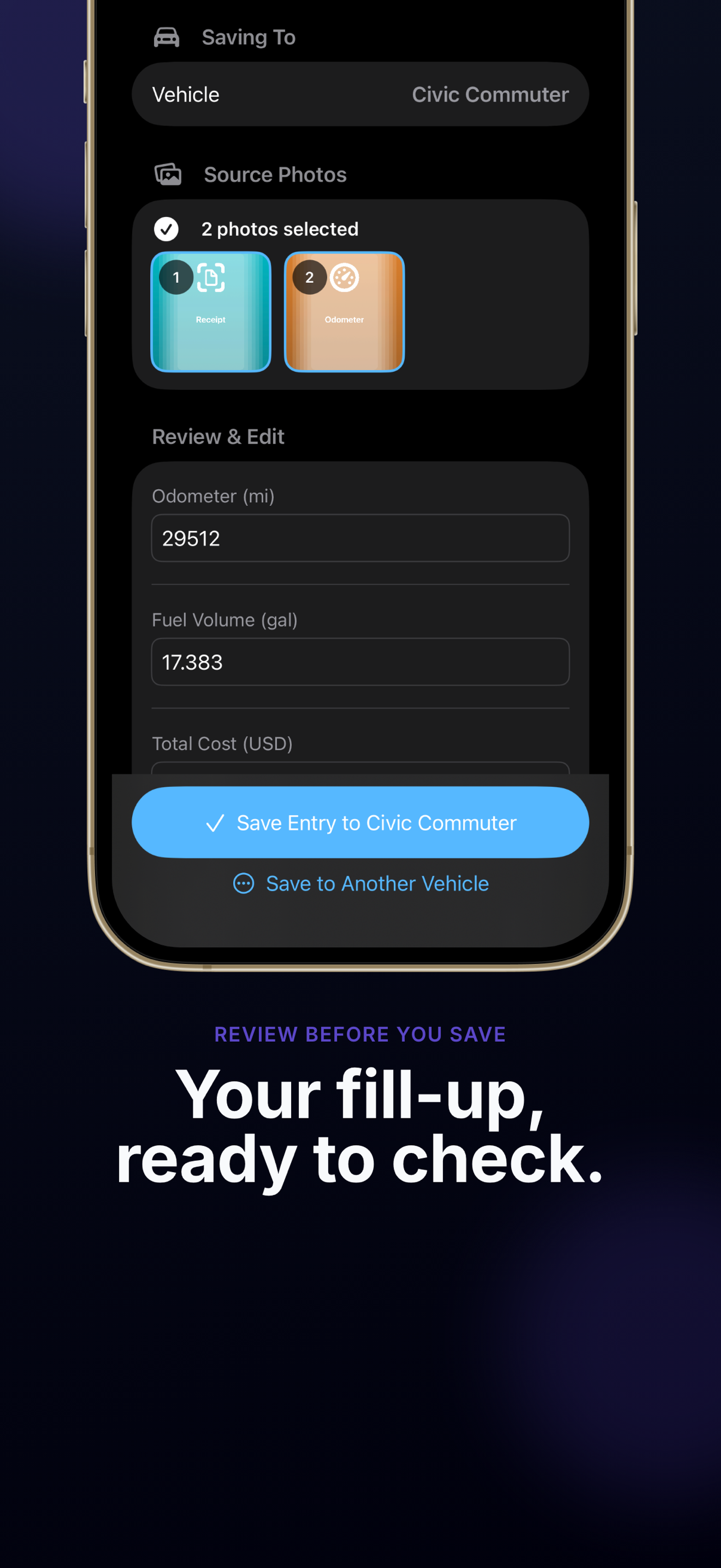
Review and correct a fuel entry before saving — App Store image
-
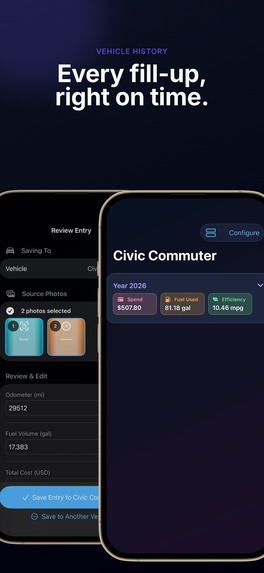
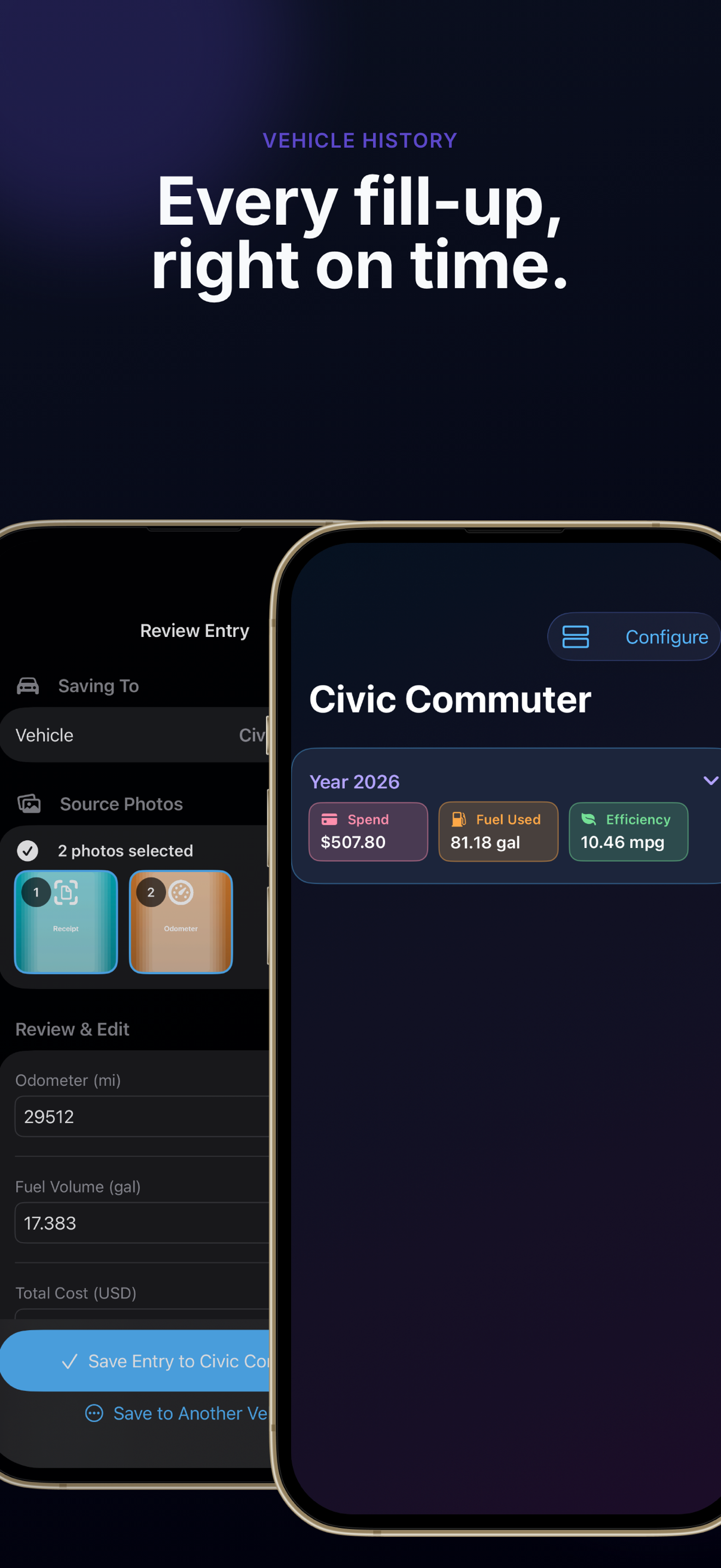
Vehicle fuel history and efficiency — App Store image
Inspiration
Keeping a fuel log helps drivers understand what each fill-up costs, but entering receipt totals and odometer readings by hand is tedious.
What it does
Click2Track turns a fuel receipt and an odometer photo into an editable fuel entry. The driver reviews and corrects the extracted values before saving. Entries stay organized by vehicle, with fuel use, spend, and efficiency history.
How we built it
The iPhone app uses SwiftUI for the interface and local fuel-entry storage. Image extraction creates a draft from the two photos; available on-device and backend paths support extraction. Calculations use the reviewed values. RevenueCat powers the weekly and yearly Pro subscription flow, with a seven-day introductory free trial shown in the app.
How we used AI
AI extracts structured details from receipt and odometer images. The result is presented for human review rather than saved automatically. Drivers can correct missing or inaccurate details before they become part of their history.
How we used Codex
Codex helped implement and debug the iOS fuel-entry flow and billing integration, check the release, and review launch assets.
Try it
Install the published iPhone app. Add a vehicle, choose a receipt and odometer photo, review the proposed entry, and save it. Open the vehicle history to inspect saved fill-ups and efficiency information. The app offers a seven-day introductory trial for eligible new subscribers.
Demo
Watch the 55-second Click2Track Fillup Journey.
Challenges and lessons
Extraction can miss or misread a field, so the review step remains central to the experience. We kept the saved record under the driver's control and use the verified numbers for efficiency calculations.
Built With
- ai
- ios
- revenuecat
- swiftui