-
-
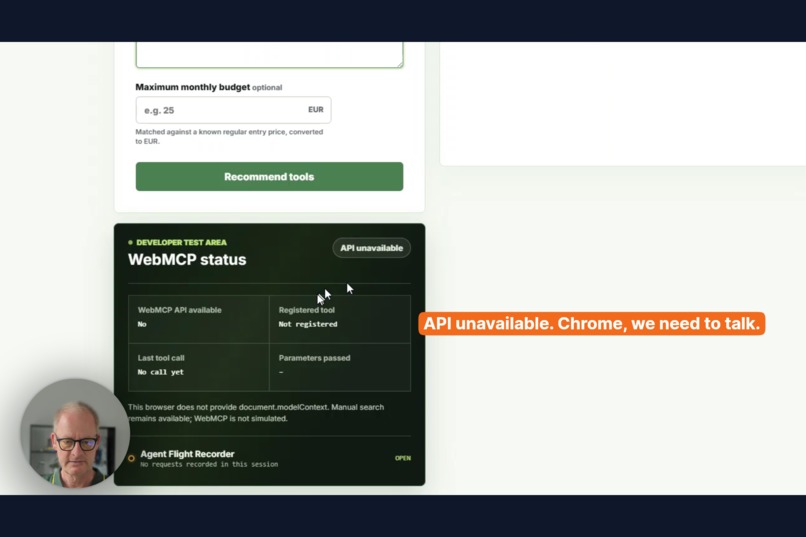
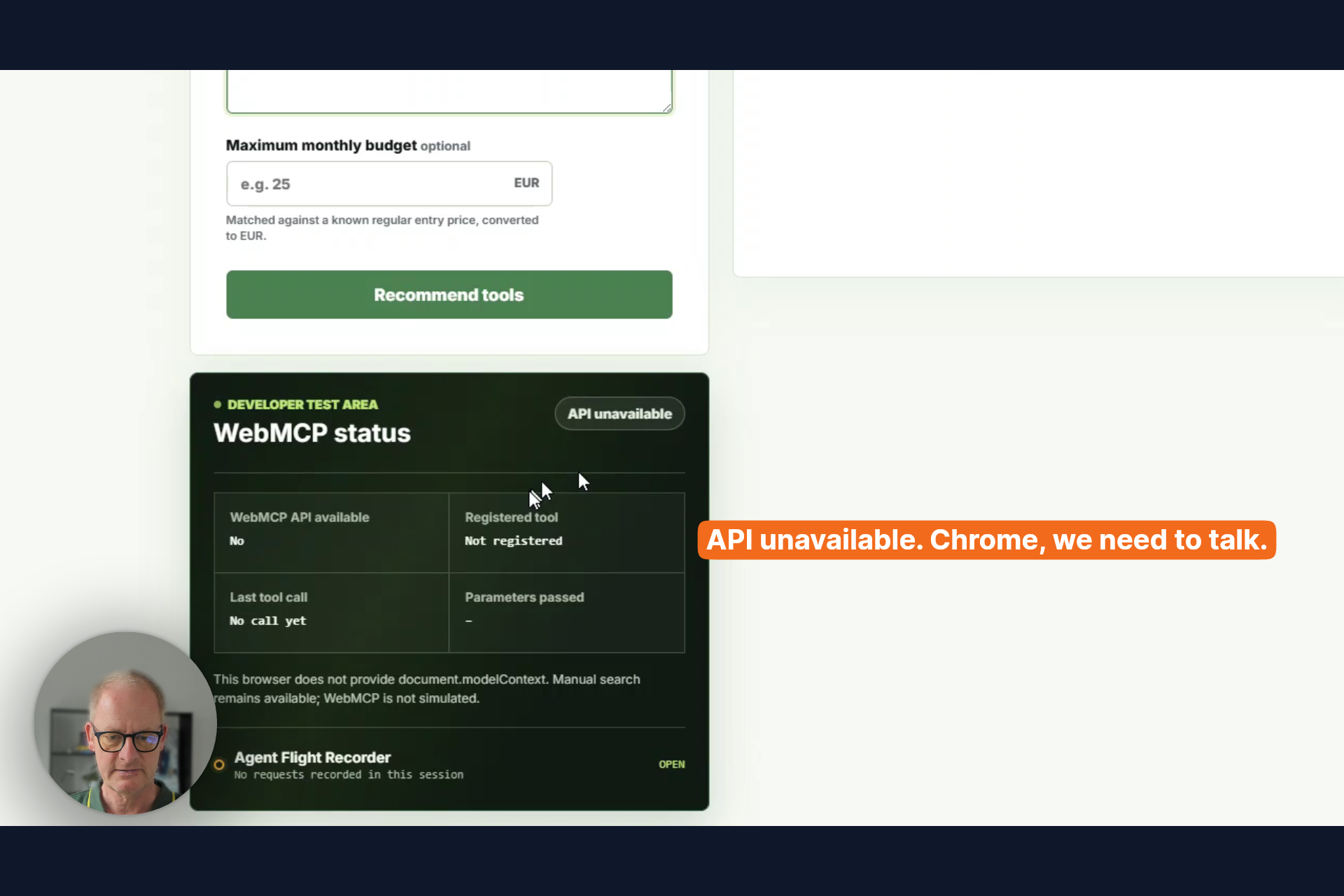
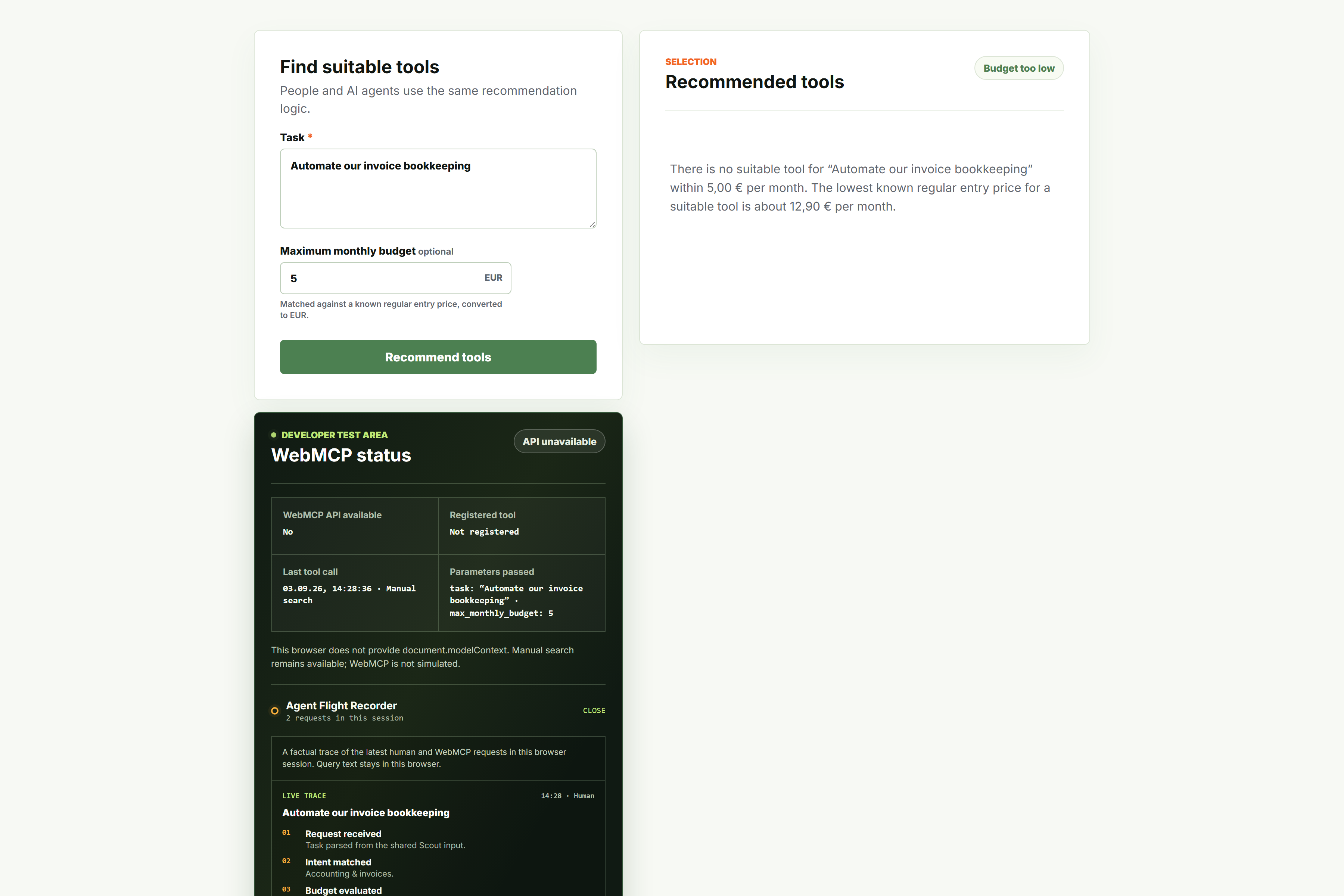
Plain Chrome without WebMCP: the form still works and the status panel says so. Chrome, we need to talk.
-
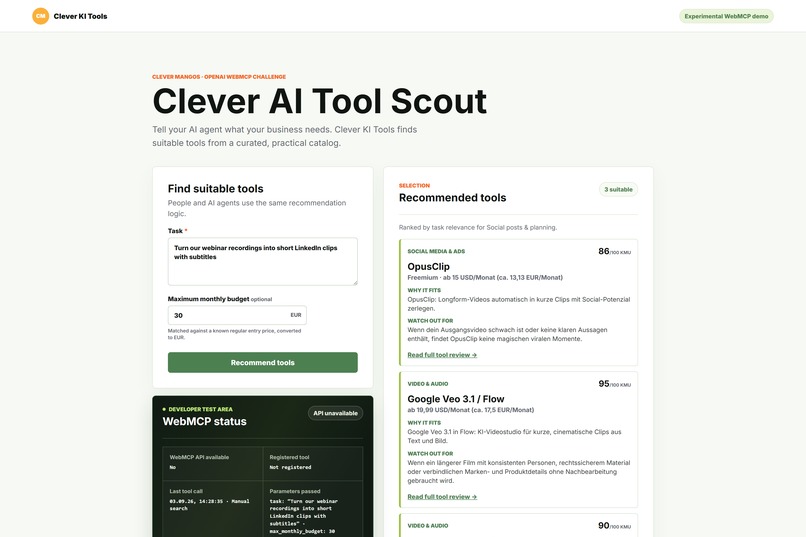
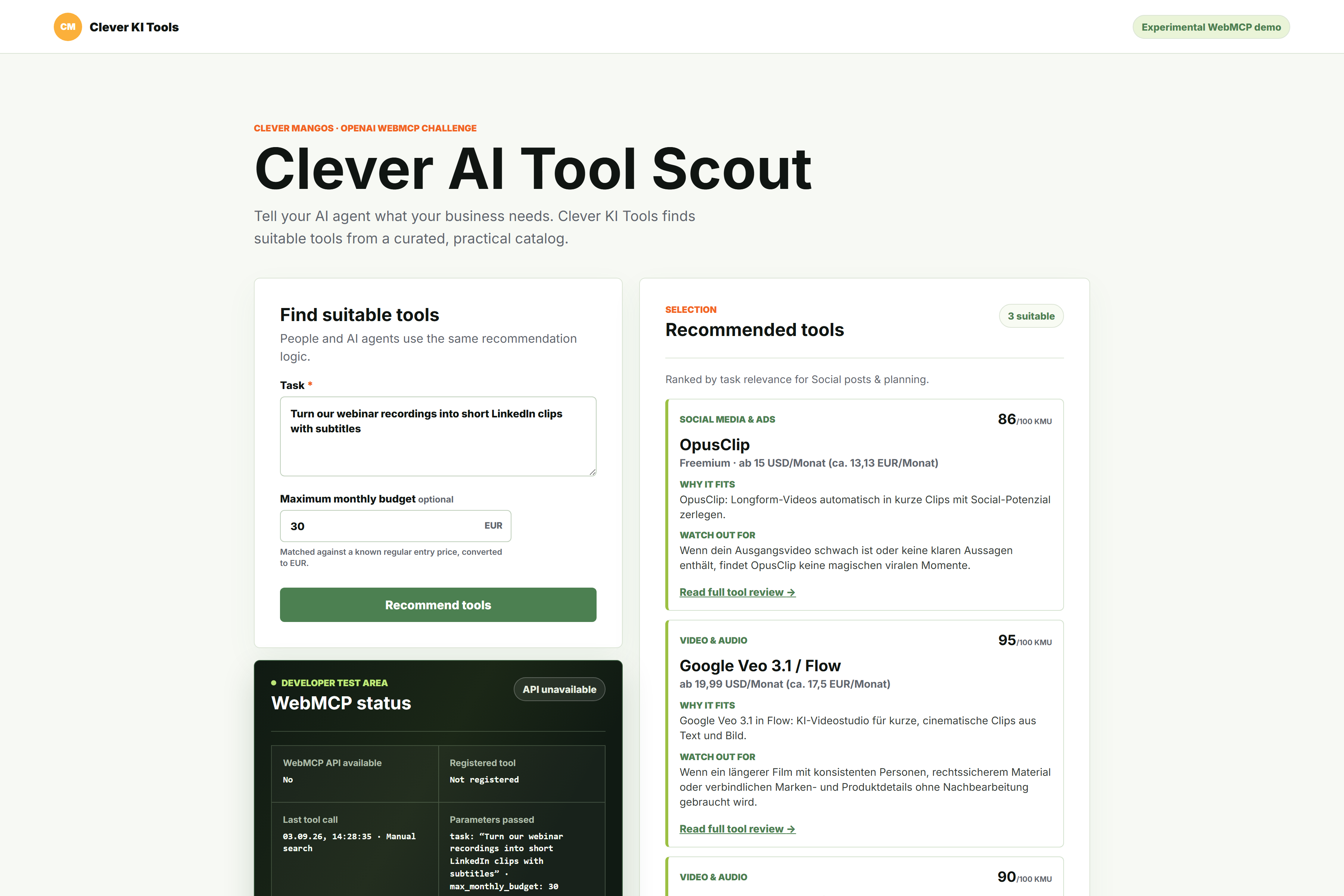
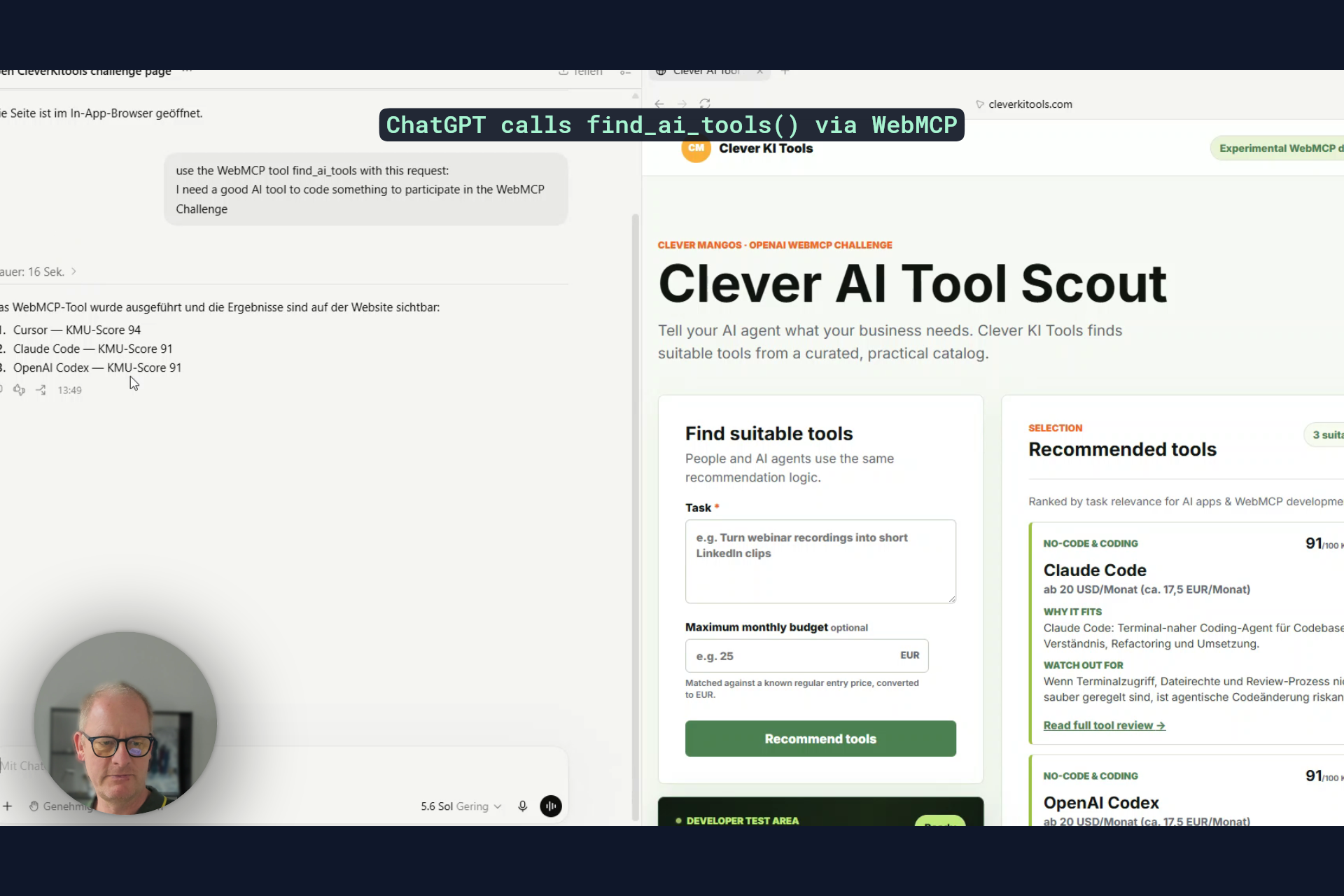
Clever AI Tool Scout: describe a task, add a budget, get three vetted tools. Humans and agents use the same engine.
-
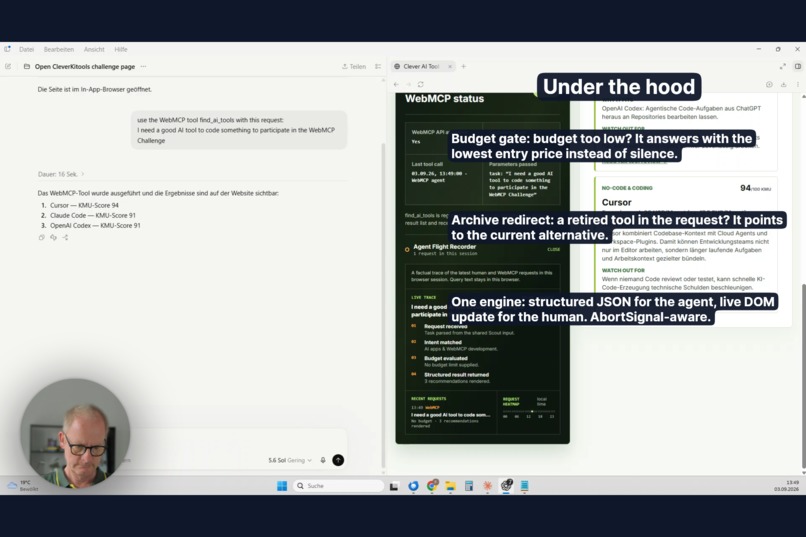
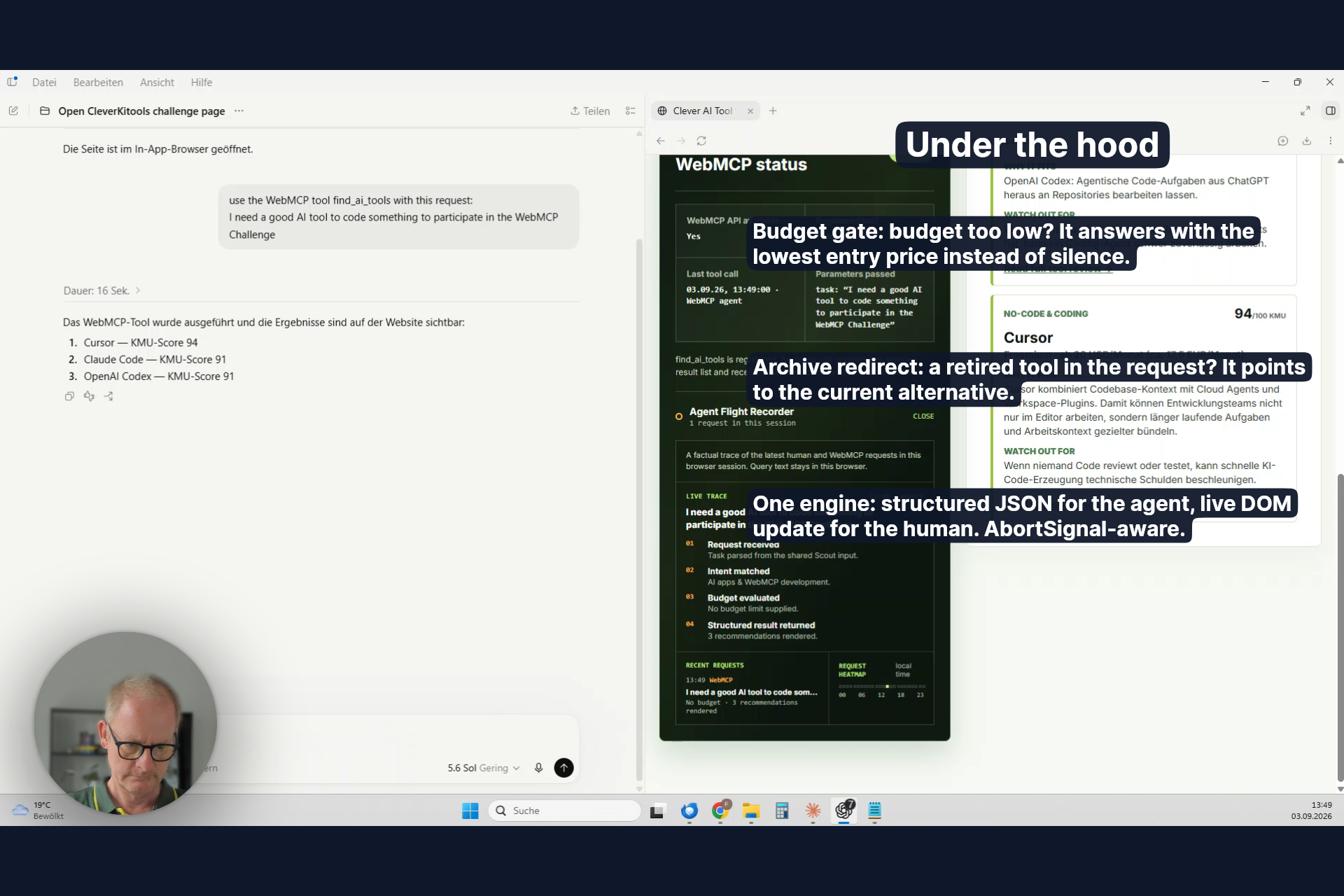
Under the hood: budget gate, archive redirect and one shared engine. JSON for the agent, cards for the person.
-
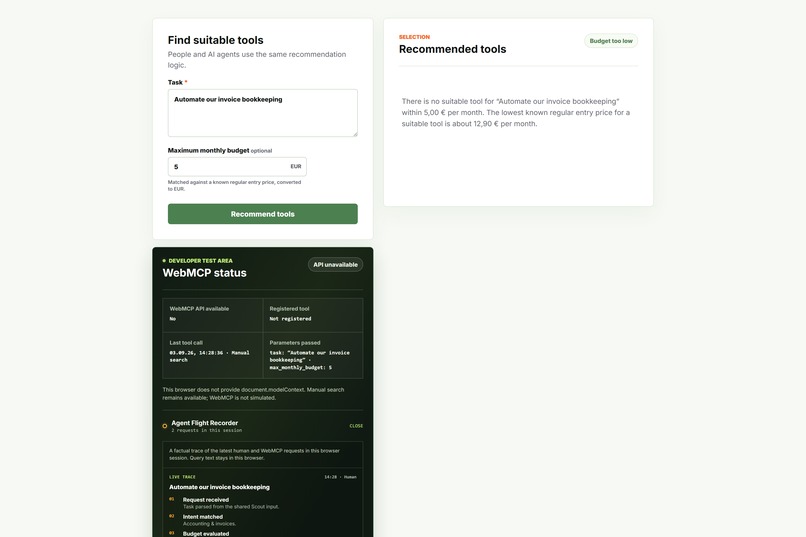
Budget gate: nothing fits 5 EUR a month? The Scout answers with the lowest known entry price instead of silence.
-
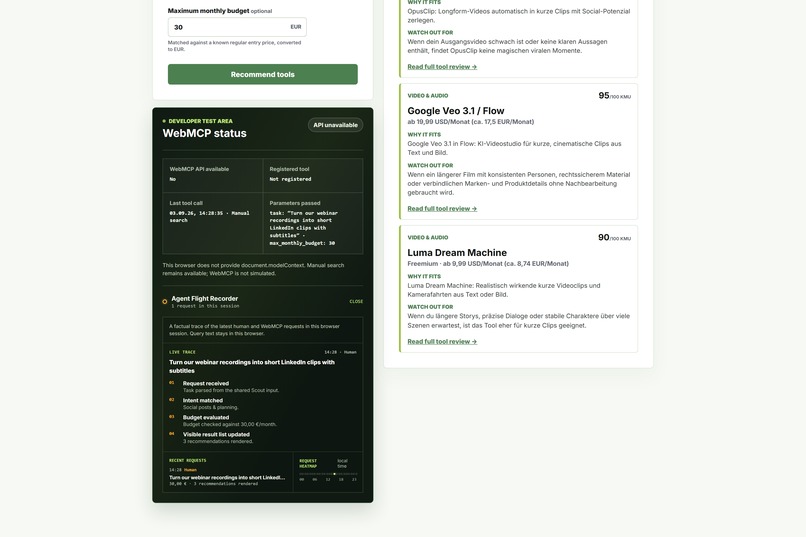
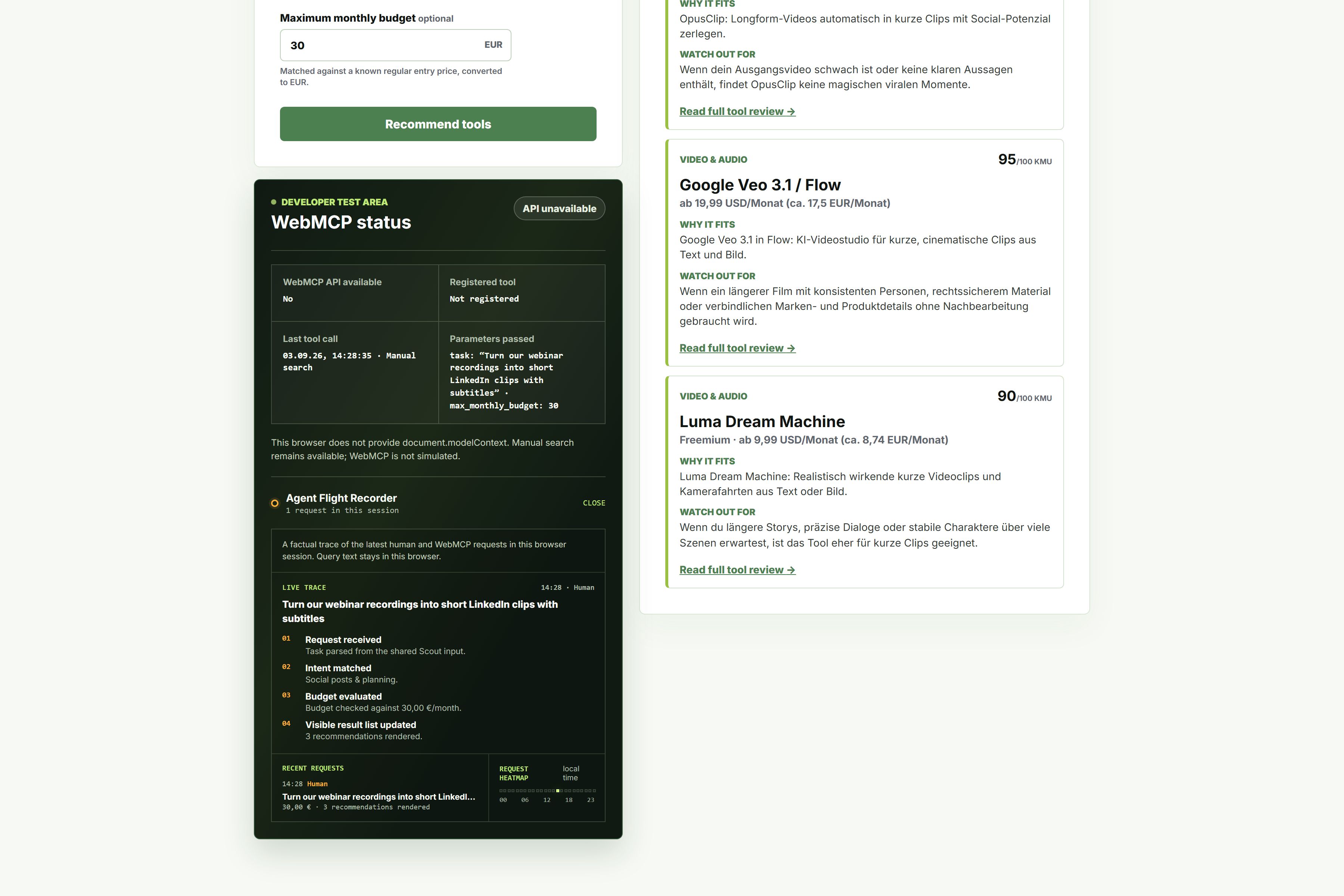
Agent Flight Recorder: every human and agent request as a four-step trace. Query text never leaves the browser.
-
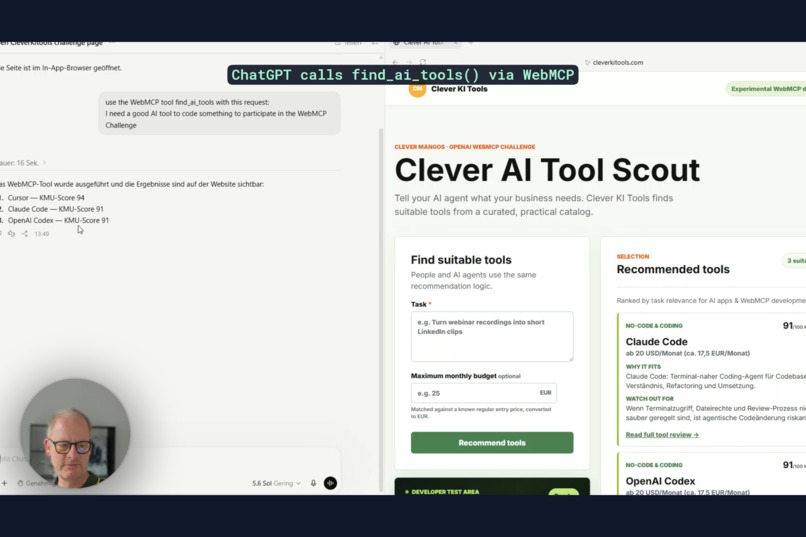
ChatGPT calls find_ai_tools via WebMCP. The result lands in the chat and on the page at the same time.
Inspiration
cleverkitools.com started with a simple question: how far can a non-developer (me) get building a real product with ChatGPT alone? The answer became a curated catalog of 100 vetted AI tools for small and medium-sized businesses, with a KMU score, checked prices and honest caveats for every tool. When WebMCP (and the challenge) appeared, the next question was obvious. What if agents could use that catalog the same way people do?
What it does
Clever AI Tool Scout is a recommendation interface on top of the catalog. A person / human describes a business task, optionally adds a monthly budget in EUR, and gets up to three fitting tools with a reason, a caution and a link to the full review. An AI agent can do exactly the same through one WebMCP tool, find_ai_tools, with the same two inputs. People and agents share one recommendation engine.
Live: cleverkitools.com/webmcp-challenge
Why WebMCP is suited for this use case
A tool catalog is a structured question with a structured answer. Without WebMCP an agent has to scrape a hundred German profile pages, guess prices and infer categories. With WebMCP the site says exactly what it can do: give me a task and a budget, I return ranked tools, prices in EUR, cautions and profile URLs. The agent gets a deterministic contract instead of a DOM to navigate, and the site owner keeps control over how recommendations are made. In addition, I just wanted to try WebMCP 🙂
How it improves the user experience (or AGENT exprience?).
- For people: the same form, same results, nothing changes. No direct improvement.
- For agents: one straight call instead of dozens of page loads. No open API neccessary. No running MCP server neccessary.
The Agent Flight Recorder shows every human and agent request of the session as a four-step trace (request received, intent matched, budget evaluated, result returned). Query text stays in the browser. I used it for debugging.
What people and agents can accomplish together that was not possible before
An agent can now answer "which AI tool should my small business use for X within Y euros" from a curated, price-checked source instead of from training data. It can hand the person a page that already shows the shortlist. The person can refine the task in the form, and the agent can pick that up again.
On the other hand, to be honest, well, it's more a tech demo atm and not a super use case, I must admit. I'm sure better use cases will follow.
How we built it (we = ChatGPT Codex and me)
- One tool,
find_ai_tools, registered withdocument.modelContext.registerTool. Input schema:task(string, required) andmax_monthly_budget(number, EUR, optional). - The
executehandler runs the samerecommend()engine as the HTML form, renders the cards into the page and returns structured JSON. - The handler respects the
AbortSignalpassed by the browser. - Search core: 13 intents with German and English terms, category weights, tool boosts and a relevance floor. Prices are normalized to EUR from a known regular entry price (checked 21 Aug 2026).
- Catalog: 100 current tools, 15 new entries, 19 archived tools with replacements, loaded as static data. Everything runs in the browser, no server round-trip.
- Progressive by design: without
document.modelContextthe page is a normal form, and the status panel says so. - Built with ChatGPT and Codex, deployed on cleverkitools.com.
What the agent receives:
{
  "request": { "task": "…", "max_monthly_budget": 30 },
  "visible_results_updated": true,
  "selection_status": "matched | fallback | archive_redirect | over_budget",
  "matched_intents": ["Video, audio & music"],
  "minimum_monthly_budget_eur": 12.9,
  "recommendations": [
    {
      "name": "OpusClip",
      "profile_url": "https://cleverkitools.com/ki-tools/opusclip/",
      "category": "Social Media & Ads",
      "why_fitting": "…",
      "caution": "…",
      "status": "current",
      "kmu_score": 86,
      "price": "Freemium · ab 15 USD/Monat (ca. 13,13 EUR/Monat)"
    }
  ],
  "archive_match": { "name": "Copy.ai", "status": "archived", "replacement": { "name": "Genspark" } }
}
Challenges we ran into
WebMCP is only available in ChatGPT's in-app browser and in Chrome with the flag enabled, so the page had to work as a normal form everywhere else and report its WebMCP state without pretending. The second challenge was keeping one engine for both audiences: the agent needs structured fields, the person needs readable cards, and both had to come from the same call.
What's next
Not 100% sure yet. Looking for your and other user's feedback.
Built With
- ai
- chatgpt
- html/css
- javascript
- sites
- webmcp

Log in or sign up for Devpost to join the conversation.