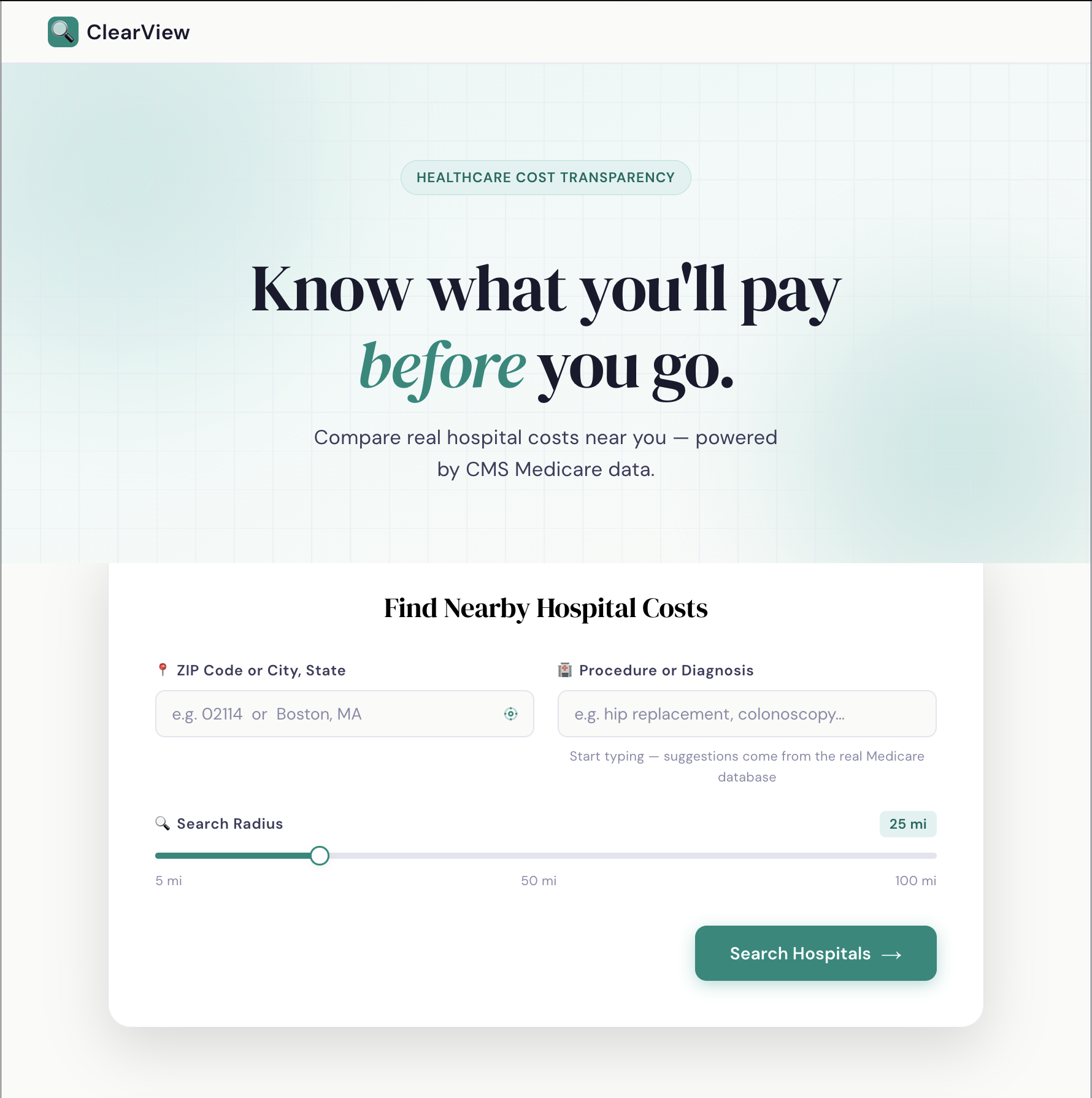
ClearView — Healthcare Cost Transparency
Know what you'll pay before you go.
Built at ViTAL Hacks 2026 under the Healthcare Cost Transparency track. ClearView lets patients search for a medical procedure, compare real costs across nearby hospitals, and estimate their out-of-pocket expenses — all powered by CMS Medicare data.
Features
- Procedure search with live autocomplete from the CMS Medicare database
- Hospital price comparison — sticker price, average total paid, Medicare portion, and negotiated savings side by side
- Interactive map with color-coded pins by cost tier (MA hospitals)
- Out-of-pocket estimator — calculates your estimated cost based on deductible and coinsurance
- Sort by average paid, billed price, or hospital name
- No fake data — every number comes directly from CMS Medicare Inpatient 2023
Tech Stack
| Layer | Technology |
|---|---|
| Frontend | React + Vite + Leaflet (react-leaflet) |
| Backend | Python 3.13, FastAPI, pandas, SQLite (FTS5) |
| Data | CMS Medicare Inpatient Provider Service 2023 |
| Geocoding | Nominatim (OpenStreetMap) |
Project Structure
ViTAL-Hacks/
├── backend/
│   ├── main.py              # FastAPI app — CORS, routes
│   ├── cms.py               # CSV ingestion, SQLite FTS5, search
│   ├── oop.py               # Out-of-pocket cost calculator
│   ├── geocode.py           # Address → lat/lng via Nominatim
│   ├── geo_cache.csv        # Pre-geocoded hospital coordinates (MA)
│   ├── cms.db               # Auto-generated SQLite database
│   ├── requirements.txt
│   └── scripts/
│       └── geocode_all.py   # One-time offline geocoding script
│
└── frontend/
    └── frontend/
        ├── src/
        │   └── App.jsx      # Full React app (single file)
        ├── package.json
        └── vite.config.js
Data Source
CMS Medicare Inpatient Provider Service Data — Release Year 2025, Calendar Year 2023
Downloaded from data.cms.gov. Public domain.
Key fields used:
| Field | Description |
|---|---|
Rndrng_Prvdr_CCN |
Provider ID |
Rndrng_Prvdr_Org_Name |
Hospital name |
Rndrng_Prvdr_City/State/Zip5 |
Location |
DRG_Cd / DRG_Desc |
Procedure code and description |
Avg_Submtd_Cvrd_Chrg |
Average billed (sticker) price |
Avg_Tot_Pymt_Amt |
Average total actually paid |
Avg_Mdcr_Pymt_Amt |
Average Medicare portion paid |
Prices are Medicare averages. Your actual cost will vary by insurance plan.
Setup
Prerequisites
- Python 3.11+
- Node.js 20+
- CMS CSV file at
/Users/zaidjilla/Downloads/MUP_INP_RY25_P03_V10_DY23_PrvSvc.csv(or setCMS_CSV_PATHenvironment variable)
Backend
cd backend
pip install -r requirements.txt
uvicorn main:app --reload --port 8000
The first startup ingests the CSV into cms.db (~1-2 seconds). Every subsequent restart is instant.
Check it's running:
curl http://127.0.0.1:8000/health
# {"status":"ok"}
Frontend
cd frontend/frontend
npm install
npm run dev
# → http://localhost:5173
API Reference
Base URL: http://localhost:8000
| Endpoint | Method | Description |
|---|---|---|
/health |
GET | Health check |
/search |
GET | Search hospitals by procedure + location |
/suggest |
GET | Autocomplete DRG procedure names |
/oop |
POST | Calculate out-of-pocket cost |
/plan-presets |
GET | Insurance plan templates |
GET /search
| Param | Type | Description |
|---|---|---|
q |
string | Procedure name or DRG description |
zip_code |
string | 5-digit ZIP for radius filtering |
state |
string | 2-letter state abbreviation |
radius |
float | Search radius in miles (requires zip_code) |
limit |
int | Max results (default 100) |
POST /oop
{
  "avg_submtd_cvrd_chrg": 85432.10,
  "avg_tot_pymt_amt": 15022.55,
  "deductible_remaining": 1000.00,
  "coinsurance_rate": 0.20,
  "oop_max_remaining": 5000.00,
  "use_negotiated_rate": true
}
Geocoding
Map pins are currently available for Massachusetts hospitals only. To add more states:
# Edit STATE_FILTER in backend/scripts/geocode_all.py
# Change: STATE_FILTER = "MA"
# To:     STATE_FILTER = "NY"  (or None for all states — takes hours)

cd backend
python3 scripts/geocode_all.py
rm cms.db
uvicorn main:app --reload --port 8000
Deployment
Frontend → Vercel
- Connect GitHub repo to vercel.com
- Set root directory to
frontend/frontend - Framework: Vite (auto-detected)
- Deploy
Backend → Render
- Connect GitHub repo to render.com
- Set root directory to
backend - Build command:
pip install -r requirements.txt - Start command:
uvicorn main:app --host 0.0.0.0 --port $PORT - Deploy
After deploying the backend, update API_BASE in src/App.jsx:
const API_BASE = "https://vital-hacks.onrender.com";
Team
Built at ViTAL Hacks 2026.
| Role | Work |
|---|---|
| Backend (Zaid Jilla, Roonak Thapa) | FastAPI, data pipeline, SQLite, OOP calculator, geocoding |
| Frontend (Bivan Prajapati, Zaid Jilla) | React UI, Leaflet map, search, cost comparison |
| Frontend (Bivan Prajapati, Roonak Thapa) | Design, OOP estimator, component wiring |
License
Built for hackathon purposes. CMS data is public domain.

Log in or sign up for Devpost to join the conversation.