-
-
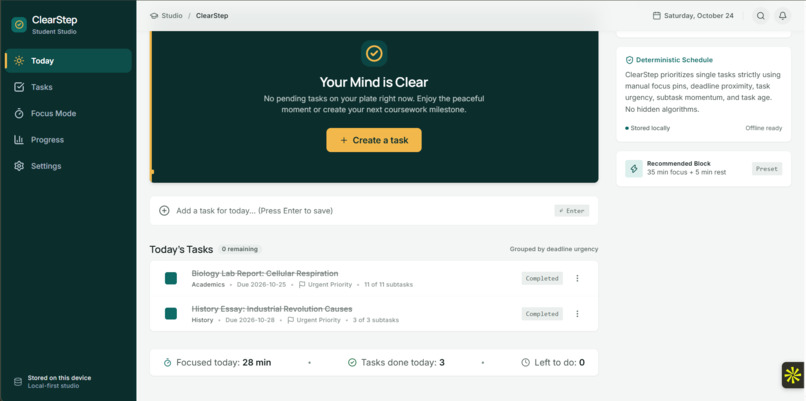
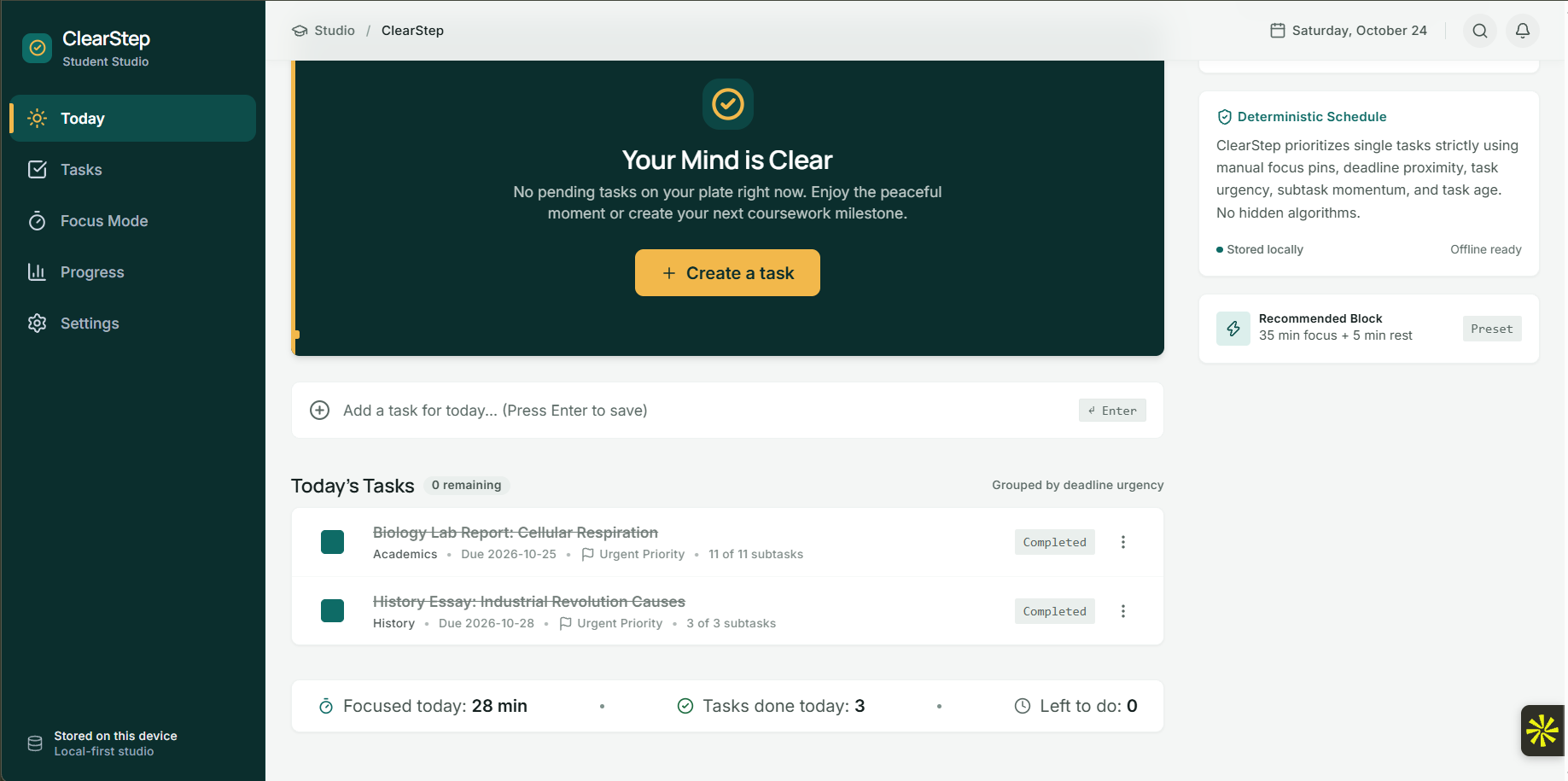
ClearStep Today Dashboard
Inspiration
What it does
How we built it
Challenges we ran into
Accomplishments that we're proud of
ClearStep — Less Overwhelm. One Clear Next Step.
Inspiration
Students often struggle not because they lack motivation, but because large assignments feel overwhelming. When multiple deadlines compete for attention, deciding what to work on can become as difficult as doing the work itself.
We built ClearStep around a simple idea: make the next step clear, manageable, and actionable. Instead of presenting students with another complicated productivity system, ClearStep helps them identify their next task, break it into smaller steps, and focus on making progress.
What it does
ClearStep is a student productivity application designed to turn overwhelming workloads into manageable actions.
Its key features include:
- Intelligent task prioritization: Recommends a next action based on task urgency, deadlines, and progress.
- Task breakdown: Helps students divide assignments into smaller, actionable micro-steps.
- Focus Mode: Provides dedicated work sessions, a timer, ambient audio, and a distraction scratchpad.
- Progress tracking: Records completed tasks and focus sessions to help students understand their work habits.
- Local-first data storage: Keeps tasks and productivity records on the user's device, with backup and restore functionality.
How we built it
We built ClearStep as a web application with React, TypeScript, Vite, and Tailwind CSS. Its component-based architecture separates the application layout, task management, focus experience, and progress views.
We implemented task and timer logic, persistent local storage, validation and recovery for stored data, and an offline ambient-audio experience. Automated tests help verify core behavior, while responsive layouts make the interface usable across different screen sizes.
We also used Google Stitch to guide the visual design and refined the implementation to create a consistent experience across the dashboard, task manager, focus workspace, progress page, and settings.
Challenges we faced
One of the biggest challenges was making productivity features feel simple rather than overwhelming. A dashboard can easily become crowded with deadlines, priorities, progress indicators, and controls.
We addressed this by emphasizing a single next action, separating information into clear visual groups, and improving typography and spacing. Another challenge was maintaining reliable timer behavior and persistent task data while keeping the application local-first.
We also spent time testing responsive layouts, fixing modal transparency and text readability, and checking that interface refinements did not break existing functionality.
What we learned
Building ClearStep reinforced the importance of designing around a real user problem rather than adding features for their own sake. We learned to treat usability, responsive behavior, data reliability, and automated testing as essential parts of the product—not finishing touches.
We also learned that a design is not complete simply because it looks correct in a mockup. The actual implementation needs repeated browser testing and refinement.
What's next
We want to continue improving ClearStep's task recommendations, accessibility, and onboarding experience. Future development could explore more personalized planning while preserving the app's core principle: helping students make progress without adding unnecessary complexity.
ClearStep helps students spend less time wondering where to start—and more time taking the next step.
What we learned
What's next for ClearStep
Built With
- react
- tailwind-css
- typescript
- vite
- vitest


Log in or sign up for Devpost to join the conversation.