ClearScan — Scan Before You Trust
Inspiration
A simple QR code scan can sometimes lead to a serious security problem.
Today, QR codes and shortened links are everywhere. We use them to make digital payments, access websites, download applications, and share information. But behind a familiar-looking QR code or link could be a phishing website, a fake payment page, or a malicious destination designed to steal personal and financial information.
The problem is that most users cannot easily distinguish between a legitimate link and a suspicious one. They often scan first and think about safety later.
We wanted to change that.
We built ClearScan — Scan Before You Trust, with one simple idea: help people understand the potential risk of a QR code or URL before they trust it.
Our goal was to make basic cybersecurity checks accessible, understandable, and useful for everyday users, not just technical experts.
What it does
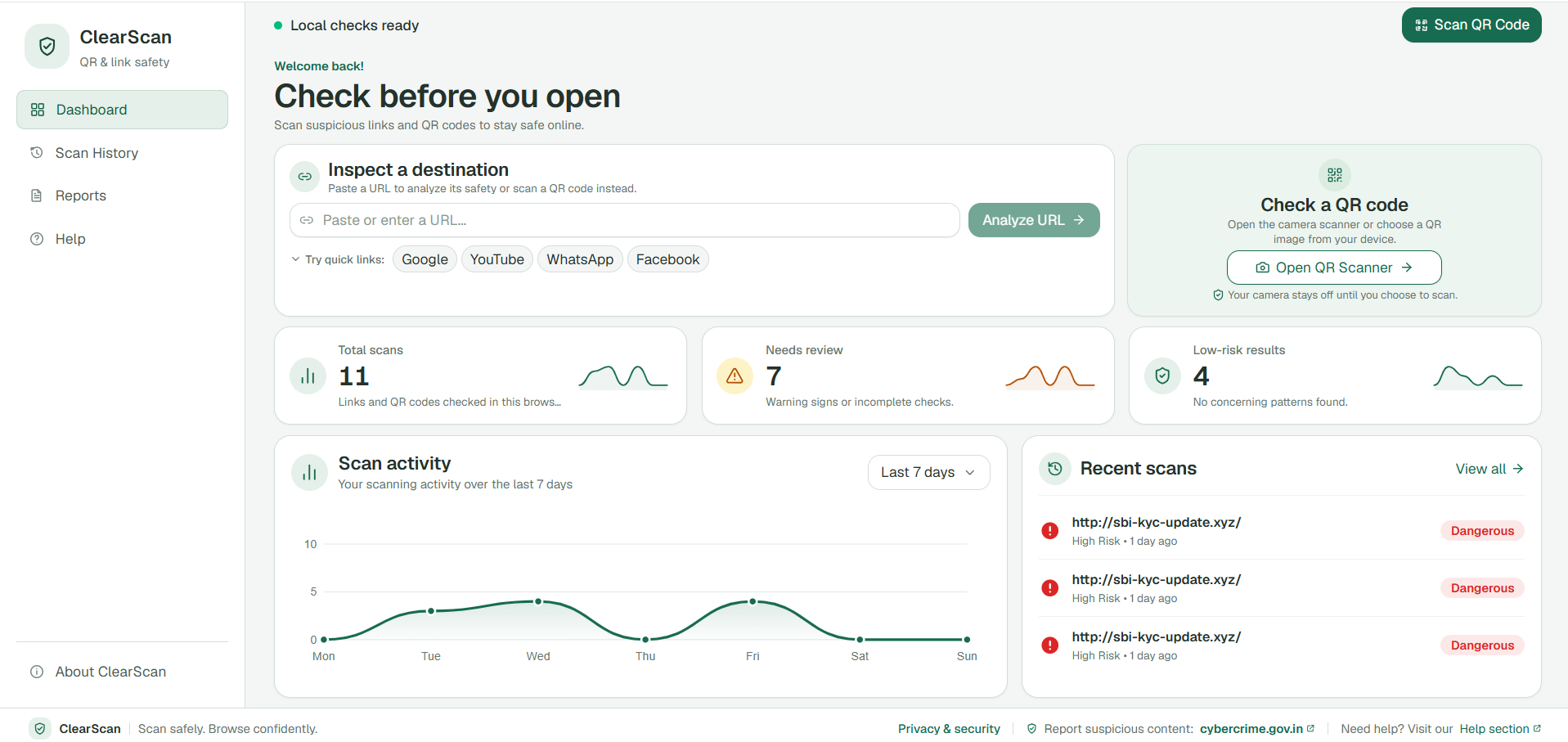
ClearScan is a web-based QR code and URL safety checker that analyzes potentially suspicious links and provides users with understandable risk classifications.
1. Scan Before You Trust
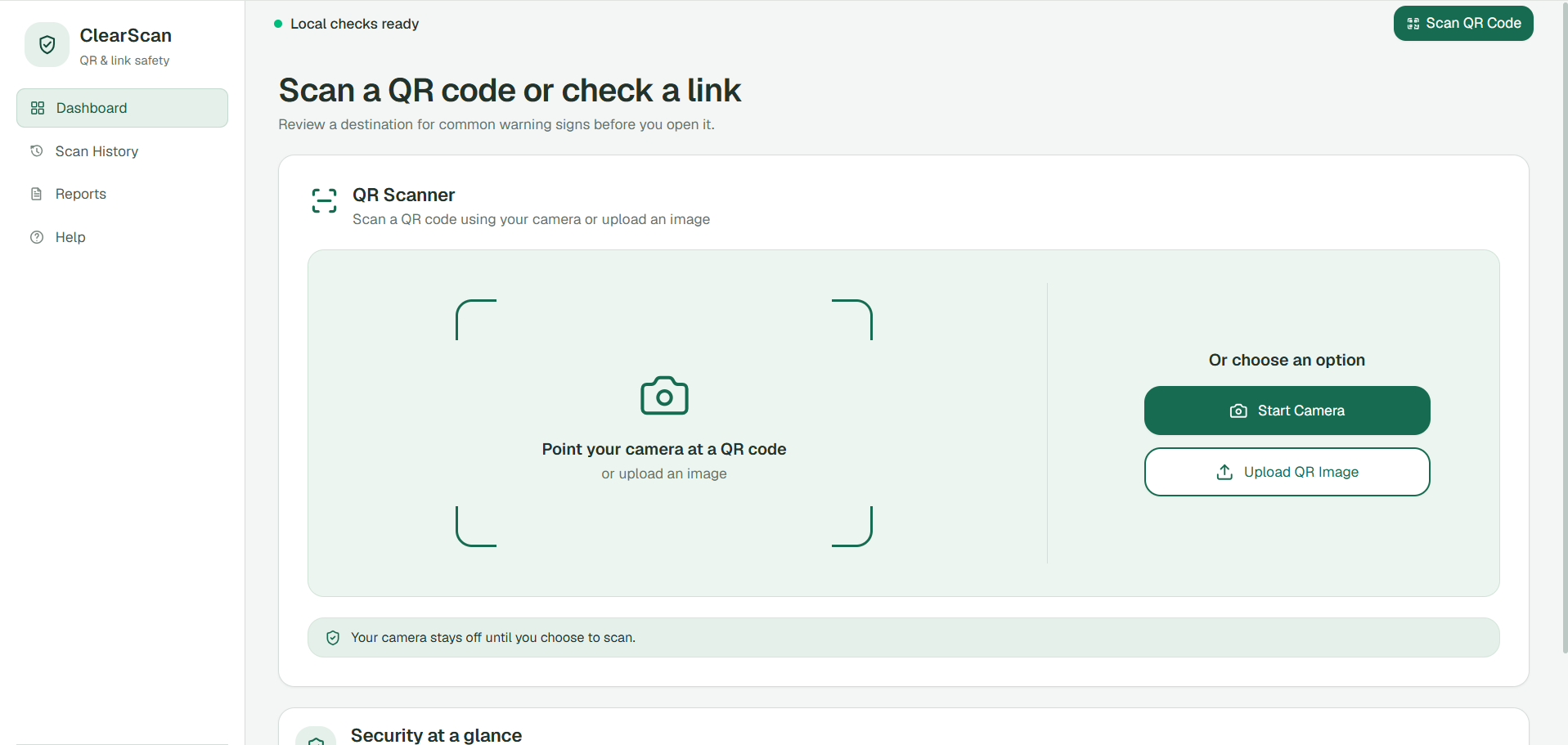
Users can scan QR codes directly using their device camera or upload an existing QR code image. ClearScan decodes the QR content and identifies the information that needs to be checked.
2. Check Any URL
Users can manually enter a website URL to analyze its potentially suspicious characteristics before visiting it.
3. Detect Suspicious Links
ClearScan's backend uses multiple heuristic checks to identify warning signs, including:
- Suspicious domain names and keywords.
- Brand impersonation and lookalike domains.
- Suspicious top-level domains.
- Known URL shortener services.
- Unusual URL structures.
4. Risk Score and Classification
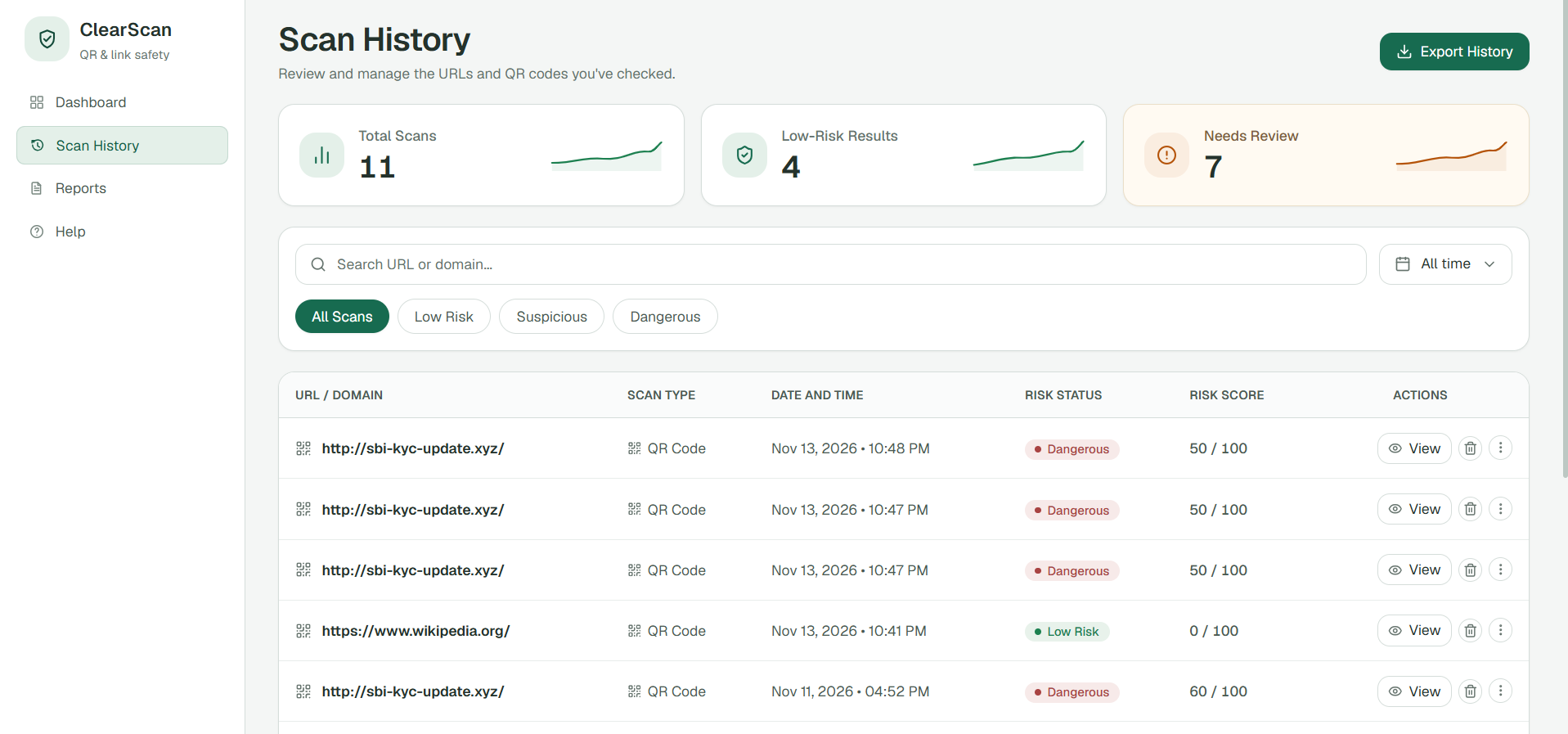
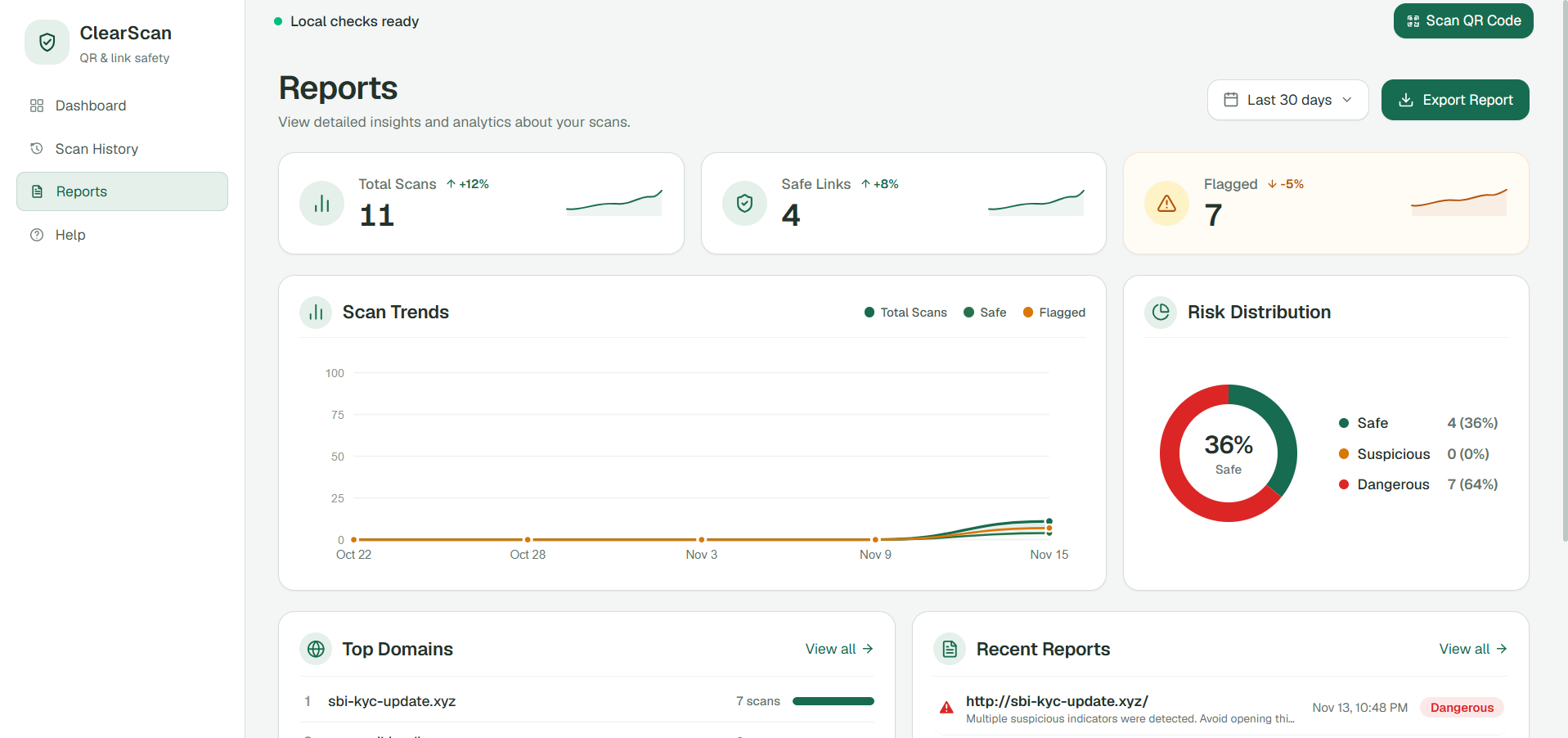
Instead of simply displaying a decoded link, ClearScan generates a risk score from 0 to 100 and classifies the result:
- LOW RISK: 0–24
- MODERATE RISK: 25–49
- HIGH RISK: 50–74
- CRITICAL RISK: 75–100
When a URL cannot be verified, ClearScan communicates that limitation instead of presenting an unsupported safety verdict.
5. Google Safe Browsing Integration
ClearScan supports optional Google Safe Browsing integration to check URLs against known unsafe web resources when the required API configuration is available.
6. UPI QR Analysis
Digital payments are another important part of the problem.
ClearScan can decode supported UPI QR codes and extract available payment information, including the UPI ID, payee name, amount, and currency.
This allows users to inspect payment details before proceeding. ClearScan does not initiate payments or independently verify the recipient's identity.
7. Scan History
Users can review previous scans through locally stored scan history, making it easier to revisit earlier results.
8. Security Awareness
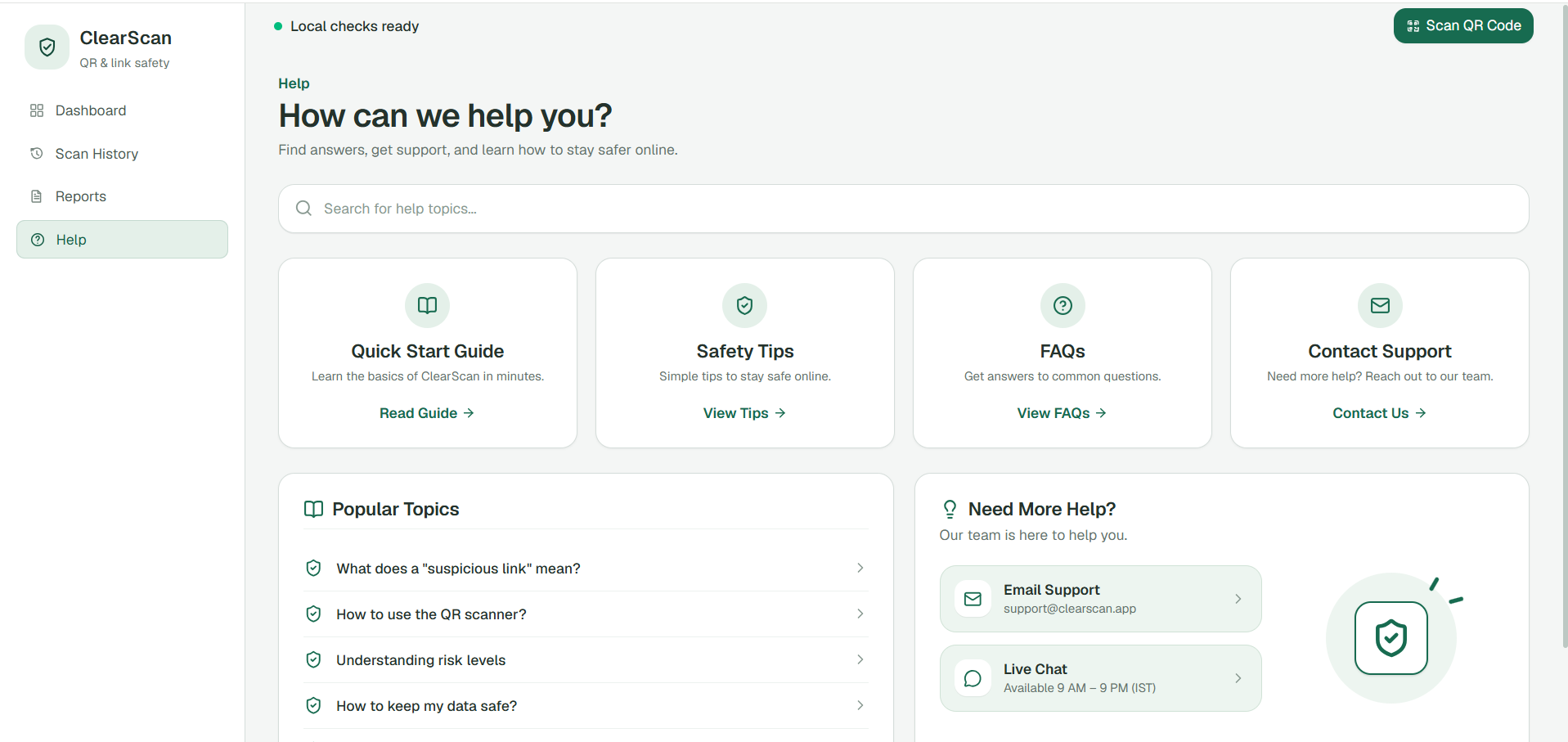
We also included security education and a quiz to help users recognize common online threats and develop safer digital habits.
What makes it different
Most basic QR scanners focus on decoding the information contained in a QR code.
ClearScan takes an additional step: it analyzes the decoded URL and communicates potential warning signs before the user decides what to do.
| Capability | ClearScan |
|---|---|
| Camera-based QR scanning | Yes |
| QR image upload | Yes |
| Manual URL analysis | Yes |
| Suspicious URL detection | Yes |
| Risk scoring | Yes |
| Google Safe Browsing | Optional |
| UPI QR information extraction | Yes |
| Local scan history | Yes |
| Security awareness quiz | Yes |
| Responsive interface | Yes |
Our approach combines QR decoding, backend security analysis, risk classification, and user awareness in one application.
ClearScan is designed to support safer decisions, not to guarantee that every website is safe.
How we built it
We developed ClearScan using a separate frontend and backend architecture.
Frontend — React, TypeScript and Vite
The frontend provides the user interface for scanning QR codes, entering URLs, viewing analysis results, and accessing security awareness features.
We used:
- React for building the interface.
- TypeScript for structured and maintainable code.
- Vite for development and production builds.
- Tailwind CSS for responsive styling.
- html5-qrcode for camera-based QR scanning and image-based QR decoding.
We focused on making the application usable across desktop and mobile screen sizes.
Backend — Java 17 and Spring Boot
The backend is built using Java 17 and Spring Boot 3.2.5.
It handles URL analysis, validation, security heuristics, risk scoring, and optional external security checks.
The frontend communicates with the backend to receive the analysis and display the result.
Security Analysis Engine
We implemented heuristic-based URL analysis to identify potentially suspicious characteristics.
Different warning signals contribute to the risk score, which is then mapped to a risk classification.
Google Safe Browsing can provide an additional threat-intelligence check when configured.
UPI QR Processing
Supported UPI QR information is decoded locally to extract available payment details. This keeps payment-information extraction separate from the backend's website URL analysis.
Local Storage
Scan history is stored in the browser using localStorage. The current application does not require user authentication or a central database for scan history.
Challenges we ran into
1. Detecting Suspicious Links
One of our biggest challenges was identifying potentially dangerous URLs without incorrectly treating every unfamiliar website as malicious.
We addressed this by combining multiple heuristic checks instead of depending on a single keyword or rule.
2. Avoiding False Confidence
A low risk score does not necessarily mean a website is safe. Security detection is not perfect, and new phishing websites appear frequently.
We designed the result classifications to communicate potential risk rather than promise complete protection.
3. Supporting Different QR Inputs
Users interact with QR codes in different ways. Some scan them using their camera, while others already have an image saved on their device.
Supporting both camera-based scanning and image uploads required handling different input methods within the same experience.
4. Understanding UPI QR Codes
Decoding a payment QR code is not the same as verifying who receives the money.
We focused on extracting available payment information while keeping clear boundaries around what the application can actually verify.
5. External API Configuration
Google Safe Browsing requires API configuration and may not always be available.
We accounted for different verification states so an unavailable external check is not incorrectly presented as a successful safety check.
6. Responsive User Experience
We wanted ClearScan to be practical on both mobile phones and desktop computers. This required attention to responsive layouts, scanning workflows, and readable analysis results.
Accomplishments that we're proud of
- Built a working QR code and URL safety-checking application.
- Implemented camera-based QR scanning and QR image uploads.
- Developed a Java Spring Boot backend for URL analysis.
- Implemented heuristic-based suspicious URL detection.
- Created a 0–100 risk scoring and classification system.
- Added optional Google Safe Browsing integration.
- Implemented UPI QR payment-information extraction.
- Added local scan history and security awareness features.
- Designed a responsive interface for mobile and desktop users.
- Organized the project using a separate frontend and backend architecture.
What we learned
Convenience should not come before security. A QR code should not automatically be trusted simply because it is easy to scan.
Cybersecurity should be understandable. Users need clear explanations and meaningful warnings rather than complicated technical information.
No single detection method is enough. Heuristic analysis and external threat intelligence can complement each other, but neither guarantees complete protection.
Transparency builds trust. When a system cannot verify something, it should communicate that limitation instead of creating a false sense of security.
A good security tool must also be easy to use. Even a technically useful application has limited impact if everyday users find it difficult to understand.
What's next for ClearScan
We see ClearScan as a starting point for making everyday digital interactions safer.
Our future improvements include:
- More advanced phishing and malicious URL detection.
- Expanded threat-intelligence integrations.
- Better explanations of why a URL receives a particular risk score.
- Improved detection of shortened and redirected URLs.
- More comprehensive mobile camera testing.
- Additional security-awareness features.
- Further improvements to accessibility and usability.
Our long-term vision is to make ClearScan a practical safety layer between users and potentially dangerous QR codes or links.
Built With
- React
- TypeScript
- Vite
- Tailwind CSS
- Java 17
- Spring Boot
- Maven
- html5-qrcode
- Google Safe Browsing API
- HTML
- CSS
- JavaScript
- Git
- GitHub
Built With
- boot
- css
- github
- html
- java
- javascript
- maven
- react
- spring
- tailwind
- typescript
- vite
