-
-
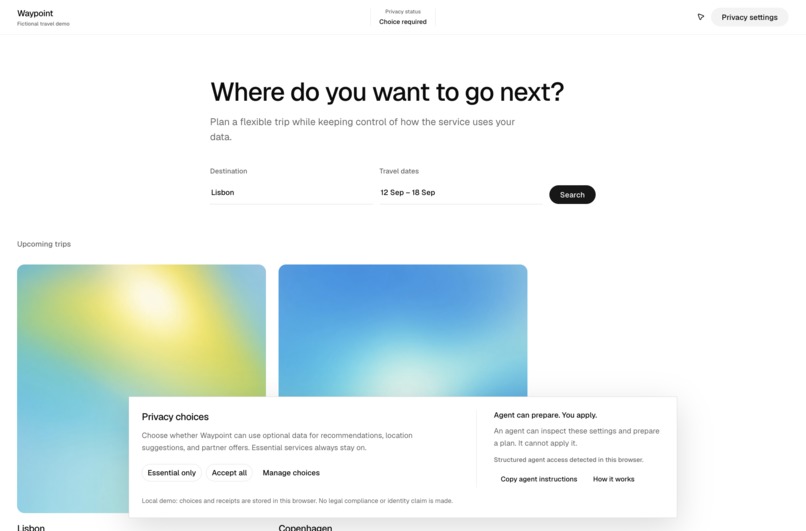
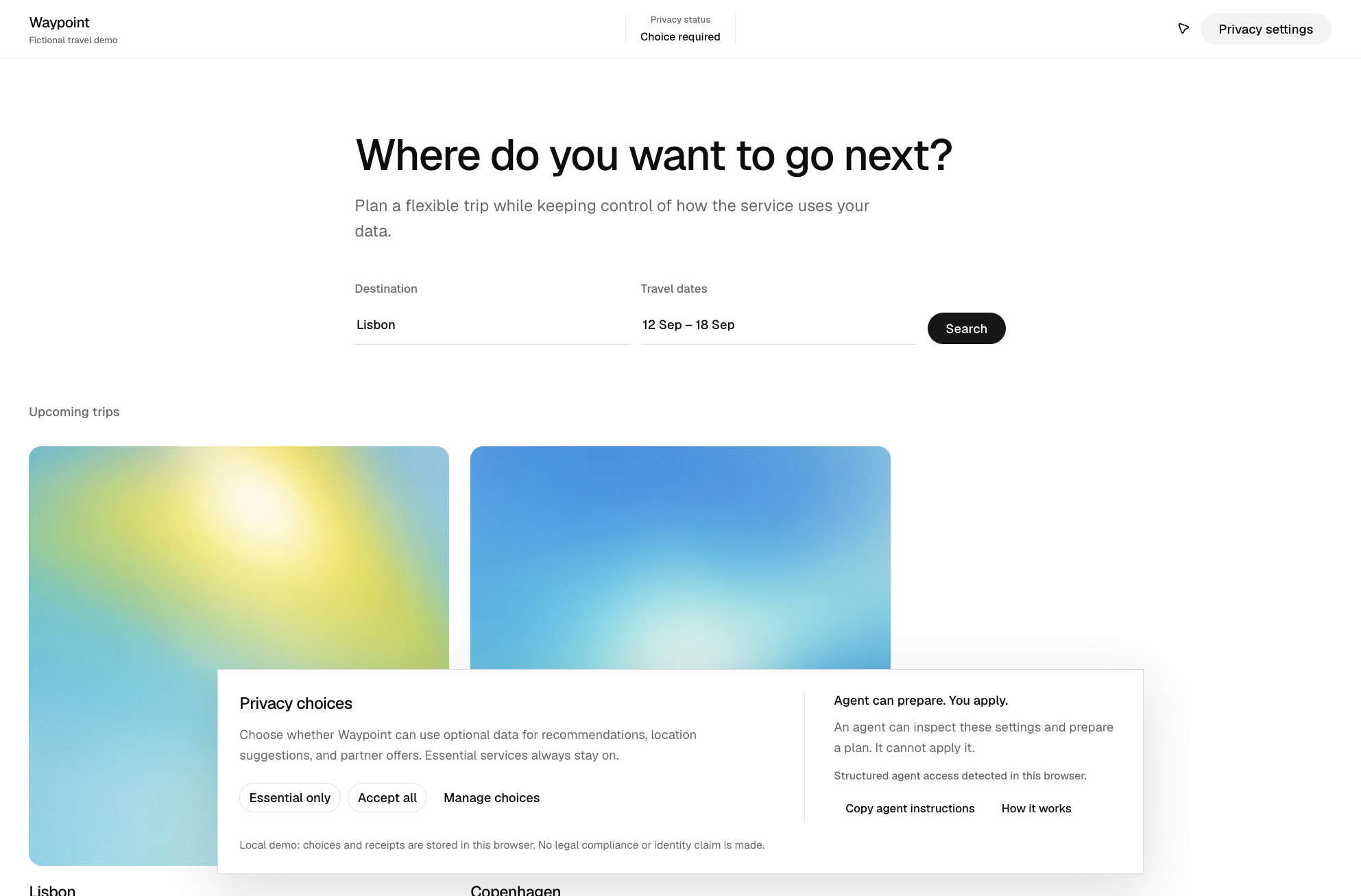
A privacy banner detects WebMCP access while keeping every choice visible and human-controlled.
-
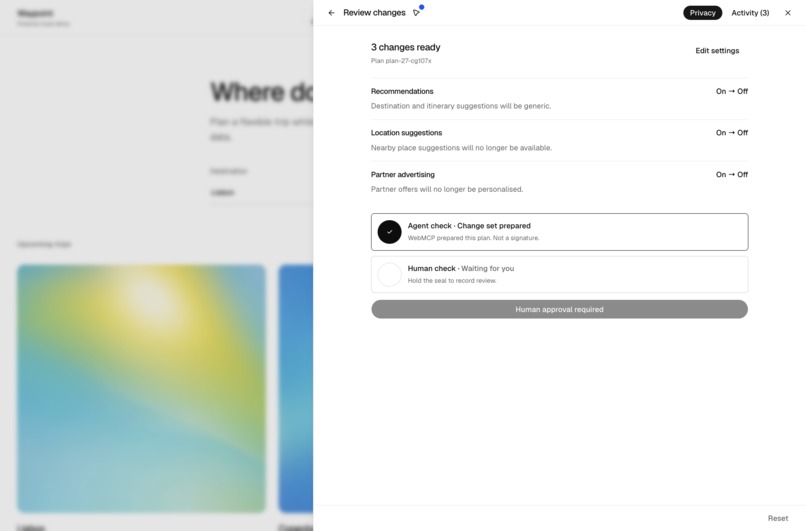
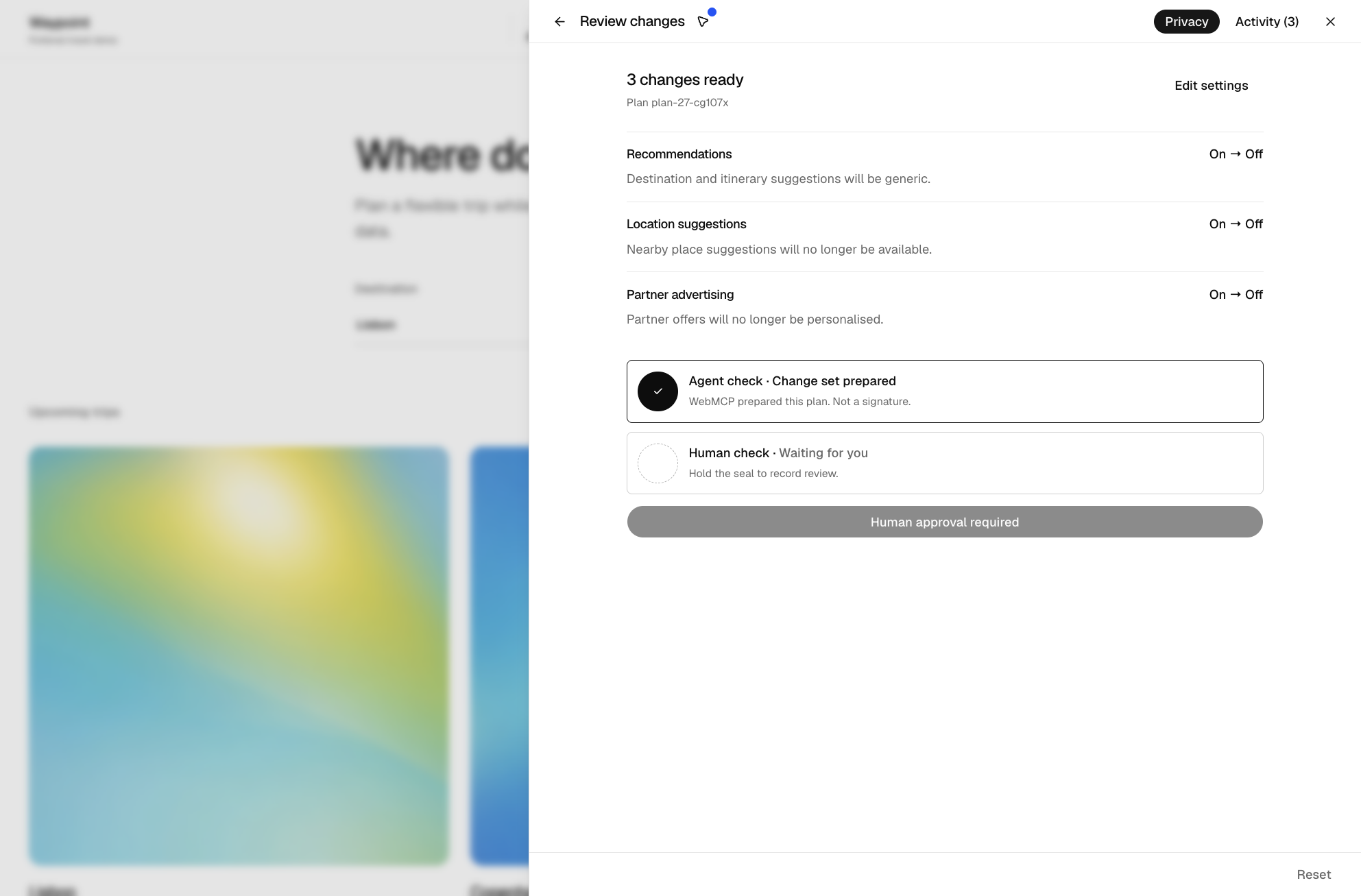
WebMCP prepares an exact plan and explains the effects; human review is still required.”
-
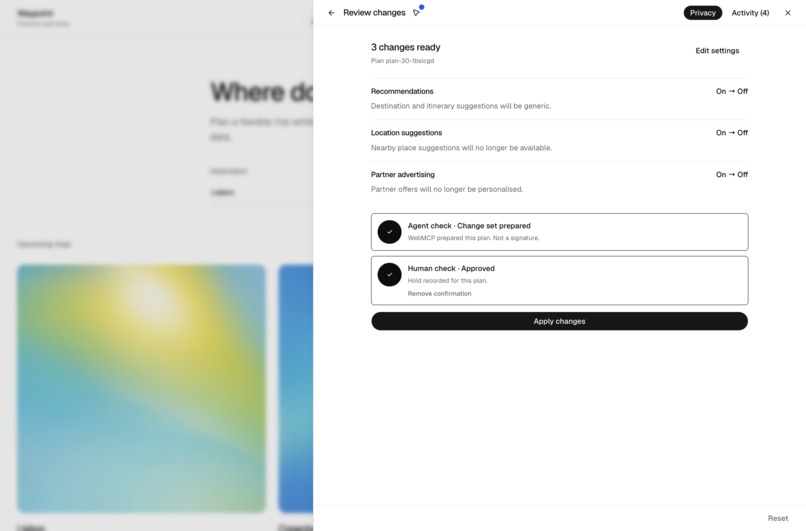
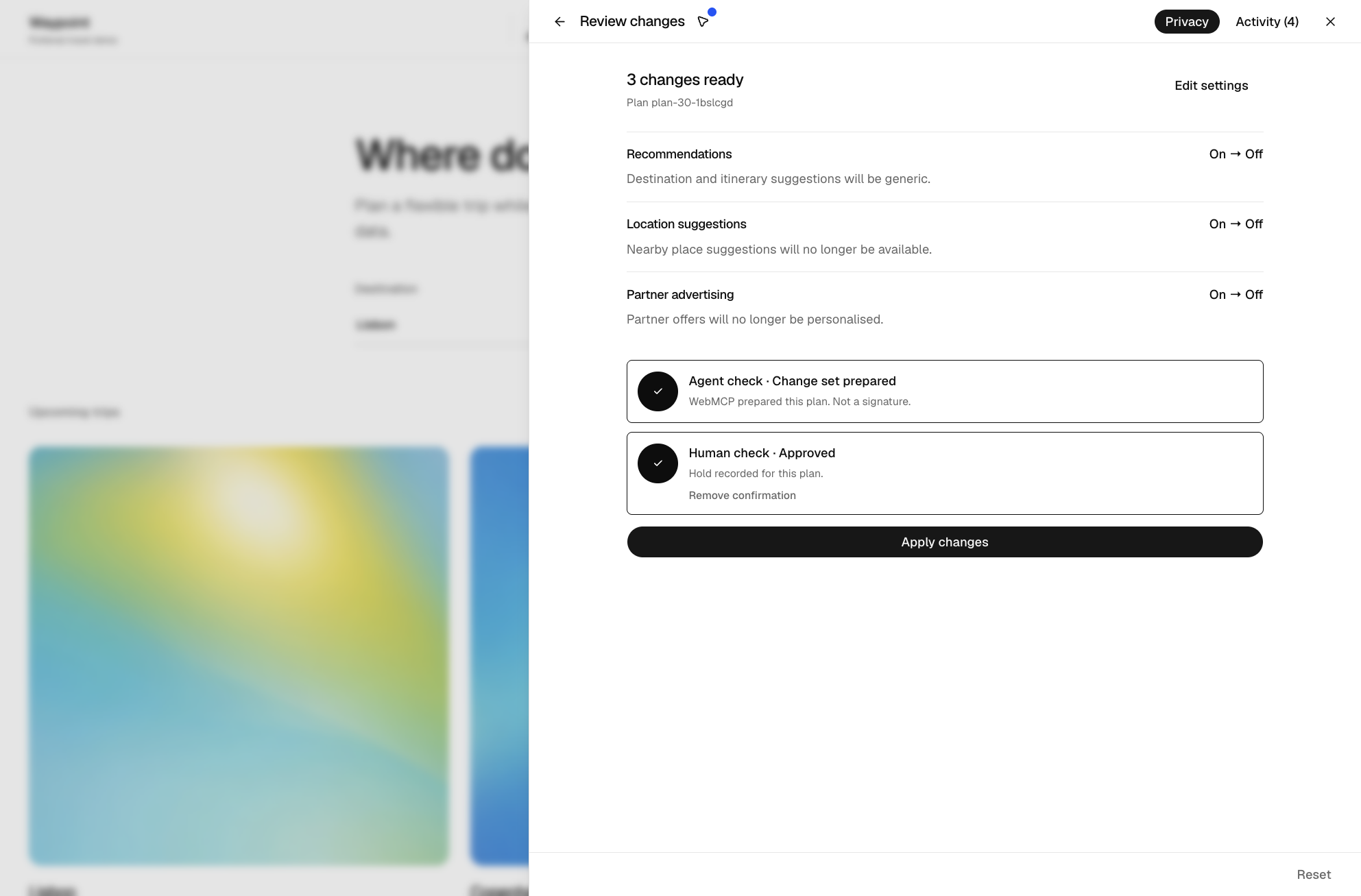
A deliberate human hold unlocks only the exact unchanged plan for application.
-
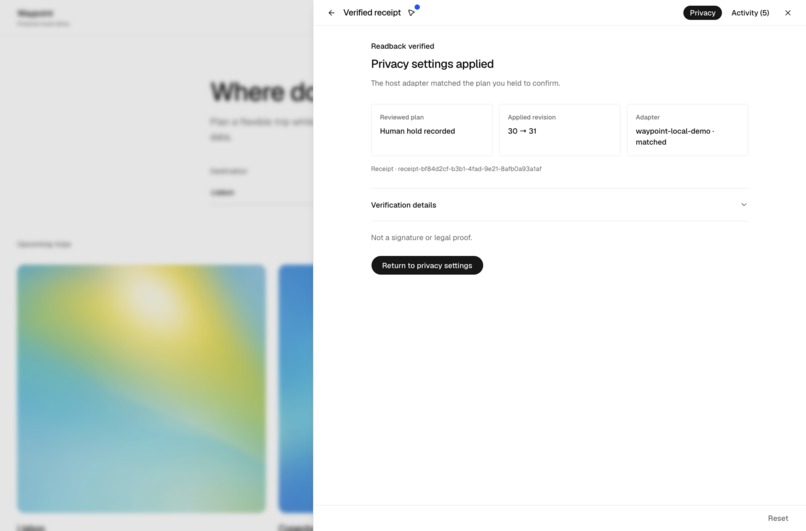
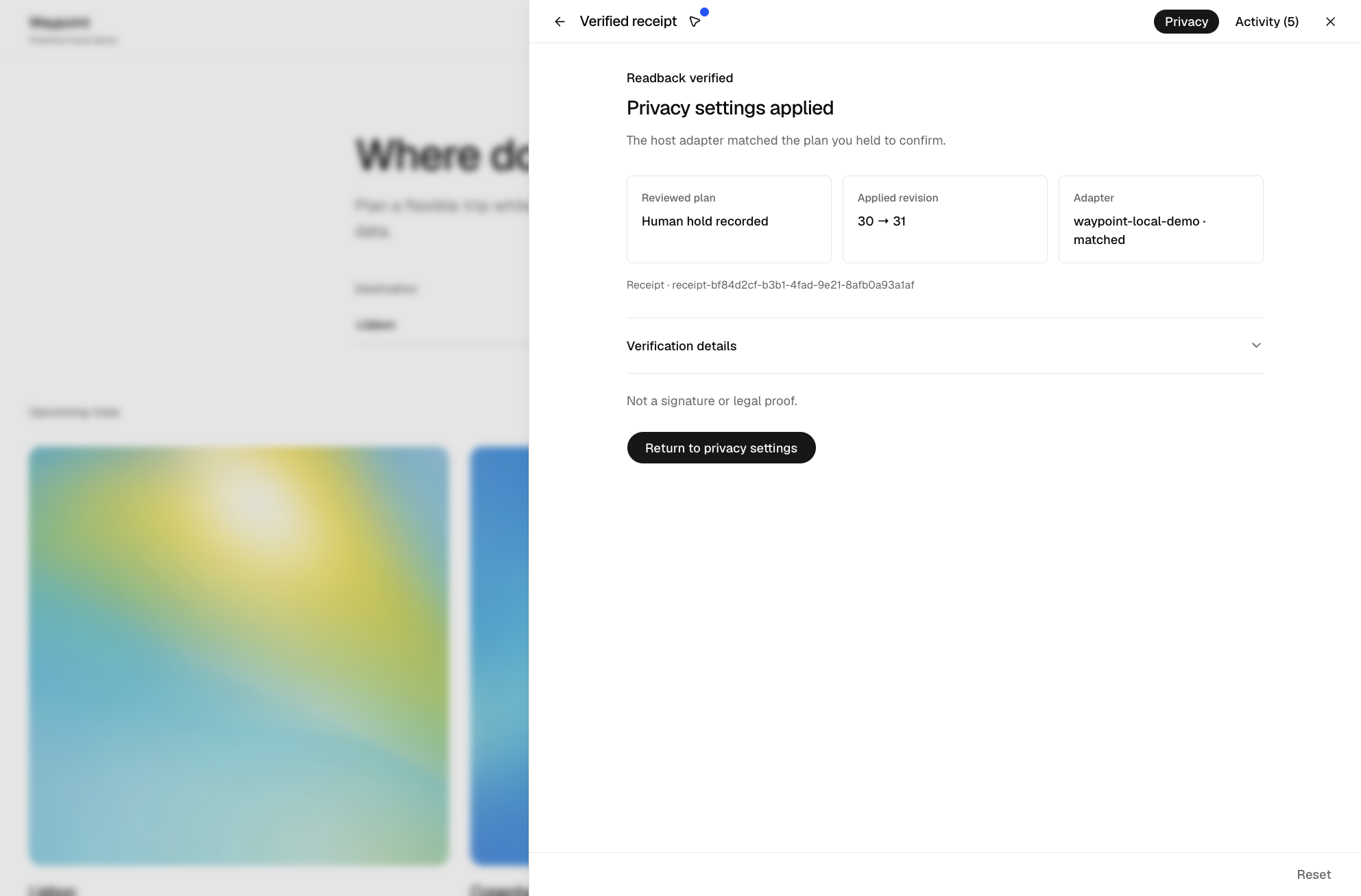
The host applies the reviewed plan, reads it back, and issues a verified receipt.
-
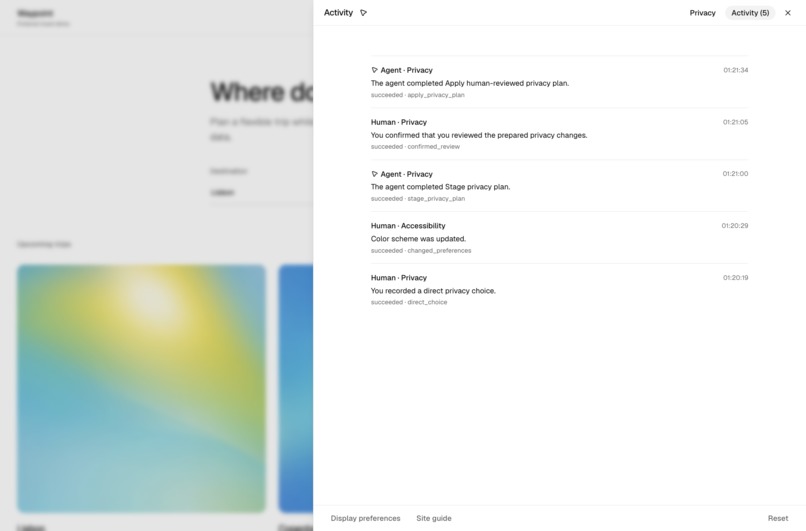
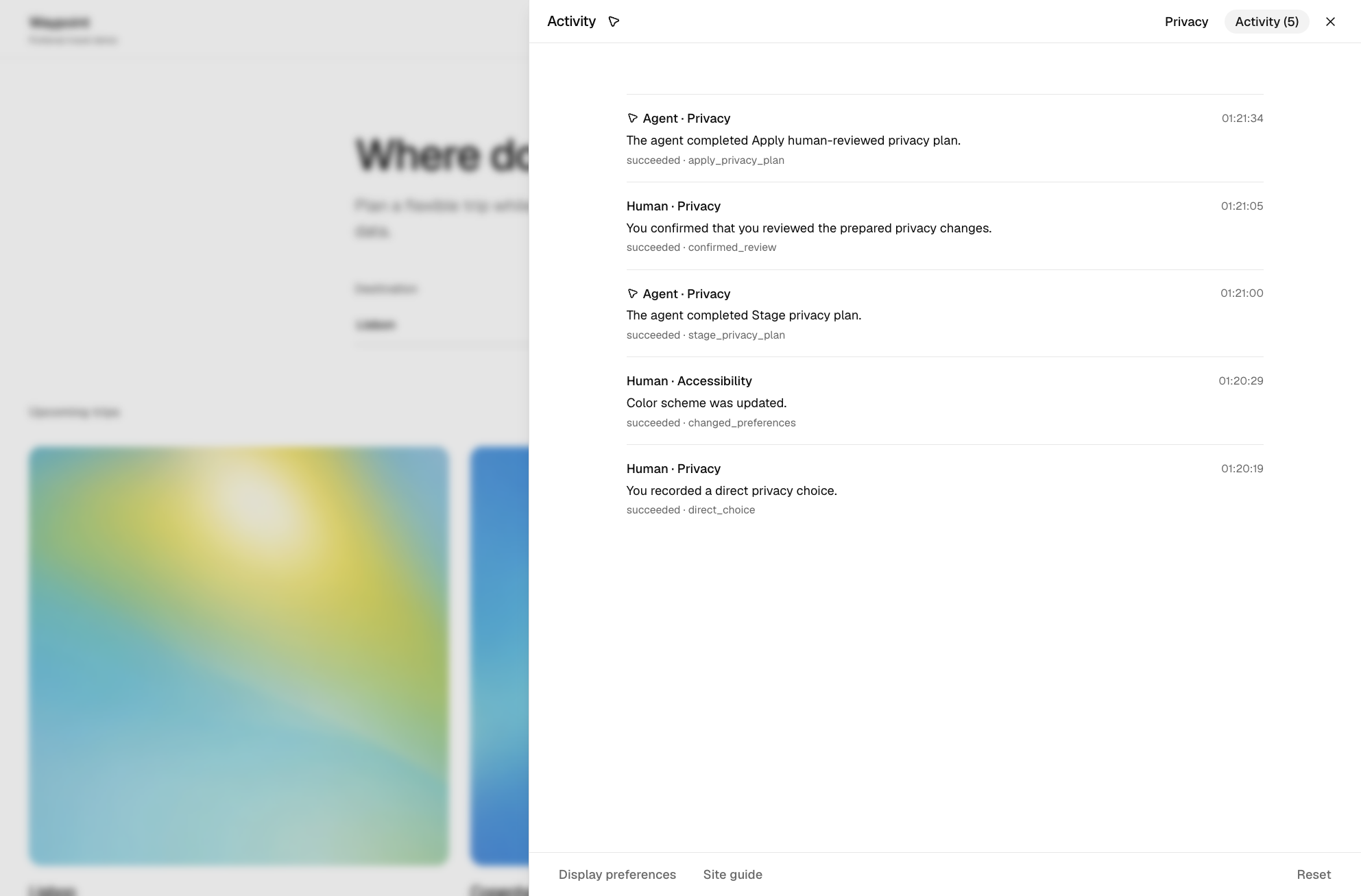
The timeline separates agent preparation and application from human review and direct choices.
-

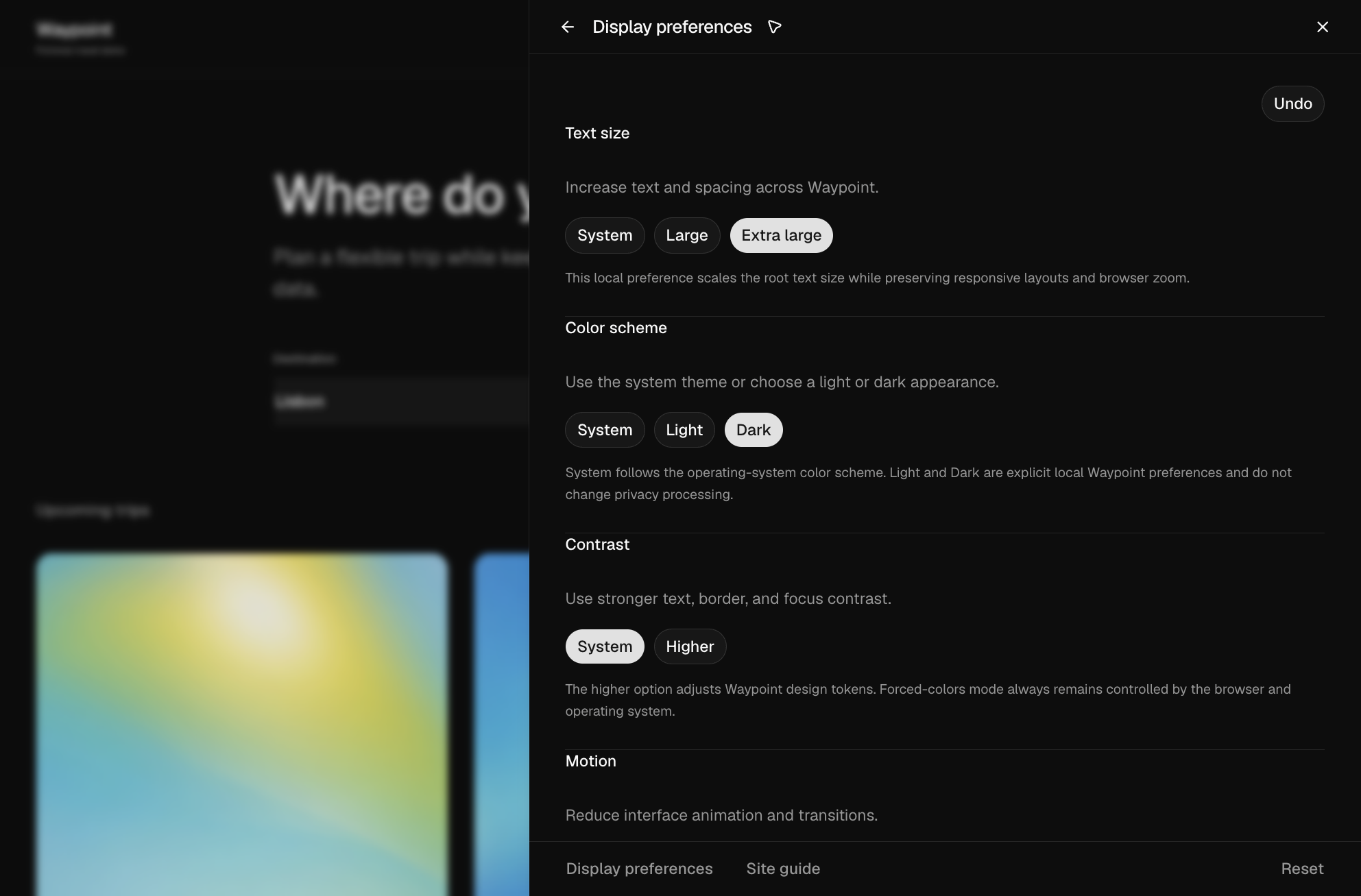
Reversible display preferences add extra-large text and dark mode without changing privacy state.”
Inspiration
Living in Italy, and more broadly in Europe, made privacy controls feel like an everyday problem rather than an abstract one. Almost every website presents a cookie banner or some form of privacy choice, but those decisions are often fragmented across banners, account settings, policy pages, and support flows.
I also noticed a new problem while using browser agents: when a website places an intrusive banner in front of the content, an agent may simply accept it so it can continue with the task. That is convenient, but it may not reflect what the person actually wants.
I could not find a simple developer tool that lets an agent understand a website's real privacy controls, prepare a safer configuration, and still leave the consequential decision visibly in human hands.
That became the starting point for ClearRights Privacy. The goal is not to replace privacy laws, consent platforms, or legal review. It is to give websites a structured layer that can connect their existing controls to both people and agents, while keeping a clear history of what was prepared, approved, applied, and verified.
The central question was:
What if a website exposed its privacy controls as a structured, agent-readable model while keeping final authority visibly with the person?
This led to one simple principle:
Agents prepare privacy changes. People approve them. Websites apply and verify the result.
What it does
ClearRights Privacy is a headless SDK and reference implementation for privacy settings that people and compatible agents can use together.
A developer describes the website's controls once: what each setting does, whether it is required or optional, what data it uses, and what changes when it is enabled or disabled. The human interface and the WebMCP tools then use the same structured model.
I built Waypoint Travel, a fictional travel website, to demonstrate the complete flow.
An agent can inspect the current configuration, explain individual settings, identify the required services, and prepare a plan based on a natural request such as:
Keep booking and account security, but disable personalised recommendations, location suggestions, and partner offers.
The proposed plan opens in the same interface the person can use manually. It clearly shows each change and its consequences, but it does not modify the product yet.
The agent marks the plan as prepared, while the human check remains separate. The person must hold the visible control to confirm that they reviewed that exact plan. Only after this step does apply_privacy_plan become available as a WebMCP tool.
When the tool is invoked, Waypoint applies the complete approved state through an adapter and reads it back from the target system. If the result does not match the plan, the operation fails closed. If it matches, ClearRights creates a verified receipt containing the decision, revision, approval method, adapter, and readback result.
The effect is also visible in the product itself: recommendations become generic or personalised, and optional surfaces such as nearby suggestions and partner offers appear or disappear. Preparing a plan alone never changes the experience.
Waypoint is a local fictional demonstration, not a compliance product. The same architecture could later connect to a real consent platform, backend, feature-flag system, or data pipeline through host-owned adapters.
Built With
- css
- node.js
- radix
- react
- shadcn/ui
- tailwind
- typescript
- ui
- vercel
- vite
- vitest
- webmcp
- zod


Log in or sign up for Devpost to join the conversation.