Detailed description
Inspiration
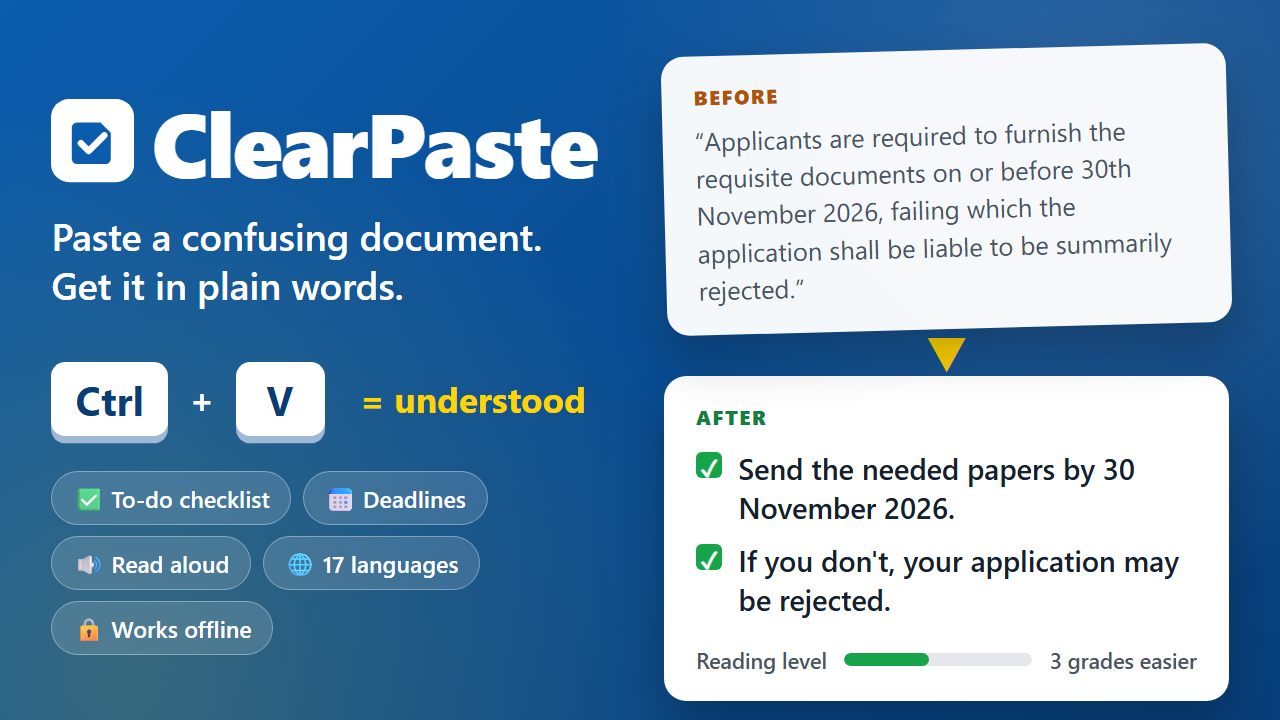
Important letters are often the hardest to read. A scholarship notice says "applicants shall furnish the requisite documents on or before the stipulated date". A hospital discharge sheet says "abstain from strenuous activity; do not discontinue antiplatelet medication". A bank letter warns that an account "shall be liable to be classified as inoperative".
People who read in a second language, older people, people with dyslexia or low literacy, and first-generation students often miss a deadline, skip a medicine, or lose a benefit because of wording like this, not because the task is hard. We wanted the fix to be as simple as the shortcut the hackathon is named after: copy, then Ctrl+V.
What it does
You paste a document (or press Ctrl+V anywhere on the page) and ClearPaste shows:
- In short: what the document means for you
- What you need to do: a checklist you can tick off
- Dates and deadlines, money, documents to keep ready, medicines, and who to contact with tap-to-call links
- Be careful : what happens if you do nothing
- The whole document in plain words, with every changed phrase highlighted so you can check it against the original
- Hard words explained
- A reading-level meter. For example, our sample discharge summary drops from grade 11.1 to grade 7.3.
It can read the result aloud, and it has bigger text, an easy-read font with wider spacing, and a high-contrast mode. You can copy, download or print the result to share with a family member.
Why it matters
The problem it removes is not a lack of information but a lack of access to what the information means. ClearPaste works on the documents people already have, with no account or app install. Offline mode runs entirely on the device, so private medical and bank letters never leave the phone or computer.
How we built it
- A plain HTML, CSS and JavaScript web app with no build step and no server.
- Offline engine: over 250 rules that rewrite legal, government, banking and medical phrases ("in the event of failure to" becomes "if you do not", "myocardial infarction" becomes "heart attack"). It splits long sentences, then pulls out dates, amounts, IDs and certificates, medicines with doses, phone numbers, emails and links. A Flesch-Kincaid score measures the reading level before and after.
- AI mode (optional): Google Gemini with a strict JSON schema. It rewrites the document in 17 languages, including Hindi, Bengali, Tamil, Telugu, Marathi and Urdu. The prompt tells the model to keep every date, amount and dose exactly, never add facts, and ignore instructions hidden inside the pasted text. If the AI call fails, the app falls back to the offline result.
- Web Speech API for read-aloud and Clipboard API for one-step paste.
- Accessibility: keyboard use throughout, skip link, labelled controls, screen-reader status messages, and reduced-motion support.
Challenges
- Rewriting without changing meaning. We kept every number, date and dose untouched and highlight each replaced phrase so users can verify it.
- Text copied from PDFs comes with broken line wraps and abbreviations like "Tab." and "Rs.", which confuse sentence splitting. We had to join lines and protect abbreviations first.
- Picking a short summary that leads with what matters, such as the diagnosis or the deadline.
What we learned
Most of the difficulty in official documents comes from a small set of repeated phrases. Plain-language rules handle a lot of it, and an AI model is most useful for translation and for documents the rules have not seen.
What's next
- Photo and PDF input with on-device text recognition
- More Indian-language voices for read-aloud
- Reminders for the deadlines it finds
Built with (technologies)
HTML, CSS, JavaScript, Web Speech API, Clipboard API, Google Gemini API, Flesch-Kincaid readability
Built With
- clipboard-api
- css
- flesch-kincaid
- google-gemini-api
- html
- javascript
- web-speech-api

