-
-
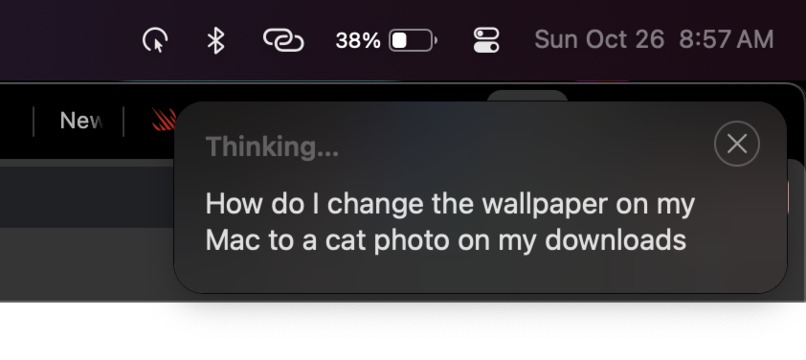
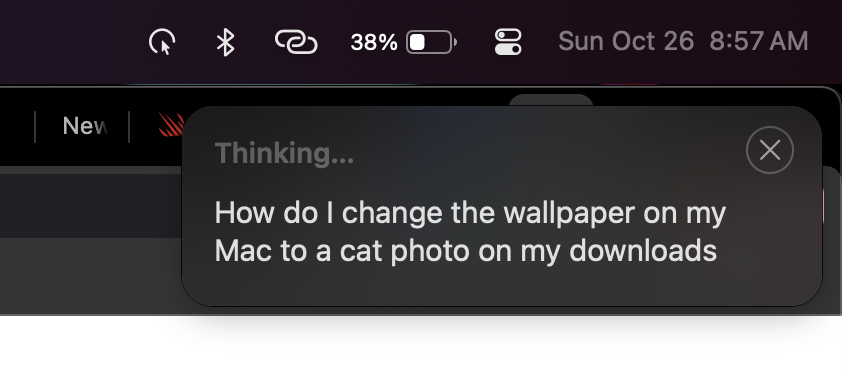
Dictated text immediately after releasing Ctrl+L, when Clearn goes immediately into "Thinking" mode.
-
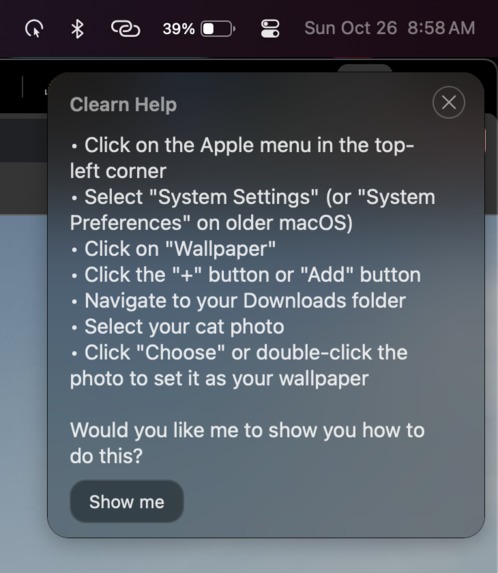
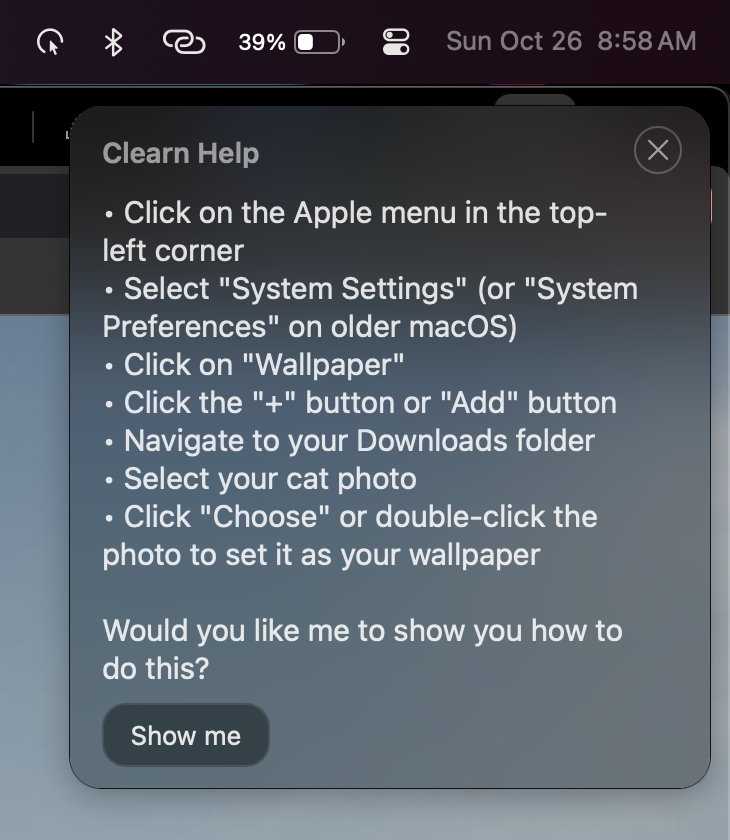
The instructions that Clearn outputs. This is after it has revealed and spoken each step-by-step.
Inspiration
As a First-Generation Low Income Student (FGLI), there has been no greater epidemic growing up than that of the digital divide. Be it my Spanish speaking grandparents facing a language barrier or my equally poor class mates living through a tech barrier, the essence of ‘Digital Equity' was established for the marginalized communities that surrounded me. However, within the ever-racing tech space, the people asking questions are no longer just those who lack opportunities, it’s everybody. Gen Z’ers overwhelmed by software bloat, workers adapting to new corporate tools, adults terrified of “breaking things,” realizing this is what initially inspired me. After discussing the topic with my teammate Toryn, we started looking into the greatest issue cases of friction within the act of asking for help, and we found it in the very tool meant to do so: FAQs. Think of that one Aunt or your younger cousin, both of whom have asked you for help on their computer. They might’ve struggled to understand the FAQ page for their problem, or more likely, they just never knew how to find it; that’s who we’re building for.
What it does
Our model is simple: teach locally, learn globally. While simply holding down “Ctrl + L,” users can speak to their device and ask how to do something, with a transcription of what they are saying appearing in the top-right of their screen. After they finish speaking, their dictated question is considered by an LLM that finds the correct course of action to achieve their goal with the device. These instructions are read out step-by-step via speech synthesis while simultaneously being displayed in the same upper-right window. Once the instructions have finished being spoken, users will be asked if they would like CLearn to show them how to “do” the answer. After pressing a button, CLearn will take passive control of the user’s computer, moving the cursor to appropriate locations and clicking as it re-walks the user through the right steps. This way, users are not simply presented with what they can already find online: instructions they do not understand. Instead, they can learn with a real-world example that allows them to later replicate that same action again, and get an overall better grasp of where things are on their computer.
How we built it
Clearn is a native macOS application built in Swift using primarily the Cocoa, SwiftUI, and AppKit libraries. It replicates the frosted glass UI seen on many macOS applications by using native styling APIs, and integrates into macOS in a way that is necessary for many of its functionalities, such as CLearn’s ability to overlay all other applications. Behind the scenes, CLearn uses Claude’s latest models to generate the instructions for the task that the user requested and to process screenshots of the user's screen for computer control/cursor movement. Additionally, it employs Fish Audio to generate the text-to-speech voice that users hear when their instructions are being read to them. CLearn is different than traditional macOS apps as it runs entirely in the background, so logic was implemented to ensure that CLearn only appears as an icon in the menu bar while it is running—unless, of course, the user is actively using it. As with most macOS apps, CLearn was built entirely in XCode.
Challenges we ran into
Several challenges were faced during CLearn’s creation, the most prominent being Swift’s very opinionated syntax and data processing methods. Our two-person team knew nothing about macOS development going into the hack, and Swift’s difficult methods of doing even simple things, such as external API requests made it a consistent pain to work with. Apple’s documentation is not exactly friendly for beginners, either, with many of the docs not including extensive examples that make it clear. It seems even AI models such as GPT-5 have a hard time grasping Swift, and when attempting to use these to speed up development, we consistently ran into issues with the AIs either using iOS-only APIs, or simply not providing correct code at all. Moreover, creating UIs in macOS—especially the advanced overlay employed for CLearn—is not an easy task; it is very different from the web development that one of two people on our team was familiar with, making past experience not useful. This all begs the question: why macOS development? Well, for two reasons. 1.) A large buying factor for MacBooks is their ‘ease of use,’ in comparison to other competitors like Linux for example. We thought, given our impact vision, that it would best to first target those who, generally speaking, are already inclined to our mission of facilitating capability. 2.) MacBooks are the most popular laptop among college students, and with a growing market of individuals graduating high school having only used Chromebooks—which are not appropriate for college—tech illiteracy proportions on these devices are only growing, especially as Apple adds new features to macOS and changes simple UIs to more complex ones. Thus, we chose macOS because it hosts most of our target audience.
What we learned
From a technical/building perspective, we learned a lot about building MacOS apps, especially in regard to rapidly using swift/swiftui within the time case of the 'hacking.' Yet, in juggling this, we also learned a lot about the viability of our limitations... as first time hackers we overestimated how long we could stay up for and crashed on day 2 but pulled another all-nighter after waking up. All in all, the actual experience of the hackathon was a blast, the only thing we'd change for next year's Cal Hacks, is bringing along more friends to build with us!
From a holistic perspective though, the idea is actually a great one, but, once again, the limitations as a two-man beginner-hack team means we have the opportunity to continue improving our product till it matches the potential impact we learned about. Take for example, in the current labor market, approximately 92% of jobs in the U.S. require digital skills. However, one-third of Americans lack the basic digital skills necessary to execute them. With a stronger educational emphasis, CLearn could be tailored to act as an intermediary step for people to build technical understanding through hand-held guidance. The best part about expansive features like this, is that the assistance is not just in demand from the user’s perspective, but also from larger entities. Another example can be seen from a disability accessibility POV, ADA Title III lawsuits for digital access continue to grow (8,800 in 2024, +7% year over year), further pressuring organizations and businesses to adopt assistive solutions. Meanwhile, broadband/inclusion investments by the U.S. government are predicted to contribute up to $127 billion to GDP over the next 5 years; if an assistive-learning digital-skills product captured just 1% of that GDP impact, that’s $1.2 billion in value within a market that has yet to be innovated in. With almost unlimited paths for successful expansion, I am certain to have learned through CLearn that the world was built by those that removed the barriers to knowledge.
What's next for CLearn:
Data analytics & scale. CLearn not only has the potential to guide users within all operating systems, but the ability to guide decisions within communities, companies, and entire governments in fighting the digital divide together. This could be seen in the aggregation and influence of anonymized usage patterns or potentially even the world’s first “Digital Confidence Index” which would measure how well populations understand their devices. However, fully shipped out, the data acquired by CLearn would also be invaluable due to the fact that it primarily targets the people who least know how to use their devices and would previously provide the least data. Hence, in a competitive market, friction and innovation doesn’t just dictate the future of companies, it ripples through entire countries.


Log in or sign up for Devpost to join the conversation.