-
-
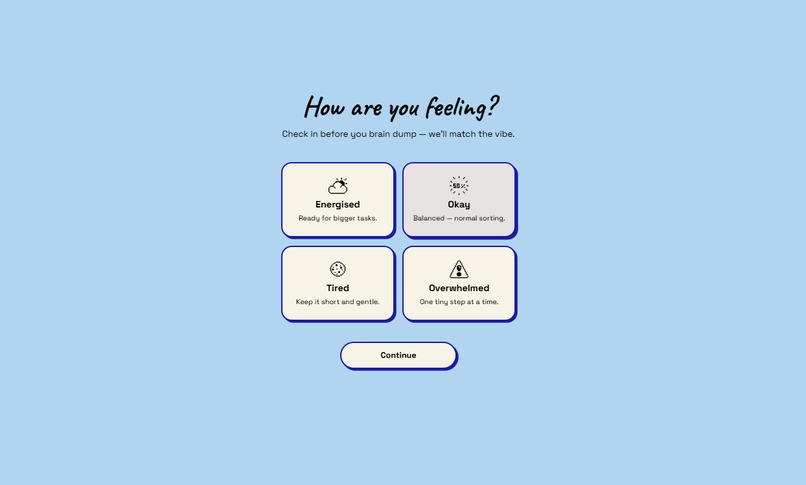
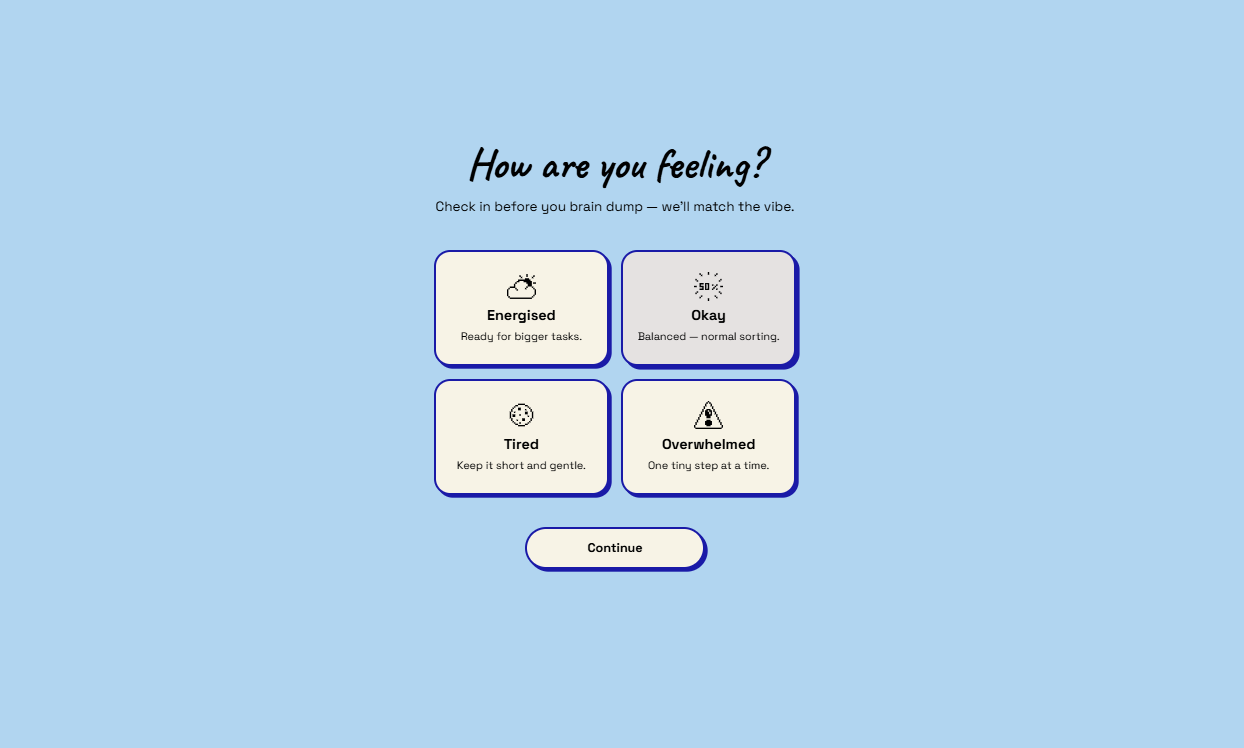
first screen
-
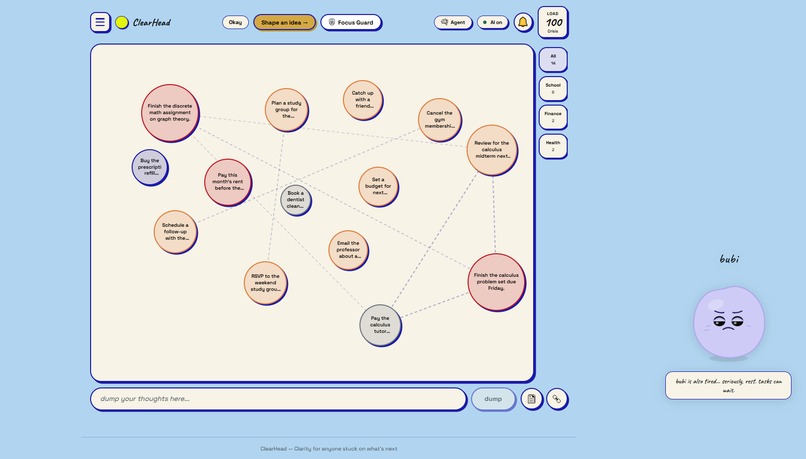
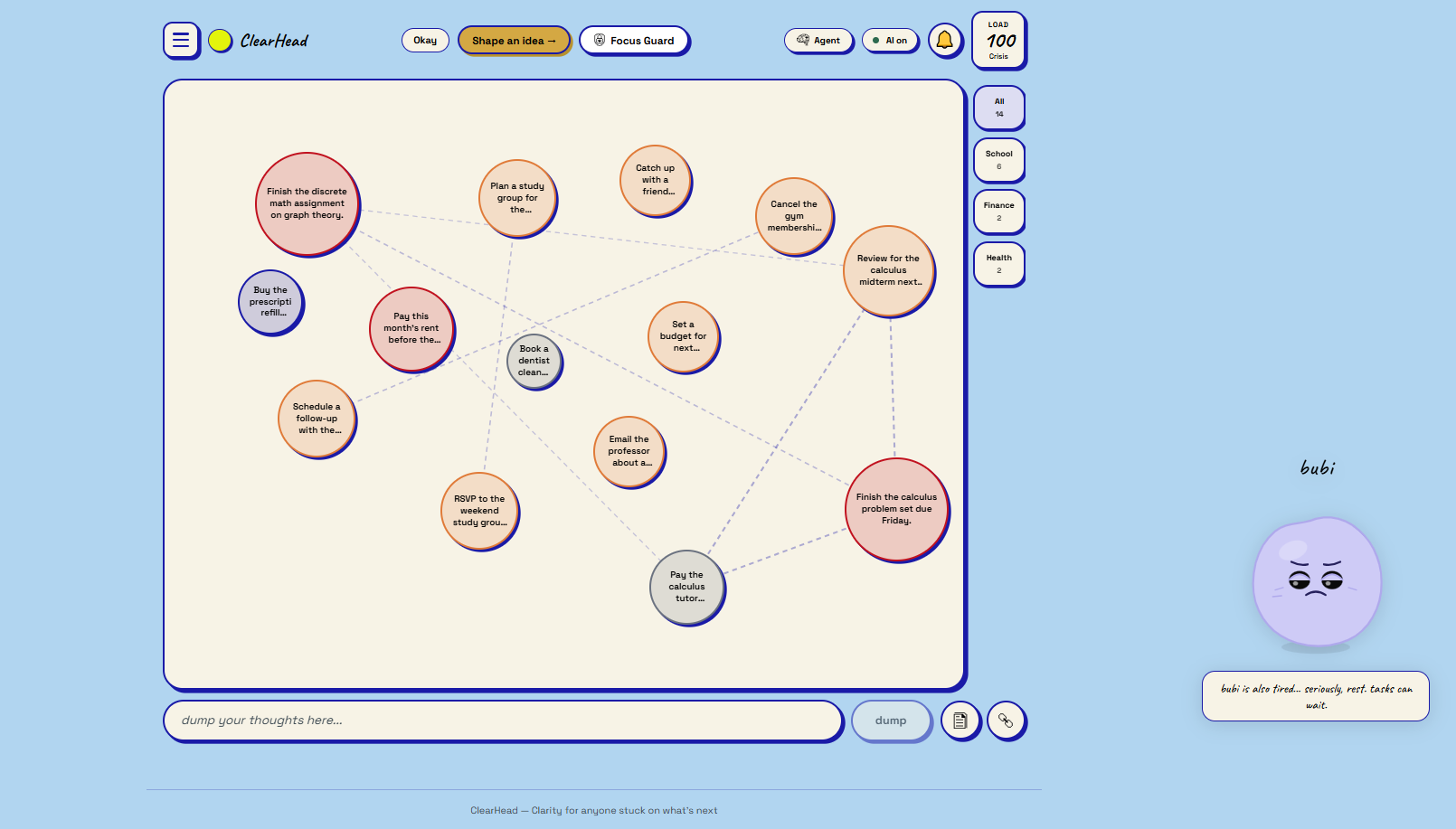
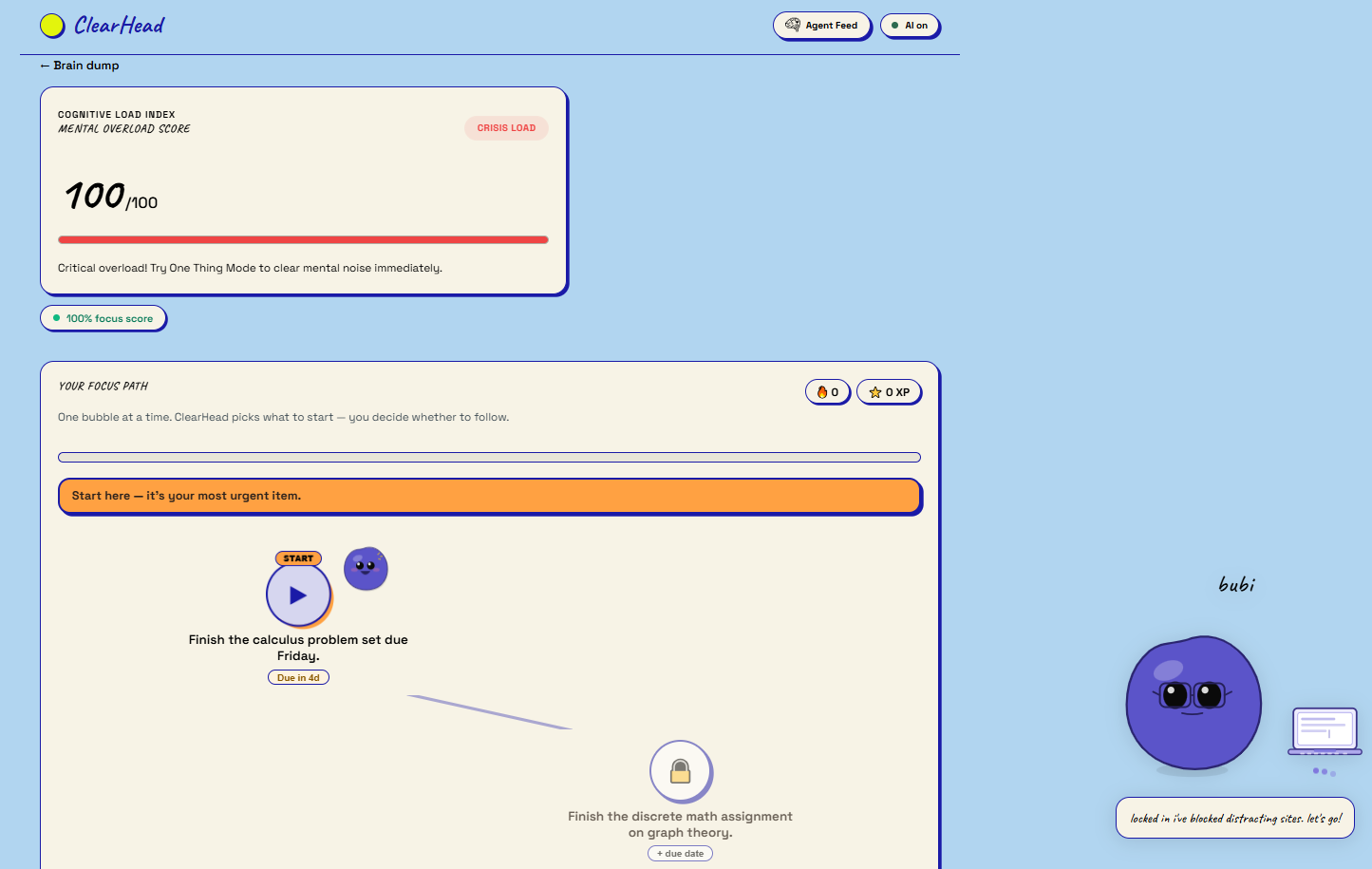
main page
-
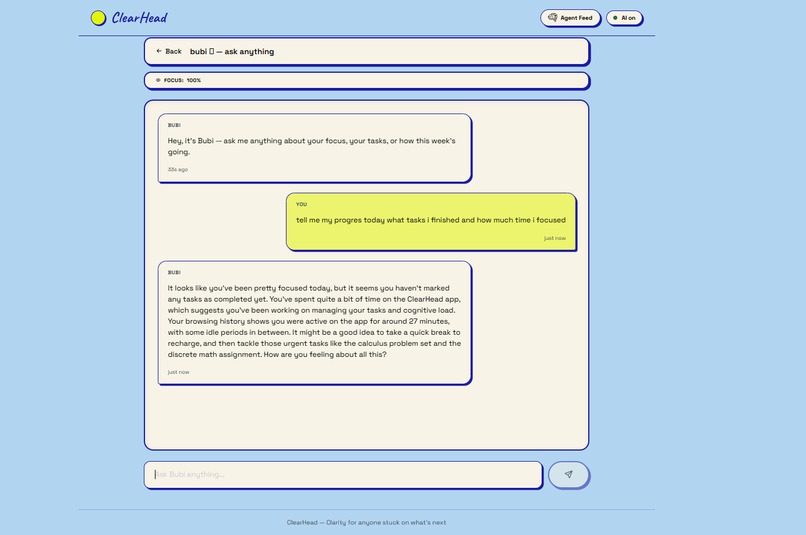
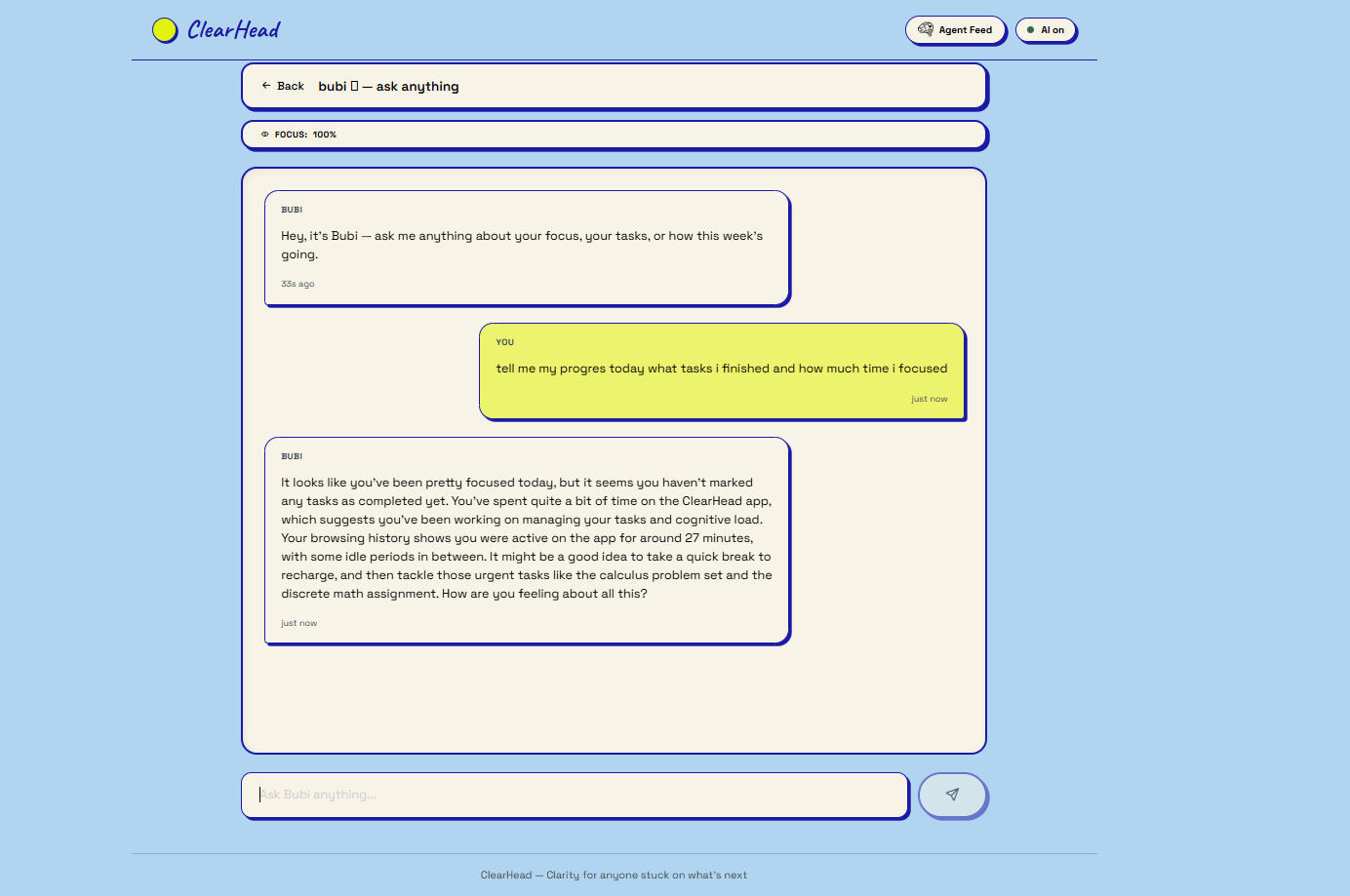
bubi-chat
-
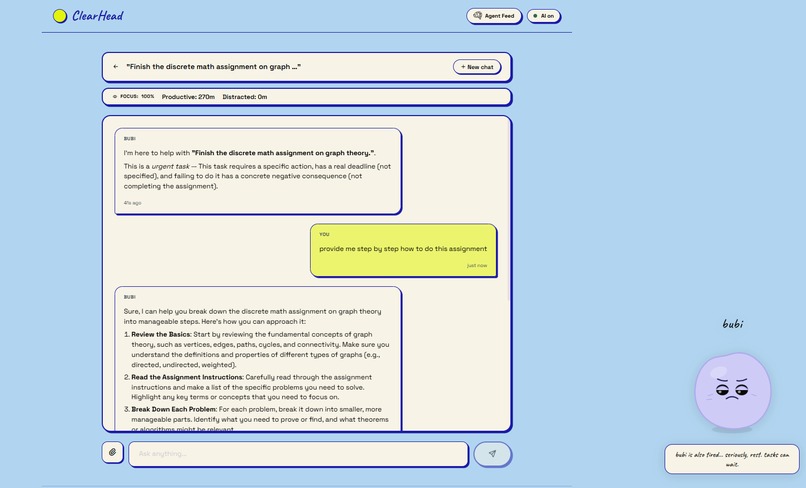
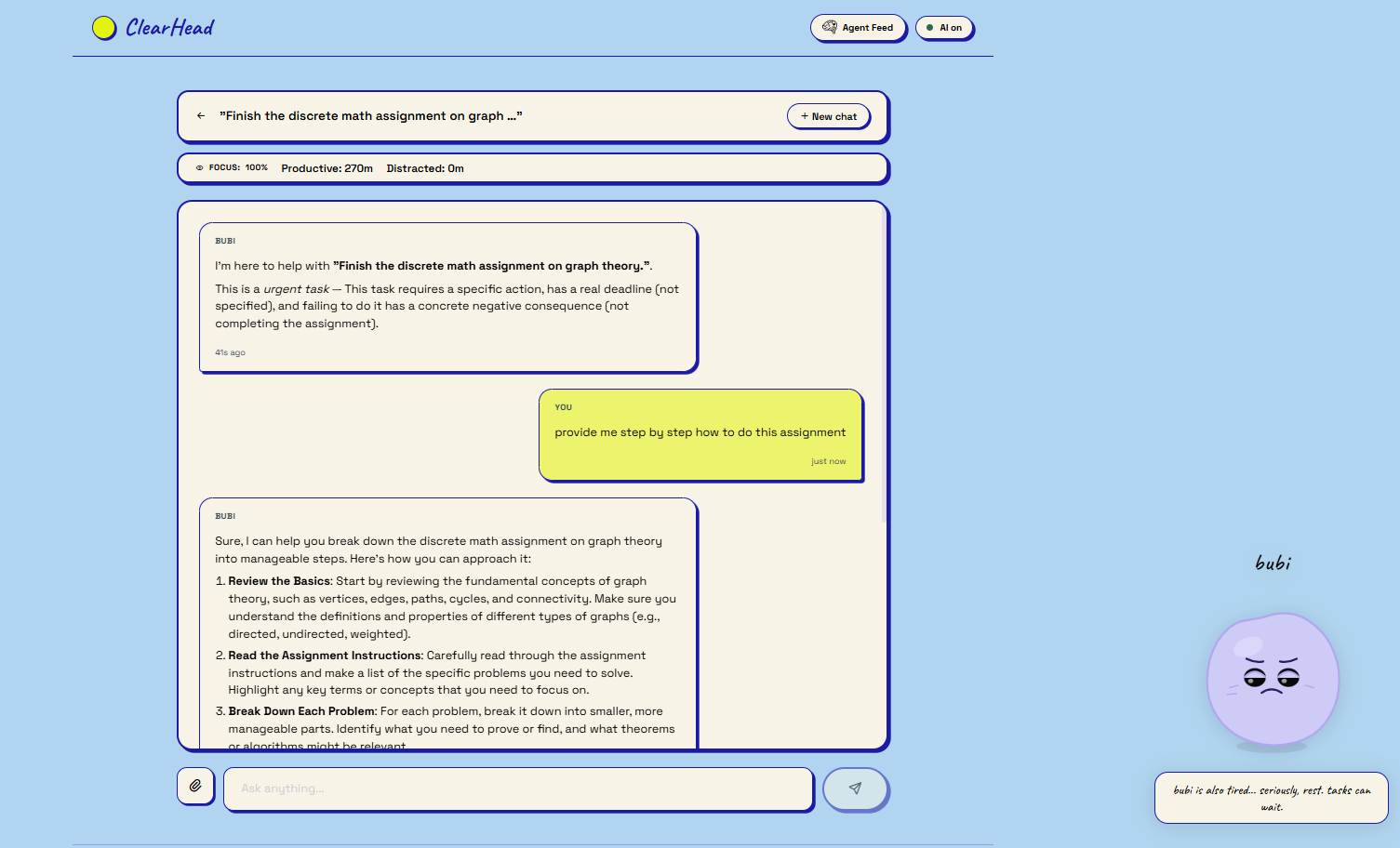
task-chat
-
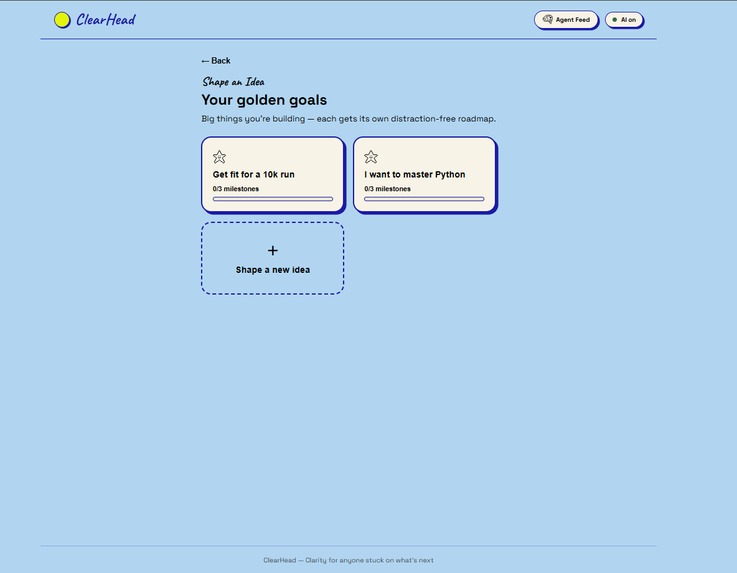
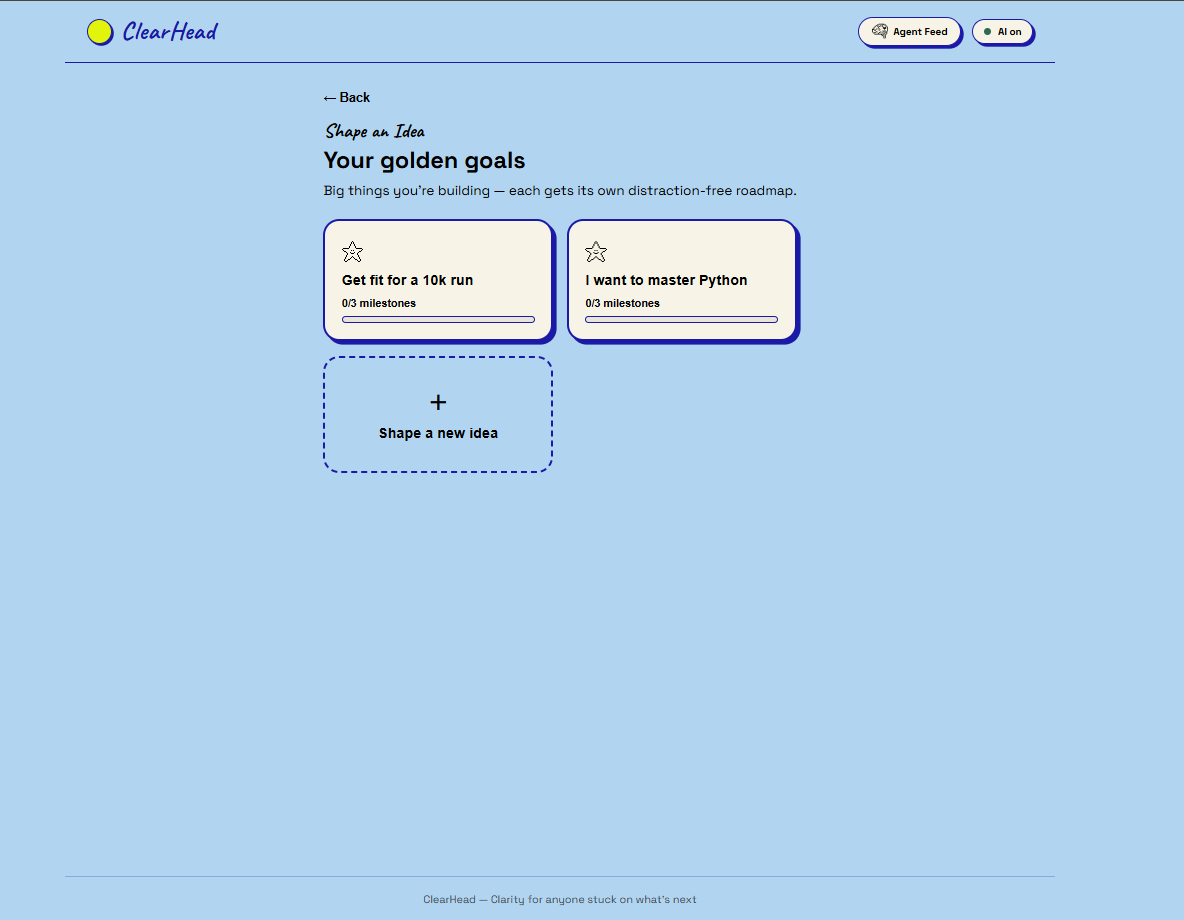
shape your idea main page
-
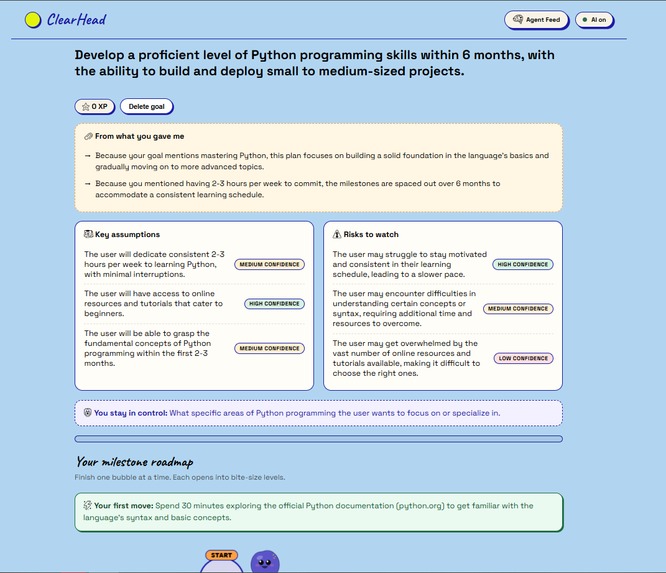
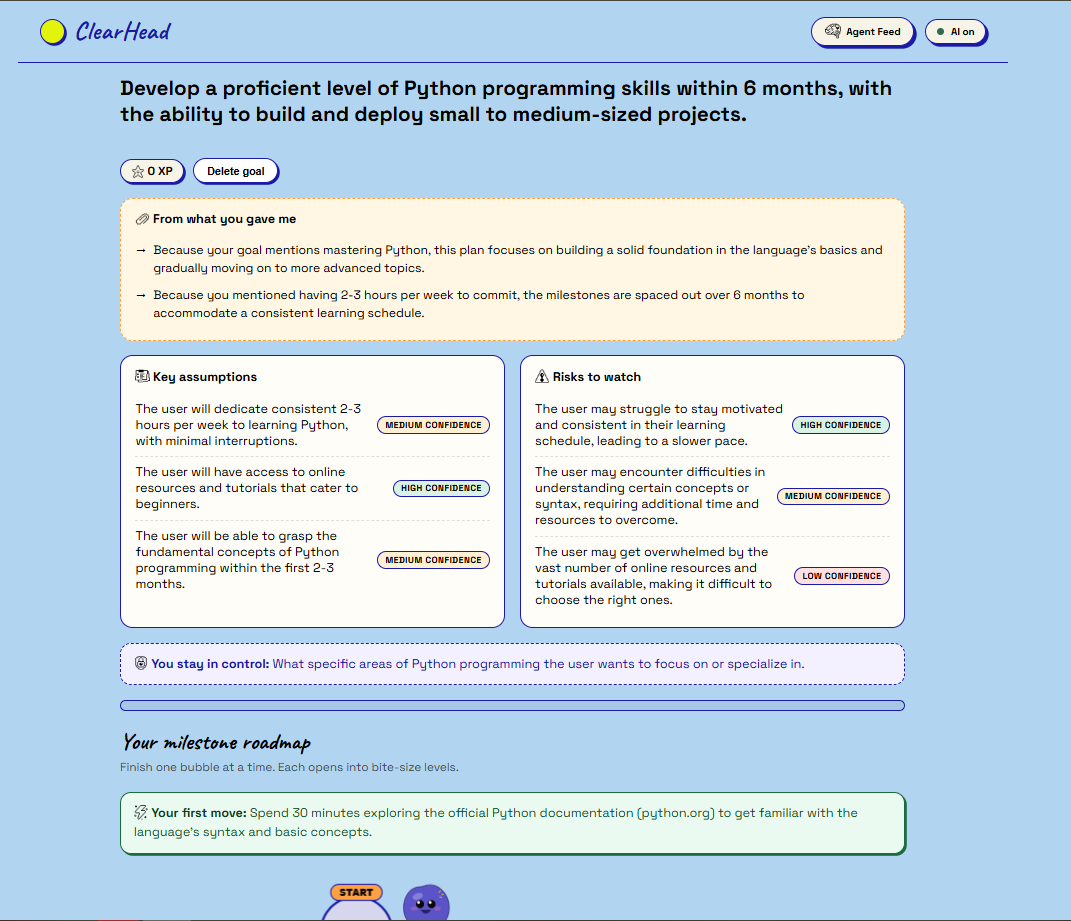
python goal roadmap
-
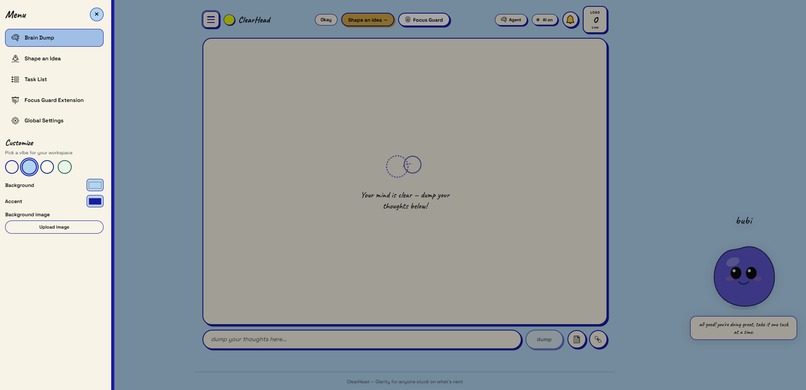
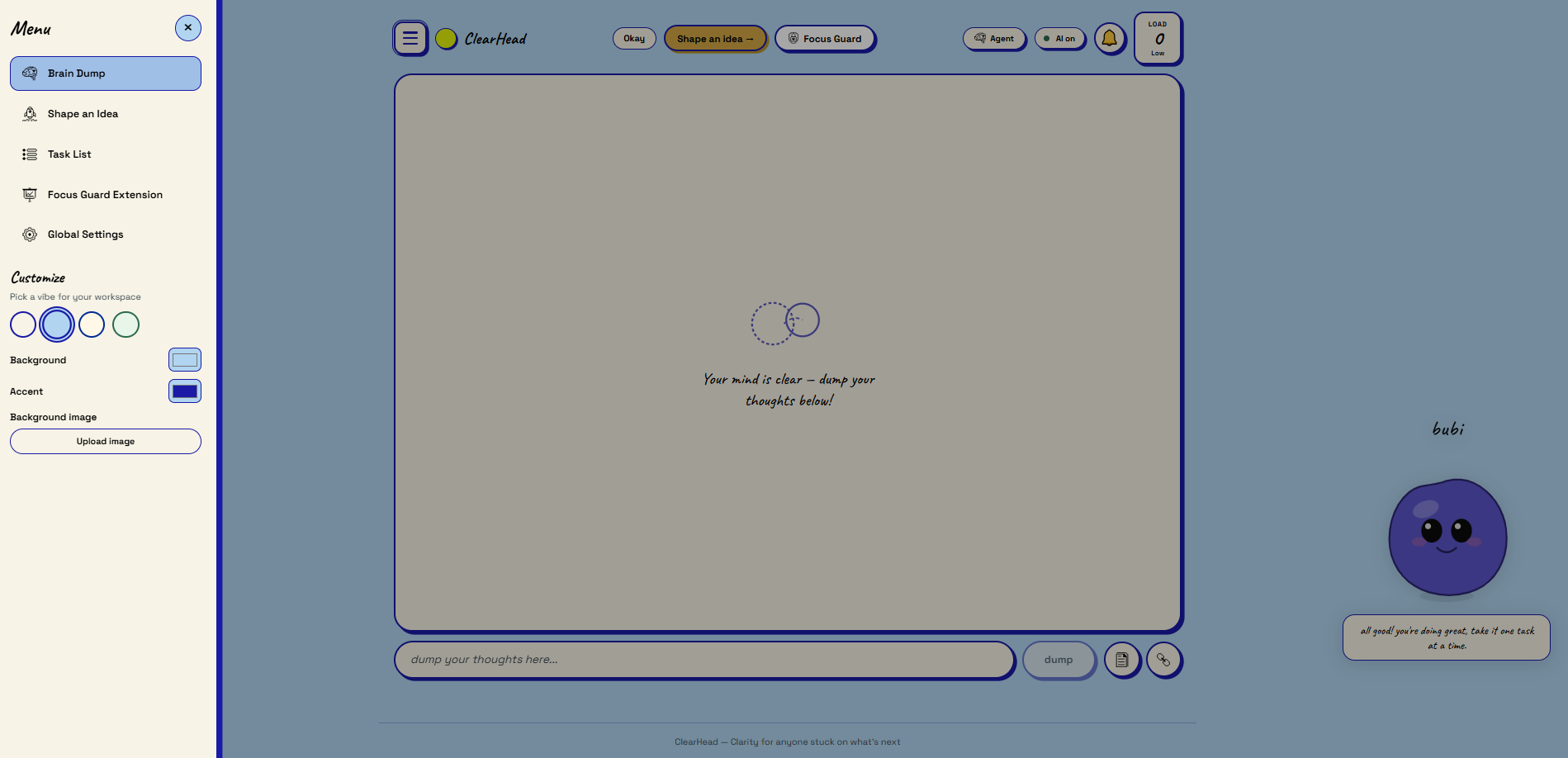
MenuScreen
-
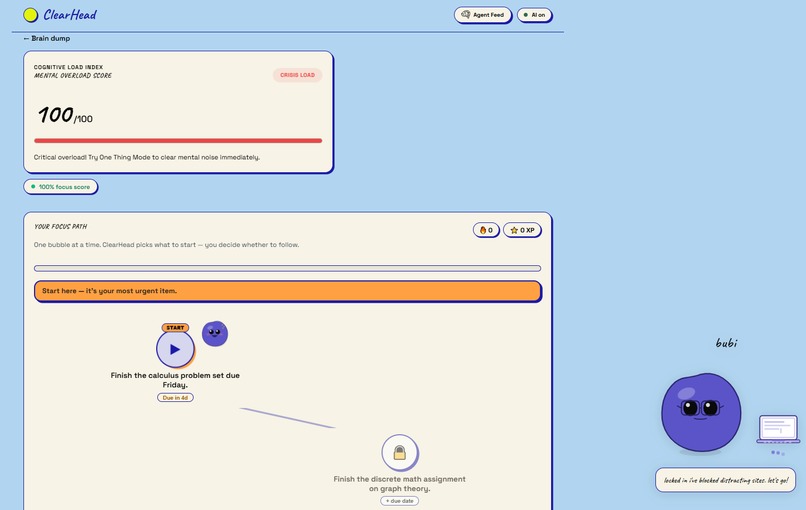
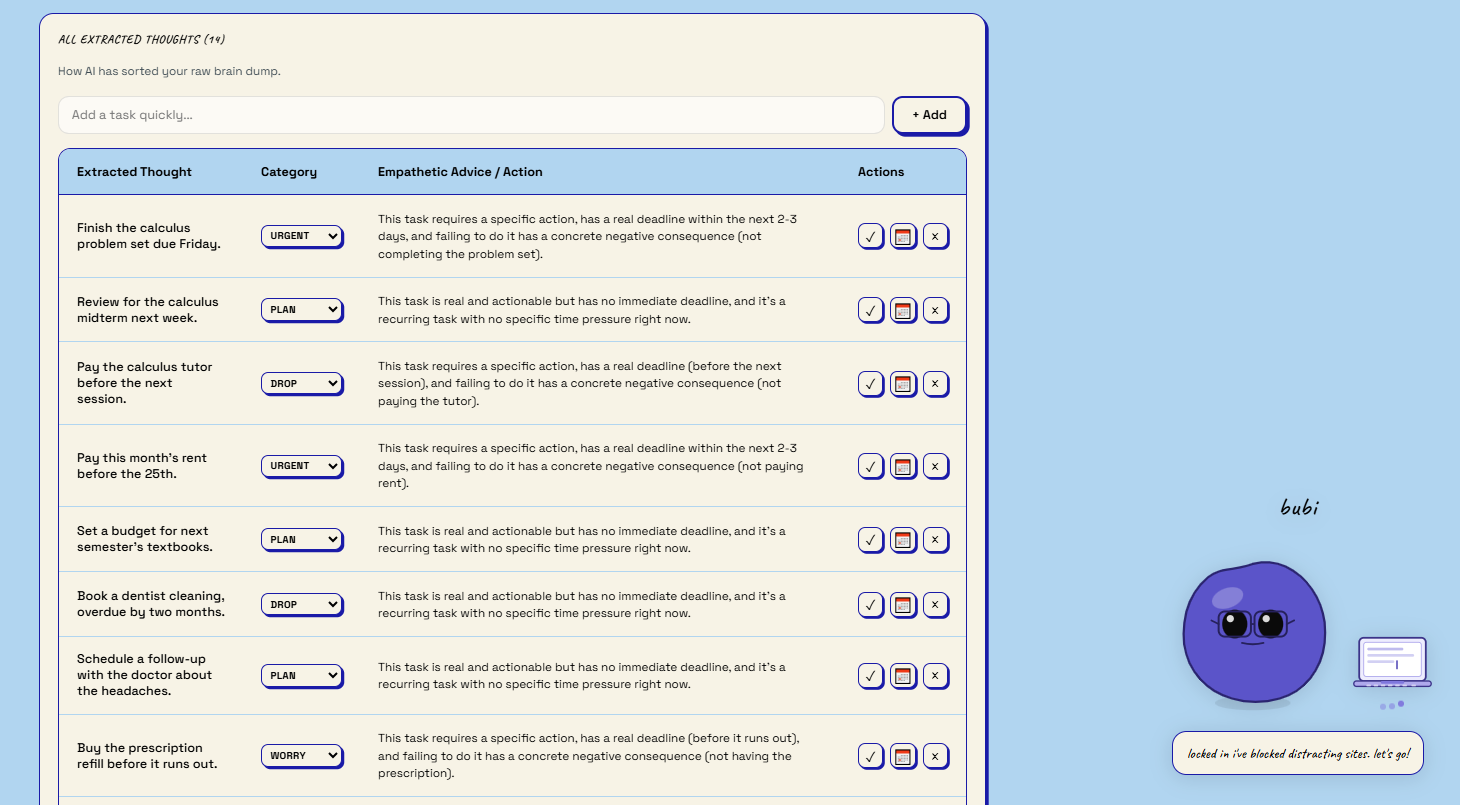
task_list page
-
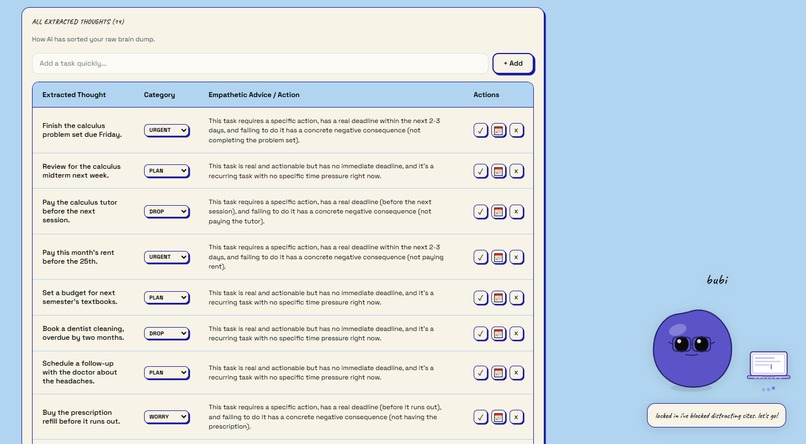
tasklist page
-
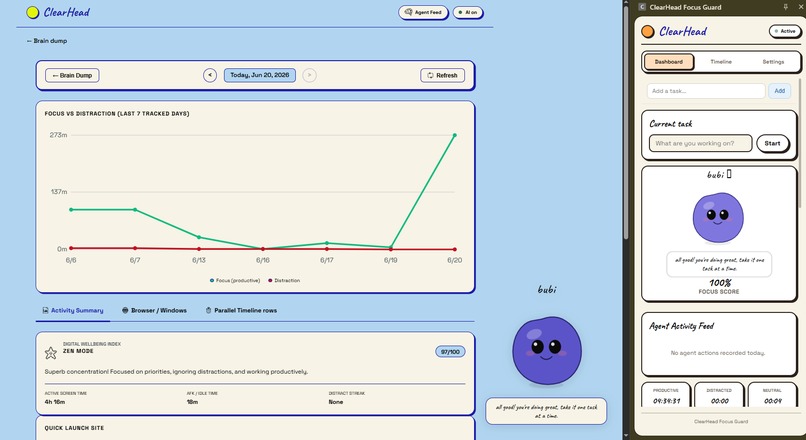
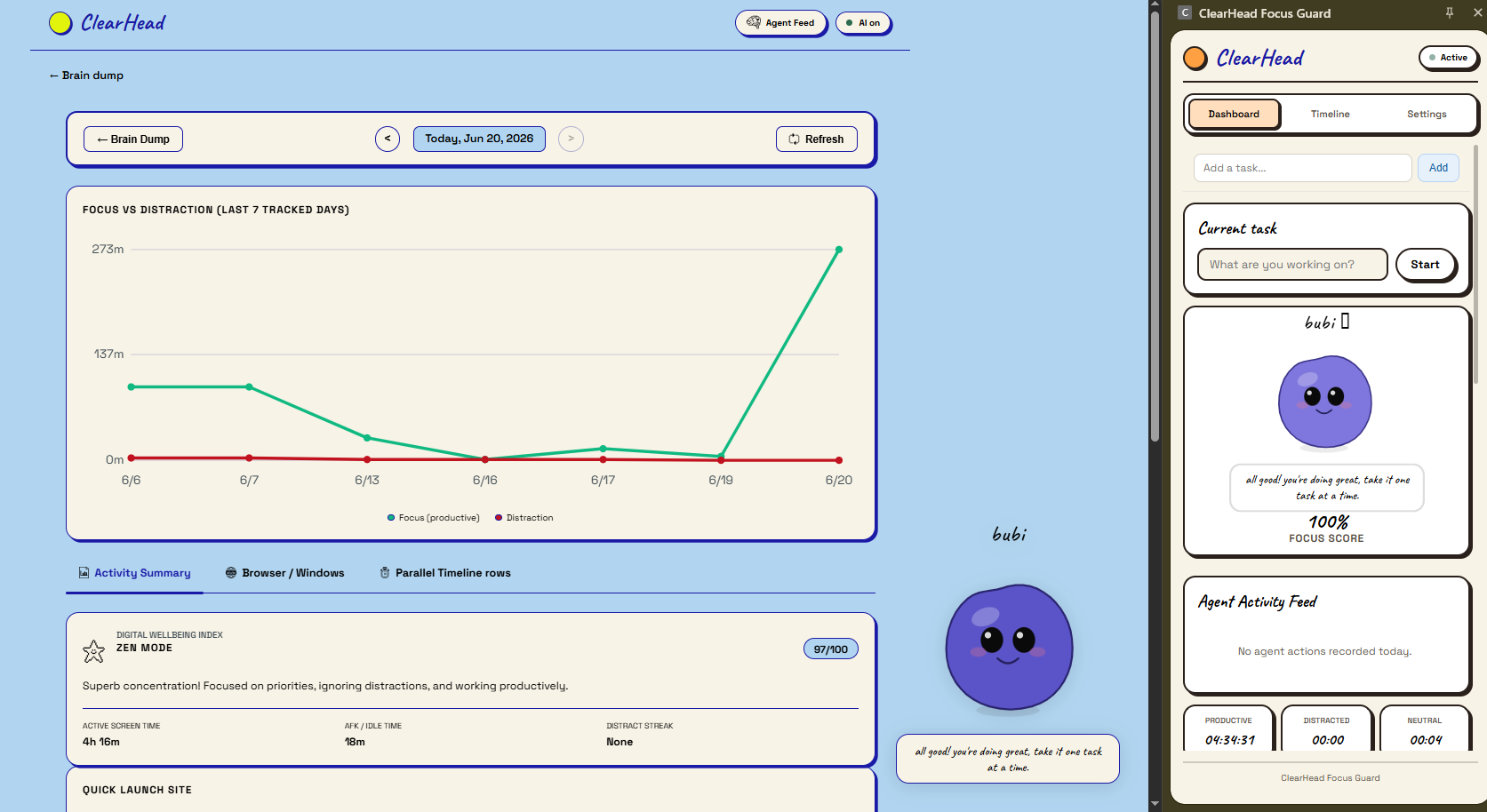
focus_Guard + extension
-
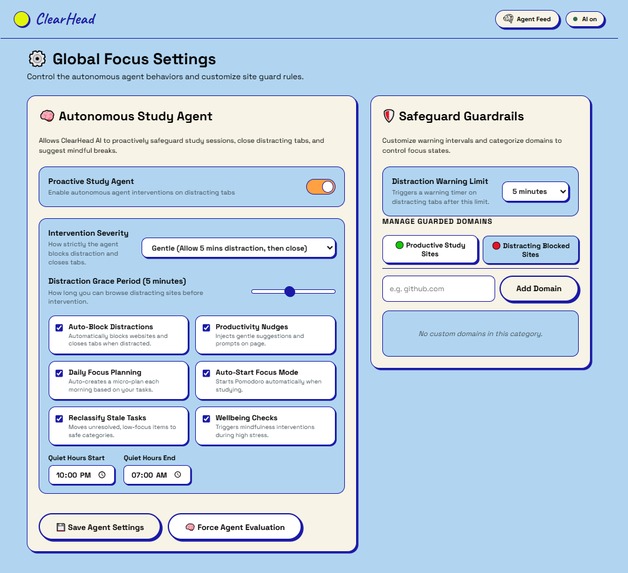
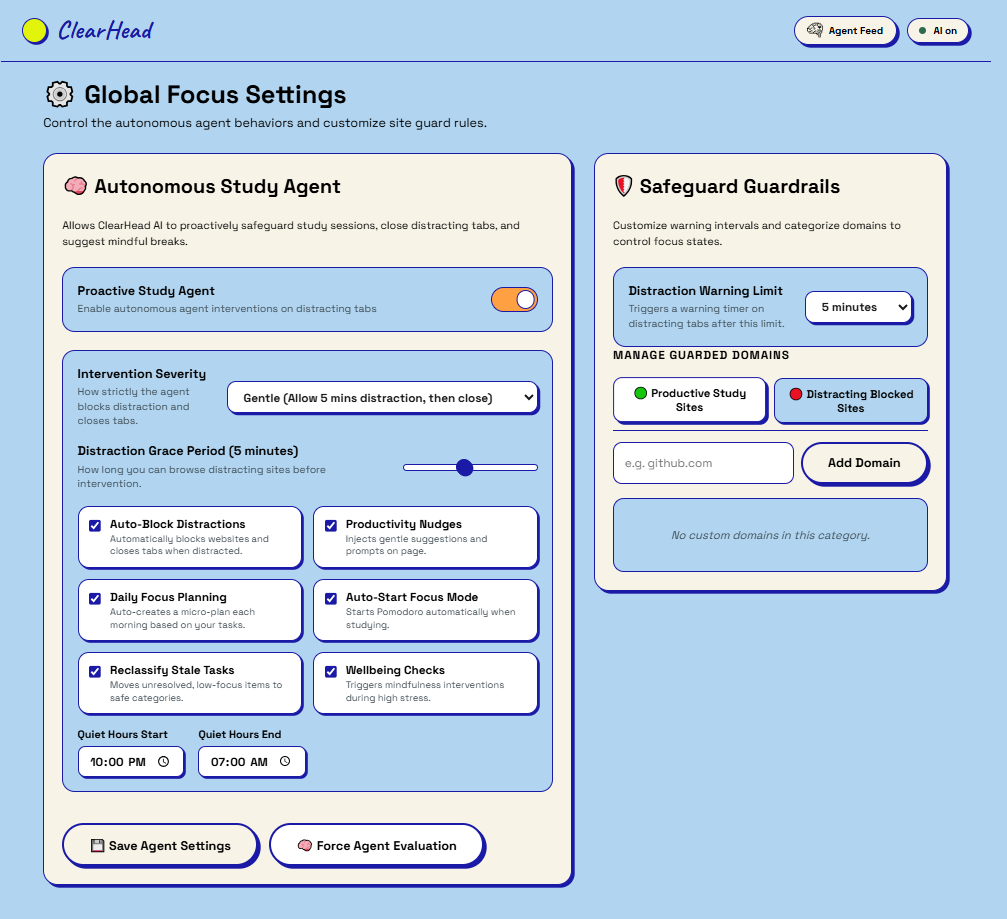
settings
-
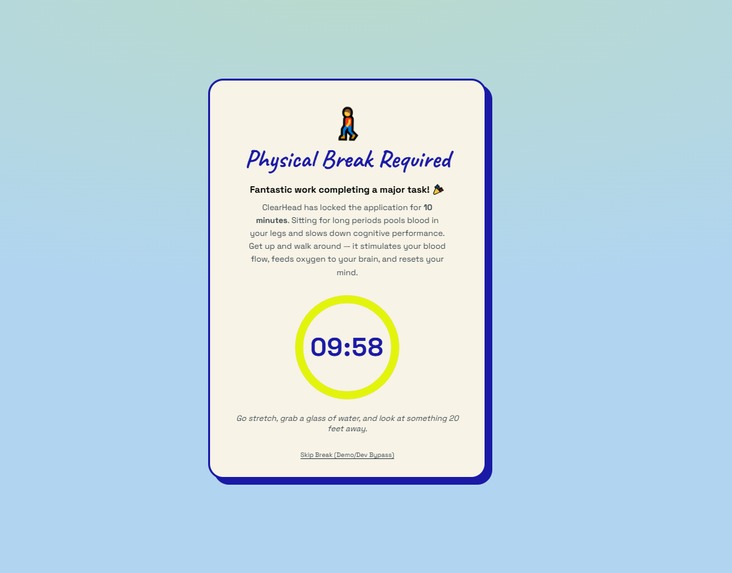
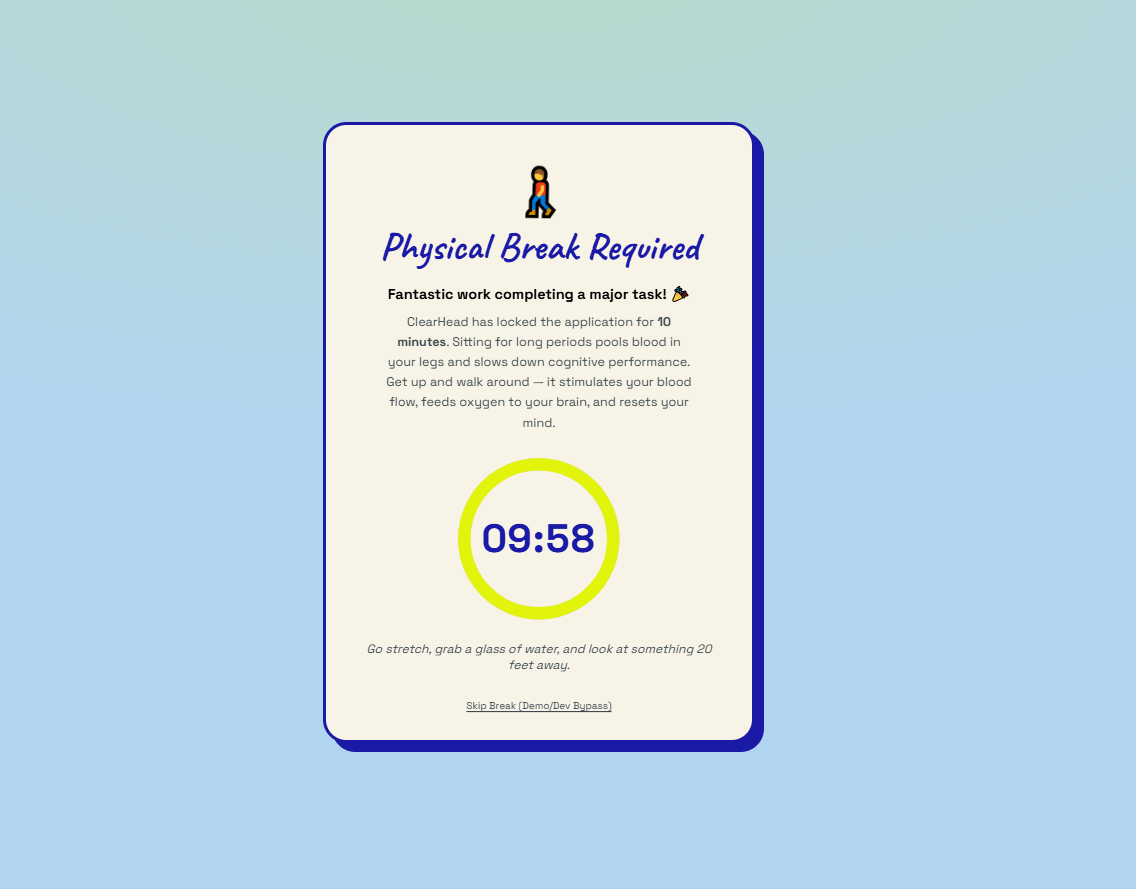
takeABreak screen
ClearHead
Inspiration
I know what it feels like to open your notes app, stare at fifteen half-finished tasks, and close it again without doing anything. Not because I was lazy — because I genuinely didn't know where to start. That paralysis isn't a discipline problem. It's a cognitive load problem.
Most productivity tools make it worse. They let you pile more things in, color-code them, and build elaborate systems that take longer to maintain than the work itself. What nobody builds is something that meets you where you are — tired, anxious, overwhelmed — and says: "Here. Start with this. I'll walk you through it."
That was the spark for ClearHead. The USAII Global Hackathon prompt — "Build the Second Brain for Real Life" — framed it perfectly. A second brain shouldn't just store information. It should do what a good friend would do: listen to the dump, triage the noise, give you one clear thing to do next, and quietly protect your focus while you do it.
I also wanted to build something for the way brains actually work at the end of a long day — when energy is low, when vague ambitions compete with urgent deadlines, when the idea you've been sitting on ("I want to learn Python", "I should start that project") stays permanently on the backburner because nobody helped you turn it into a real plan.
What it does
ClearHead is a cognitive load manager built as an AI second brain. Here's the full flow:
Brain Dump → Triage You paste, type or upload everything in your head — tasks, worries, vague goals, text from a PDF or DOCX. ClearHead's LLM pipeline classifies every item into four buckets: urgent task, future plan, unresolvable worry, or irrelevant noise. Worries get acknowledged and archived, not lost. Noise gets discarded. What's left is a clean, actionable list.
Overload Index A live 0–100 cognitive load score, computed from deadline proximity, task count, effort estimates, your current energy level, time of day, and detected crisis keywords. Low energy? The score scales up — because carrying the same load feels heavier when you're exhausted. This score drives Bubi's mood and the agent's decisions.
Interactive Mind Map Tasks aren't a list — they're a canvas of floating bubbles, semantically clustered. The LLM can filter by topic ("School", "Finance") so you only see what matters right now, not all twenty things at once.
Duolingo-Style Focus Path The daily guided path. Tasks are ranked by deadline + urgency + effort + energy fit, and the top task comes with a plain-English reason: "Start here because your exam is in two days." You unlock tasks one at a time. Each task opens into three micro-steps. You check them off, get a celebration animation, and the next bubble unlocks.
Shape an Idea — Golden Goals This is the Direction B core. You type a vague ambition ("master Python", "launch a podcast"), answer two quick questions (experience level + available hours/week), and optionally attach a reference PDF or roadmap. One LLM call returns: a clarified goal, key assumptions with confidence levels, real risks, exactly three concrete milestones with realistic timeframes derived from your schedule, a first move, and an explicit "what ClearHead won't decide for you" safeguard. You review, edit, and commit. Then you walk the milestone roadmap bubble-by-bubble, exactly like the Focus Path.
Bubi — AI Companion A pet whose mood mirrors your mental state (calm, stressed, burnt, focused, angry). Bubi has a full chat interface with access to your tasks, energy, overload trend, focus history, browsing patterns, and goal progress. Ask "Is my focus better than yesterday?" or "Should I take a break?" — Bubi reasons over real data, not generic advice.
Focus Guard Chrome Extension A Manifest V3 extension with an on-device domain classifier. No URLs ever leave your machine. It tracks productive vs. distracted time per task, detects distraction streaks, and injects mindfulness overlays — a breathing circle on distracting sites, a 15-second tab-close warning when you drift mid-task.
Autonomous Agent Runs on a configurable tick (Gentle / Balanced / Assertive modes). Heuristics handle clear cases (distraction streak → block domain, overload > 80 → suggest break, stale tasks → nudge). For nuanced decisions, it calls Groq with full context and produces structured JSON actions: nudge, reprioritize, daily plan, wellbeing check. Every action is undoable from the Agent Feed.
Burnout Trend + Calendar 7-day overload history, daily focus stats, and a daily recap. Due dates are extracted from natural language by the LLM. A Calendar button opens a prefilled Google Calendar event — no OAuth, no API keys, just a URL template.
How we built it
Architecture: React 19 + Vite SPA → FastAPI backend → local JSON stores → Manifest V3 Chrome extension. No database — JSON files are the database, which kept deployment simple for a hackathon.
LLM strategy: Two models, used deliberately.
- Groq (llama-3.3-70b-versatile) for the autonomous agent and analysis endpoints — fast, cheap, structured JSON output.
- Hugging Face (Qwen/Qwen2.5-72B-Instruct) for chat — more conversational, handles longer context.
- Hierarchical fallback: primary Groq key → secondary key → smaller model (llama-3.1-8b-instant) → deterministic mock. The app runs fully offline without any API keys.
Key engineering decisions:
- Single LLM call for Shape an Idea — one
/idea/shapeendpoint returns the full plan (goal + assumptions + risks + 3 milestones + sub-tasks + first move) in one shot. No multi-stage pipelines, no stitching. - Pre-generated micro-steps —
/onething/startgenerates all 3 steps once. The Focus Path reuses them. No LLM call per level tap. - Heuristic-first agent — deterministic rules fire first (fast, zero cost). LLM only when reasoning is genuinely needed.
- Energy-aware scoring — overload score and Focus Path ranking both take energy level as input. Tired users get lighter recommendations; energized users get pushed harder.
- On-device URL classification — the extension's domain classifier runs in JavaScript inside the browser. Raw URLs never leave the machine.
- markitdown for document ingestion — converts PDFs, DOCX, PPTX to structured Markdown locally before sending to the LLM, preserving headings and lists.
UI aesthetic: "2D Cute Sketch UI" — cream #F7F3E6 background, bold 2.5px borders, offset box shadows, navy #1A1AA7, orange #FFA142, Caveat headings + Space Grotesk body. Every animation (bubble pulse, celebration, breathing circle) is intentional and calm, not frantic.
Challenges we ran into
Getting the LLM to output clean, structured JSON consistently was the biggest technical hurdle. Raw LLM output is messy — markdown fences, trailing commas, truncated arrays. We wrote a clean_json_string utility that strips fences, fixes common malformations, and falls back gracefully. We also had to carefully engineer prompts that force strict schema adherence without sacrificing output quality.
The overload score needed to feel right, not just right mathematically. Early versions were either too trigger-happy (everything was "critical") or too muted (users at genuine burnout showed "moderate"). We tuned weights iteratively — worries count less than urgent tasks, but a lot of worries still tip the needle; energy is a multiplier, not just an addend; late-night brain dumps get a slight bump because that's when catastrophizing peaks.
The autonomous agent had to earn trust, not demand it. An agent that fires unsolicited actions feels invasive. We built in three mode levels (Gentle/Balanced/Assertive), mandatory undo for every action, and a visible Agent Feed so users can see exactly what it did and why. The first time the agent closes a tab is jarring; making that action transparent and reversible was critical to keeping users on board.
Groq rate limits during rapid testing were a constant friction. The hierarchical fallback (primary → secondary → smaller model → mock) took several iterations to get right — especially ensuring the smaller 8B model prompt still produced usable structured JSON.
The Shape an Idea flow had too many screens in early versions. Users would drop off during the setup questions. We collapsed it: two lightweight pre-questions → one loading screen → full review panel → commit or re-shape. The single-page review with inline editing reduced abandonment significantly in our testing.
Milestone timeframes were initially generic (30/60/90 days). That felt template-ish. We moved to deriving timeframes from the user's stated available hours per week: if you have 5 hrs/week and we think this milestone needs ~20 hrs, the milestone is labeled "4–5 weeks." That specificity made the plans feel personal, not AI-cookie-cutter.
Accomplishments that we're proud of
The Focus Path actually works as a UX. The Duolingo mechanic isn't just cosmetic — locking future bubbles until you complete the current one removes the paralysis of choice. In our own testing, we found ourselves starting tasks we'd been avoiding for days, purely because the path told us "this one, now, here's why."
Shape an Idea is a complete zero-to-one pipeline in a single LLM call. Vague ambition in → clarified goal + assumptions + risks + concrete milestone roadmap + first move out. The "what ClearHead won't decide for you" field was a late addition — it became one of our favorite details because it makes the human-in-the-loop contract explicit and honest.
The autonomous agent is genuinely useful, not gimmicky. Heuristics handle 80% of cases deterministically (fast, free). LLM reasoning handles the nuanced 20%. The undo system and Agent Feed make it trustworthy. It's not "AI because hackathon" — it's AI because those decisions (should I nudge? is this a real crisis?) benefit from reasoning over context.
The cognitive load scoring feels psychologically accurate. Energy as a multiplier, late-night penalty, wellbeing keyword detection, volume penalty for open loops — these aren't arbitrary. They reflect how cognitive load actually works, and users in testing said "yeah, that number makes sense" rather than arguing with it.
The Chrome extension completes the loop. Most productivity apps live in a tab you switch away from. ClearHead's extension watches what you actually do and closes the gap between intention and behavior.
What we learned
The most important lesson: AI features should reduce cognitive load, not add to it. It's easy to make an AI product that asks users too many questions, shows too much reasoning, or fires too many notifications. Every feature we shipped went through the question "does this make the experience calmer and clearer, or louder and busier?" Several ideas (a full analytics dashboard, a daily email digest, a social sharing feature) got cut because the answer was "busier."
Prompt engineering is a product skill, not just a technical one. The difference between a Shape an Idea result that feels insightful versus one that feels generic comes down to how the prompt frames the user's context — including their energy level, their exact wording, their attached reference, and the explicit instruction to derive timeframes from available hours. Changing a single sentence in the prompt changed the product meaningfully.
Heuristics first, LLM second. We started with more LLM calls in the agent and walked them back. Deterministic rules are faster, cheaper, more predictable, and easier to debug. LLMs are best for decisions that genuinely require reasoning over unstructured context — not for "has the user been distracted for 5 minutes."
The document ingestion pipeline is underrated. Being able to drop in a syllabus PDF or a career roadmap DOCX and have Shape an Idea reference it in the milestone reasoning ("Because your roadmap mentions PyTorch, milestone 2 focuses on it") was a small technical addition with outsized perceived intelligence.
Trust is built in the details. The undo button on agent actions, the confidence levels on assumptions, the "what ClearHead won't decide" field, the explicit "Start here because…" reason — none of these are technically impressive. All of them are what make users feel safe giving the app agency over their day.
What's next for ClearHead
Multi-device sync — the local JSON store works great for a hackathon; it won't survive two devices. A lightweight cloud sync layer (or optional self-host) is the next infrastructure priority.
Richer extension integration — the extension currently classifies domains. Next: per-task site whitelisting ("allow Notion during this task, block everything else"), deeper Pomodoro integration, and a sidepanel that mirrors the Focus Path so you never need to switch tabs.
Smarter milestone pacing — Shape an Idea milestones currently have static timeframes. We want to re-estimate dynamically: if a user consistently completes sub-tasks faster or slower than planned, the remaining milestones re-scale.
Collaborative "second brains" — study groups, pairs of co-founders, or friend accountability circles. One person's task overload intersects with another's. Shared brain dumps and joint milestone tracking could extend the product to teams.
Voice brain dumps — dictation to text → same classification pipeline. Huge for mobile contexts (walking, commuting) where typing a brain dump isn't practical.
Longitudinal wellbeing insights — the 7-day overload trend is a start. Long-term: detect burnout cycles, surface patterns ("your overload peaks every Sunday evening"), and suggest structural changes rather than one-off interventions.
Therapist / coach integrations — ClearHead already speaks the language of cognitive load and structured planning. Partnering with mental health apps or coaches to export structured data (task clusters, overload trends, milestone progress) could extend the value beyond productivity into wellbeing.

Log in or sign up for Devpost to join the conversation.