Inspiration
What it does
How we built it
Challenges we ran into
Accomplishments that we're proud of
What we learned
What's next for ClearDay — Life Admin Autopilot
ClearDay — Life Admin Autopilot
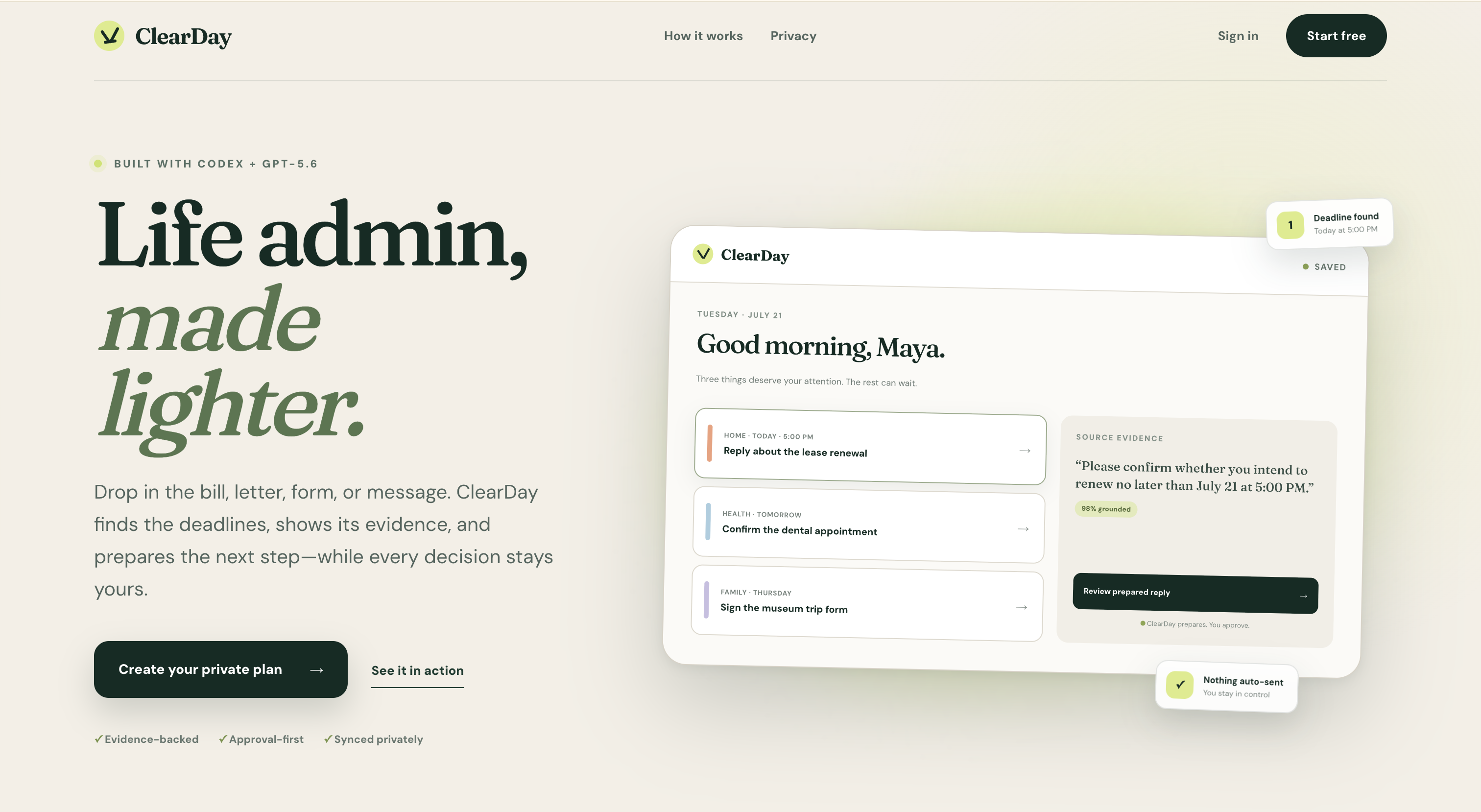
ClearDay helps busy households turn scattered rent notices, clinic messages, school forms, and bills into one calm, evidence-backed action plan. It catches details that disagree across sources, explains deadline risk, and keeps every consequential step under human approval.
OpenAI Build Week track: Apps for Your Life
Project status: Working hackathon prototype.
Why ClearDay
Life admin rarely arrives as a clean to-do list. It arrives as a PDF from a landlord, a screenshot from a clinic, a school form, or several paragraphs of small print. The hard part is reliably answering:
- What do I need to do?
- What is due first?
- What information am I missing?
- Where did that conclusion come from?
- Can I continue later without giving an AI permission to act for me?
ClearDay creates a private, persistent plan while keeping the person in control. Every extracted action includes source evidence, and outward-facing actions remain drafts until the user explicitly approves them.
Product walkthrough
- Create a private account. Use email/password or an optionally configured Google account.
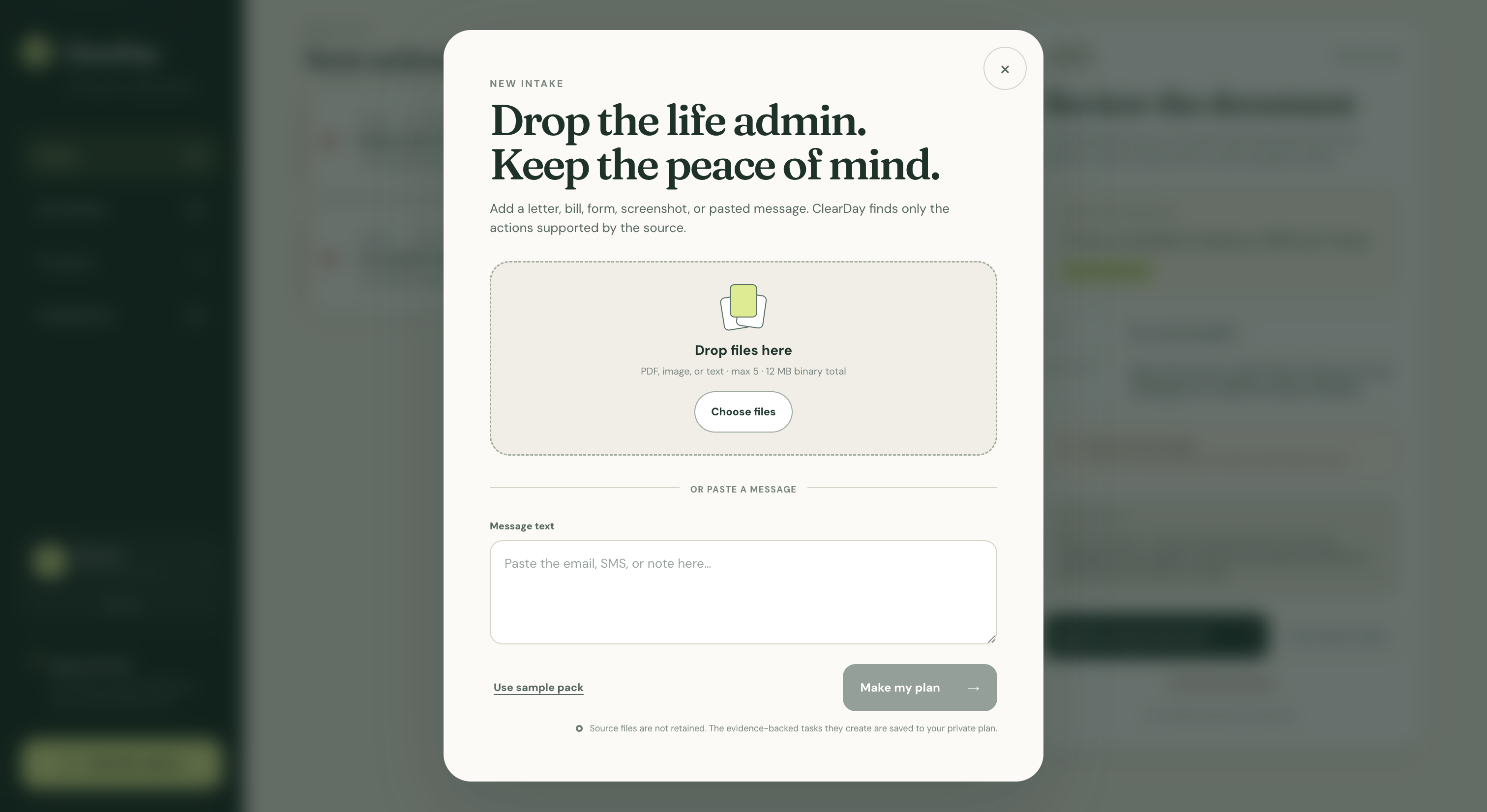
- Add life admin. Upload text, PDF, or image files; paste a message; or use the fictional sample pack.
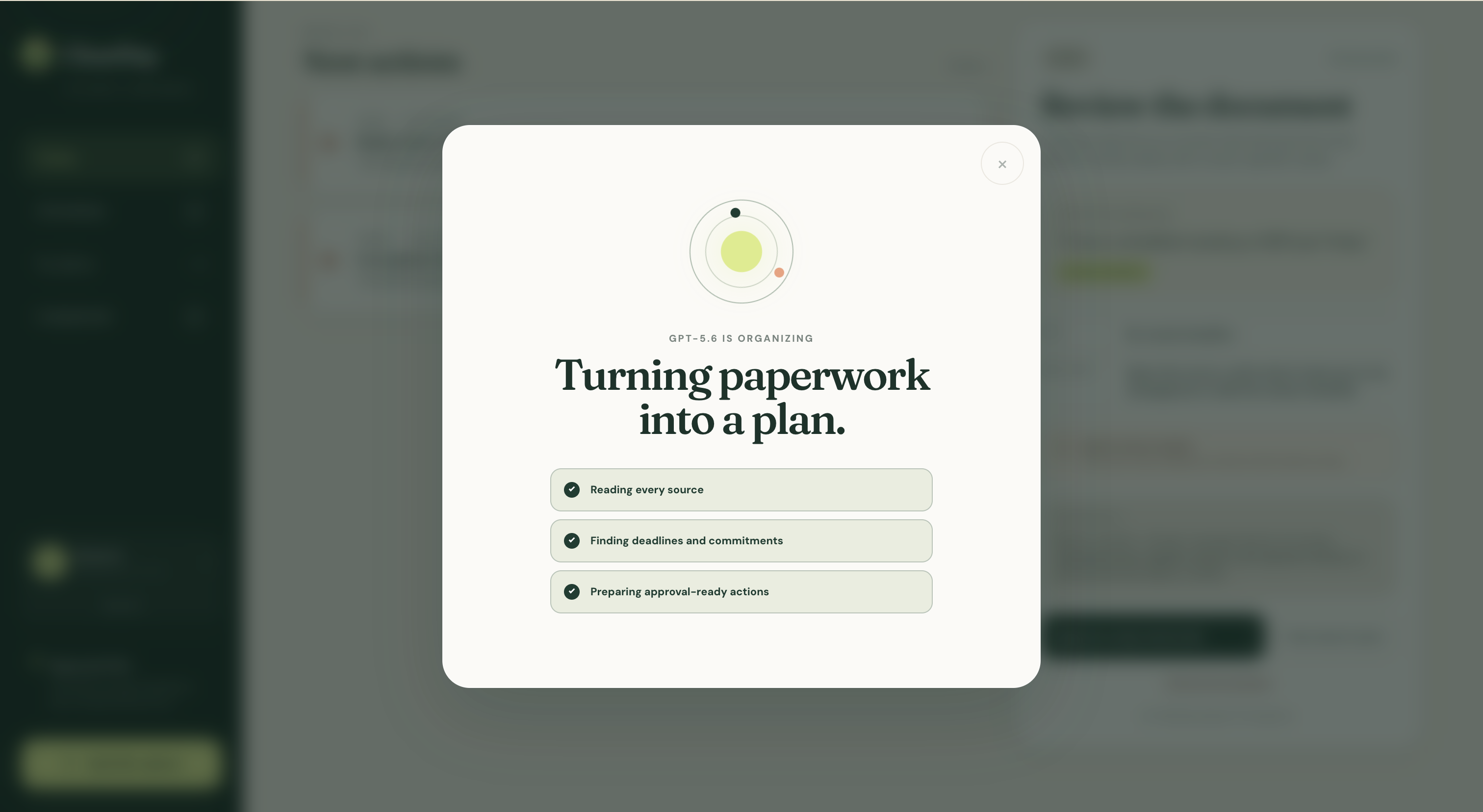
- Analyze with GPT-5.6. A protected server endpoint validates the input and requests strict structured output.
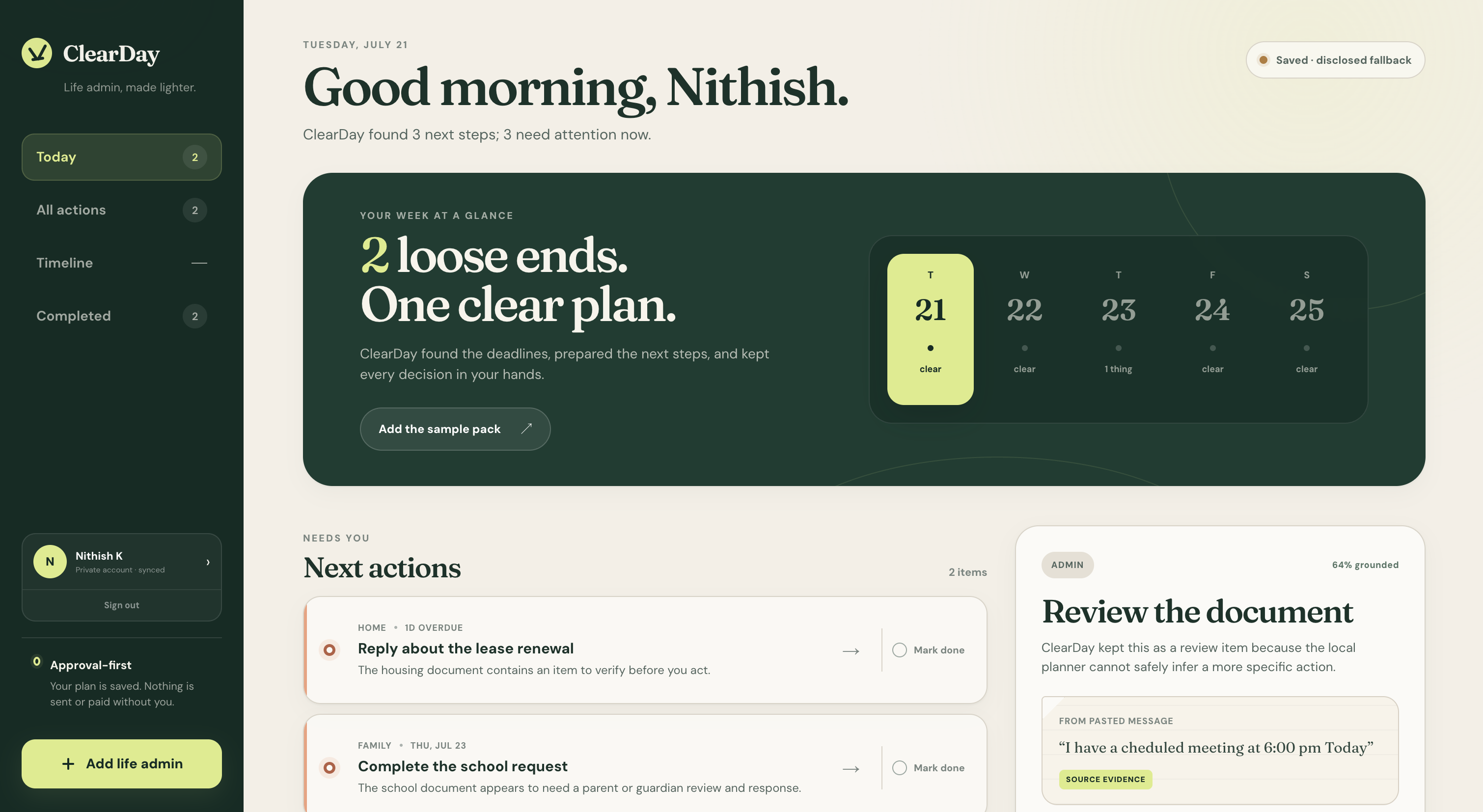
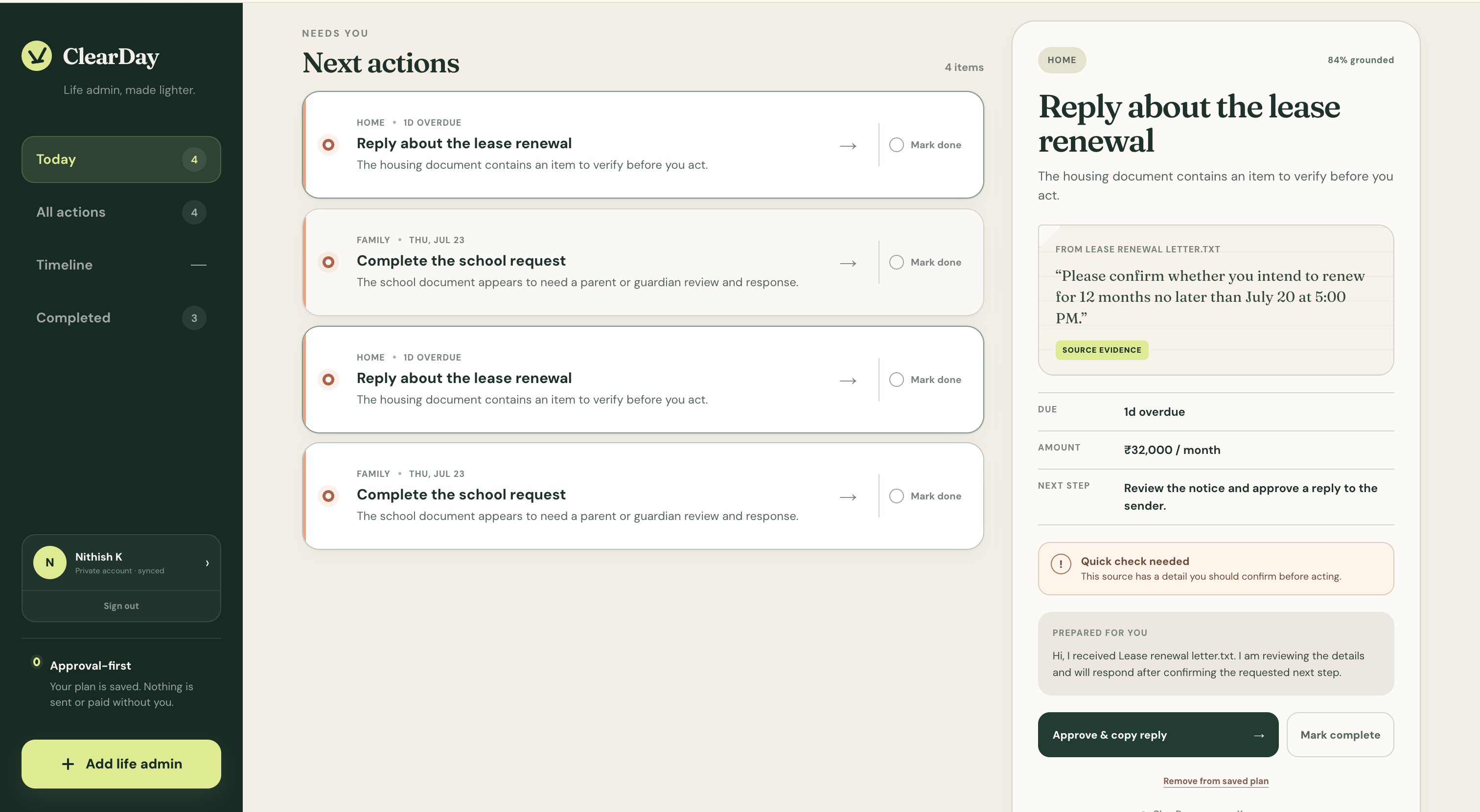
- See one prioritized plan. Deadlines, amounts, review flags, and recommended next steps are saved to the signed-in account.
- Catch contradictions and risk. Related sources are compared for date or amount mismatches, and every open task gets a transparent 0–100 deadline-risk score.
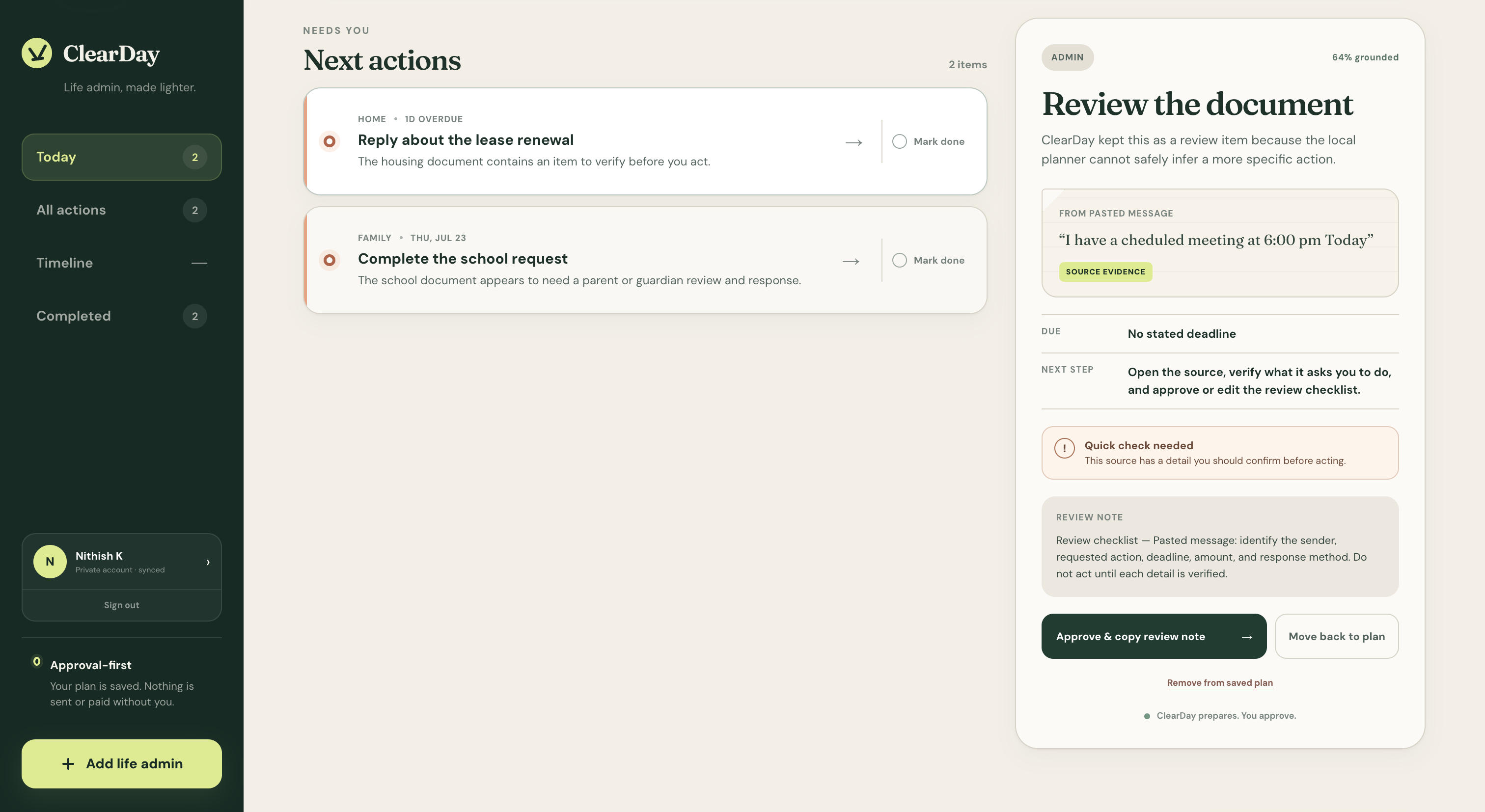
- Verify the evidence. Each important claim links back to a supporting excerpt from its source.
- Stay in control. Use an explicit Approve & … control to copy a draft or download a calendar event. ClearDay never sends, pays, signs, submits, or books anything.
- Return later. Refresh or sign back in to recover saved tasks and completion state.
Highlights
- Public product landing page with protected
/appdashboard - Better Auth
1.6.23email/password and Google OAuth authentication - Cloudflare D1 persistence for accounts, sessions, analysis runs, tasks, and completion state
- Multimodal intake for pasted text, text files, PDFs, and common images
- Up to five files, 8 MB each, with a 12 MB combined binary limit
- Evidence-backed, deadline-aware GPT-5.6 extraction with strict JSON Schema output
- Cross-source conflict detection for mismatched dates and amounts
- Explainable 0–100 deadline-risk scoring based on time remaining, missing details, confidence, review needs, and conflicts
- Explicit human approval for local draft copying and calendar export
- Dynamic due labels and priorities that remain useful after a refresh
- Clearly disclosed deterministic fallback when live model access is unavailable
- No database retention of raw uploaded document contents
Architecture
flowchart LR
    A["Public landing"] --> B["Email/password or Google OAuth"]
    B --> C["Better Auth"]
    C --> D["Cloudflare D1\nusers · accounts · sessions · rate limits"]
    C --> E["Protected /app"]
    E --> F["POST /api/analyze"]
    F --> G["Validate input + derive hashed safety identifier"]
    G --> H["OpenAI Responses API\ngpt-5.6-sol"]
    H --> I["Strict, evidence-checked plan"]
    F -. "No key / API unavailable" .-> J["Disclosed deterministic fallback"]
    I --> K["D1 analysis_runs + tasks"]
    J --> K
    K --> E
    E --> L["Approve local output / persist completion"]
The app uses Next.js 16 and React 19 through vinext on a Cloudflare-compatible runtime. Better Auth uses the Drizzle D1 adapter. The protected analysis route checks the user session and same-origin request, derives a pseudonymous safety identifier on the server, calls the OpenAI Responses API, and persists the resulting analysis run and tasks in one D1 batch.
Raw source text and file bytes are not written to D1. The database stores the source name, evidence excerpt, generated draft, task metadata, analysis mode, and completion status needed to restore the plan.
Run locally
Requirements
- Node.js
>=22.13.0 - pnpm
11.9.0 - A local or hosted Cloudflare D1 database bound as
DB - An OpenAI API key for live GPT-5.6 analysis
- Optional Google Cloud OAuth credentials for Google sign-in
Install
git clone <YOUR_REPOSITORY_URL>
cd <YOUR_REPOSITORY_DIRECTORY>
pnpm install --frozen-lockfile
cp .env.example .env.local
Generate a strong authentication secret, for example:
openssl rand -base64 32
Set the server-only values in .env.local:
BETTER_AUTH_URL=http://localhost:3000
BETTER_AUTH_SECRET=replace_with_a_strong_random_secret

# Optional: leave both blank to use email/password only.
GOOGLE_CLIENT_ID=
GOOGLE_CLIENT_SECRET=

# Optional only for the labeled fallback; required for live GPT-5.6.
OPENAI_API_KEY=your_openai_api_key
For a fresh local D1 state, apply the committed migration:
pnpm exec wrangler d1 execute site-creator-d1 --local --file=drizzle/0000_hard_puma.sql
pnpm exec wrangler d1 execute site-creator-d1 --local --file=drizzle/0001_numerous_leader.sql
Start the app:
pnpm dev
Open the URL printed by the development server, normally http://localhost:3000. Create an account, enter /app, and choose Start with the sample pack for the fastest walkthrough.
pnpm db:generate creates a new migration after schema changes; it does not replace applying the committed migrations to a fresh database. Production builds package .openai/hosting.json and the drizzle/ migrations for the Sites deployment workflow.
Google OAuth setup
Google sign-in is optional. Without both Google environment variables, ClearDay keeps email/password enabled and explains that Google setup is pending.
- In Google Cloud, configure an OAuth consent screen.
- Create an OAuth client with application type Web application.
- Add these authorized JavaScript origins:
http://localhost:3000- your production origin, such as
https://clearday.example
- Add these authorized redirect URIs:
http://localhost:3000/api/auth/callback/google<YOUR_PRODUCTION_ORIGIN>/api/auth/callback/google
- Put the client ID and secret in the corresponding server-side environment variables.
- Set production
BETTER_AUTH_URLto the exact HTTPS origin, without/api/auth.
ClearDay requests only the openid, email, and profile scopes. The account page can link Google to an existing ClearDay account.
Authentication and persistence
Better Auth manages the complete account flow through /api/auth/[...all]:
- Email/password sign-up auto-signs the user in; passwords must be 10–128 characters.
- Google OAuth activates only when both Google credentials are configured.
- Google access, refresh, and ID tokens are encrypted by Better Auth before database storage.
- Verification identifiers are hashed.
- Sessions last up to 30 days and are refreshed after continued use.
- Account linking requires the same email; implicit linking is disabled.
- Authentication rate limits are stored in D1: 100 requests per minute generally, 8 email sign-in attempts per minute, and 6 email sign-ups per hour.
- All saved plans and task mutations are scoped to the authenticated user on the server.
- Cross-site analysis and task-mutation requests are rejected.
D1 contains user, account, session, verification, rate_limit, analysis_runs, and tasks tables. Each analysis creates a run and its evidence-backed tasks; marking a task complete updates its server-side status and completion timestamp.
How GPT-5.6 is used
Live analysis uses gpt-5.6-sol through the OpenAI Responses API with medium reasoning effort. GPT-5.6 receives the user-provided text and/or media and produces a structured life-admin plan instead of an unbounded chat response.
Implementation details that make the model use testable:
- A strict JSON Schema defines the briefing and task contract consumed by the dashboard.
- Every task includes source name, evidence, due information, urgency, next action, review flag, draft, and confidence.
- Related sources remain separate when they disagree, allowing the dashboard to flag the mismatch instead of hiding it.
- Text-source evidence is normalized and checked against the original submitted text before a live response is accepted.
- Incomplete, refused, malformed, or contract-invalid responses enter the disclosed fallback path.
- PDFs use low detail to control token cost; screenshots use high detail for readability.
- The server derives
safety_identifieras a base64url SHA-256 digest of the internal user ID namespace. The browser never supplies it, and it is not an email address. - OpenAI responses are requested with
store: false. - Both live and fallback plans record their mode in D1 so the dashboard can label them honestly.
Codex is the build-time engineering partner; GPT-5.6 is the model used by the running product.
How Codex accelerated the build
The majority of ClearDay was built in one primary Codex session. Codex helped:
- turn the challenge brief into an evidence-first, approval-first product boundary;
- build the public landing, authentication surfaces, protected dashboard, and account settings;
- design the D1 schema for Better Auth, analysis provenance, persistent tasks, and rate limits;
- implement multimodal Responses API integration, strict validation, grounding checks, and safe fallback behavior;
- add server-scoped completion updates, encrypted OAuth configuration, and privacy disclosures; and
- verify failure states, responsive behavior, build output, sample data, and submission materials.
Key decisions made with Codex were to retain derived task data but not raw documents, derive the safety identifier server-side, persist live/fallback provenance, gate consequences behind explicit approval, and keep the keyless fallback visibly distinct from live GPT-5.6.
Add the primary /feedback Codex Session ID to the Devpost form before submission.
Sample data
All people, organizations, accounts, and events in public/samples are fictional:
rent-renewal.txt— a lease-renewal choice and deadlineclinic-appointment.txt— a dental confirmation before an appointmentclinic-intake-conflict.txt— a second dental source with a deliberately conflicting appointment dateschool-trip-consent.txt— consent details and a ₹450 payment
The same story is available from Start with the sample pack inside an empty account.
Run without optional credentials
- No Google credentials: use email/password. The Google button remains visible but reports that setup is pending.
- No OpenAI key: authenticated analysis uses the labeled deterministic planner and persists the result with
mode: demo. - No D1 binding or migration: account, session, and plan persistence cannot operate; D1 is required even when using the model fallback.
Privacy, safety, and approvals
- Server-only secrets: authentication, Google, and OpenAI secrets stay in server environment variables.
- No raw-source archive: source bytes and pasted source text are request-scoped and not written to ClearDay's database.
- Derived plan persistence: task titles, source names, evidence excerpts, drafts, deadlines, amounts, confidence, and completion state are stored for the signed-in user.
- Encrypted OAuth tokens: Better Auth encrypts Google tokens before persistence.
- User isolation: task reads and mutations use the authenticated server-side user ID, never a client-provided account ID.
- User-controlled actions: generated messages remain drafts; calendar actions produce downloaded files. Nothing is sent, paid, signed, submitted, or booked automatically.
- High-stakes boundary: ClearDay organizes source-stated administration; it is not legal, medical, or financial advice.
- Safe samples: the bundled sample pack contains no real personal data.
When using personal material, upload only data you are authorized to process and review the applicable OpenAI data controls.
Verification
pnpm lint
pnpm test
pnpm build
For a manual smoke test:
- Create an account with email/password or Google.
- Analyze the sample pack and confirm the Saved · GPT-5.6 live or Saved · disclosed fallback badge.
- Review the Tuesday/Wednesday dental conflict and inspect the reasons behind its deadline-risk score.
- Verify at least one evidence excerpt against its source.
- Mark a task complete, refresh
/app, and confirm it remains in Completed. - Approve a draft or calendar output and confirm that no external action occurs.
- Open
/account, update the display name, and test sign-out/sign-in.
Known prototype limits
- ClearDay does not send email, make payments, submit forms, or integrate with health, school, or property-management systems.
- Model-extracted obligations can be wrong; source review remains essential.
- Raw sources cannot be reopened after analysis because they are intentionally not retained.
- Derived evidence and drafts may contain sensitive text and remain stored until their task is deleted.
- Email verification delivery, password recovery email, account deletion, and bulk task deletion are not yet exposed as complete user flows.
- Re-analyzing the same source creates a new analysis run rather than deduplicating an earlier task.
- Google OAuth requires deployment-specific credentials and redirect configuration.
Repository guide
app/
  page.tsx              Public landing page
  sign-in/              Email/password and Google sign-in
  sign-up/              Account creation
  app/                   Protected persistent dashboard
  account/               Profile, provider linking, and privacy controls
  api/auth/              Better Auth handler and provider configuration
  api/analyze/           Authenticated GPT-5.6 analysis and persistence
  api/tasks/             User-scoped task retrieval and completion
db/
  schema.ts             Better Auth + ClearDay D1 schema
  plans.ts              Analysis/task persistence queries
drizzle/                Committed D1 migration
public/samples/         Fictional judge-ready inputs
SUBMISSION.md           Devpost-ready copy and checklist
DEMO_SCRIPT.md          Shot-by-shot video plan under three minutes
License
ClearDay is available under the MIT License.
Built With
- codex
- gpt5.6-sol


Log in or sign up for Devpost to join the conversation.