-
-
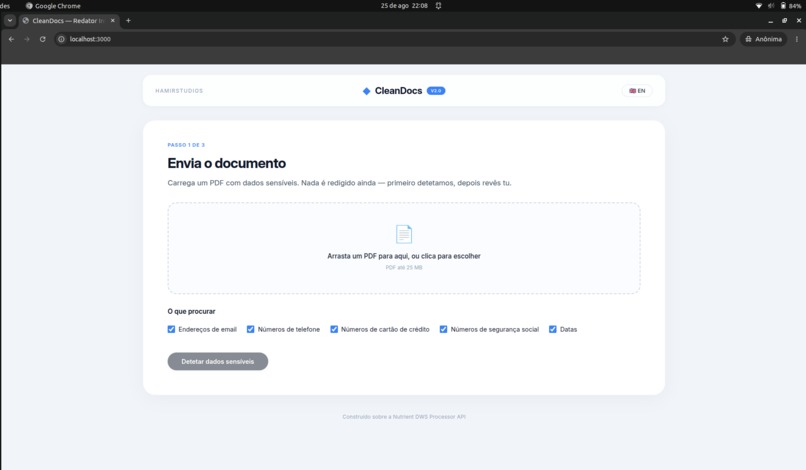
Portuguese
-
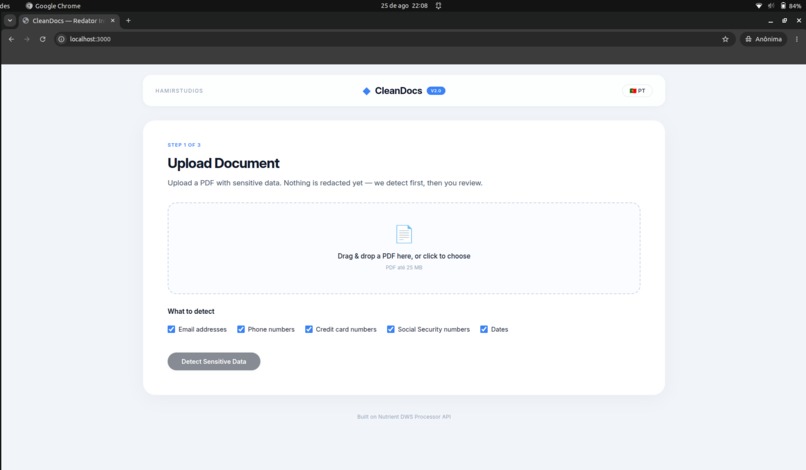
English
-
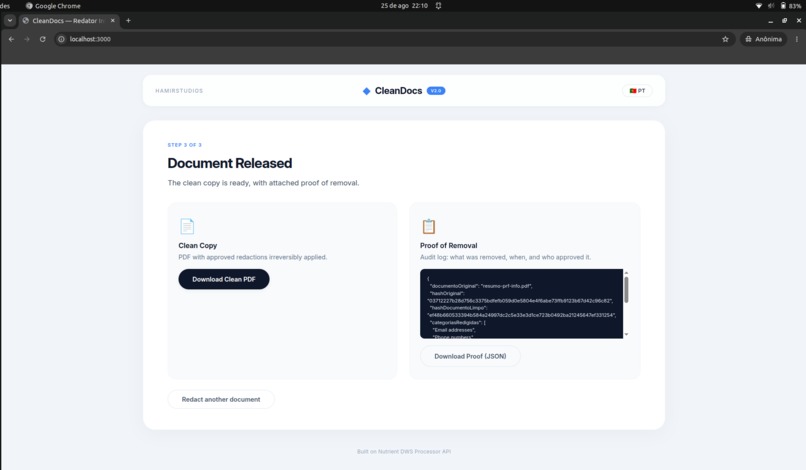
The final report regarding the changes made.
-
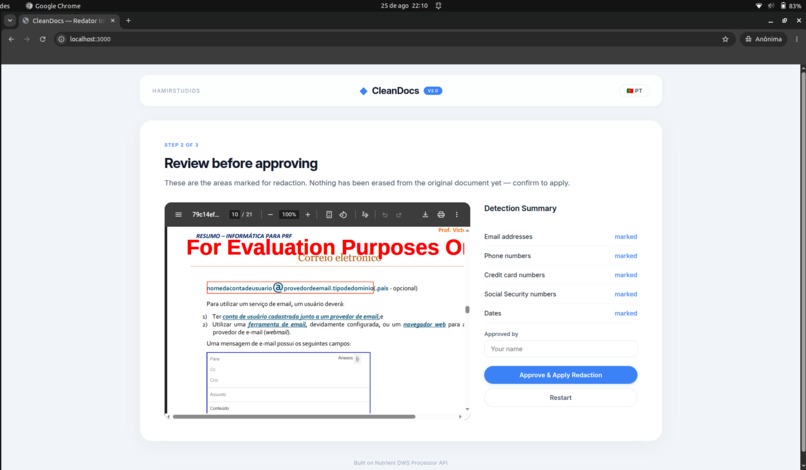
The PDF review
Inspiration
In an era where data privacy is paramount, sharing documents containing sensitive information (PII) poses a significant risk. Lawyers, HR professionals, medical staff, and businesses frequently need to share PDFs without exposing personal data like emails, phone numbers, credit cards, or Social Security numbers. Manual redaction is time-consuming, error-prone, and often irreversible. We built CleanDocs to automate this process, making it fast, reliable, and auditable.
What it does
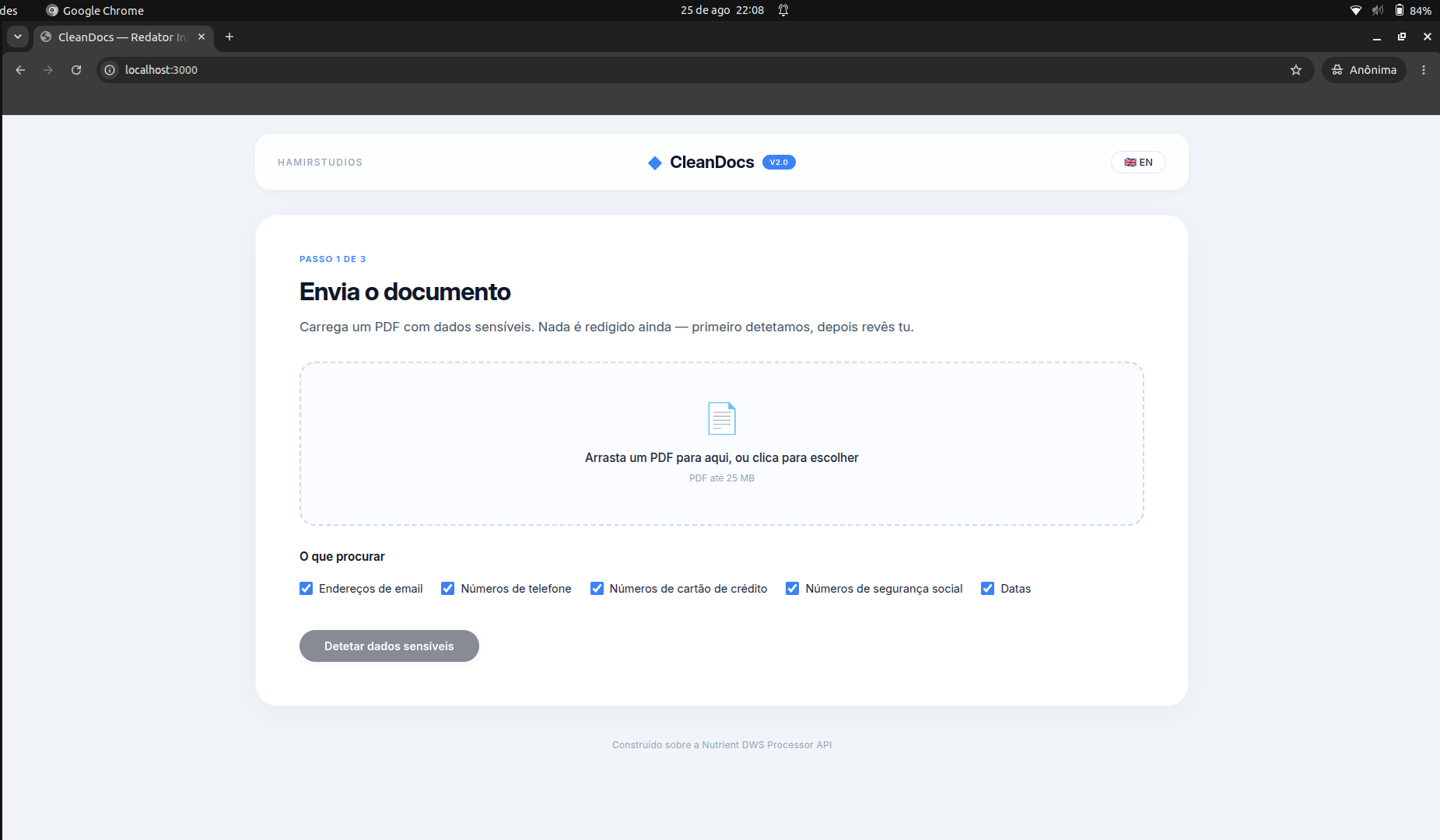
CleanDocs is a web-based tool that automatically detects and removes sensitive information from PDF documents. Users upload a PDF, select which categories of PII to detect (emails, phone numbers, credit card numbers, Social Security numbers, and dates), and the system marks all occurrences for review. After human approval, the redactions are applied permanently, and a detailed audit report is generated.
The workflow follows a "human-in-the-loop" approach:
- Upload a PDF
- Select which types of sensitive data to detect
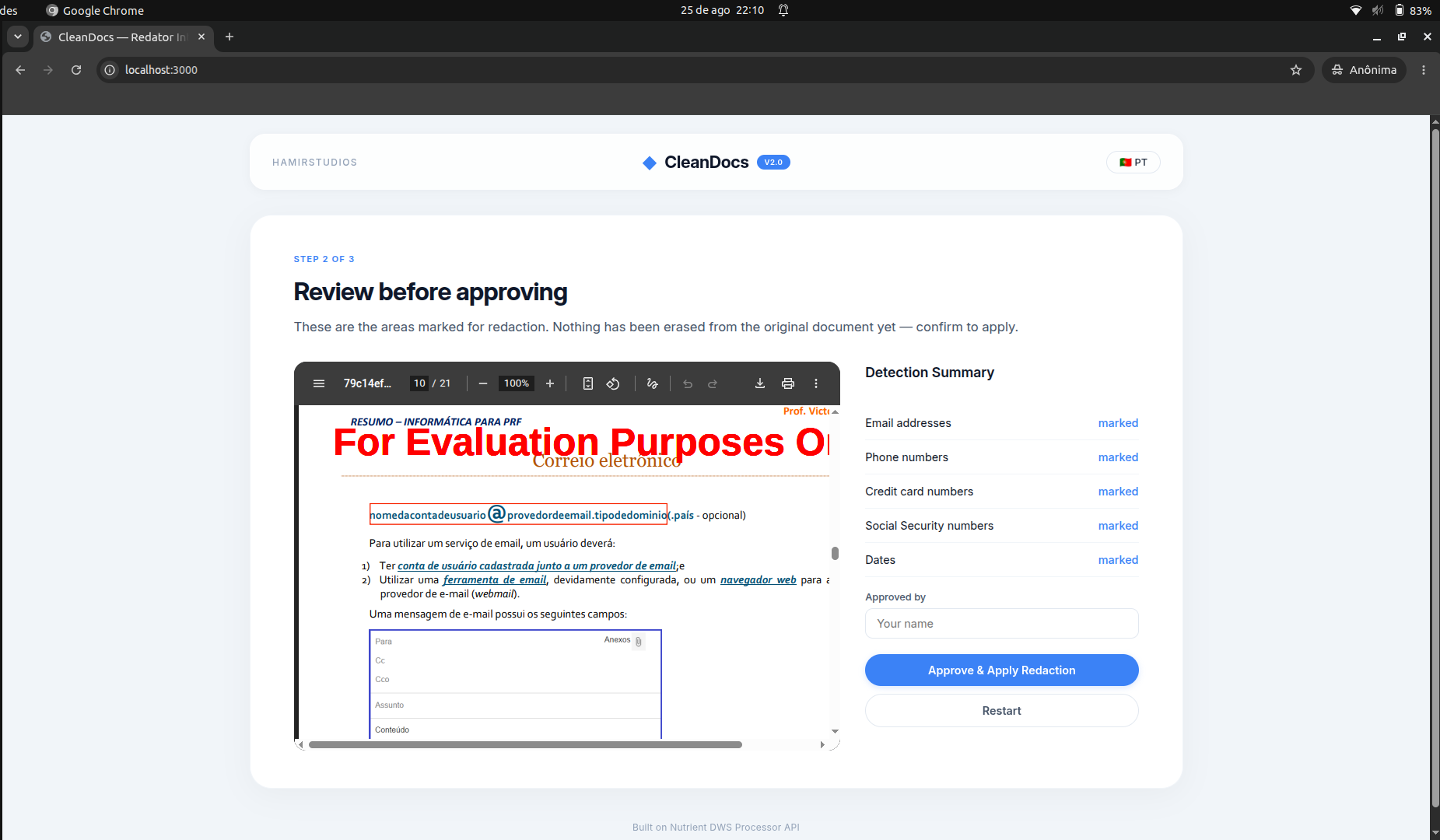
- Review the detected areas highlighted on the PDF
- Approve and apply the redactions
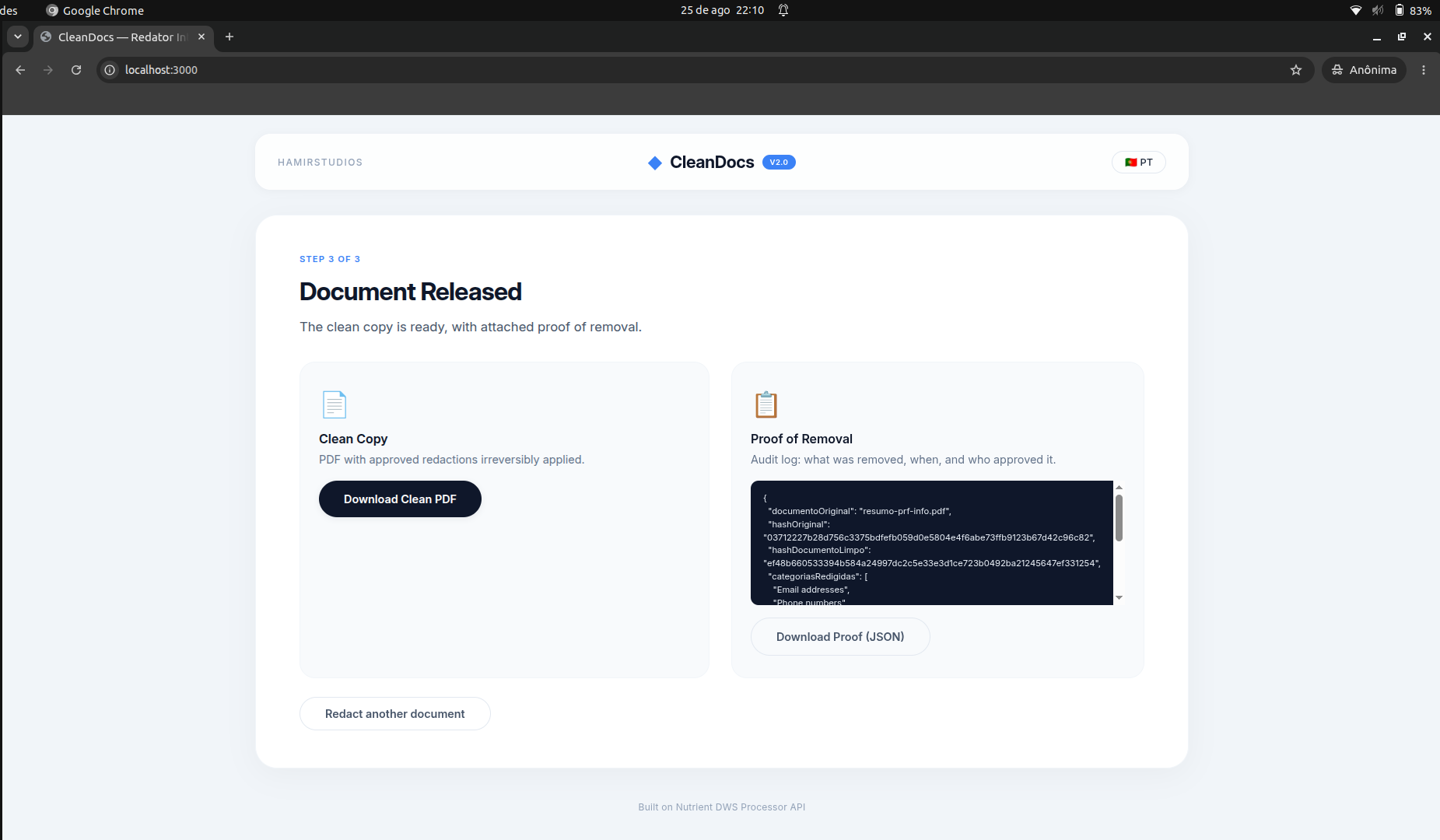
- Download the cleaned PDF and an audit report
How we built it
We built CleanDocs using:
- Backend: Node.js with Express.js
- PDF Processing: Nutrient DWS Processor API (formerly PSPDFKit)
- File Handling: Multer for file uploads
- Frontend: Vanilla JavaScript with a responsive, clean UI
- Security: SHA-256 hashing for document integrity verification
The Nutrient API handles the heavy lifting of detecting PII using preset patterns (createRedactions with strategy: preset) and applying redactions (applyRedactions). Each selected category generates a separate action, allowing multiple types of data to be detected simultaneously.
Challenges we ran into
- API Integration: Understanding the exact structure of the Nutrient API instructions, especially the
strategyOptions.presetformat, required careful reading of the documentation. The API expects one preset per action, so we had to map multiple selected categories into multiple actions. - Language Support: Implementing bilingual support (Portuguese and English) throughout the interface, including dynamic checkbox labels and summary lists, was a fun challenge.
- Session Management: Storing staged PDFs and session data in memory for the demo workflow required careful mapping between the detection and application steps.
Accomplishments we're proud of
- A fully functional tool that can detect 5 categories of PII simultaneously.
- An intuitive three-step workflow: Upload → Review → Apply.
- A detailed audit report with SHA-256 hashes to verify document integrity.
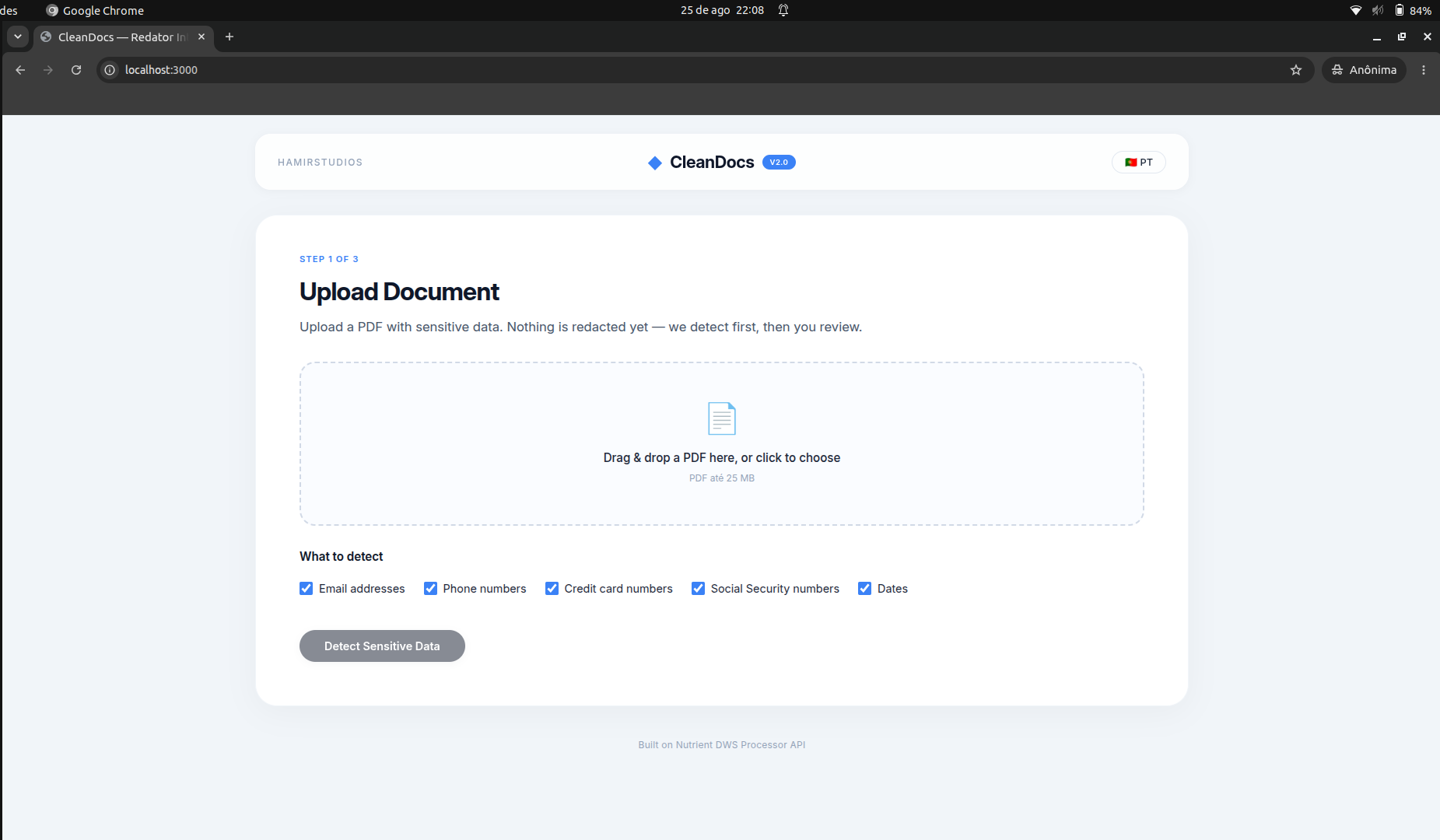
- Full bilingual support (Portuguese and English) with a toggle button.
- A clean, professional UI inspired by modern design systems.
What we learned
- The importance of reading API documentation thoroughly and testing incrementally.
- How to build a robust "human-in-the-loop" document processing pipeline.
- The value of generating audit trails for compliance with privacy regulations like GDPR and LGPD.
What's next for CleanDocs
- AI-powered redaction: Use Nutrient's AI redaction API to detect more complex PII like names, addresses, and context-based data.
- Batch processing: Allow multiple documents to be processed simultaneously.
- Cloud storage integration: Connect with Google Drive, Dropbox, or SharePoint for seamless document handling.
- Team collaboration: Enable multiple users to review and approve redactions.
- Custom presets: Allow users to define their own patterns for redaction.
Try it out
- GitHub Repository: https://github.com/matrixangola/redact-then-release
- Demo: Run locally with
npm startafter cloning
Why CleanDocs matters
CleanDocs is not just a hackathon project — it's a practical solution for real-world privacy challenges. Whether you're a lawyer sharing discovery documents, an HR manager handling employee records, or a medical professional protecting patient data, CleanDocs helps you comply with privacy regulations and protect sensitive information with confidence.
Built With
- css
- dotenv
- express.js
- html
- javascript
- multer
- node.js
- nutrient-dws-api


Log in or sign up for Devpost to join the conversation.