-
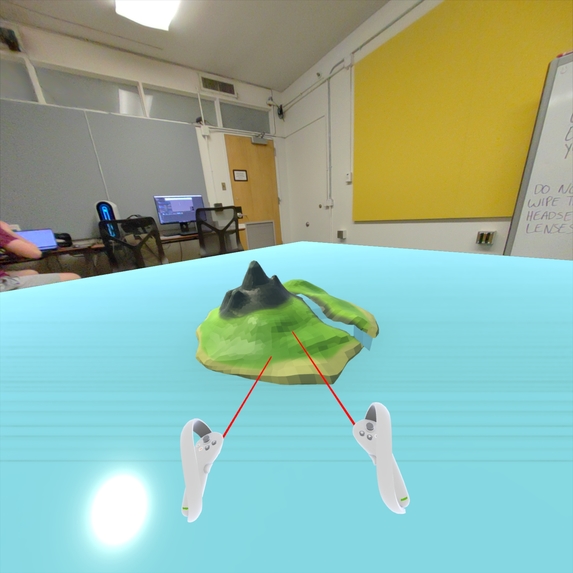
Mock up for the game's concept
Access our Design Document
Inspiration
We thought that the technology that the PICO 4 had to offer lent itself well to a game where you could customize or modify objects within your play space. In tandem with the hand tracking, we had a goal of trying to create an immersive world that you can experience in XR. The inspiration for the modeling technology came from working with clay. Modeling with clay is a hands on experience and trying to mimic that experience in XR is a really fun idea. The idea behind the city building aspects of the game came from an idea of wanting to add a more structured framework to the game. In it's current state it was more of a sandbox style tech demo with no goal to accomplish.
What it does
It's a game where you will be able to use your hands to model the terrain of your world. This can be done through a variety of tools like grabbing and pulling, pinching, digging, adding material, and more. These tools can be accessed through the use of gestures which take advantage of the PICO 4's hand tracking capabilities. Outside of this title, this technology could allow users to model objects in 3D and place them within their world in order to scale it to real world objects. However, as a way to possibly demo this technology we reworked this into a central gameplay mechanic that doesn't require precision. You'll also be able to place buildings of various types in order to populate your world and create your own society with your own story.
How we built it
This is purely a design document, however we did have some strategies when it came to tackling this document. We wanted to highlight the impact of this technology which led us to create it's own section to talk about it's advantages and disadvantages. We also wanted to highlight control schemes and how that control scheme would interact with in-game objects and UI. You'll find when reading through the document, we'll highlight how these objects are accessed since there aren't many games that can be fully played with hand tracking.
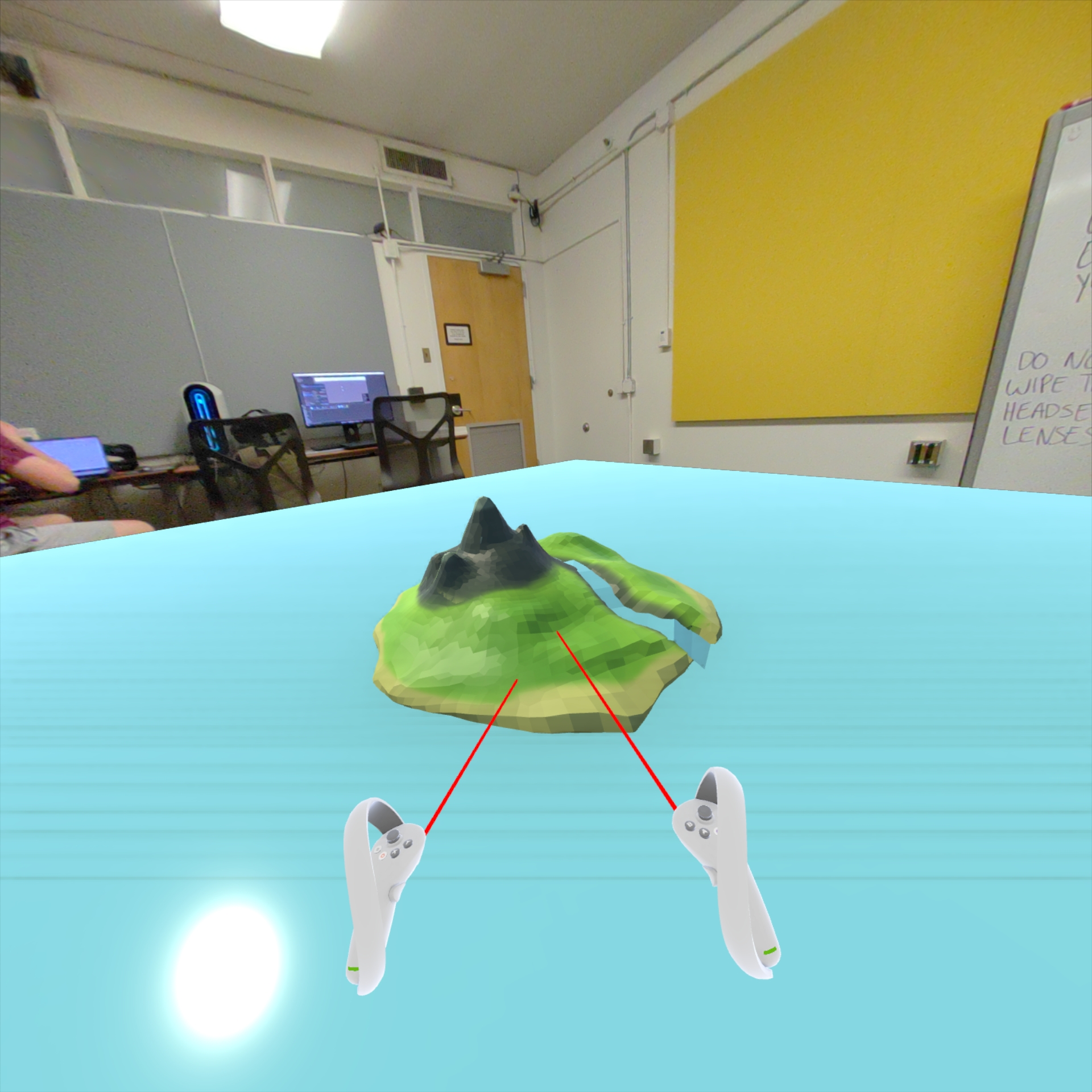
One aspect of this design document that I want to highlight is the mock up on the front page. For this we draft a quick 3D model in blender to represent our in-game environment. We then set up the Ball Drop demo that we accessed through PICO Dev's YouTube channel. After opening it in Unity, we replaced the ramp prefab with the island prefab. This way when we got back into the game we just had to pretend like we were placing a ramp, and the island would appear. This allowed us to visualize how the game would look in XR and how it felt to move around the object.
Challenges we ran into
The primary challenge we came into had to do with setting up our development environment. When creating the mock up image, I had some problems when it came to running the project. It was a combination building the wrong scene due to not understanding the naming conventions of the project as well as the fact that you need seemingly need to be connected to Wi-Fi in order to run games. This was solved through a quick google search.
In terms of challenges we ran into when developing the design document, there weren't many. It was a fairly smooth process.
Accomplishments that we're proud of
I'm personally proud of getting the development environment set up. I've never done any VR related development before however the PICO Dev tutorials made it really easy to follow along and get it set up. I'm also just proud of getting the document done at all. I've been very busy throughout the jam, so being able to set aside time to work on this was a bit of a challenge.
What we learned
Similar to the previous answer, I haven't done any VR related development so even though I followed tutorials, it felt good to get it working. In terms of writing design docs, I learned a good amount about organizing a document so that ideas are introduced and built upon. Typically I follow templates for documents, however they usually include lots of details that aren't necessary or have lots of whitespace. By designing the layout of our document from scratch we are able to highlight the characteristics of the game that make it unique and how they are only possible on the PICO.
What's next for Clay Kingdom
The goal for this game is to actually make it real. Despite living in the US, I'm lucky to have access to a PICO 4 headset so development is actually possible. If I were to go onto to developing it the first step would be a demo where I figure out how to use gestures in Unity. The goal for that would be to be able to pick up objects and drop them using the same gestures that are intended for Clay Kingdom.
Built With
- google-docs
- procreate
- unity


Log in or sign up for Devpost to join the conversation.