-
-
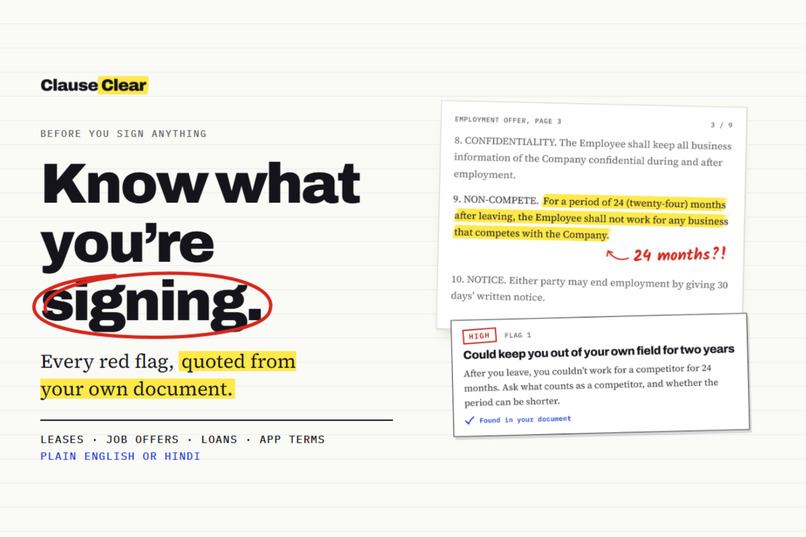
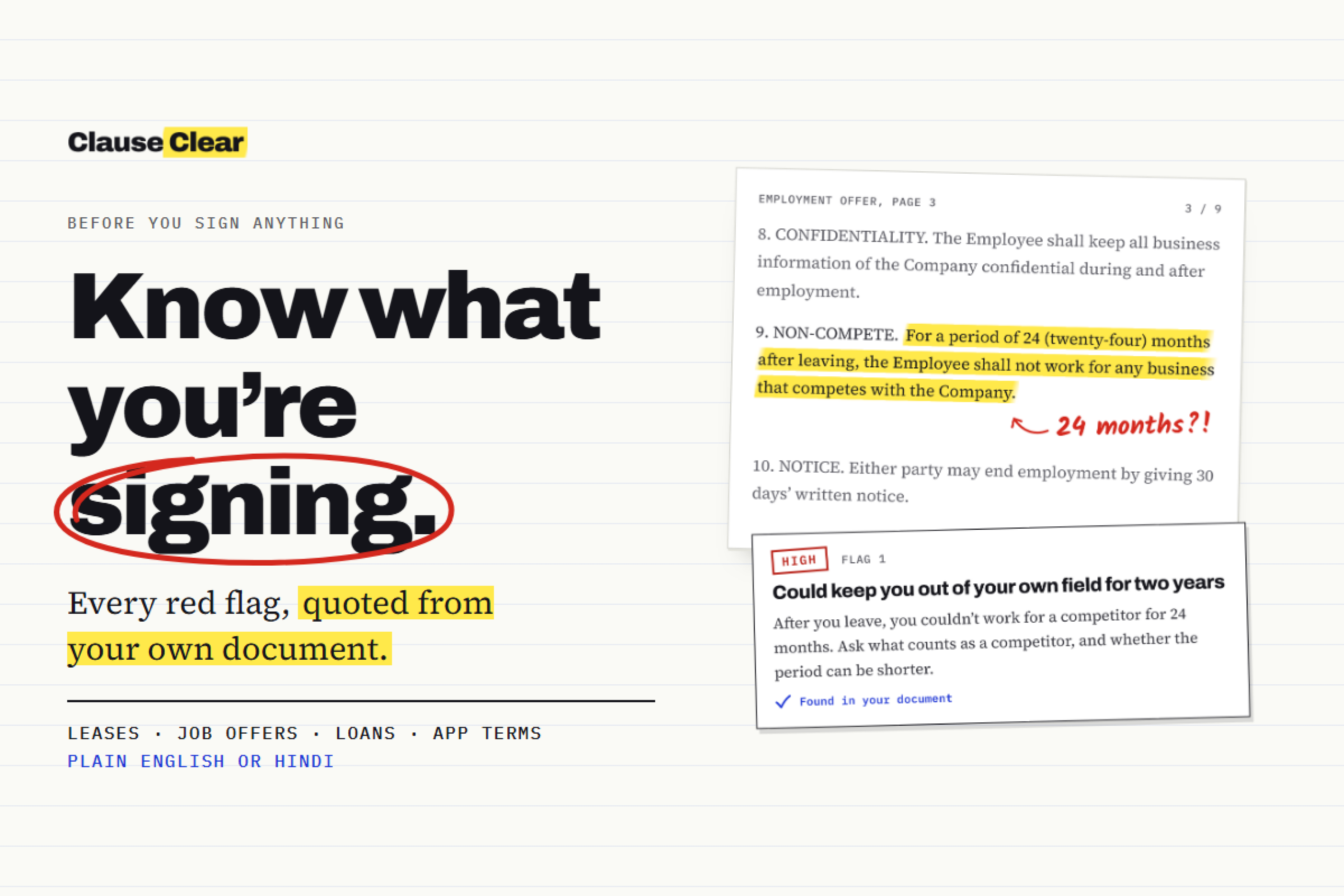
Cover: Know what you're signing. Every red flag, quoted from your own document.
-
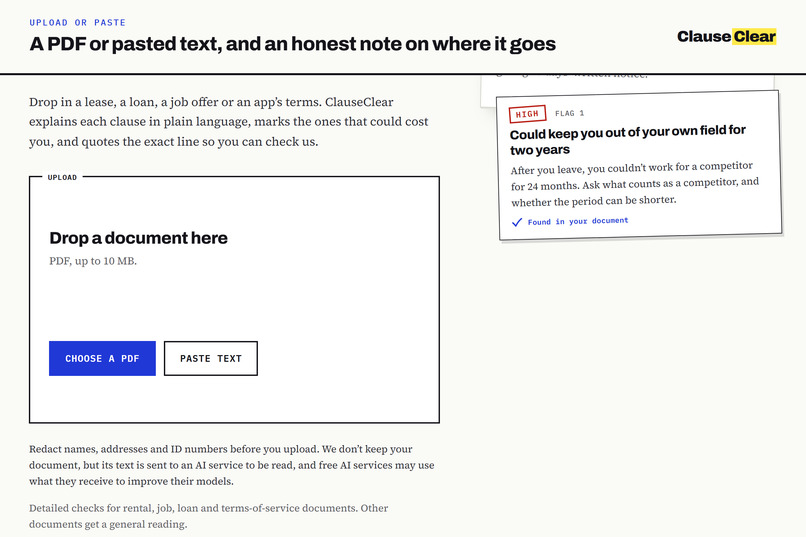
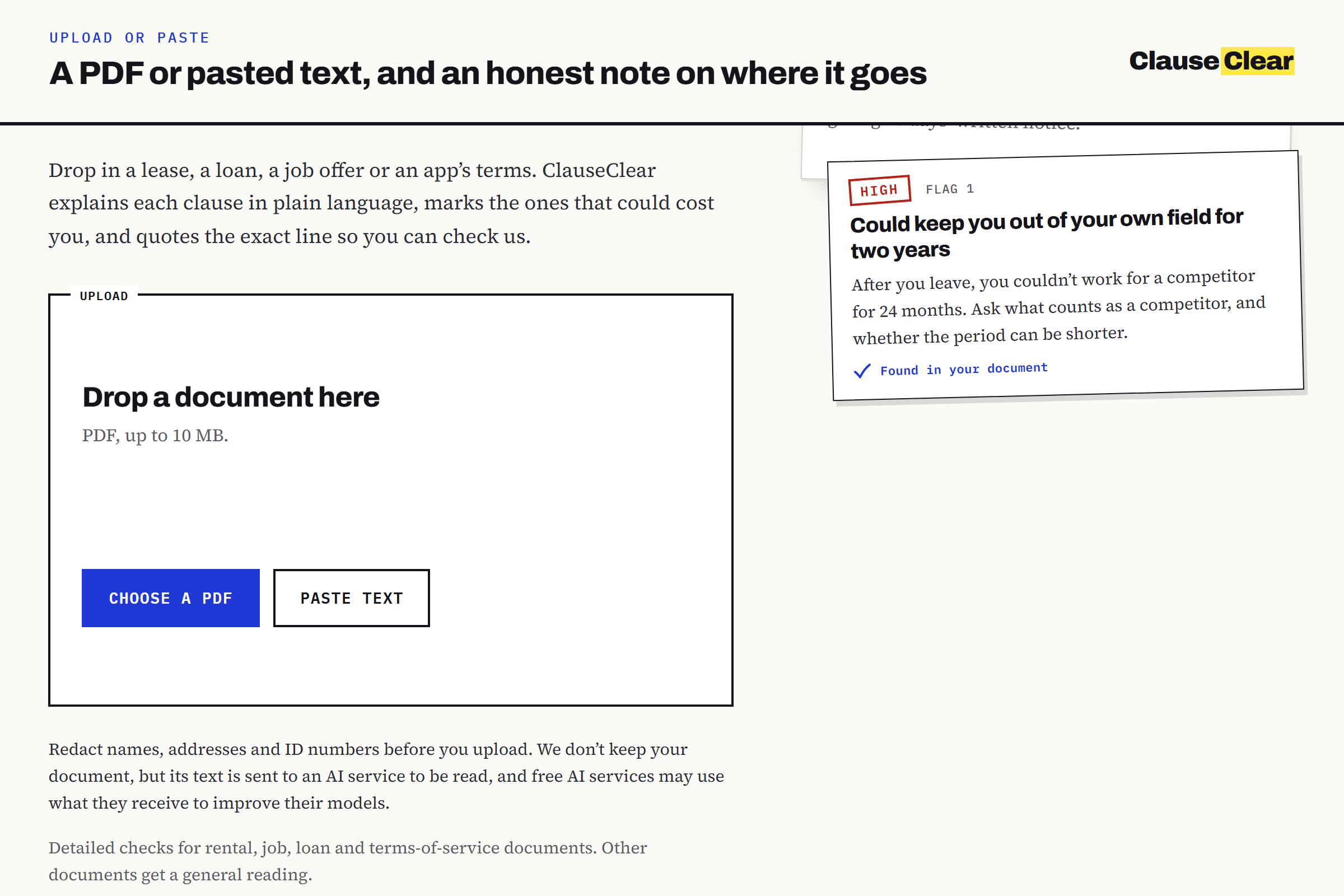
Upload: Upload a PDF or paste text, with an honest note on where it goes.
-
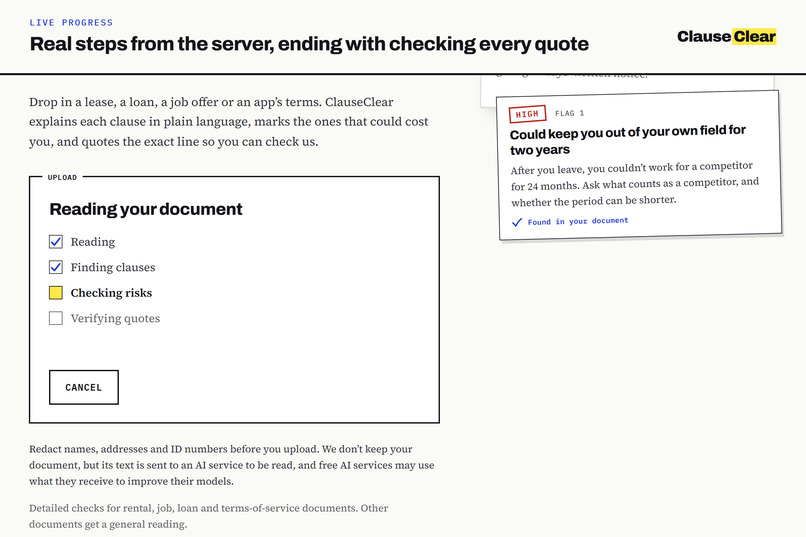
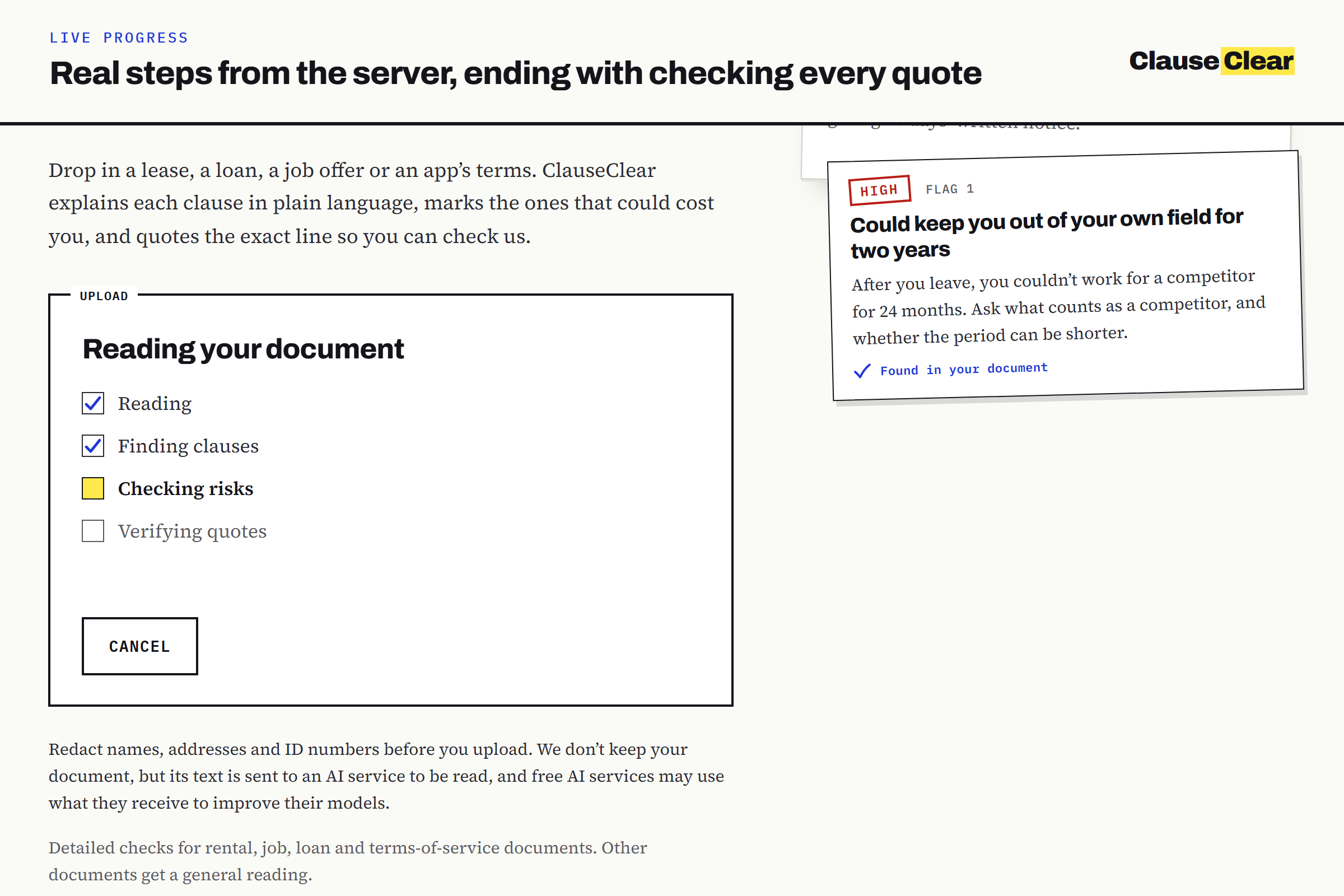
Progress: Live progress from the server, ending with checking every quote.
-
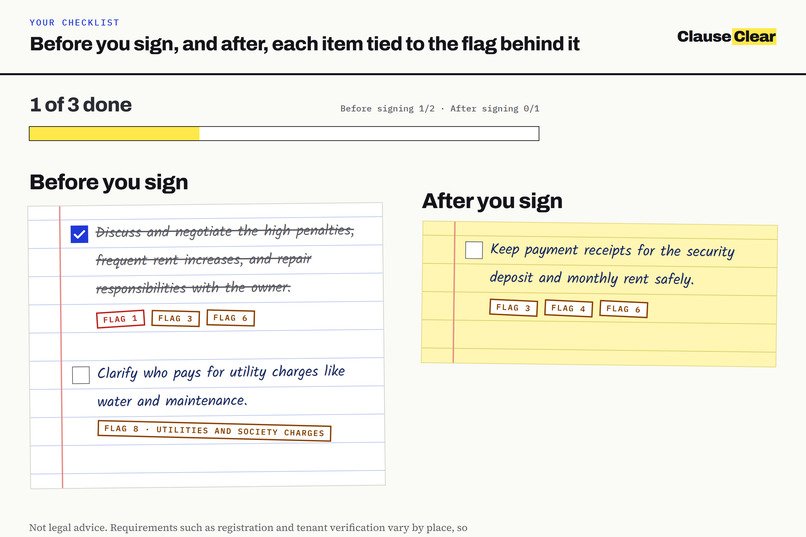
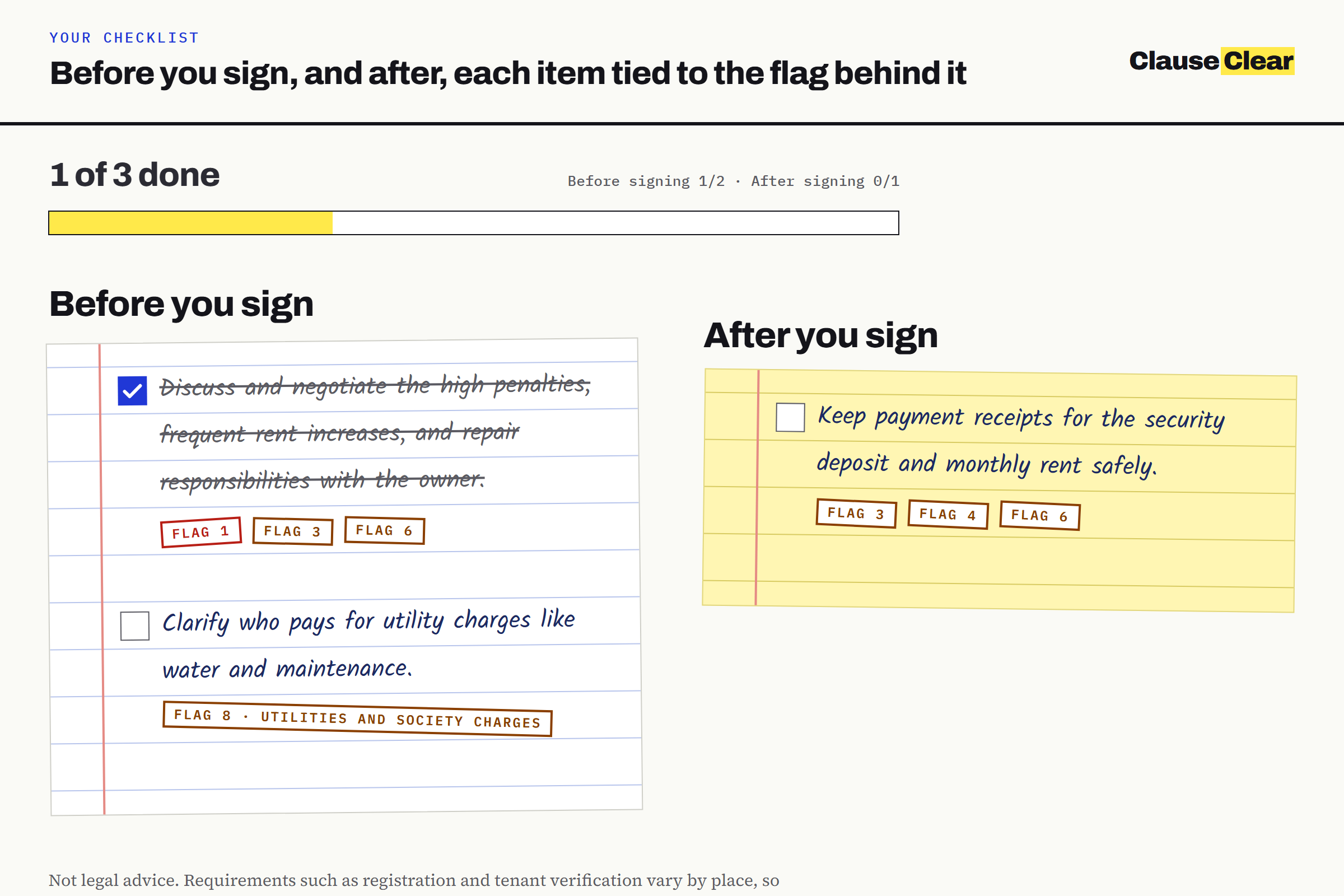
Checklist: Before you sign and after, each item tied to the flag behind it.
-
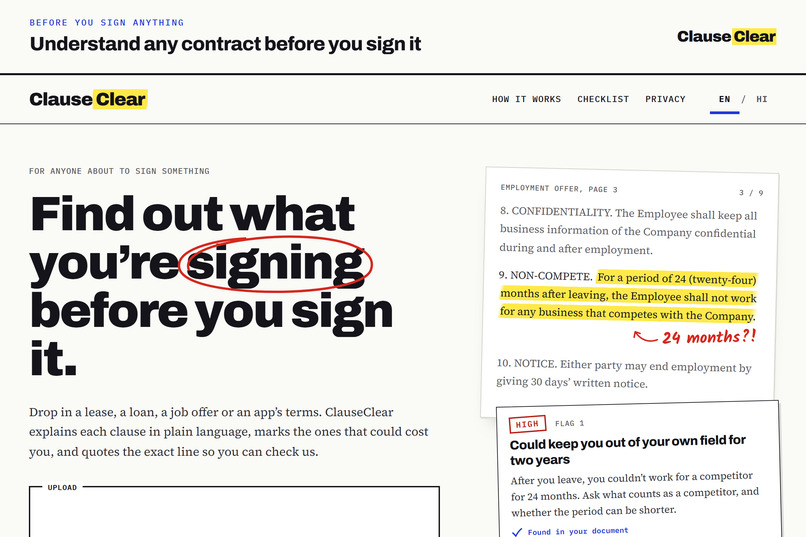
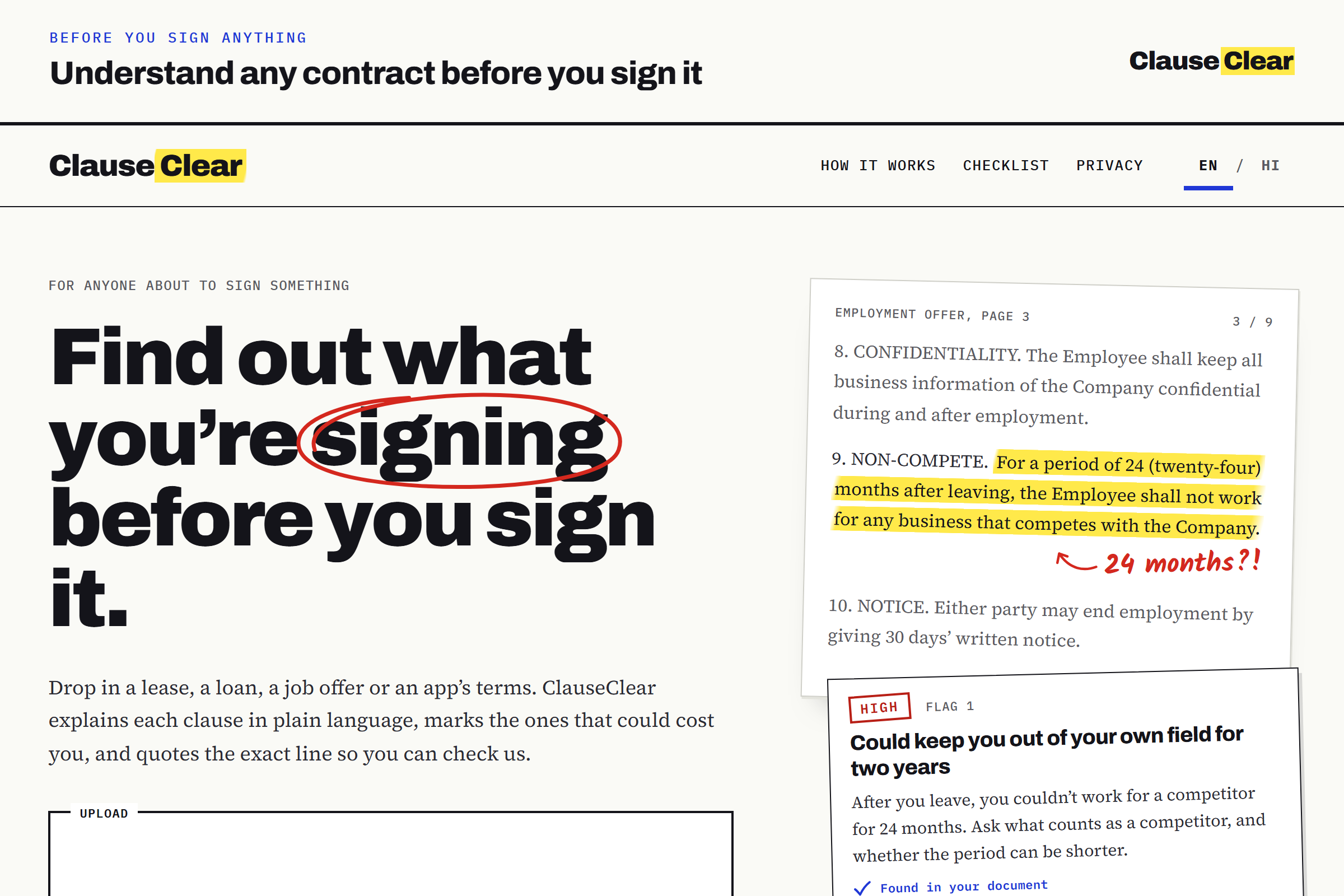
Landing: Understand any contract before you sign it.
-
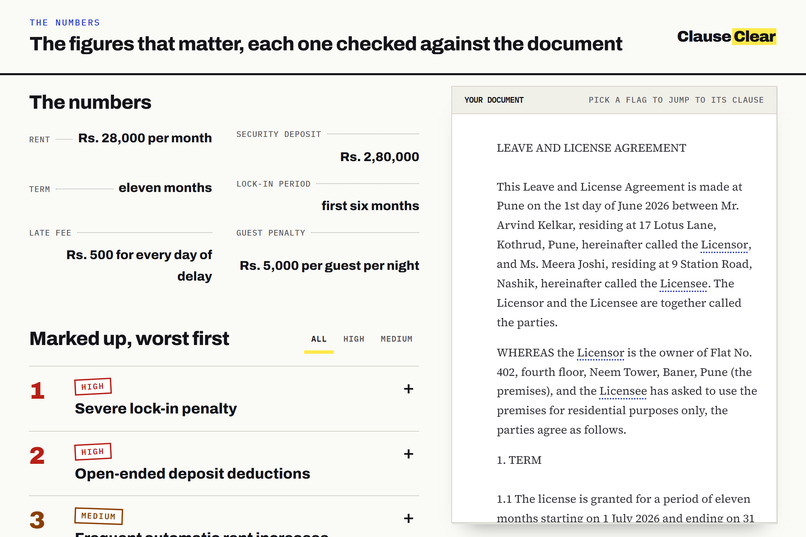
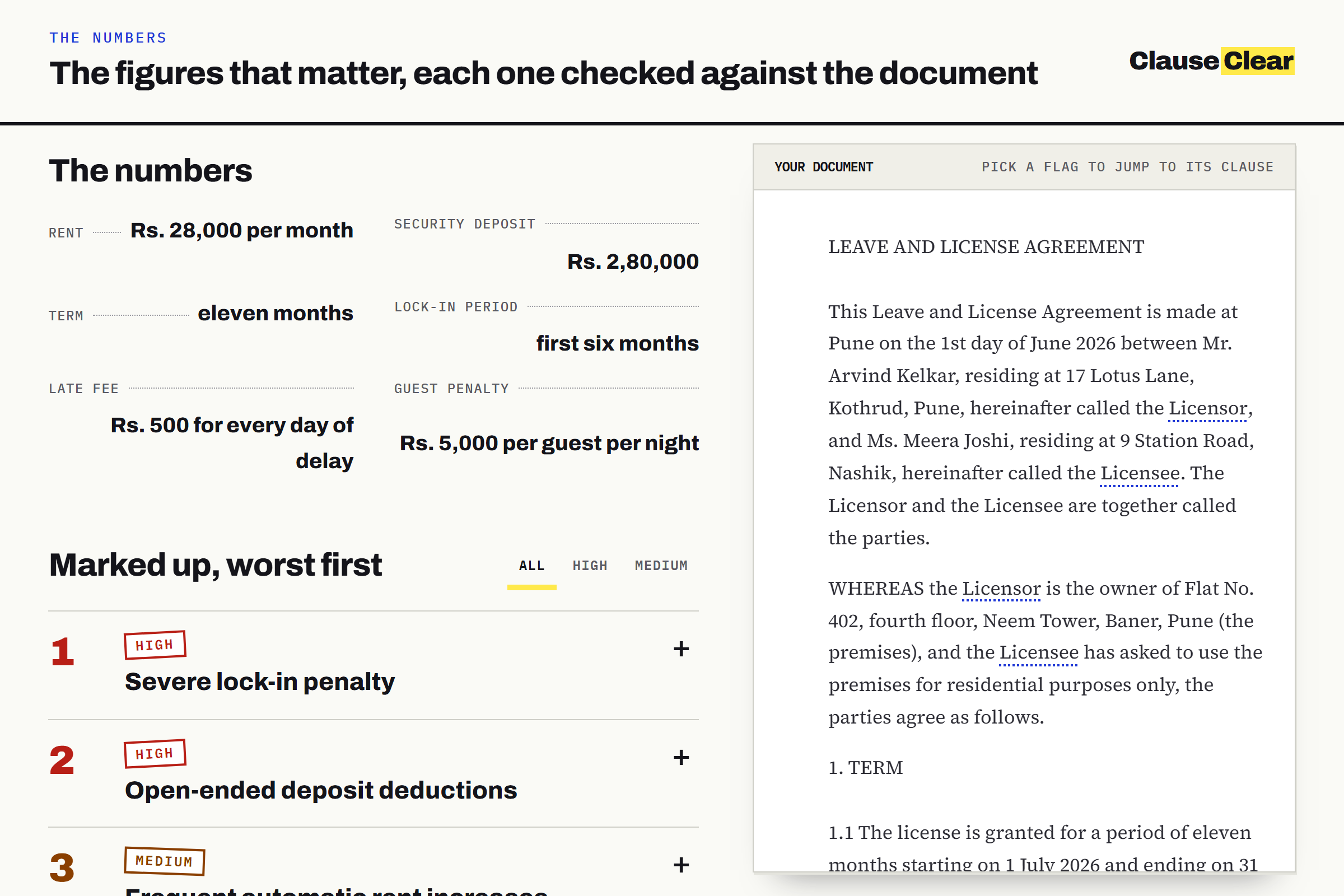
Numbers: The figures that matter, each one checked against the document.
-
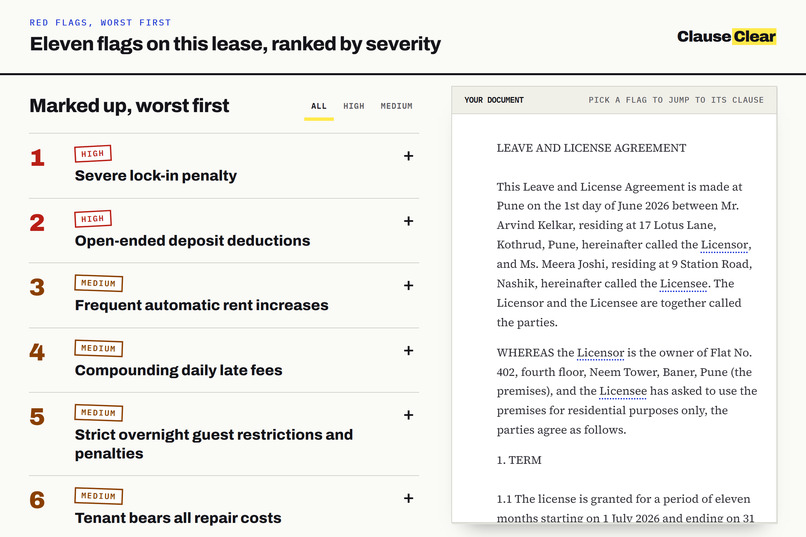
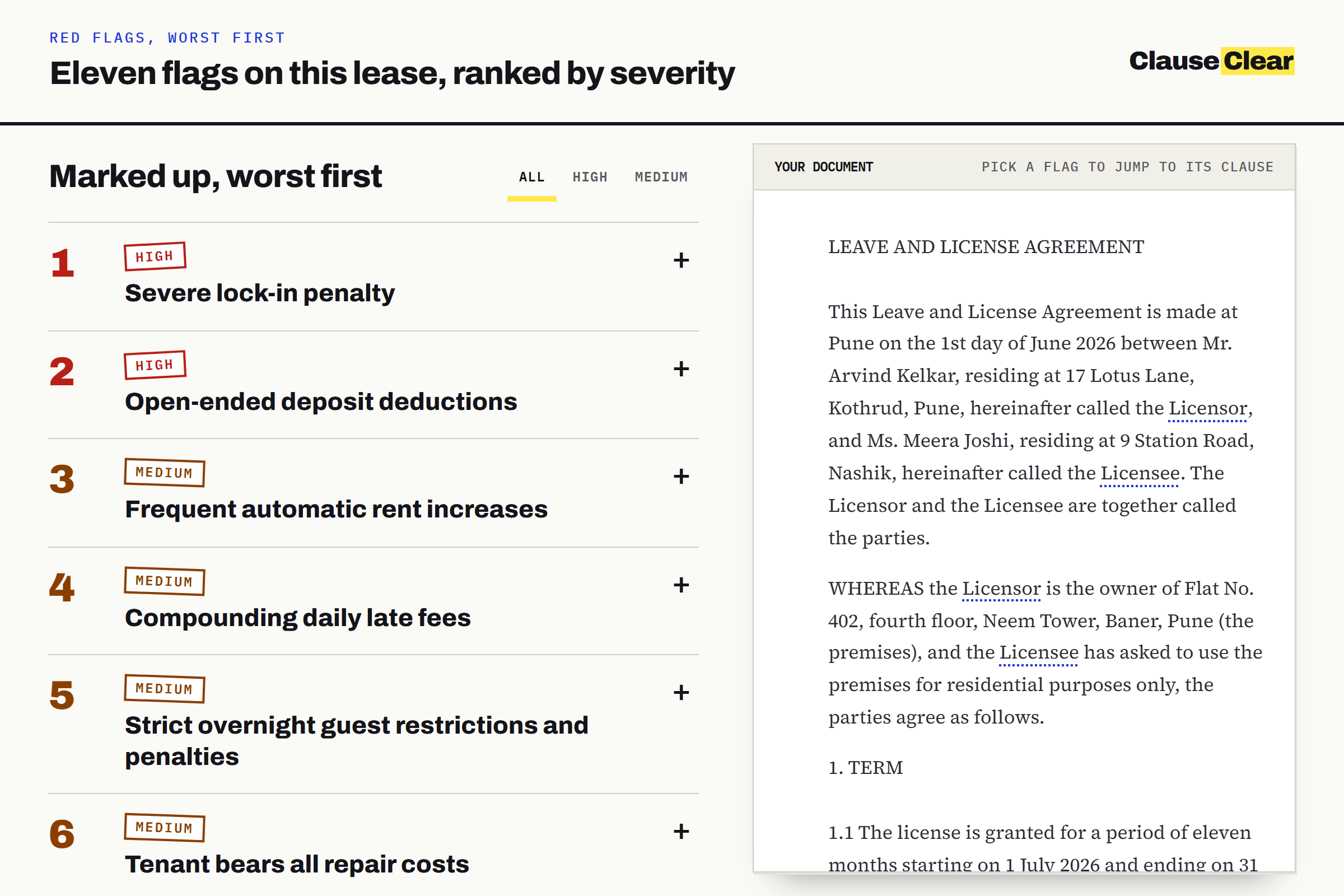
Flags: Red flags ranked by severity, worst first.
-
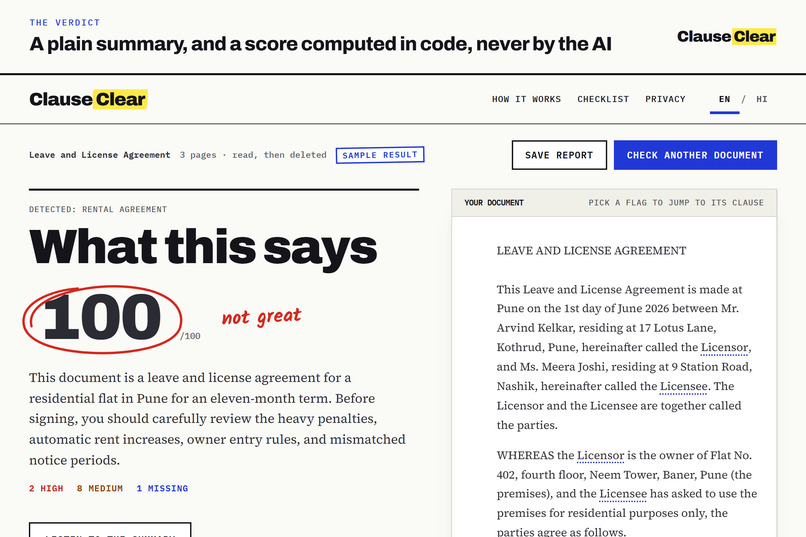
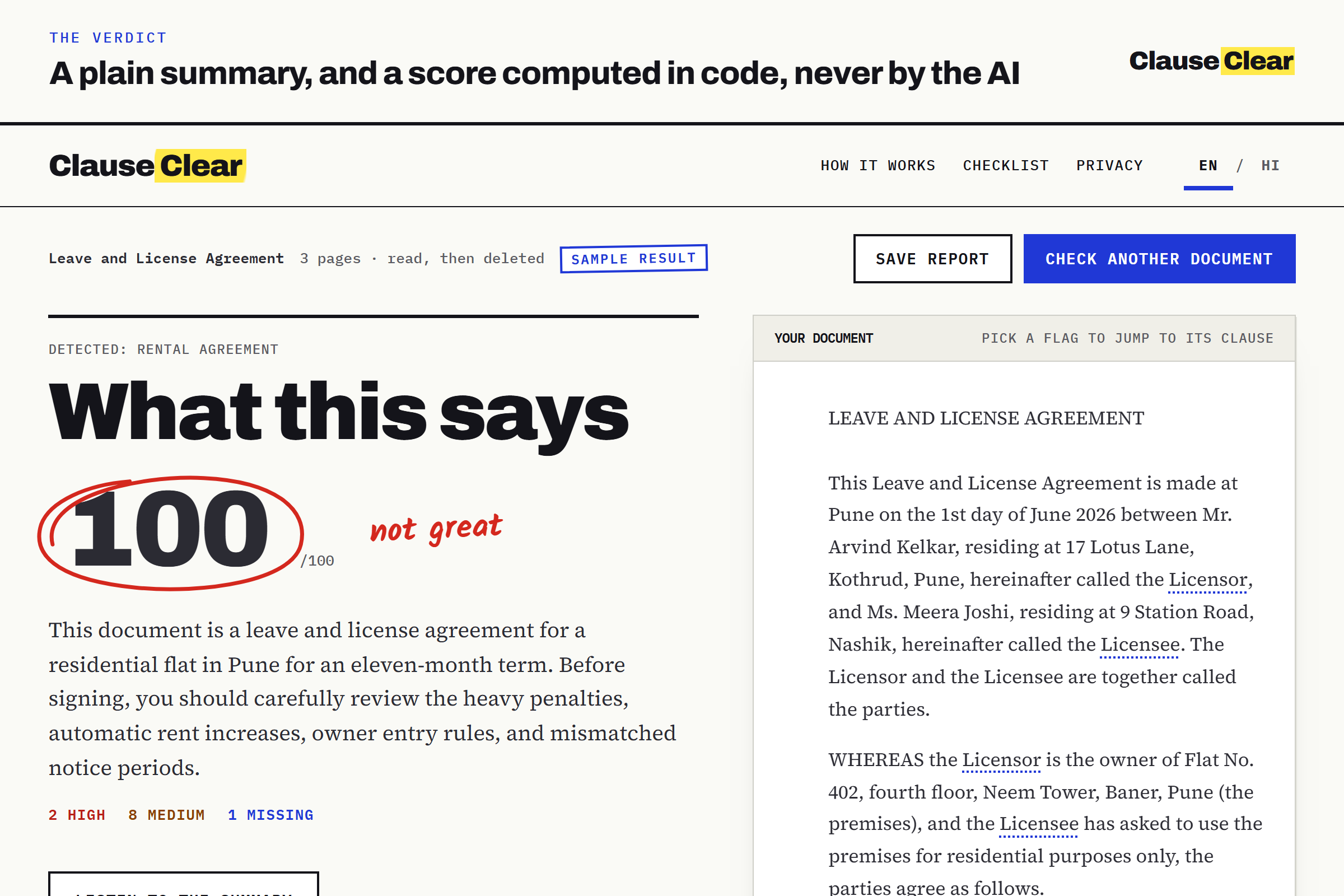
Verdict: A plain summary, and a risk score computed in code, never by the AI.
-
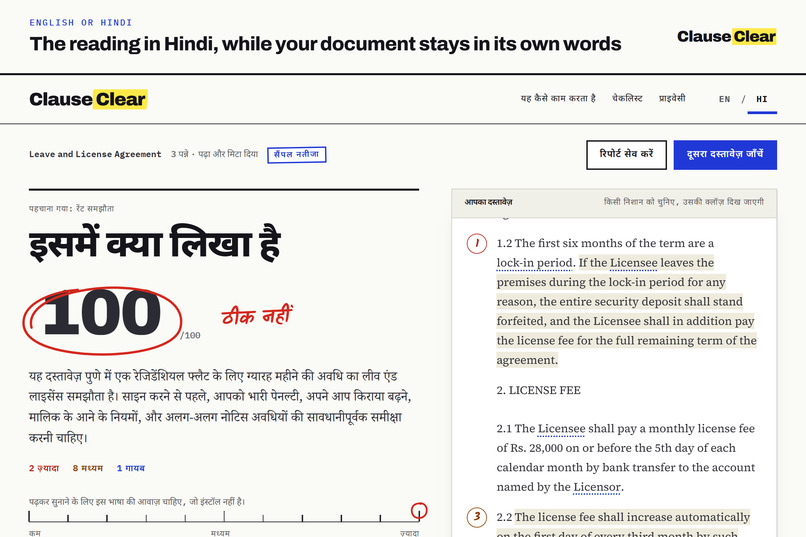
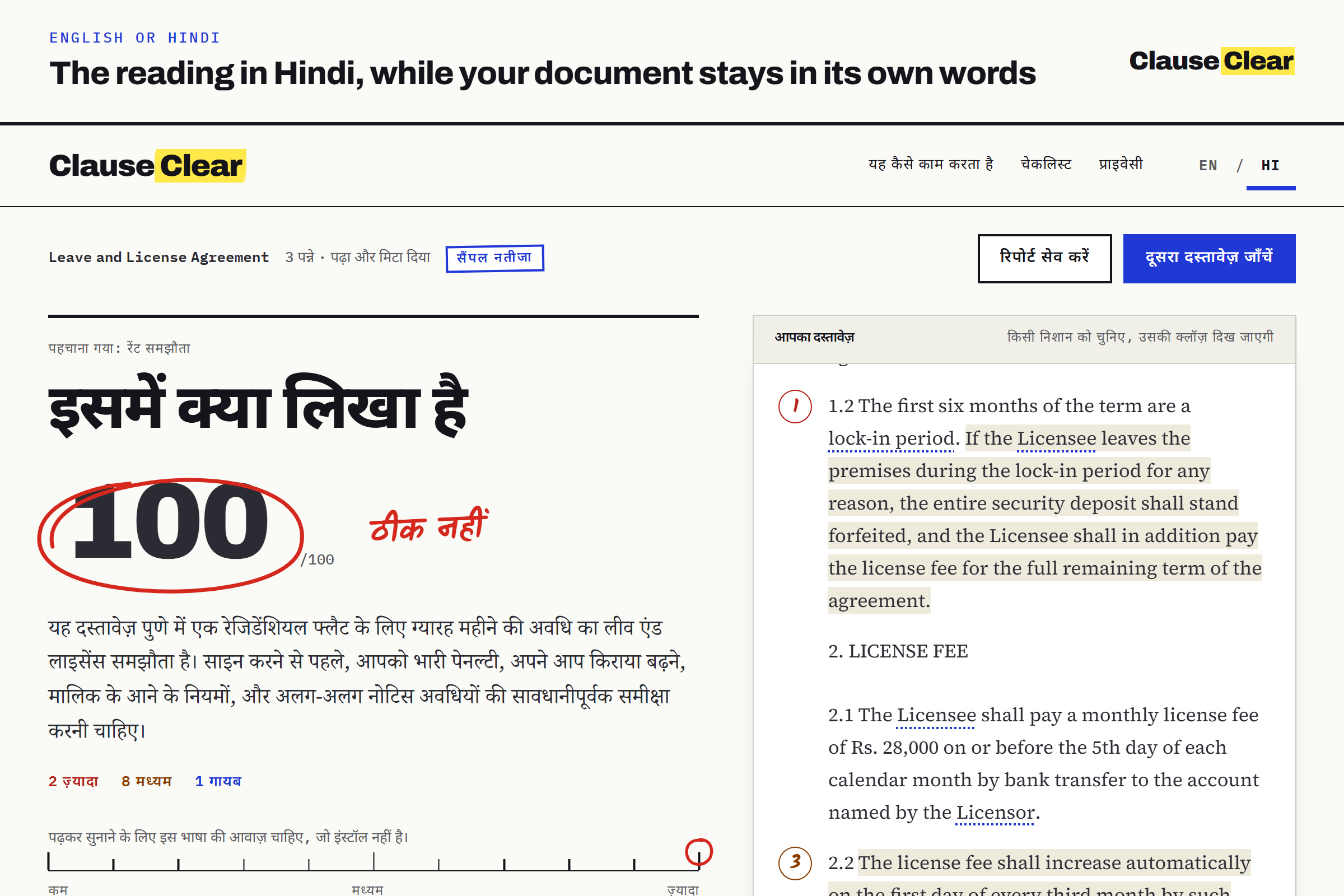
Hindi: The reading in Hindi, while your document stays in its own words.
-
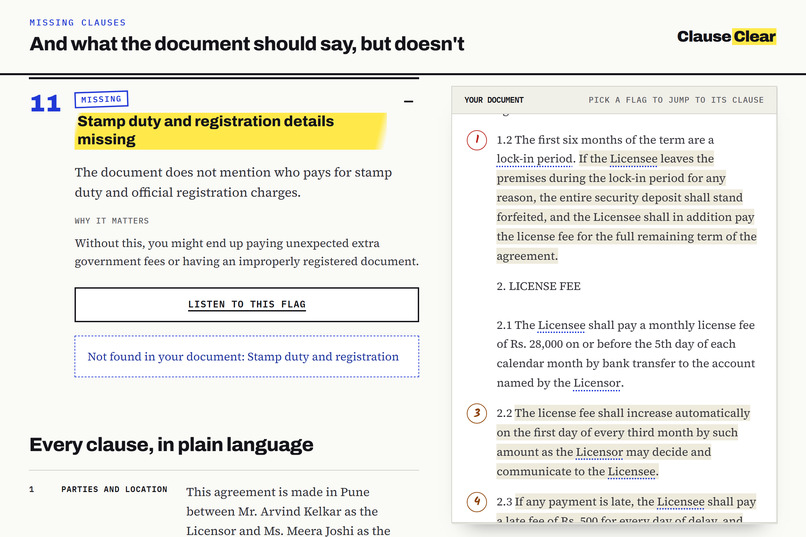
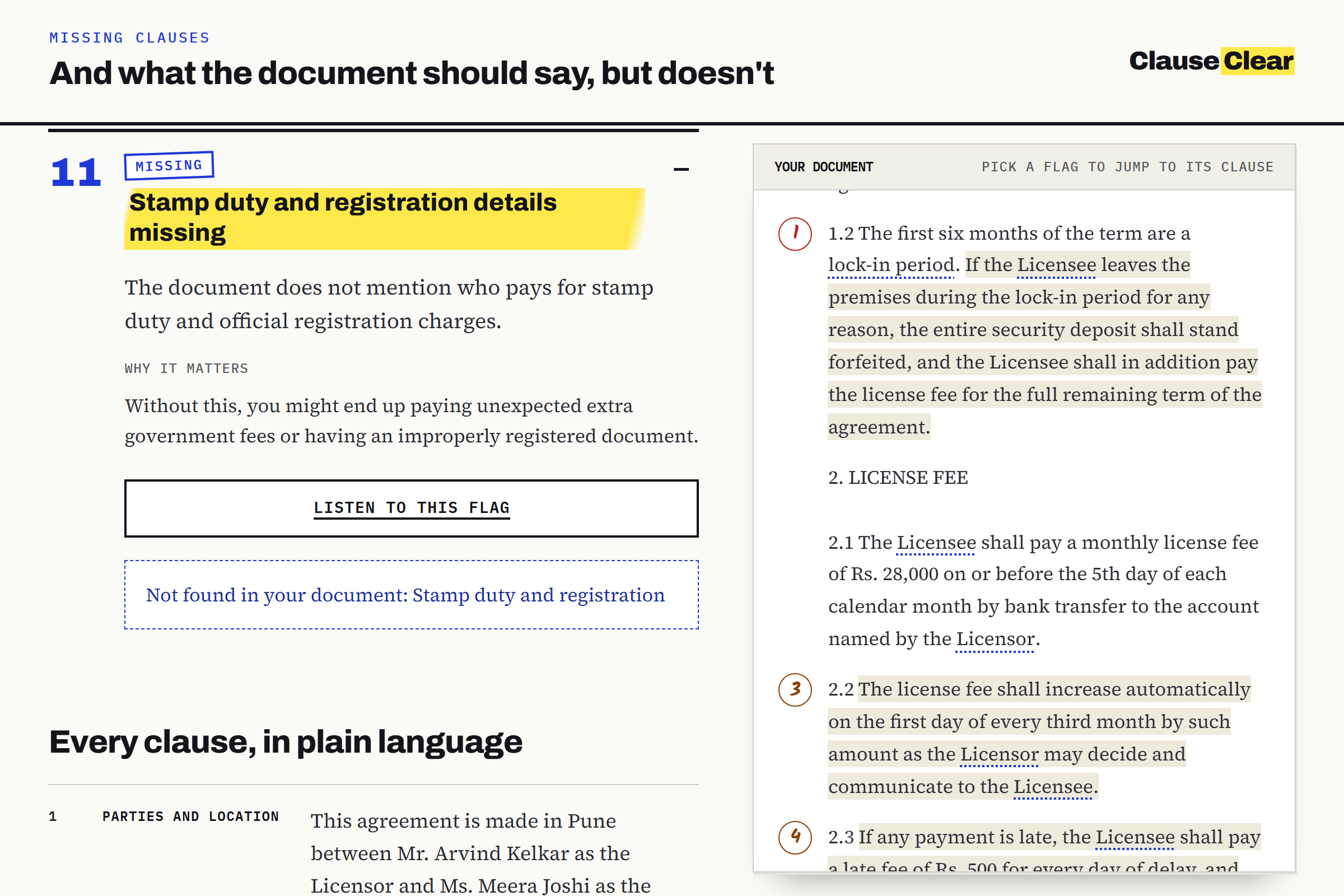
Missing: What the document should say, but doesn't.
-
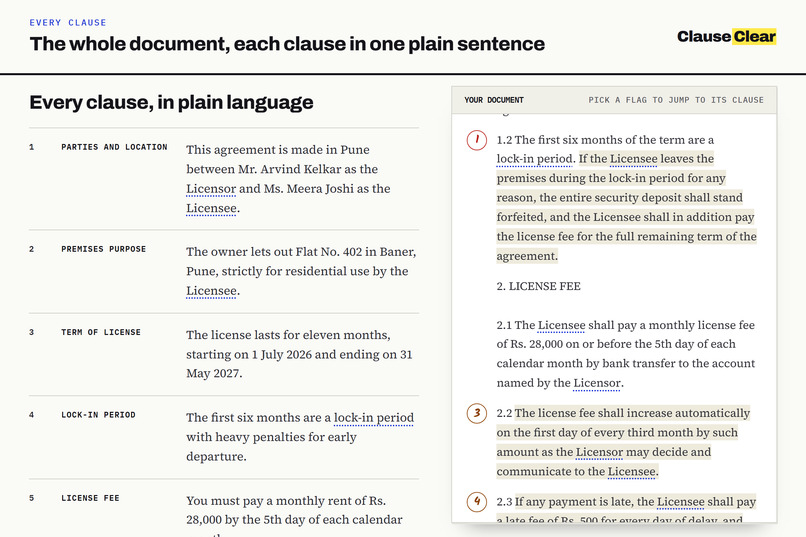
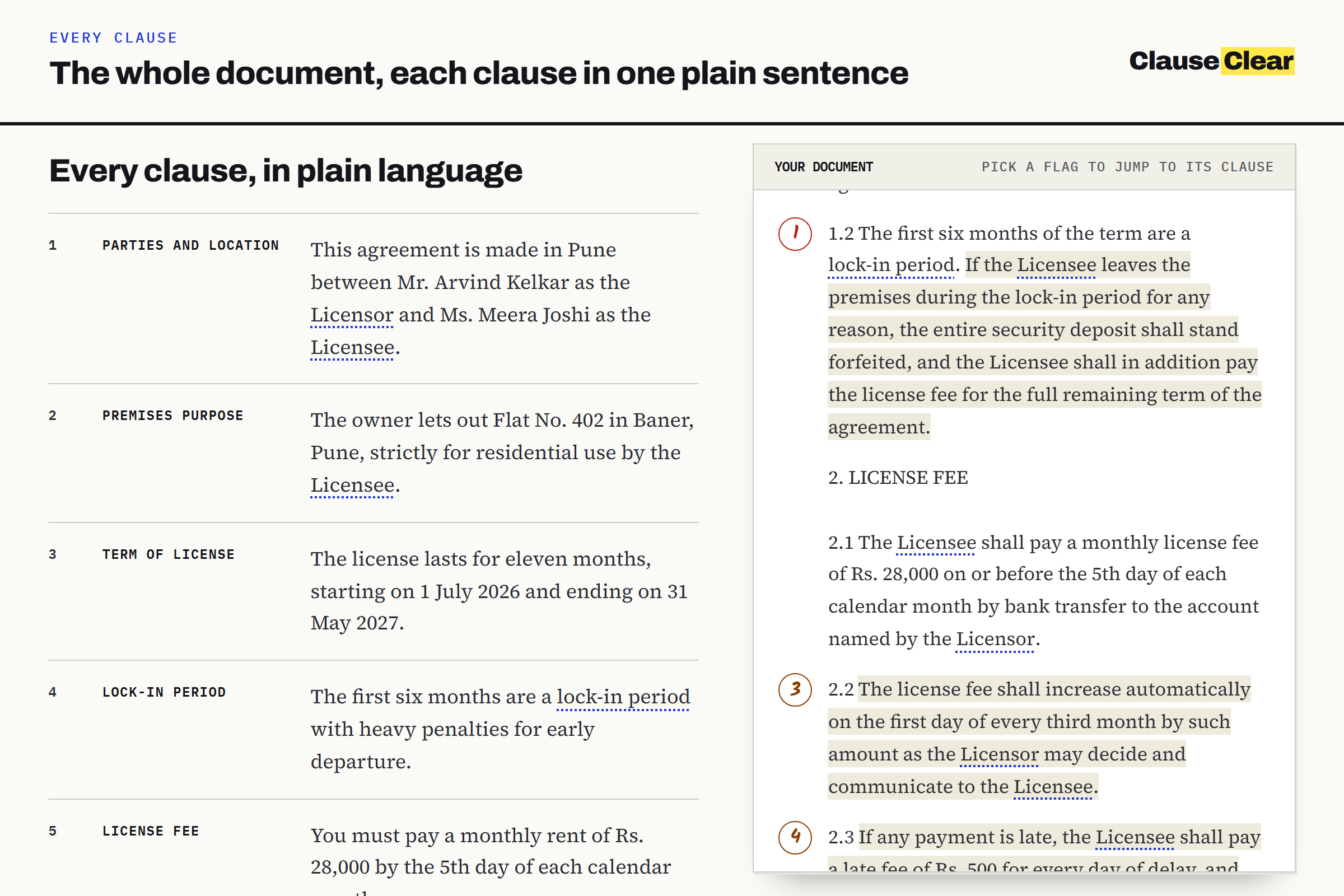
Clauses: The whole document, each clause in plain language.
-
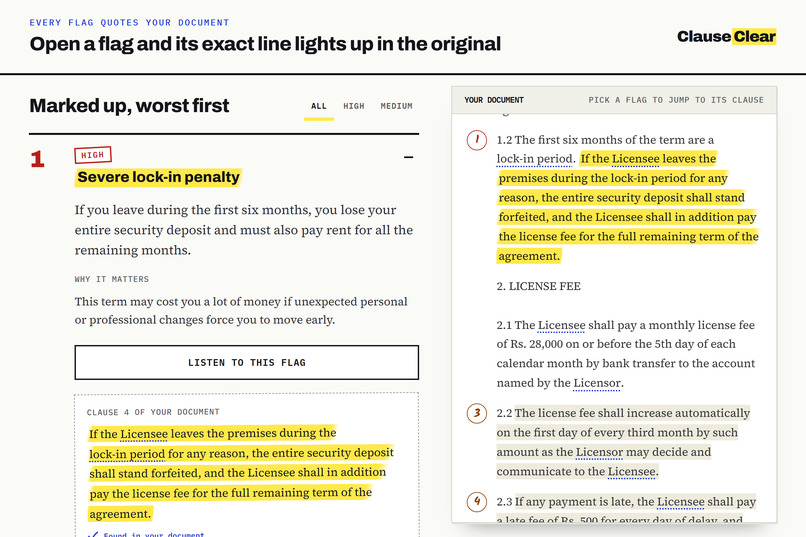
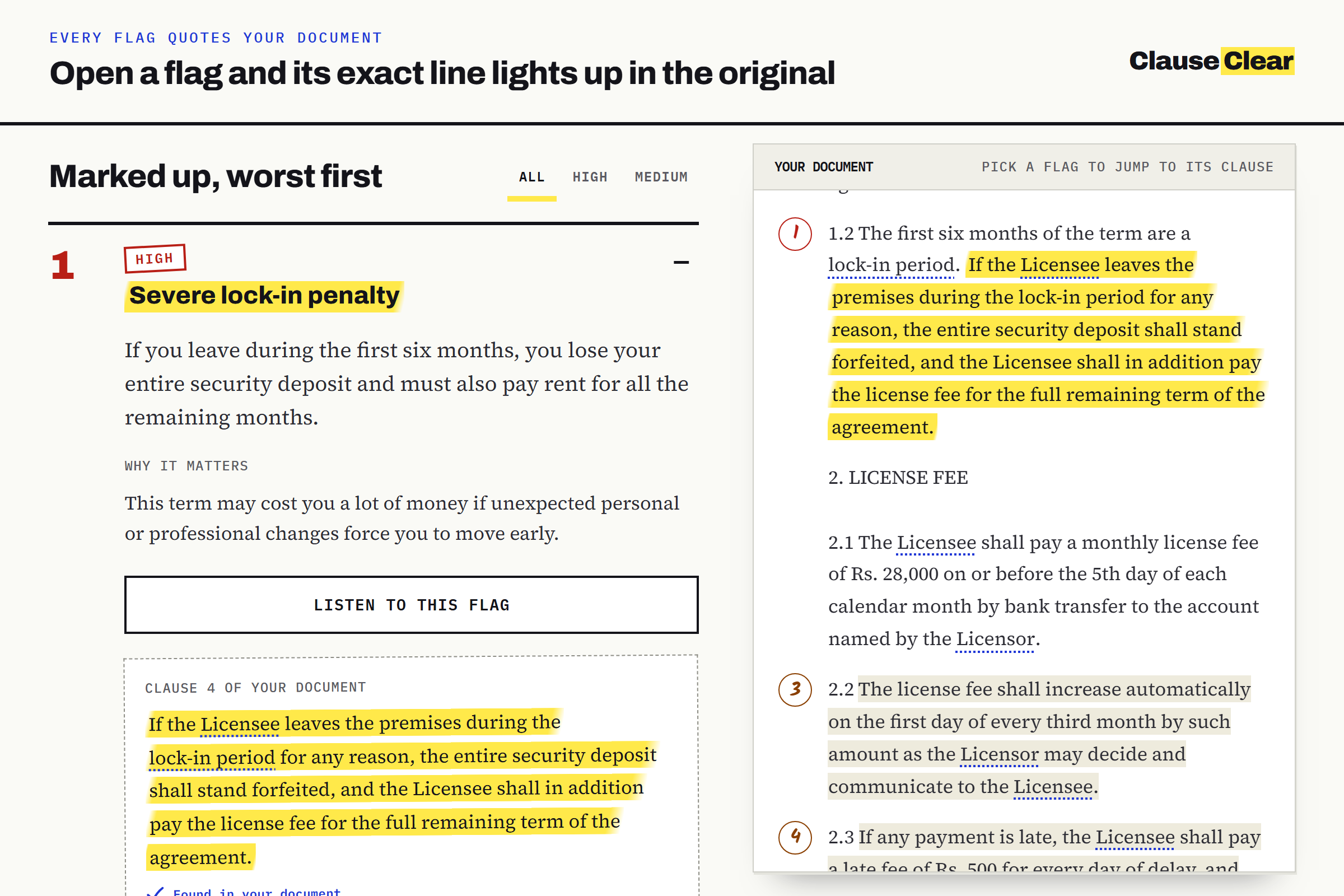
Quote: Open a flag and its exact line lights up in the original document.
-
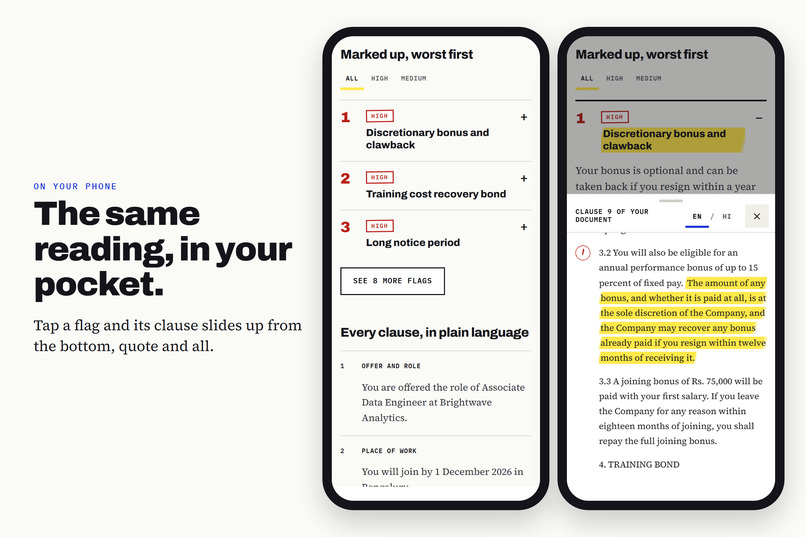
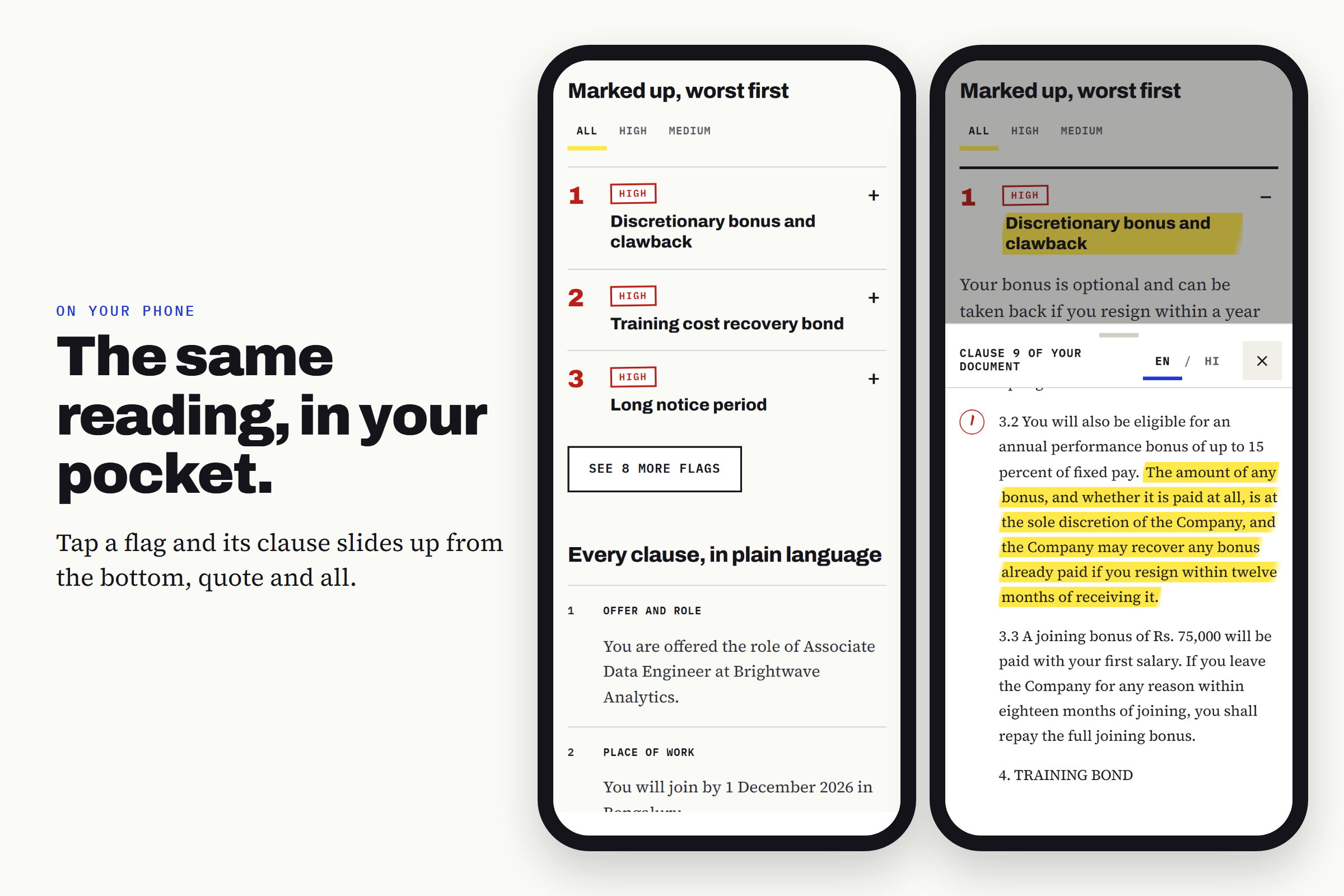
Phone: The same reading on your phone, with the clause sliding up from the bottom.
-
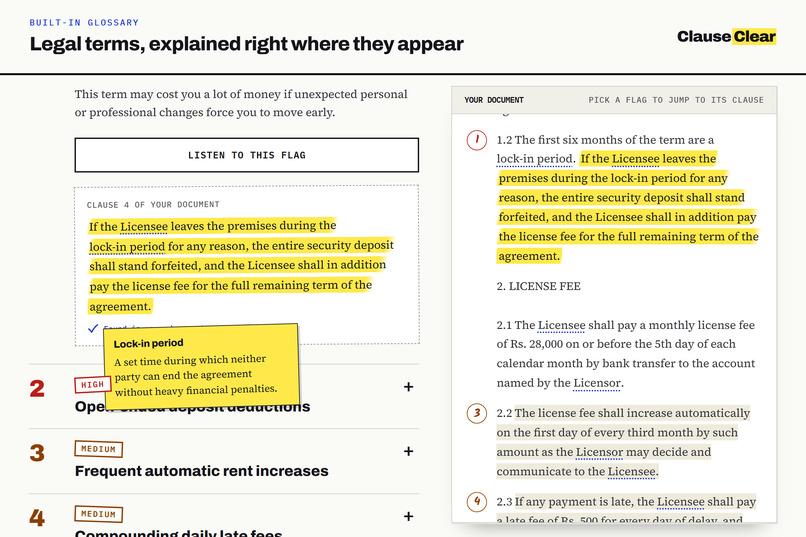
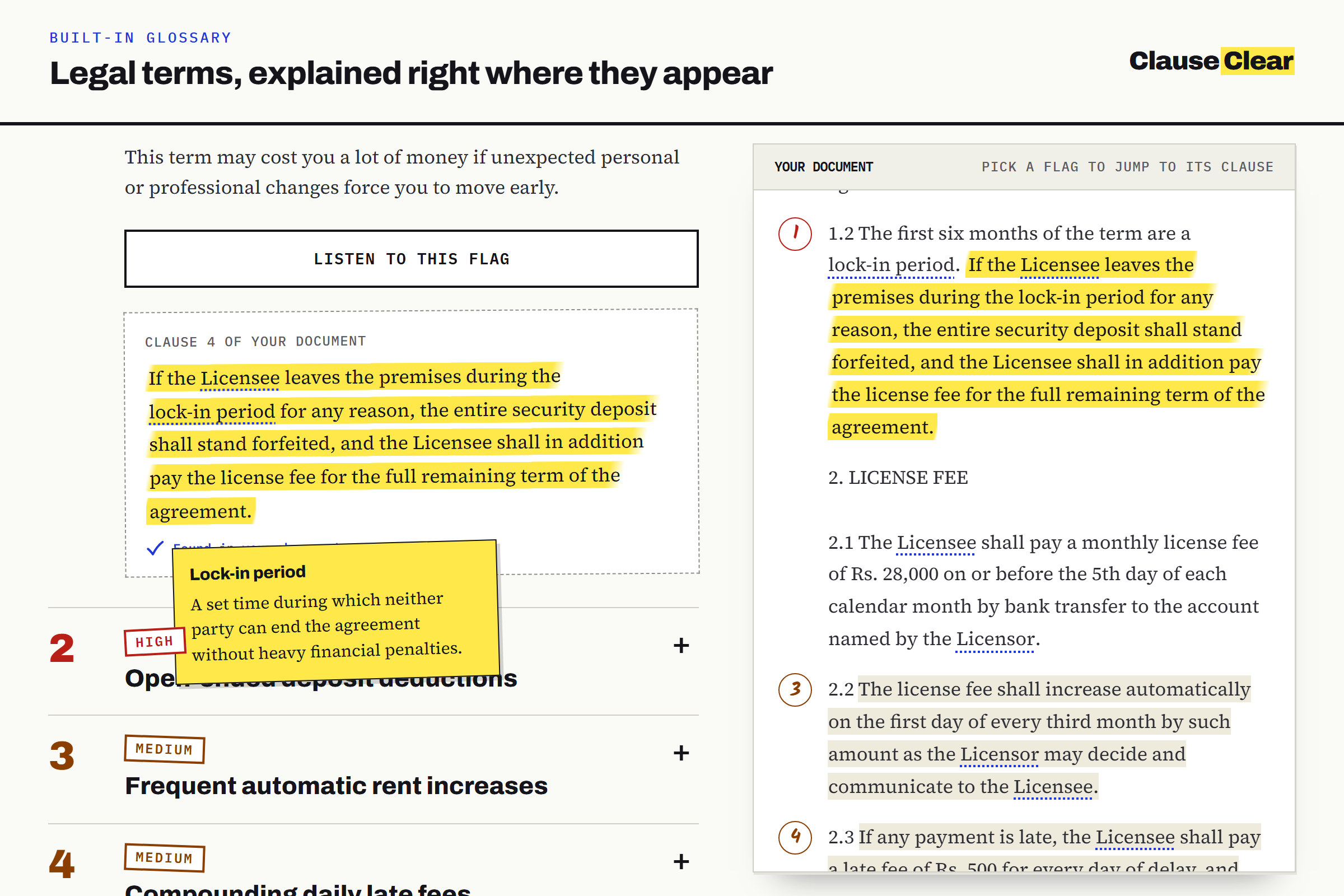
Glossary: Legal terms, explained right where they appear.
-
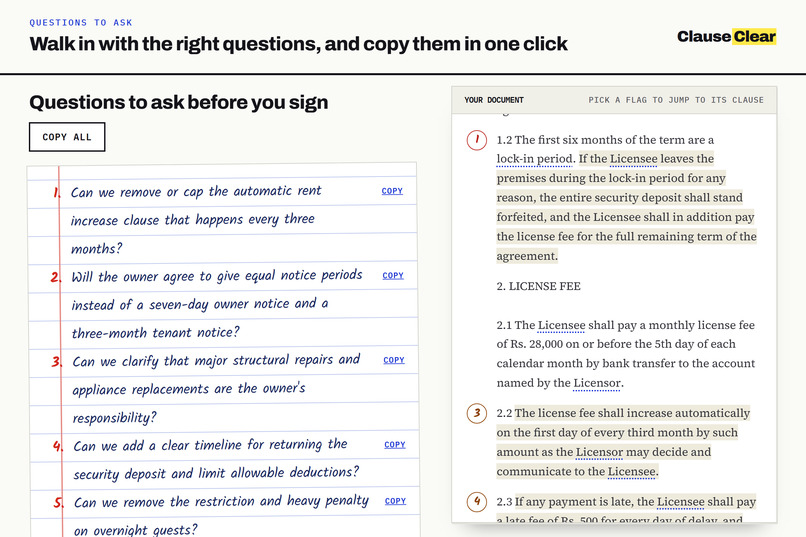
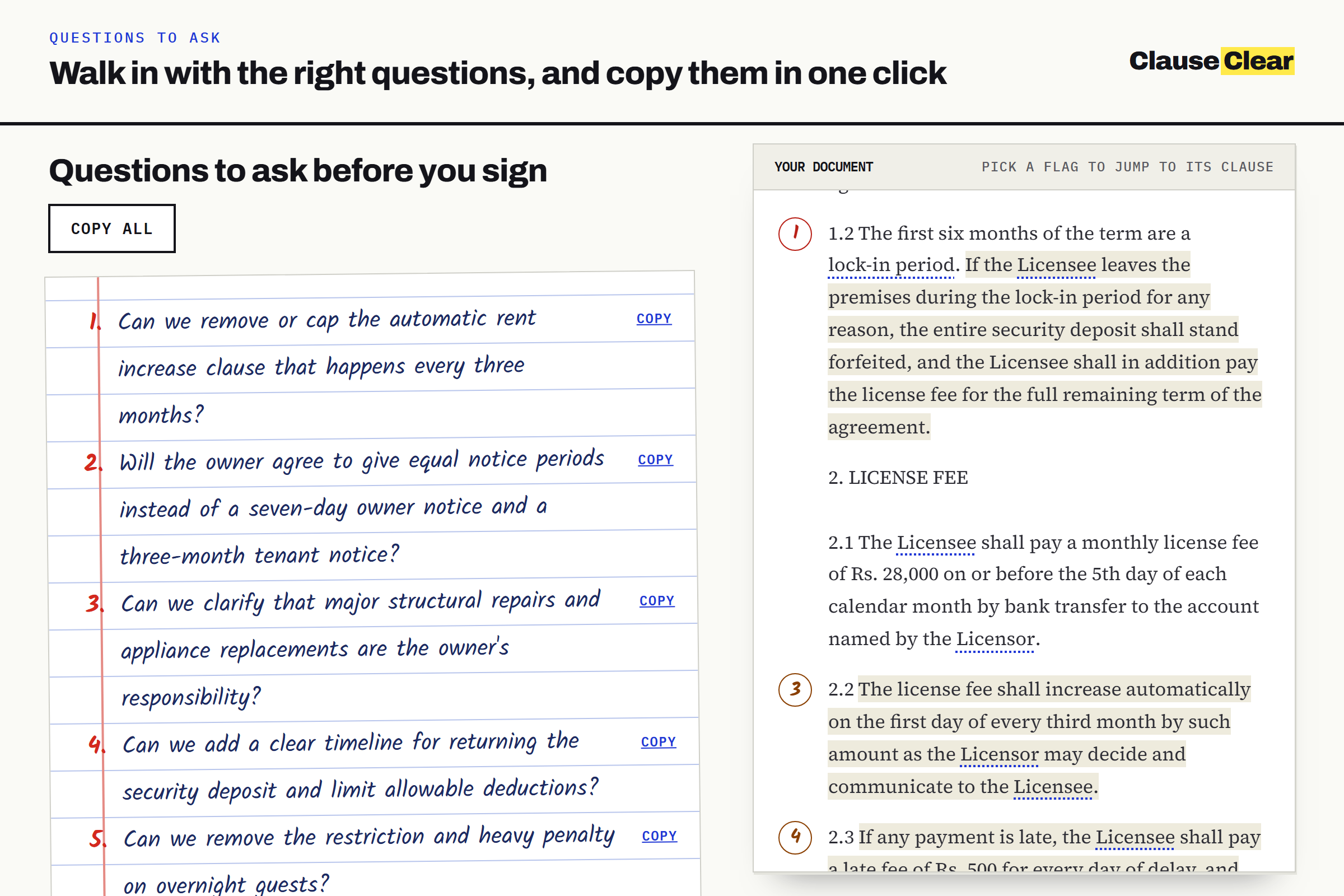
Questions: The questions to ask before you sign, copied in one click.
Inspiration
Most people sign leases, job offers and loan agreements without really understanding them. First-time renters, graduates with their first offer letter and anyone clicking "I agree" face pages of dense legal English, often in a second language, with no lawyer to ask. The costly clauses are the easiest to miss: a deposit forfeited for leaving early, a 24-month non-compete, an owner who can enter without notice.
AI chat can summarise a contract, but it can also invent clauses that aren't there, and a reader has no easy way to tell. For a document you're about to sign, a confident wrong answer is worse than none. So I wanted something that never asks you to take its word for it.
What it does
ClauseClear reads your lease, job offer, loan agreement or app terms and tells you, in plain English or Hindi, what you're really agreeing to. Upload a PDF or paste the text, and you get:
- A verdict: a short summary and a risk score from 0 to 100
- The numbers: rent, deposit, notice period, salary or interest, each checked against the document
- Red flags, worst first: each with a plain explanation, why it matters, and the exact line it comes from, highlighted in your document
- Missing clauses: what the document should say but doesn't
- Every clause in plain language, with legal terms explained right where they appear
- Questions to ask before you sign, ready to copy
- A checklist for before and after signing, with each item tied to the flag behind it
- Hindi at one tap: the explanations switch language, while quoted lines stay in the document's original English
Three samples (a rental agreement, a job offer and a loan) open instantly with no upload, so anyone can try it without sharing a document.
How we built it
ClauseClear is a React, Vite and TypeScript client with a Node, Express and TypeScript server, sharing one set of zod contracts. It's hosted on Vercel, and I built it with Claude Code as my coding assistant.
- Read. The server extracts the text from the PDF, tidies it and splits it into numbered clauses, so every line has an address.
- Recognise the type. Keywords decide whether it's a lease, a job offer, a loan or terms of service, and one small AI call settles unclear cases. Each type has its own checklist of risks.
- Ask the AI. The model gets the clauses and the checklist, and must cite the clause and copy the exact words for every problem it reports. The document is passed as data, so instructions hidden inside it are ignored.
- Verify every quote. The server checks that each quote really is in the clause the AI named. Near misses are corrected to the real words, and anything that can't be found is dropped along with its flag.
- Score in code. The risk score is a fixed formula over the verified flags, never a number the AI makes up.
- Translate on request. Hindi covers the explanations, questions and checklist, never the quotes, and every number in a translation is checked against the English.
Challenges we ran into
- Making AI output trustworthy. Models paraphrase when asked to quote, and sometimes cite clauses that don't exist. The fix was to treat every AI answer as a claim to check, not a fact to display.
- Running on free tiers. Free quotas are small and change without notice. ClauseClear uses about one call per document and keeps its own rate limits below the free ones. The samples work with no AI at all. The fallback provider is still a known gap: the switch works, but on the free tier it couldn't finish a full analysis in time, so Gemini does the real work today.
- Hindi without breaking the numbers. A translation that changes "Rs. 25,000" or "30 days" is dangerous, so every translated string is checked digit by digit and stays in English if the numbers differ.
- Real-world PDFs. Two-column layouts, repeated headers and footers, words hyphenated across lines, scanned pages with no text, and hostile files built to expand to a huge size. Extraction runs in a separate worker with a time limit, so one bad file can't stall the server.
Accomplishments that we're proud of
- Every flag on screen points to a line you can read yourself. If the quote can't be found in the document, the flag isn't shown.
- It's honest about privacy. Documents aren't stored and logs never hold their text. The upload area also says plainly that the text goes to an AI service, and advises redacting names, addresses and ID numbers.
- It's tested properly. The last full audit passed 657 unit and integration tests and 623 browser tests across five screen sizes, with accessibility checks and 0 known dependency vulnerabilities.
- It works for more people. It runs from 320 px phones up, with keyboard and screen reader support and in two languages.
What we learned
- Checkable beats clever. Users don't need the AI to sound confident. They need to see the line it's talking about.
- Decide what the AI shouldn't do. Moving the score, the quote checks and the number checks into plain code made the whole product more reliable.
- Words aren't the hard part of translation. The real risk in translating legal explanations is numbers and meaning shifting without anyone noticing.
What's next for ClauseClear
- More document types with their own checklists, such as insurance policies and phone contracts
- A native Hindi speaker's review of the translations, which are currently machine-made with checked numbers
- Reading documents written in Hindi and other Indian languages, not just explaining them in Hindi
- Reading scanned documents and photos with text recognition
- A dependable second AI provider for when the first runs out of quota
Built With
- axe-core
- claude
- express.js
- google-gemini
- helmet
- node.js
- nvidia-nim
- pdf.js
- pino
- playwright
- react
- supertest
- typescript
- vercel
- vite
- vitest
- zod
