-
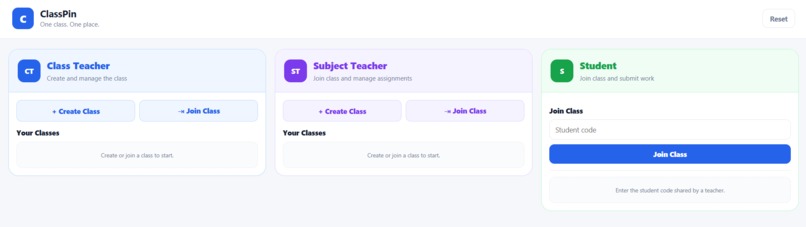
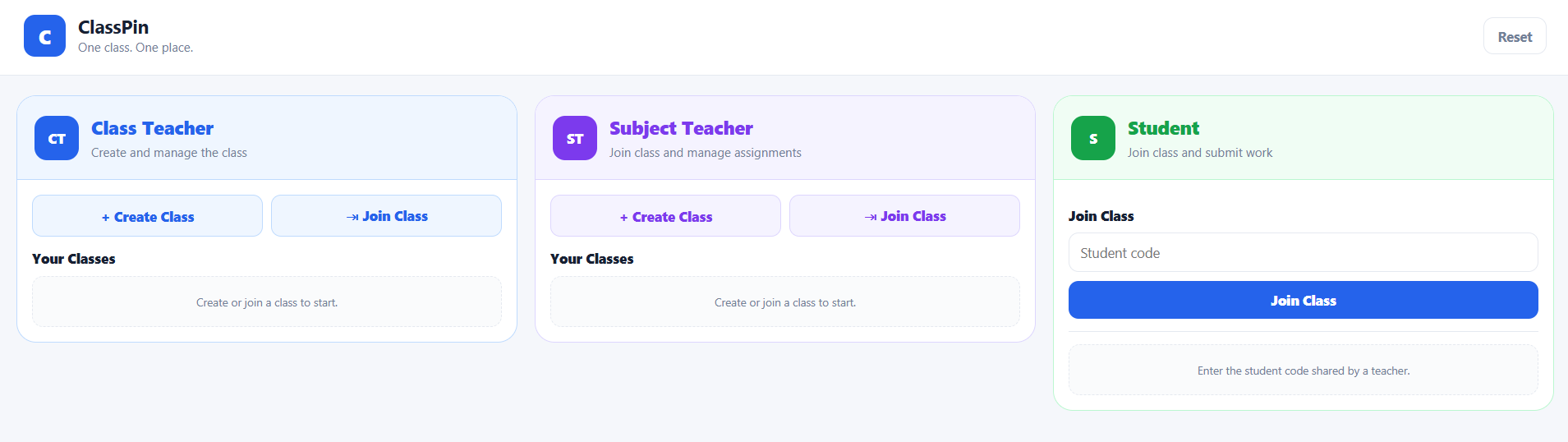
DashBoard of ClassTeacher,SubjectTeacher and Student.
-
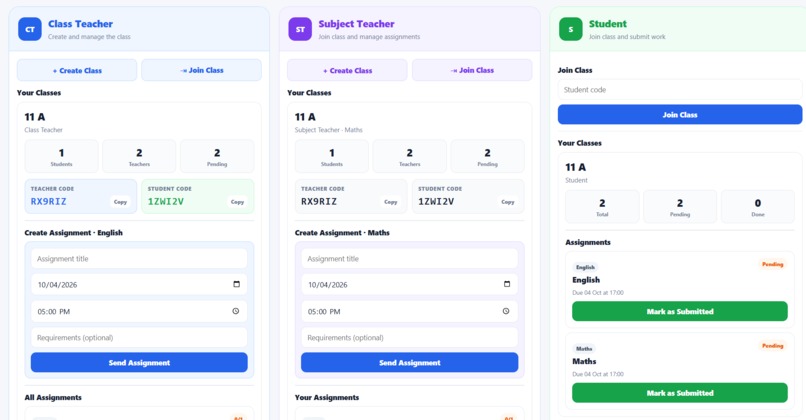
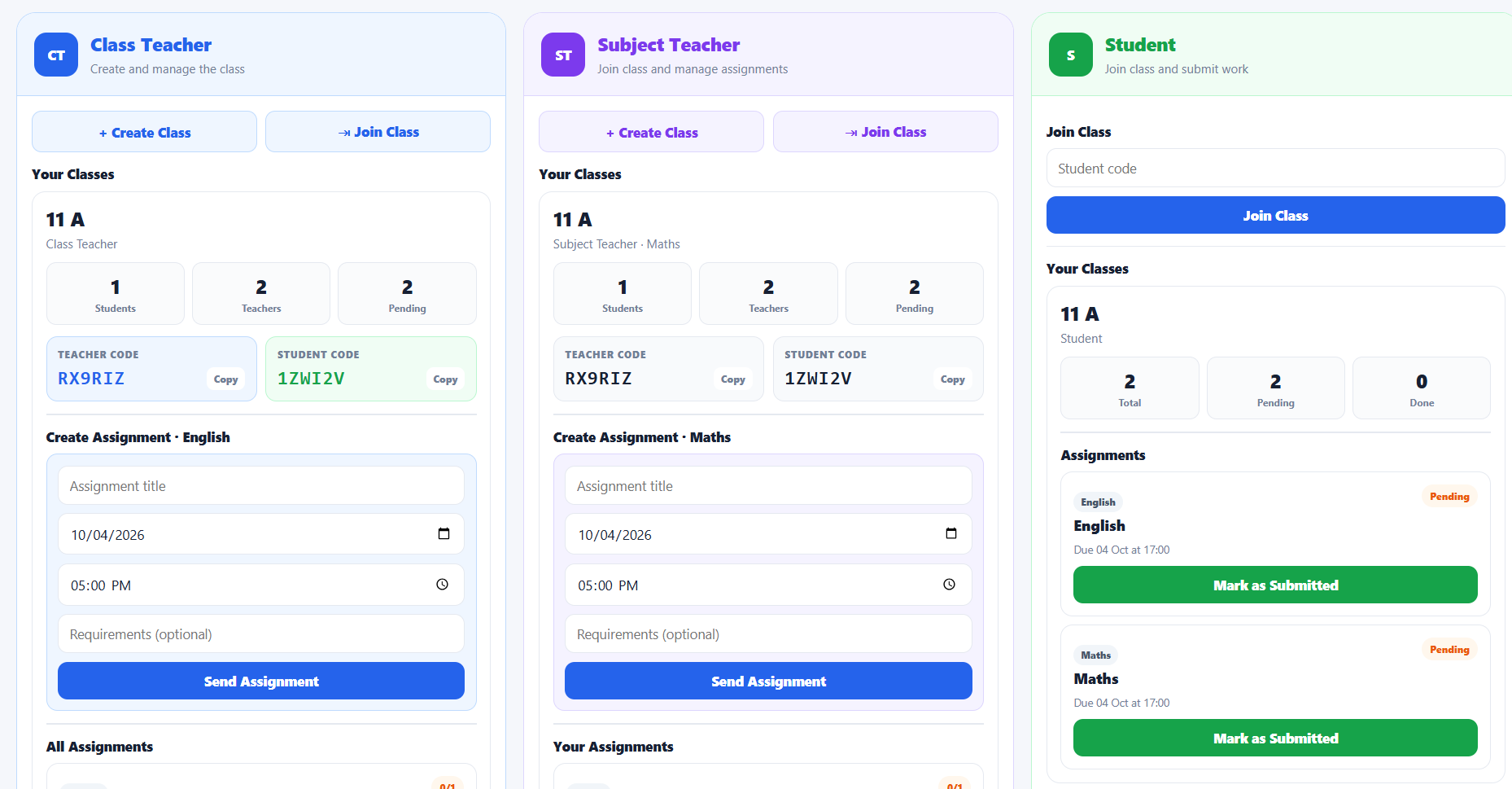
ClassTeacher created a Class,SubjctTeacher joined that Class through the Teacher's Code provided by the ClassTeacher to the SubjectTecher.
Inspiration
As students, we experienced how difficult it can be to keep track of assignments, deadlines, and updates when information is spread across WhatsApp groups, school portals, spreadsheets, and verbal announcements. We realized that the problem isn't always a lack of information — it is knowing what actually needs your attention.
That inspired us to build ClassPin, a simple platform that brings the essential class workflow into one place.
What it does
ClassPin connects Class Teachers, Subject Teachers, and Students within the same class.
Class Teachers can create classes, manage assignments across subjects, and monitor class activity. Subject Teachers can join a class for their specific subject and create assignments. Students can join using a student code and see the assignments they need to complete.
The core workflow is simple:
Create Class → Join Class → Create Assignment → Student Sees It → Track Progress
How we built it
We built the MVP using HTML, CSS, and JavaScript. For the prototype, we used localStorage as a lightweight data layer so that the different user perspectives could work with the same class and assignment data without requiring a backend.
We focused heavily on the user interface and made the three main perspectives — Class Teacher, Subject Teacher, and Student — visible and easy to understand.
Challenges we ran into
One of our biggest challenges was supporting multiple roles while keeping the interface simple. Each role needs different permissions and information, but everything still has to remain connected to the same class.
We also had to make sure assignments created by either a Class Teacher or Subject Teacher correctly appeared for students and remained visible to the Class Teacher.
Building a functional prototype without a traditional backend also required us to carefully structure how classes, teachers, students, assignments, and submissions were stored.
Accomplishments that we're proud of
We are proud that we turned a common school problem into a working multi-role MVP rather than just a concept or static design.
The three core perspectives are connected, assignments can flow from teachers to students, and the prototype demonstrates the main workflow of the product.
Most importantly, we managed to keep the experience focused instead of turning it into another complicated school ERP.
What we learned
We learned that building a good MVP is more about choosing what not to build than adding as many features as possible.
We also learned about user-focused product design, frontend development, data structures, connecting multiple user workflows, and working as a team under time constraints.
The project helped us understand how an idea moves from identifying a problem to designing, building, testing, and refining an actual product.
What's next for ClassPin
Our next step is to move beyond the local prototype and build a proper backend with authentication and persistent cloud data.
We also want to explore features such as AI-powered student attention insights, automated teacher reports, smarter assignment follow-ups, and internal class communication.
Our long-term goal is to make ClassPin an exception-first intelligence layer for schools — helping teachers and students quickly understand what needs their attention today.
Built With
- ai
- css
- frontend
- html5
- javascript
- localstorage
- responsive
- ui/ux
- webdevelopmment


Log in or sign up for Devpost to join the conversation.