-
-
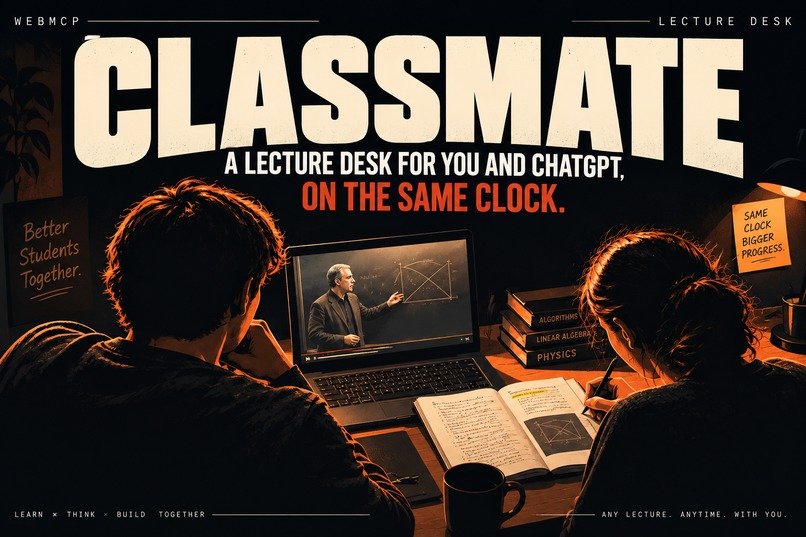
Thumbnail
-
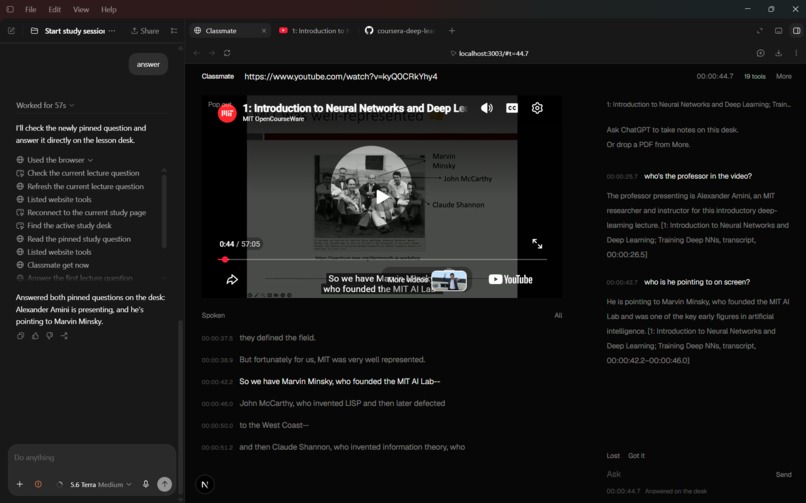
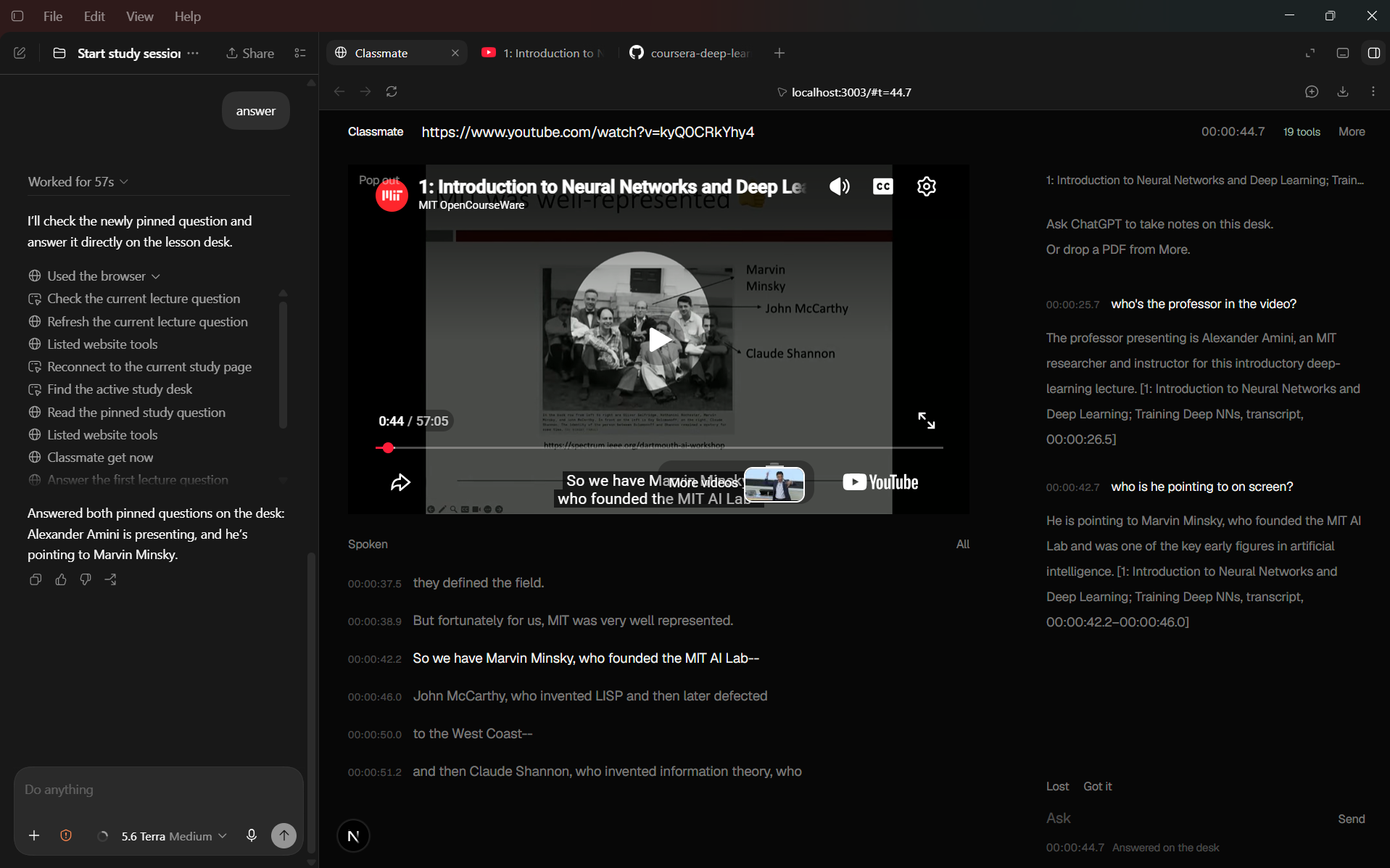
We can ask as many doubts as we want through out the lecture and get all of them answered by a single click in our agent with timestamps.
-
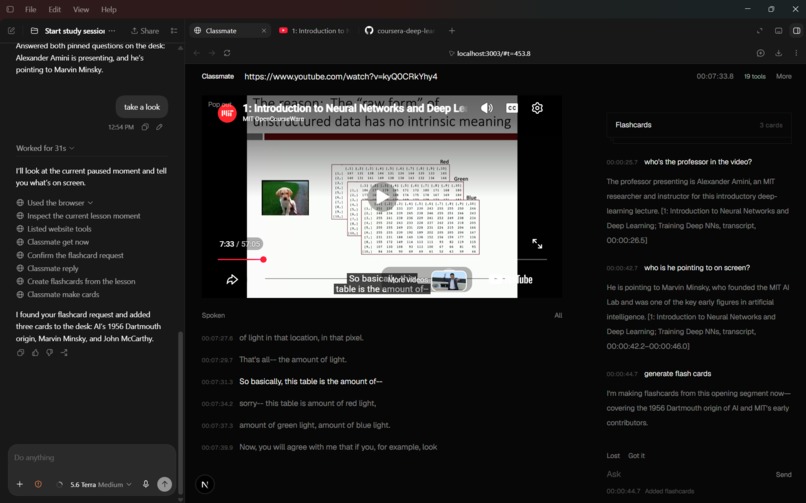
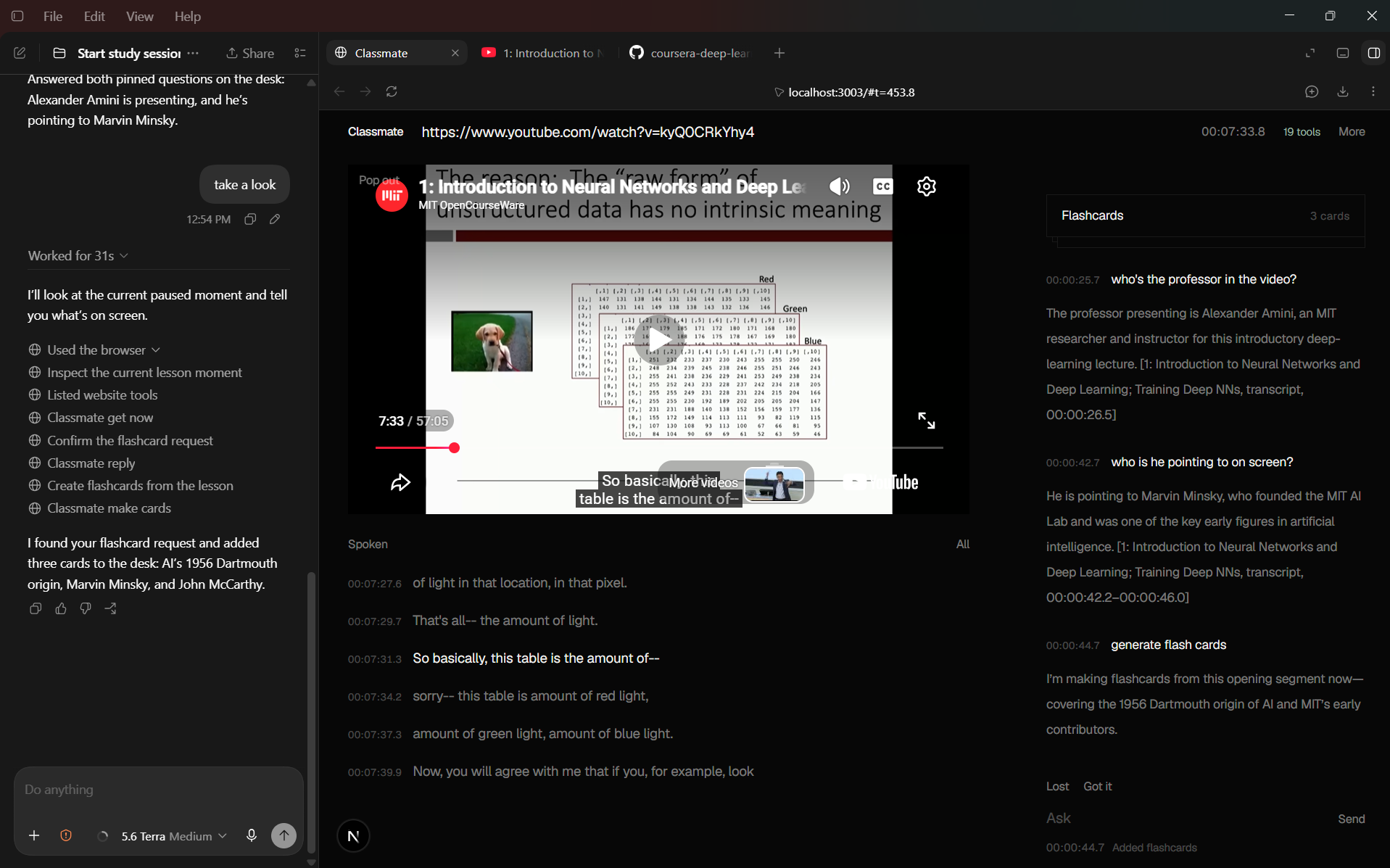
Flashcards could be generated.
-
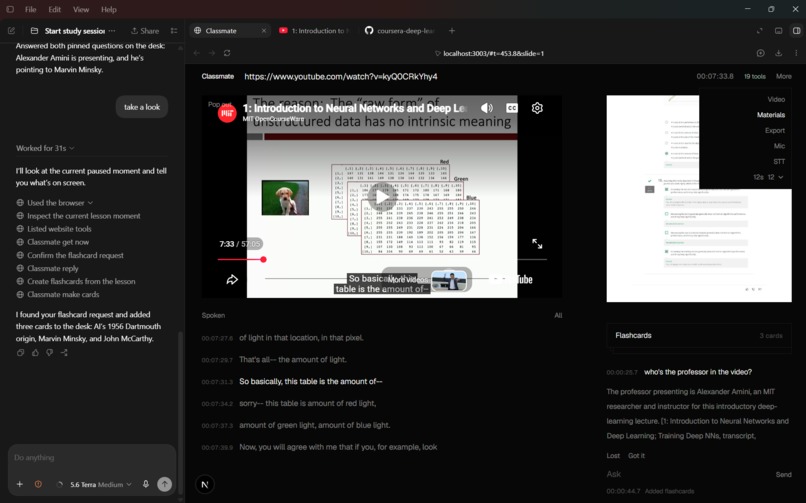
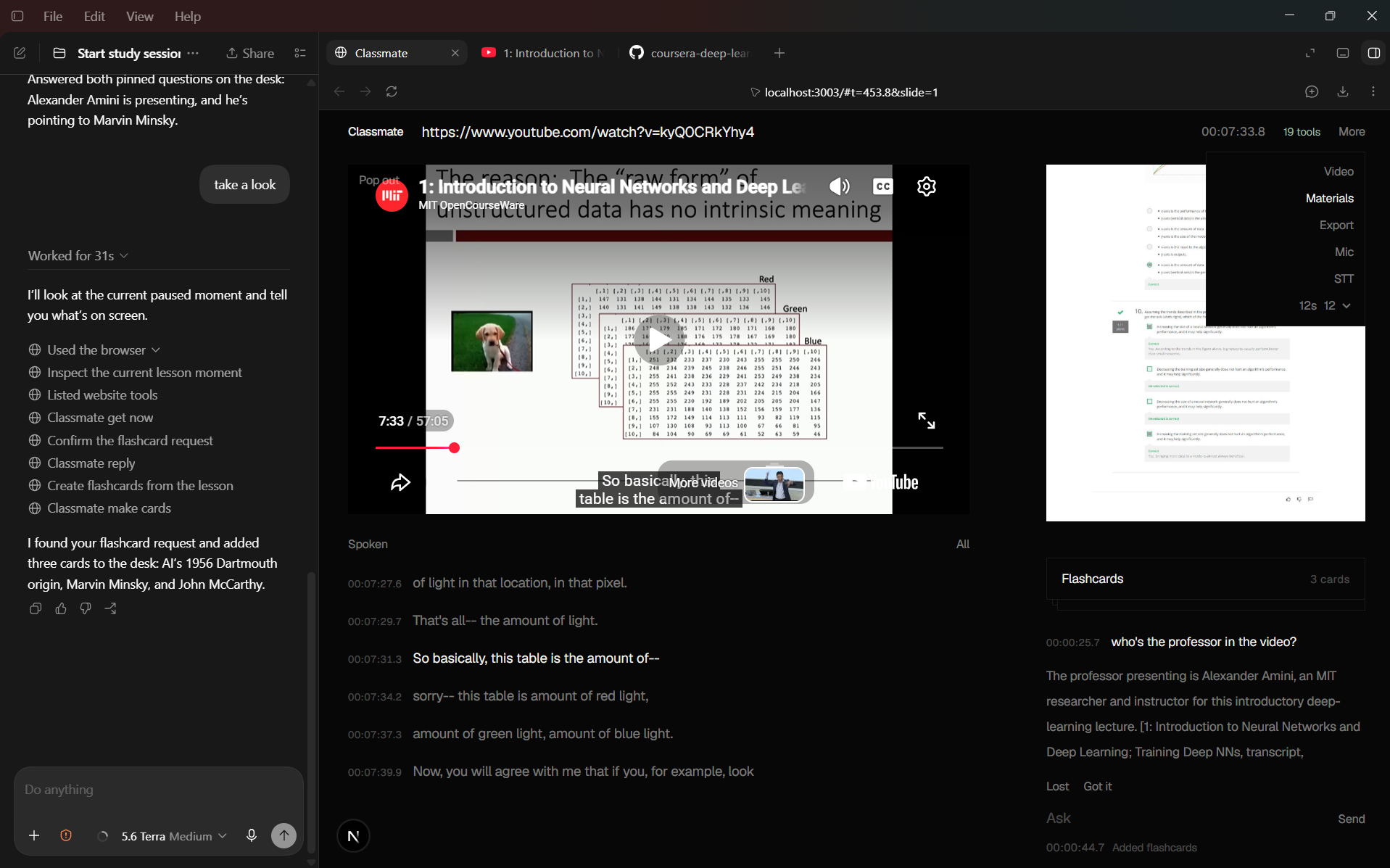
We can even upload our own material and go through the lecture accoring to it.
Classmate
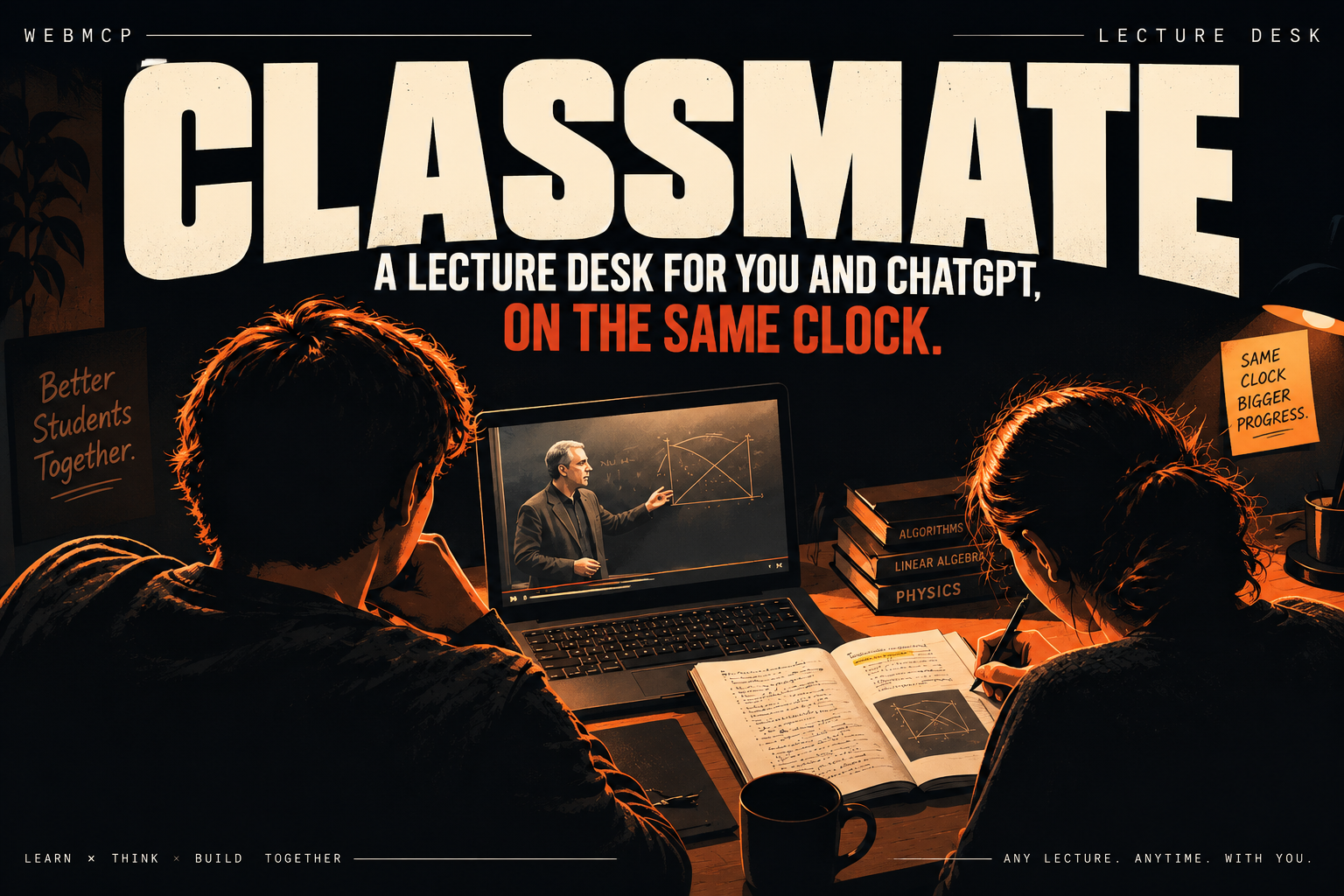
Paste a YouTube lecture. Video, captions, notes, and the board sit on one page. ChatGPT sits in the sidebar and actually uses that page — seek, highlight, draw — instead of talking about a screenshot.
Live: https://classmate-steel.vercel.app/
How to try it
This only works if ChatGPT has the page open in its own browser, not Chrome.
- Open ChatGPT desktop.
- Use Sol or Terra. Luna has WebMCP off, so skip it.
- Open ChatGPT’s built-in browser (the in-app one it uses to visit websites).
- Go to https://classmate-steel.vercel.app/
- Paste a YouTube lecture on the page.
- In the sidebar chat (not the Ask box on the right), type:
Study with me.
If the header shows a tool count, you’re good. ChatGPT talks in the sidebar. Stuff happens on the page.
Chrome still plays the video. Tools just won’t attach. Lost / Got it stay hidden. That’s normal.
Ask on the page is not a chat. It pins a question at this timestamp. Talk to ChatGPT in the sidebar. Lost / Got it mark this moment — they only show up when tools are live.
What it is
ChatGPT is the conversation. The page is the desk.
There’s one clock (LectureEngine). Video, transcript, slides, notes, and the board all follow playback.t. ChatGPT doesn’t watch the YouTube iframe. It reads what’s happening now, waits a bit, then writes on the desk so you can see it.
You paste a lecture, say study with me, and it already knows what to do. The tools carry the instructions. You shouldn’t have to explain the site.
Ask / Lost / Got it stay on the page. Next time ChatGPT reads classmate_get_now, the open questions are sitting there. It answers oldest first, next to the question — not only in the sidebar.
How I built it
Next.js, React, a single LectureEngine, WebMCP tools on the page, YouTube IFrame API, pdf.js, JSZip. Optional Speechmatics, AIMLAPI embeddings, Whisper, image gen.
I started from the clock and worked out:
- Everything on screen comes from
engine.now(). No second timeline. - Then the tools. Reads tell the model what to do next. If something’s missing (captions, image gen, player), the tool says so instead of making it up.
- Then loading stuff: YouTube captions, PDF/PPTX, notes, VTT, a
timing[]JSON file. - Then matching speech to slides/notes — word overlap first, embeddings if you have a key, and anchors when someone pins a slide at a time.
- Then the desk UI: flip cards, quizzes, chalkboard, diagrams. Dark and quiet on purpose.
It waits on video time, not wall-clock time. No screenshot of the iframe.
Architecture
ChatGPT talks. The page holds state. Tools are the bridge.
| Bit | Where | What it does |
|---|---|---|
| Conversation | ChatGPT sidebar (Sol / Terra) | Talk. Not the canvas. |
| Tools | document.modelContext on the page |
ChatGPT calls these. |
| Engine | LectureEngine in the tab |
One clock: video, cues, slides, notes, board. |
| Server | Next.js routes | Captions, metadata, STT token, embeddings, diagrams, Whisper. |
Flow is simple: ChatGPT calls a tool → execute() hits the engine → it gets JSON back (now() / snapshot()), not a picture of YouTube. The page hits /api/youtube/captions and friends when it needs to.
What’s in the engine:
| Store | What |
|---|---|
playback |
status, t, duration, rate |
cues[] |
captions |
slides[] |
deck |
notes[] |
from files, live, or the agent |
anchors[] |
“at this time, this slide” |
asks[] |
questions waiting for a reply, oldest first |
signals[] |
Lost / Got it |
| board | diagrams, cards, quizzes, margin notes |
That becomes now(), which both the UI and classmate_get_now use.
Tools live on the top-level page, not in an iframe. Chrome-only = player, no hands. Fine.
The YouTube player reports t and honors seek/play through a nonce so it doesn’t fight the engine.
Data structures
type Cue        = { id, start, end, text }
type Slide      = { id, index, title, text, html?, imageUrl?, embedding? }
type NoteBlock  = { id, index, heading, text, t?, origin: "file" | "live" | "agent", embedding? }
type Anchor     = { id, t, slideId, noteIds?, label? }
type DeskAsk    = { id, at, text, reply: string | null }
type StudentSignal = { id, kind: "confused" | "got_it" | "question" | "bookmark", at, text? }

type NowSlice = {
  sessionId, playback, timecode,
  transcriptWindow, windowText,
  activeSlide, slideReason: "anchor" | "text-match" | "semantic" | "none",
  noteHits: { block, score }[],
  recentHighlights, recentSignals
}
If auto-match is messy, pin a slide. That anchor wins later: last t <= playback.t.
Asks aren’t a second bot. unansweredAsks is everything still open. classmate_reply needs an askId (or a replies[] batch) so it can’t just answer the last one and ignore the rest.
Notes remember where they came from. Change the video, live junk goes away. File notes and agent notes stay.
Seek/play are one-shot requests with a nonce so YouTube doesn’t get stuck looping the same command.
How the agent is supposed to work
The how-to isn’t a paragraph you paste. It’s the description on classmate_get_session, and every read sends back howToStudy + next.
- Open the URL in ChatGPT’s browser. Tools register.
- Say Study with me.
- It calls
classmate_get_session. - You paste YouTube. Captions go into
cues[]. - Loop:
observe_next(wait ~12s of the video, or Lost / Got it / Ask) thenget_now. - New idea, they’re lost, or they asked → highlight, pin, draw, cards, reply. On the page.
- Otherwise stay quiet.
observe_next watches playback.t, not setTimeout(12000). Pause the video, it stops waking. Seek isn’t “12 seconds passed.” Lost / Got it cut in immediately.
Cite like [title, slide N, 4:12]. Don’t invent the rest of the lecture. Don’t screenshot YouTube.
Captions
ChatGPT can’t hear the video. If captions never hit the page, get_now is empty and it starts guessing.
YouTube from a Vercel IP is annoying. The watch page lists caption tracks, then the actual fetch comes back blank. This is the fallback order:
| Step | Try | If nothing |
|---|---|---|
| 1 | Watch-page timedtext | next |
| 2 | InnerTube Android player + json3 | next |
| 3 | iOS / TV player | next |
| 4 | get-youtube-transcript in the function (PoToken) |
next |
| 5 | empty cues | “Listen with the microphone” |
Android is what usually works in production. The old local script that minted a PoToken in a child process doesn’t ship on Vercel, so the library runs in-process now.
Mic is opt-in. You can’t captureStream a YouTube iframe, so we don’t grab the mic on every paste.
Matching slides and notes
now() just asks: given this second of the lecture, what’s relevant?
- Take
playback.t. Grab cues from about 18s behind to 4s ahead. - If there’s an anchor at or before now, that’s the slide.
- Else overlap the spoken window with slide text.
- Else embeddings, if you have a key.
- Same idea for notes: words, nearby timestamps, embeddings.
Word overlap is the default so it doesn’t invent a heading like “JavaScript Loops” from a video that never said that. Auto-generated notes were doing that, so I killed them. Empty notes beat wrong notes.
Calls I stuck with
The page is the desk. If ChatGPT only talks, this is a YouTube tab with extra steps. Writes have to show up on screen.
Tools explain the site. classmate_get_session is the playbook. You say one sentence.
If we don’t have it, say so. No captions → listen. No image gen → chalkboard SVG. No WebMCP → hide Lost / Got it.
Ask isn’t chat. A second box posting to an LLM would hide state. Questions live on the desk until they’re answered, oldest first.
Wait on the video, not the clock. Paused shouldn’t keep pinging. A seek isn’t progress.
Cards are cards. classmate_make_cards is a flip packet. Quiz is a separate packet. Don’t dump a wall of quiz text.
You can export / load a timing[] JSON plus YouTube, mp4, PDF, PPTX, VTT, notes. The engine doesn’t care which door the data came in.
What was annoying
Captions on Vercel. Worked on my laptop, empty in production. InnerTube Android first, then in-process transcript, then mic.
Wanting to screenshot YouTube. Can’t. Cross-origin. Put speech on the page instead.
Tools not existing on first paint. We poll document.modelContext until they stick, then show the count.
Only the last Ask got answered. First version used .at(-1). Now it drains the queue.
Fake notes. Distill hallucinated titles. Stopped that.
YouTube setSize on the docked 16:9 player. Had to tell the adapter, not just CSS.
What I learned
A better prompt about a website isn’t the fix. The website has to be a tool.
If the model’s clock is the chat turn, it’s always in the wrong chapter. If it’s playback.t, highlights start to mean something.
If you asked on the page and the answer only exists in the sidebar, that’s two products. Putting replies next to the question is when this started feeling like a desk.
Saying “no captions” is better than a confident wrong transcript.
And don’t screenshot the iframe. Captions → match → get_now → writes. That’s the whole chain.
Built for the WebMCP Challenge. MIT.
Live: https://classmate-steel.vercel.app/ — ChatGPT’s built-in browser, Sol or Terra, paste a lecture, say study with me@https://classmate-steel.vercel.app.
Built With
- aimlapi
- get-youtube-transcript
- jszip
- next.js
- pdf.js
- react
- speechmatics
- tailwind-css
- typescript
- vercel
- webmcp
- youtube-iframe-api

Log in or sign up for Devpost to join the conversation.