-
-
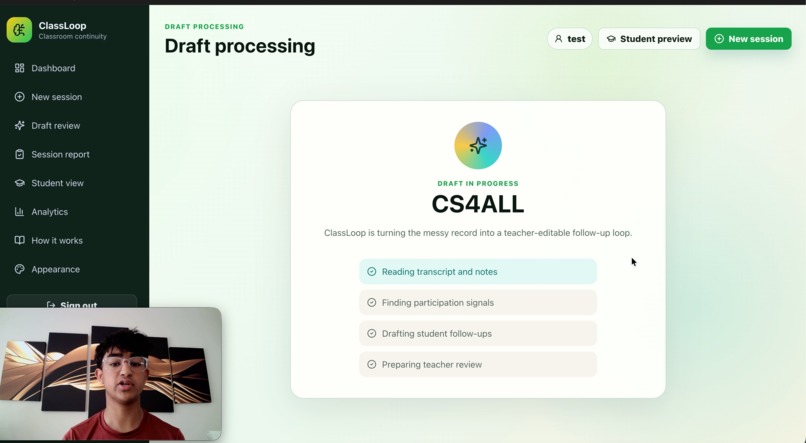
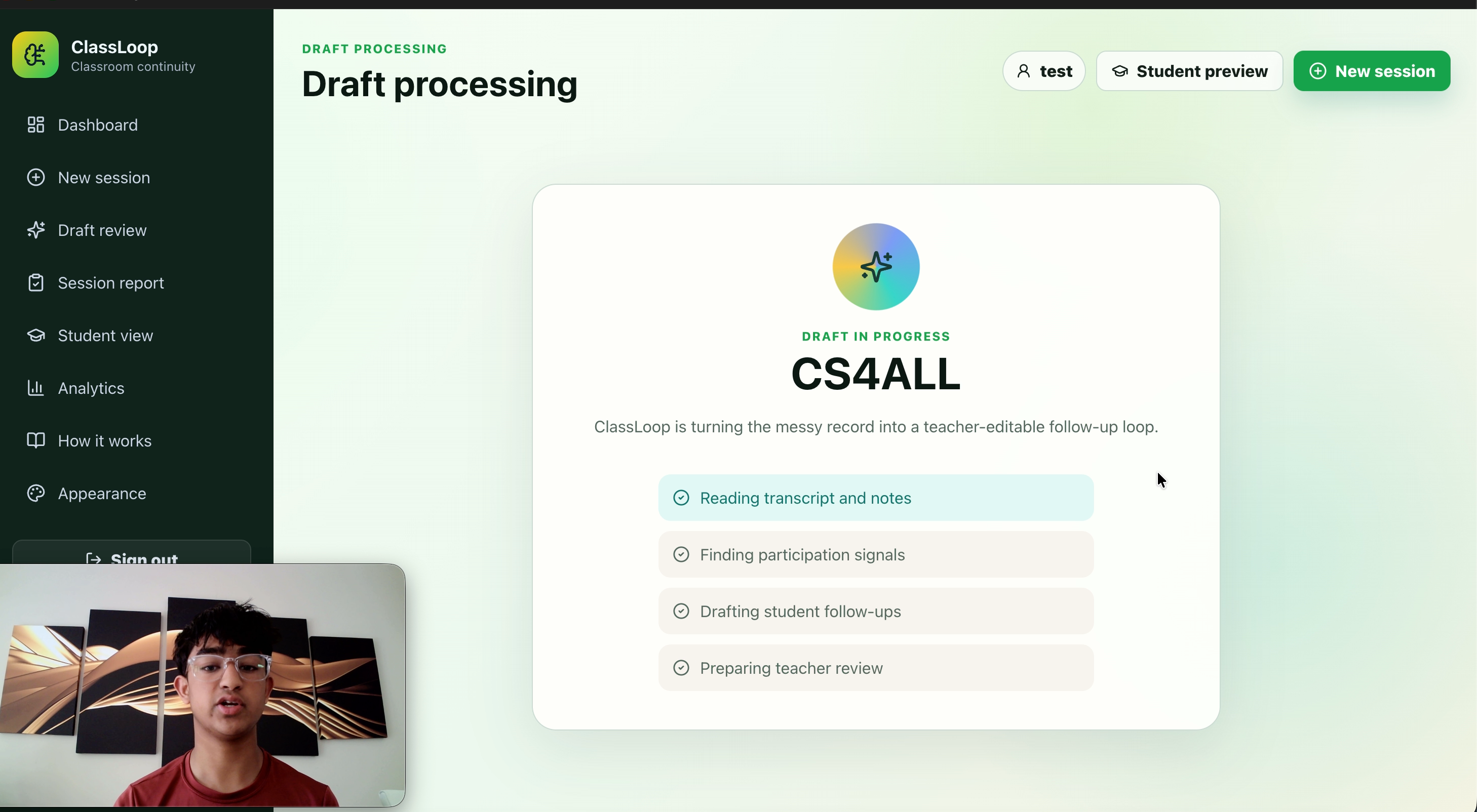
classloop processing my zoom transcript into a dashboard
-
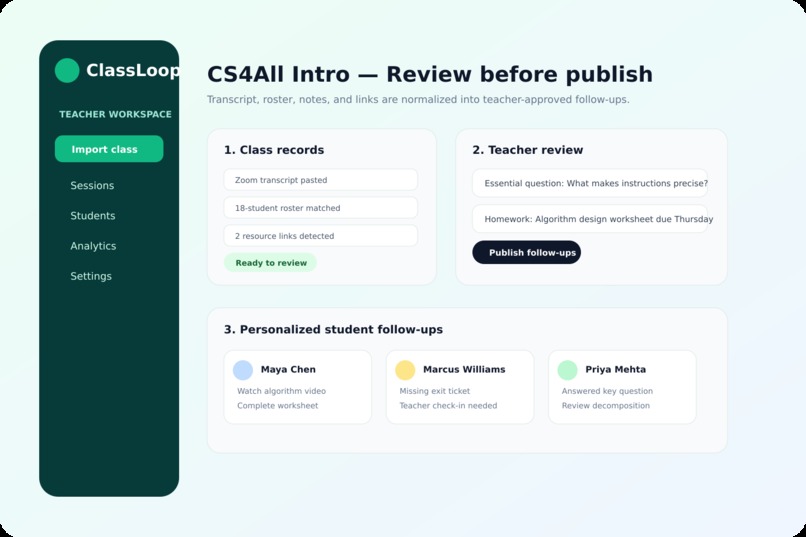
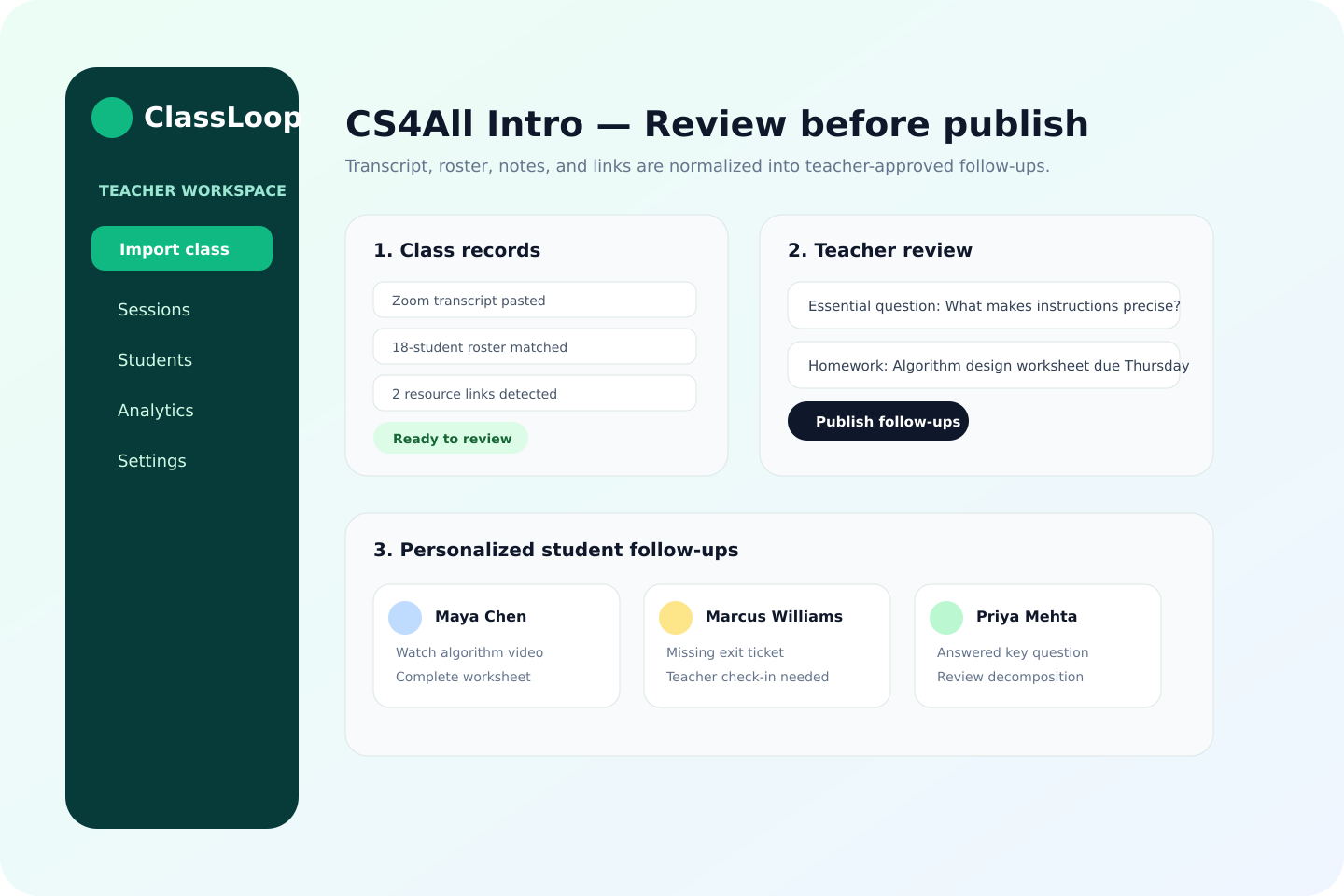
Teacher dashboard!
-
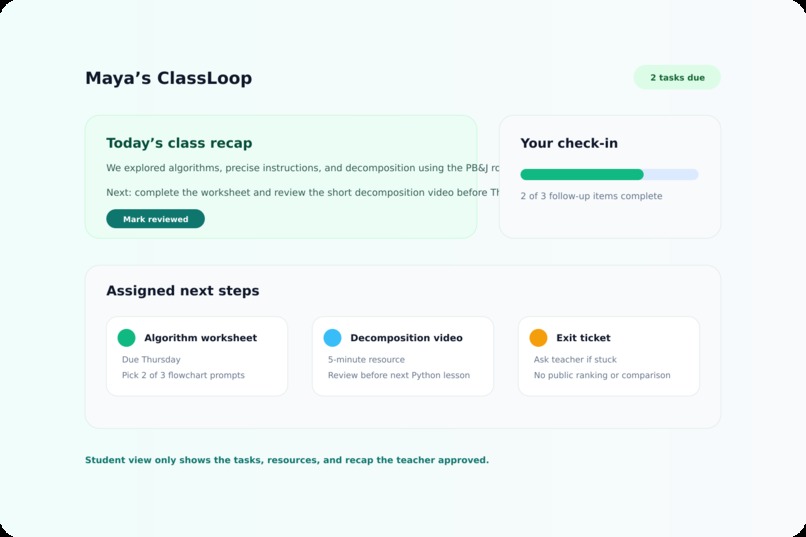
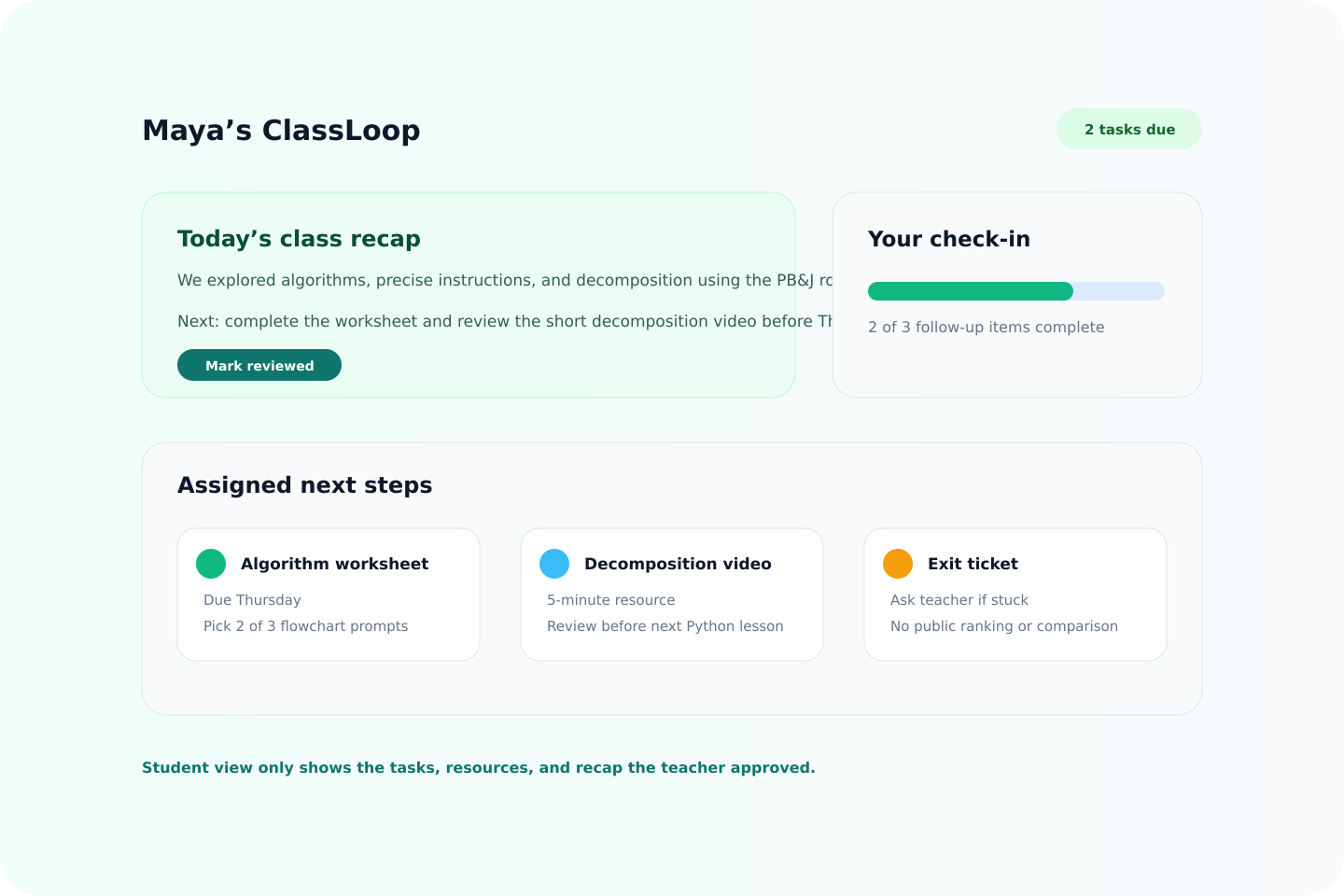
Student dashboard
-
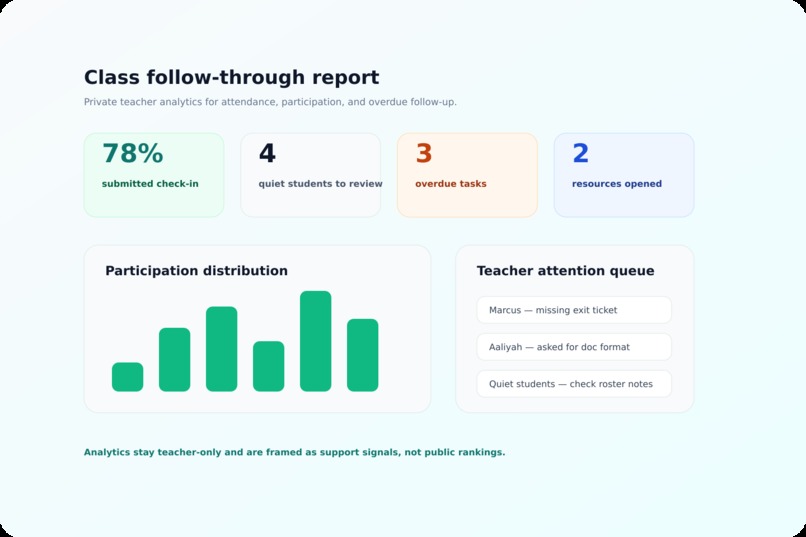
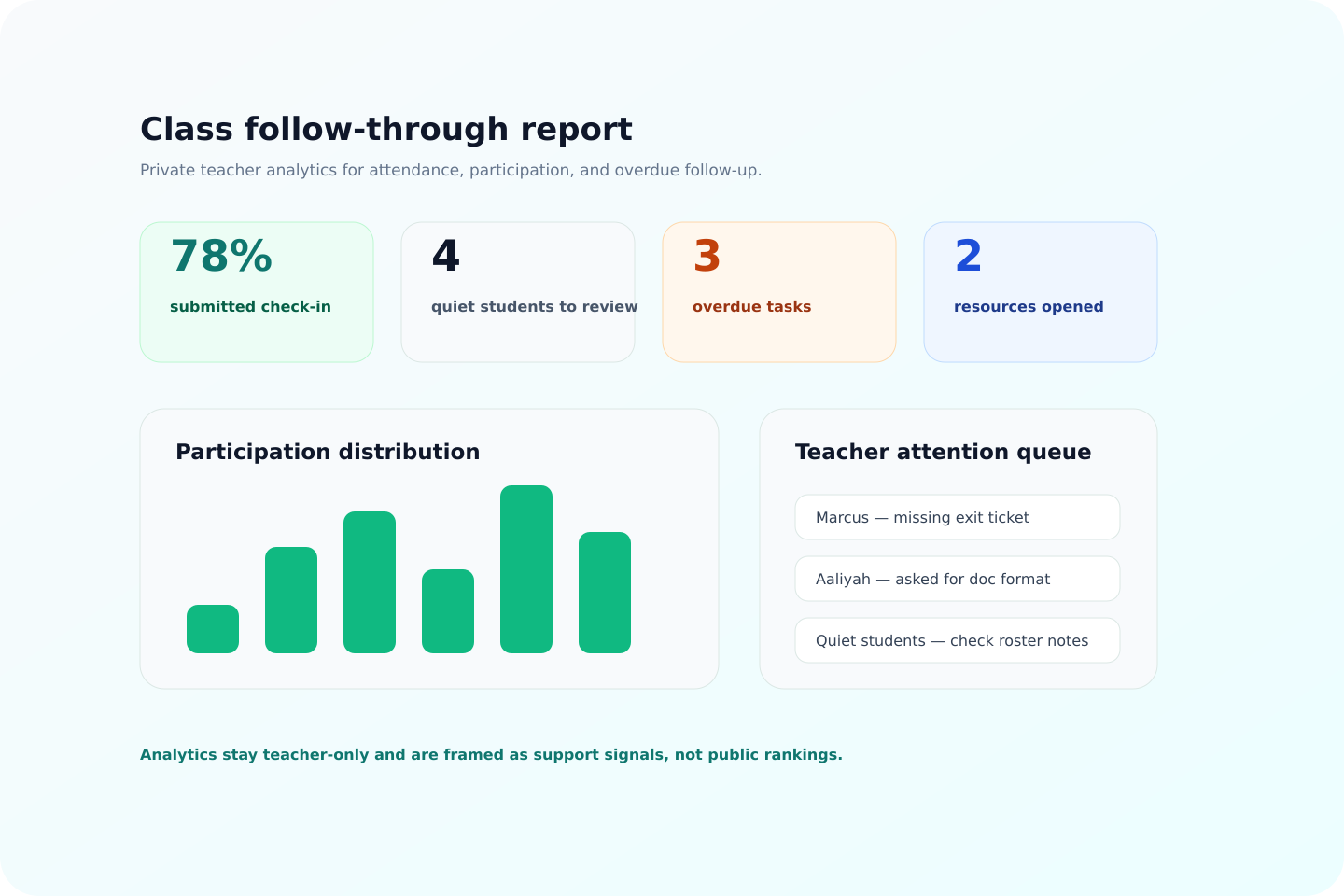
Private Analytics
Inspiration
Teachers already do the hard part: they run the class, answer questions, track who is confused, assign follow-up work, and try to help students who missed something. The problem is that all of that context gets scattered across Zoom transcripts, chat messages, rosters, notes, links, and memory.
ClassLoop was inspired by the idea of making classroom follow-through feel as effortless as meeting memory tools like Granola, but built specifically for education. Instead of only creating notes, ClassLoop turns what happened in class into reviewed next steps for both teachers and students.
What it does
ClassLoop helps teachers turn messy class inputs into clear follow-up workflows.
A teacher can import or paste a transcript, roster, notes, and resource links. ClassLoop extracts participation, resources, action items, homework, unmatched speakers, and student-specific follow-ups. The teacher reviews and edits everything before publishing.
Students then get a dashboard with their own recap, tasks, due dates, resources, and completion check-ins. Teachers can see who participated, who may need support, what work is overdue, and whether students followed through.
ClassLoop currently includes:
- Teacher and student dashboards
- Transcript and roster import
- Zoom-style transcript handling
- CSV roster tools
- Google Classroom and Zoom workflow scaffolding
- Teacher review and publish flow
- Student task completion and teacher review
- Private analytics and reports
- Local-first desktop storage
- Hosted PWA/mobile web experience
- Supabase sync scaffold
- Stripe Pro subscription scaffold at
$3.99/month - Legal, privacy, EULA, support, and download pages
- Accessibility, error-state, billing, import, desktop-state, and release testing coverage
How we built it
We built ClassLoop with React, TypeScript, Vite, Electron, and CSS. The desktop version runs through Electron so teachers can keep classroom data local. The hosted version runs on Vercel as a PWA so students and teachers can also use it from a browser or phone.
The core parser lives in TypeScript and handles real classroom messiness: Zoom transcript formats, noisy speaker names, duplicate roster rows, aliases, empty CSV rows, malformed links, and transcript-only mode when a roster is missing.
For hosted features, ClassLoop uses Supabase Auth and cloud-state sync scaffolding, plus Stripe Checkout and webhooks for Pro entitlements. We also built a testing suite around the actual product flows instead of only small unit tests.
Challenges we ran into
The hardest part was making the app robust against messy real-world classroom data. Transcripts are inconsistent, students use nicknames, CSV files have strange formatting, and teachers often paste partial information.
Another challenge was trust. ClassLoop cannot just publish automatically. Teachers need review control, students should only see their own follow-ups, and demo data must stay clearly separate from real saved work.
We also ran into practical launch issues: desktop packaging, sandboxed test environments, Vercel deployment verification, Stripe price configuration, local encrypted state recovery, mobile layout bugs, and making sure errors are visible without exposing private classroom data.
Accomplishments that we're proud of
We are proud that ClassLoop is not just a landing page or a mockup. It has a working teacher-to-student flow: import, review, approve, publish, student dashboard, completion, and teacher review.
We are also proud of the reliability work:
- Large import tests with 100+ students
- Repeated import coverage
- Noisy Zoom and CSV variation tests
- Cross-user and cross-project isolation checks
- Encrypted local desktop state tests
- Crash recovery and backup/restore checks
- Free/Pro entitlement tests
- Stripe webhook-owned entitlement logic
- Accessibility and mobile PWA checks
- User-visible error recovery states
- Production deploy verification
The product now feels like a real education tool: useful for teachers, clear for students, and careful about privacy.
What we learned
We learned that classroom software has to be more than smart. It has to be reviewable, explainable, and forgiving.
Teachers need speed, but they also need control. Students need clear next steps, not another confusing portal. And when student data is involved, privacy and trust have to be built into the workflow from the start.
We also learned that the boring parts matter: error handling, deployment checks, billing boundaries, mobile readability, local storage recovery, and legal readiness are what turn a prototype into something people can actually rely on.
What's next for ClassLoop
Next, ClassLoop needs real-world validation with teachers using redacted or real classroom workflows. The remaining launch work is focused on proving that the product is reliable outside the demo environment.
Planned next steps:
- Run real teacher pilot sessions
- Verify live Stripe checkout and webhook entitlement update
- Complete clean-host desktop installer checks
- Finish accessibility review with manual assistive-tech testing
- Add real Google Classroom OAuth for roster import and teacher-approved class posts
- Add real Zoom transcript import support
- Improve onboarding for teachers
- Prepare a public beta packet with docs, support FAQ, release notes, and download links
The long-term goal is for ClassLoop to become the classroom continuity layer: after every class, every student knows what happened, what matters, and what to do next.


Log in or sign up for Devpost to join the conversation.