Inspiration
Issue:
- As a Computer Science student, I find it difficult to follow philosophical arguments especially when my peers start regurgitating the entire paragraph they wrote down in their notes.
- Class Participation is not as active even though a proportion of grades are already allocated to it.
Current Solutions:
- Wooclap
- either Multiple choice or very short 1 or 2-word answers
- Definitely not enough to describe a philosophical argument
- Professors verbalise analogy and situations
- Not engaging
- difficult to follow
My Solution:
- Use user-friendly software to create visualisations
- Have everyone participate
- Allow for exchange of comments/arguments between peers and professors can come in and further probe certain issues/topics. This is because most are unwilling to challenge the professor’s argument and so we should promote challenging their peer’s argument.
What it does
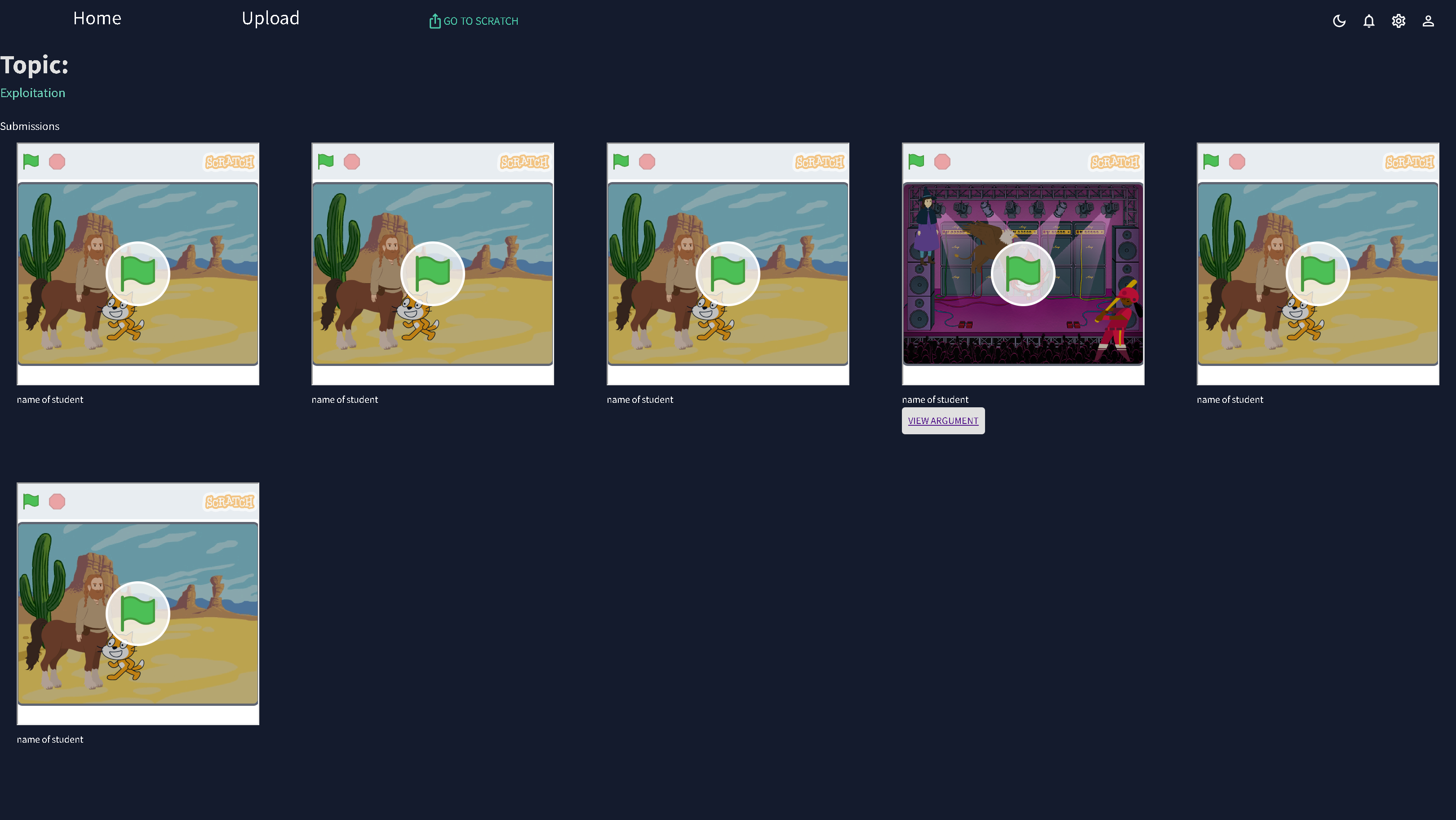
It allows students to create their own visualisations in Scratch before class to substantiate their argument and help other students follow along better. It also encourages the exchange of views and arguments between students.
How we built it
I built it using react and material UI which I started learning a month ago following tutorials.
Challenges we ran into
There were a few things that I was not taught in those tutorials such as creating a dynamic link and passing props between pages. It was also my first time putting together a project in such a short and tight time limit. Due to time limitations, I did not have the time to put together a complete backend and so I chose the next best alternative which was local storage. While I have previously tinkled with local storage when following Django tutorials in the past it was my first time actually using it and there were many times where the structure was wrong as I did not know that we needed to stringify or parse them before we could store or retrieve the data.
Accomplishments that we're proud of
As my first hackathon, I am definitely very proud that the web app works. Secondly, I did not give up even though there were many times when it was very frustrating when console.log only showed objects and could not display what was inside so I had no idea what was going wrong and the only way was to backtrack and identify the location of root cause before googling.
What we learned
I learned that firstly all my node modules need to be installed in the same directory as my newly created directory when I do a create react app. As I installed it in the outer directory and nothing could run and the error messages were about the hooks with undefined arguments which does not help, however, there were clues about dependencies in the terminal when I first tried to start the project. Secondly, I learned how to pass props to different pages and I know it is not the convention but rather to use state management libraries like redux but it is an alternative. Lastly, I realised that I should attempt to display the small components first even if they would be nested deeply so that I can visualize and check if the code breaks any part of the web application.
What's next for Class with class
- Build the backend
- Connect to an actual database
- Host online
- Attempt to promote usage of this webapp to enhance classroom learning experience
Built With
- css
- javascript
- materialui
- react


Log in or sign up for Devpost to join the conversation.