-
-
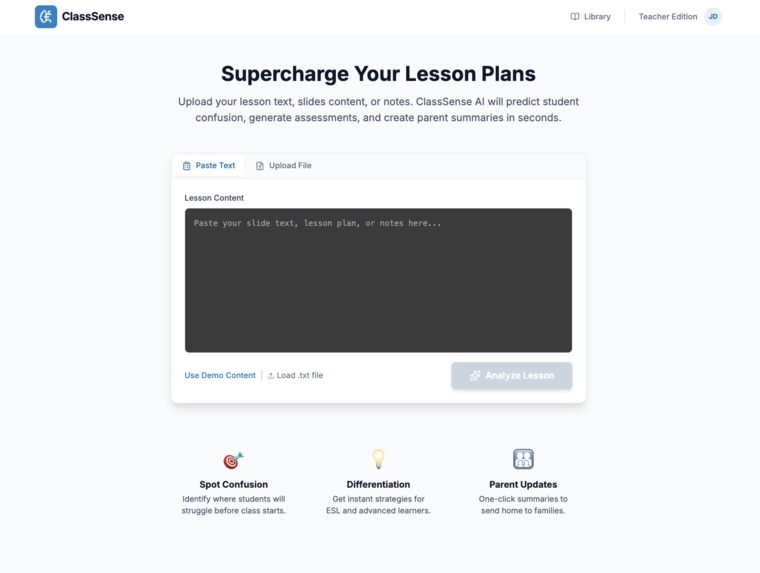
Main page
-
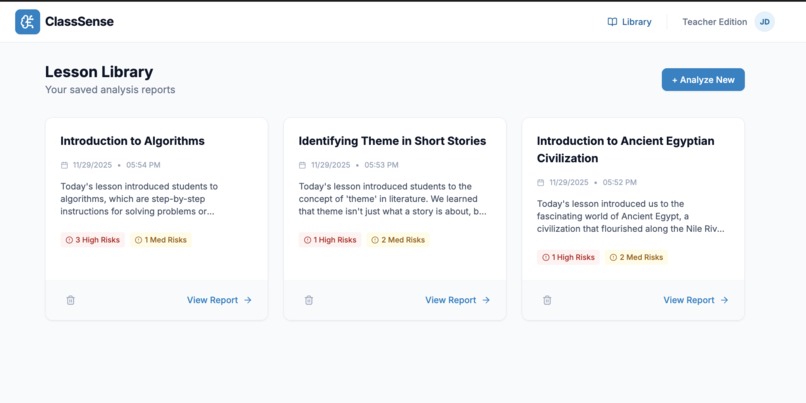
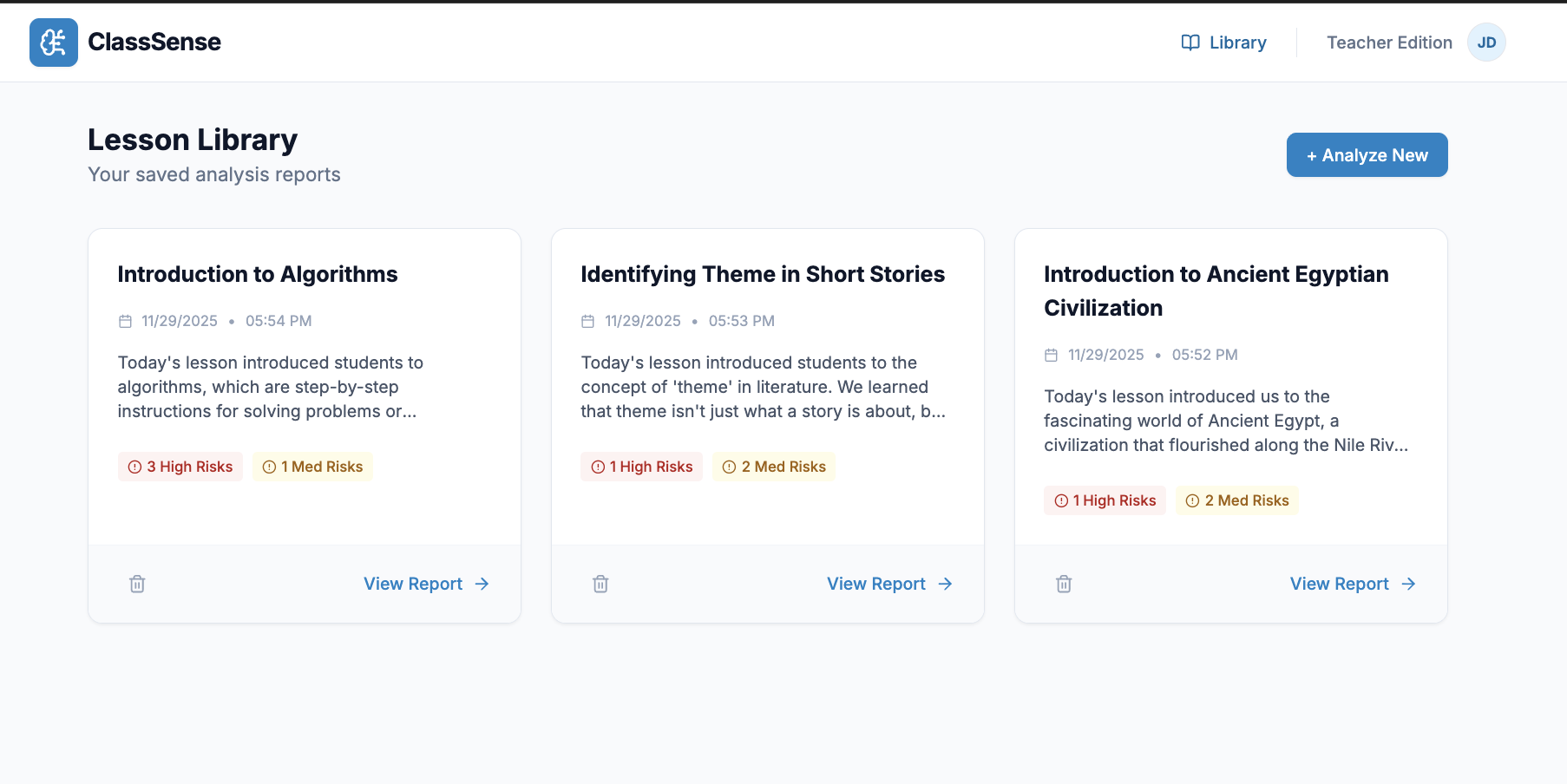
Library
-
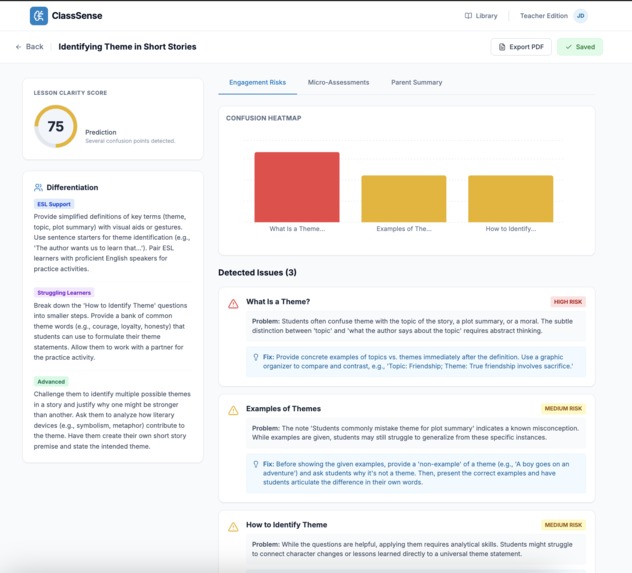
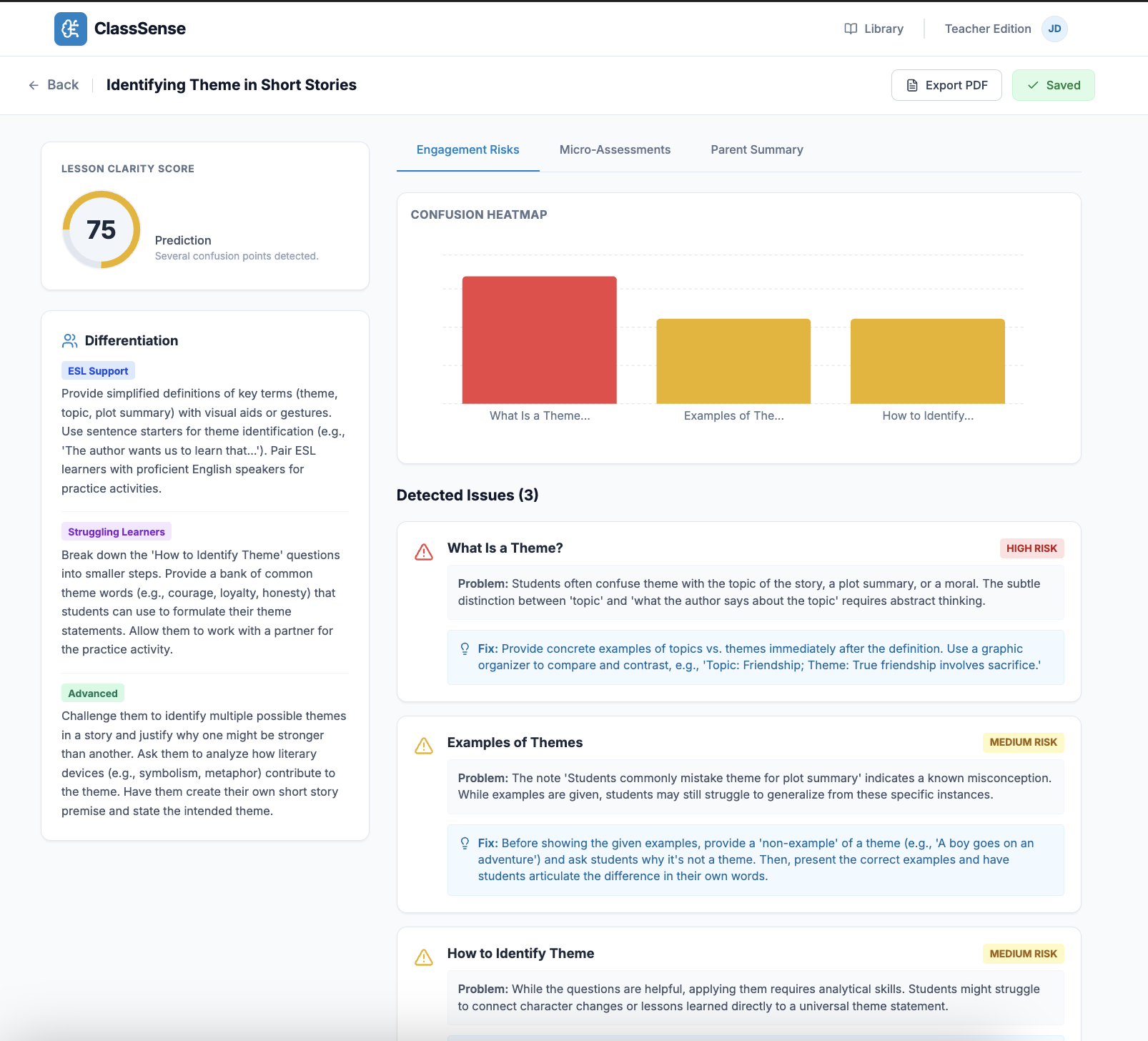
Engagement risks
-
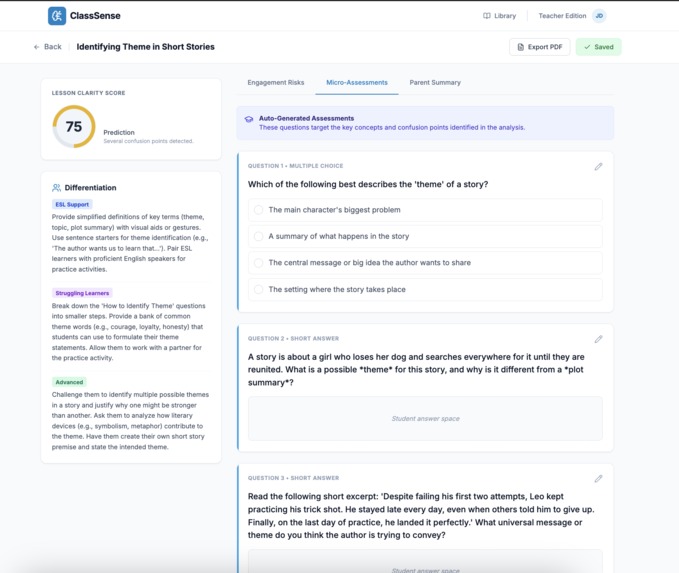
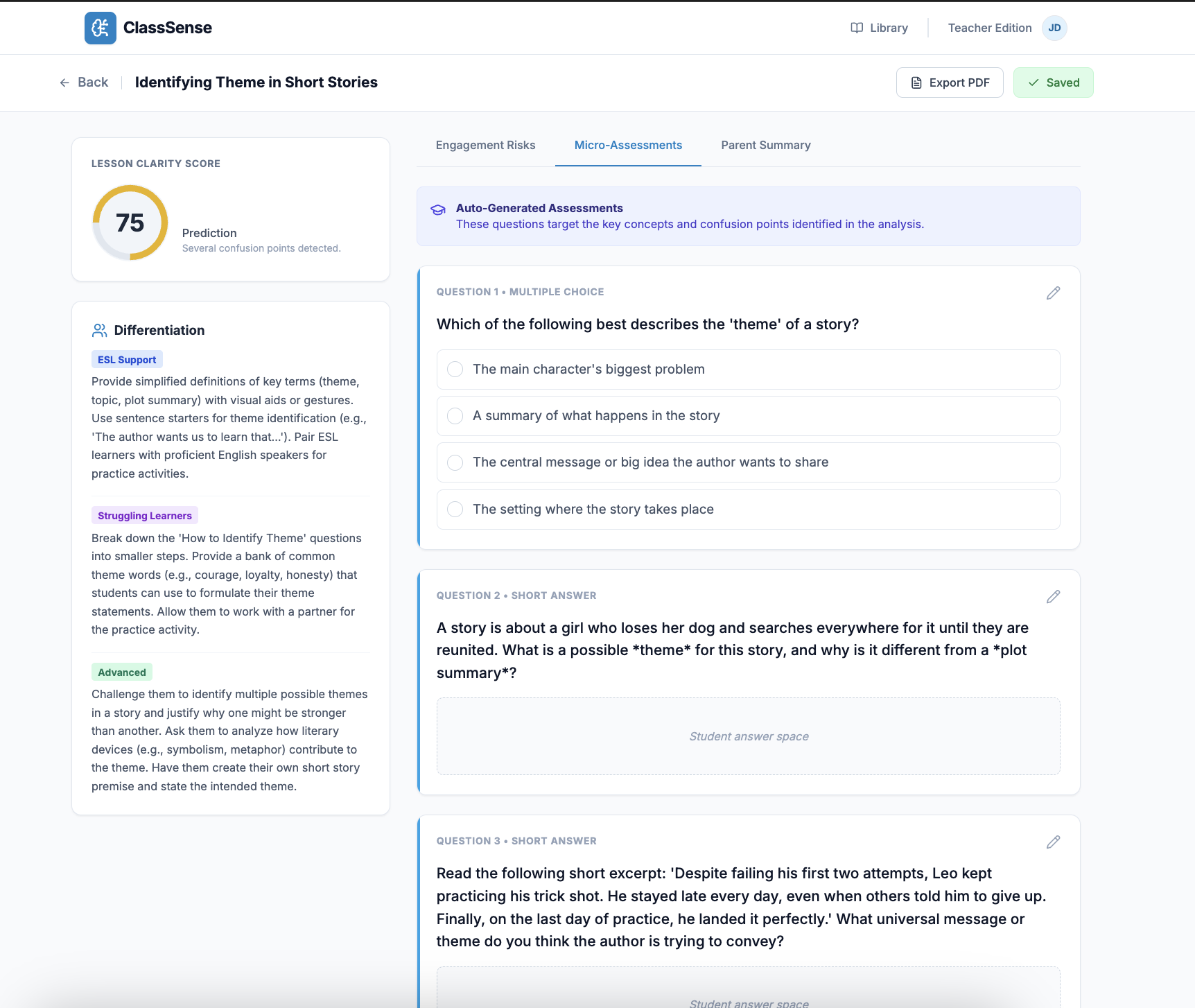
Micro-Assessments
-
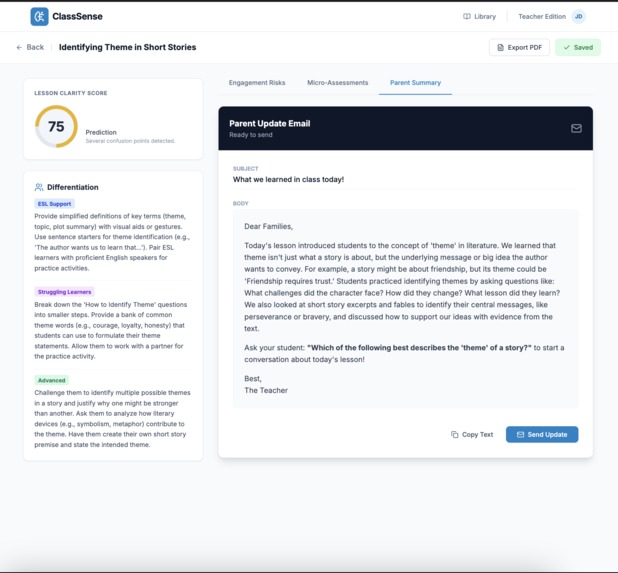
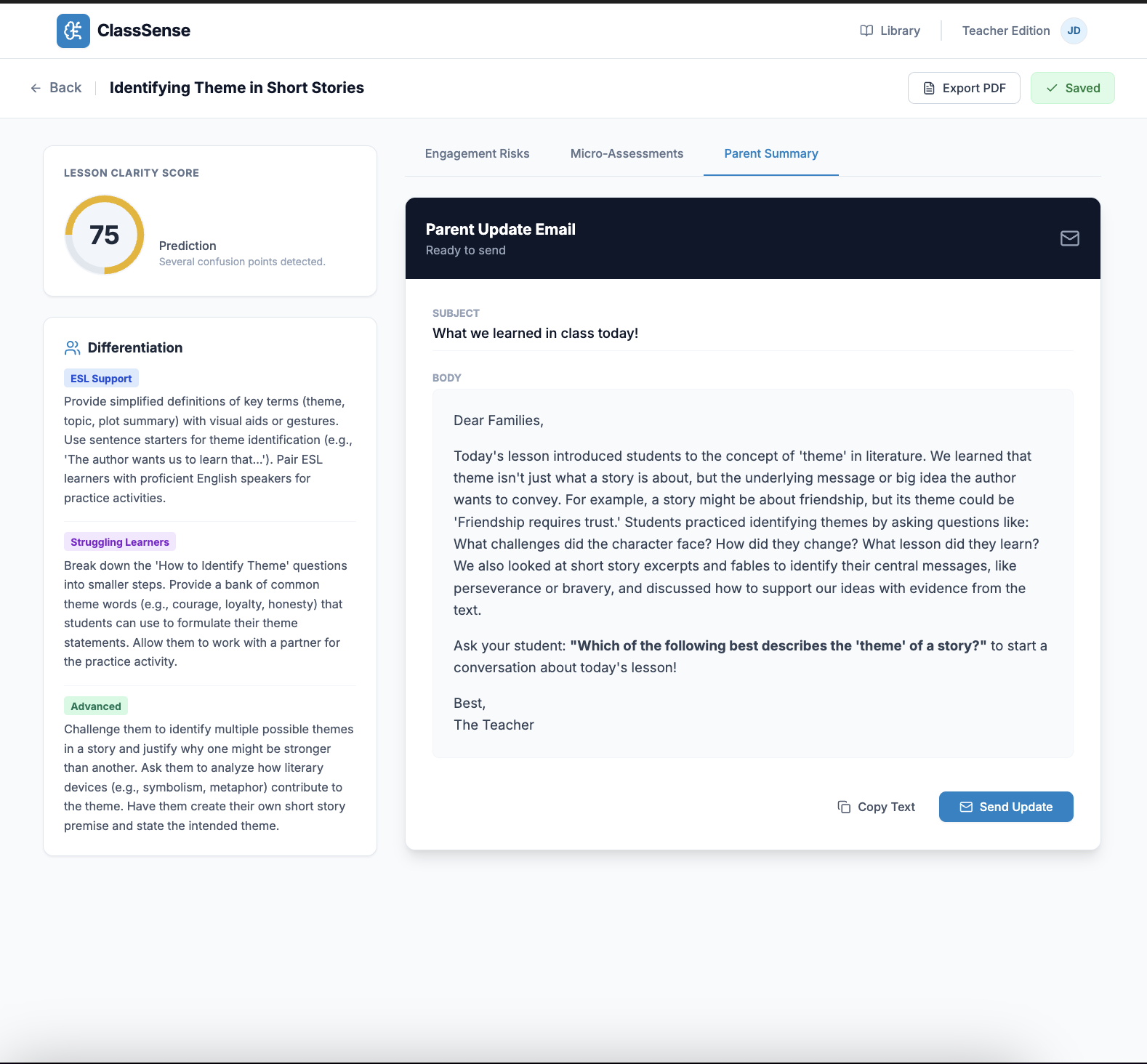
Parent Summary
-
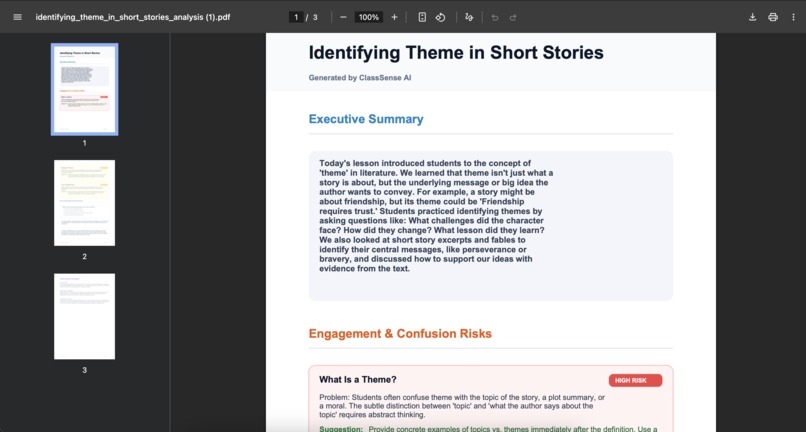
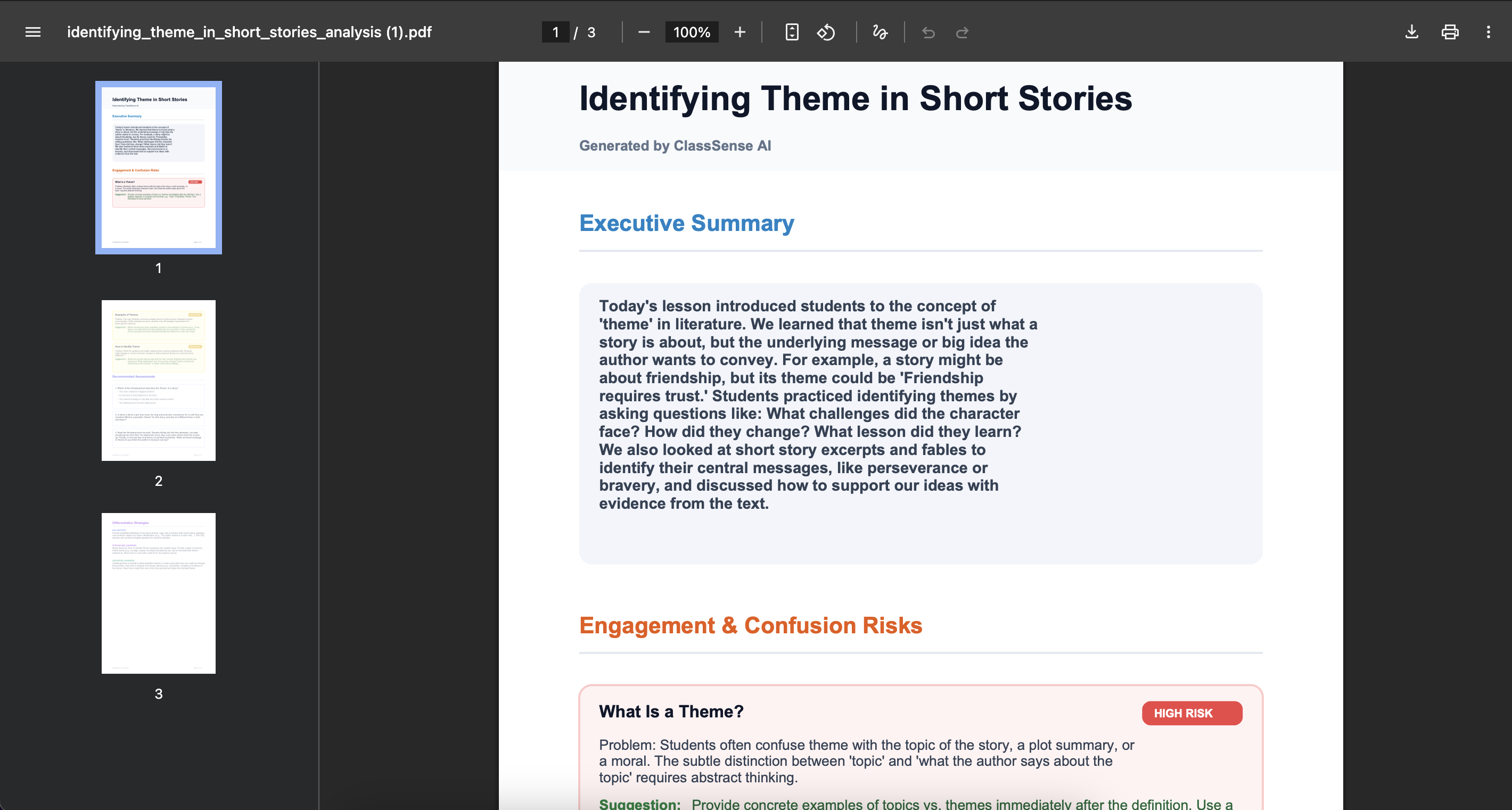
PDF export
Inspiration
Teachers spend hours preparing lessons yet still struggle to predict where students will get confused. We wanted an AI assistant that analyzes lesson materials before class and highlights where learning might break down, saving time and improving clarity.
What it does
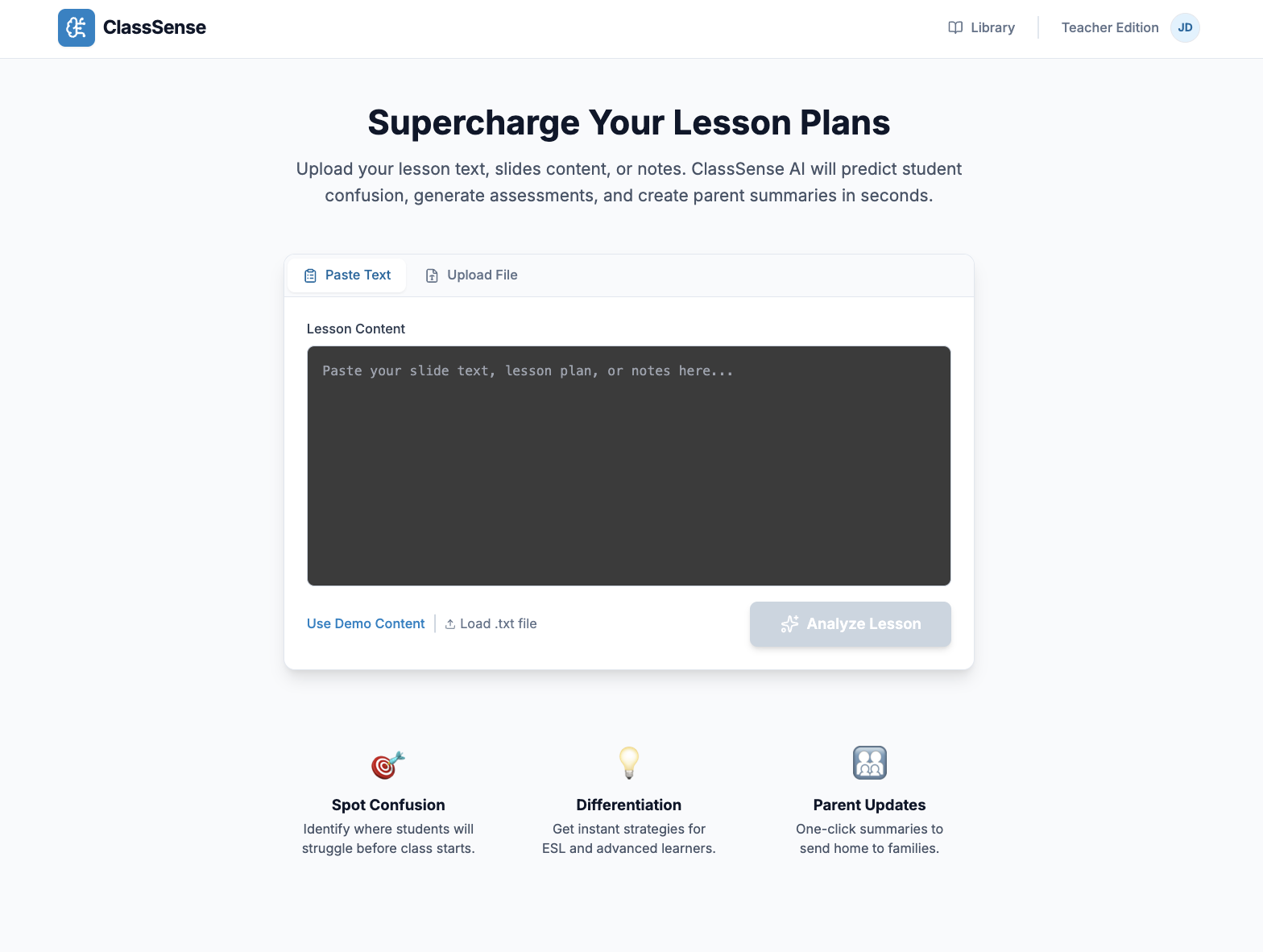
ClassSense lets teachers paste or upload lesson content and instantly generates:
- Engagement/confusion hotspots with risk levels (High/Medium/Low)
- Section-level risk analysis with specific reasons and solutions
- Micro-assessments (multiple choice, short answer, discussion questions)
- Parent-friendly summaries with email-ready templates
- Differentiation strategies for ESL, struggling, and advanced learners
- Lesson clarity score (0-100) with visual progress indicator
- Lesson library to save and revisit past analyses
- Professional PDF exports with color-coded risk badges
All delivered in a clean, teacher-friendly dashboard with three focused tabs.
How we built it
- Frontend: React 19 + TypeScript + Vite for blazing-fast development
- Styling: Tailwind CSS with Lucide icons for a modern, clean interface
- Visualization: Recharts for interactive hotspot bar charts
- AI Engine: Google Gemini 2.5 Flash with Structured Output API for guaranteed JSON consistency
- PDF Generation: jsPDF for client-side professional reports
- Storage: Browser localStorage for offline-capable lesson history
The app is a lightweight, fully client-side application with zero backend infrastructure—just one API call to Gemini for analysis.
Challenges we ran into
- Structuring AI prompts to generate actionable, evidence-based insights (not generic suggestions)
- Designing a schema that works with Gemini's Structured Output API for consistent JSON responses
- Creating a clarity score algorithm that meaningfully represents lesson quality
- Building a multi-page PDF generator with proper page breaks, styling, and color-coded badges
- Making the analysis fast within hackathon constraints while maintaining quality
- Balancing feature richness with a clean, non-overwhelming teacher UX
Accomplishments that we're proud of
- Built a production-ready MVP with polished UX and real classroom value
- Created multi-dimensional analysis (cognitive load, pacing, prerequisite detection)—not just content summarization
- Achieved zero backend complexity—entire app runs client-side with localStorage
- Implemented Gemini 2.5 Flash's Structured Output API for bulletproof JSON schemas
- Designed parent communication bridge that turns technical lessons into friendly email summaries
- Delivered professional PDF exports with custom styling, risk badges, and multi-page support
- Built a lesson library system for teachers to revisit and compare past analyses
What we learned
- How teachers think about cognitive load and where students actually struggle (not where we expect)
- The power of Gemini's Structured Output API for eliminating AI hallucination risks
- How to design evidence-based differentiation strategies grounded in actual lesson content
- The importance of small UX touches (skeleton loading, demo content, copy-to-clipboard) for teacher adoption
- That client-side architecture can deliver serious value without server complexity
- How clarity scoring can make abstract lesson quality tangible and actionable
What's next for Class Sense
Short-term:
- PDF/slide upload with OCR and visual analysis (Gemini Vision)
- Google Slides integration to analyze presentations directly
- Multi-language support for ESL-focused schools
- Accessibility insights (dyslexia-friendly text, working-memory load warnings)
Long-term:
- LMS integrations (Canvas, Google Classroom, Schoology)
- Real-time classroom analytics (during-class confusion detection)
- Concept graphs for personalized learning paths
- Collaborative lesson refinement with AI-assisted iteration loops
- Student-facing mode for self-paced learning with adaptive hints
Built With
- firebase
- nextjs
- openai
- shadcn


Log in or sign up for Devpost to join the conversation.