Inspiration
Claros came from an idea I had shelved a while ago. The hackathon made me come back to it and ask a more serious question: what would it look like if an AI agent could work on the worksheet itself instead of just sitting in a chat box?
I also wanted the project to be useful for students with typing difficulties. A lot of tools can explain homework, but there is still friction between understanding the problem and actually completing the worksheet. I wanted to build something voice first that could read the assignment, talk through the problem in real time, and only write the final answer into the correct field after the student had actually worked it out.
That was the main idea behind Claros.
What it does
Claros is a voice first AI worksheet agent primarily for students with typing difficulties.
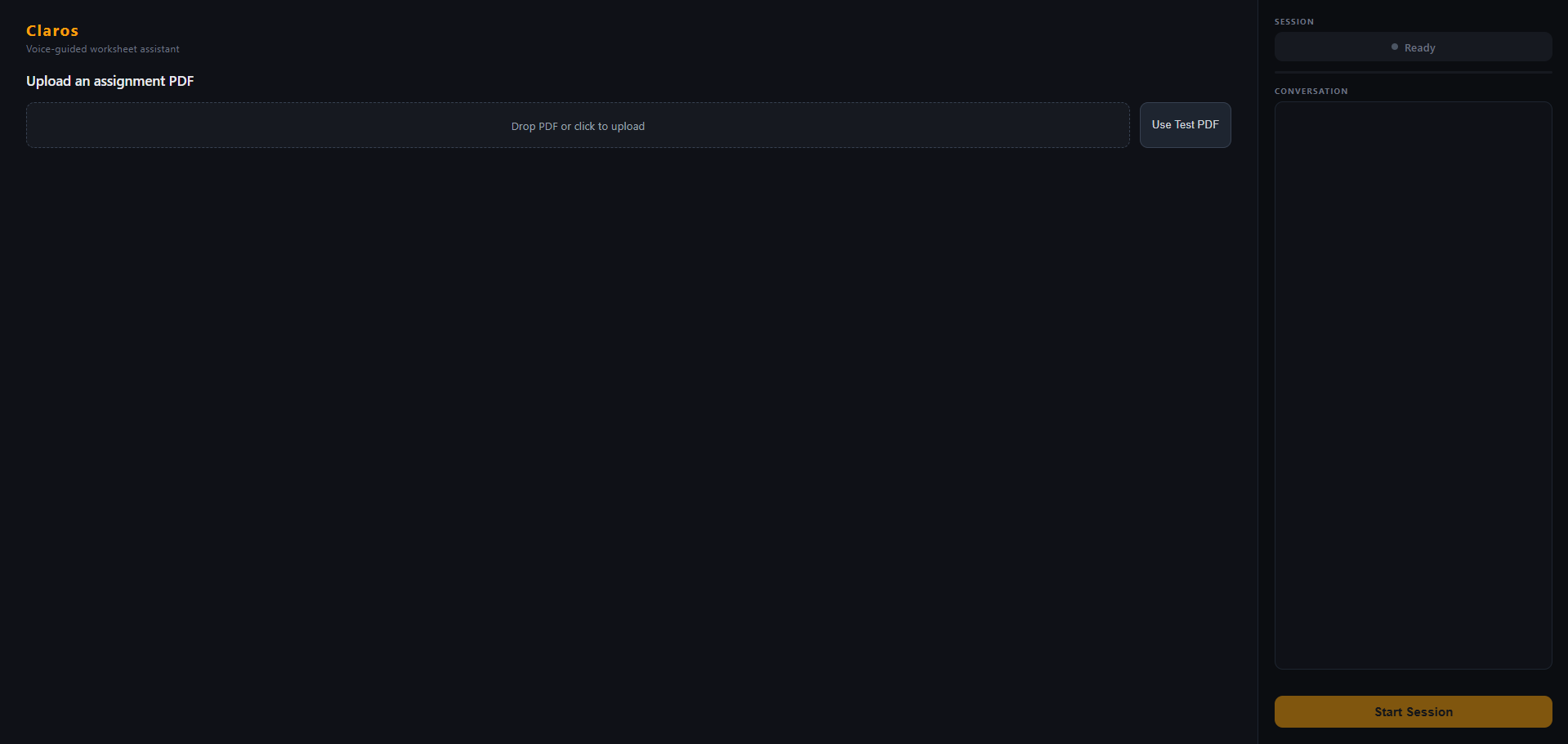
A student uploads a worksheet PDF, and Claros parses it into structured questions. From there, the student can talk through the assignment in real time. Claros responds with live voice guidance, helps the student reason through the problem, and keeps the interaction tied to the worksheet itself instead of a separate generic chat thread.
Once the student has stated the final answer, Claros can write that answer into the correct question field on the worksheet. It can also export the completed worksheet as a PDF, including through a voice command such as “export pdf.”
The goal was not to build an answer bot. The goal was to build an agent that helps bridge the gap between reasoning and completion.
How we built it
I built Claros as a web application with a Python backend and a browser based voice frontend.
The backend is deployed on Google Cloud Run and handles the document side of the product:
- PDF upload
- worksheet parsing
- assignment storage in Google Cloud Storage
- controlled answer writing
- PDF export
For the AI layer, Claros uses Google AI models in two different ways:
- Gemini Live for the real time voice interaction
- Gemini text generation for the controlled answer writing step
One important architecture decision was separating those two responsibilities. The real time voice session runs directly in the browser using Gemini Live, while the backend stays responsible for worksheet operations and write/export logic. That ended up being a better fit for the product than trying to force every audio packet through the backend.
On the frontend side, I built:
- live transcript rendering
- answer readiness detection
- practical barge in behavior that stops playback when the user speaks again
- voice triggered writing
- voice triggered PDF export
- worksheet answer fields that update in place
On the backend side, I built:
- upload and parsing routes
- assignment retrieval from Google Cloud Storage
- a write endpoint that turns conversation context plus the student’s stated answer into clean worksheet text
- an export route that generates a final PDF containing the questions and answers
Challenges we ran into
The biggest challenge was that the project sounded much simpler at the idea stage than it actually was.
The first major issue was real time voice architecture. Getting live speech to feel responsive while still keeping the worksheet logic grounded in the backend took more iteration than I expected. I initially explored a backend proxied voice path, but that became unreliable in deployment, so I changed the architecture to use direct browser side Gemini Live while keeping the backend on Google Cloud Run for upload, parsing, writing, export, and storage.
The second challenge was control. I did not want Claros to become a system that just writes answers on demand without any reasoning. So I had to build logic around when writing is allowed and make the flow feel like guided problem solving first, answer entry second.
Another challenge was multimodal UX. Uploading the worksheet, speaking naturally, seeing transcripts, having answers appear in the right place, interrupting playback, and exporting the final document all had to feel like one experience instead of separate disconnected features.
I also ran into practical deployment problems:
- Cloud Run startup issues from missing dependencies
- packaging frontend SDK code safely
- making the browser side Gemini integration reliable enough for demo use
- keeping the Google Cloud deployment simple enough to finish within hackathon time
Accomplishments that we're proud of
I’m proud that Claros became more than a voice demo.
It is a full worksheet workflow:
- upload a real PDF
- parse it into structured questions
- talk through the problems live
- write the final answer into the correct question field
- export the completed worksheet as a PDF
I’m also proud that the product has a clear point of view. Claros is not positioned as a shortcut machine. It is designed around guided reasoning and controlled writing, which made the system harder to build but much more meaningful.
From a technical standpoint, I’m proud that I got:
- a working Google Cloud Run backend
- Google Cloud Storage integrated for assignment files
- real time Gemini Live voice interaction
- practical barge in behavior
- voice enabled export
- a deployed end to end flow instead of just a local prototype
What we learned
This project taught me how quickly a simple idea becomes a systems problem.
I learned that building with Google AI models is not just about picking a model and prompting it well. It is also about where the model fits in the architecture, what should happen in the browser versus the backend, and how to keep the UX coherent when multiple moving parts are involved.
I also learned a lot about using Google Cloud as the operational layer for an AI product. Cloud Run worked well as the backend foundation, especially for deployment speed and simplicity, and Google Cloud Storage gave me a clean way to persist assignment PDFs and load them back into the workflow.
Another big lesson was around multimodal design. Real time voice, structured worksheets, controlled writing, and export all affect each other. It is easy for one weak link to make the whole experience feel clunky. Making the system feel useful required a lot of iteration on behavior, not just code.
What's next for Claros
There are a few clear next steps for Claros.
First, I want to improve transcription robustness and general voice quality in noisier environments. The product works, but there is still room to make speech recognition and interruption handling feel more polished.
Second, I want to make the worksheet interaction smarter and more adaptive. Right now Claros can guide, write, and export, but there is room for better question tracking, stronger intent detection, and more personalized tutoring behavior.
Third, I want to deepen the accessibility angle. Claros started with the idea of helping students with typing difficulties, and I think there is much more that can be done there in terms of input flexibility, workflow support, and document interaction.
Longer term, I would like Claros to evolve from a worksheet assistant into a broader document based study agent that can handle more types of assignments while still keeping the same reasoning first philosophy.
Built With
- css3
- esbuild
- fastapi
- gcp
- gemini
- google-ai
- html5
- javascript
- pymupdf
- python
- reportlab

Log in or sign up for Devpost to join the conversation.