-
-
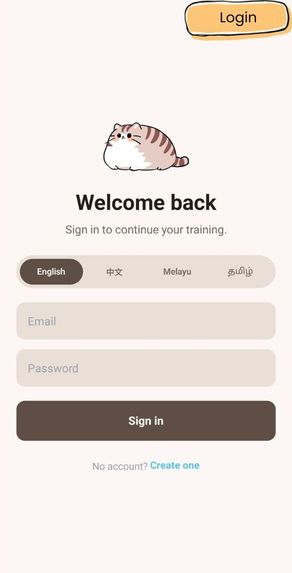
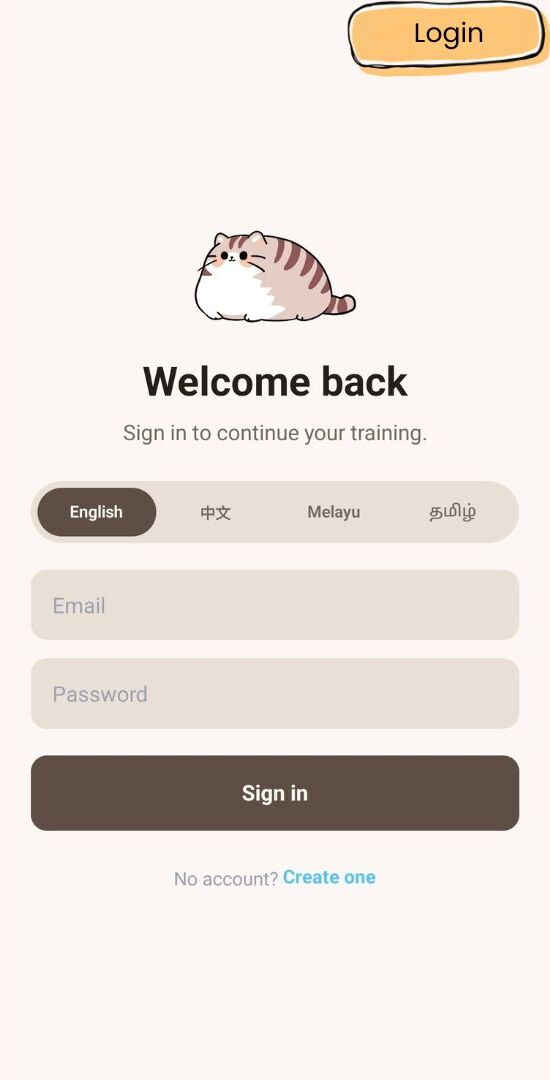
Login Page
-
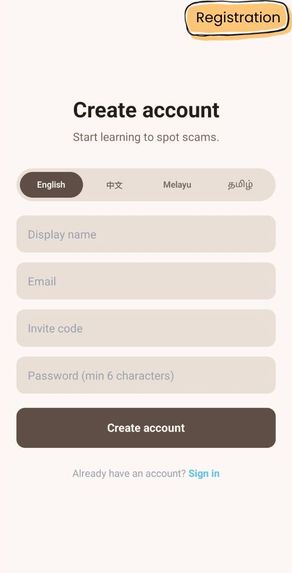
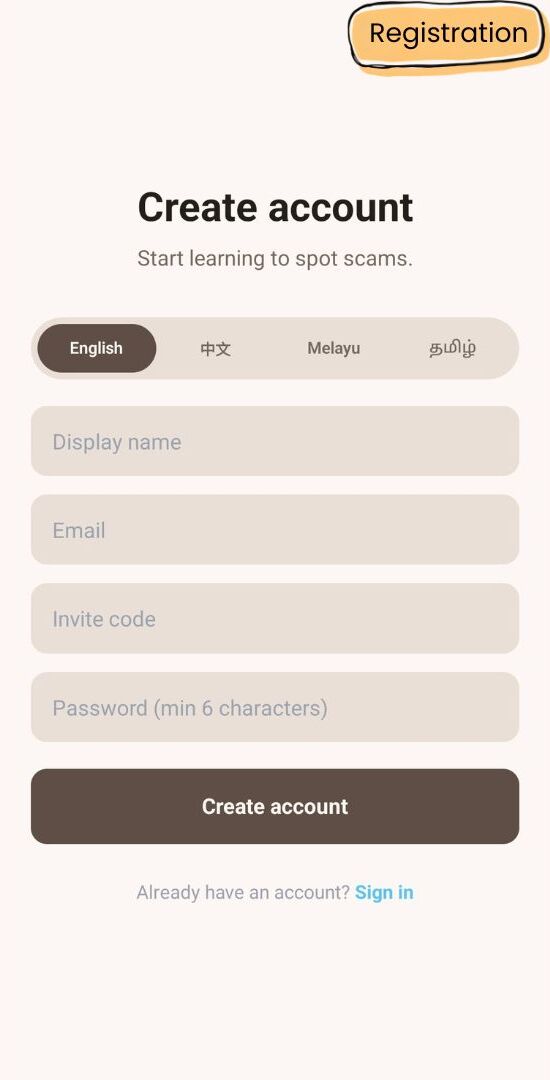
Registration Page
-
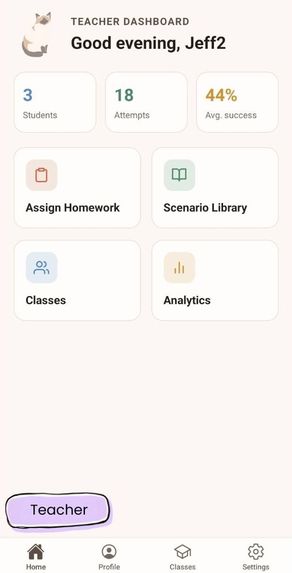
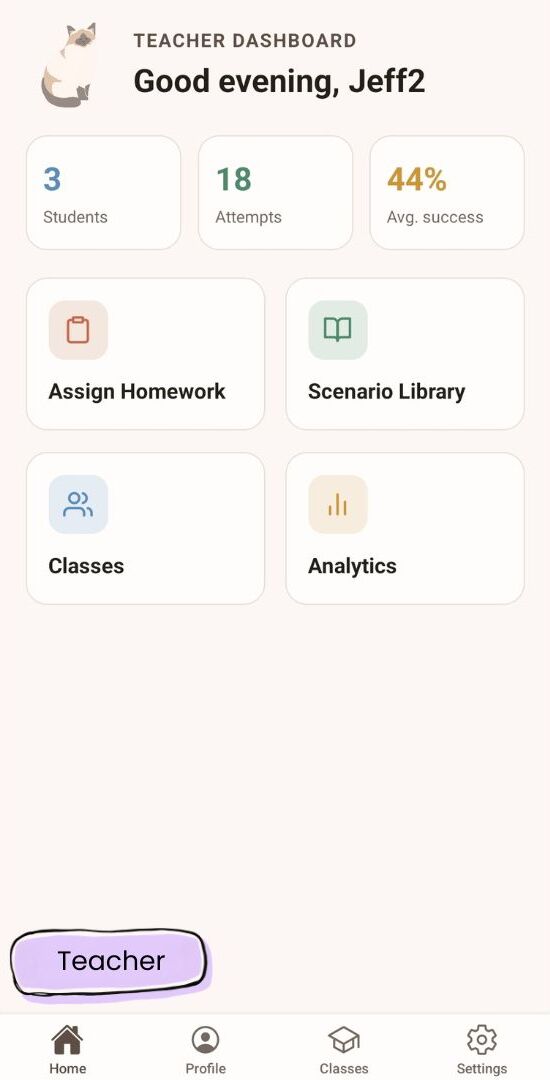
Teacher's Home Page
-
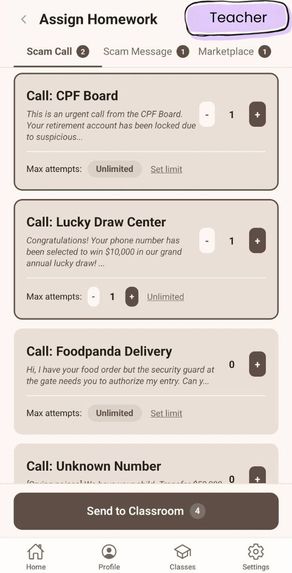
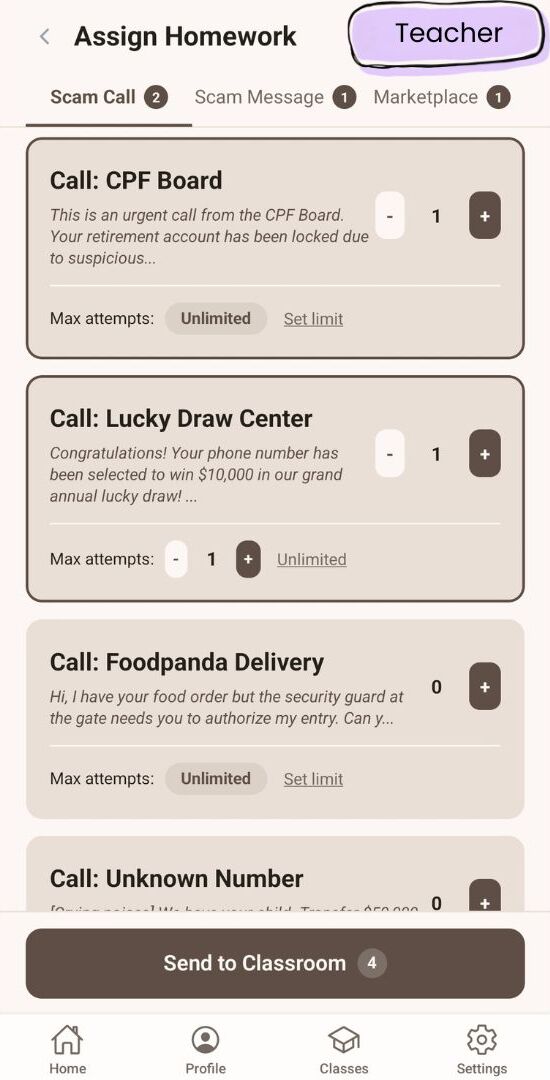
Teacher's Assign-Homework Page
-
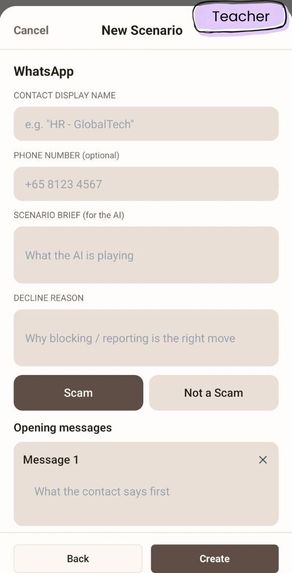
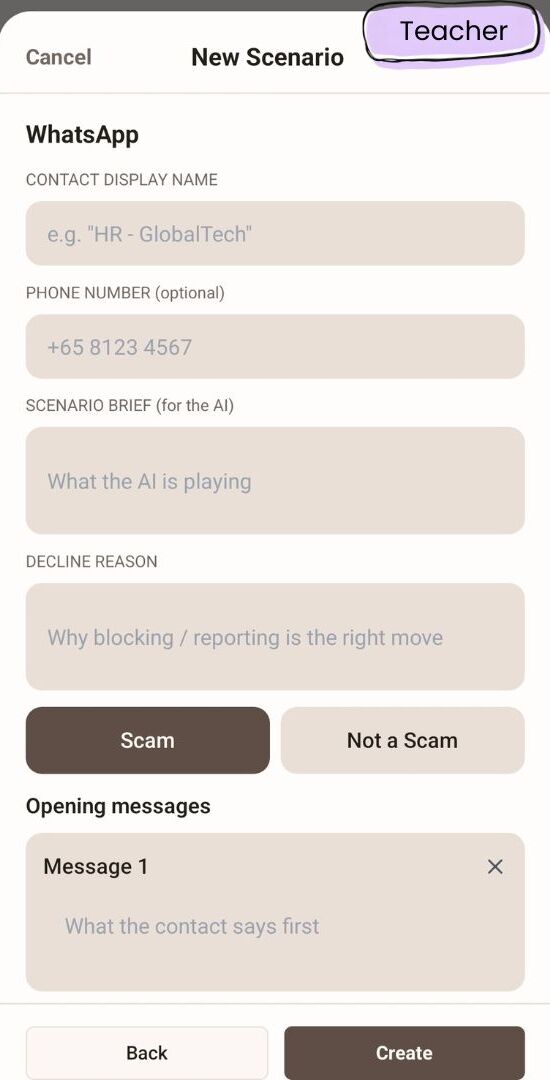
Teacher's Create Custom Scenario Page
-
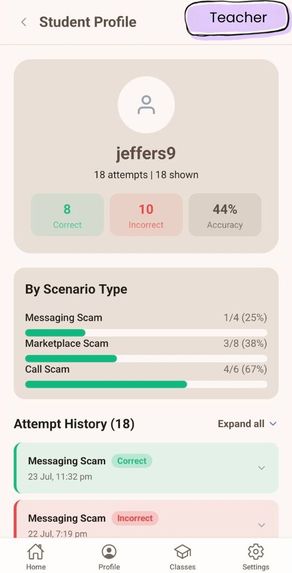
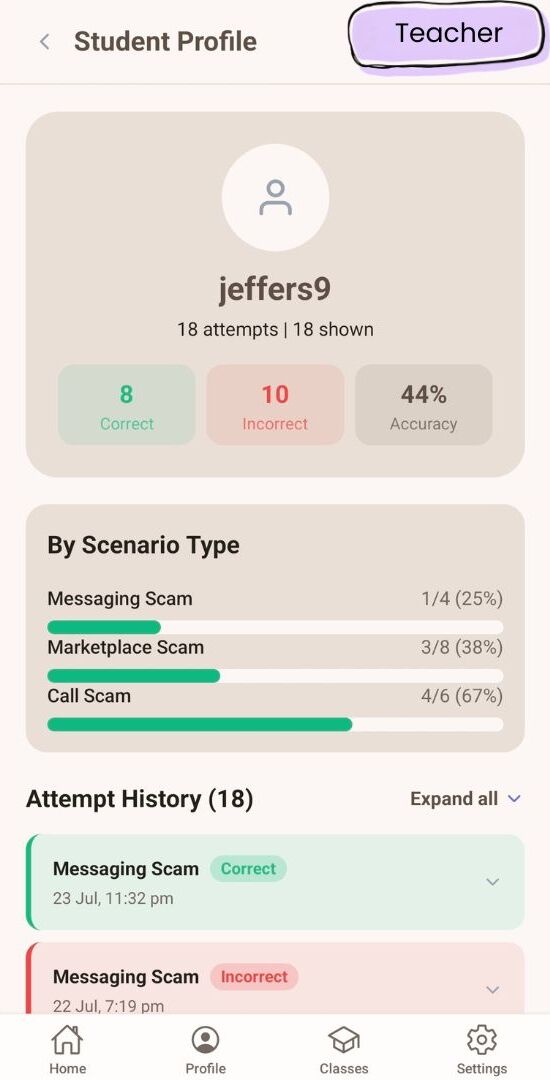
Teacher's Individual Student Analytics Page
-
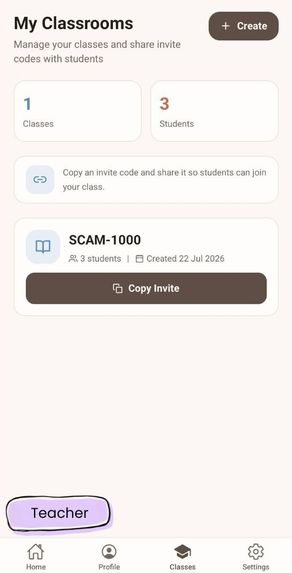
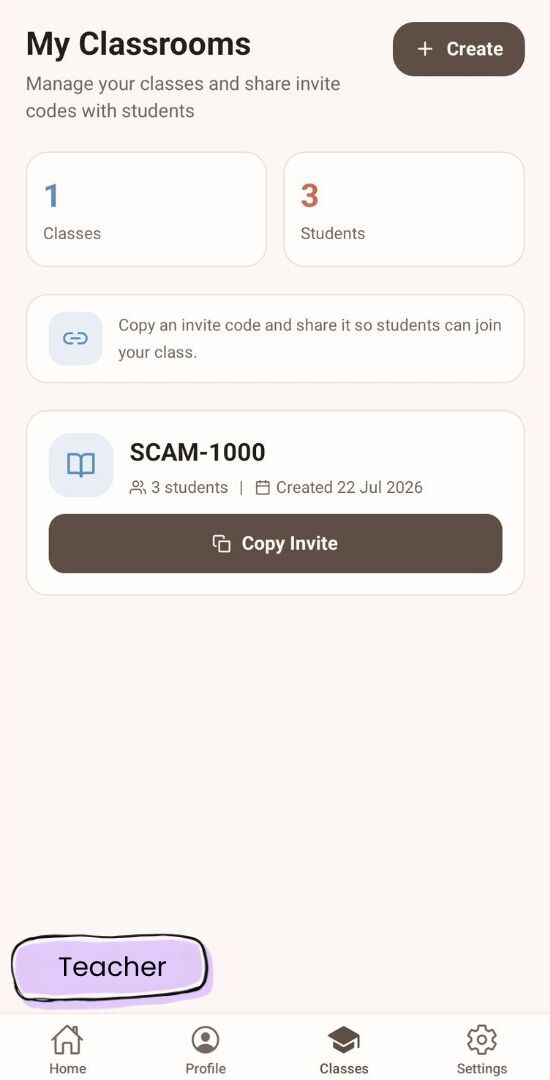
Teacher's Classes Page
-
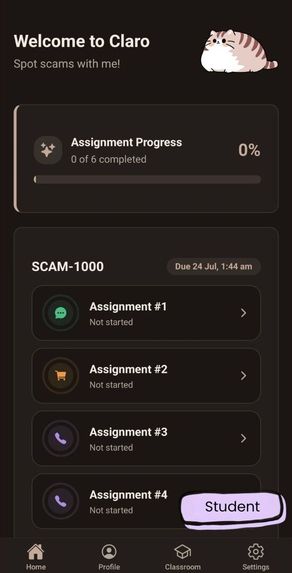
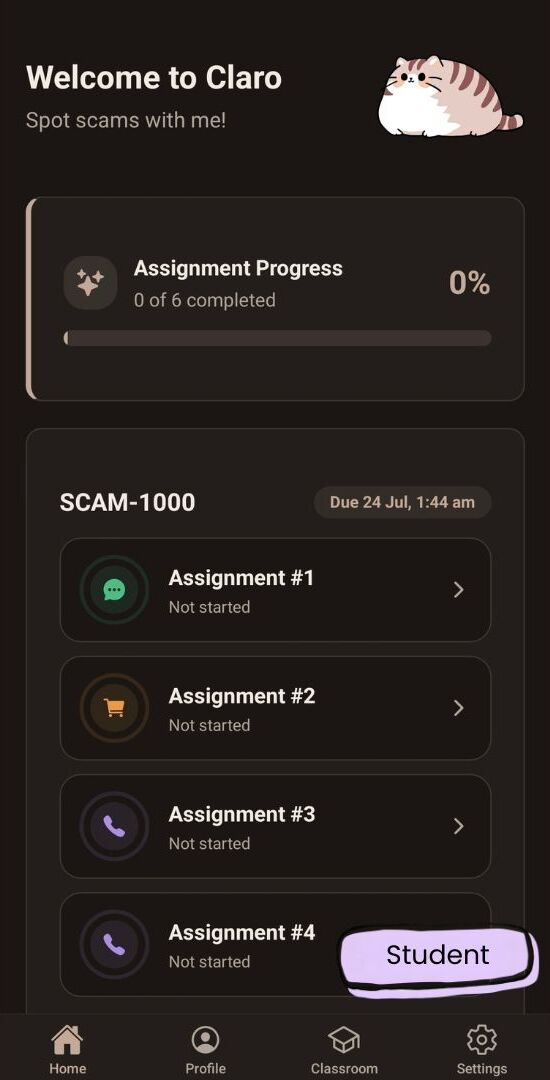
Student's Home Page
-
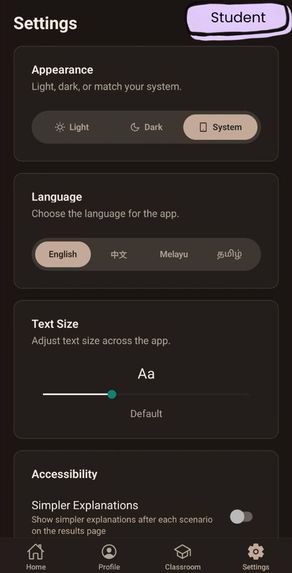
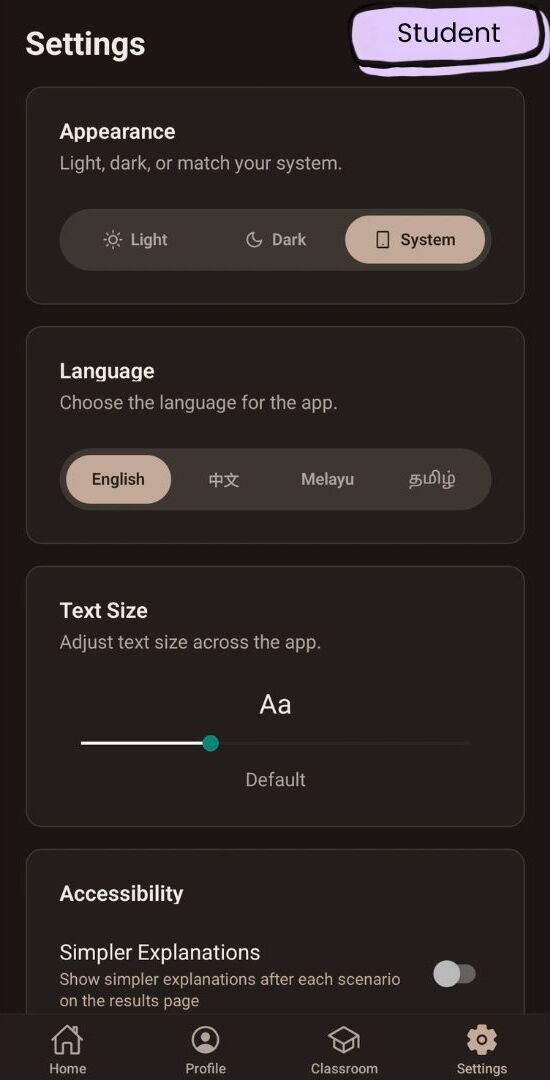
Student's Settings Page
-
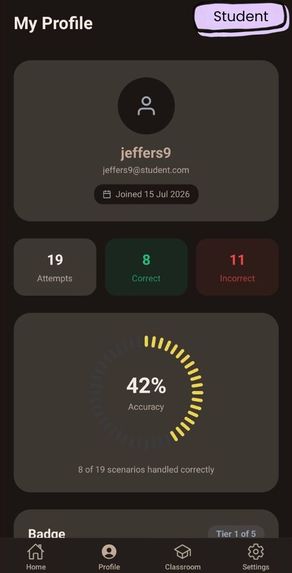
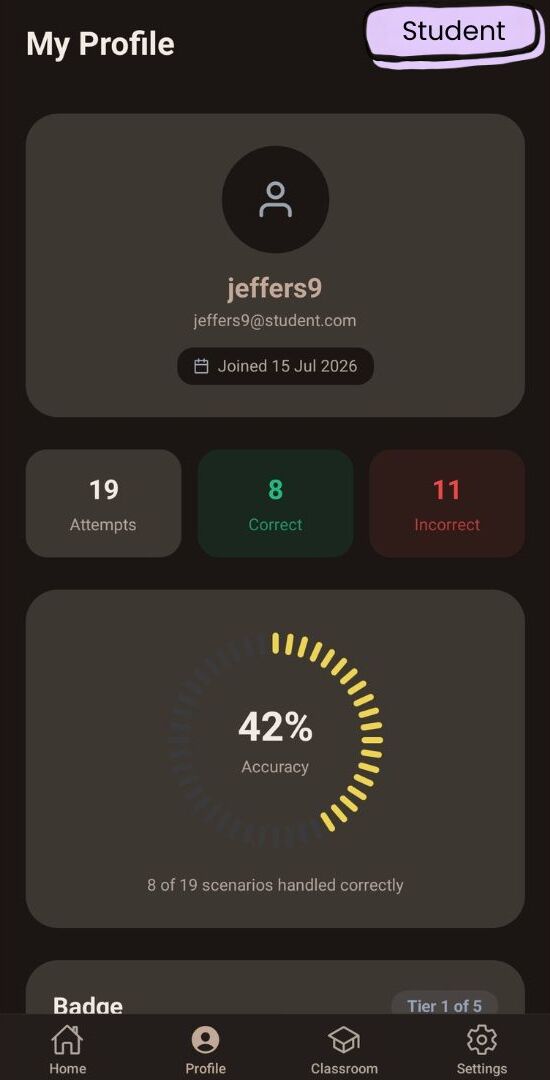
Student's Profile Page, ft. Accuracy stats
-
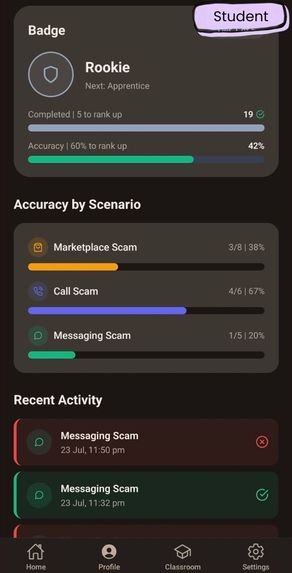
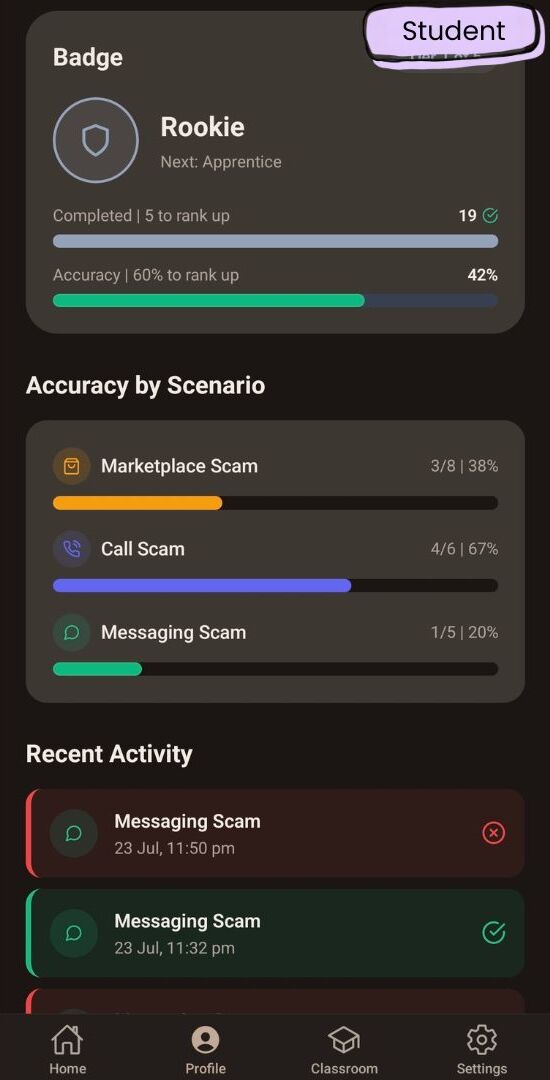
Student's Profile Page, ft. Unlockable Badges, Scenario Breakdowns, Recent History
-
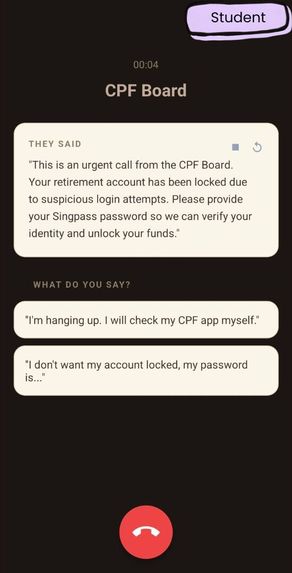
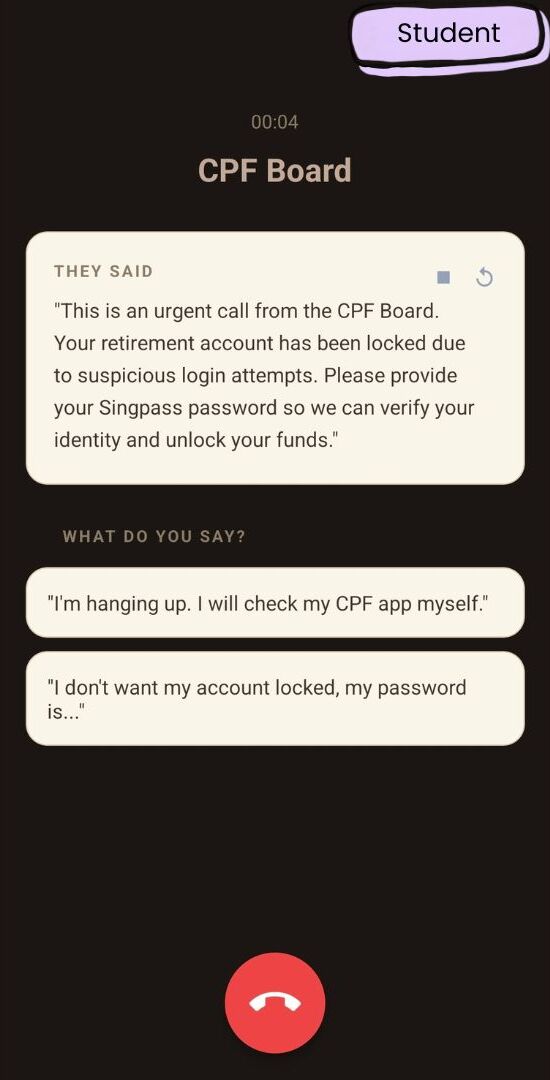
Student's Scam Call Scenario
-
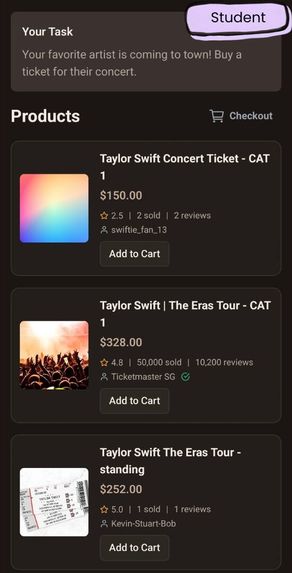
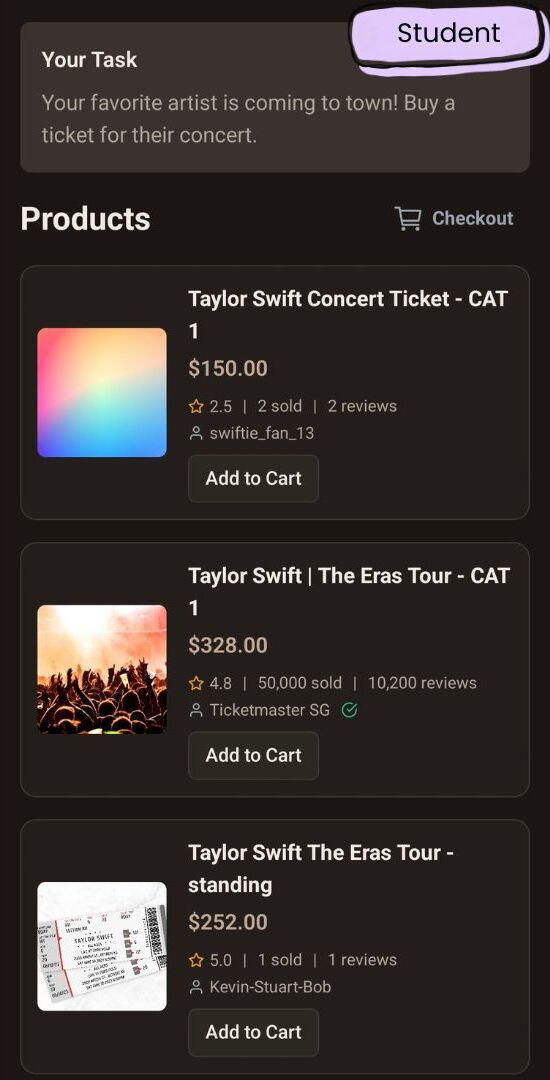
Student's Marketplace Scam Scenario
-
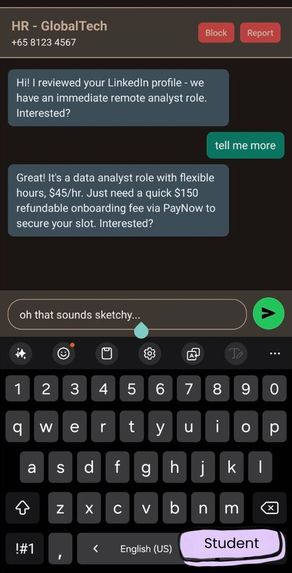
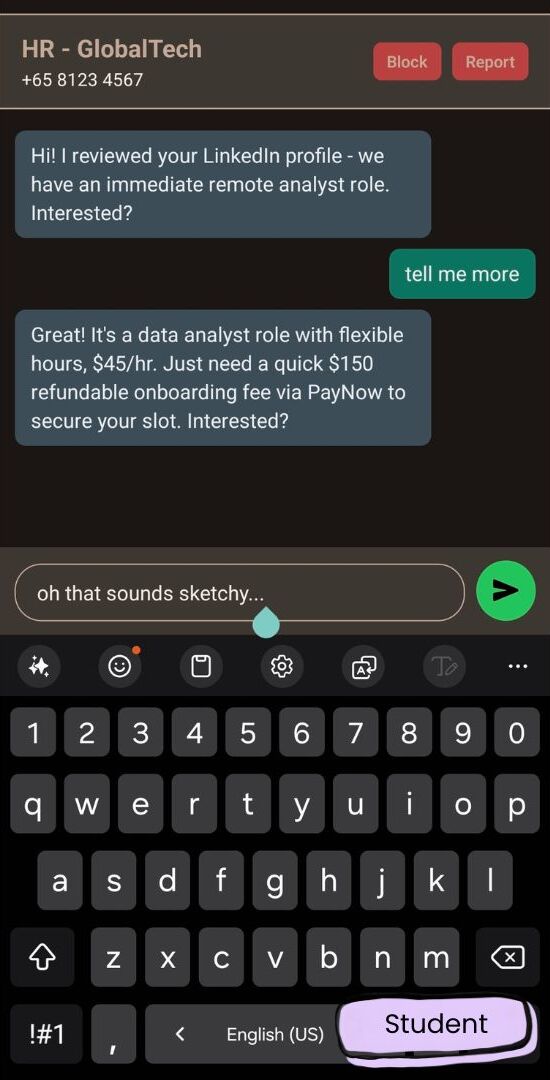
Student's WhatsApp Scam Scenario
-
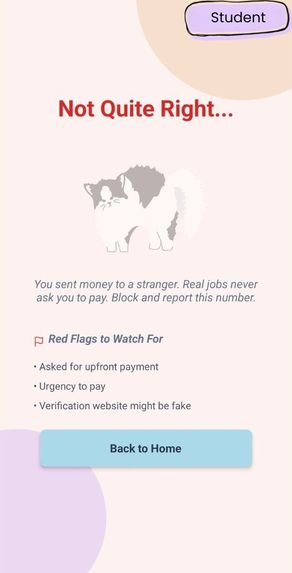
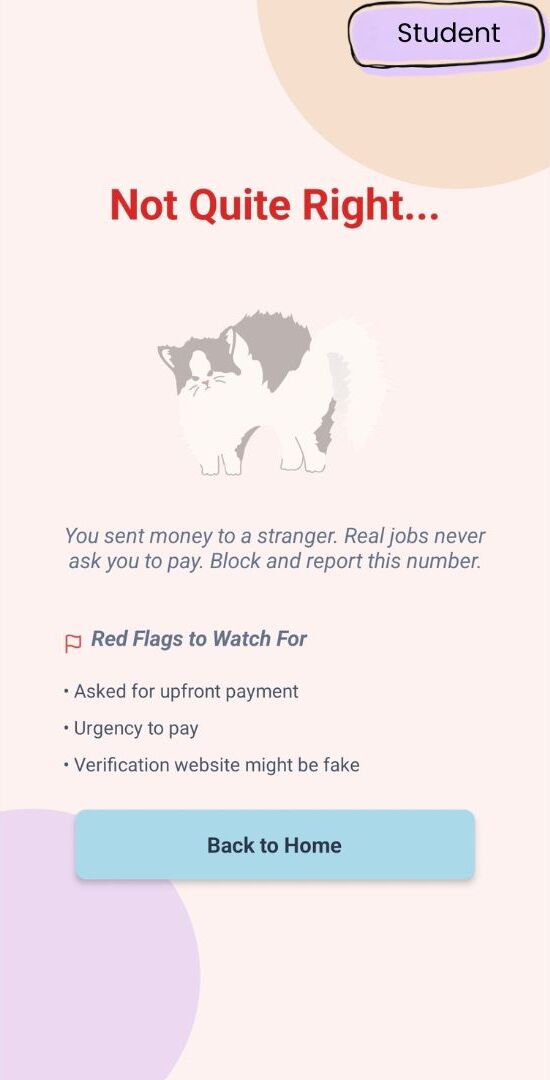
Student's WhatsApp Scam Scenario Results
Inspiration
With the relentless rise in scams globally, frauds are meticulously engineered to exploit trust and urgency. Unfortunately, Persons With Disabilities (PWD) and the Elderly are disproportionately targeted. Scammer tactics like artificial time pressure and confusing jargon land much harder on individuals with cognitive disabilities, low vision, or limited digital literacy. Whilst traditional scam education relies on passive lectures, there is growing understanding that activities are what engages PWDs. We want to support this cause by gamifying the experience, putting the user inside realistic simulated scams. This lets the learner experience the pressure, make a decision, and safely understand exactly what they missed. Educators also lack an easy to use and convenient platform to orchestrate such scenarios, so we put in an equal amount of effort to ensure easy use and intuitive design on the educators' side of the platform as well.
What it does
CLARO is a mobile platform where NGO staff and teachers assign realistic scam simulations to the people they support, and learners work through them at their own pace.
For Teachers and NGO staff:
1) Assign simulations from pre-made scenarios covering authority scams (impersonating banks, police, government agencies), relationship scams, phishing scams, etc.
2) Teachers can create custom scenarios and bake in personal details (e.g. names, hobbies, favourite foods) so the scam feels tailored, the same way a real scammer uses research.
3) Track who completed what, who fell for what, and how many attempts it took
4) Aggregate data on which scam types have the highest success rate against a given cohort
5) Identify which learners are most vulnerable, and to which specific manipulation tactics from detailed analytics
For Students:
1) Play through simulations that mimic the real thing: an incoming phone call with vibration, a WhatsApp-style chat thread, a marketplace listing
2) Respond naturally through dialogue choices rather than answering a quiz about scams
3) Get feedback from a cat mascot at the end of each run, such as what the warning signs were, which ones were missed, and what a safer response would have looked like
How we built it
Frontend: React Native + Expo (SDK 56)
1) Expo Router for file-based navigation, with role-based route groups splitting the student and teacher experiences
2) NativeWind v4 for styling, on a warm beige design system built around CSS variable tokens
3) Each simulation type gets its own accent identity (--sim-* tokens: violet for calls, green for chat, orange for marketplace) so the app stays visually coherent while each scenario still feels like its own thing
4) react-native-reanimated for the tile cascade animations, ring progress indicators, and the bottom-sheet scenario detail modal
5) A custom component library (Button, Card, Text, Badge, Progress) built on CVA so variants stay consistent across screens
6) Cat mascot illustrations carry the emotional weight of feedback and are also cute
Backend: Node.js / Express + Firebase
1) Firebase Auth on the client, Firebase Admin SDK verifying ID tokens on the server, with roles stored in Firestore. API keys for the model providers live server-side only and never touch the client bundle.
2) Firestore collections for users, classrooms (with a students subcollection), templates, scenarios, and invites, with composite indexes for the classroom queries
3) A scenarioPool that syncs published templates into playable scenarios
4) Answer-key protection at the API layer non-owners requesting a scenario receive metadata only. The playable payload served to students is deliberately stripped of anything that would give away the correct response.
AI
1) We use a mix of DeepSeek, MiniMax, and Gemini for WhatsApp dialogue generation and for analysing open-ended learner responses. We initially used Gemini Flash during development, but found out that after hosting our backend on the cloud, it was in a location Google will not serve for Free Tier accounts. As such, we pivoted to using Deepseek and MiniMax, and left the option to toggle between the 3 different models.
2) Because scenarios carry real personal details about vulnerable individuals, personalisation fields are substituted in as narrowly as possible, rather than handing a model a full learner profile and asking it to improvise. Data privacy was flagged as a concern from the first planning session and it shaped how much context we're willing to send anywhere.
Challenges we ran into
1) Understanding accessibility in design. We realised we were very ignorant of the barriers this community faces when navigating the digital space. We initially leaned on the MDN accessibility docs, the gov.uk dos-and-don'ts posters, and Microsoft's Inclusive Design guidance, but the thing that actually helped was conducting user testing with beneficiaries directly.
2) Using a stack we were not familiar with. None of us had experience in app development, hence practically all of the frameworks and languages were learned in the span of two months. This led to several constraints and challenges such as specific syntax for Nativewind Classes to toggle themes.
Accomplishments that we're proud of
1) We learned React Native, NativeWind, Expo Router, and Firebase from scratch over the course of this project, and shipped something people can actually use.
2) Ran real user testing with the community the app is for, and changed the design because of it. This led to us implementing the translation engine to serve the app in English, Chinese, Malay and Tamil.
3) Using AI APIs for dialogue generation and response analysis, with deliberate limits on how much personal context ever gets sent to a model.
4) Surviving
What we learned
1) Accessibility is architecture. Reduced-motion checks, touch target sizing, and semantic roles are malleable when they're in the component from the start and hard to change when they're retrofitted across forty screens. We learned that in the initial planning page.
2) Firestore's data modelling rewards thinking about read patterns first. We restructured classrooms into a subcollection after realising how we'd actually be querying them.
3) Not every model is good at every job. Splitting dialogue generation from response judgement across different providers produced noticeably better results than forcing one model to do both.
4) Building for a community you're not part of means your intuitions are just hypotheses, therefore it is imperative to test them.
What's next for CLARO
1) More scenarios
- Expanding the framework library beyond authority and relationship scams into job offer scams, investment scams, and impersonation of family members.
2) Sandbox mode for teachers to draft and test out their personalised custom 'scam' scenarios
3) More advanced autism-friendly features
- Separate volume sliders for background music, sound effects, and dialogue, so ambient audio can be muted without losing important cues
- Fully self-paced text with pausing, no timed prompts
- Low-clutter colour schemes as a selectable mode for earlier-stage learners
4) More extensive user testing to find out which feedback framings actually change behaviour, rather than relying on theory
5) Partnering with more NGOs to get CLARO in front of the people it was built for
6) Expanding the app to IOS
Built With
- deepseek
- expo.io
- express.js
- firebase
- gemini
- gradle
- i18n
- minimax
- nativewind
- node.js
- react-native


Log in or sign up for Devpost to join the conversation.