-
-
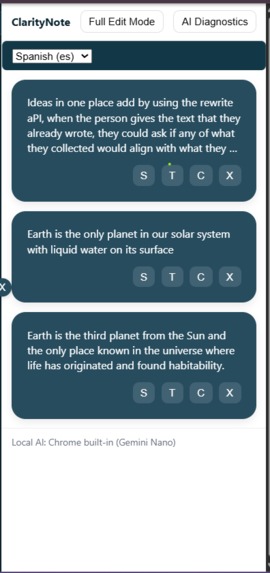
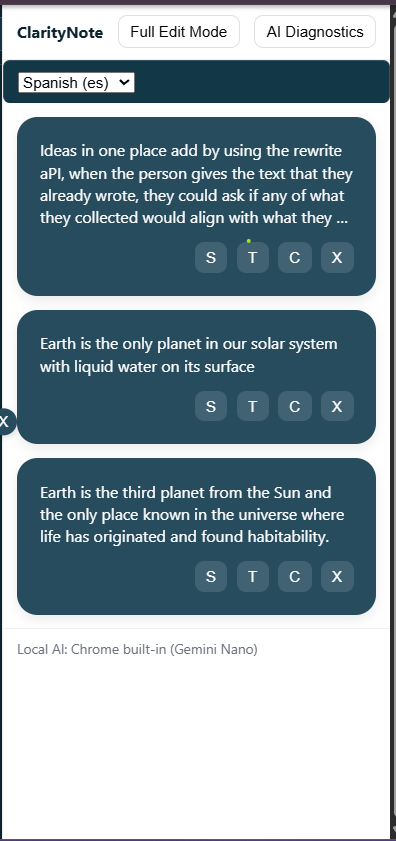
The side extention
-
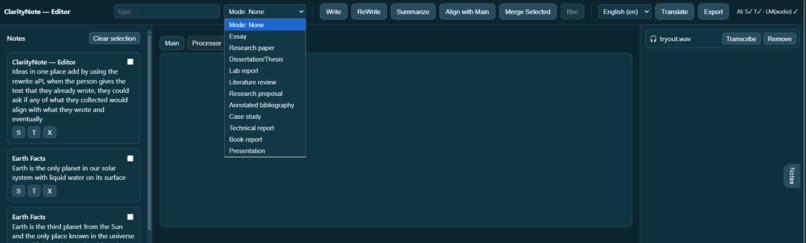
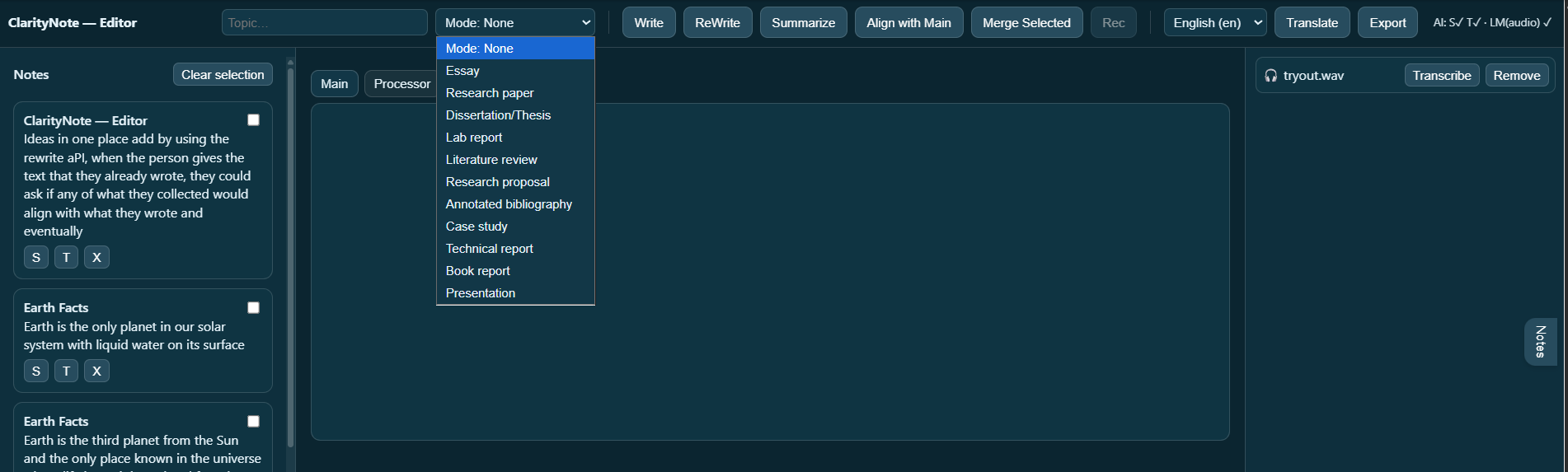
The writing type
-
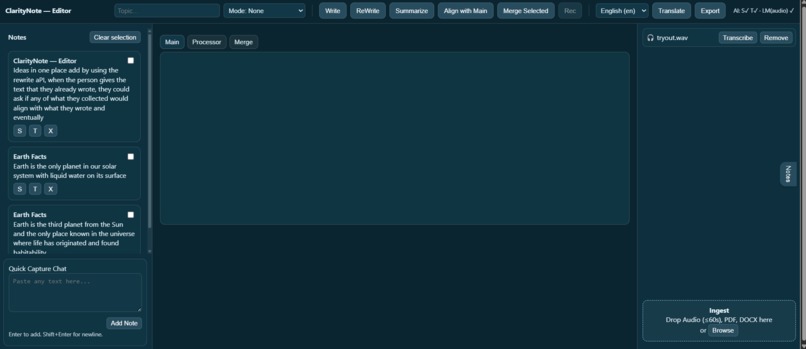
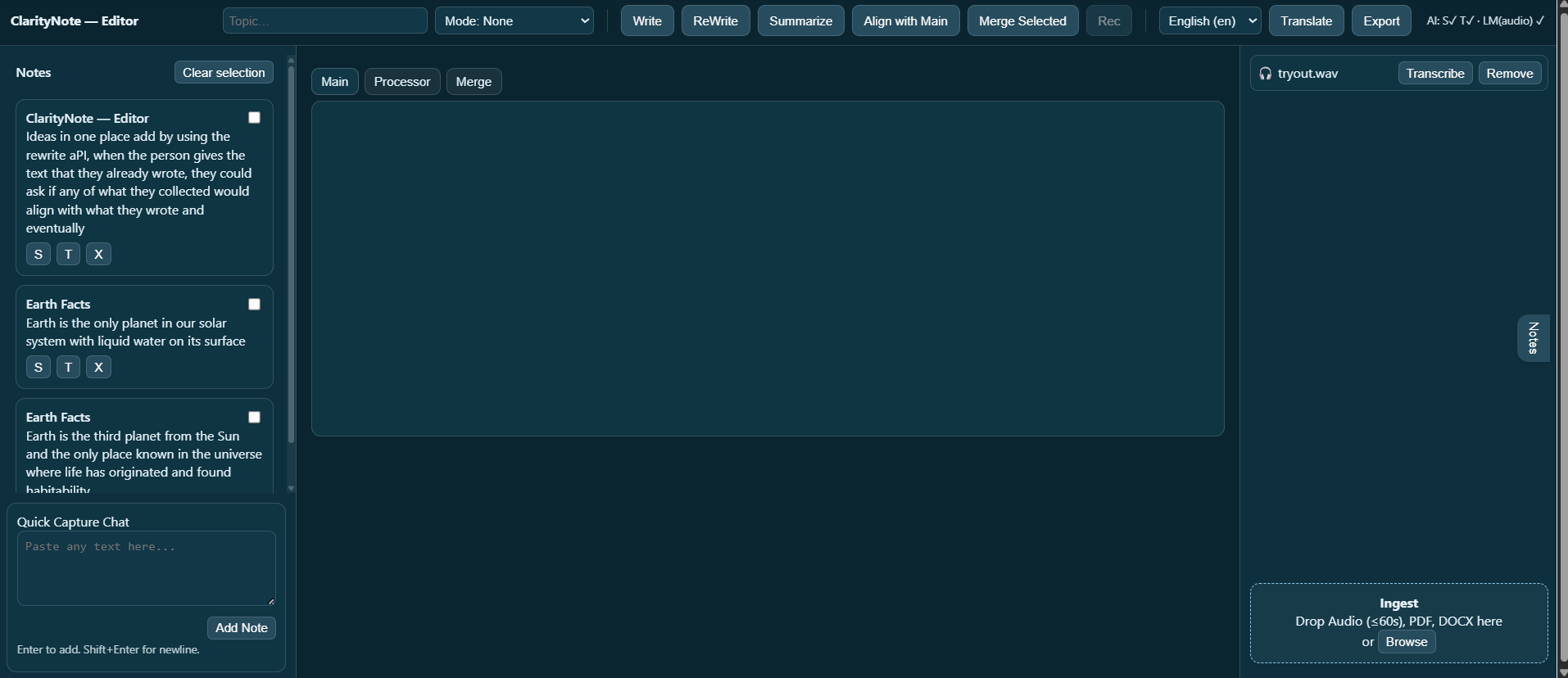
The full editor mode
-
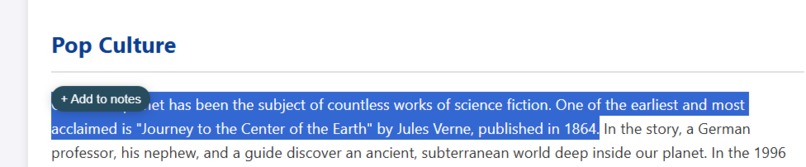
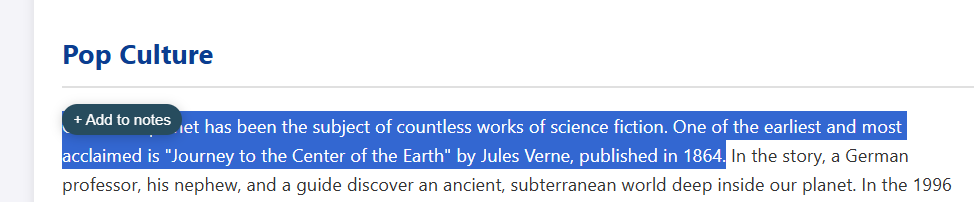
Adding the note with citation capturing
🧠 Inspiration
While researching and studying online, I constantly found myself juggling multiple PDFs, academic articles, and notes — all open in different tabs, scattered and disorganized. Copying citations, rewriting complex passages, and keeping track of relevant information felt exhausting. ClarityNote was born from that frustration: a single space where you can collect, simplify, translate, and align ideas — all on your device, without ever sending your data to the cloud.
⚙️ What It Does
ClarityNote is an on-device Chrome AI web app that turns reading and note-taking into a structured, intelligent workflow. Users can:
Highlight or extract text from PDFs and add it to a side panel of smart note cards.
Simplify or translate notes using Chrome’s built-in Summarizer, Translator, Writer, and Rewriter APIs.
Align selected notes with their main draft using LanguageModel and Prompt APIs, generating clear insights like supports, contradicts, or neutral.
Choose writing modes — Essay, Research Paper, or Presentation — to guide the structure and tone of AI rewriting.
Export everything into a clean TXT or DOCX file. All processing happens locally through Gemini Nano, ensuring total privacy.
🛠️ How We Built It
Frontend: React + TailwindCSS
Storage: Firestore / Local Storage for user persistence
AI Integration: Chrome’s built-in APIs — Prompt / LanguageModel, Summarizer, Translator, Writer, Rewriter
Design: Minimal three-column layout (Notes | Editor | Imports) for focus and usability
Browser: Chrome Canary (v143+) with on-device Gemini Nano enabled
The AI runs entirely in the page world, and the extension bridge allows direct communication with the built-in APIs without external servers.
🚧 Challenges We Ran Into
Audio transcription: Multimodal API access for audio varied between Chrome builds, making it unreliable for demo use.
On-device model setup: Getting Gemini Nano to download and initialize consistently required fine-tuning Canary flags and origin trials.
Prompt API permissions: Content script isolation made connecting page-world AI to the UI tricky — solved through a custom postMessage bridge.
Time constraints: Building a full academic workflow within two weeks required strict prioritization.
🏆 Accomplishments That We’re Proud Of
Built a complete on-device AI workflow (Summarize → Rewrite → Translate → Align) with zero cloud calls.
Designed a clean, academic-friendly interface that feels familiar and practical.
Implemented a working alignment engine that checks each note’s relevance to the thesis — with Accept/Reject suggestions.
Created a system that genuinely improves clarity and organization for researchers and students.
📚 What We Learned
How to fully utilize Chrome’s Prompt API and LanguageModel features in the page world.
Techniques for handling on-device model availability and progress events.
UX lessons: users value simplicity and structure more than raw features.
The future of AI-assisted learning lies in private, local-first tools — not cloud chatbots.
🔮 What’s Next for ClarityNote
Enable working audio transcription and in-browser recording using the multimodal LanguageModel API.
Expand academic templates with Dissertation, Case Study, and Technical Report modes.
Add citation auto-formatting (APA, MLA, Harvard) and drag-and-drop bibliography export.
Integrate collaborative workspaces for students to co-edit and align research in real time
Built With
- chrome
- css-frameworks-&-libraries:-react-18
- css3
- gemini-nano
- git
- github
- html
- javascript
- localstorage
- promptapi
- react
- rewriteapi
- summerizerapi
- tailwind
- tailwindcss-browser-platform:-google-chrome-(canary-v143+)-with-gemini-nano-enabled-ai-apis:-prompt-/-languagemodel-api-summarizer-api-translator-api-writer-api-rewriter-api-storage-&-hosting:-firestore-+-firebase-hosting-(for-demo)
- translatorapi
- vite
- writeapi

Log in or sign up for Devpost to join the conversation.