Inspiration
Too many people are locked out of conversations not because they can’t hear, but because speech can be too fast, too technical, or too dense to process in real time. That hits especially hard for ESL speakers, neurodivergent listeners (ADHD/autism), people with auditory processing challenges, and anyone dealing with stress or cognitive fatigue. We wanted to leverage AI to build something that makes spoken information easier to understand. without forcing the listener to interrupt, ask for repeats, or feel embarrassed.
What it does
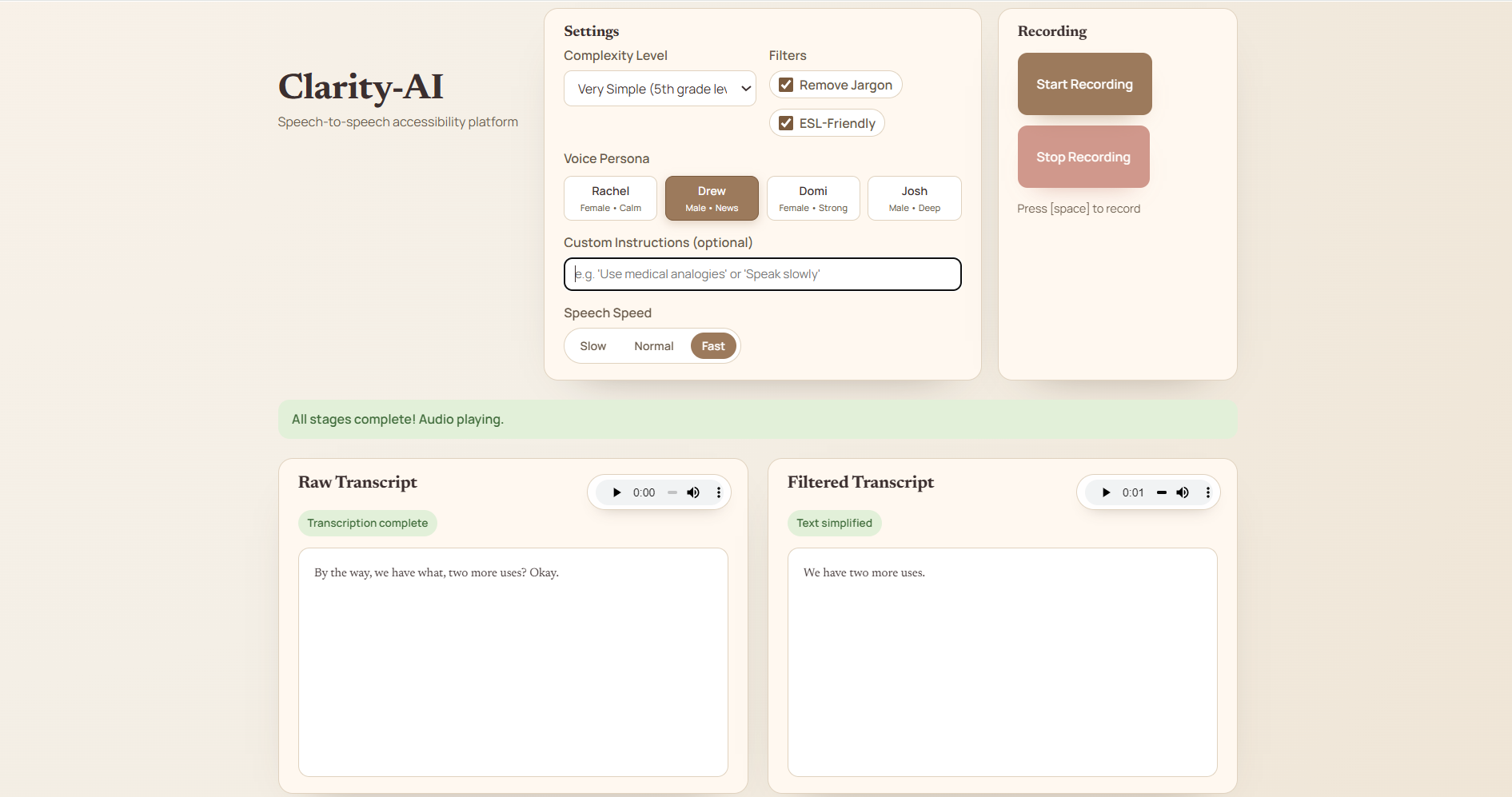
ClarityAI is a speech-to-speech accessibility tool. You speak into it, and it:
Transcribes speech in real time. Simplifies and cleans up the transcript based on user preferences (reading level, remove jargon, ESL-friendly, custom instructions). Converts the simplified text back into clear synthesized speech, with user-controlled voice persona and speed.
How we built it
Frontend: A lightweight React UI (served as static files) that records microphone audio, streams PCM frames over WebSocket for realtime transcription, and displays both the raw and simplified transcripts side-by-side. Backend: Node/Express server that serves the frontend, exposes API routes for simplify + synthesize, and hosts a WebSocket endpoint for realtime transcription streaming. AI/Audio services: Speech-to-text via real-time WebSocket transcription usinng Gradium API. Text simplification using an LLM-based simplification pipeline with the Gemini API. Text-to-speech using ElevenLabs API, including voice persona selection and speech speed controls.
Challenges we ran into
- Real-time audio streaming: Converting mic input into stable PCM frames and streaming them reliably over WebSocket without stutters or invalid frame sizes.
- Managing timing and state: Coordinating “recording,” “transcribing,” “simplifying,” and “synthesizing” stages while keeping the UI responsive and understandable.
- Mic permissions and latency: Browsers require user gestures to start audio; cold-starting the mic adds delay. We had to “pre-warm” the microphone stream after a user gesture and keep it alive.
- API request formatting: Making sure ElevenLabs calls were valid and robust, especially when adding new parameters like speech speed and voice selection.
- UX polish: Making the workflow feel effortless (hold-to-record with spacebar, clear stage indicators, and immediate playback).
Accomplishments that we're proud of
- End-to-end speech-to-speech pipeline: Speak → transcribe → simplify → synthesize, all in one flow.
- Real-time transcription streaming with clear progress stages.
- Personalization: Adjustable complexity, filters, custom instructions, voice persona selection, and speech speed.
- Accessibility-focused UX touches: hold-to-talk on space, clear status messaging, and side-by-side transcripts to build trust in what changed.
What we learned
“Accessibility” isn’t just about captions. It’s also about cognitive accessibility: pacing, vocabulary, structure, and confidence. Real-time audio apps are mostly about edge cases: permissions, browser quirks, buffering, and state cleanup. Small UX decisions (pre-warming mic, hold-to-talk, immediate playback) drastically change perceived performance and usability. When integrating external AI APIs, defensive request shaping and clear error surfacing save huge debugging time.
What's next for ClarityAI
Highlight what changed between raw and simplified transcript. Optional “explain terms” mode for technical vocabulary. User accounts and saved settings. Live “meeting mode” with continuous transcription and periodic simplified summaries. Make a phone app.

Log in or sign up for Devpost to join the conversation.