-
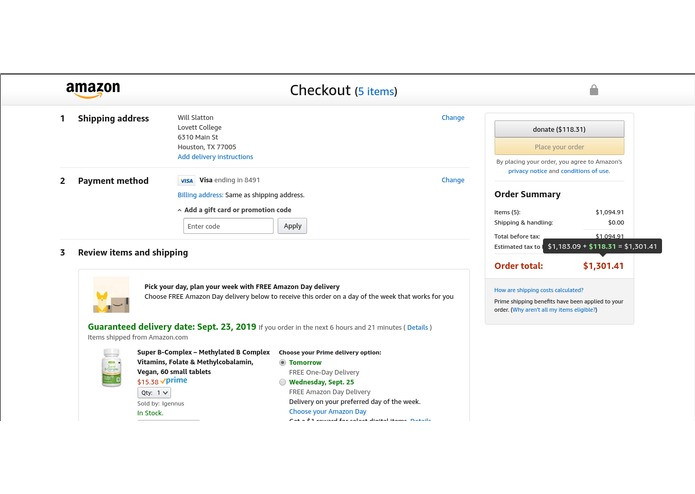
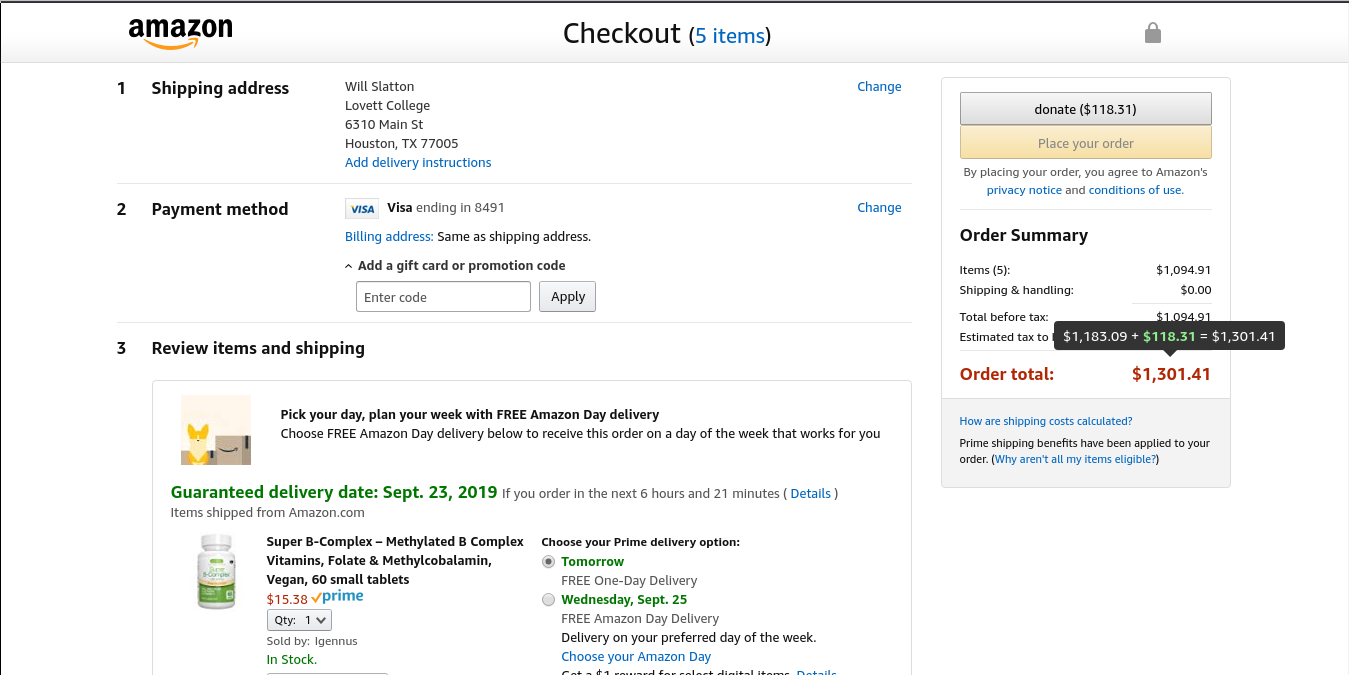
checkout with donation button and donation amount added
-
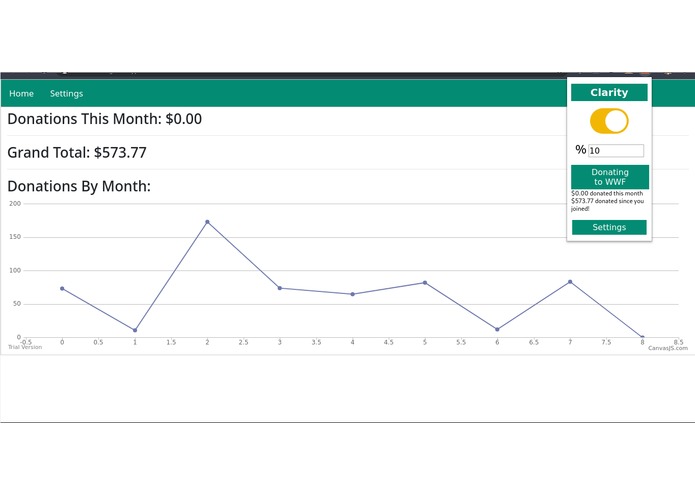
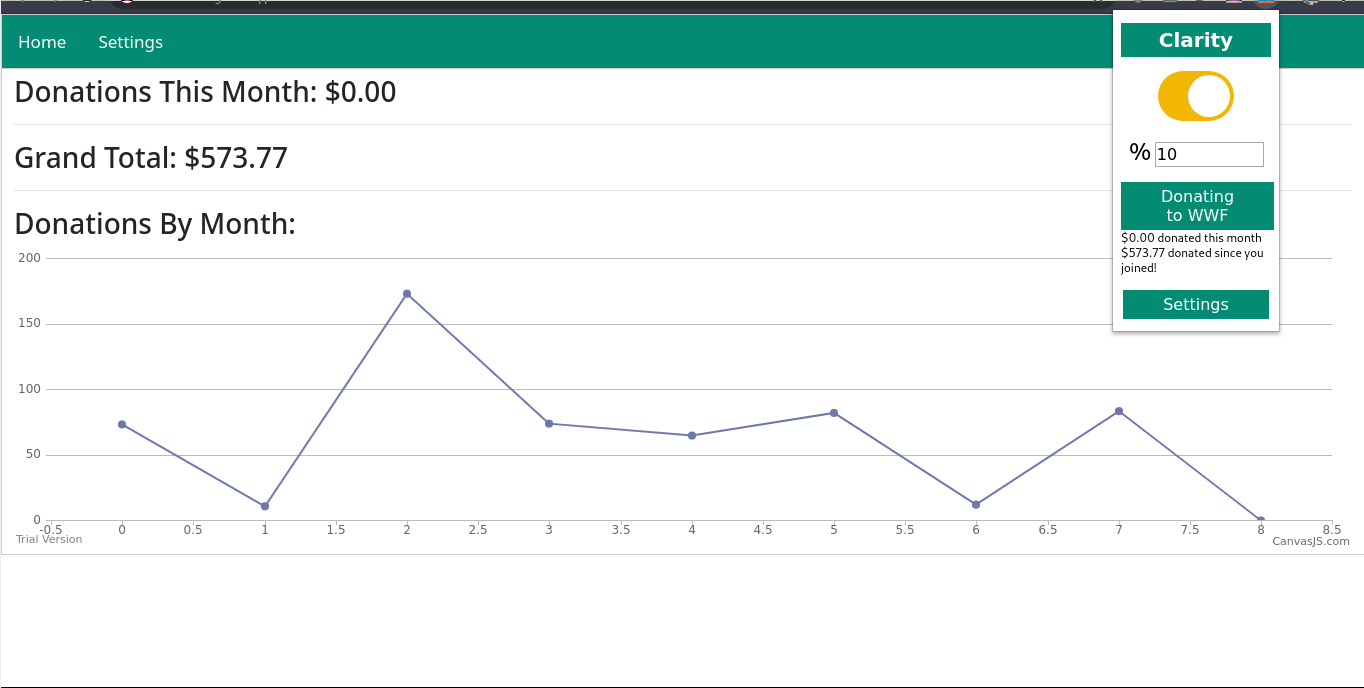
newtab and popup uis
-
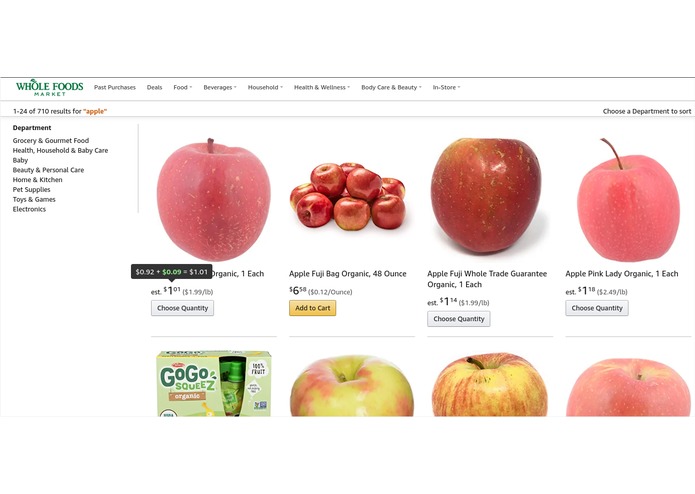
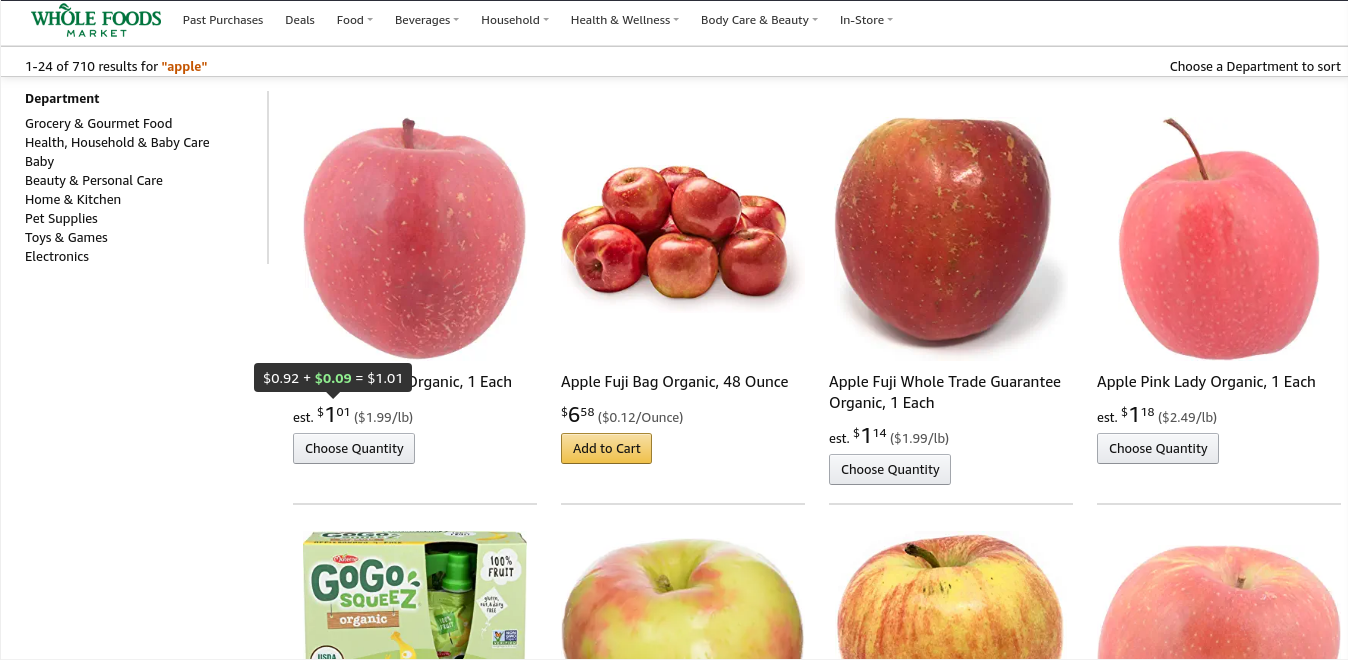
product listings with donation added (plus tooltip)
-
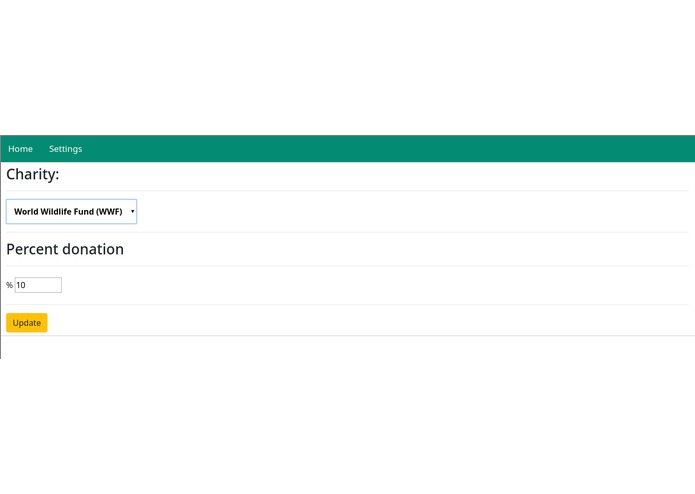
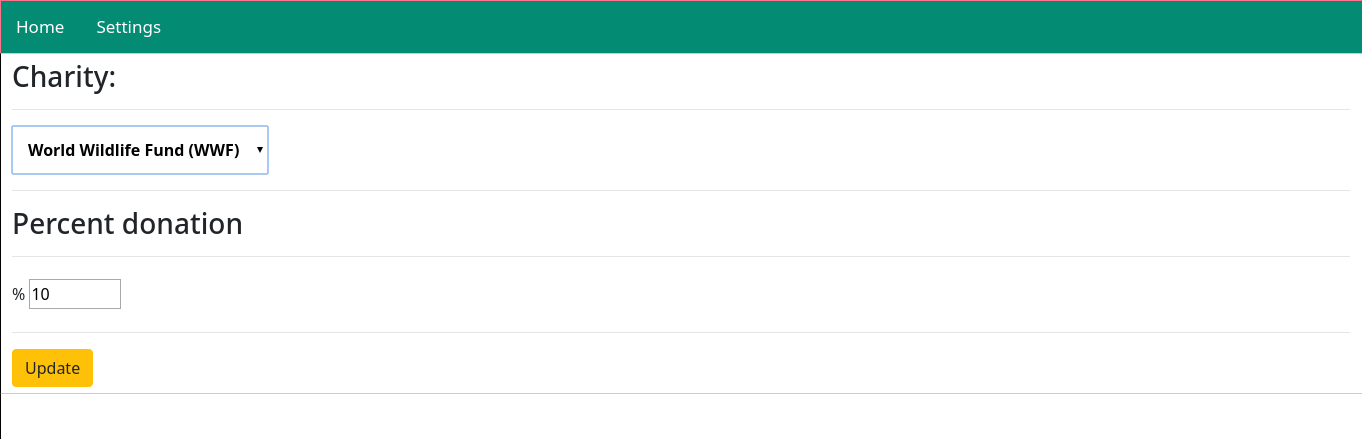
settings ui
Inspiration
We were inspired by the basic concept of Amazon Smile, which donates 0.5% of the price of certain products to your charity of choice, at no additional cost to the user. We wanted to expand on this concept to provide the user with much more control, decouple it from Amazon (our project can be extended to other shopping sites easily), and allow donating larger amounts.
What it does
Our extension adds a configurable percent donation to all Amazon list prices. When you go to check out, the normal check out button is initially disabled and you must first click the donate button, which directs you to the donation form for your chosen charity with the amount autofilled. After this, the normal checkout button is reenabled.
We have an extension popup on the toolbar that has a toggle for the extension functionality and a field to change the percent donation. Adjusting the percentage causes the list prices on Amazon to be updated (without reloading the page) to reflect the new donation. The popup also displays the current charity of choice, the total amount donated since installing the extension, and the amount donated for the current month.
We have a newtab page which displays the total amount donated and the amount donated for the current month. It also displays a graph of donations per month over time so you can track your progress. There's also a settings tab (which can be accessed via the popup as well) that lets you choose your current charity and adjust the percent donation.
How I built it
We built this using only the basic chrome extension APIs and a couple helper javascript libraries. We use Tippy.js to easily create tooltips (which appear when you hover over prices on Amazon to show the original price and donation) and CanvasJS to display the newtab page graph.
Challenges I ran into
Three of our four team members had little experience with web development (and almost none with git either), so ensuring that everybody was able to contribute something to be proud of was difficult. We believe we were successful in doing so though, and all members can point to a concrete contribution of theirs to the final product.
Even the team member with prior experience wasn't familiar with the chrome extension APIs though, so learning how to use basic functions like local storage took a bit of getting used to.
Accomplishments that I'm proud of
Although our project is very much a prototype still, we managed to create something essentially fully functional. Given our lack of experience (we're all freshmen who haven't completed a single CS course at Rice yet) and tight schedules (none of us we able to commit the whole 36 hours), we think that alone is impressive. Our project also directly contributes to social good and is accessible to almost anyone given the configurability of the donation amount and charity.
What I learned
All of us significantly strengthened our web development skills (particularly chrome extension develop ment) and generally learned about the experience of a hackathon. We all plan to continue with Hackrice in the rest of our years at Rice and now realize how much dedication and organization successfully executing a hackathon project requires. We all feel better equipped to take on more complex challenges next time and have the added confidence that comes from having now completed one hackathon project successfully.
What's next for clarity the one-click charity
We would like to extend our extension to work with online retailers other than Amazon and extend the list of charities (right now we only have two for the purposes of demoing the product). We'll also of course need to actually publish the extension on the chrome store and spread the word about it either to other Rice students or more broadly through social media.
The extension is still generally prototype quality and the UI could certainly be more polished in places, and we would like to modularize our code and generally clean it up because it was thrown together quickly and has a fair bit of duplication and isn't particularly well organized.

Log in or sign up for Devpost to join the conversation.