-
-
Clarity- Real Time AI Summariser
-
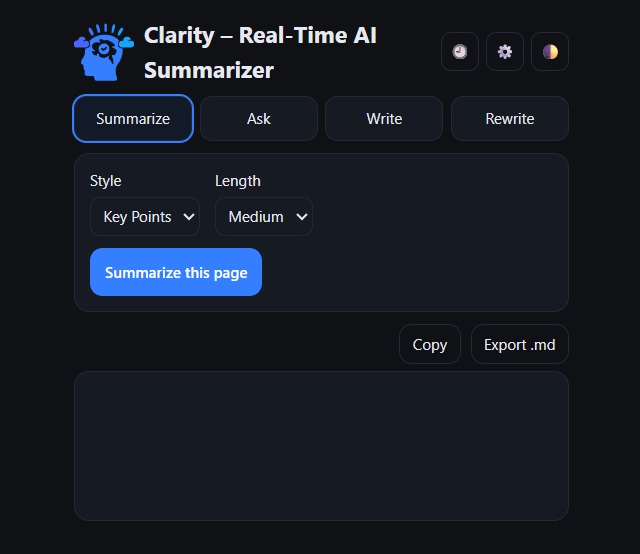
Extension Screen
Inspiration
The web is overflowing with information, but most of us don’t have time to read every long article or watch every 20-minute video. We wanted something that respects attention spans, keeps privacy intact, and makes sense of content instantly — without sending data to the cloud. That’s where the idea of Clarity was born: an on-device AI summarizer that cuts through the noise.
What it does
Clarity is a Chrome extension that sits right in your toolbar. With a single click, it can:
Summarize any web page into key points, TL;DRs, or paragraphs.
Pull transcripts from YouTube videos and generate summaries with timestamps.
Let you ask questions about the page and get direct answers.
Rewrite or refine text in different tones and lengths.
Save your history so you can revisit or export summaries later.
All of this runs on-device, powered by Chrome’s built-in AI APIs, so your data never leaves your browser.
How we built it
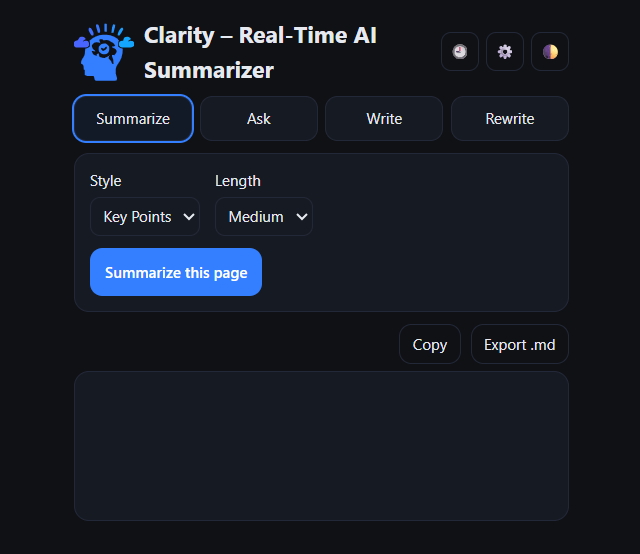
We built Clarity as a Manifest V3 Chrome extension with a FastAPI backend scaffold (later replaced fully by on-device models). The frontend is a polished, minimal popup with tabs for Summarize, Ask, Write, and Rewrite. Content extraction happens with smart scripting — grabbing either the article body or YouTube captions on demand. For the AI layer, we integrated Chrome’s Summarizer, Prompt, Writer, and Rewriter APIs, wrapping them with a clean UI and safe gesture handling.
Challenges we ran into
Handling model initialization safely — Chrome requires a user gesture when models are “downloadable.”
Making sure summaries didn’t break when streams returned chunks in different formats (strings vs ArrayBuffers).
Designing an elegant UI that fits into a small popup but still feels like a real app.
Getting YouTube transcripts reliably, since not all videos have captions.
Keeping permissions tight enough for the Chrome Web Store review process while still injecting extractors when needed.
Accomplishments that we're proud of
Built a fully on-device summarizer — no servers, no privacy trade-offs.
Designed a modern, dark-themed UI that feels professional and intuitive.
Added support for YouTube transcripts with timestamp-aware summaries.
Created a smooth history + export system so users can keep their insights.
Kept the extension’s permissions minimal and Chrome-store-friendly.
What we learned
The new Chrome AI APIs are powerful but come with sharp edges (gesture requirements, strict language parameters, stream handling).
Small UX touches — like progress bars, toast messages, and history — make a huge difference in user trust.
Privacy-preserving, on-device AI is not only possible but often better: faster, safer, and easier to justify to users.
Packaging for the Chrome Web Store requires careful explanation of permissions and data use.
What's next for Clarity – Real-Time AI Summarizer
Add more output languages and tone controls.
Support summarizing PDFs and local files.
Smarter readability extraction (e.g., full Mozilla Readability integration).
Clickable timestamps in YouTube summaries that jump to that moment.
Cloud sync option for history, while keeping on-device mode as the default.
Open-sourcing the project so the community can extend it further.
Built With
- api
- chromeai
- javascript

Log in or sign up for Devpost to join the conversation.