-
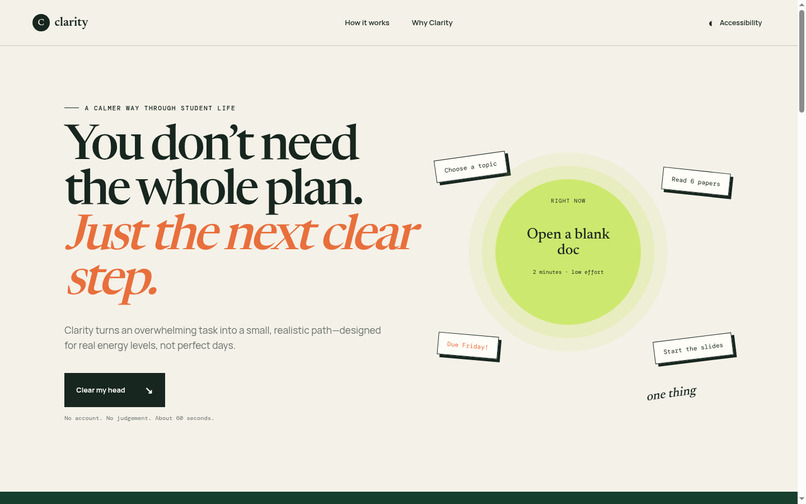
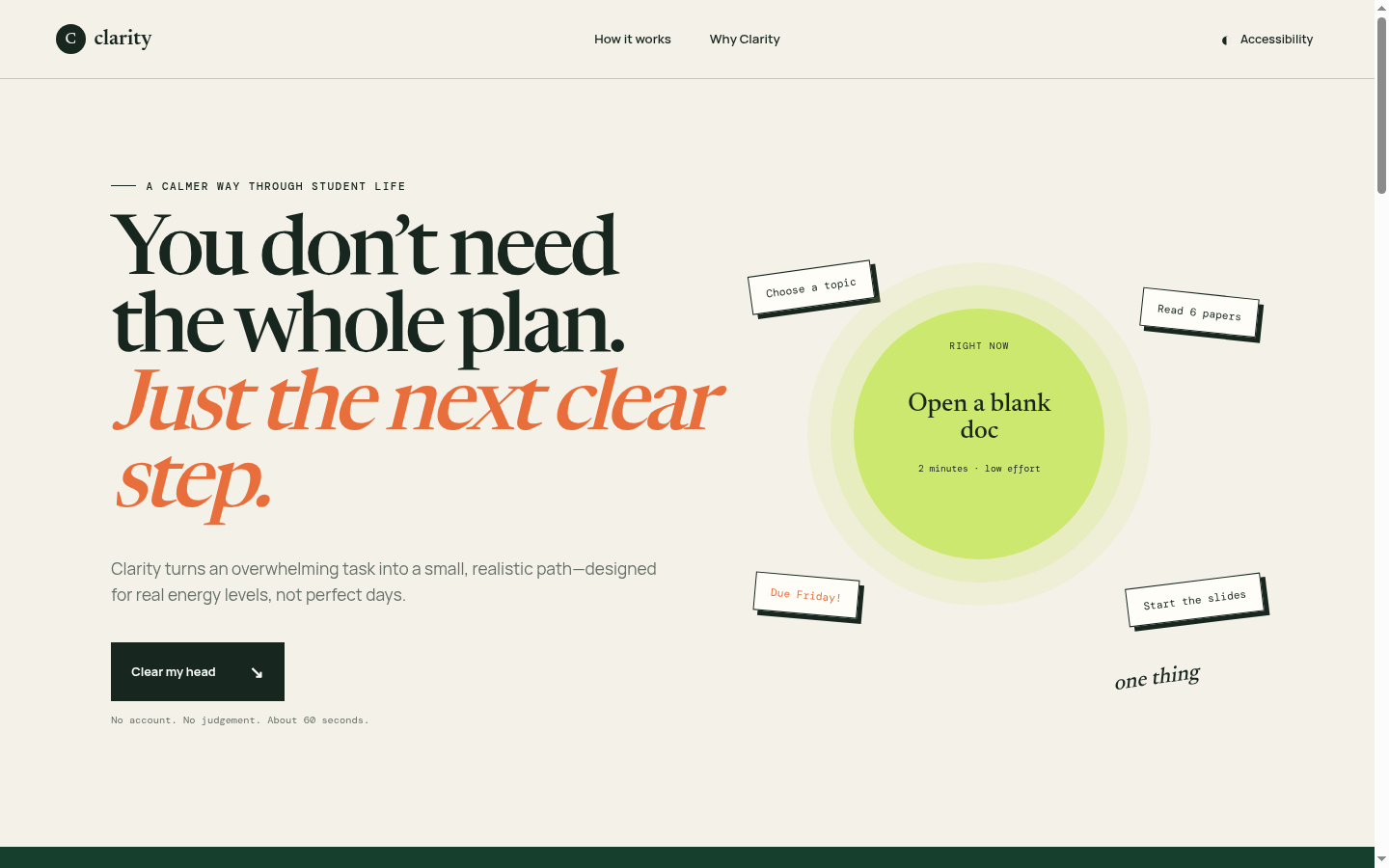
Desktop hero showing the scattered-task-to-one-step metaphor
-
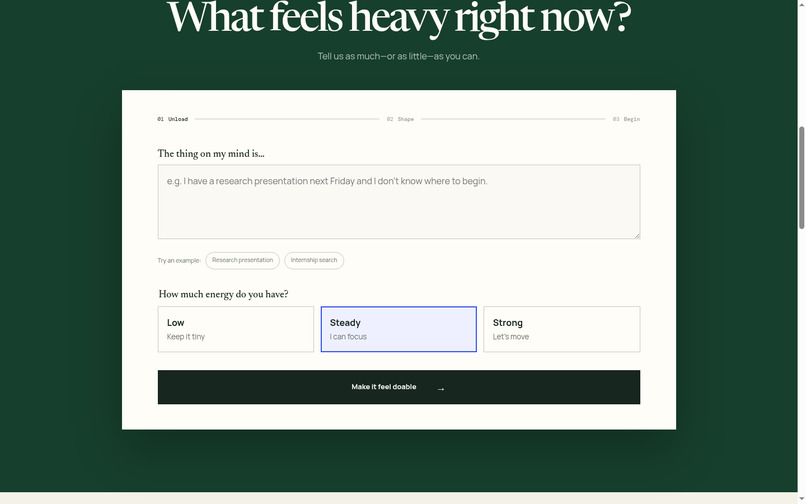
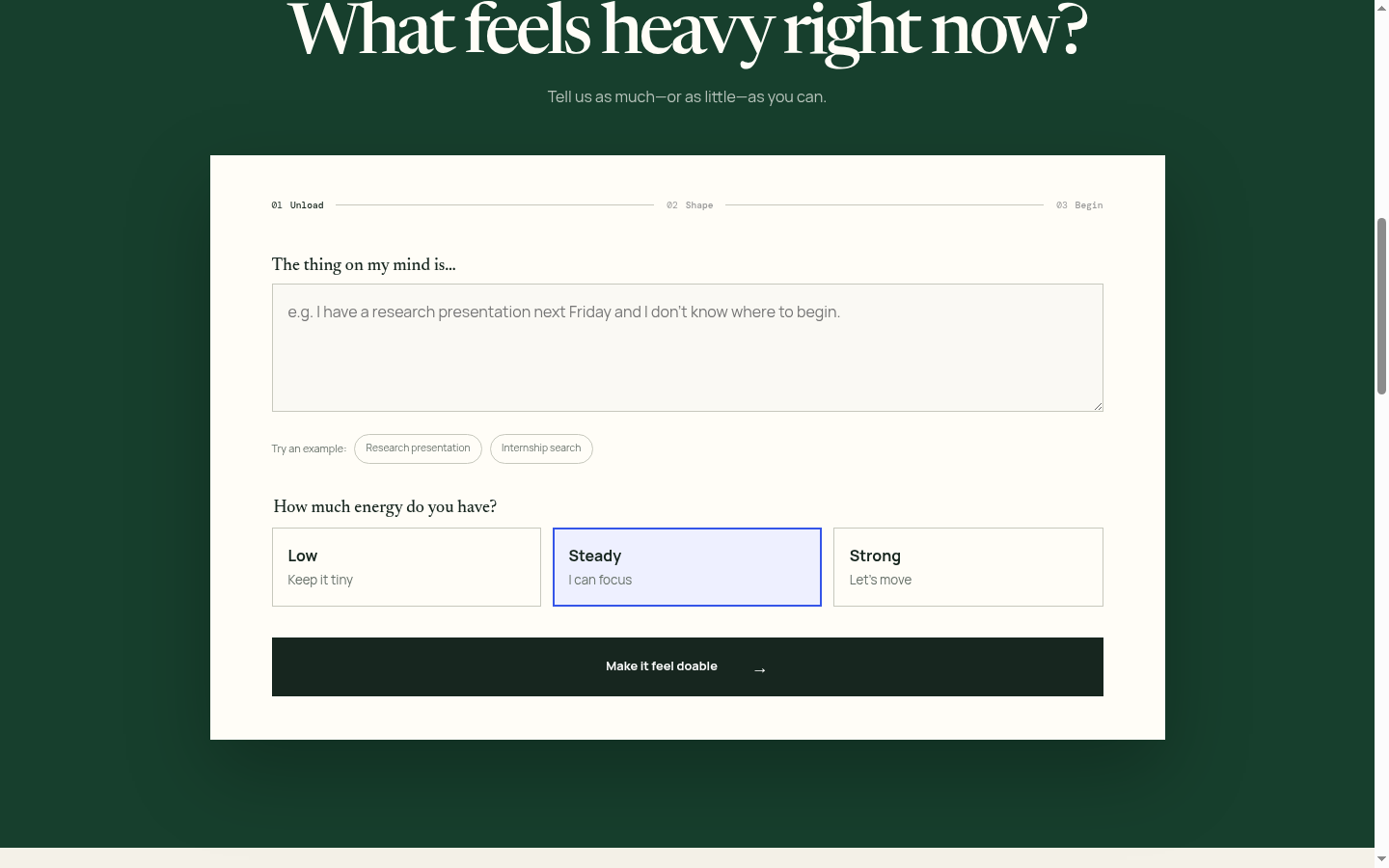
The task and energy input screen
-
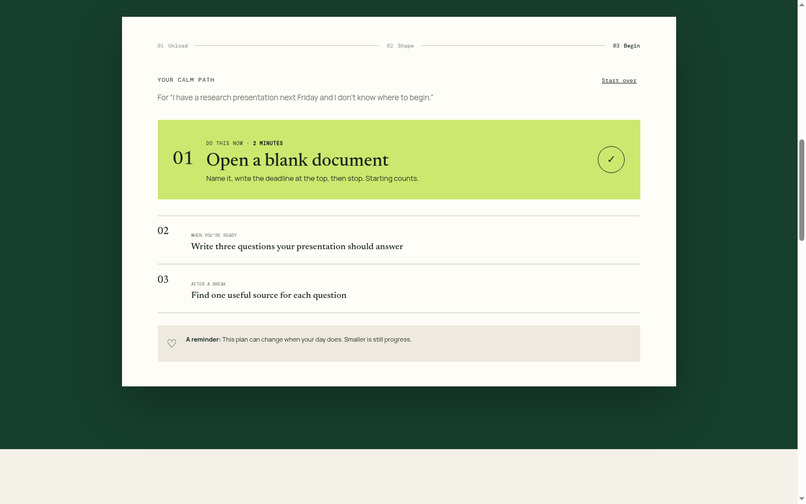
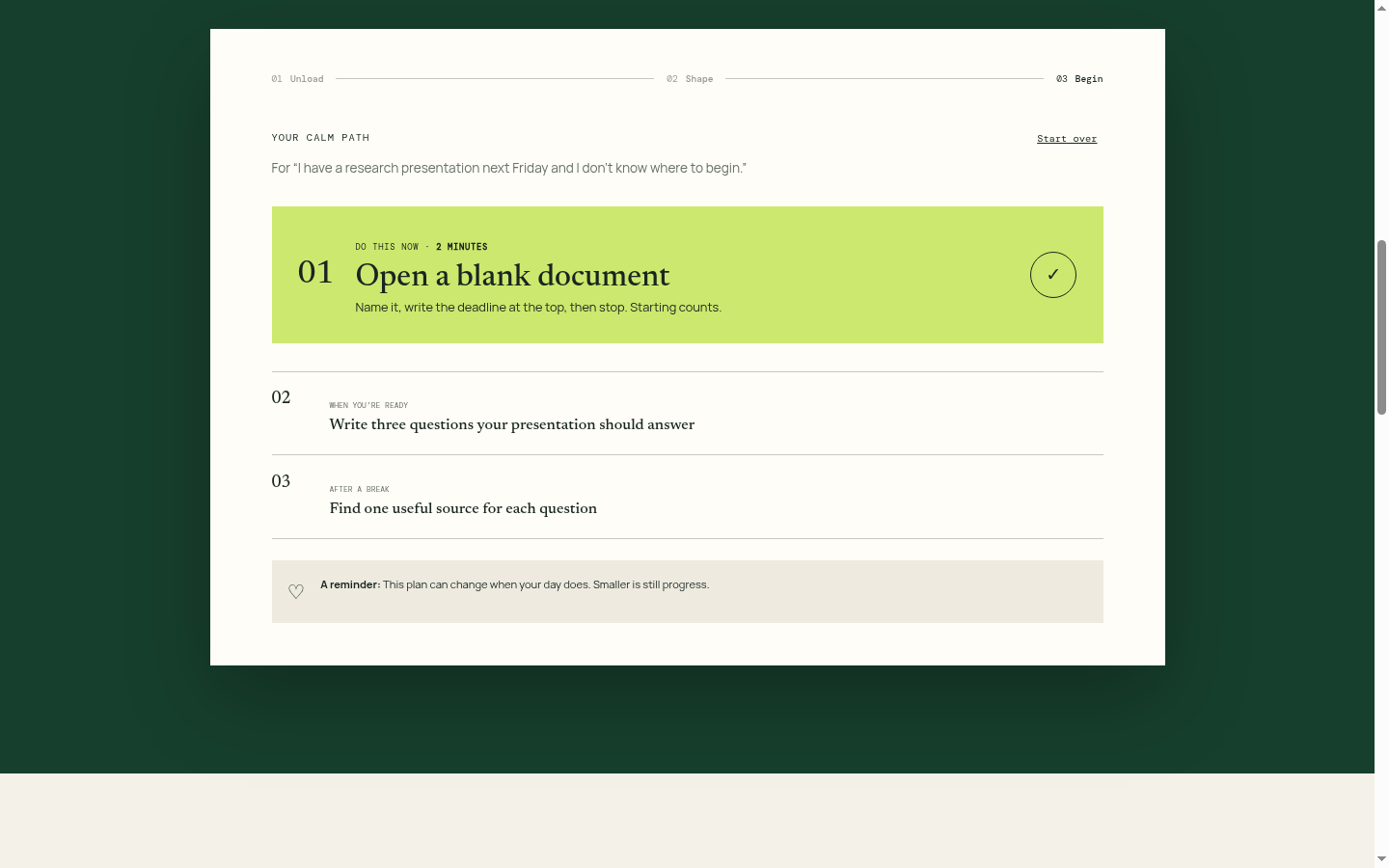
. The generated calm path with the highlighted first step
-
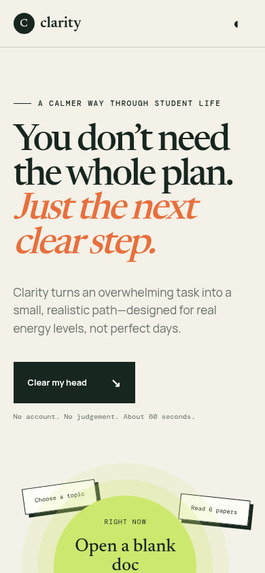
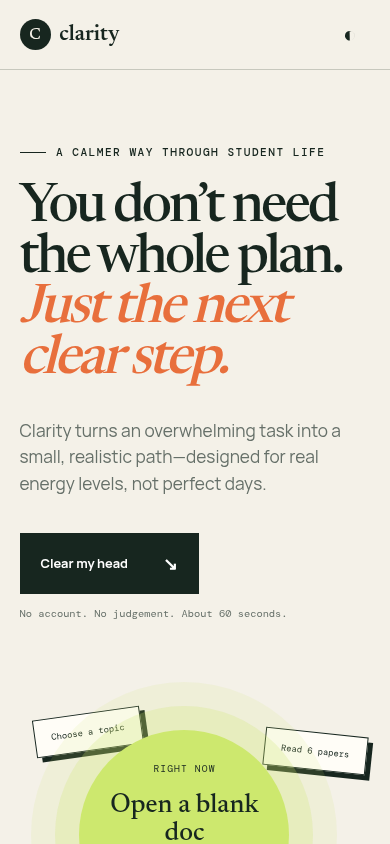
Mobile layout
Inspiration
The moments when students most need structure are often the moments when complex planners are hardest to use. A blank dashboard, a long task list, or another system to maintain can increase the pressure instead of reducing it.
Clarity began with a different design question: what if a productivity interface tried to lower the user's cognitive load before asking for their attention?
What it does
Clarity guides a student through a short, low-pressure flow:
- Unload the task in ordinary, imperfect language.
- Choose an honest energy level: low, steady, or strong.
- Receive one immediate step sized to that energy, followed by two later steps.
The experience also includes adjustable text sizing, a high-contrast mode, reduced-motion controls, keyboard-friendly navigation, responsive layouts, plain language, and visible focus states.
How we built it
The prototype uses semantic HTML, responsive CSS, and lightweight JavaScript. It is intentionally frontend-first: the challenge is not data processing but interaction design, information hierarchy, and reducing the number of decisions a user must make.
The visual system uses warm neutral space to reduce noise, a high-visibility lime colour for the current action, deep green for calm structure, and orange for emotional emphasis. The product reveals information progressively so the next action remains more prominent than the complete plan.
Key UX decisions
- One task at a time instead of a productivity dashboard
- Messy natural-language input instead of a rigid form
- Energy-aware recommendations rather than identical plans for every day
- Three choices at most, with a safe default
- The current step visually separated from later steps
- Supportive microcopy without guilt, streaks, or artificial urgency
- Accessibility preferences available before the user begins
Challenges
The central challenge was balancing reassurance with momentum. Too much supportive copy would slow the user down, while an overly efficient interface could feel clinical. We addressed this through progressive disclosure, short plain-language prompts, and a single visually dominant action.
Another challenge was making accessibility part of the main product experience rather than a hidden compliance layer. The controls therefore appear directly in the primary navigation and update the interface immediately.
Accomplishments
- A complete end-to-end interaction in approximately sixty seconds
- Responsive design from mobile through desktop
- Keyboard navigation and visible focus treatment
- User-controlled contrast, text size, and motion
- Energy-aware next-step recommendations
- A cohesive visual and verbal design system
- No account or personal data required for the prototype
What we learned
Reducing cognitive load is not the same as removing useful information. The better approach is sequencing: show the information when it becomes actionable. We also learned that accessibility decisions—clear hierarchy, readable language, larger targets, and reduced motion—improve the core experience for everyone.
What's next
The next phase would test the prototype with students across different study contexts and access needs. Findings would guide improvements to the task-shaping logic, language, and energy model. Future versions could add optional calendar export and private, device-local history without turning Clarity into another dashboard to manage.
Built With
- accessibility-first-interaction-design
- and
- css3
- html5
- javascript
- progressive
- responsive-design
- semantic-markup


Log in or sign up for Devpost to join the conversation.