-
-
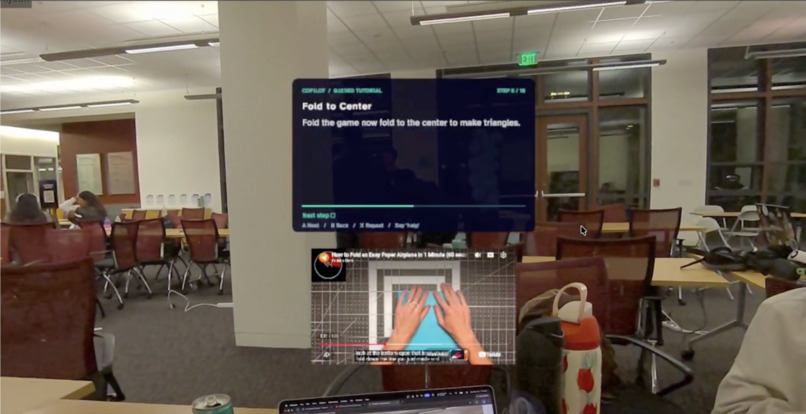
Headset App
-
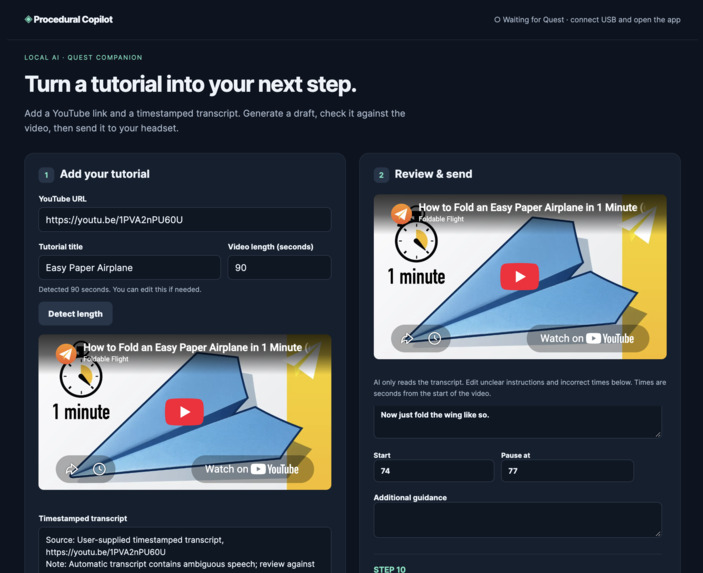
Mac Companion
Inspiration
Following a tutorial often means looking away from what you’re doing, reaching for a screen, rewinding, and trying to find your place again. That interruption becomes especially frustrating when both hands are busy.
We built Clarity Labs to bring the tutorial into your workspace: a mixed reality copilot that presents the next instruction, plays the relevant video segment, and lets you ask for clarification by voice.
What it does
Clarity Labs turns a YouTube URL and a pasted timestamped transcript into an interactive tutorial on Meta Quest.
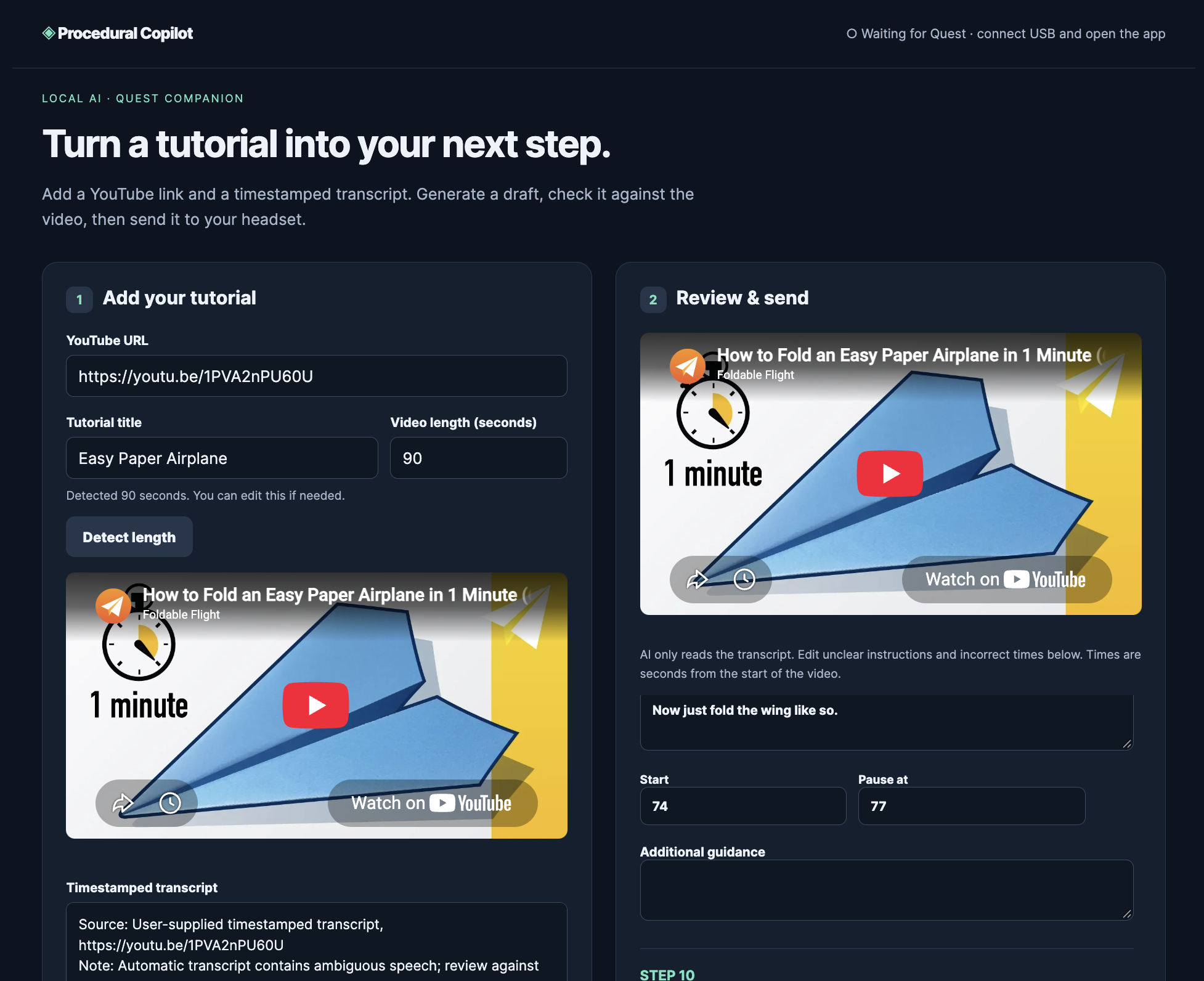
On our Mac companion, a local AI model generates a draft of numbered instructions and video segments. Users can preview the video, edit instructions and pause points, and approve the tutorial before sending it to the headset.
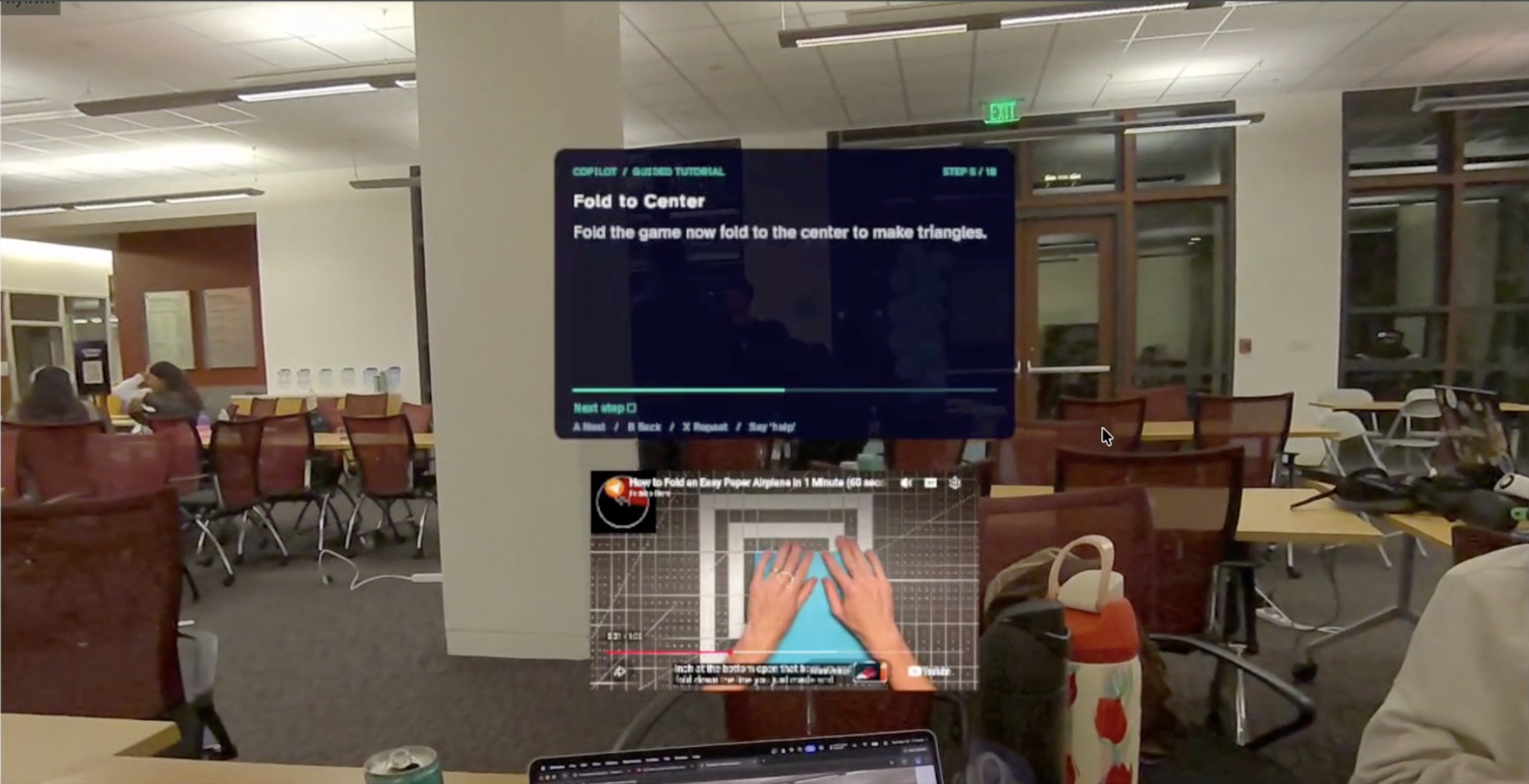
On Quest, users see the real world through passthrough alongside an instruction panel and embedded YouTube player. Video pauses at each step boundary, giving users time to perform the action. Voice commands let them move forward, go back, or repeat a segment.
When an instruction is unclear, users can say “help,” ask a question, and read a contextual answer in the headset. Follow-up questions remain connected to the current tutorial.
How we built it
We built the Quest application in Unity 6, using OpenXR and Meta Quest support for mixed reality.
A shared procedure controller manages tutorial state, navigation, and progress. The video player follows that state, keeping the instructions and video segments connected.
Our companion application uses Python with a browser interface built in HTML, CSS, and JavaScript. Gemma 3 4B, running locally through Ollama on the Mac, generates tutorial drafts and answers clarification questions.
The headset receives approved tutorials through a USB connection without requiring a new build for every video. TLabWebView displays the official YouTube embedded player, while Meta Voice SDK and Wit.ai handle speech recognition.
We deliberately accept pasted transcripts rather than automatically fetching captions or downloading videos.
Challenges we ran into
Turning speech into useful steps. Transcripts contain introductions, incomplete sentences, transcription mistakes, and phrases such as “like this” that depend on visual context. Our model only receives text, so generated instructions and pause points can be inaccurate. We added validation, constrained timestamp choices, and an editable review stage.
Keeping video and procedure state synchronized. Seeking, buffering, repeating a segment, and pausing at adjacent boundaries required careful handling. A video segment ending should pause playback without advancing the user’s progress.
Making embedded video work on Quest. We encountered a blank browser panel caused by initialization timing and a mismatch between the browser package’s C# wrapper and its Android library. A compatibility adapter resolved the loading issue.
Building a readable mixed reality interface. We iterated on panel placement, contrast, typography, and text pagination so instructions and answers remain readable while users work.
Integrating as a team. Combining procedure logic, generated JSON, UI, voice, and playback taught us the value of shared schemas, separate test scenes, focused branches, and testing on the actual headset.
Accomplishments that we’re proud of
- Connected the full path from pasted transcript to local AI generation, review, and live delivery to Quest.
- Streamed YouTube inside the mixed reality interface with step-boundary pauses.
- Integrated voice navigation and contextual clarification.
- Updated tutorials without rebuilding the headset application.
- Built automated checks for transcript handling, tutorial validation, publication, and player controls.
- Kept local AI inference independent of a paid cloud AI API.
What we learned
Mixed reality becomes useful when it reduces the effort needed to continue a real task. Clear instructions, comfortable placement, reliable controls, and predictable pauses mattered as much as the AI model.
We also learned that valid JSON does not guarantee accurate guidance. Separating generation, validation, and human review made the prototype more useful and helped us communicate its limits honestly.
What’s next
We want to improve step grouping and timing accuracy, make switching tutorials easier, and explore video-aware models that can resolve details missing from transcripts.
Our current prototype requires a Mac and USB connection for AI generation and clarification. YouTube playback and speech recognition require internet access. It does not yet observe the user’s actions or verify that a physical step was completed correctly.
Our goal is to make learning by doing feel more continuous: less searching for your place, more attention on the task in front of you.
