-
-
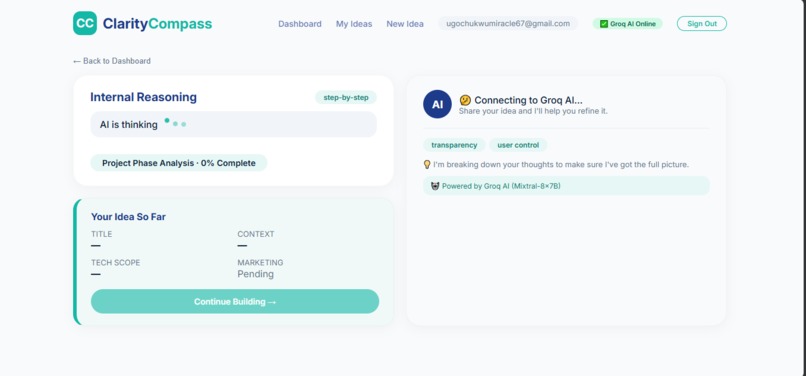
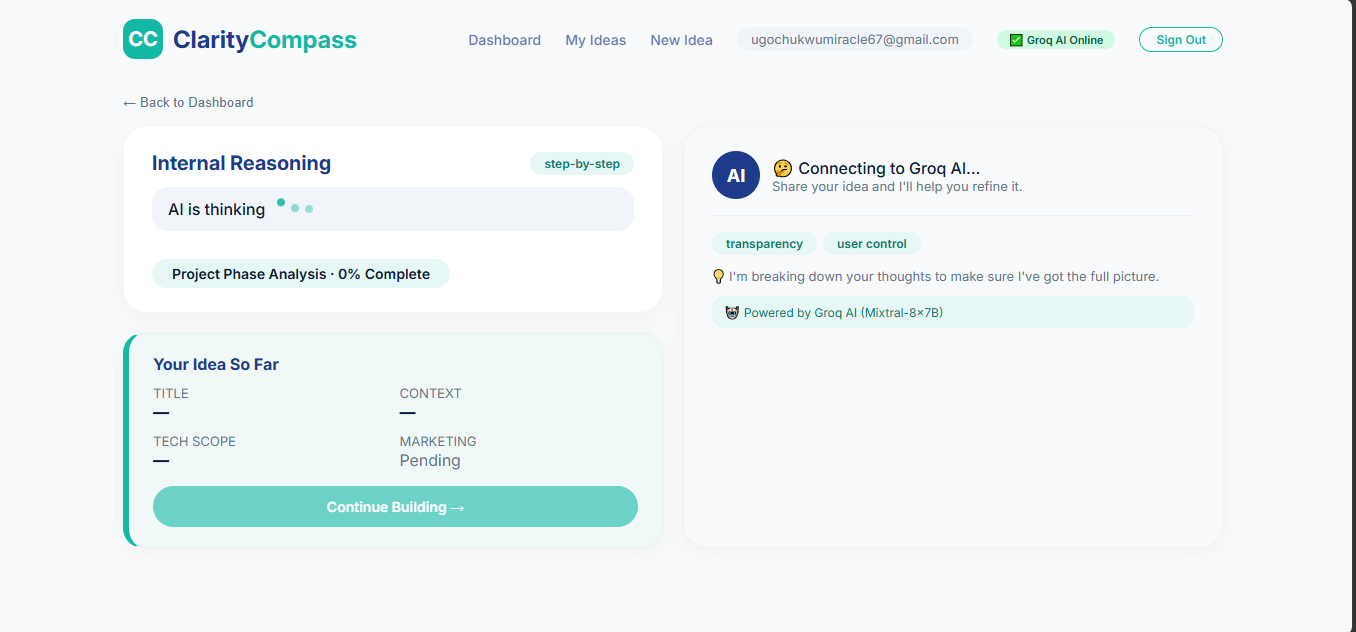
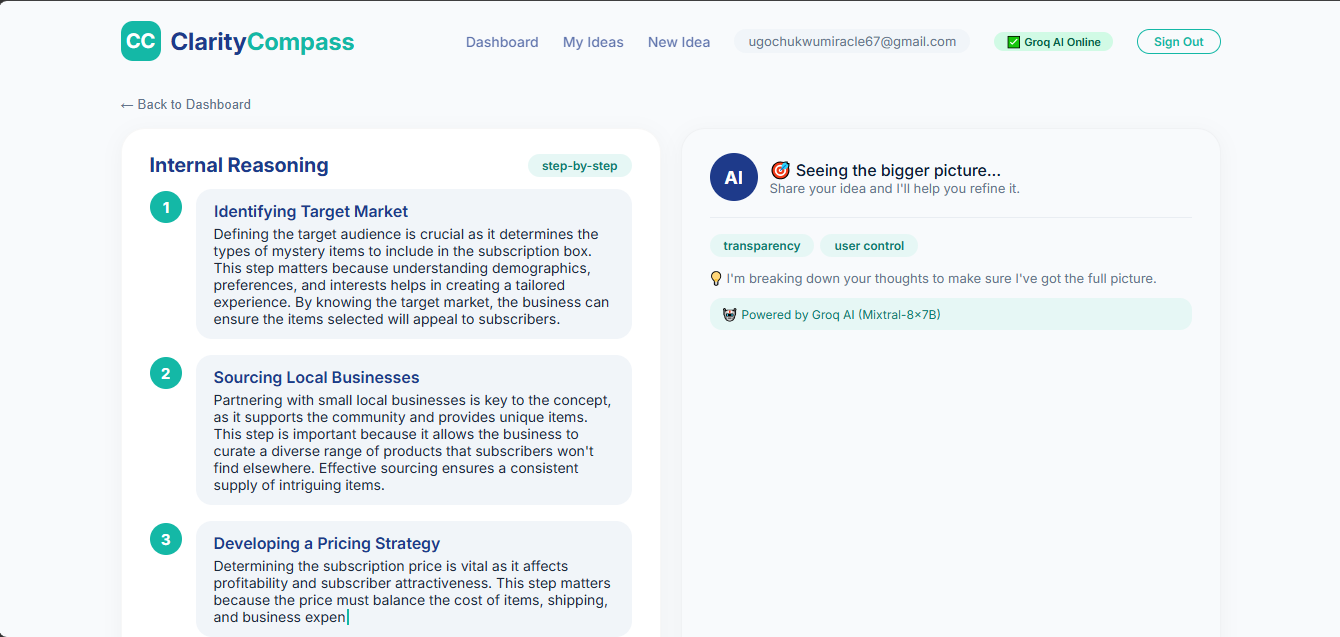
clarity ai internal reasoning
-
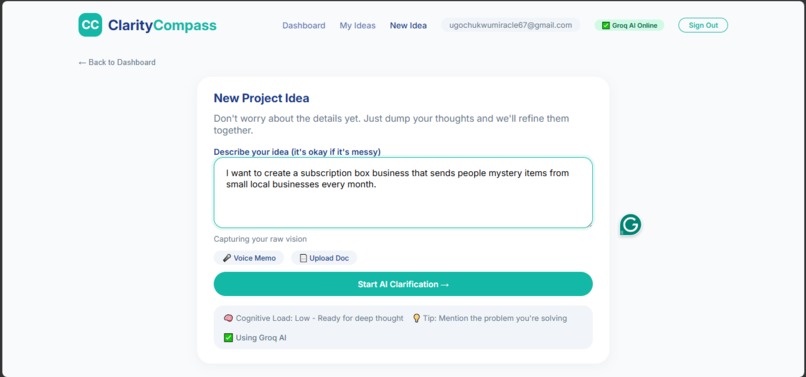
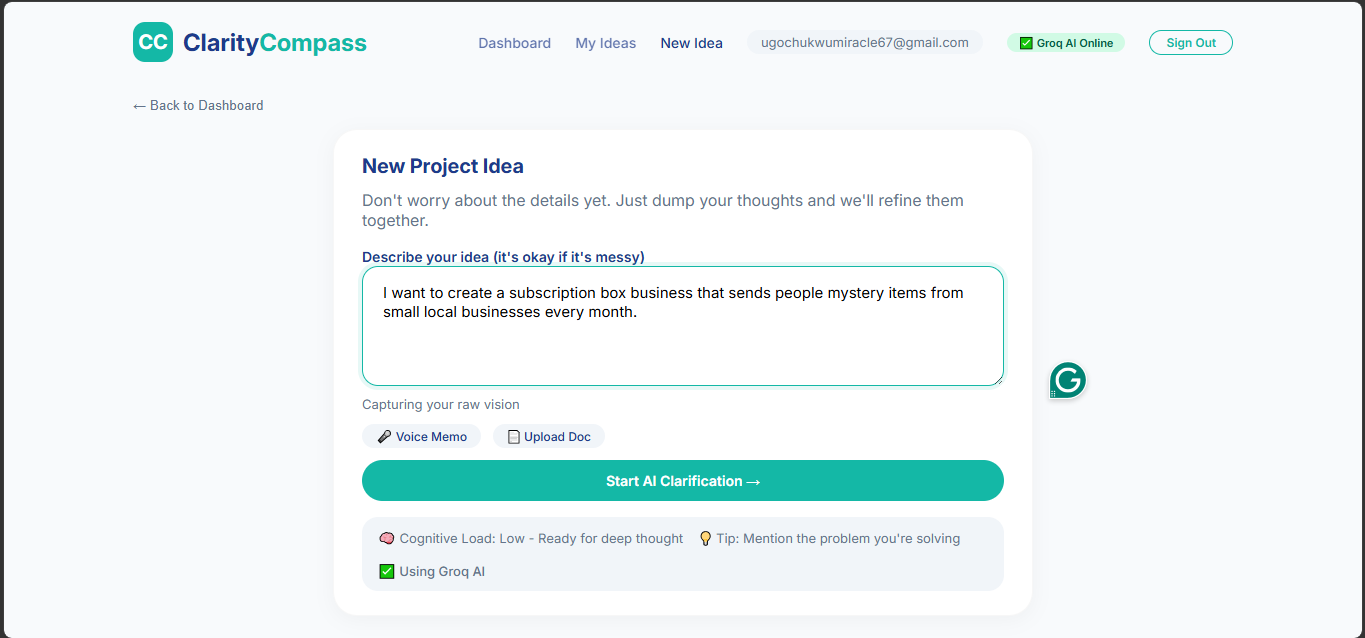
clarity new idea
-
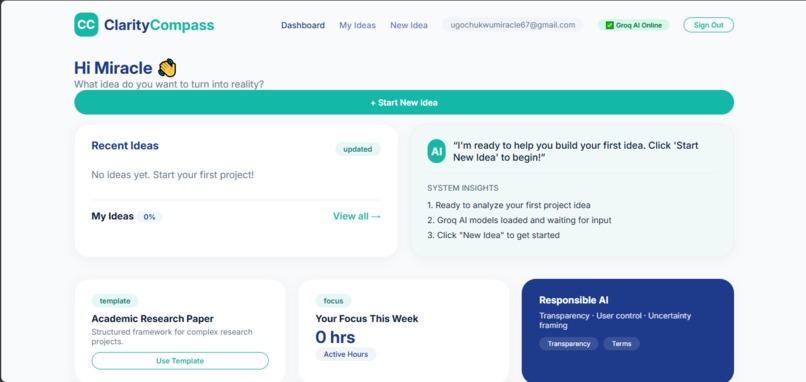
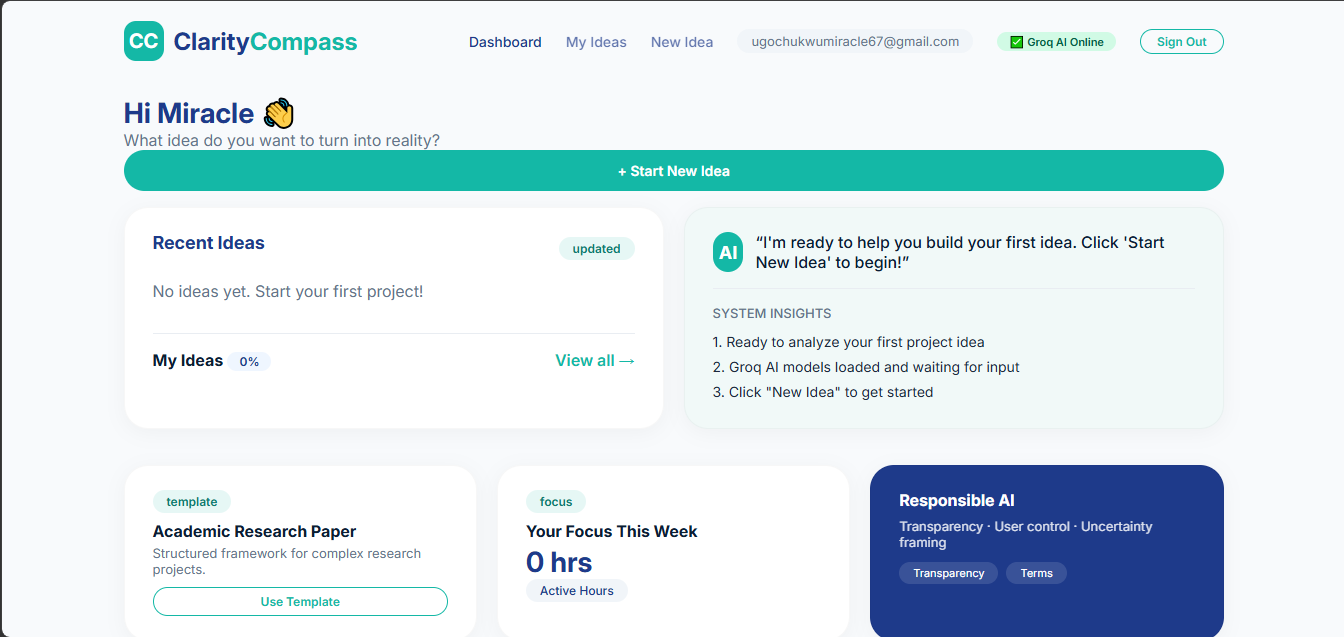
clarity dashboard
-
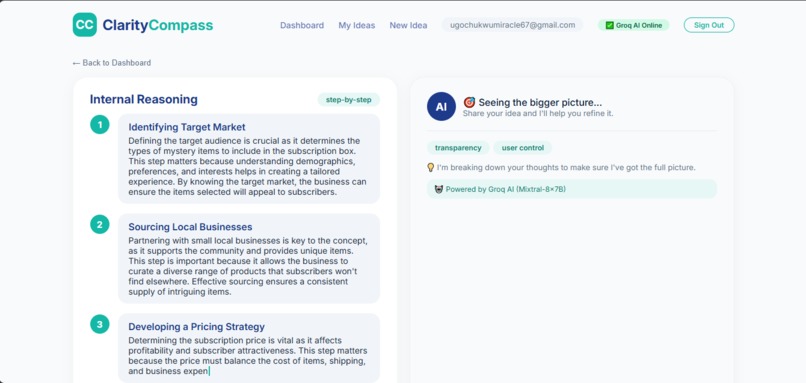
clarity response
-
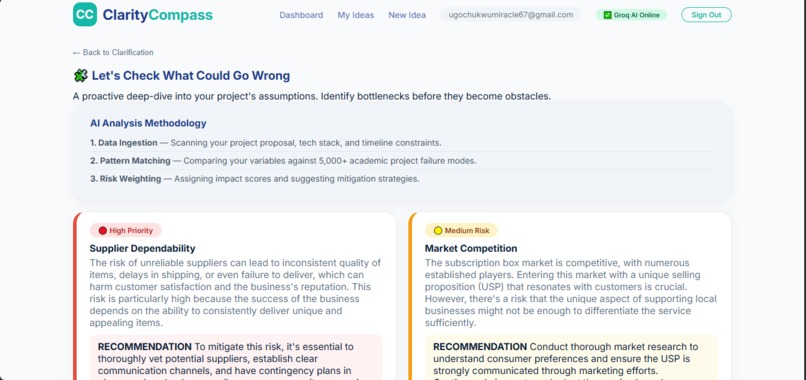
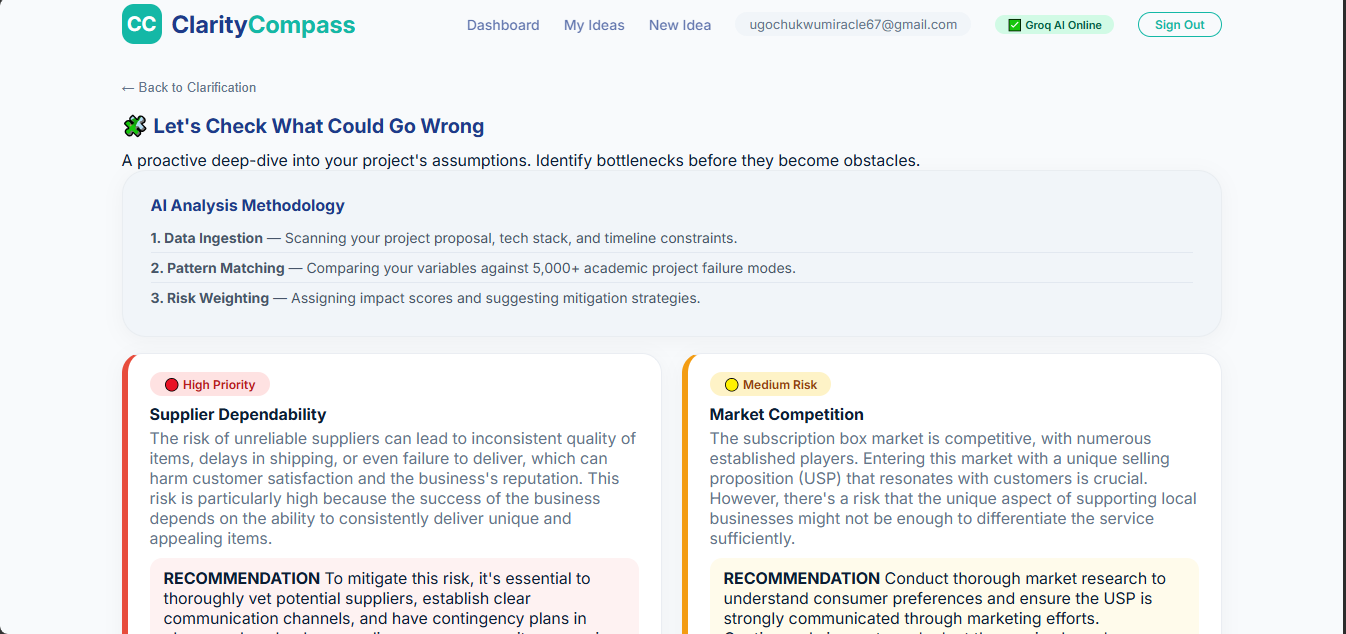
clarity risk assessment
-
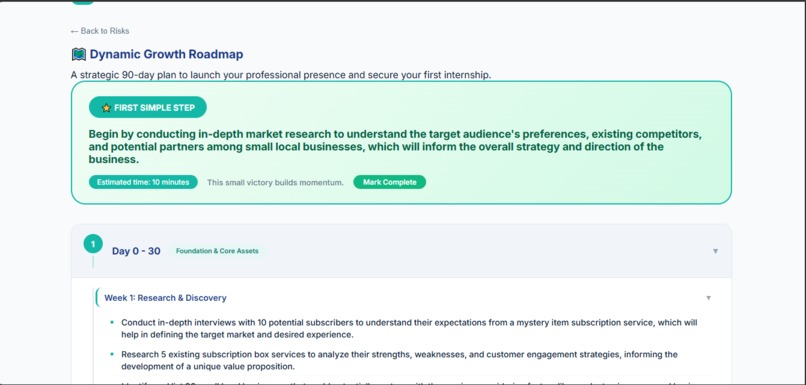
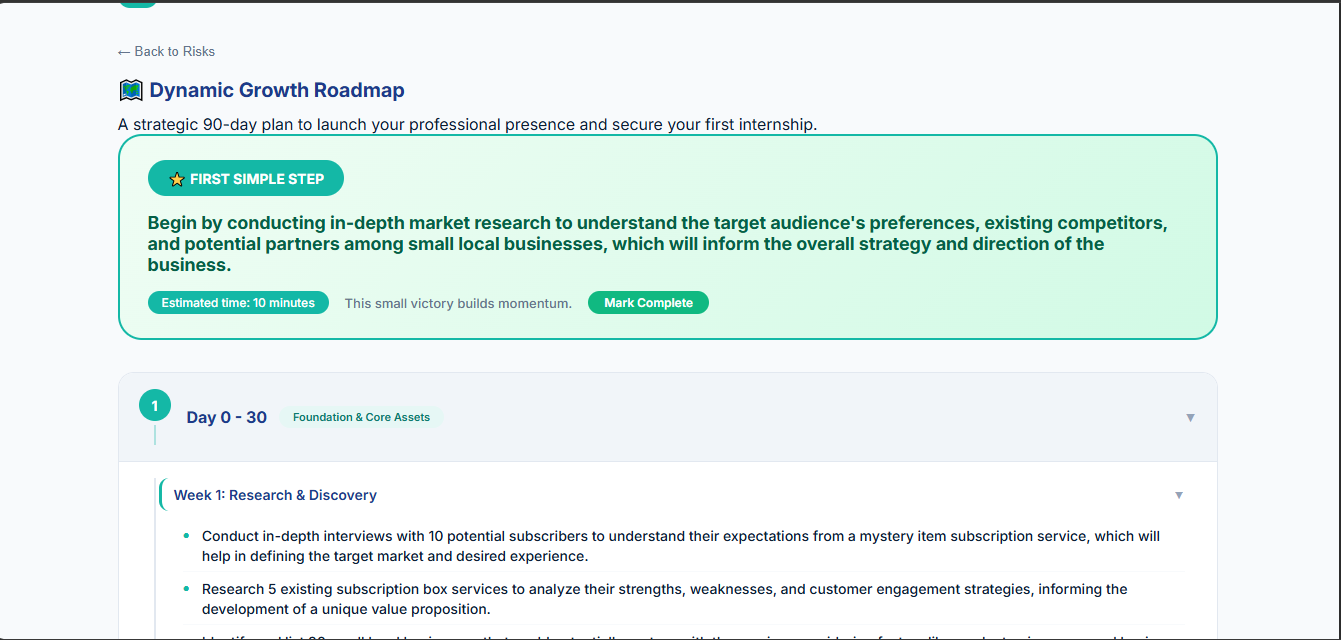
clarity dynamic roadmap
About Clarity Compass
💡 Inspiration
Every student has experienced that moment of paralysis—sitting with a great idea but having no idea where to start. Priya, an international CS junior, represents thousands of students who face overwhelming uncertainty while juggling classes, career decisions, and the pressure to turn vague ambitions into tangible outcomes.
We noticed a critical gap in the market: most AI tools either oversimplify (pros/cons lists) or overwhelm (too much information). There is no tool that helps students reason through their ideas while showing them how the AI thinks. Tools like ChatGPT generate outputs without explaining why they reached those conclusions, leaving users with more questions than answers.
This inspired us to build Clarity Compass—a tool that doesn't just generate tasks but guides users from uncertainty to meaningful action with visible, transparent reasoning. We wanted to create the "Second Brain" that students actually need: one that clarifies, challenges, and empowers.
⚙️ What It Does
Clarity Compass is an AI-powered Zero-to-One Builder that helps students and early professionals turn vague, messy ideas into realistic execution plans.
The Complete Flow:
- Input Your Idea → Type a rough idea (e.g., "I want to build a visa portal for international students")
- Visible AI Reasoning → Watch 4 numbered reasoning steps appear with typing animation, showing exactly how the AI thinks
- Your Idea So Far → See a structured summary (Title, Context, Tech Scope, Marketing)
- Risk Assessment → Review color-coded risk cards:
- 🔴 High Priority (Red) with specific recommendations
- 🟡 Medium Risk (Yellow) with mitigation strategies
- 🟢 Low Priority (Green) with actionable advice
- 90-Day Roadmap → Explore a tree-style plan with:
- ⭐ First Simple Step (prominently highlighted)
- Collapsible phases (Day 0-30, 31-60, 61-90)
- Week-by-week tasks with subtasks
- Mark Complete buttons for progress tracking
Key Differentiators:
- ✅ Visible Internal Reasoning with numbered circles (not a black box)
- ✅ "You are in control" messaging and confidence indicators (94%)
- ✅ Color-coded risk assessment (not generic lists)
- ✅ Human-in-the-loop design (AI does NOT make final decisions)
- ✅ Responsible AI with transparency and uncertainty framing
🛠️ How We Built It
Frontend
- HTML/CSS/JavaScript with a clean, minimalist design
- Primary Colors: Teal (#14B8A6) and Navy (#1E3A8A) for a calming, trustworthy aesthetic
- Responsive Design: Works seamlessly on both desktop and mobile
- Single-page Application: All functionality in one
index.htmlfile for easy deployment
Backend & AI
- Firebase: Authentication (Email/Password) and Firestore database for storing user ideas
- Groq API: Powers the AI reasoning with the
llama-3.3-70b-versatilemodel - Fallback AI: If Groq is unavailable, our built-in fallback ensures the app still works
AI Architecture
- Inputs: User's raw idea text
- Processing: Groq API generates reasoning, risks, and roadmap
- Outputs: 4 reasoning steps, color-coded risks, 90-day roadmap
- Human-in-the-Loop: User decides which risks to prioritize and tasks to complete
Key Features
- Visible Internal Reasoning: 4 numbered circles showing step-by-step AI thinking with typing animation
- Color-coded Risk Assessment: High (🔴), Medium (🟡), and Low (🟢) risk cards with mitigation strategies
- Tree-style 90-day Roadmap: Collapsible phases and weeks with "First Simple Step" highlighted
- My Ideas: Persistent storage of all projects with progress tracking
🚧 Challenges We Ran Into
1. Making AI Reasoning Visible
The biggest challenge was moving beyond a "black box" AI. Users needed to see how the AI thinks, not just what it thinks. We solved this by designing a typing animation that reveals each reasoning step one by one, making the AI's thought process transparent and engaging. This became our key differentiator.
2. Groq API Model Deprecation
Initially, the Groq API had model deprecation issues (mixtral-8x7b-32768 was decommissioned). We had to quickly update to llama-3.3-70b-versatile and built a fallback system to ensure the app works even when the API is unavailable. This taught us the importance of building resilient systems.
3. Designing the Tree Roadmap
Creating a collapsible tree structure that flows downward like a roadmap required careful CSS and JavaScript. Each phase and week needed to be independently expandable while maintaining a clean, professional look. We iterated on the design multiple times to get the user experience right.
4. Firebase Data Persistence
Ensuring ideas saved correctly to Firestore and displayed in "My Ideas" required careful debugging of the loadIdeas() and displayAIResults() functions. We learned the importance of proper async/await handling and error logging.
5. Responsible AI Integration
Ensuring users remain in control was critical. We added confidence indicators ("Confidence Level: 94%"), "You are in control" messaging, and human-in-the-loop design where users decide which risks to prioritize.
🏆 Accomplishments We're Proud Of
1. Visible AI Reasoning
We successfully built a system where users can see exactly how the AI thinks through their idea. The 4-step numbered reasoning with typing animation is our proudest achievement—it's what makes Clarity Compass truly different from other AI tools.
2. Complete Working MVP
We built a fully functional, production-ready application with:
- ✅ User authentication (signup/login)
- ✅ Cloud data storage (Firestore)
- ✅ Real AI integration (Groq API)
- ✅ Full user flow from idea to roadmap
- ✅ Responsible AI design
3. Color-coded Risk Assessment
We transformed generic risk lists into an interactive, visual experience with color-coded cards (Red/Yellow/Green) that show clear recommendations. This makes risk assessment engaging and actionable.
4. Tree-style Roadmap
We created a beautiful, collapsible roadmap that flows downward like a tree, making the 90-day plan easy to navigate and understand. The "First Simple Step" is prominently highlighted to build momentum.
5. Professional Design
We achieved a clean, modern, and calming design using Teal and Navy colors—creating a trustworthy, student-friendly interface that reduces cognitive overload.
6. Responsible AI
We implemented confidence indicators, uncertainty framing, "You are in control" messaging, and human-in-the-loop design—ensuring users stay in control of their decisions.
📚 What We Learned
Transparency Builds Trust: Users engage more when they can see how AI reaches conclusions. Visible reasoning became our biggest differentiator.
Fallback Systems Are Essential: API failures shouldn't break the user experience. Always build graceful degradation.
Design Matters: A calming, minimalist interface reduces cognitive load for stressed students. Color and whitespace make a huge difference.
Responsible AI is Non-Negotiable: Every AI system needs clear guardrails and human oversight. Confidence indicators and "You are in control" messaging are essential.
User Control is Critical: The best AI empowers users to make their own decisions. AI should assist, not decide.
Scope Management Wins: Building a focused, working MVP beats an ambitious, broken project. We prioritized core features and made them work perfectly.
🔮 What's Next for Clarity Compass
Short-term (Next 30 Days)
- 📱 Mobile App: Build a React Native version for iOS and Android
- 🌐 Social Sharing: Allow users to share roadmaps with mentors and peers
- 📊 Analytics Dashboard: Show users their productivity and progress metrics
- 🎯 Goal Tracking: Add milestone tracking and notifications
Medium-term (Next 3 Months)
- 🤝 Mentor Integration: Allow mentors to review and comment on roadmaps
- 📈 AI Personalization: Train AI on user preferences for more tailored recommendations
- 🌍 Multi-language Support: Support for international students in their native languages
- 📚 Template Library: Pre-built templates for common student projects
Long-term Vision
- 🎓 University Partnerships: Integrate with university career services
- 💼 Internship Matching: Connect students with internships based on their roadmaps
- 🤖 Advanced AI: Incorporate multi-modal AI for voice and document processing
- 🌐 Community Platform: Build a community where students share their journeys
🔗 Links
- Live Demo: [Link to your hosted site]
- GitHub Repository: [Link to your repo]
- Devpost Submission: [Link to your Devpost]
🙏 Acknowledgments
- Groq API for powering our AI reasoning
- Firebase for authentication and data storage
- USAII for hosting this incredible hackathon
- Our mentors for their invaluable guidance on Responsible AI
Built for the USAII Global AI Hackathon 2026 | Undergraduate Track | Challenge 3: Build the "Second Brain" for Real Life
Built With
- cloudfirestore
- css
- css3
- file-reader-api
- firebase
- github
- google-fonts
- groq
- html5
- javascript
- javascript-vanilla
- visual-studio
- web-speech-api


Log in or sign up for Devpost to join the conversation.