-
-
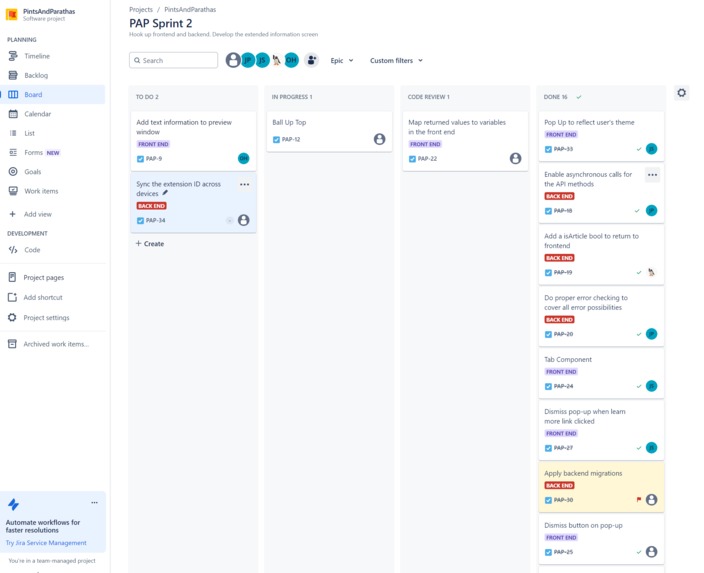
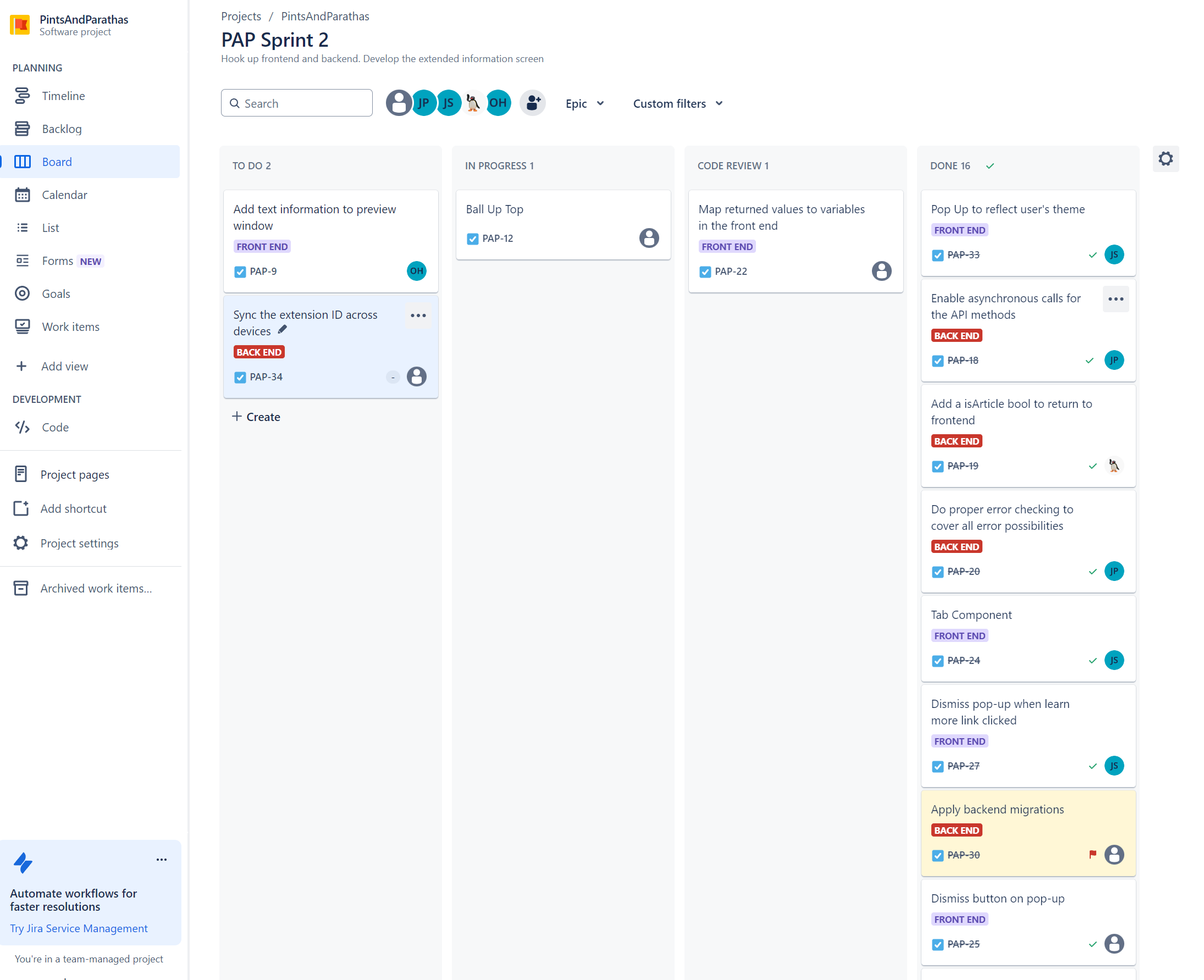
Jira board
-
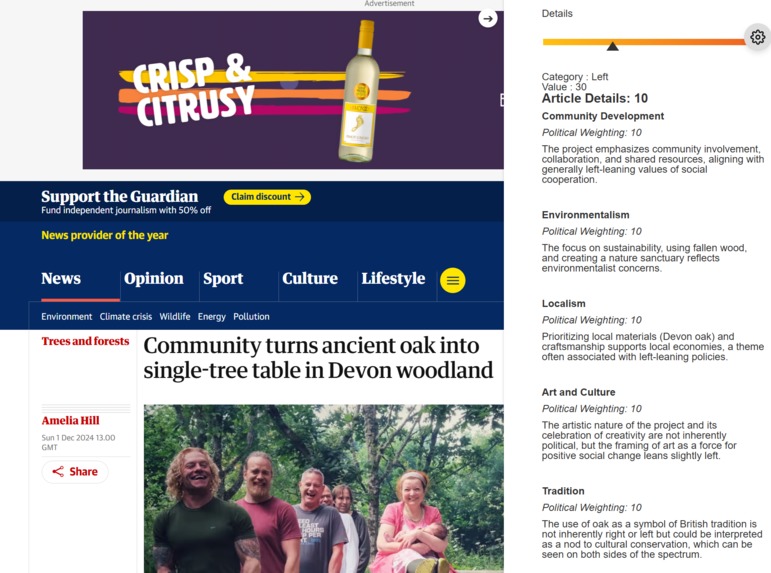
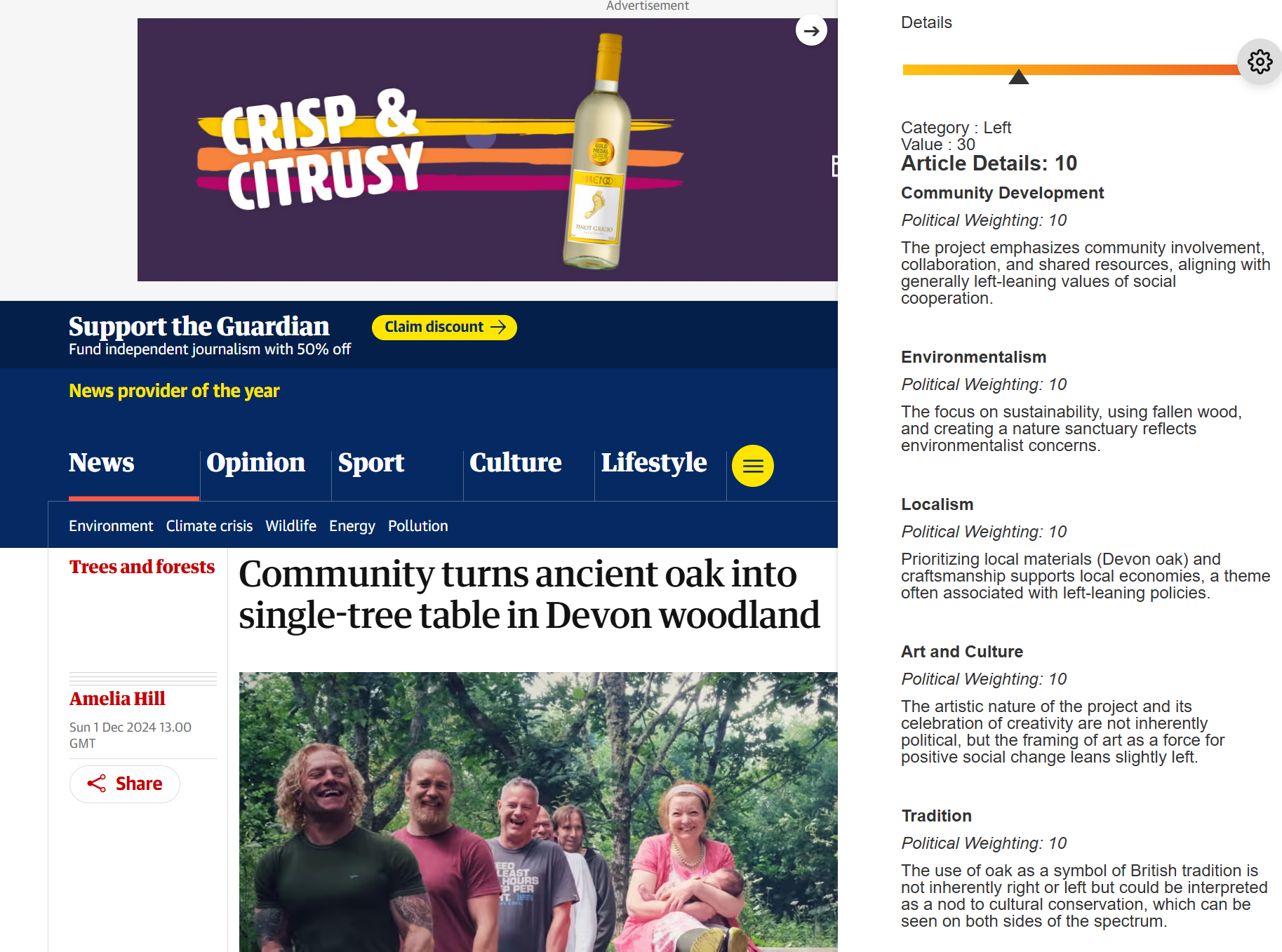
More details example
-
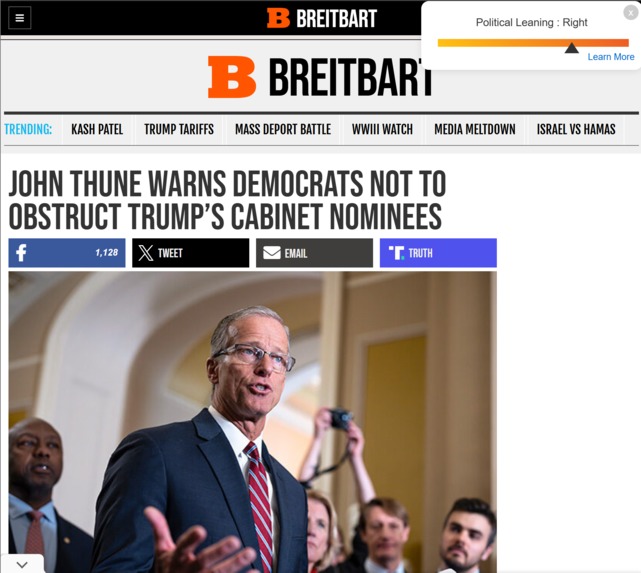
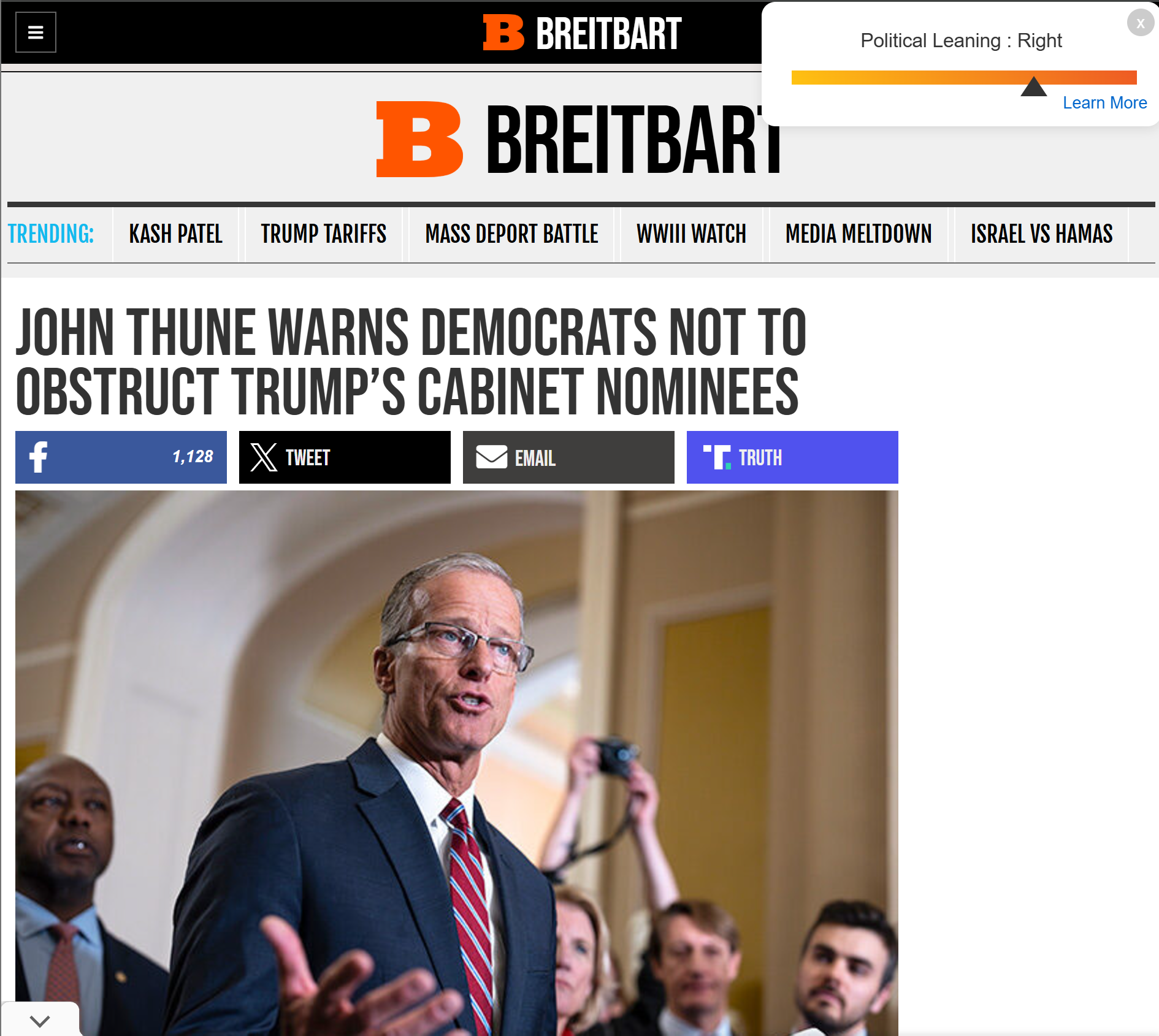
Pop up example
-
-
Project Inspiration
In such politically divisive times, many find themselves in echo chambers and don't have a good gauge of the biases of the media they consume. It often isn't made clear by media outlets what their political stances or motivations are, and that puts a barrier between readers and the truth. By making this extension, we wanted to give people the ability to decode their media landscape at a glance.
Technical Inspiration
This project served as an opportunity for the group as a whole. Two members had limited coding experience, and this project allowed them to see what workflows are like for an actual functioning project. Between learning how to code in Python, understanding what purpose Django serves and getting to grips with JSON, to using professional tools such as Jira Boards and GitHub repositories, the two inexperienced members got to gain valuable experience as they work towards beginning careers in software engineering and cyber security.
For our two experienced team members who already work in the computing sector, this was an opportunity to test how much they knew by teaching and passing on knowledge, as well as honing some of their weaker subject areas and learning things such as React/JavaScript.
What it does
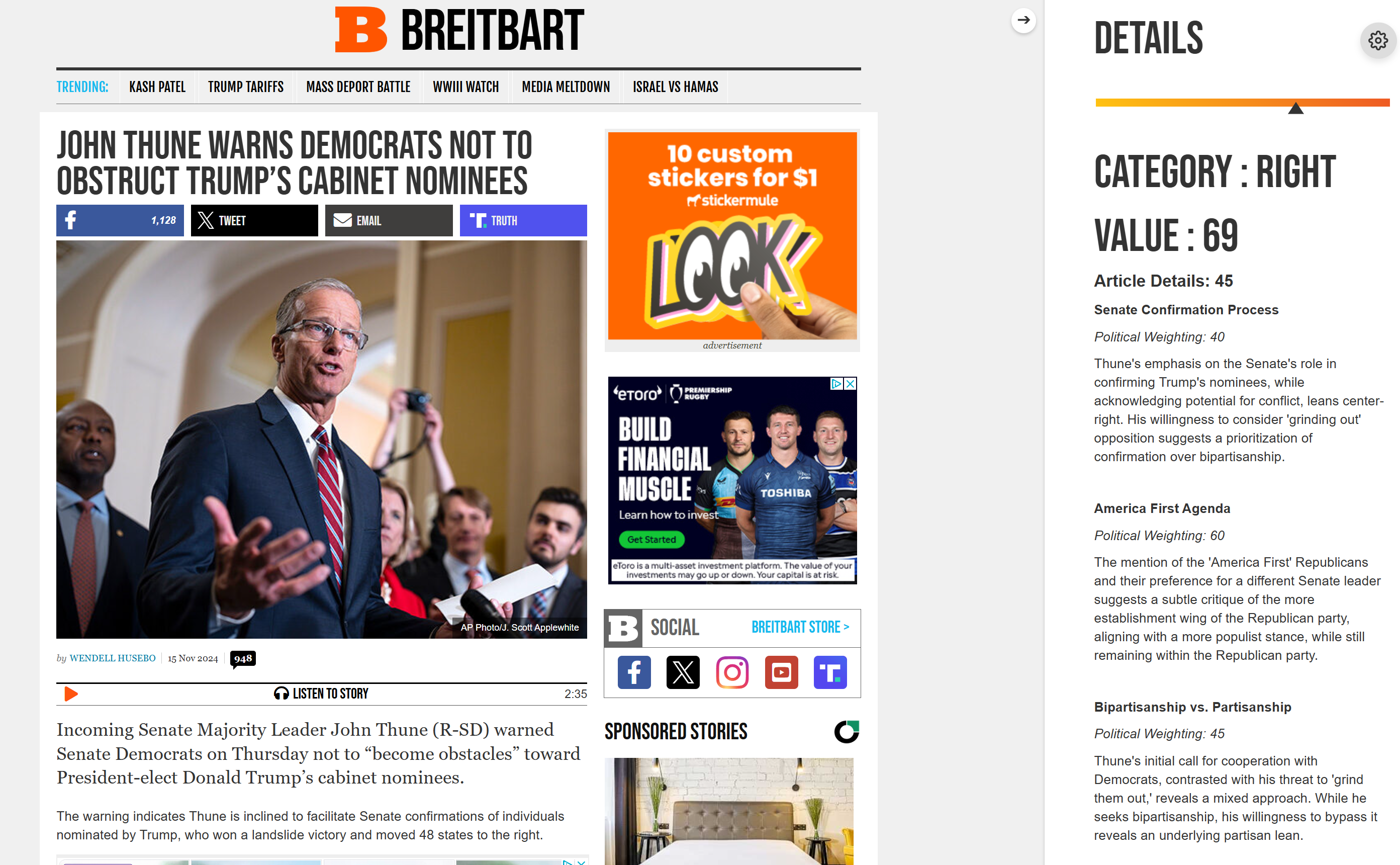
The plugin runs in the background and collects the necessary HTML data from the current web page. This is then sent to Gemini for analysis. The article and outlet's political leaning is then calculated by the model based on preconfigured prompts. The political alignment score adheres to this scale:
0 - 20 : Hard Left 20 - 40 : Left 40 - 60: Centre 60 - 80: Right 80 - 100: Hard Right
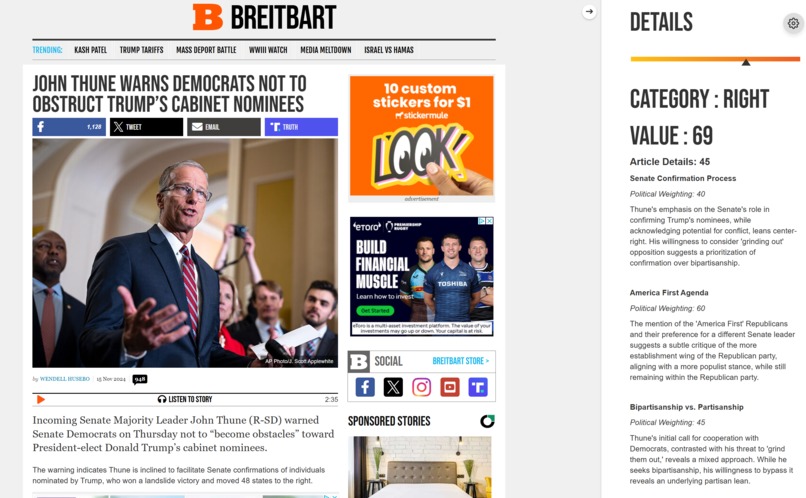
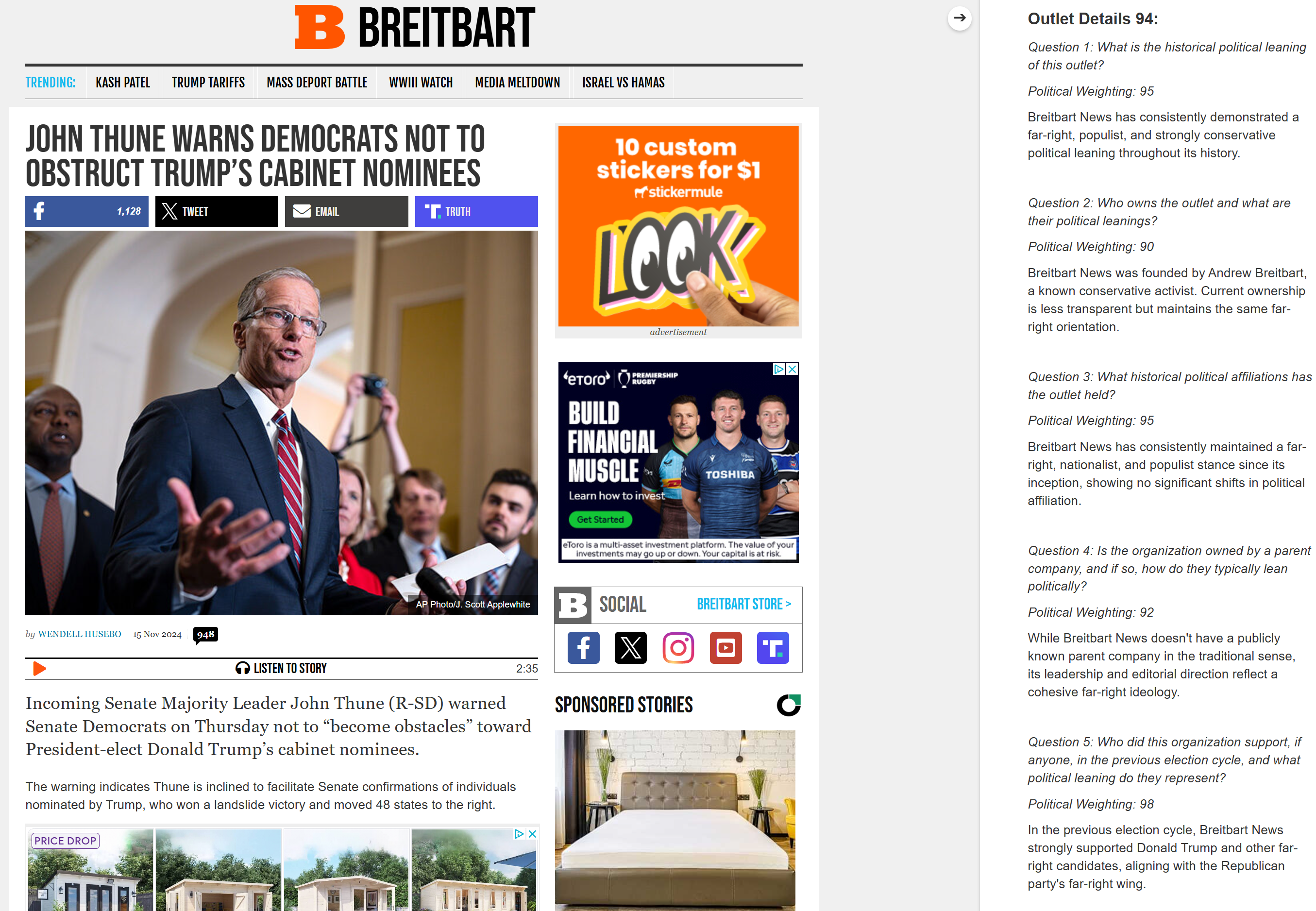
The plugin has a default popup that shows the basic details that are returned, including the overall political alignment score and the category it fits into. Users are then able to view the "learn more" section which holds the detailed analysis.
How we built it
We split the work into backend and frontend development, so both could be built in parallel. We decided to use Github for our version control and Jira for project management. The work was done using the sprint methodology. The backend is hosted completely independently on a GCP VM so you don't need to set this up on your end.
Backend After some research, we decided to build our backend using Django. The first stage of development involved familiarising ourselves with Python and Django basics. We then started using the Gemini API to gauge the model's capabilities, this allowed us to build the project around its strengths. Once we built our knowledge, we then began building the views and services required for the project. We built in security features so that only requests from our extension would be accepted. We also prioritised efficiency by running what we could asynchronously.
These are the preconfigured prompts we used to gauge the article and outlets alignment:
_ Article _
``Assess the following text and provide a response with a brief verbal summary of points and a political leaning as a score from 0-100, where 0 is far left-wing and 100 is far right-wing.
Using this text: {article_text} analyze the article's themes, tone, and the overall ideological stance of its content, considering not just the individual themes but also how the article frames issues or figures politically. This should be reflected in theoverall_alignment` score.
Provide a response using this JSON format, overall_alignment should be calculated by combining the score for each theme and dividing by the number of themes:
{{
    "article_info": {{
            "themes":
                ["theme_number": {{
                    "theme": "str",
                    "political_alignment": "int",
                    "reasoning": "str"
                }}],
        "overall_alignment": "int"
    }},
}}
VERY IMPORTANT: Please provide the JSON response without any formatting or code blocks.```
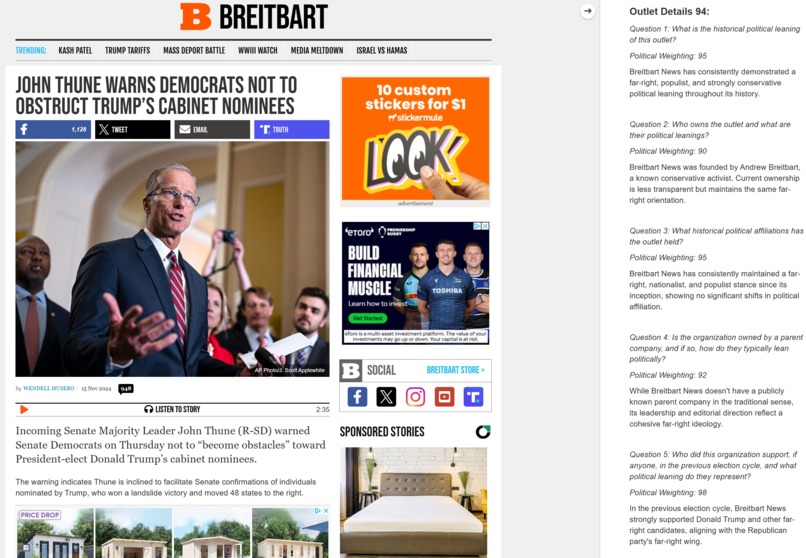
_ Outlet _
For this publisher: {outlet_name}
                Assess the following five questions and provide a response with a brief verbal summary of points and a political leaning as a score 0-100 where 0 is far left-wing and 100 is far right-wing.
                Question 1: What is the historical political leaning of this outlet?
                Question 2: Who owns the outlet and what are their political leanings?
                Question 3: What historical political affiliations has the outlet held?
                Question 4: Is the organization owned by a parent company, and if so, how do they typically lean politically?
                Question 5: Who did this organization support, if anyone, in the previous election cycle, and what political leaning do they represent?
                Provide a response using this JSON scheme, overall_alignment should be calculated by combining the score for each question and dividing by the number of questions. To the nearest integer:
                {{
                    "outlet_info": {{
                        "questions": [
                            {{
                                "summary": "str",
                                "score": "int"
                            }},
                        ]
                        "overall_alignment": "int",
                    }}
                }}
                VERY IMPORTANT: Please provide the JSON response without any formatting or code blocks.
We feel that the questions we asked about the outlet address multiple different angles, allowing us to give the user that important top down view.
Frontend We built the frontend with resource usage in mind. The only job of the frontend is to display the data that has been processed and sent by the backend. This not only benefits the performance, but also makes our extension easily scalable.
We considered where the extension should be placed on the screen, and how to display the necessary information without disrupting the view and focus of the article itself. This is why we have our initial popup, with quick and concise information, with the opportunity to learn more.
The extension also offers customisation options to improve the user experience. We allow people to pick their own scale gradient, to prevent the assigning of colours to left and right wing from being decided solely by our development team.
Challenges we ran into
Building as an extension from the ground up We decided to build the application first as a base react project, with the intention of changing to an extension later on in the development life cycle. This allowed us to develop quicker at the start but hindered us in the long run as one of our members had the job of retrofitting the app - which blocked other people from developing for half a sprint.
Injecting the React code Our decision to move the detailed analysis into its own window proved to be a difficult task. Due to the nature of Chrome extensions we could only provide dimensions for our original popup. Meaning trying to action "learn more" would result in the panel being opened within those confined dimensions. After researching, we found out we could use our extension files (content.js and background.js) to inject our React code straight into the webpage. This took us some time to implement but meant we could be more free with what we show to the user.
Gemini refusing to analyse articles During our prompt testing we realised that Gemini would often reject analysing any article that had strong themes or sensitive content. As much as we understand the ethical considerations, we feel its important that these types of articles are still processed for informed decision making.
Accomplishments that we're proud of
Completing the project For all of us, this is the first time we have finished a personal project we have committed to. Getting the plugin to a working state is something we can all be proud of.
Efficient data processing Half way through development of the backend, we realised that the responses from our backend were getting slower. When the project was in a more basic state, a response took around 10 seconds. But due to increased prompts and prompt complexity, responses took 30+ seconds. By cleaning up (removing unnecessary data like adverts and scripts) the HTML with BS4 and running the outlet and article analysis in parallel we managed to get responses back down to the 10 second mark.
User customisation The frontend customisation sounds simple in theory, but took some time to implement. The frontend team used a mixture of callbacks and hooks to get it working. As developers who are new to JS/React, this was not trivial.
What we learned
- Python/Django & JavaScript/React In 6 weeks the two members that set out to learn Python managed to go from having no experience to creating a functioning backend with the Django framework. The frontend development team also had no experience with JS/React but have now constructed a fully functioning frontend for our extension.
-Development lifecycle By implementing rigorous project management methods and tools, we were able to deliver the project on time, without any crunch development. This also meant that the two less experienced members got to learn about version control, project management tools and the agile methodology.
- Setting up a VM on GCP In order to host the backend we decided to host the Django backend on a GCP VM. We were knew to the configuration process but thanks to the documentation and ease of use we were able to get it running pretty quickly.
What's next for ClariScale
The ClariScale team will focus on other projects in the near future, but will look to gradually improve the extension when the group has more time. Improvements that will require focus will include ensuring the extension only triggers on news articles as opposed to every site a user opens and making more consistent prompts to in turn receive more consistent scores and explanations, as well as attempting to have a section of the sliding component which provides users with articles which hold alternate political perspectives on the same topic as the article they are currently looking at.

Log in or sign up for Devpost to join the conversation.