-
-
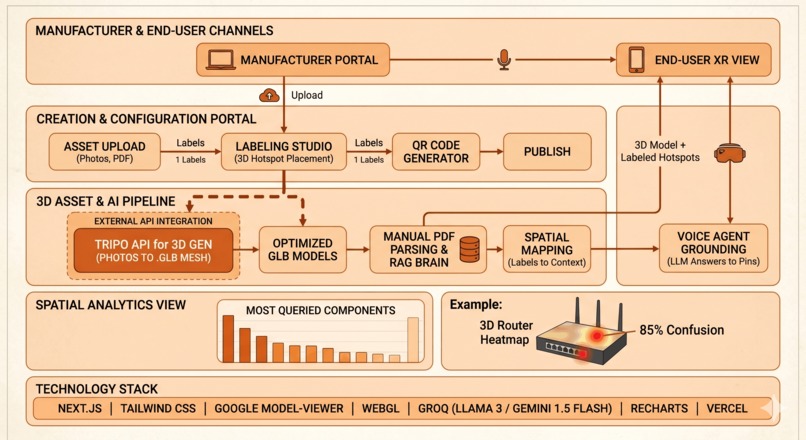
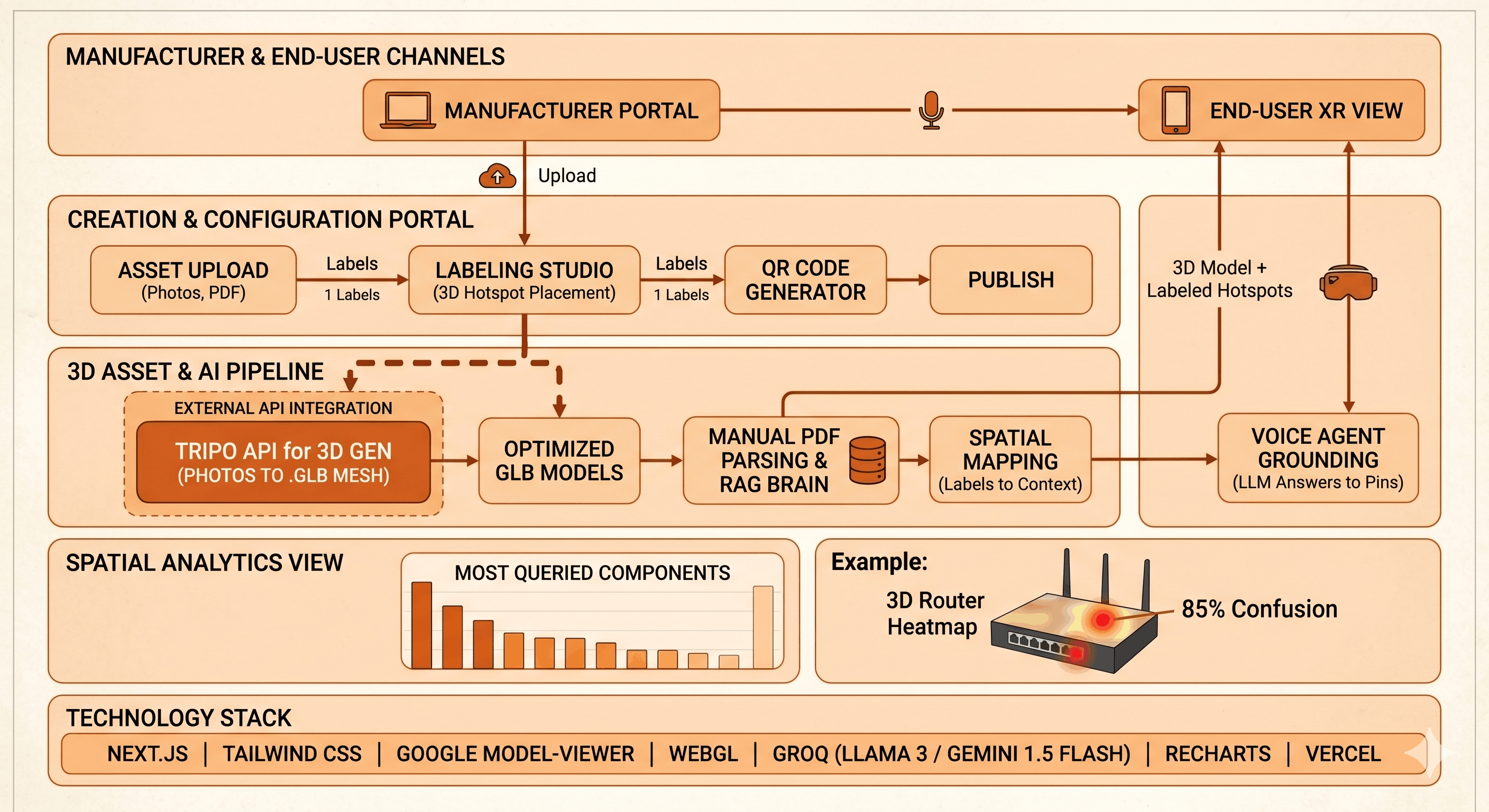
Architechture Diagram
-

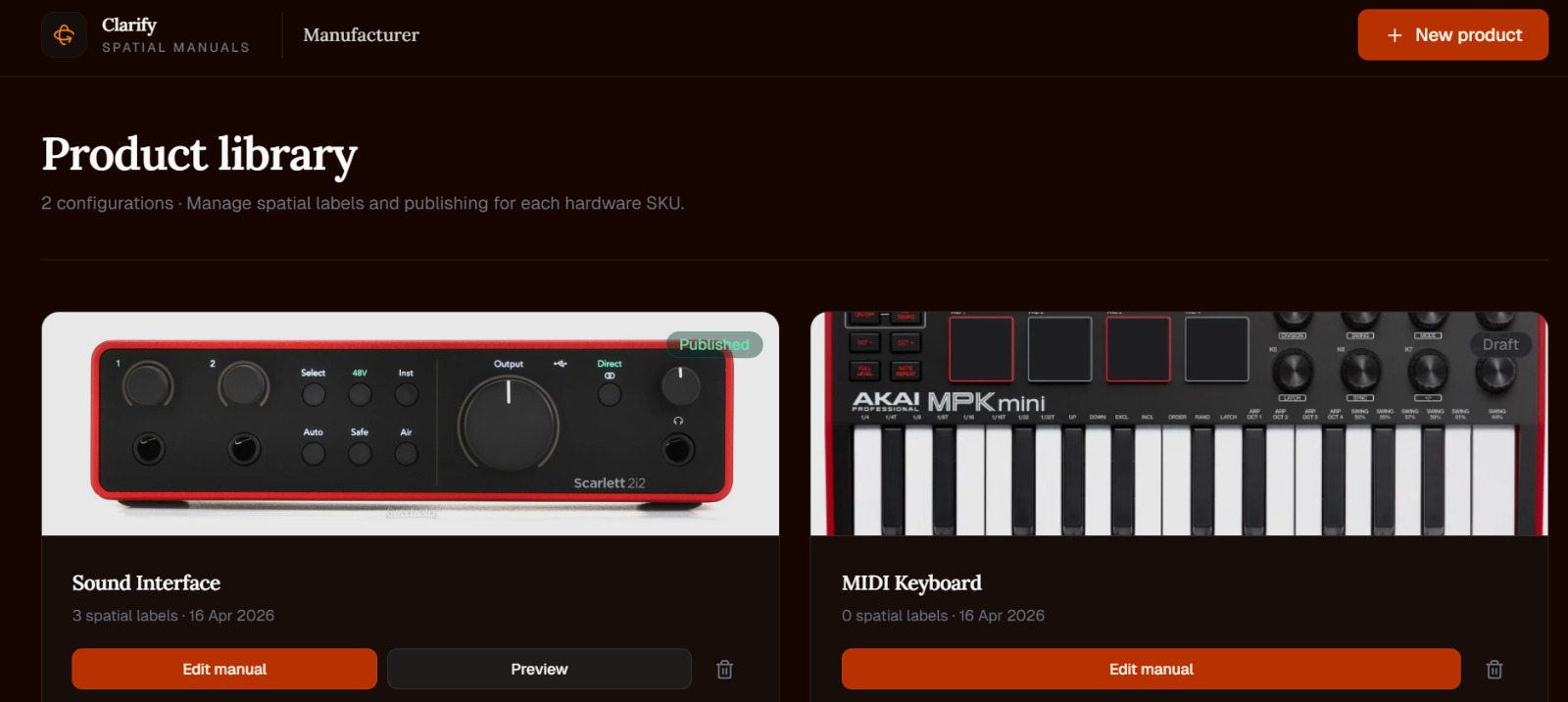
Main Page
-
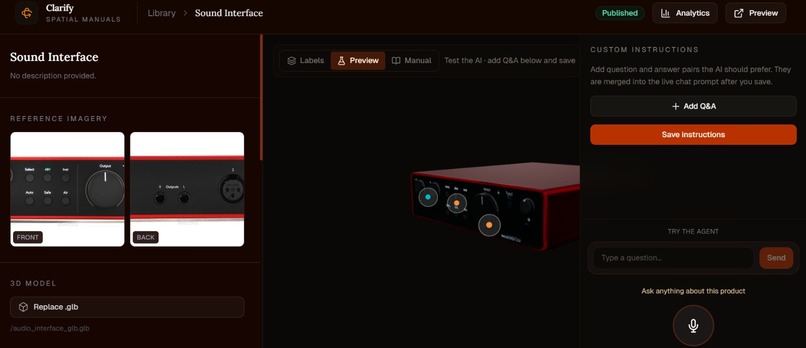
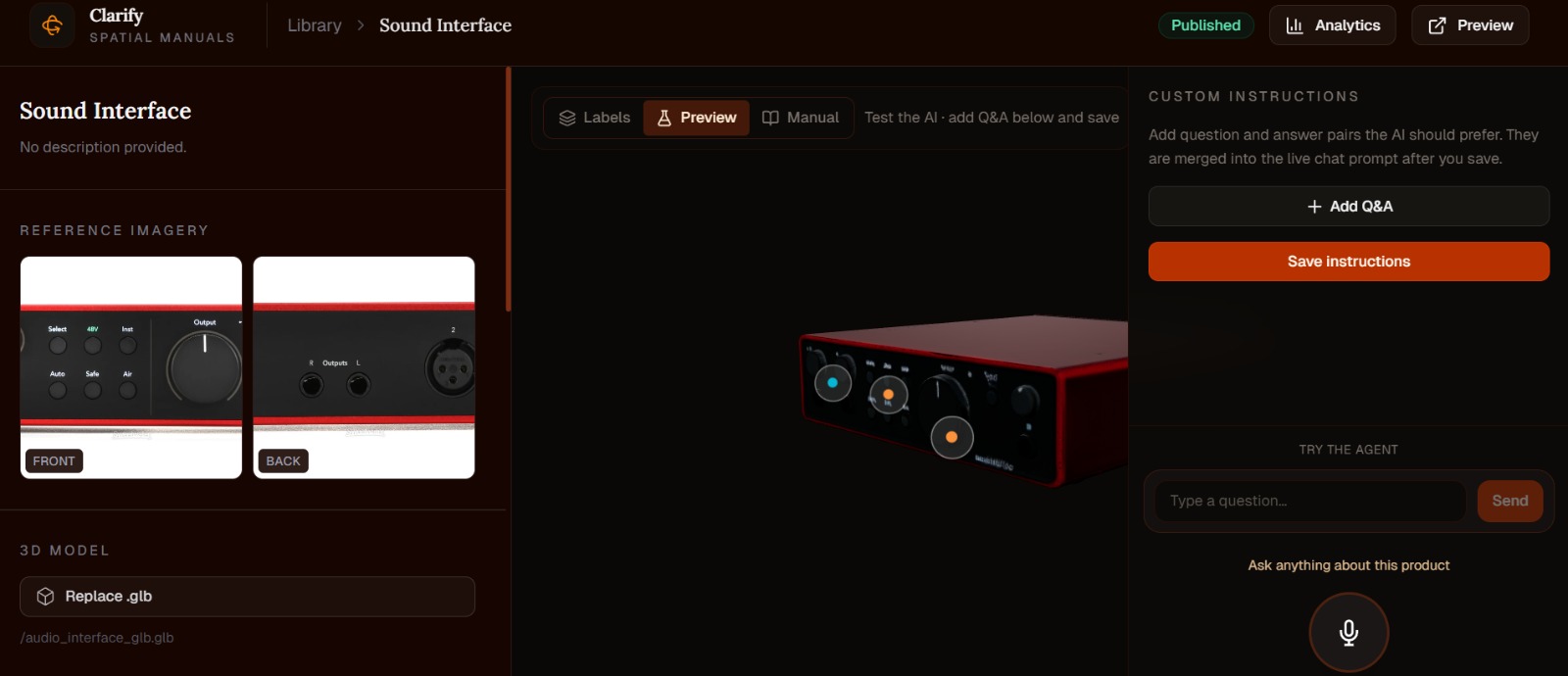
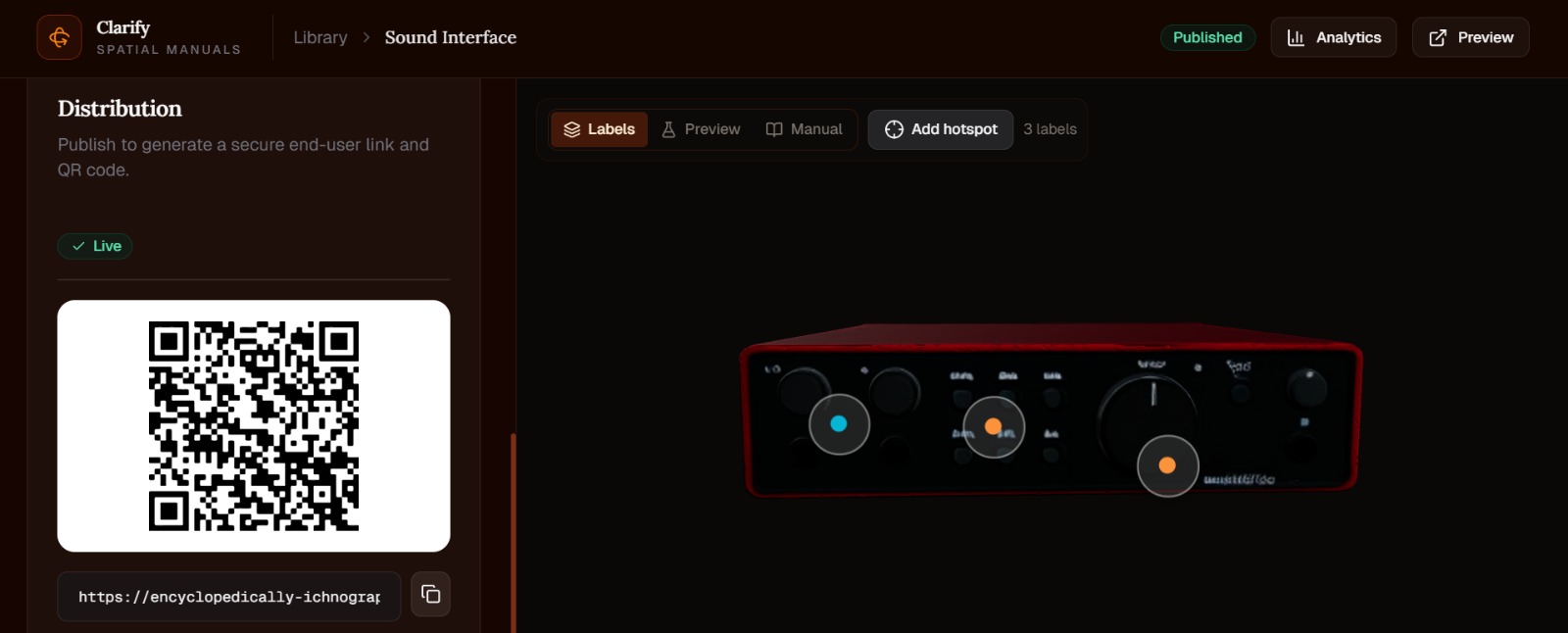
Audio Interface - focusrite scarlett
-
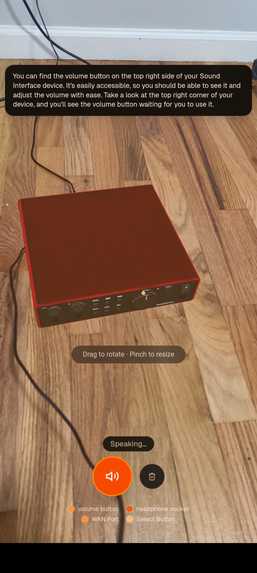
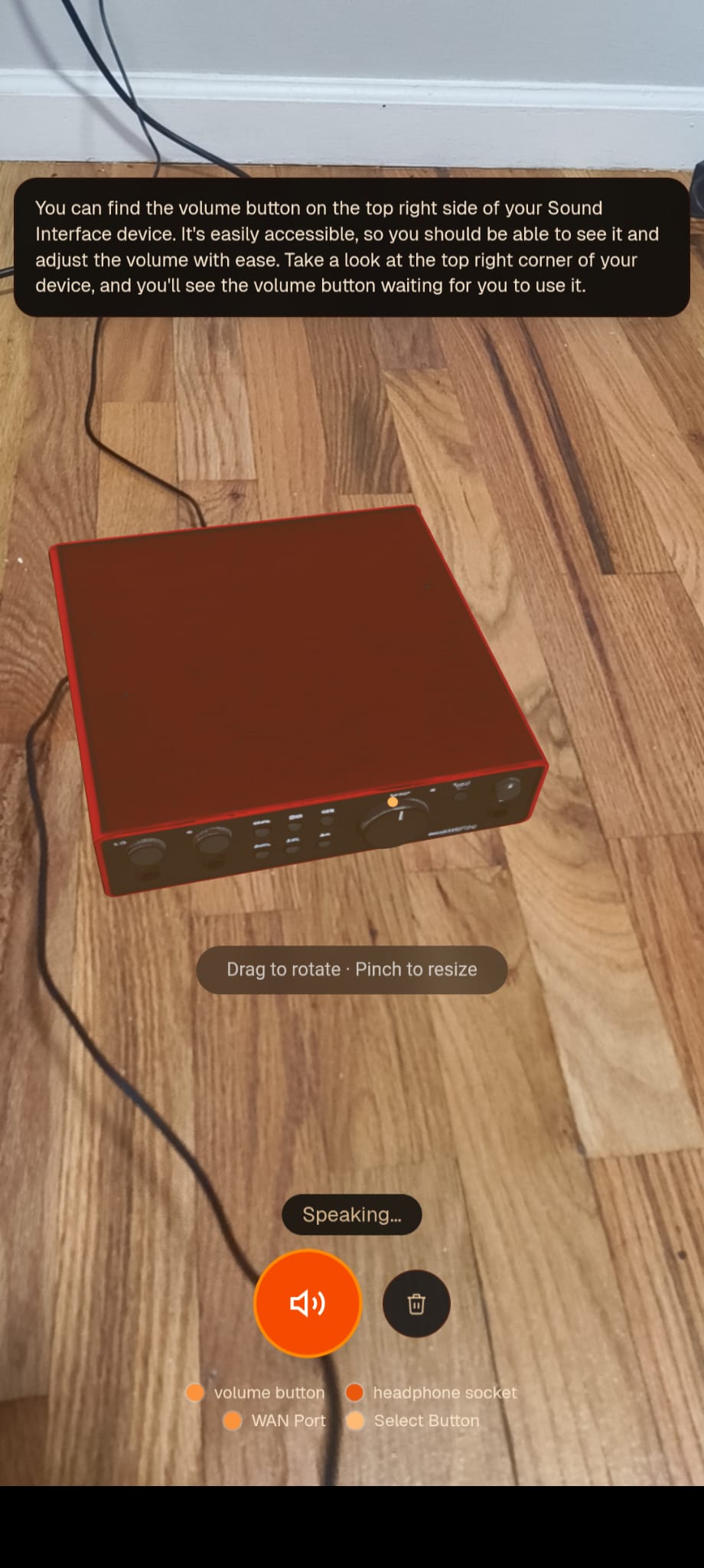
XR User View
-
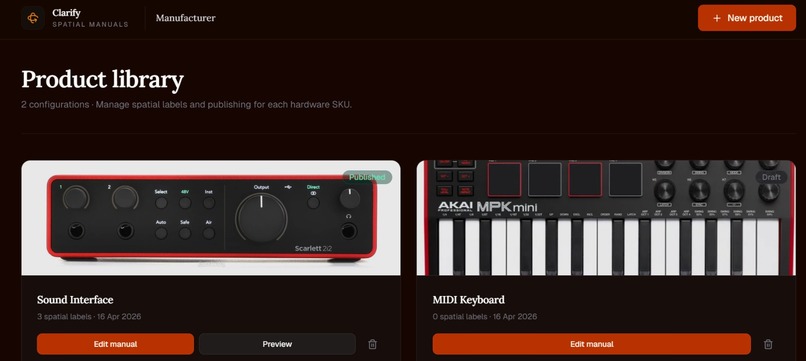
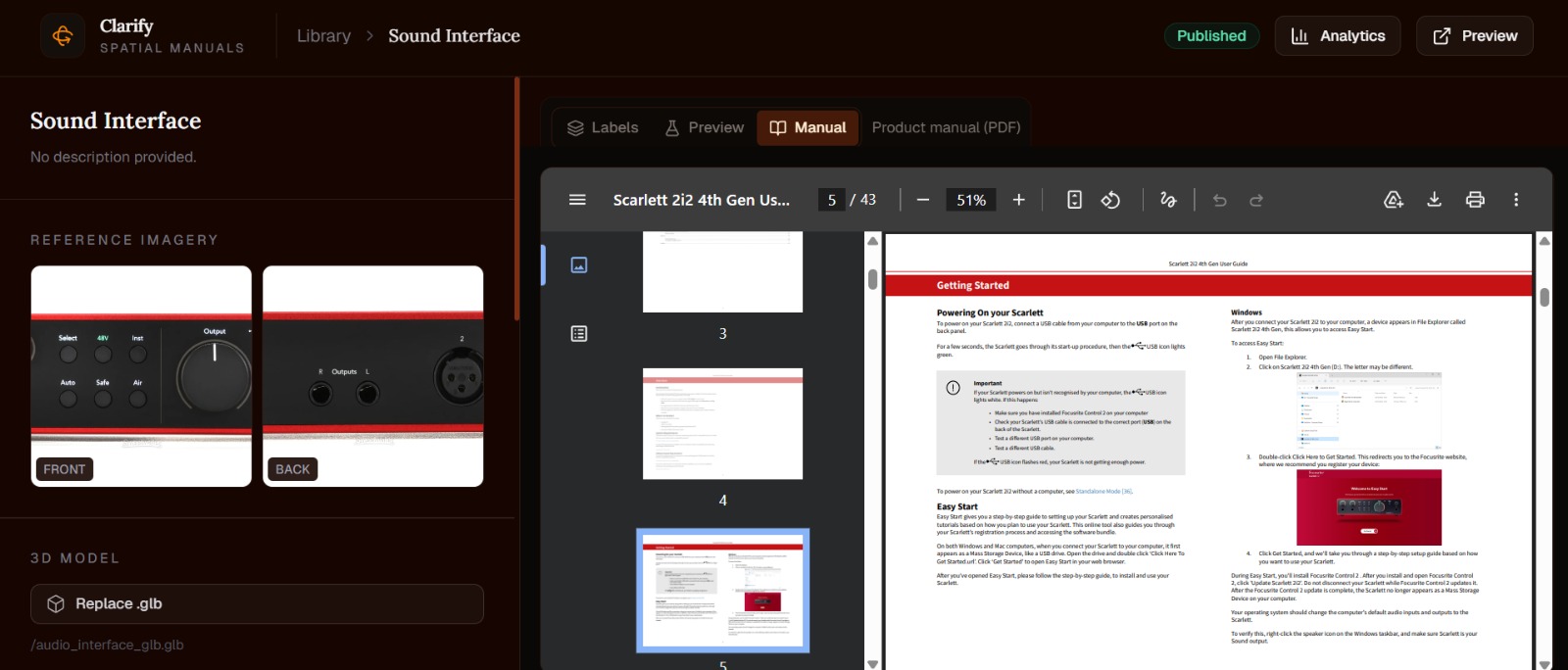
Dashboard Creator
-

Add new product
-
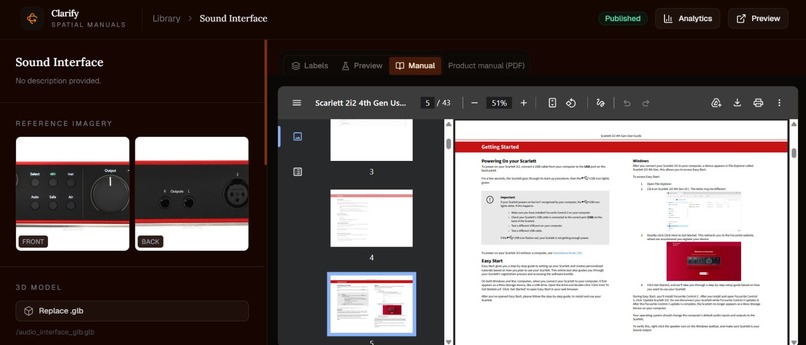
PDF Manual for RAG Contextualization
-
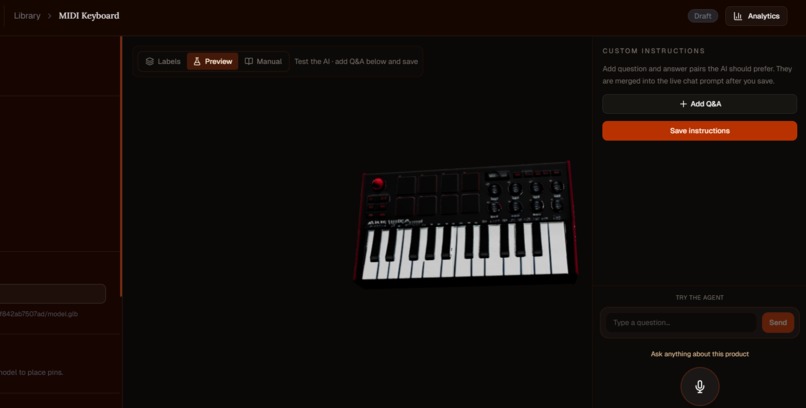
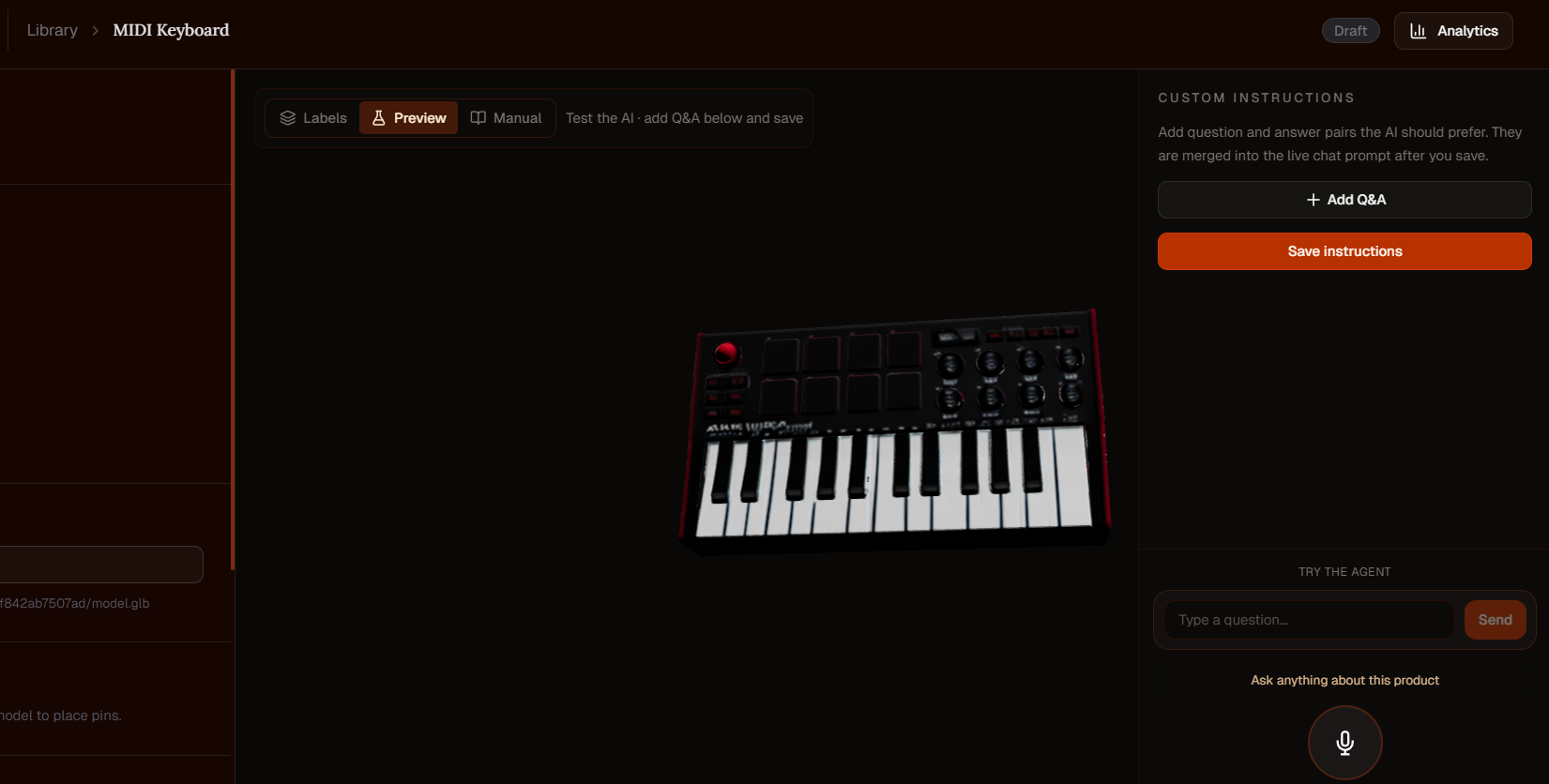
MIDI Keyboard - Miniplay mk3
-
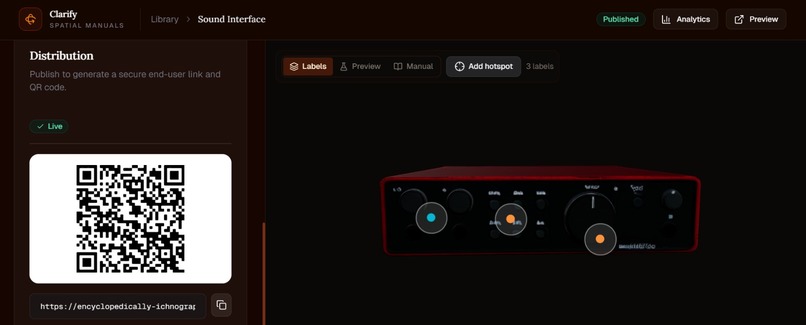
Accessible QR For Users
-
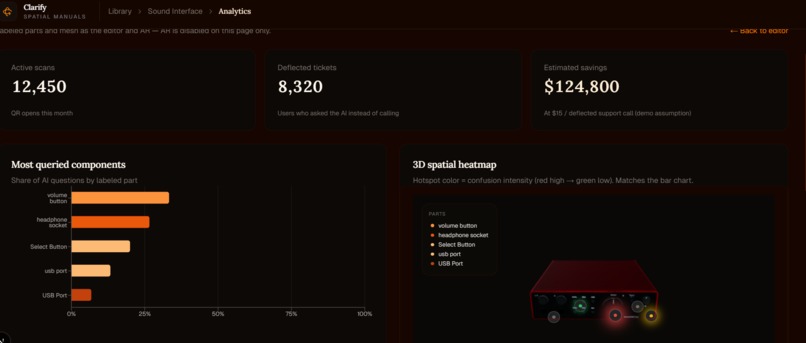
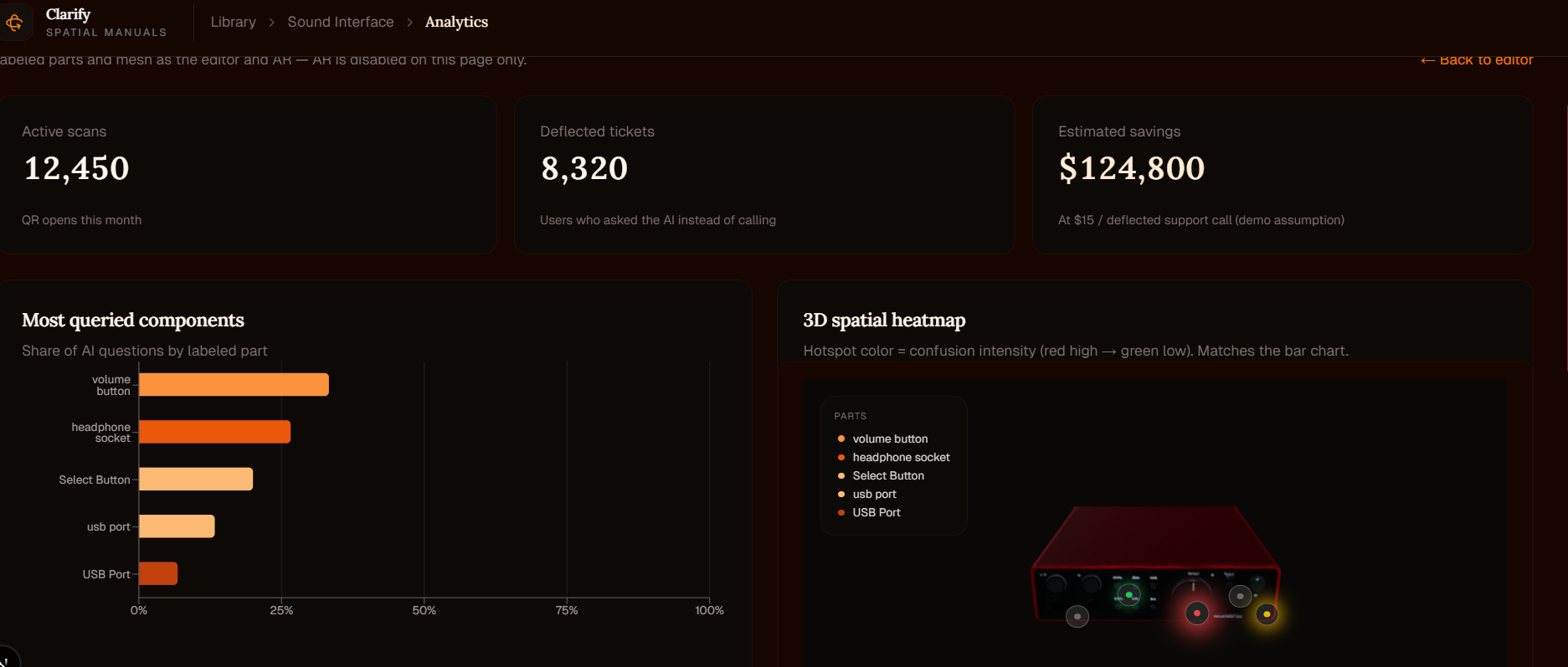
Spatial Customer Analytics Dashboard
-
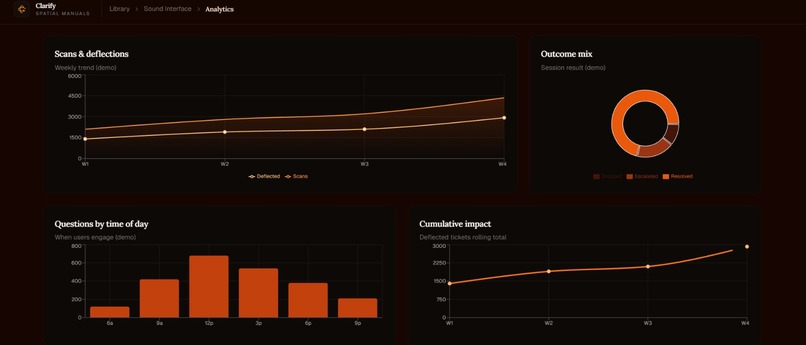
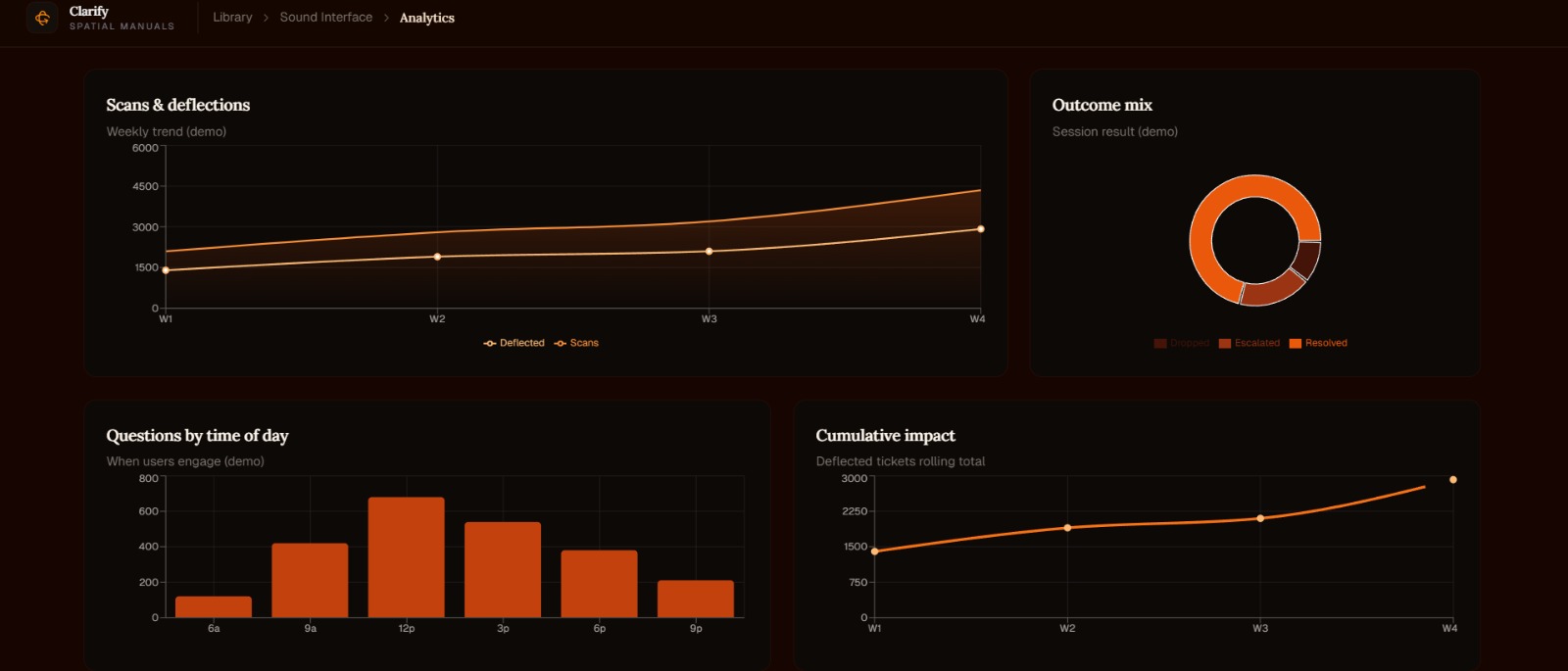
Dashboard 2
-
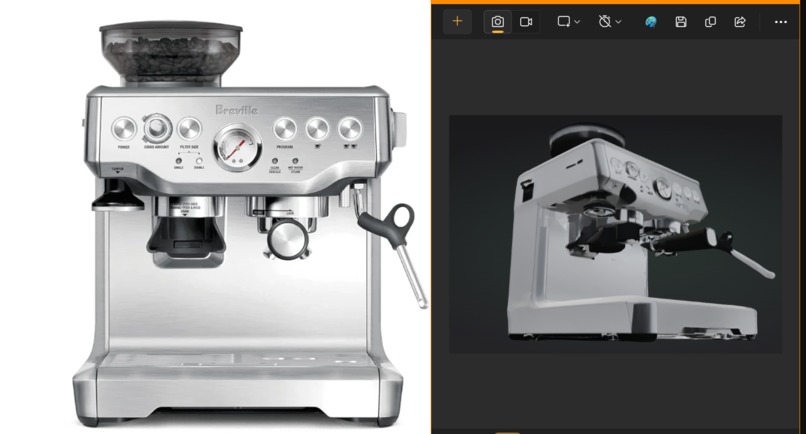
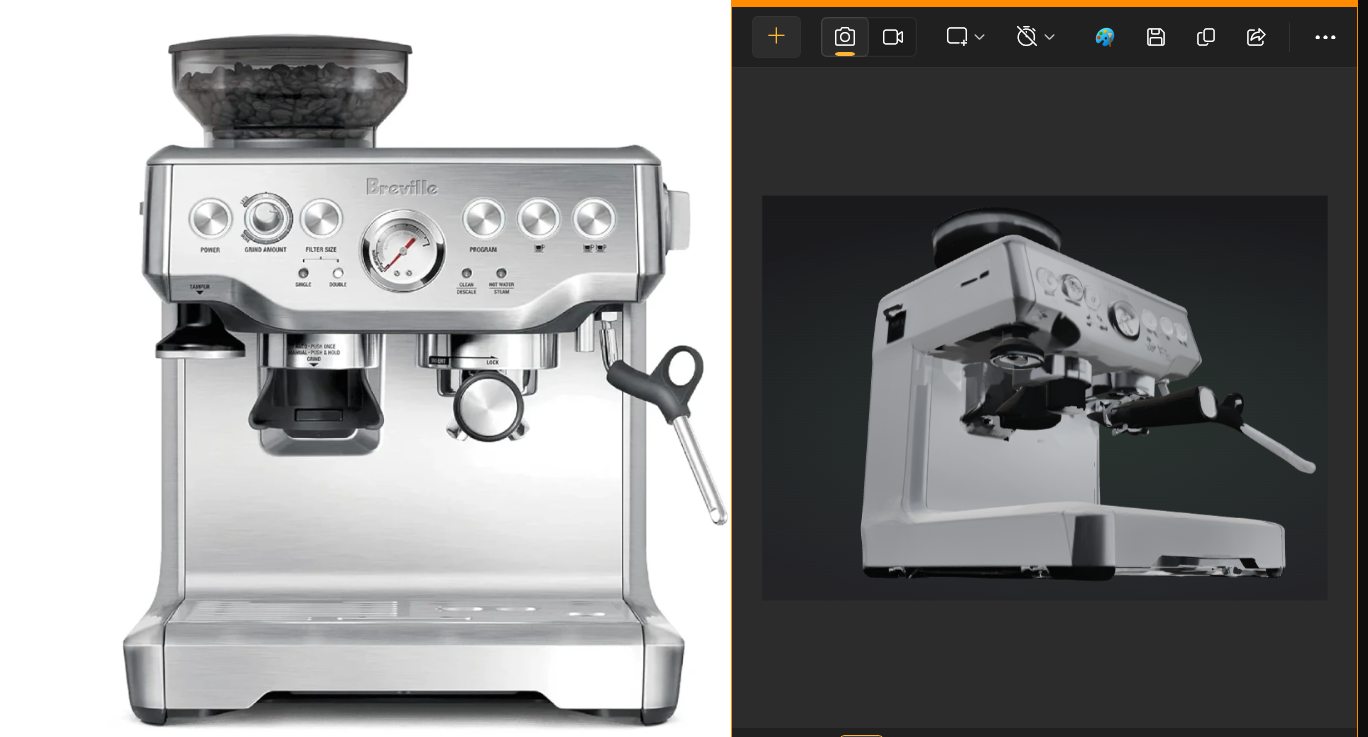
Coffee Machine - Breville Generated 3D Model


Clarify - Spatial Product Support
Clarify turns dead manuals into live AR agents. We auto-generate 3D twins from photos and bind PDFs to Voice AI. Users ask, exact parts glow in WebXR. Zero 3D modeling. Massive enterprise ROI.
The Problem
Hardware manufacturers lose millions annually to "No Fault Found" returns and basic customer support calls (averaging $15/call). Customers are frustrated by dense, 50-page PDF manuals and struggle to map 2D diagrams to 3D physical products.
The Solution
Clarify is a B2B spatial intelligence platform. We put the instruction manual inside the product. By combining dynamic 3D generation, LLM-powered Voice RAG, and WebXR, we create an interactive, zero-download AR experience. If a user asks "Where is the volume button?", the exact physical button glows in augmented reality.
Core Features and Capabilities
1. Zero-Friction Asset Generation (Manufacturer)
- Photo-to-3D: Manufacturers simply upload product photos and their standard PDF manual.
- Tripo3D API: Clarify dynamically generates an optimized .glb 3D mesh from the 2D images. No expensive 3D modeling team required.
2. The Labeling Studio
- Spatial Binding: Product managers click on the generated 3D model in their browser to place functional Hotspots (e.g., Volume Button, USB Port).
- RAG Context: These spatial coordinates are instantly bound to the uploaded PDF manual, teaching the AI the physical geography of the device.
3. WebXR End-User Experience
- Scan and Go: Users scan a QR code on the box to launch a WebXR session in their mobile browser—no app downloads.
- Voice AI: Powered by Groq, users simply talk to their device. The AI parses the manual and triggers UI state changes, causing the correct physical components to glow in AR while delivering spoken instructions.
4. Spatial Analytics Dashboard
- The Business Moat: We track every spatial query to generate a 3D Heatmap of User Confusion. If 85% of users ask about the "Volume Button", it glows red on the manufacturer's dashboard, providing direct engineering data for the next hardware iteration.
The Journeys: How It Works
The Manufacturer Workflow (Setup and Analytics)
- Upload and Auto-Gen: The product manager logs into the Clarify dashboard, clicks "New Product," and uploads standard 2D reference photos alongside the PDF manual. The platform instantly auto-generates the 3D digital twin via Tripo3D.
- Spatial Annotation: Inside the Labeling Studio, the manager clicks directly on the 3D mesh to drop pins on key features (e.g., naming a pin "Volume Button"). These labels are used by the Voice Agent to annotate and clarify information for the end user.
- Preview and Publish: The manager tests the AI agent in the built-in preview tab. Once satisfied, they click "Publish," which generates a universal WebXR link and a QR code to print on the product's packaging.
- Data Harvesting: Weeks later, the engineering team logs back in to view the Spatial Analytics tab, interacting with a 3D heatmap that highlights exactly which hardware components are confusing users the most in the real world.
The End-User Workflow (Zero-Friction Support)
- Scan: The frustrated customer unboxes their device, gets confused, and scans the Clarify QR code with their native smartphone camera.
- Immersive AR: The mobile browser opens directly into WebXR. The user points their camera at their desk, and the digital twin is anchored into their physical space.
- Voice Inquiry: The user taps the microphone and simply asks, "How do I turn up the volume?"
- Spatial Resolution: The Groq-powered Voice AI reads the manual in milliseconds, responds aloud via text-to-speech with the correct instructions, and physically illuminates the specific "Volume Button" hotspot on the AR model right in front of them.
Technology Stack
- Frontend: Next.js (App Router), React, Tailwind CSS
- Spatial / 3D: Google model-viewer, WebGL, WebXR
- AI and Voice: Groq (Llama 3 / Gemini 1.5 Flash for RAG), Web Speech API
- 3D Generation Pipeline: Tripo3D API
- Data Visualization: Recharts (Analytics Dashboard)
Future Scope
While Clarify currently handles end-to-end basic spatial support, our roadmap for scaling includes:
- Public Discovery & Community Hub: Implementing a "Community Showcase" where manufacturers can opt-in to list their 3D digital twins publicly. Users can explore high-fidelity models, "like" well-designed spatial interfaces, and provide constructive feedback. This creates a competitive "Support Leaderboard," incentivizing brands to provide better documentation while increasing visibility for new product launches through interactive 3D discovery.
- High-Fidelity Rendering and Runtime Optimization: Implementing mesh decimation and advanced texture compression to ensure high-fidelity dynamic models load instantly on lower-end mobile devices over cellular networks.
- Fine-Tuned Dynamic Generation: Post-funding, we plan to fine-tune our own proprietary photogrammetry/3D generation workflow optimized specifically for matte hardware and consumer electronics, moving away from third-party APIs.
- Complex Multi-Part Interactions: Integrating publicly available, interactable .glb assemblies (e.g., a speaker model with detachable wires) to test and support multi-step physical assembly/disassembly instructions.
- Action Type Animations in the Editor: Upgrading the Manufacturer Labeling Studio to include an "Interaction Type" dropdown. Manufacturers can bind specific animations (e.g., Push, Twist, Plug-in, Pull) to a label so the AR doesn't just highlight a button, but visually demonstrates how to use it.


Log in or sign up for Devpost to join the conversation.