-
-

Classify Logo
-
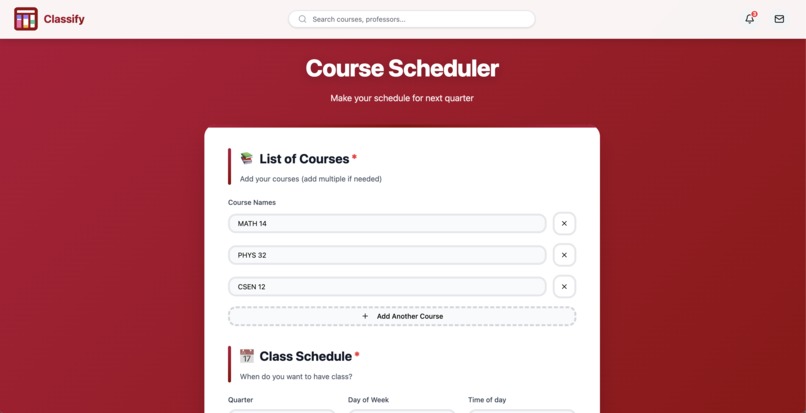
main page
-
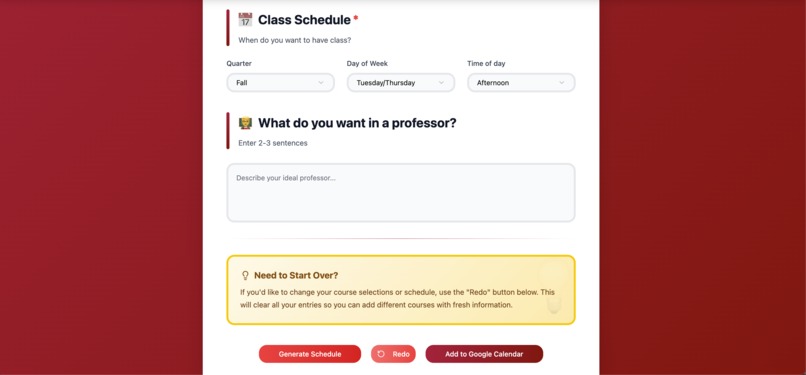
main page 2
-
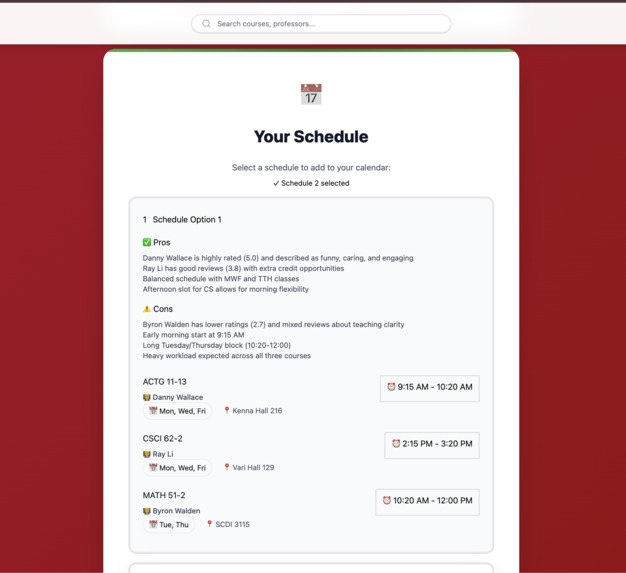
Schedule maker
-
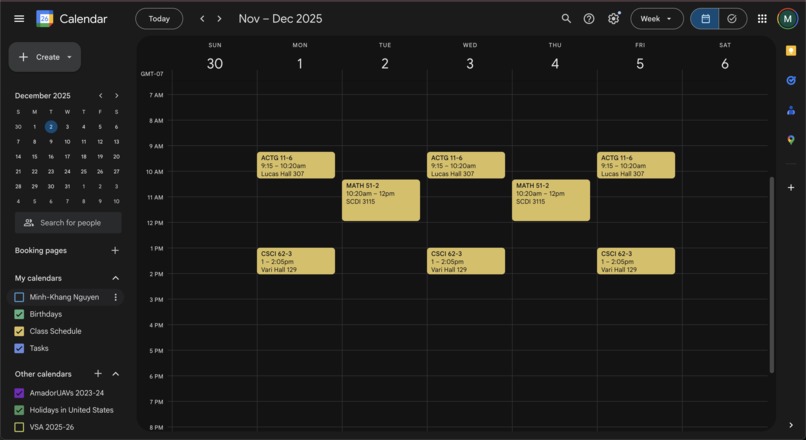
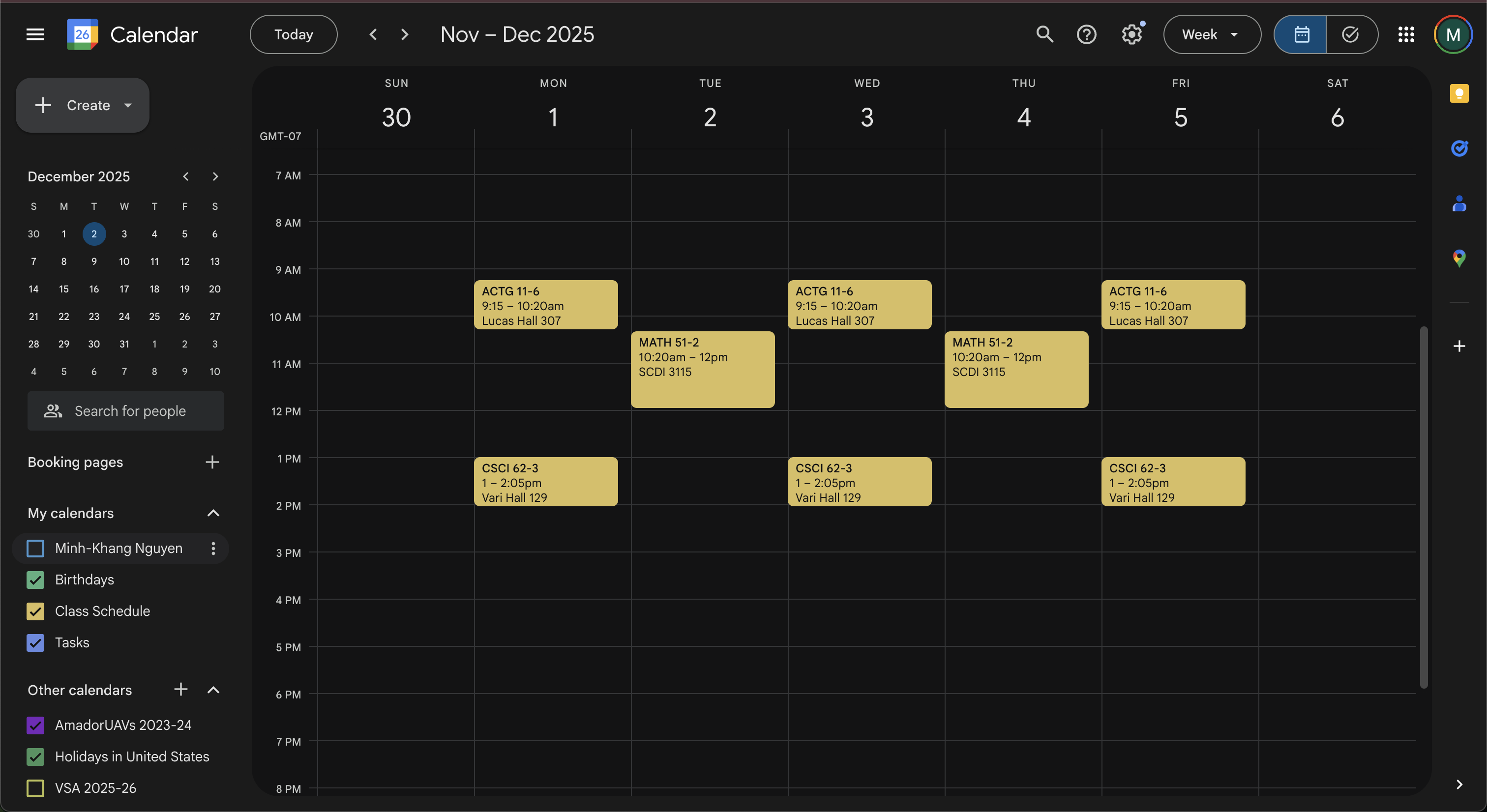
Google calendar
-
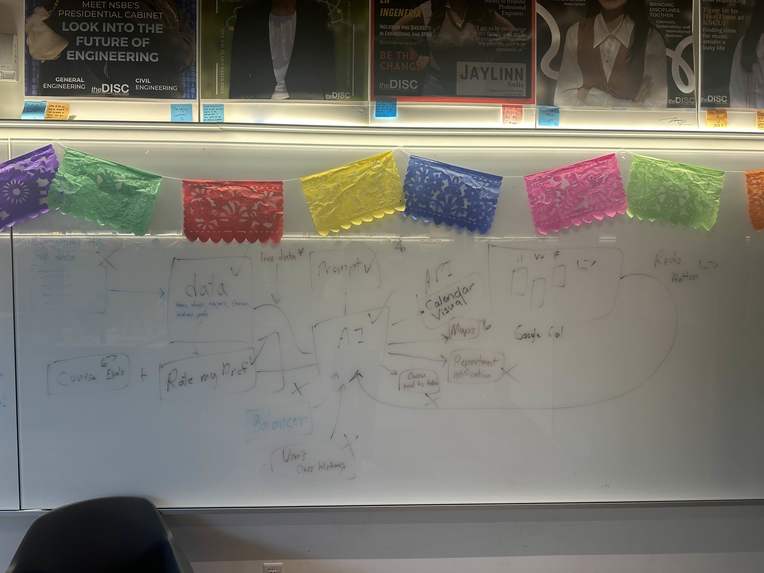
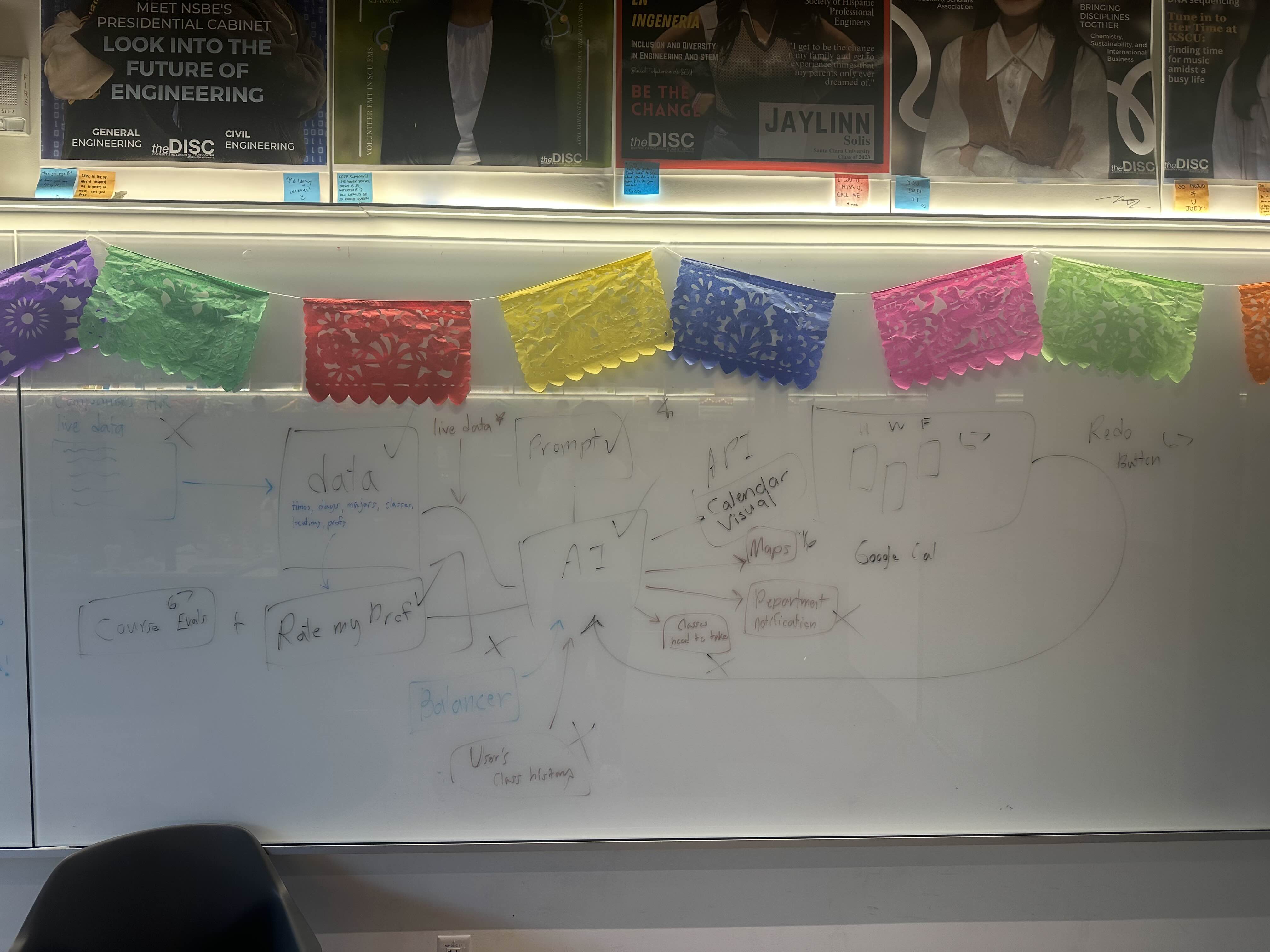
Idea Board

Inspiration
As students, we can attest firsthand how much of a headache class scheduling is. With a plethora of possible course sections, professors with varying personalities and class structure, and conflicting time slots, what starts as an exciting opportunity to explore our academic interests becomes a daunting task where choosing the “right” schedule feels almost impossible.
Our struggles and experiences with course registration are what led us to develop Classify, an AI tool that understands natural language preferences to create truly personalized schedules. While students can certainly still check boxes and filter lists as is for most services, Classify allows students to describe what truly matters for them and best fits their learning needs, whether that be “find me the most funny and engaging professors” or “I’m steering clear of those dreaded 8 am classes.”
What it does
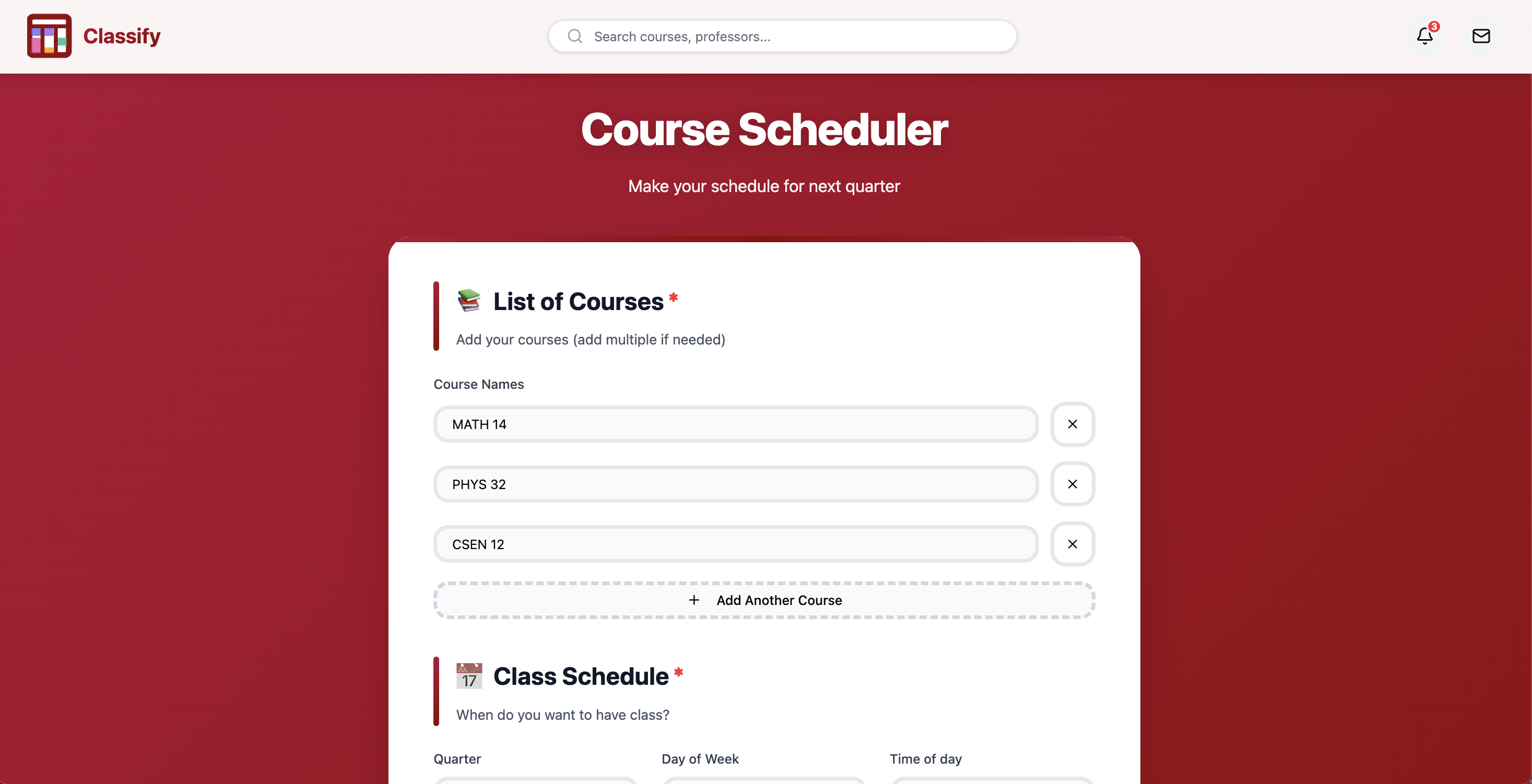
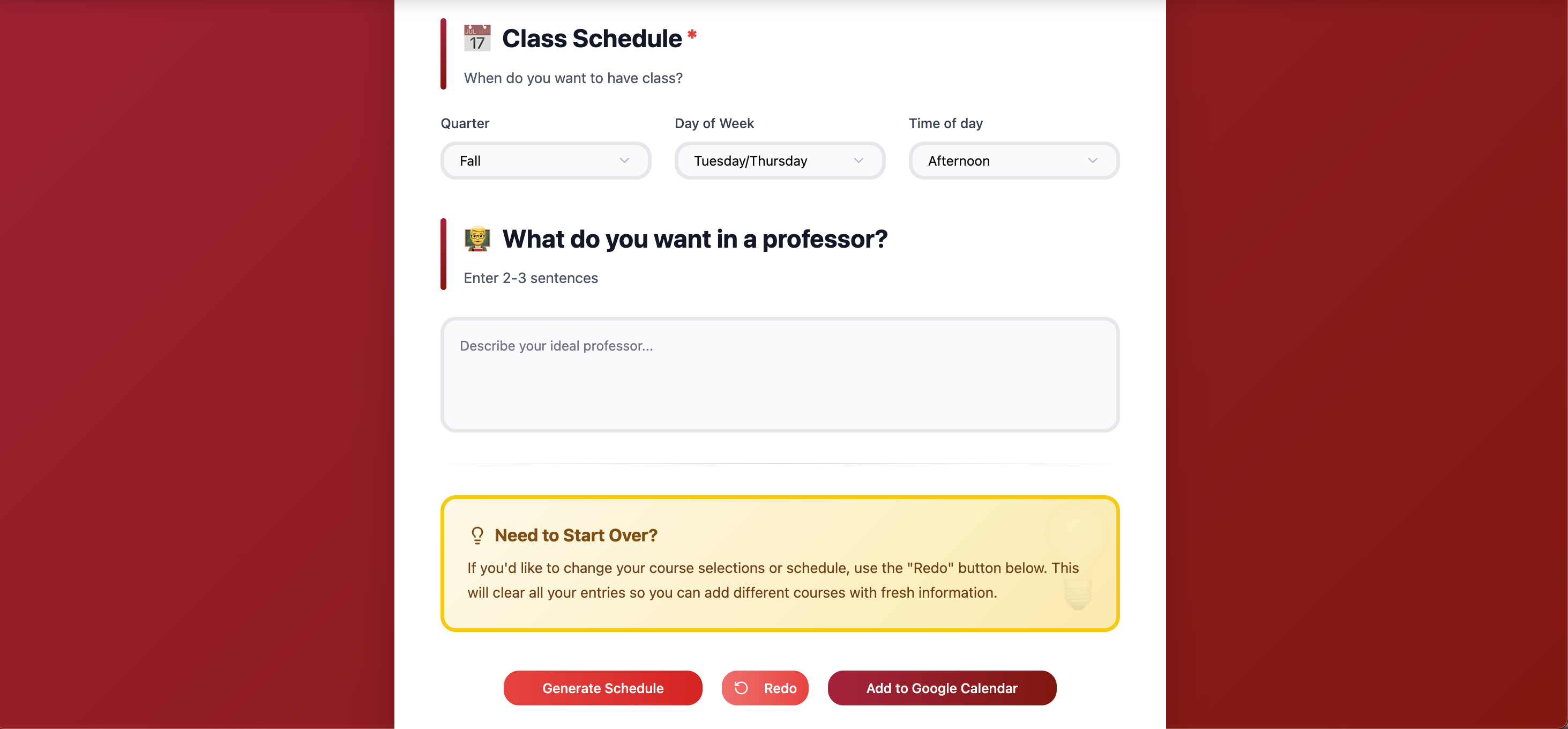
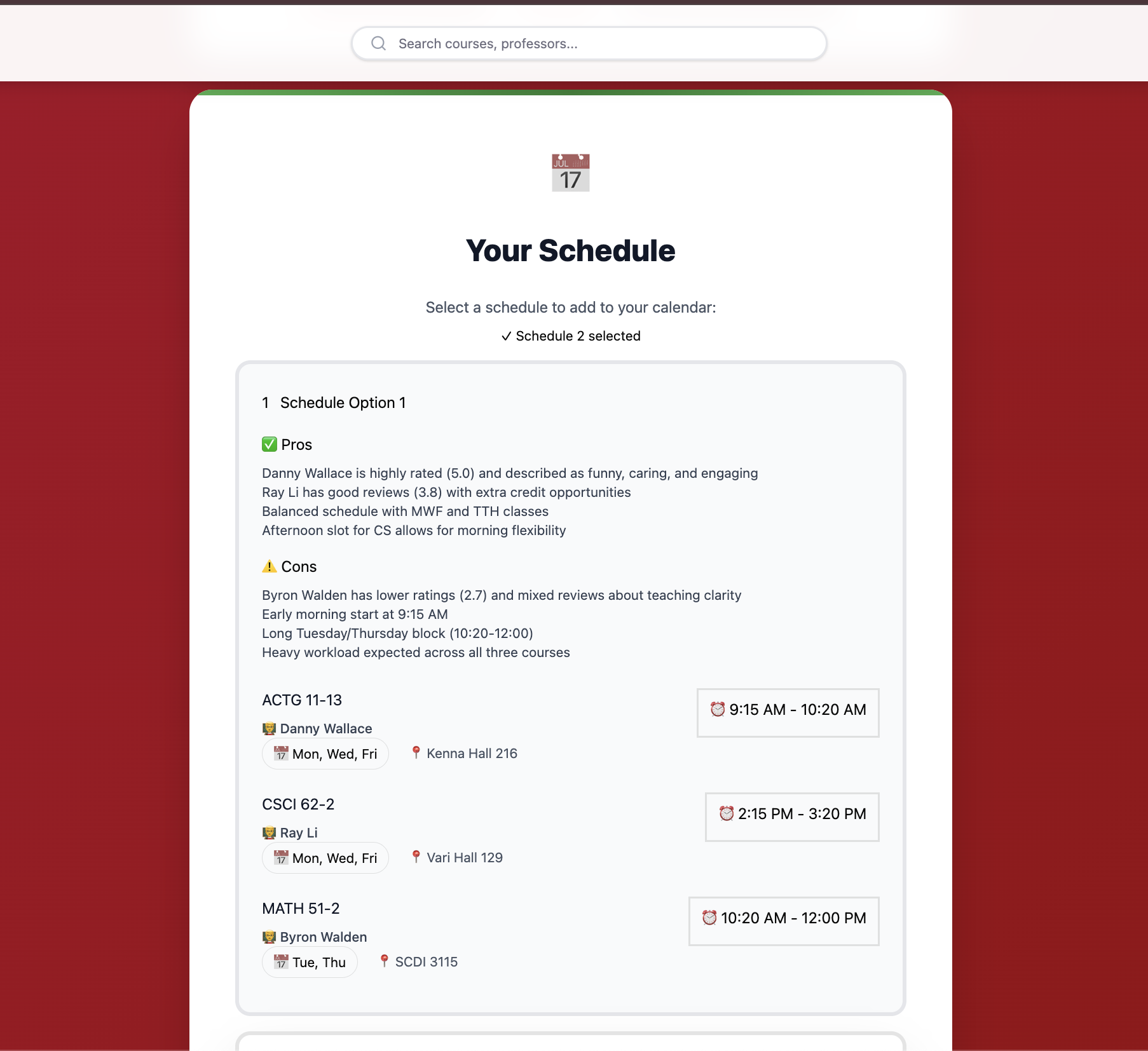
Classify is an online class scheduling platform where students can choose specific classes, times, and professors tailored to their wants. After filling out their preferences through natural language and other prompts, Classify generates multiple class schedules, providing pros and cons for each schedule to ease the decision. From there, students can choose their favorite schedule and automatically implement it into Google Calendars with a click of a button.
How we built it
In the backend, we utilized an S3 bucket to store Workday extracted class data and a prompt-engineered Claude Sonnet 4.5. In addition to AWS services, we devised a Python script that connected to the RateMyProfessors website through its GraphQL API, searching for professors by name to gather real, student-based data on average rating, difficulty, and feedback comments. From there, we compared this data with a user’s preferences for an ideal teacher using Claude, and input other user preferences like ideal days and times. Ultimately, students would have a handful of the most optimal, tailored class schedules that the user could directly add to their Google Calendar through the Google Calendar API.
Challenges we ran into
One of the most frustrating challenges that we ran into was working with the AWS services. Every time we Git pushed our files to GitHub, we would always have to delete the access keys, which made it very tedious. In addition, after implementing our Excel file into an S3 bucket, AWS denied us access on VS Code when trying to access the S3 bucket. This caused us to go around multiple loops trying to identify where the error was.
Accomplishments that we're proud of
I think that the accomplishments we are proud of are that we got the AI to work with a decent level of accuracy, successfully integrating the frontend with the backend, and creating a seamless user experience that demonstrates the full potential of our system. Additionally, we were able to troubleshoot challenges along the way, improving both the efficiency and reliability of our application.
What we learned
This project was a great opportunity for each of us to experience full-stack development under a time constraint. Having free access to all the AWS services allowed us to utilize and gain expertise on some of the services. More importantly, we learned how to seamlessly integrate backend and front-end code, ensuring we not only had a sleek and intuitive user interface but also a smooth-running backend to support it.
In addition to learning various software skills, we also learned how to work as a team, dividing the work amongst each other based on our strengths and weaknesses, along with having group discussions and hourly check-ins. Through this, we learned how to collaborate under pressure, adapt to the unfamiliar environment of new technologies, and manage our time efficiently.
What's next for Classify
Due to the time constraints, we weren’t able to complete a lot of our initial stretch goals. One of which was implementing users’ evaluations as a rating system. We had the time to finish programming a DynamoDB system, but did not get the chance to fully integrate it into our project.
Another one of our stretch goals was implementing real-time updates to reflect changes like classes opening up and waitlists. Since we didn’t have access to Workday’s API, we pulled our class data from a one-time instance. In the future, we would be interested in working with Workday to not only reflect live feed, but also directly add saved schedules and perform registration on the Workday platform.
Built With
- api
- chatgpt
- claude
- figma
- github
- google-calendar
- graphql
- javascript
- s3
- vscode


Log in or sign up for Devpost to join the conversation.