-
-
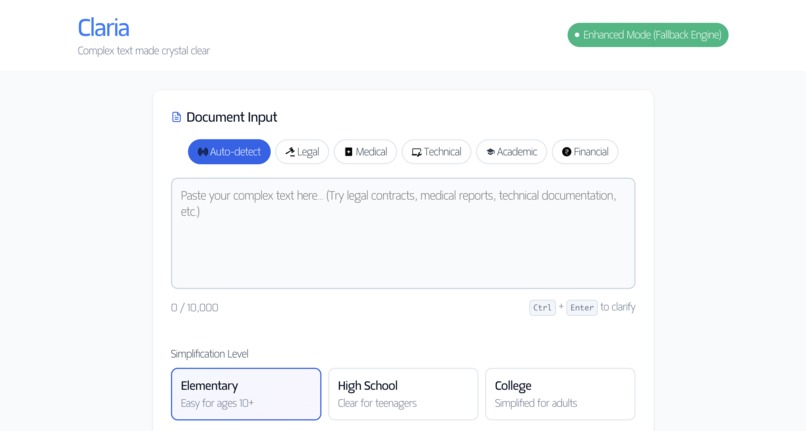
Claria Dashboard
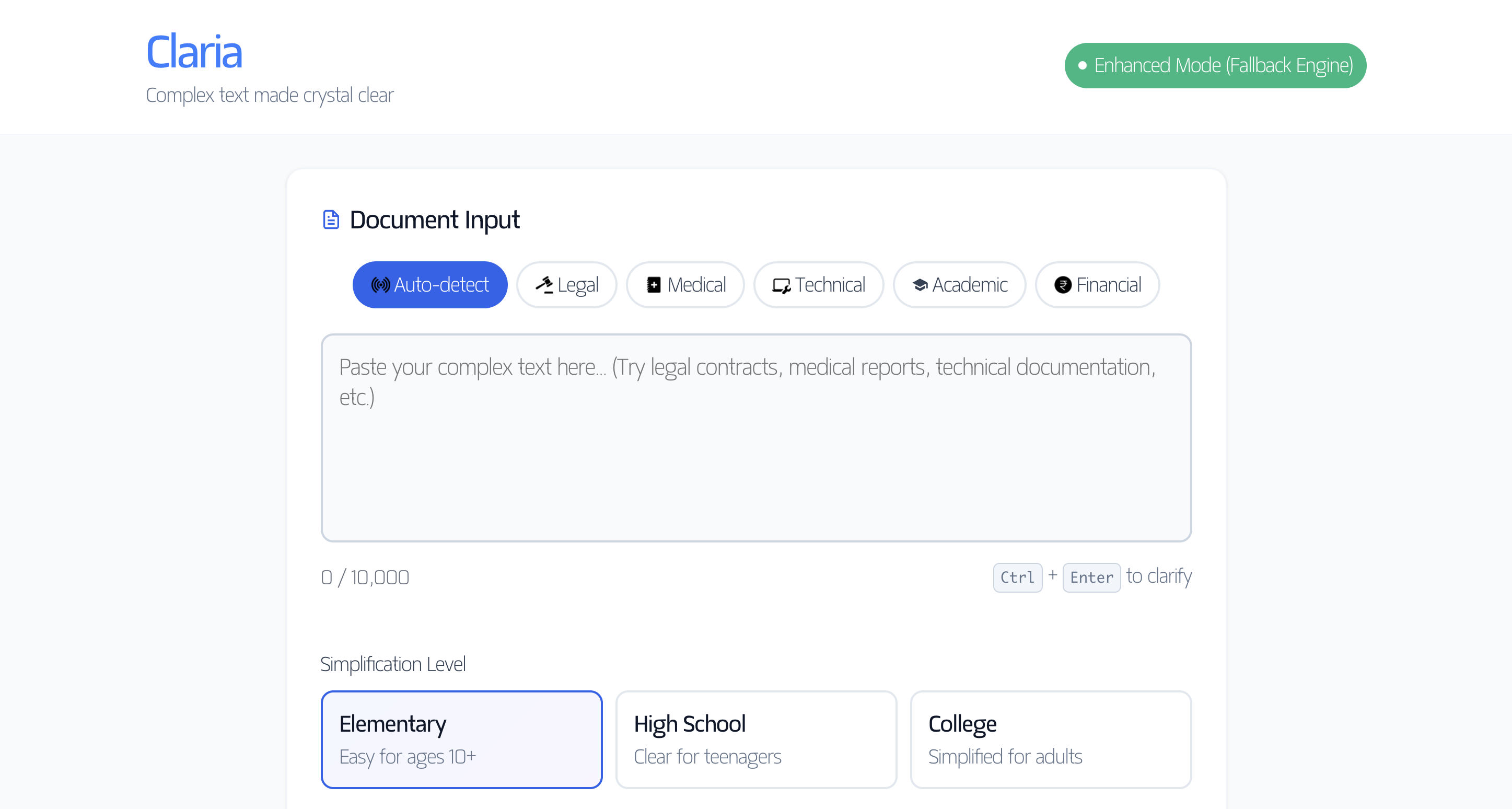
Claria - Complex Text Made Simple
The Problem
Millions of people struggle daily with complex documents—legal contracts filled with jargon, medical reports with technical terminology, and academic papers written at graduate levels. This creates barriers to understanding critical information that affects people's lives, health, and decisions.
What I Built
Claria is a text simplification tool that transforms complex documents into clear, accessible language. It leverages Chrome's built-in AI APIs (Language Model, Writer, Rewriter, and Summarizer) while maintaining a sophisticated fallback system for universal compatibility.
Key Features
- Multi-Domain Support: Legal, Medical, Technical, Academic, and Financial document types
- Three Complexity Levels: Elementary (Grade 6), High School (Grade 10), and College (Grade 14)
- Chrome AI Integration: Uses all 4 Chrome AI APIs when available
- Universal Fallback Engine: 114 domain-specific jargon mappings and 24 pattern transformations
- Privacy-First: 100% local processing—documents never leave the browser
- Accessibility: Text-to-speech with optimized voice selection, keyboard shortcuts, readability metrics
Technical Architecture
Chrome AI Integration
I implemented a comprehensive detection and initialization system for Chrome's built-in AI:
// Detects and initializes all 4 Chrome AI APIs
async init() {
    const capabilities = await ai.languageModel.capabilities();
    if (capabilities.available === 'readily') {
        this.sessions.languageModel = await ai.languageModel.create({
            temperature: 0.7,
            topK: 40
        });
    }
    // Similar initialization for Writer, Rewriter, Summarizer APIs
}
Fallback Engine Design
The biggest challenge was ensuring Claria works everywhere, not just on Intel devices where Chrome AI is available. I built a domain-specific transformation engine: Jargon Mapping System: Created 114 mappings across 5 domains
const legalJargon = {
    simple: { 'hereinafter': 'from now on', 'pursuant to': 'according to' },
    standard: { 'notwithstanding': 'despite', 'aforementioned': 'mentioned before' },
    educated: { 'ipso facto': 'by that fact', 'prima facie': 'at first sight' }
};
Pattern Transformations: 24 regex-based transformations for complex structures
// Transform passive voice to active
text = text.replace(/\b(\w+) was (\w+ed) by (\w+)\b/g, '$3 $2 $1');

// Simplify legal "shall" constructs
text = text.replace(/\bshall\b/gi, 'must');
Readability Analysis
Implemented Flesch-Kincaid grade level calculation to measure improvement: $$\text{Grade Level} = 0.39 \left(\frac{\text{words}}{\text{sentences}}\right) + 11.8 \left(\frac{\text{syllables}}{\text{words}}\right) - 15.59$$ This provides users with quantitative proof of simplification (e.g., "Reduced by 4 grade levels").
Challenges & Solutions
Challenge 1: ARM64 Compatibility
Problem: Chrome AI (Gemini Nano) doesn't run on Apple M1/M2/M3 processors.
Solution: Built a complete fallback system that processes text locally using JavaScript transformations. The app seamlessly switches between Chrome AI and fallback based on device capabilities.
Challenge 2: Voice Quality
Problem: Default browser speech synthesis voices sounded robotic and high-pitched.
Solution: Implemented intelligent voice selection with preloading and pitch adjustment:
utterance.pitch = 0.8;  // Lower pitch for natural sound
utterance.rate = 0.9;   // Natural speaking pace

// Prioritize quality voices
const preferredVoices = ['Daniel', 'Alex', 'Google US English'];
Challenge 3: Context Preservation
Problem: Simple word replacement destroys meaning in domain-specific contexts.
Solution: Created context-aware transformations that understand document types. For example, "execution" in legal contexts stays "signing," not "killing."
Challenge 4: Cache Busting
Problem: Users needed hard refresh to see updates after deployment.
Solution: Implemented version query parameters and adjusted cache headers:
<script src="src/app.js?v=1.1.0"></script>

What I Learned

Progressive Enhancement: Building features that work universally first, then enhance with cutting-edge tech
Natural Language Processing: Understanding readability metrics, syllable counting, and linguistic complexity
Browser APIs: Deep dive into Speech Synthesis, Web Speech API, and Chrome's experimental AI APIs
Performance Optimization: Streaming responses, efficient DOM manipulation, and proper caching strategies
User-Centric Design: Accessibility isn't optional—keyboard navigation, ARIA labels, and screen reader support from day one

Technical Stack

Frontend: Vanilla JavaScript (zero dependencies)
AI: Chrome's built-in AI (Language Model, Writer, Rewriter, Summarizer APIs)
Deployment: Netlify with optimized cache headers
Testing: Custom test suite with 8 comprehensive test cases

Impact

Claria demonstrates that AI-powered text simplification can be:
Universal: Works on all devices, not just those with native AI support
Private: Zero data leaves the user's browser
Fast: Streaming responses provide real-time feedback
Accessible: Multiple complexity levels serve diverse audiences

The project demonstrates that Chrome's built-in AI APIs can power production-ready applications, maintaining robust fallback mechanisms for universal access.
Built With
- 100%-local-processing
- chrome-built-in-ai-apis
- chrome-dev-tools
- client-side-only(no-backend)
- css3
- custom-cache-headers
- dom-manipulation-api
- fetch-api
- github
- google-fonts(matangi)
- html5
- icons8-cdn(ui-icons)
- language-model-api
- netlify(static-hosting)
- netlify-cdn(global-delivery)
- progressive-web-app-principles
- rewriter-api
- speech-synthesis-api
- summarizer-api
- vanilla-javascript-es6+
- vscode
- web-storage-api
- writer-api


Log in or sign up for Devpost to join the conversation.