-
-
-
-
Wearable Asset
-
Website UI
-
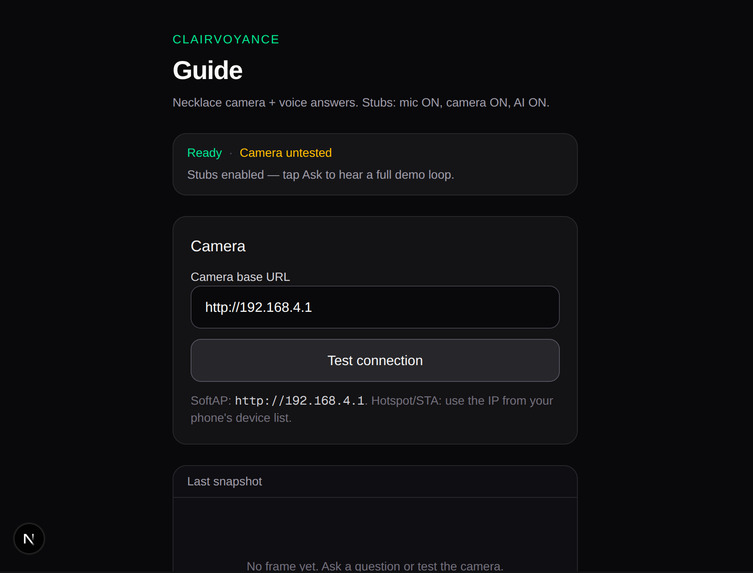
Website UI
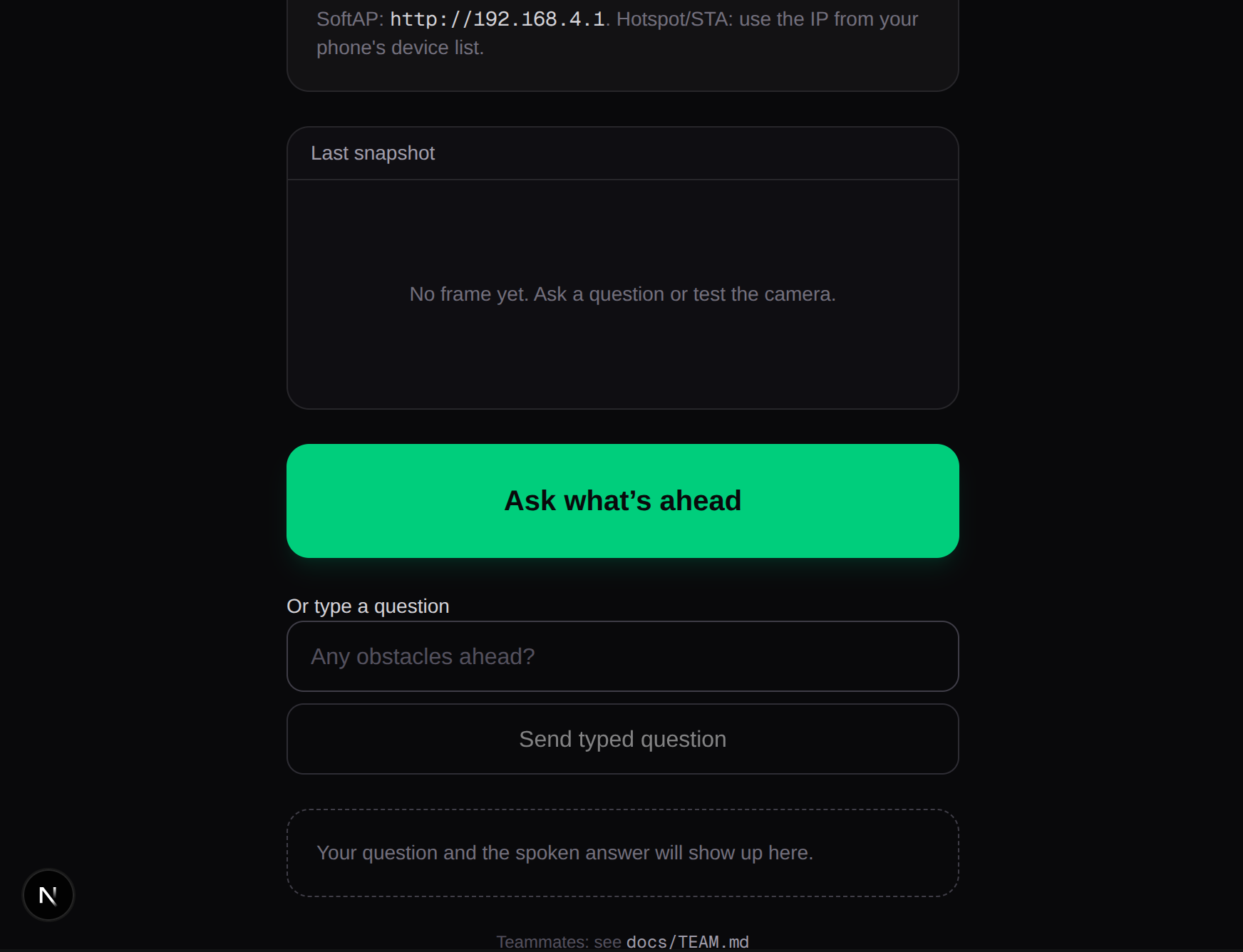
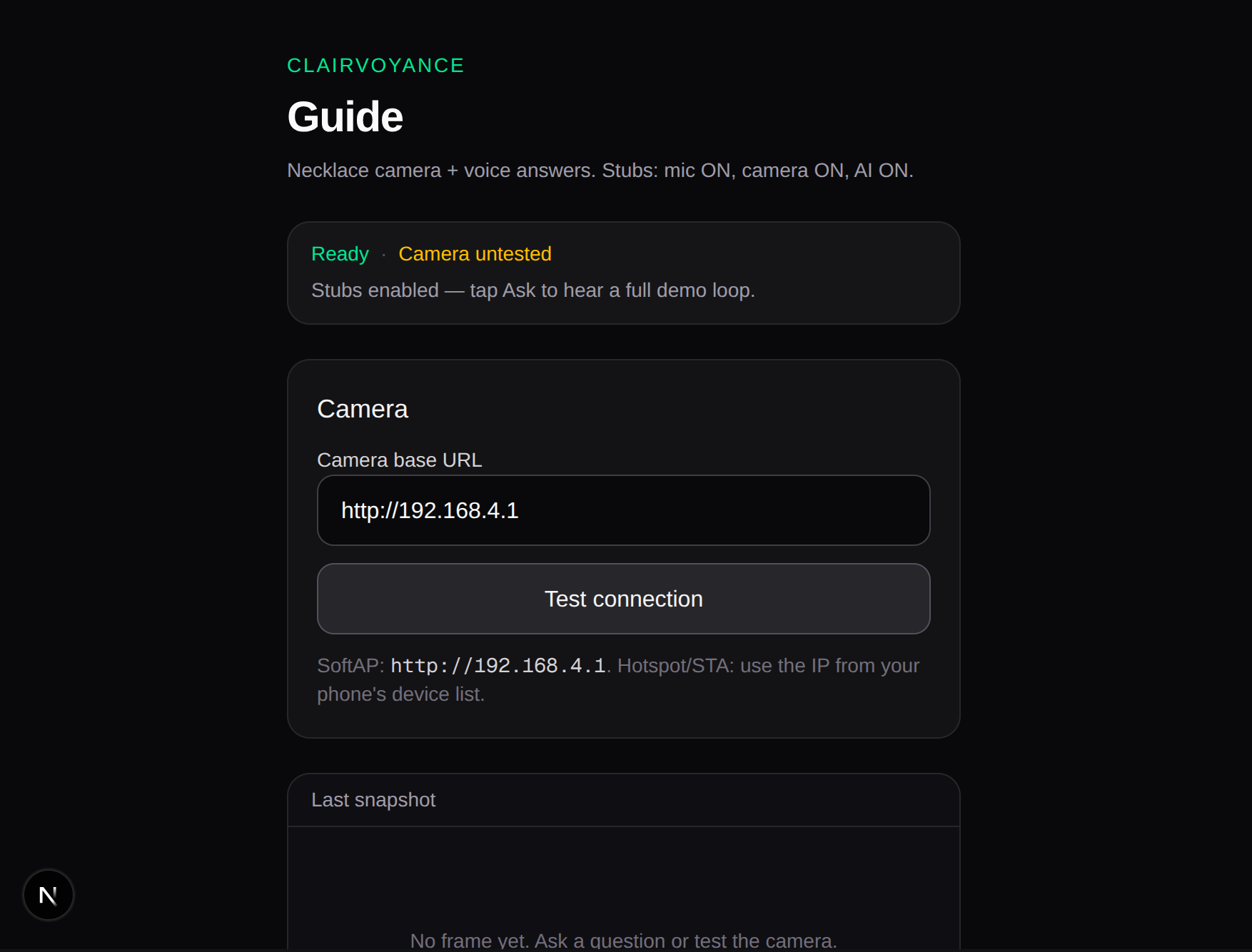
Inspiration
We initially considered building a device that could help people find objects around their homes. While exploring that idea, we thought about the game Hot and Cold, where someone is guided toward an object through verbal feedback. That led us to ask: what if we applied that same concept to a real-world accessibility challenge?
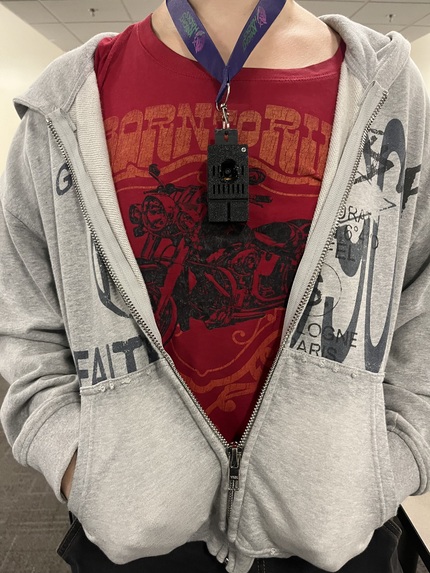
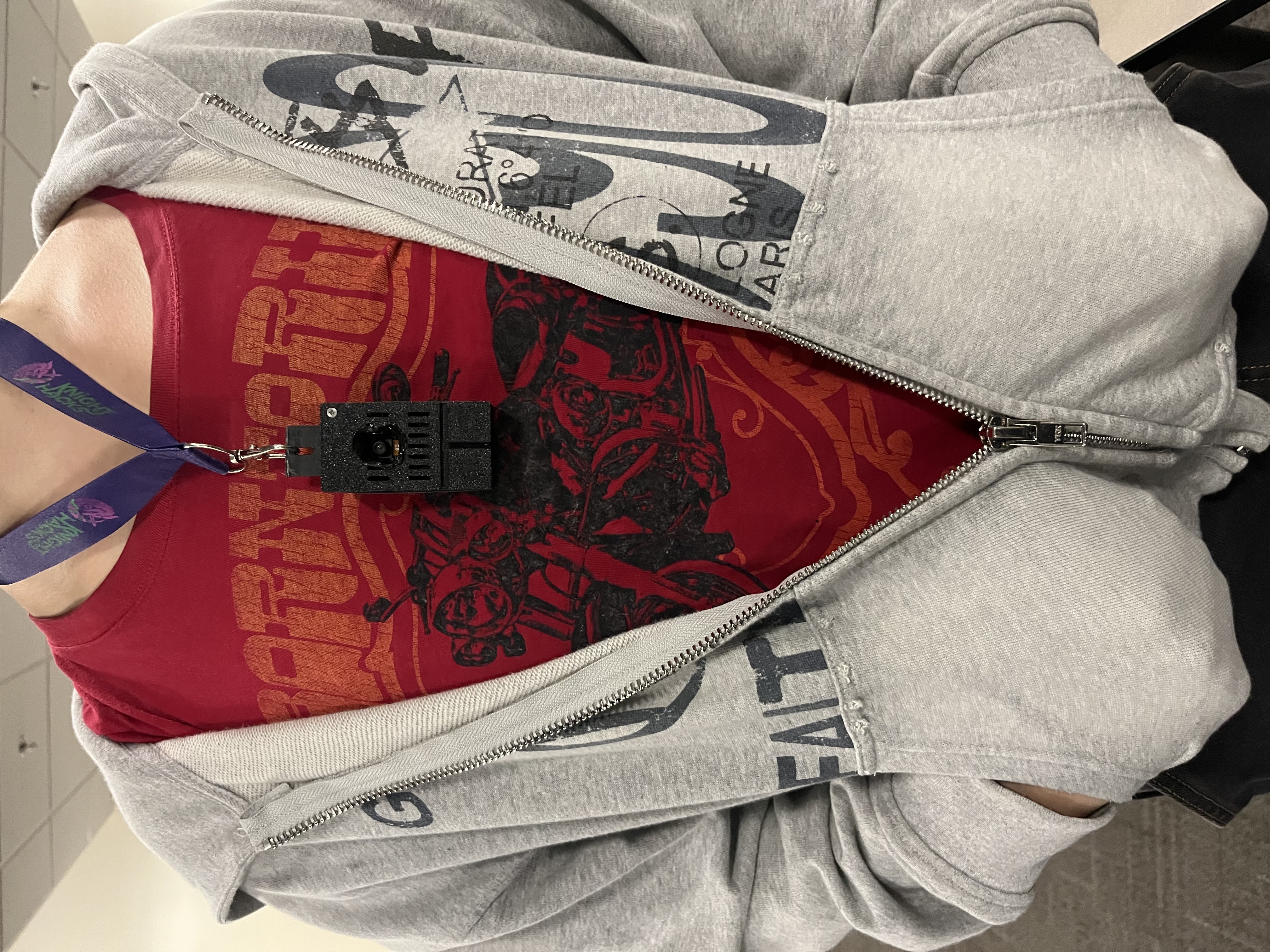
From there, Clairvoyance was born. Our goal is to create a wearable, portable, and simple-to-use tool that works with a smartphone to help visually impaired individuals better understand and navigate their surroundings. By combining a camera, voice interaction, and AI-powered scene analysis, Clairvoyance acts as an assistive aid that helps users perceive what they may not be able to see.
What it does
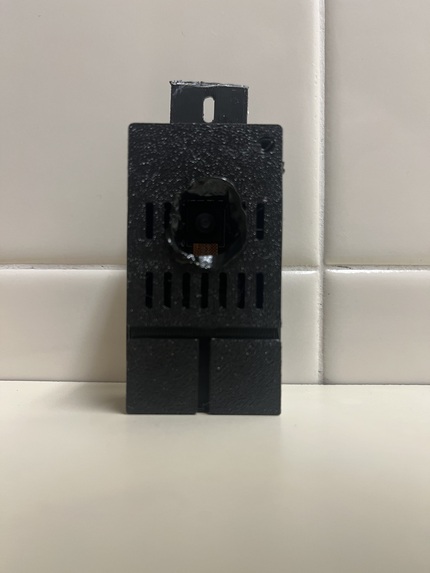
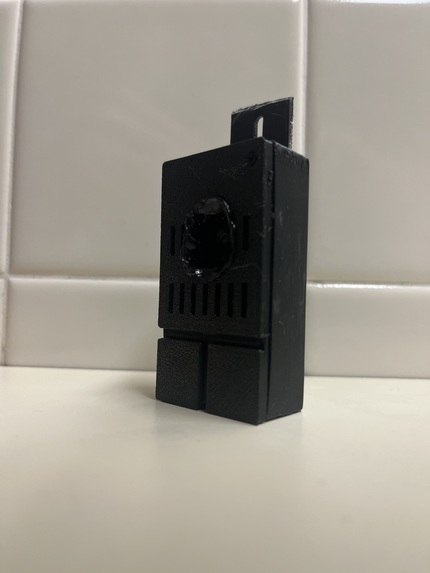
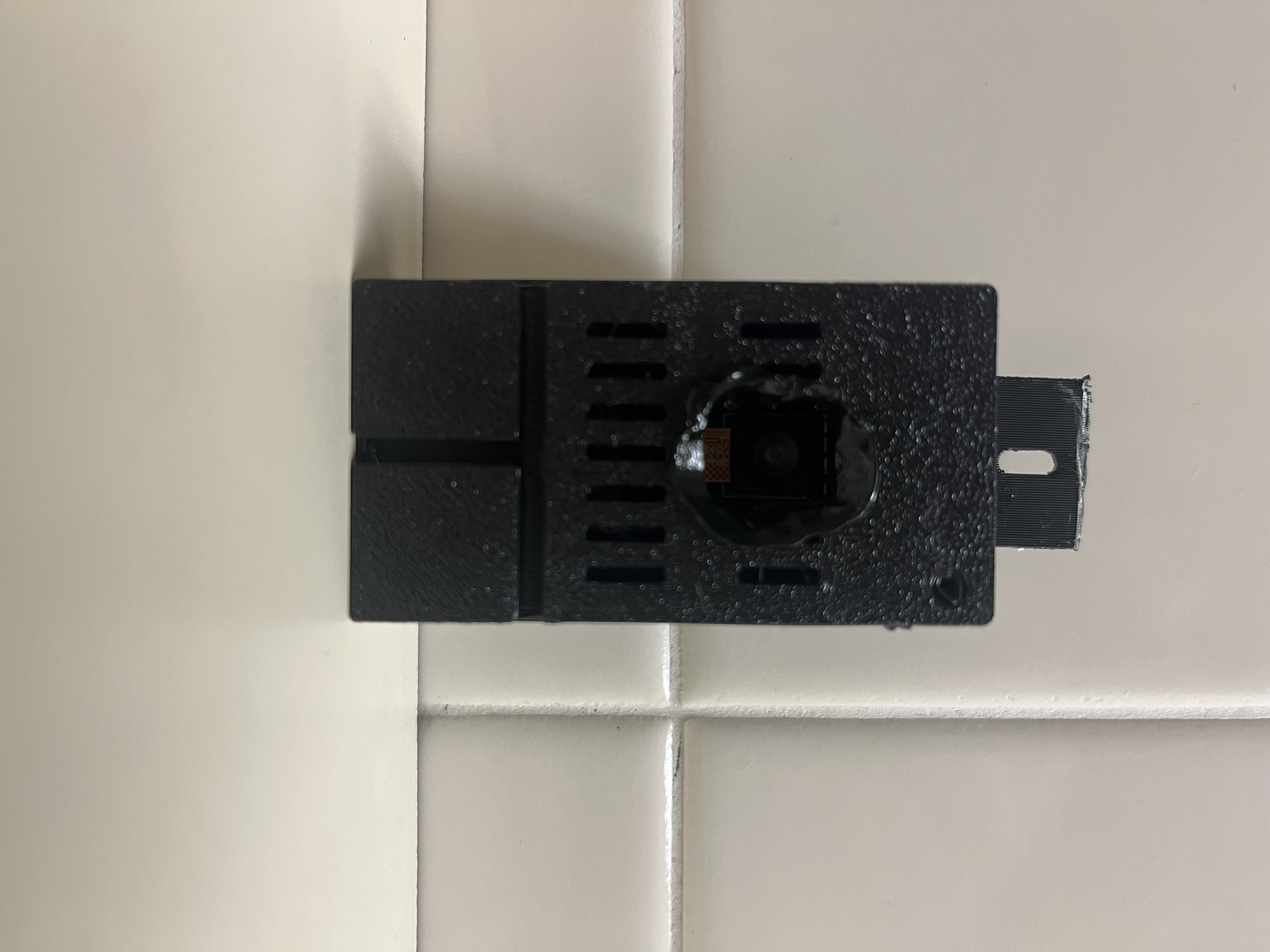
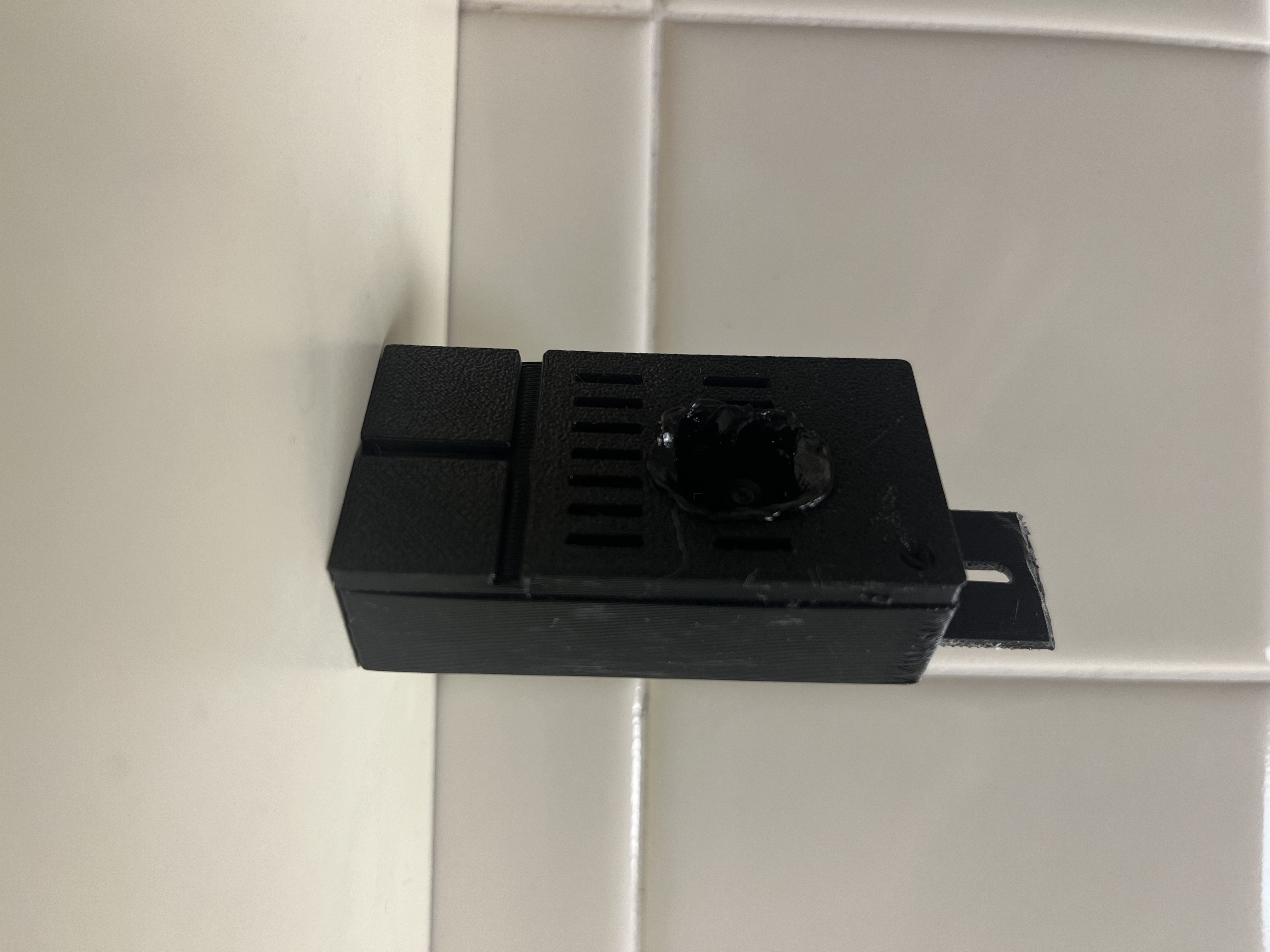
Clairvoyance is a wearable camera necklace for visually impaired users, paired with a voice assistant.:
- Uses an ESP32 camera module as a necklace-mounted vision source
- Captures a snapshot or live frame from the camera
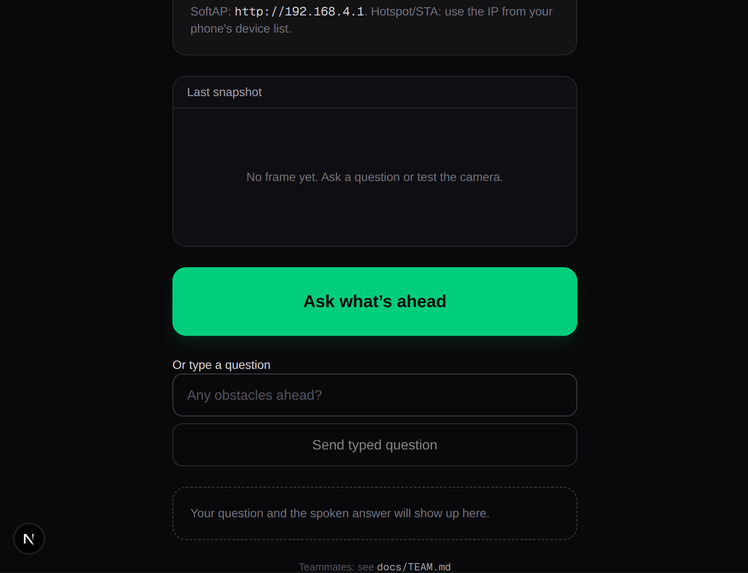
- Lets the user ask a spoken or typed question about the scene
- Sends the image and question to a server-side analysis route
- Uses a vision model to describe obstacles or scene layout
- Speaks the result back to the user via browser TTS
The system is designed around a simple loop:
listenOnce() → getSnapshot() → analyzeScene() → speak()
Challenges we ran into
Some of the biggest challenges we ran into are pretty clear, and they include things along the lines of:
Hardware reliability: connecting the ESP32 camera to Wi‑Fi and getting a stable stream
CORS and proxy issues when accessing the ESP32 camera from the phone app, while also having issues of things like weak USB power bricks, board power problems, and needing 2.4 GHz Wi‑Fi.

Real-world device variability: different camera modules, power issues, and Wi‑Fi configuration

Maintaining a demo-ready experience without blocking feature work, trying to balancing accessibility UX with a practical camera-and-AI workflow.
Accomplishments that we're proud of
Inspiration
Clairvoyance was inspired by the idea of helping blind or visually impaired people better understand their surroundings in real time using a lightweight wearable camera and voice-first interaction. The repo frames the product as a “voice-first Next.js phone client for the ESP32 necklace camera,” with the core goal of answering simple questions like “What’s ahead?” or “Any obstacles?” using a camera feed and AI analysis.
The project also seems inspired by accessibility and real-world demo constraints: the app is designed to work end-to-end with stubs by default, while still being ready for real camera + AI integration later. What it does
Clairvoyance is a wearable AI perception app that:
Uses an ESP32 camera module as a necklace-mounted vision source
Captures a snapshot or live frame from the camera
Lets the user ask a spoken or typed question about the scene
Sends the image and question to a server-side analysis route
Uses a vision model to describe obstacles or scene layout
Speaks the result back to the user via browser TTS
The system is designed around a simple loop:
listenOnce() → getSnapshot() → analyzeScene() → speak()
The repo’s docs emphasize concise visual guidance for a blind user, specifically returning answers like left/center/right obstacle awareness, without markdown, in a natural voice. How we built it
The project is split into clear engineering lanes:
Lane A: app shell / UX in client-web-app/src/components and src/app/page.tsx
Lane B: camera access in src/lib/camera.ts
Lane C: speech / STT / TTS in src/lib/speech.ts
Lane D: AI vision analysis in src/lib/analyze.ts and src/app/api/analyze/route.ts
The app is built in Next.js and includes a server route at:
client-web-app/src/app/api/analyze/route.ts
This route expects multipart form data with: A question and an image
It validates the request, checks for required env keys, and then calls a Gemini model using Google’s generative API. The repo intentionally keeps model keys on the server with .env.local / hosting environment variables instead of exposing them in the client.
The hardware side is handled by an ESP32 camera project under:
esp32-cam/src/main.cpp
This firmware initializes the camera, connects to Wi-Fi, and serves a stream for the camera, with config tuned for the ELEGOO ESP32-WROVER module and M5STACK_WIDE pin mapping.
The repo also includes a “stub” mode for local demos:
NEXT_PUBLIC_STUB_MIC=1
NEXT_PUBLIC_STUB_CAMERA=1
NEXT_PUBLIC_STUB_ANALYZE=1
That allows the app to run without hardware or API keys in a demo environment.
What we learned
Through this project, we learned how to integrate hardware and software into one cohesive system. We worked with an ESP32 camera, a web-based phone client, speech-to-text, text-to-speech, and AI-powered image analysis.
We also learned how important it is to design a project modularly. By separating the camera, voice, AI, and user interface into independent components, we were able to develop and test each part more easily.
Another major lesson was how to adapt to hardware limitations. We had to work around constraints involving camera capabilities, processing power, Wi-Fi connectivity, and available resources. These limitations taught us to design flexible solutions, use stubs for testing, and create fallback paths when the full hardware setup was unavailable.
Finally, we gained experience implementing speech-to-text and building a voice-first experience with accessibility as a central design goal.
What's next for Clairvoyance
Replace stubs with real microphone capture and transcript handling Integrate a reliable ESP32 camera stream from the necklace hardware Finish real end-to-end vision analysis with a model such as Gemini Tune the prompt so the AI provides short, actionable scene descriptions Improve UX for accessibility, especially error states and voice feedback Trial the full system on actual hardware and in the target walking/demo environment Iterate on latency and reliability so the app works in a hallway or real-world mobility use case


Log in or sign up for Devpost to join the conversation.