-
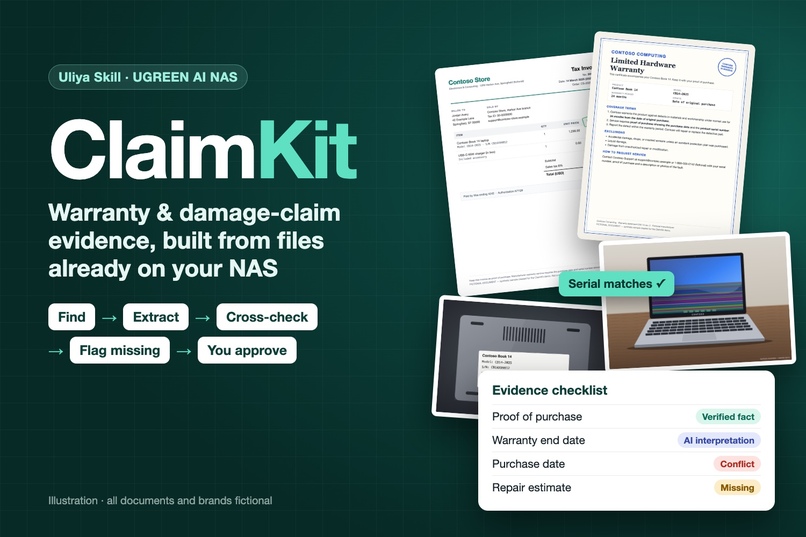
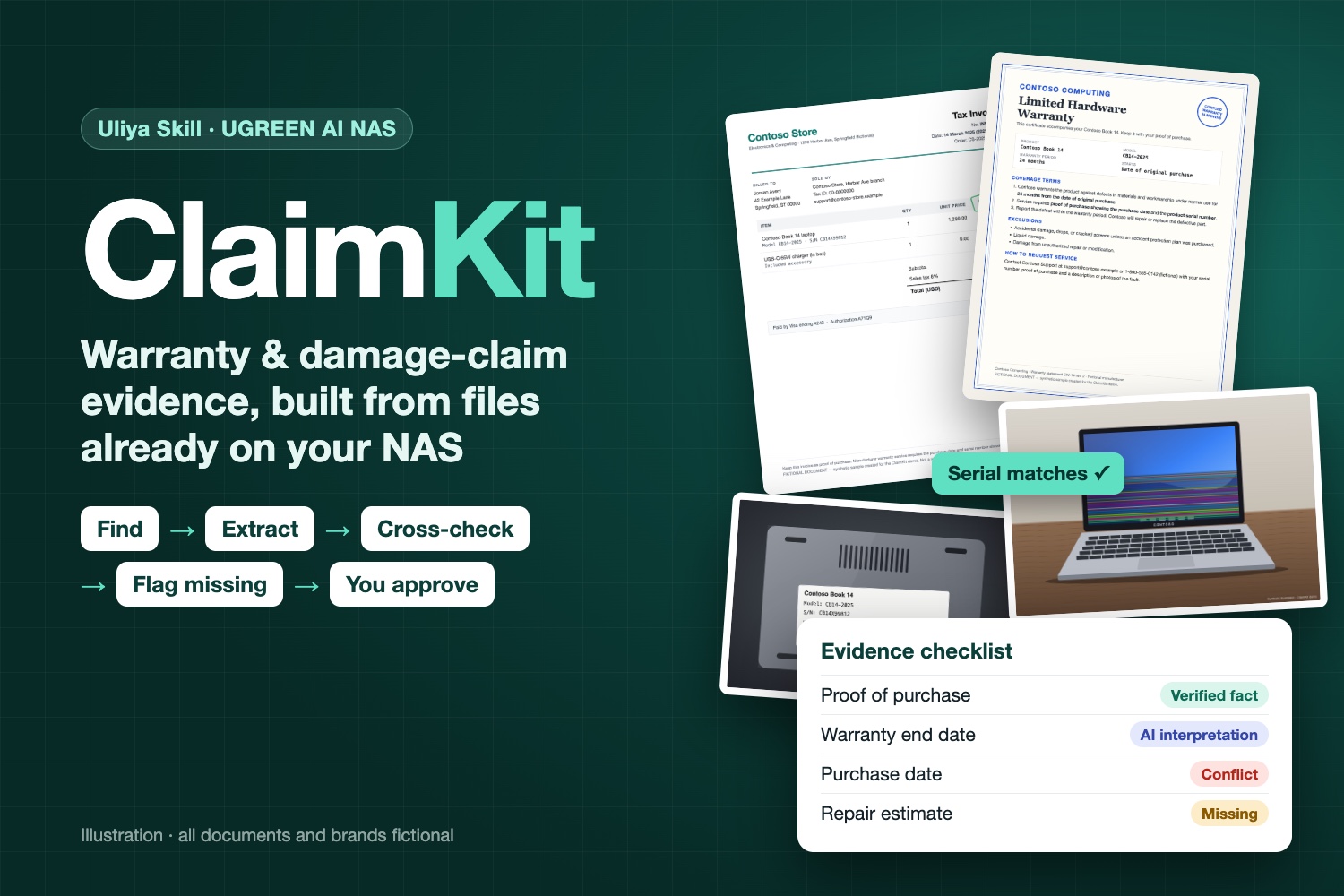
ClaimKit: claim evidence built from receipts, warranty terms and photos already on your UGREEN AI NAS. Illustration, fictional documents.
-
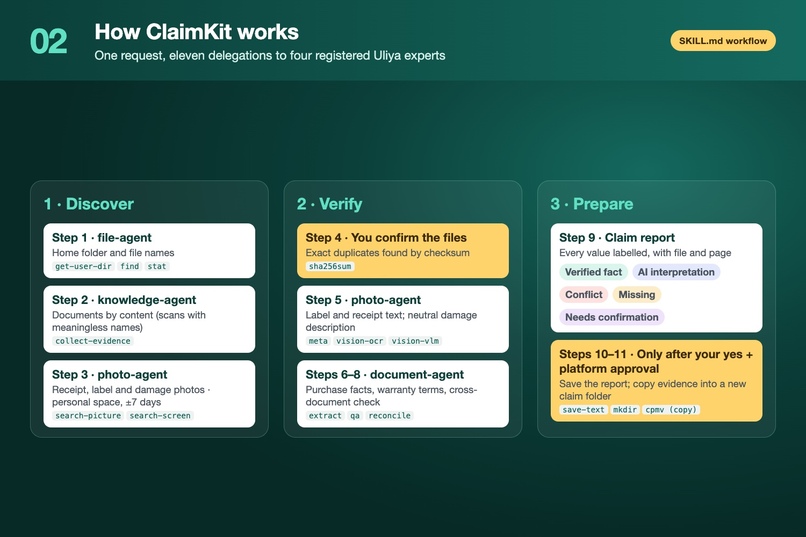
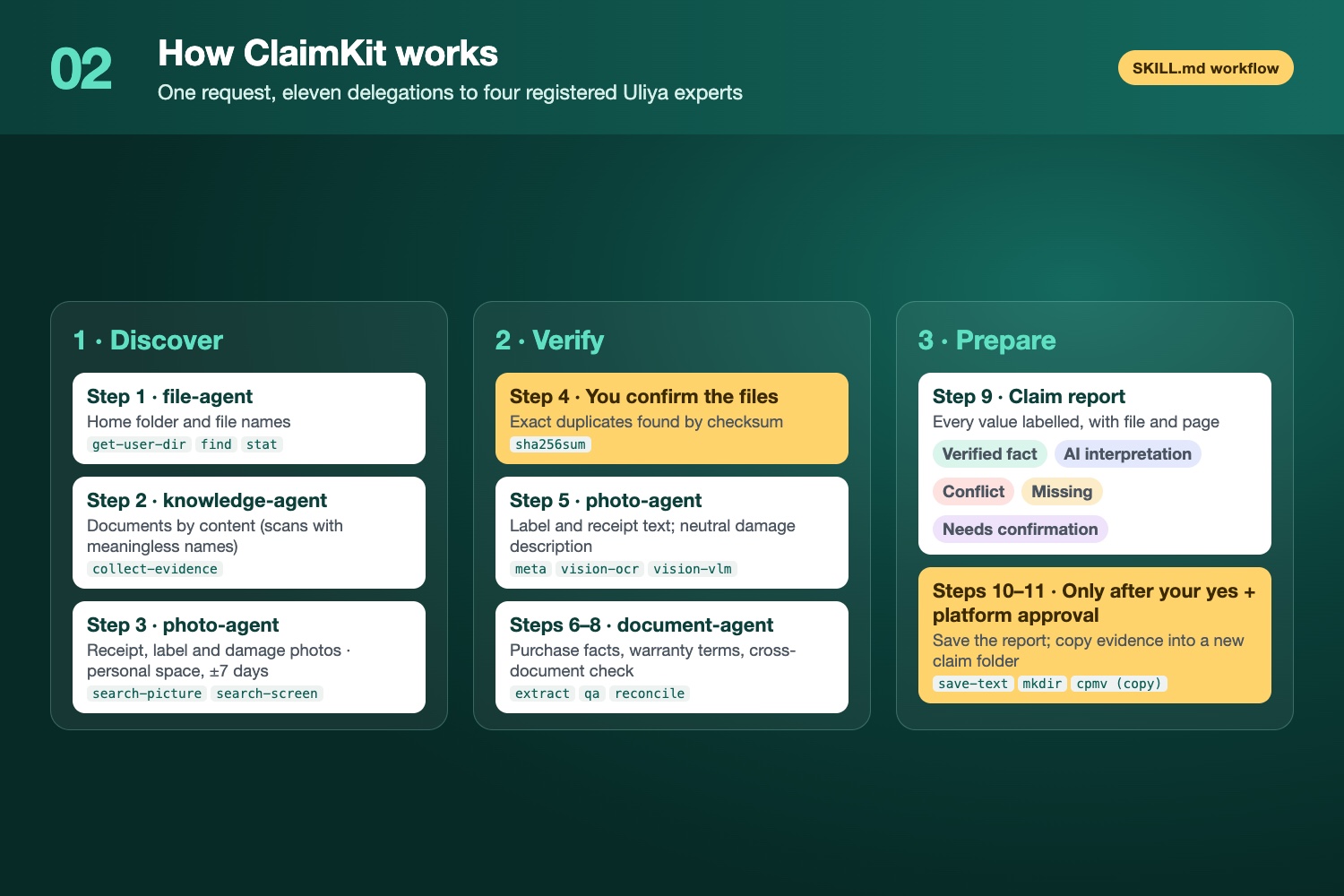
How it works: one request, 11 delegations to 4 Uliya experts (file, knowledge, photo, document). Discover, verify, prepare.
-
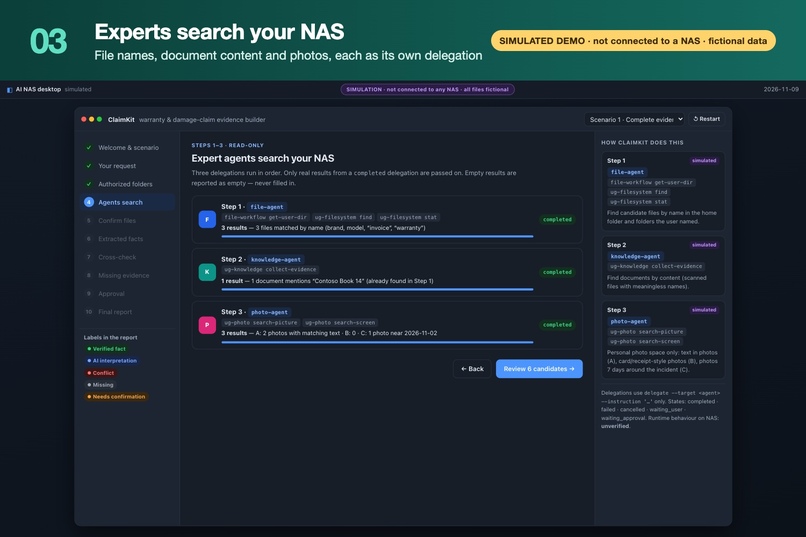
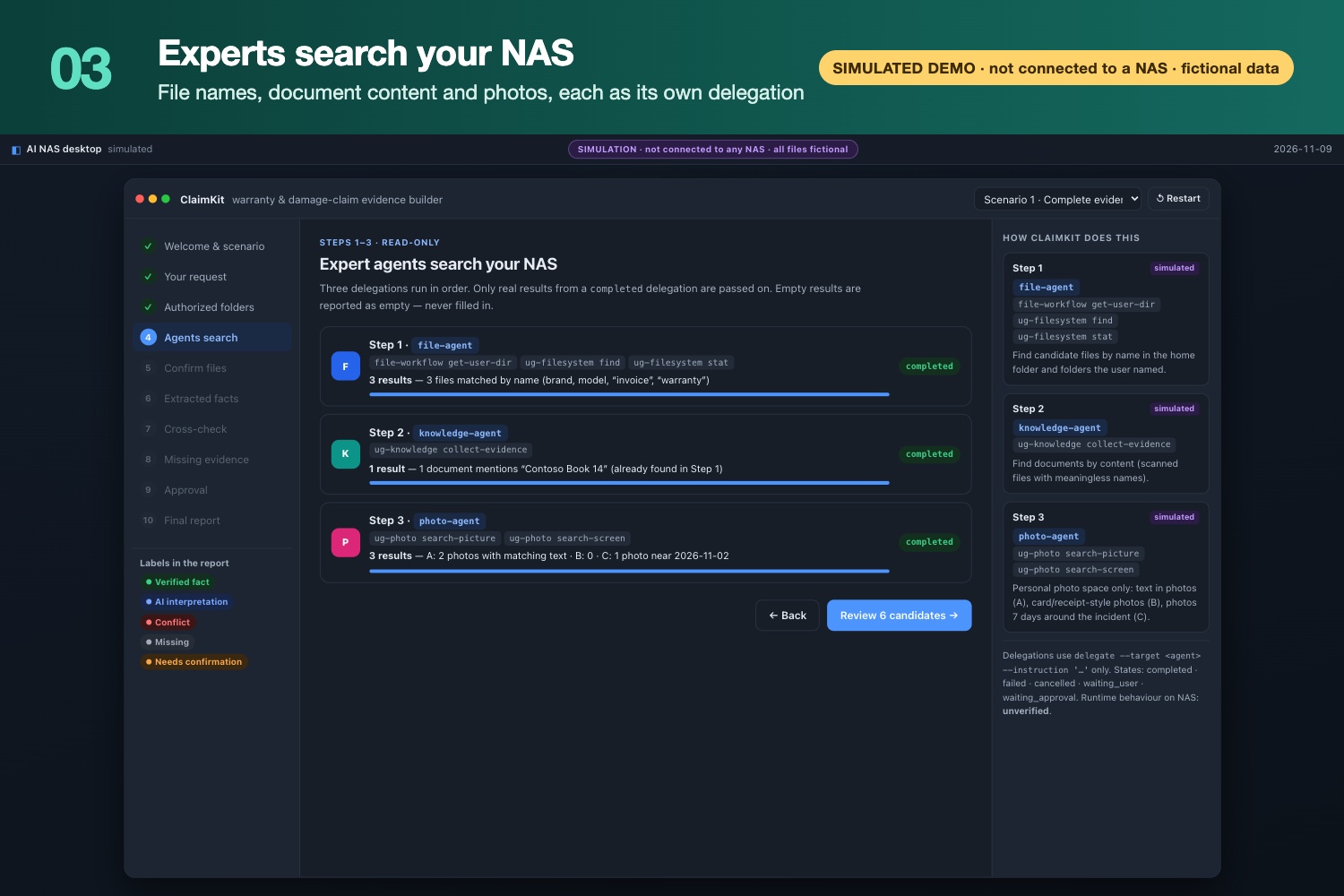
Steps 1–3: experts search file names, document content and your personal photos. Read-only. (Simulated demo)
-
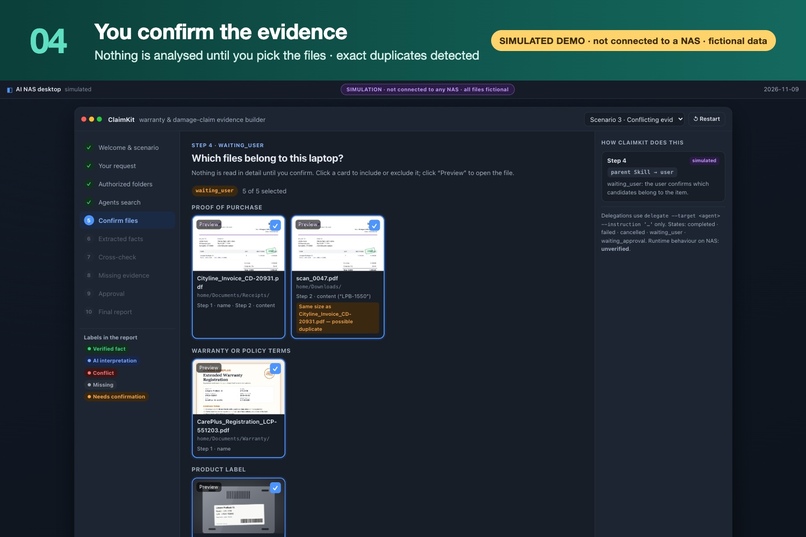
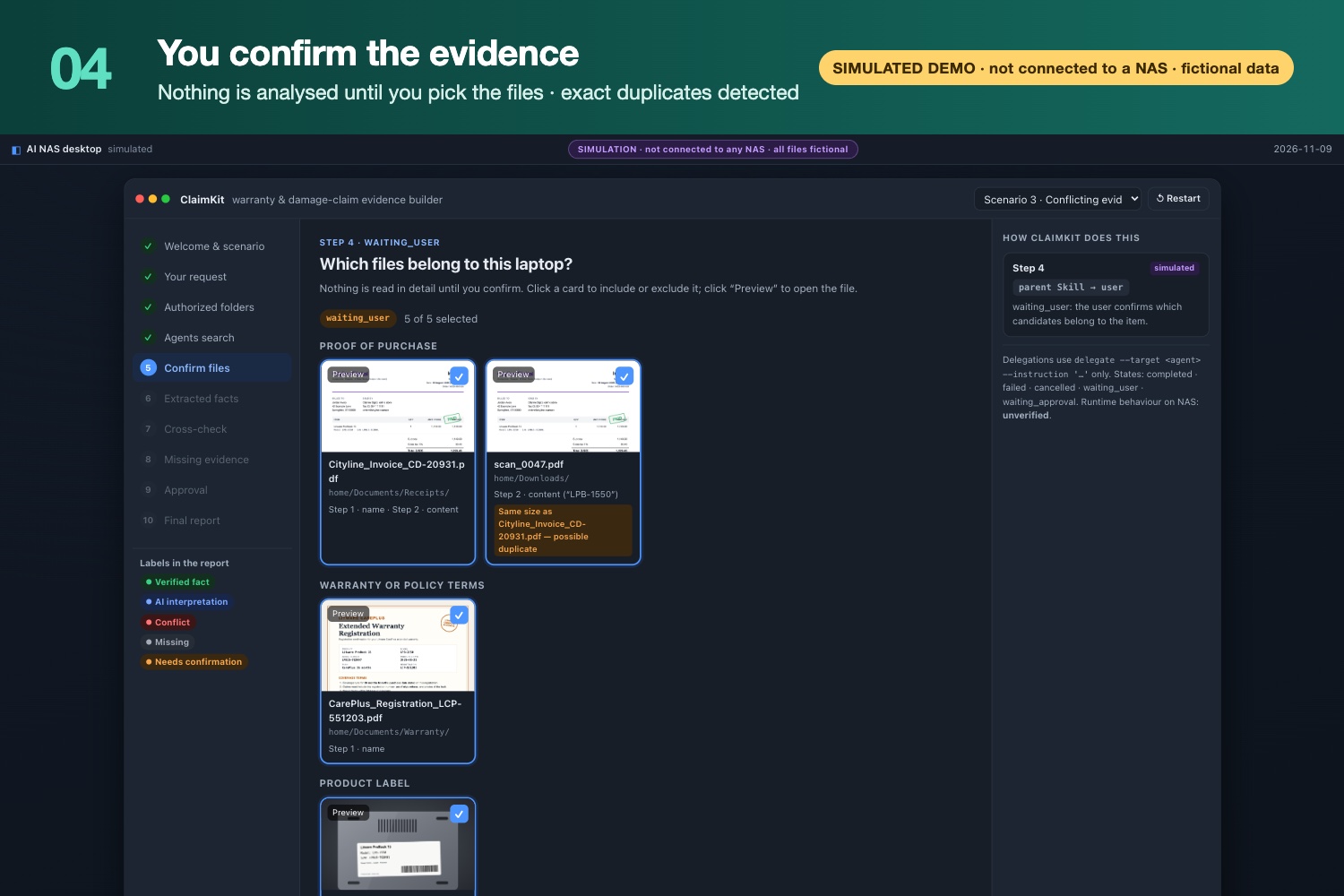
Step 4: you confirm which files belong to the item before analysis; duplicates are flagged. (Simulated demo)
-
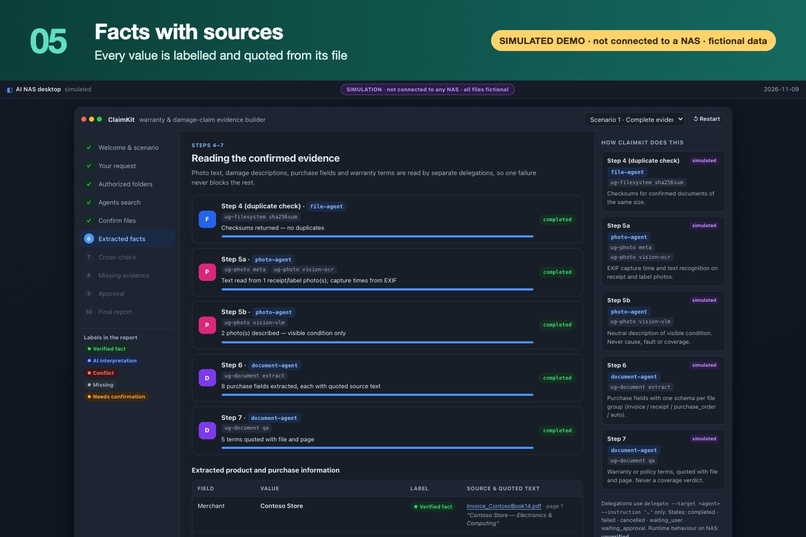
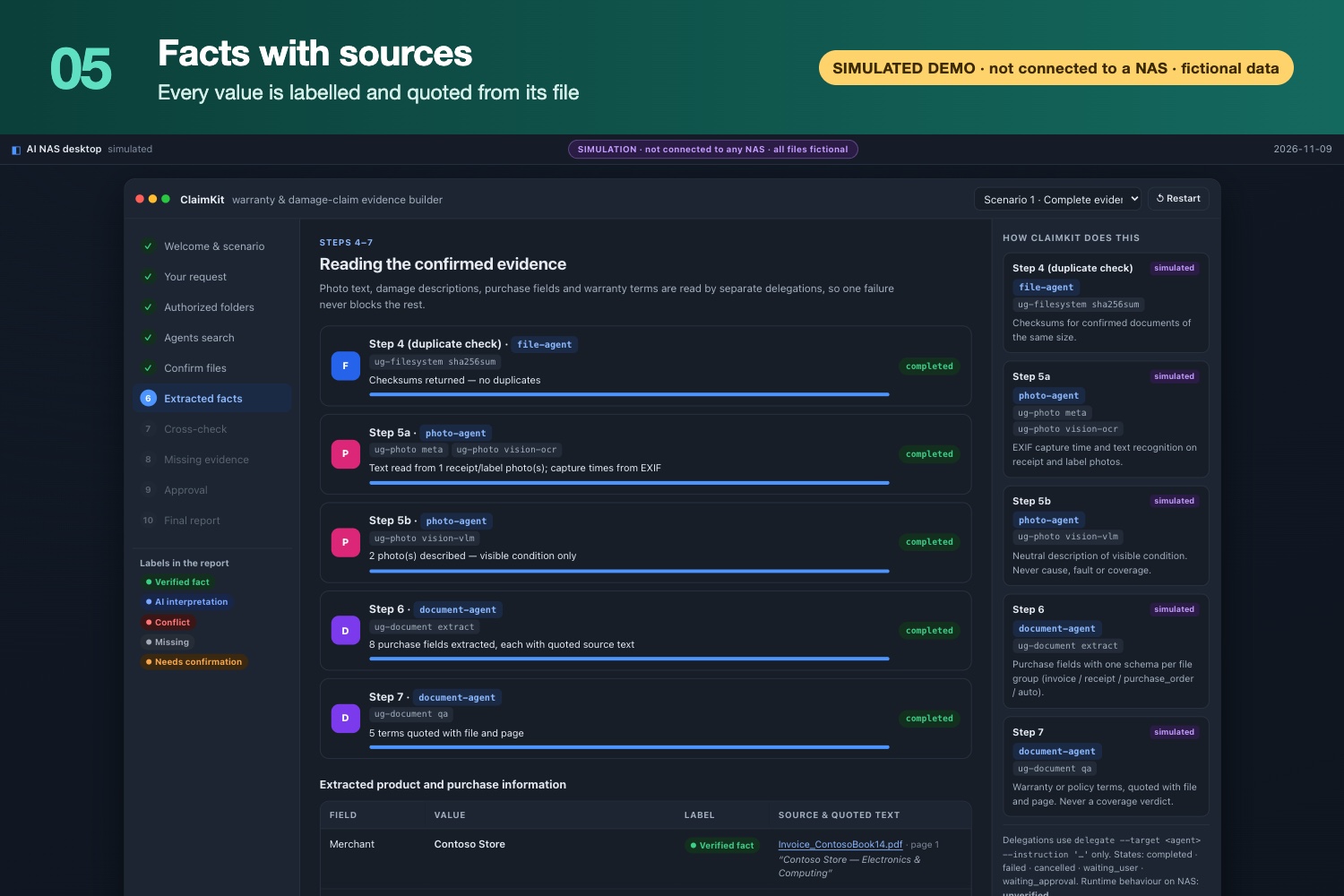
Steps 5–7: every extracted fact is labelled and quoted from its source file. (Simulated demo)
-
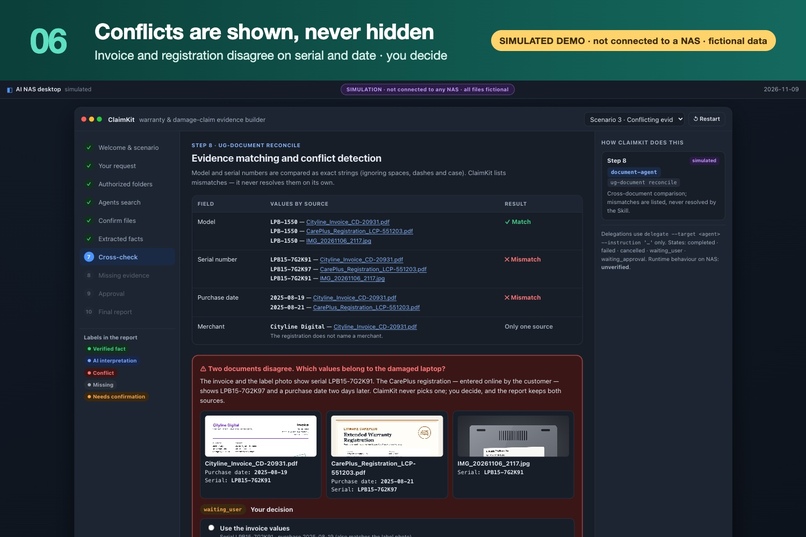
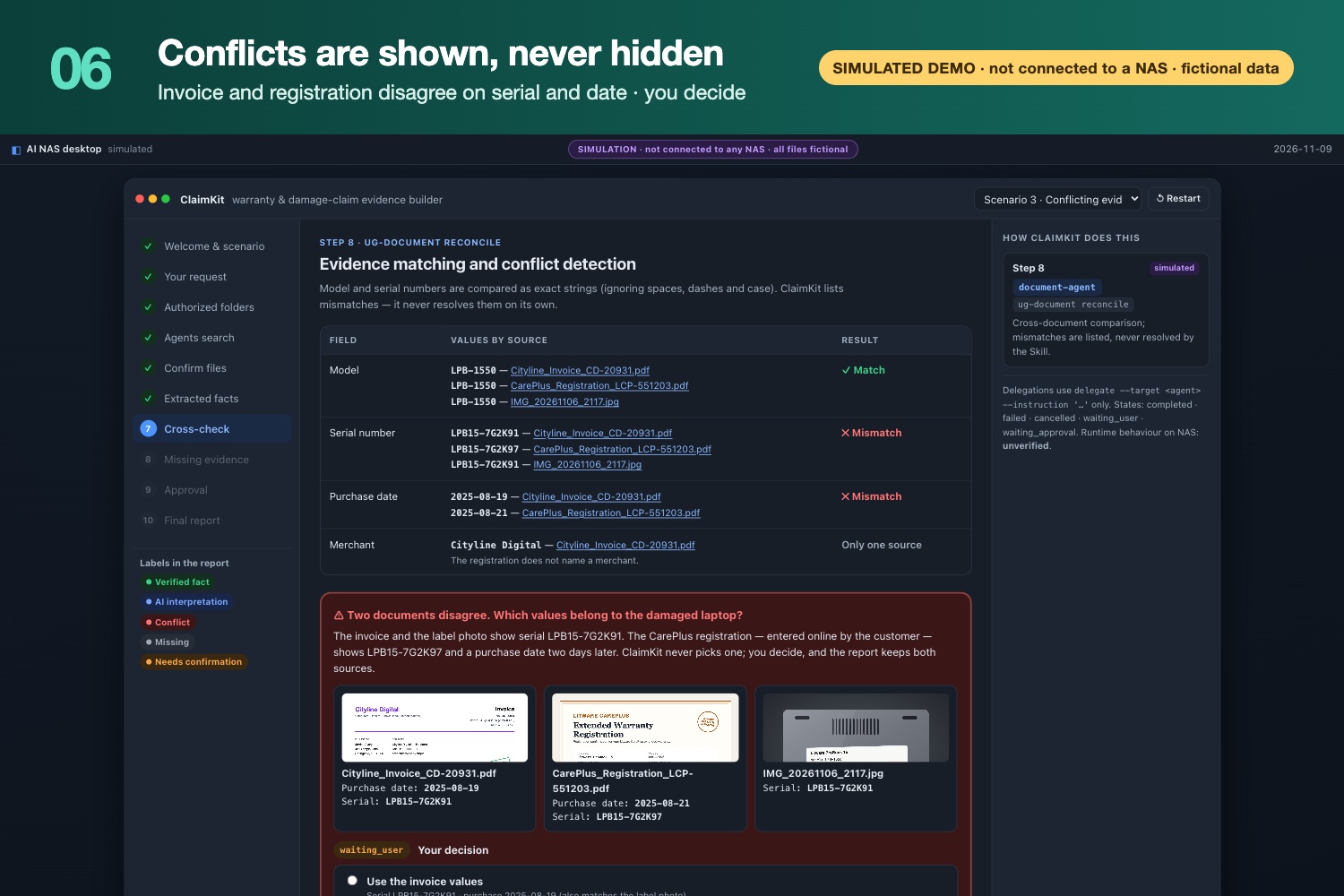
Step 8: invoice and warranty registration disagree on serial and date. ClaimKit shows both; you decide. (Simulated demo)
-
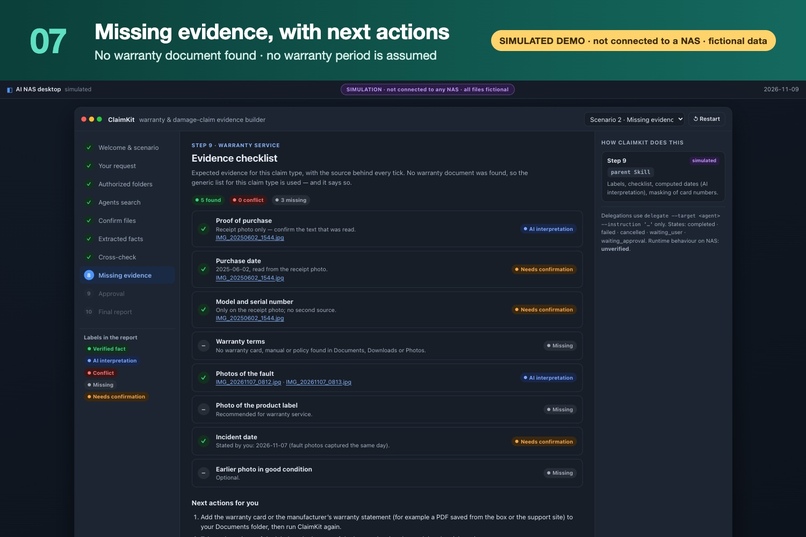
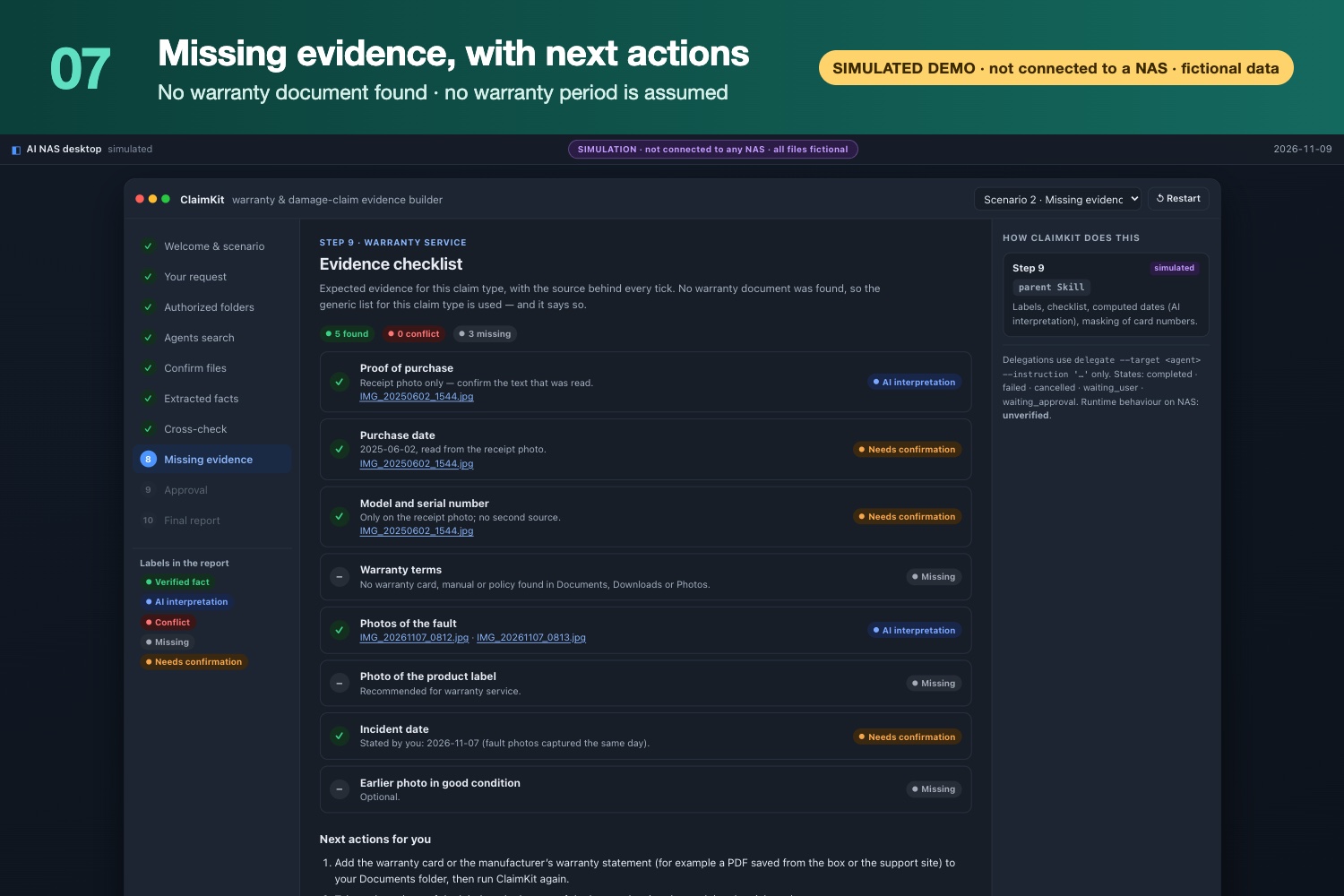
No warranty document found: marked Missing, no warranty period assumed, next actions listed. (Simulated demo)
-
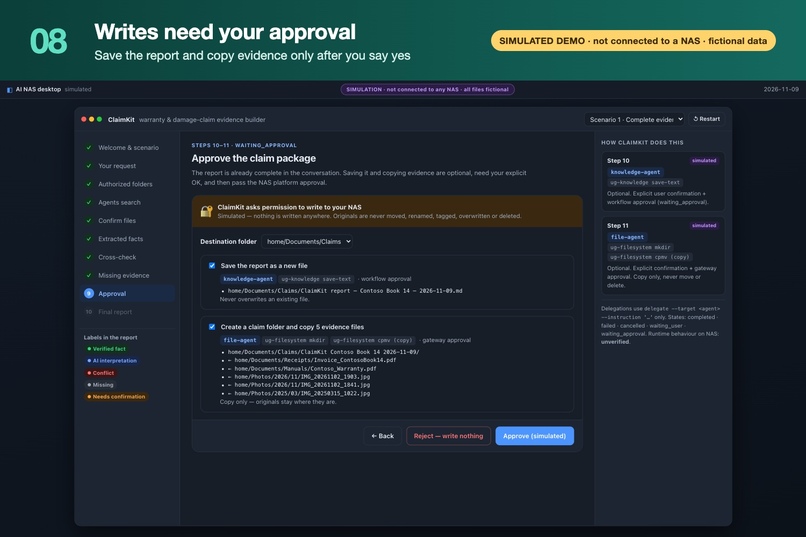
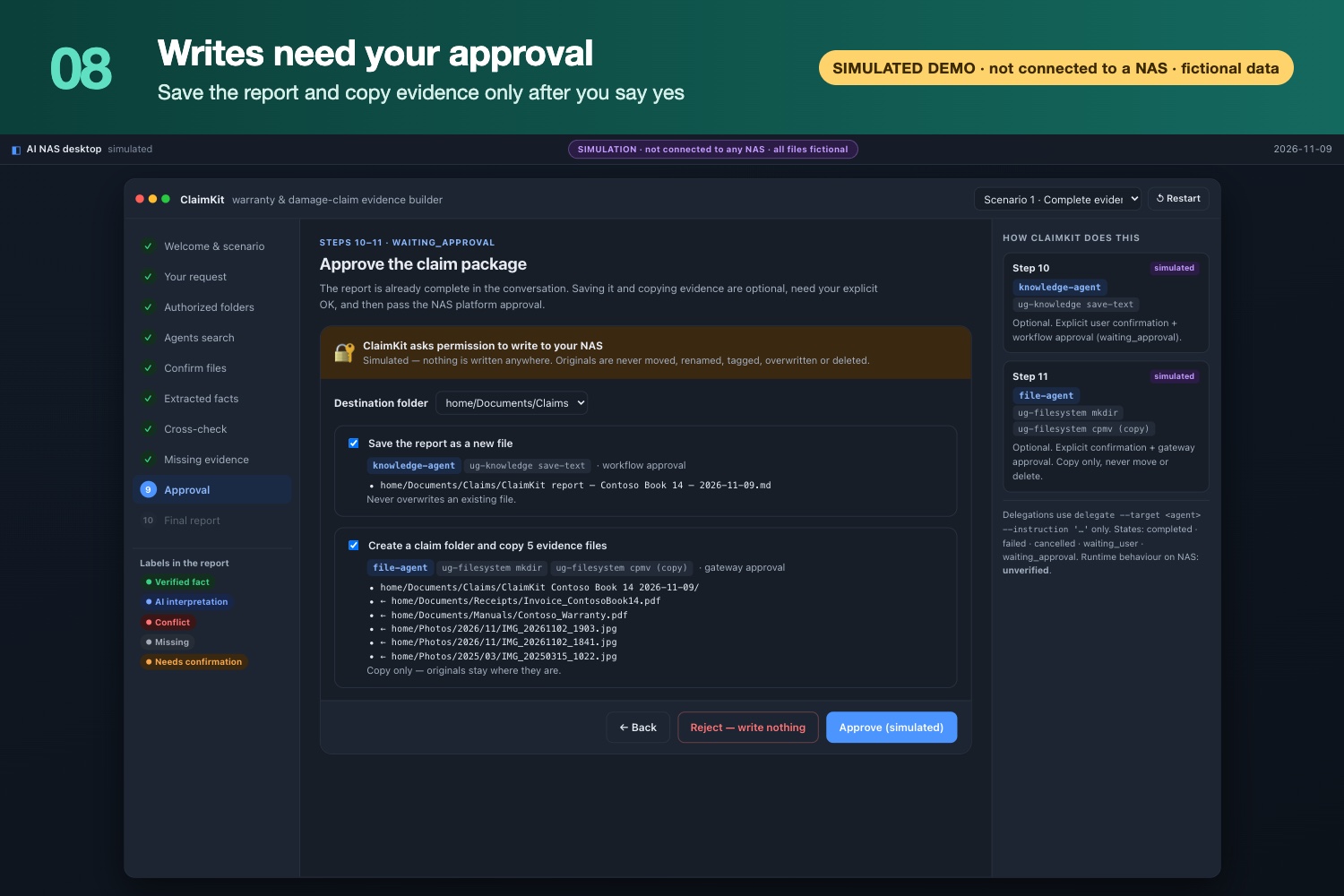
Steps 10–11: report saved and evidence copied only after your yes and platform approval. Originals untouched. (Simulated demo)
-
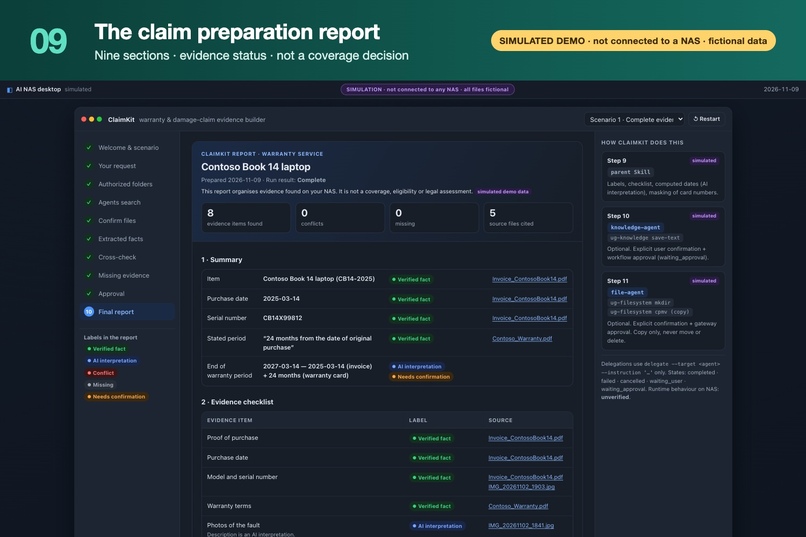
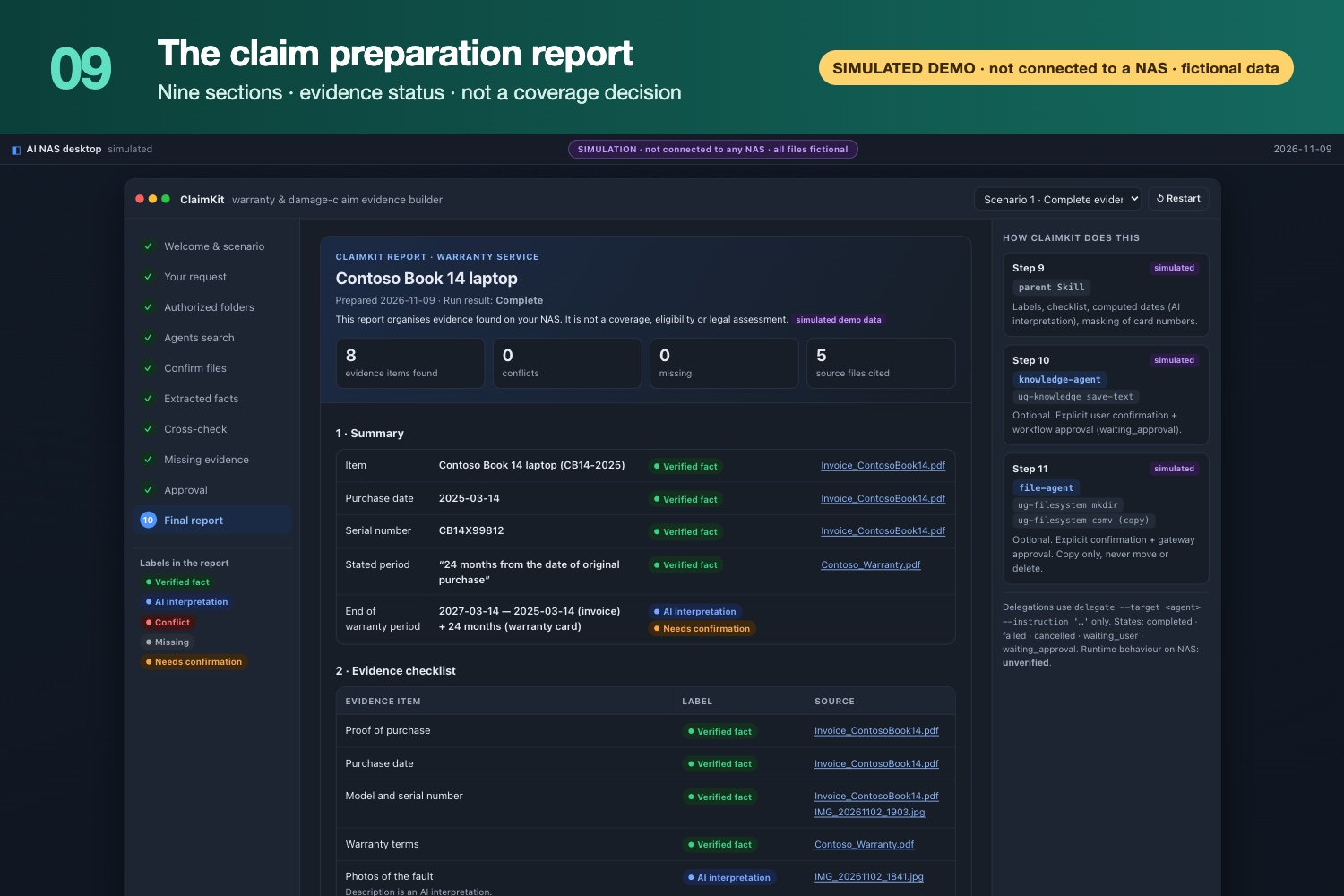
Final report: labelled facts, sources and an evidence checklist. It organizes evidence; it is not a coverage decision. (Simulated demo)
-
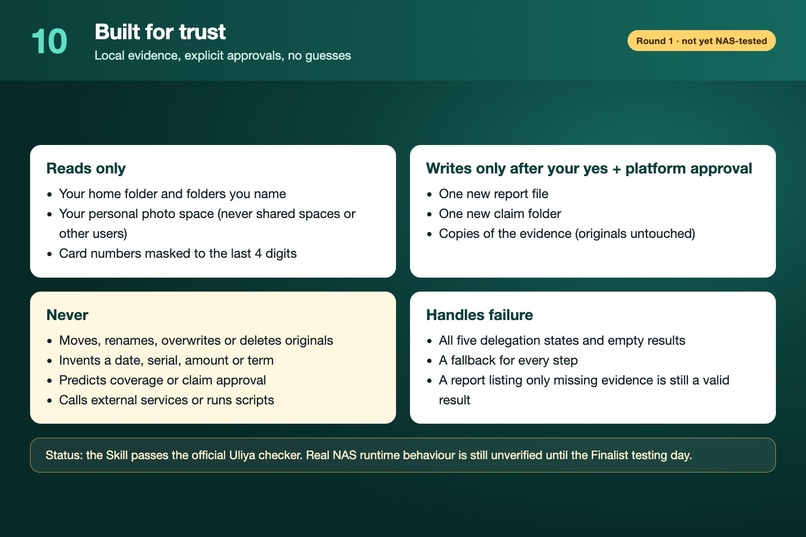
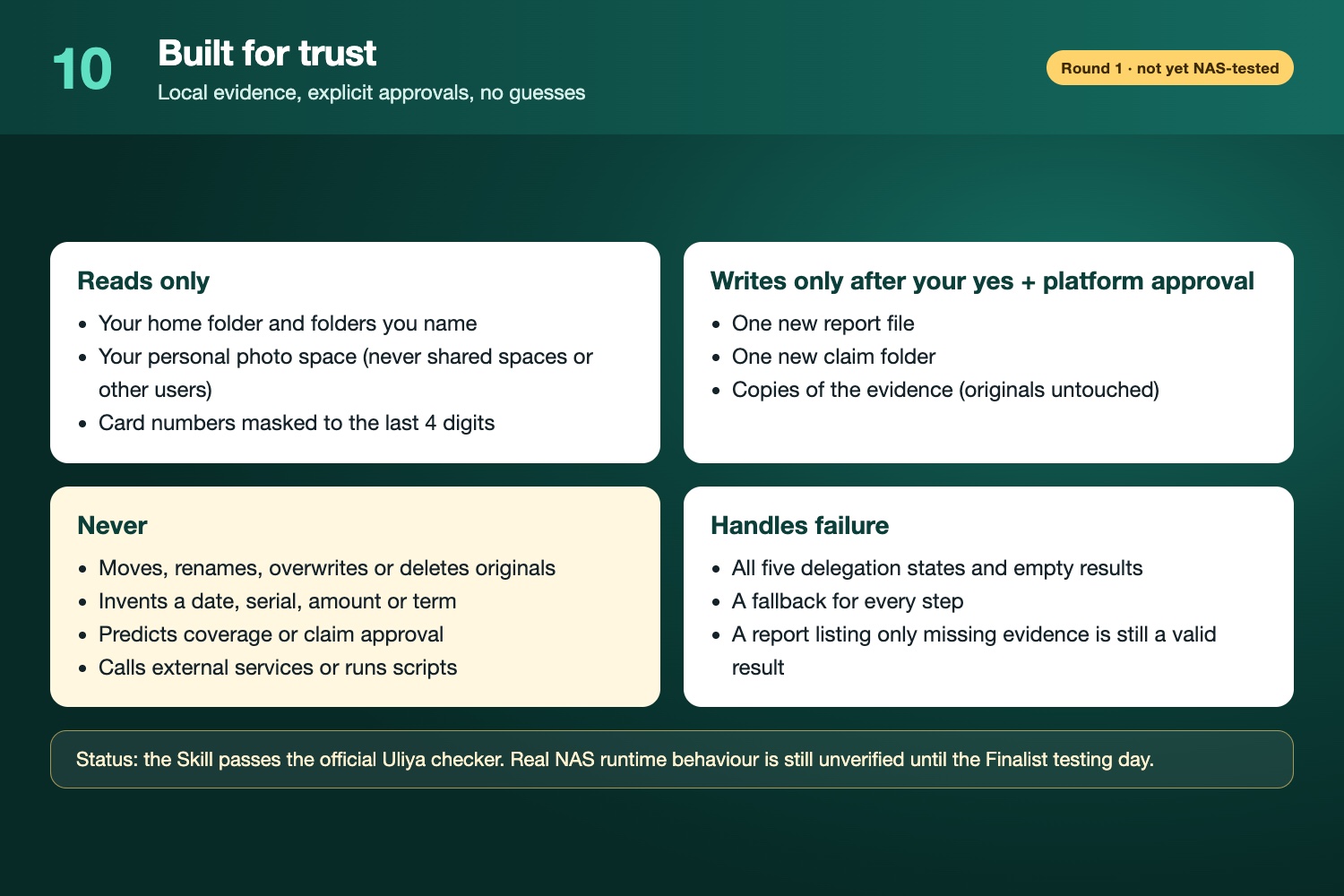
Built for trust: reads only your folders, writes only with approval, never invents values. Not yet tested on NAS hardware.
Inspiration
When a laptop or phone breaks, the hard part of a warranty or insurance claim is rarely the claim form. It is finding the proof. The receipt is a PDF in Downloads, the warranty card is a scan named scan_0047.pdf, the serial number is on a label photo somewhere in the camera roll, and the damage photos are mixed in with everything else. Many people already back all of this up to a NAS, but nothing connects it when it is needed. Deadlines are missed, or claims are filed without the evidence the warrantor asks for.
We wanted a Skill that does this gathering work on the NAS, privately, and is honest about what it found and what it did not.
What it does
ClaimKit is a Uliya Skill for UGREEN AI NAS. You say something like "My laptop is damaged. Find my receipt, warranty documents and damage photos, and prepare everything I need to request warranty service." ClaimKit then:
- Finds candidate files by name, by document content and in your personal photo space: receipts, invoices, order confirmations, warranty cards, policies, product-label photos and damage photos.
- Lets you confirm which files belong to the item before anything is read in detail, and spots exact duplicates.
- Extracts the merchant, purchase date, model, serial and amount, each with its quoted source text, file and page. It reads the warranty or policy terms and describes visible damage in neutral language.
- Cross-checks model, serial and dates across the invoice, the warranty registration and the label photo, and shows every conflict instead of silently picking one.
- Lists missing evidence for the claim type (warranty, repair, return or insurance), with next actions.
- Saves the report and copies the evidence into a new claim folder, but only after your explicit "yes" and the NAS platform's approval.
Every value in the report carries one of five labels: Verified fact, AI interpretation, Conflict, Missing or Needs confirmation. ClaimKit never invents a date, serial or term, and never predicts whether a claim will be approved.
How it differs from built-in document search: Uliya's document search answers one question at a time, such as "when did I buy it?". ClaimKit chains evidence discovery, structured extraction, cross-document verification, missing-evidence detection and user-approved claim preparation into one workflow.
How we built it
- The standard: we followed the Uliya Skill Development Standard from the official Uliya Skill Kit 0.7.3. The Skill is an orchestration-only
SKILL.mdwith five linked Markdown references. It contains no scripts, binaries or external APIs. - Experts: the workflow is eleven self-contained
delegateinstructions to four registered experts:file-agent,knowledge-agent,photo-agentanddocument-agent. - Capabilities: every operation was checked against the official capability catalog 2.0.0:
file-workflowug-filesystem: find, stat, sha256sum, mkdir, cpmv (copy only)ug-knowledge: collect-evidence, save-textug-photo: search-picture, search-screen, meta, vision-ocr, vision-vlmug-document: extract, qa, reconcile
- Failure handling: all five delegation states (
completed,failed,cancelled,waiting_user,waiting_approval) and empty results are handled explicitly, and every step has a documented fallback. - Checks: the package passes the official static checker with 0 errors and 0 warnings.
- Demo: we also built a simulated browser walkthrough with fictional documents (shown in the gallery). It explains the flow but is not connected to a NAS.
Challenges we ran into
- No NAS in Round 1. The catalog lists every Action's runtime stability as "unknown", so we designed for uncertainty. Each step has a fallback. Photo text recognition only counts as a verified fact when a document confirms it. A report that lists only missing evidence is still a valid result.
- Keeping the AI honest. Claims involve money and deadlines, so we had to separate what a document actually says from what the AI read or computed. That led to the five-label evidence model and exact-string serial comparison.
- Safe writes. The only writes are a new report, a new folder and copies. Originals are never moved, renamed, overwritten or deleted. Every write needs both a conversation confirmation and the platform approval.
- Precision under limits. Fitting the whole design into a 500-word proposal, while keeping the Skill instructions self-contained enough for each expert, took several review passes.
Accomplishments that we're proud of
- A complete, checker-clean Skill whose every operation maps exactly to a catalog Action and its registered expert.
- Conflicts are surfaced, never resolved by the AI. For example, an invoice and a warranty registration that disagree on the serial number.
- A useful result even when evidence is missing: ClaimKit tells you exactly what to add.
- Privacy by design: the search scope is the user's own folders and personal photo space. Card numbers are masked to the last four digits, and nothing leaves the NAS beyond the model the owner configured.
What we learned
- Good orchestration Skills are mostly about boundaries: what each expert may do, what is passed downstream, and what happens when a step returns nothing.
- Labelling where a fact came from matters as much as extracting it.
- Designing explicitly for "unknown" runtime behaviour produces clearer, more testable instructions.
What's next for ClaimKit — Warranty & Damage-Claim Evidence Builder
- Finalist testing day: run the two core tests (a laptop warranty with complete evidence, and a phone insurance claim with only a receipt photo) and the edge case (duplicate invoices, a replacement unit with a different serial, an image-only warranty scan).
- Measure what we cannot measure yet: real result formats, photo-index timing, extraction quality on scans, and the approval prompts.
- Tune the instructions and fallbacks from those results, keeping the same safety boundaries.
Status: Round 1 pre-test package. ClaimKit has not yet run on UGREEN AI NAS hardware; real runtime behaviour will be validated on the Finalist testing day.
Built With
- claude-code
- css
- document-extraction
- file-workflow
- html
- javascript
- local-ai
- markdown
- node.js
- ocr
- ug-document
- ug-filesystem
- ug-knowledge
- ug-photo
- ugos
- ugreen-ai-nas
- uliya
- uliya-skill-kit
- vision-language-model
