Inspiration
The idea came from a very simple situation — you lose something while travelling.
Suppose I leave my backpack somewhere after a flight. First question itself is confusing: did I leave it inside the aircraft or somewhere at the airport? Then I have to figure out whether to contact the airline or airport, find the correct lost-and-found page, fill forms and keep checking for updates.
I thought, why can't I simply say:
"I lost my black backpack on my Mumbai to Delhi flight. I'm not sure where I left it. Please help me find it."
And let an AI agent handle the investigation.
That's how ClaimDesk started.
What I built
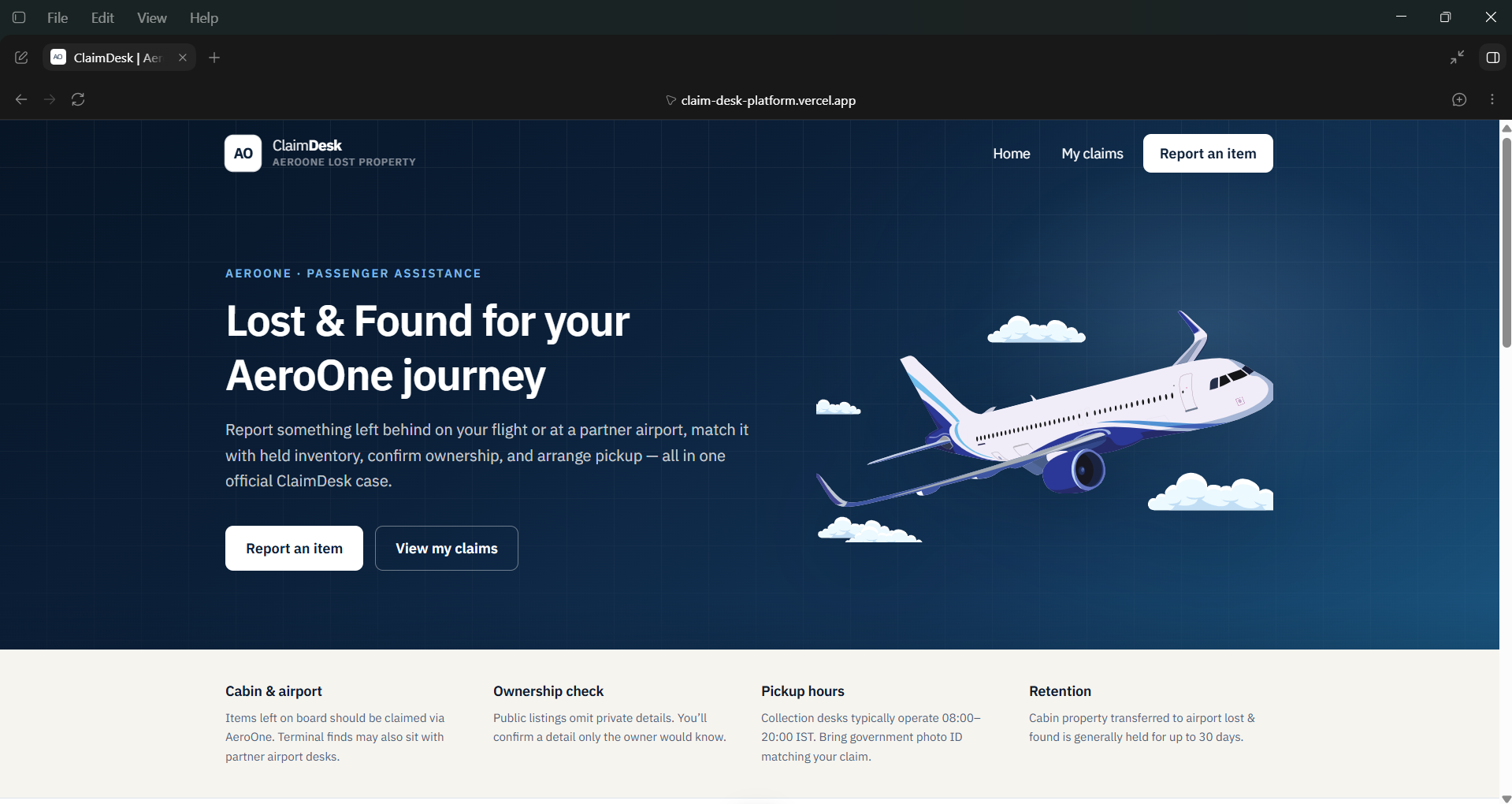
ClaimDesk is a lost-property portal for AeroOne, a fictional airline I created for this project.
It works like a normal website where passengers can report and track lost items. But using WebMCP, the same website also exposes its recovery capabilities as tools that an AI agent can use.
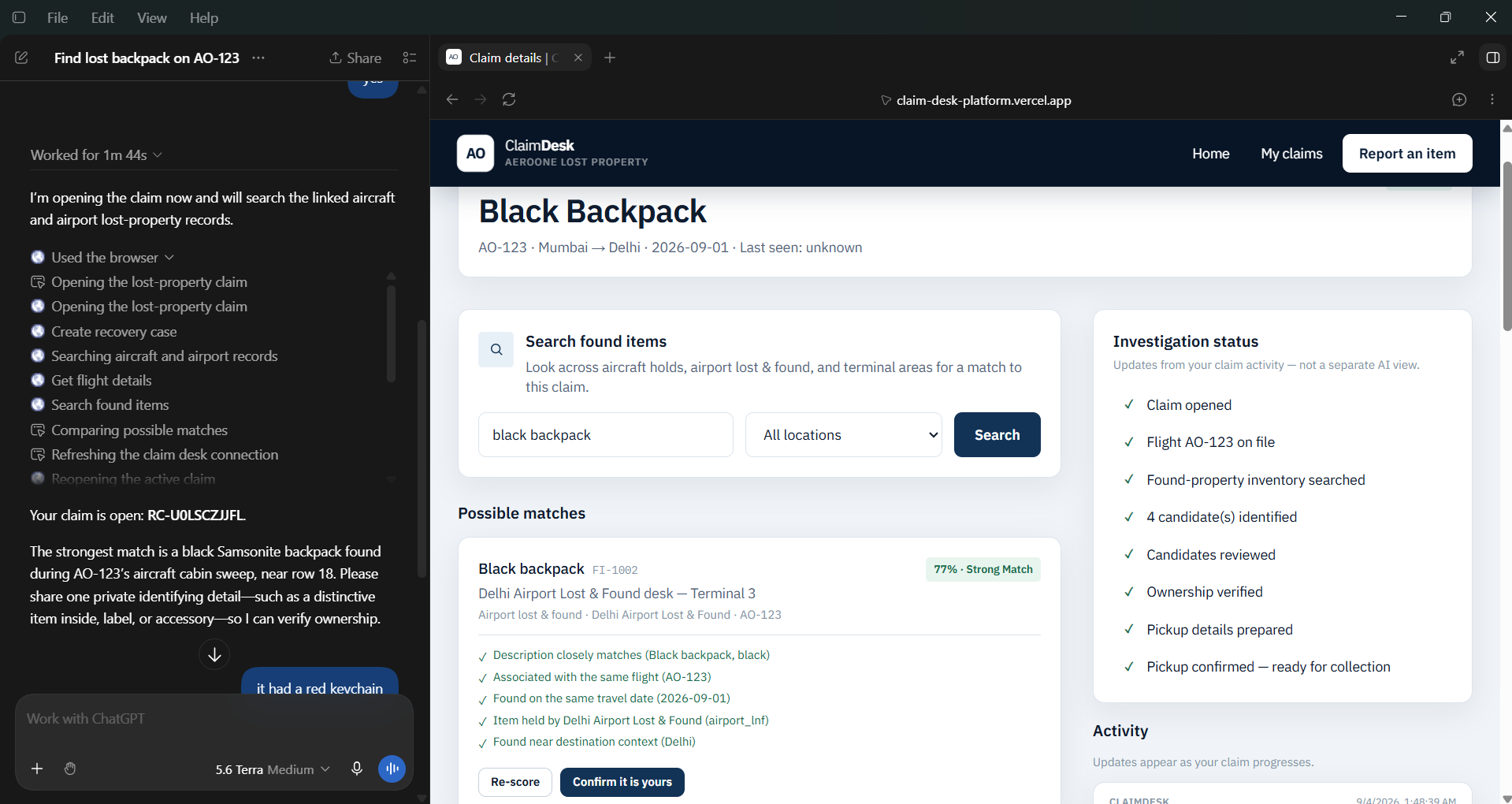
In my demo, I tell ChatGPT that I lost a black backpack on flight AO-123.
From that one request, the agent creates a claim, checks the flight, searches found inventory and compares possible matches.
I intentionally added multiple similar backpacks. One is from the wrong flight, one is a partial match at the airport, and one is a strong match from the aircraft. So the agent actually has to investigate instead of simply getting one perfect search result.
Ownership and human control
Finding a black backpack doesn't automatically mean it belongs to me.
For this, I added private ownership evidence.
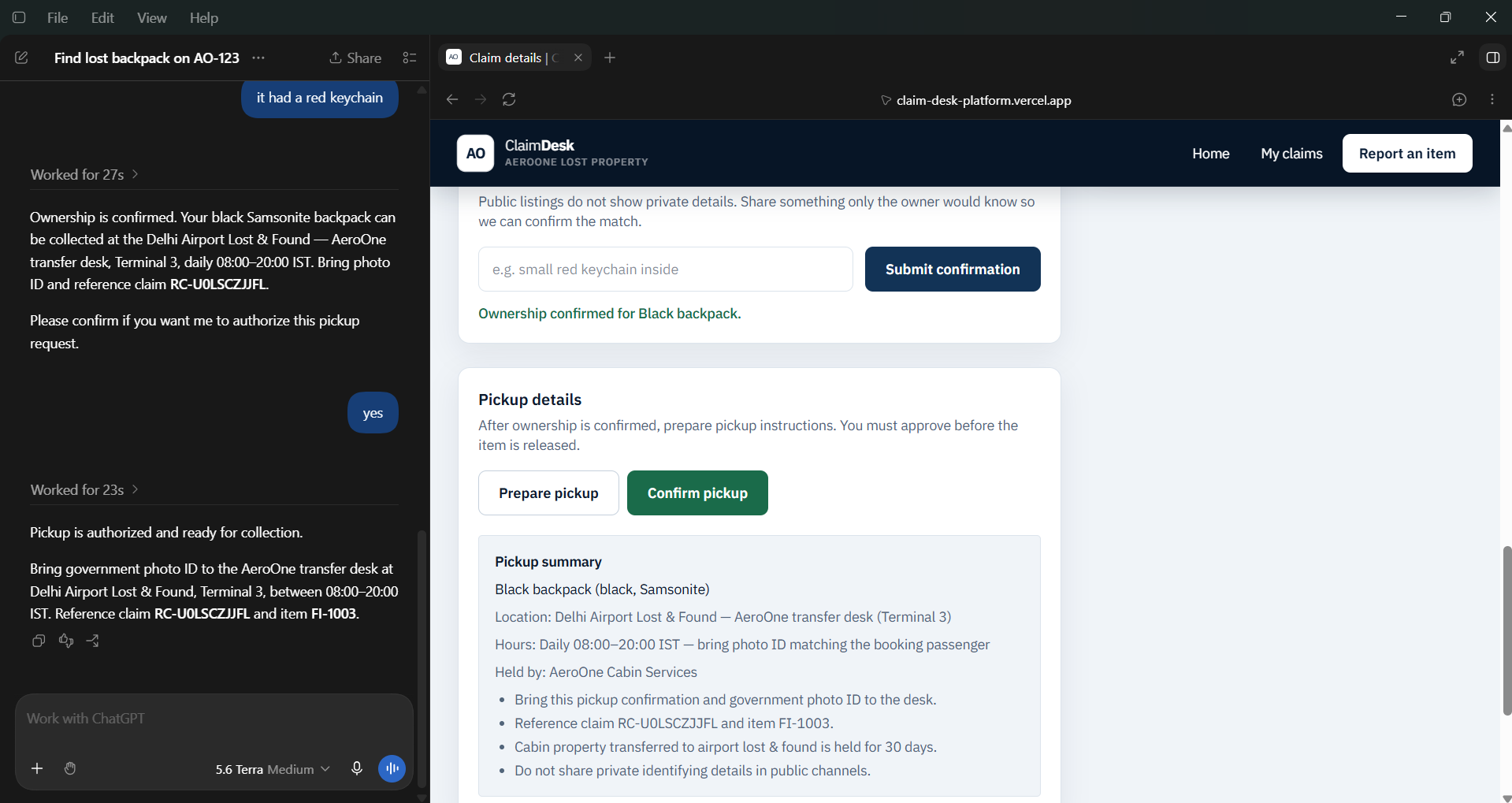
The correct backpack has an identifying detail which is not shown publicly and is also not given to the agent. ChatGPT has to ask me for something only the owner would know.
I tell it there was a small red keychain inside, and ClaimDesk verifies this against the private record on the server.
Even after ownership is verified, the agent cannot release the item automatically. It can prepare the recovery, but I have to explicitly approve the final release.
This rule is enforced by ClaimDesk itself, not just through instructions given to the AI.
How I used WebMCP
I didn't want to build another chatbot inside the website.
ClaimDesk remains a normal web application. I used WebMCP to expose capabilities like creating claims, searching inventory, comparing matches, verifying ownership and preparing recovery directly to the agent.
The UI and WebMCP tools use the same application state and business logic. So when ChatGPT investigates a claim, I can see the same claim getting updated on the ClaimDesk website.
Challenges and learnings
One challenge was deciding what the agent should control and what the application should control.
I finally kept it simple: the agent can decide how to investigate, but ClaimDesk decides what is allowed.
Another challenge was making the demo realistic. Having only one perfect matching item was too easy, so I added wrong and partial matches and made ownership verification a separate step.
The biggest thing I learned from this project is that an agent-friendly website doesn't need to become an AI chatbot.
With WebMCP, the website can continue working normally for humans while also exposing meaningful capabilities to agents.
With ClaimDesk, instead of understanding the complete lost-and-found process, the passenger can simply explain what happened and let the agent take it from there.
Built With
- firebase
- nextjs
- react
- tailwind
- typescript

Log in or sign up for Devpost to join the conversation.