-
-
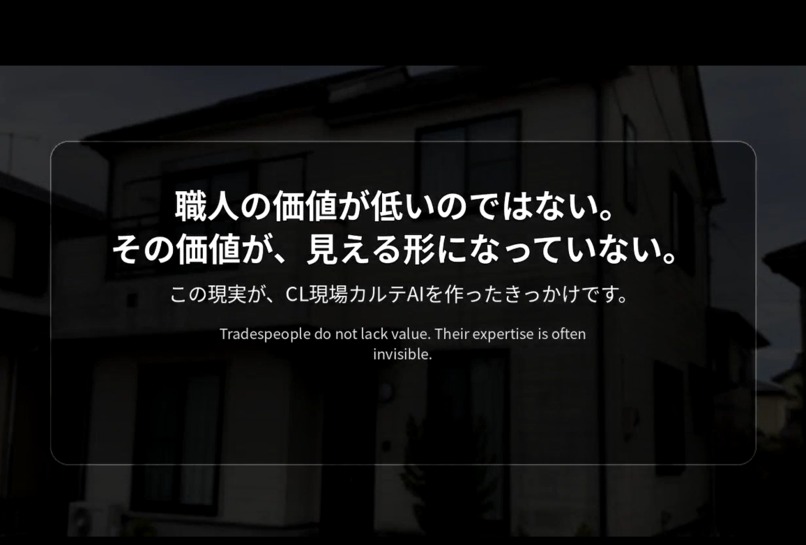
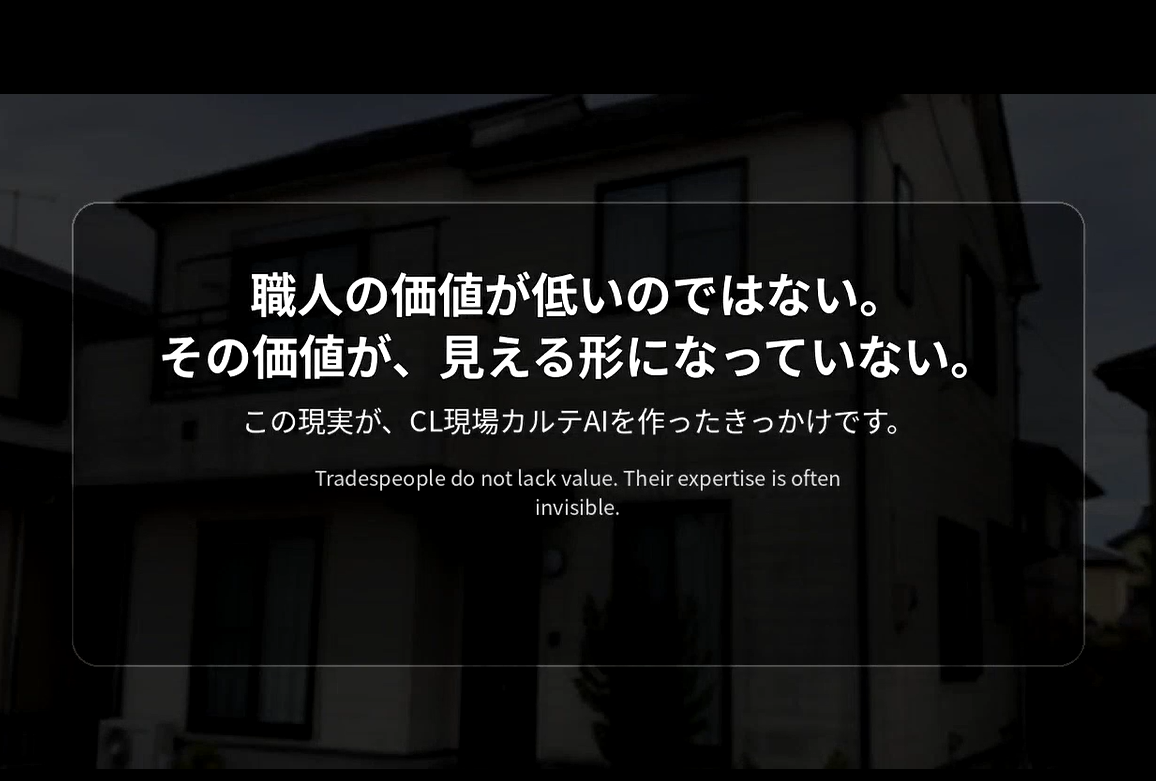
Tradespeople are not lacking in value. Their expertise is often not visible in a form customers can understand.
-
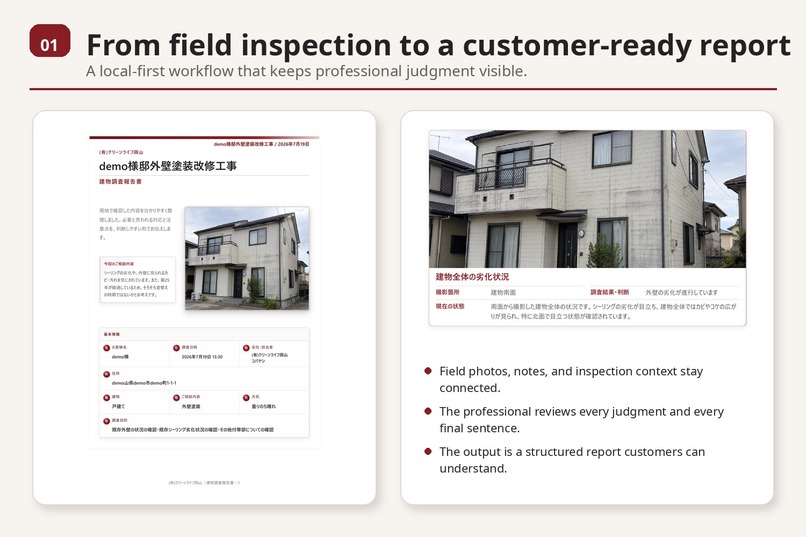
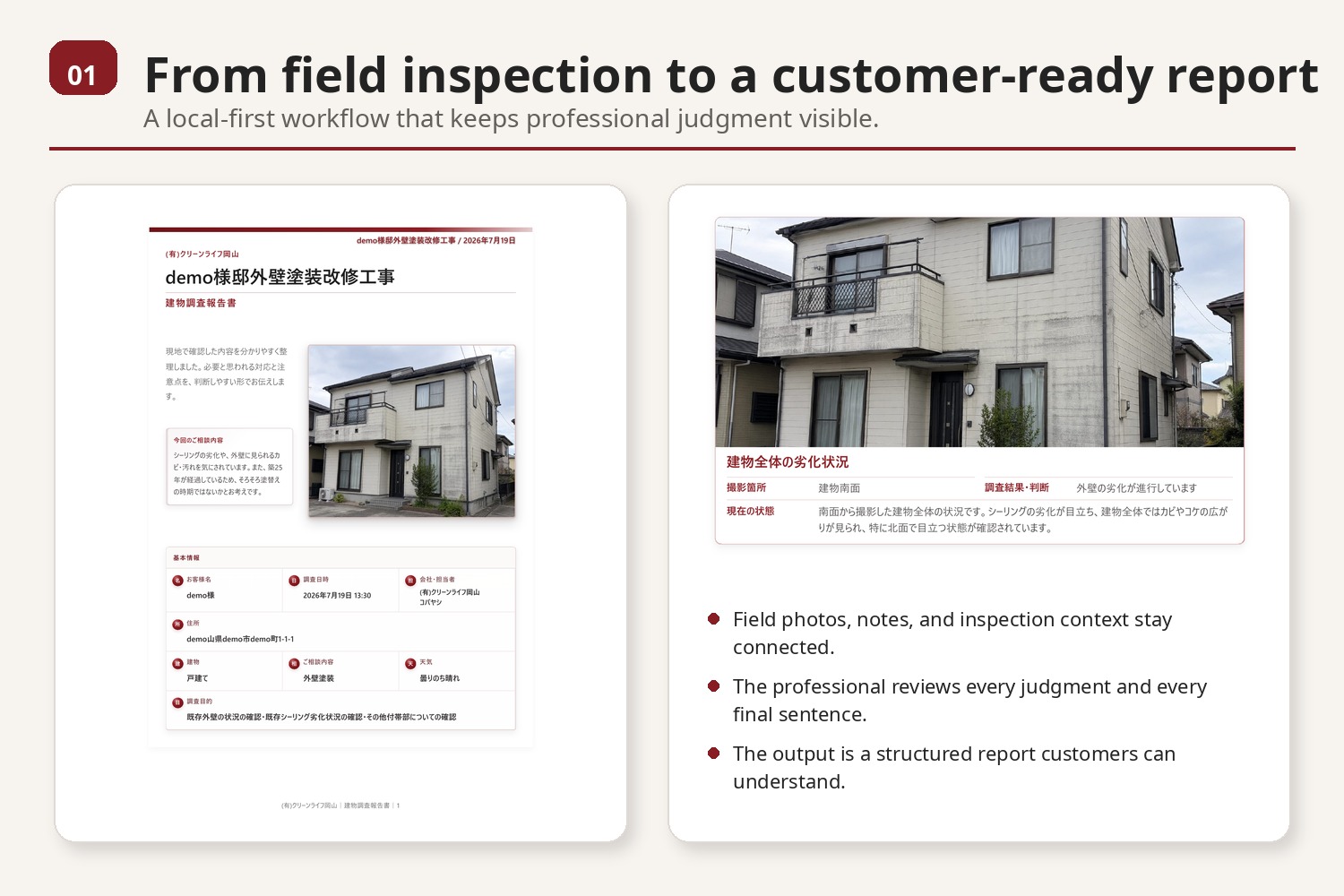
Field photographs and notes become a structured, customer-ready inspection report.
-
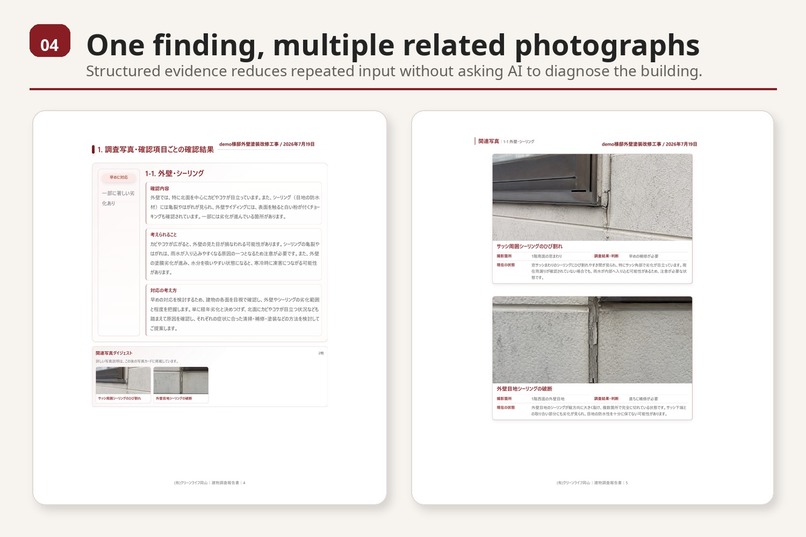
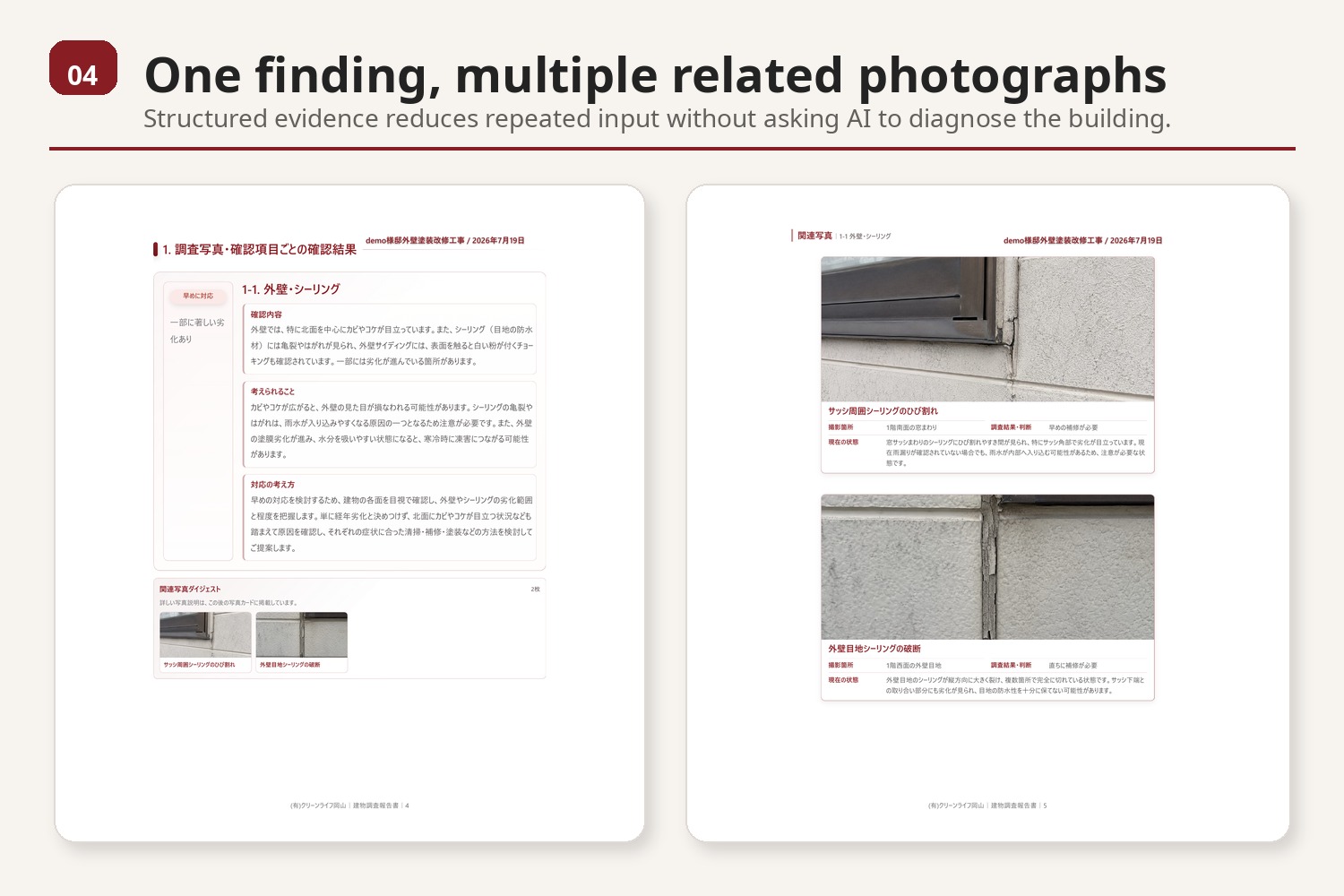
Multiple related photographs stay connected to one inspection finding and explanation.
-
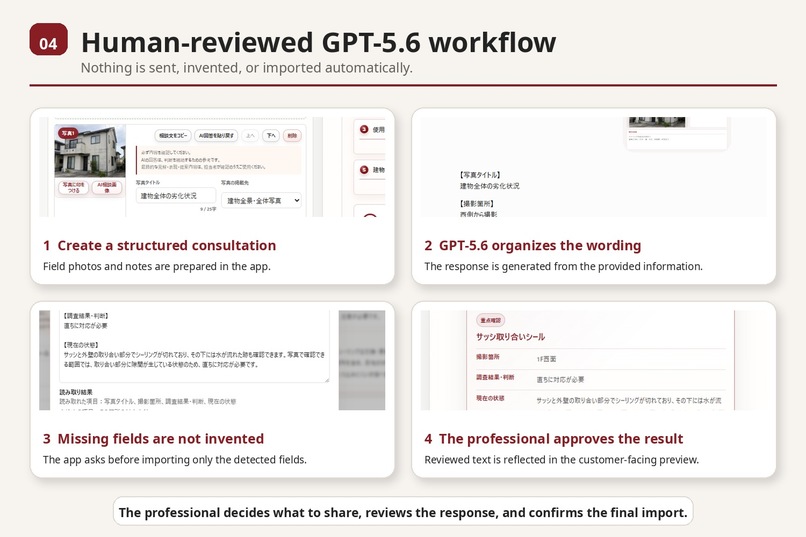
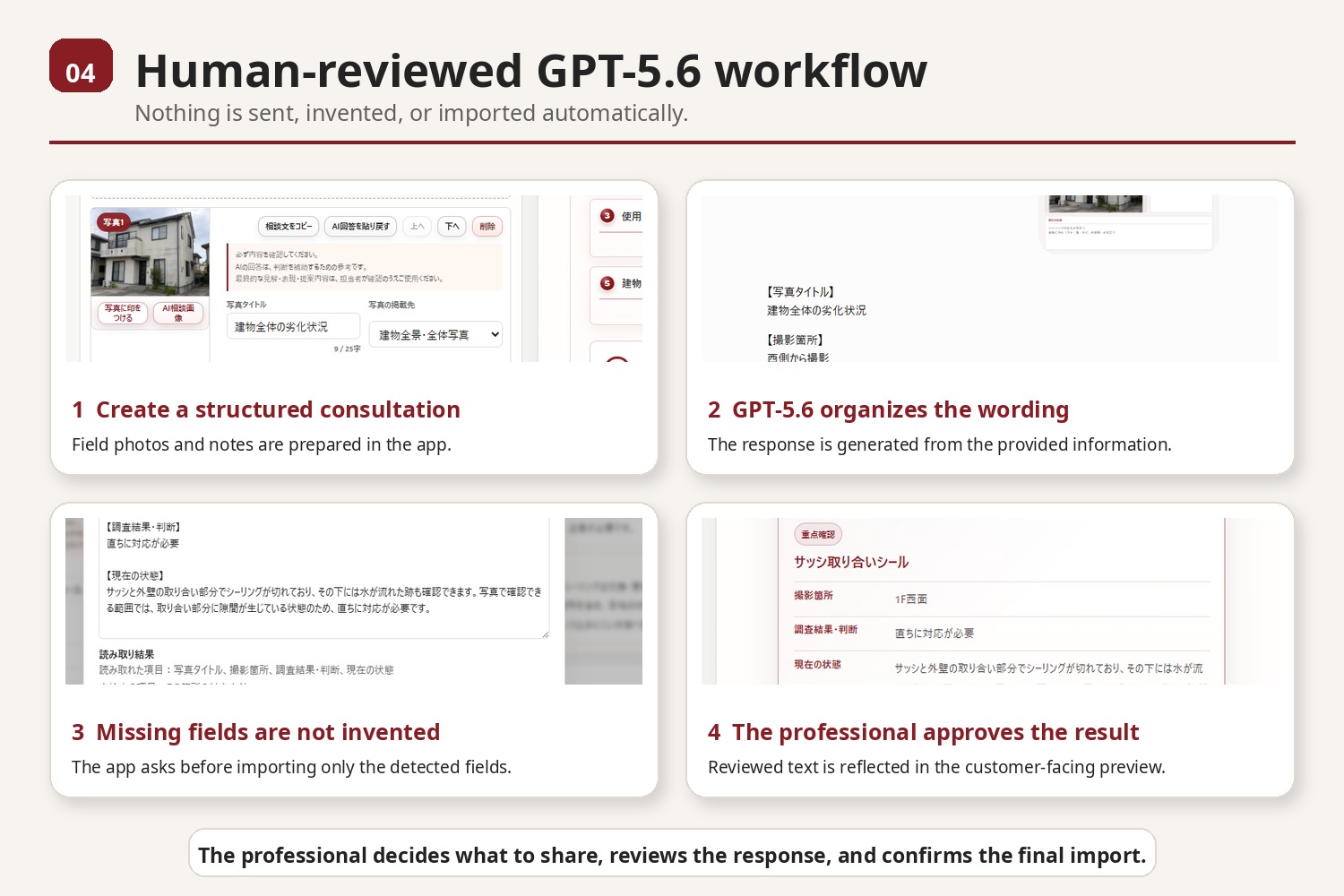
A human-reviewed GPT-5.6 workflow. Nothing is sent, invented, or imported automatically.
-
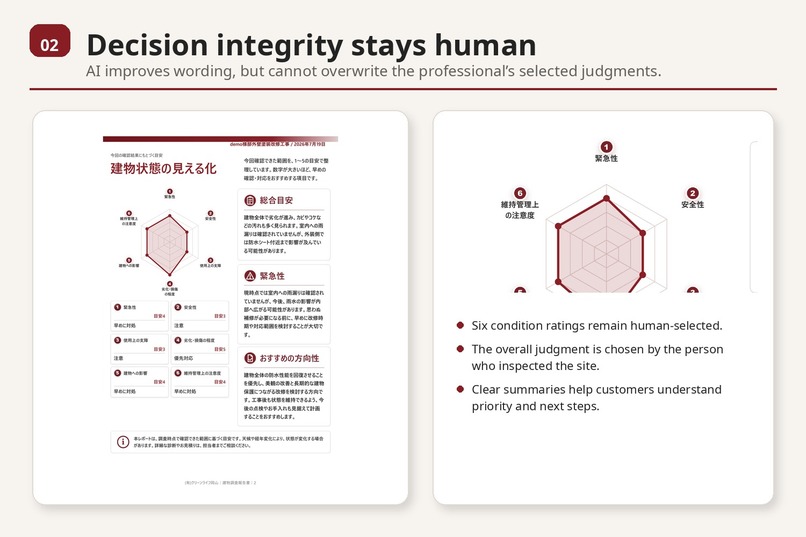
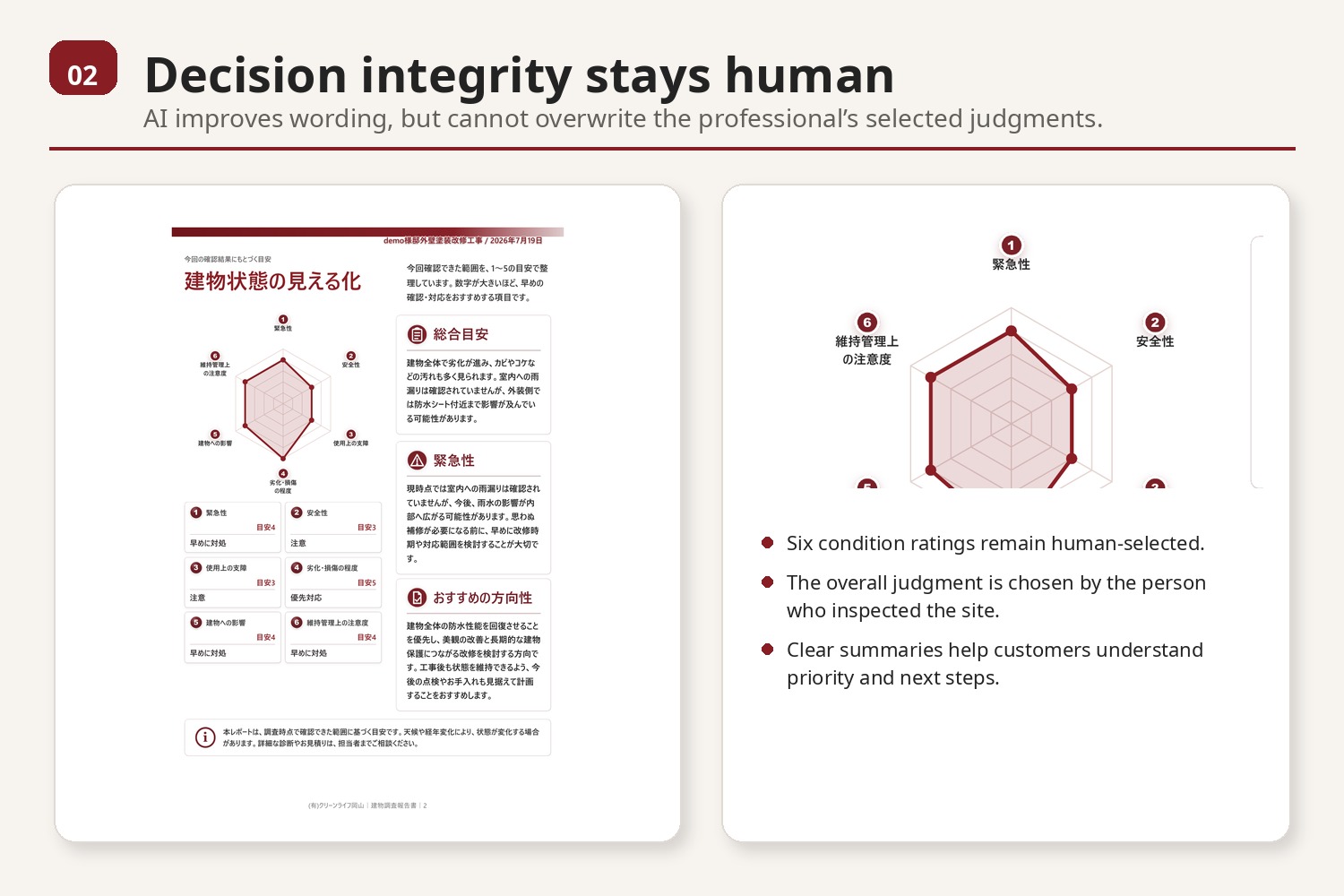
Six condition ratings and the overall judgment remain selected by the professional.
-
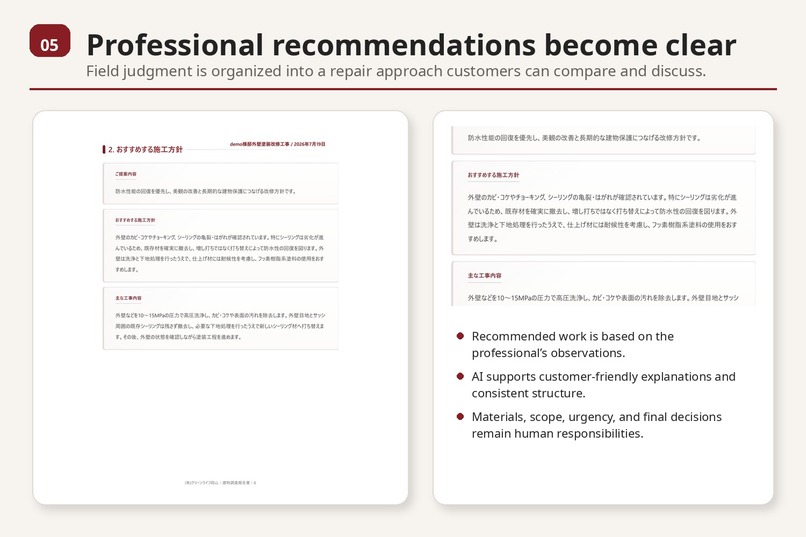
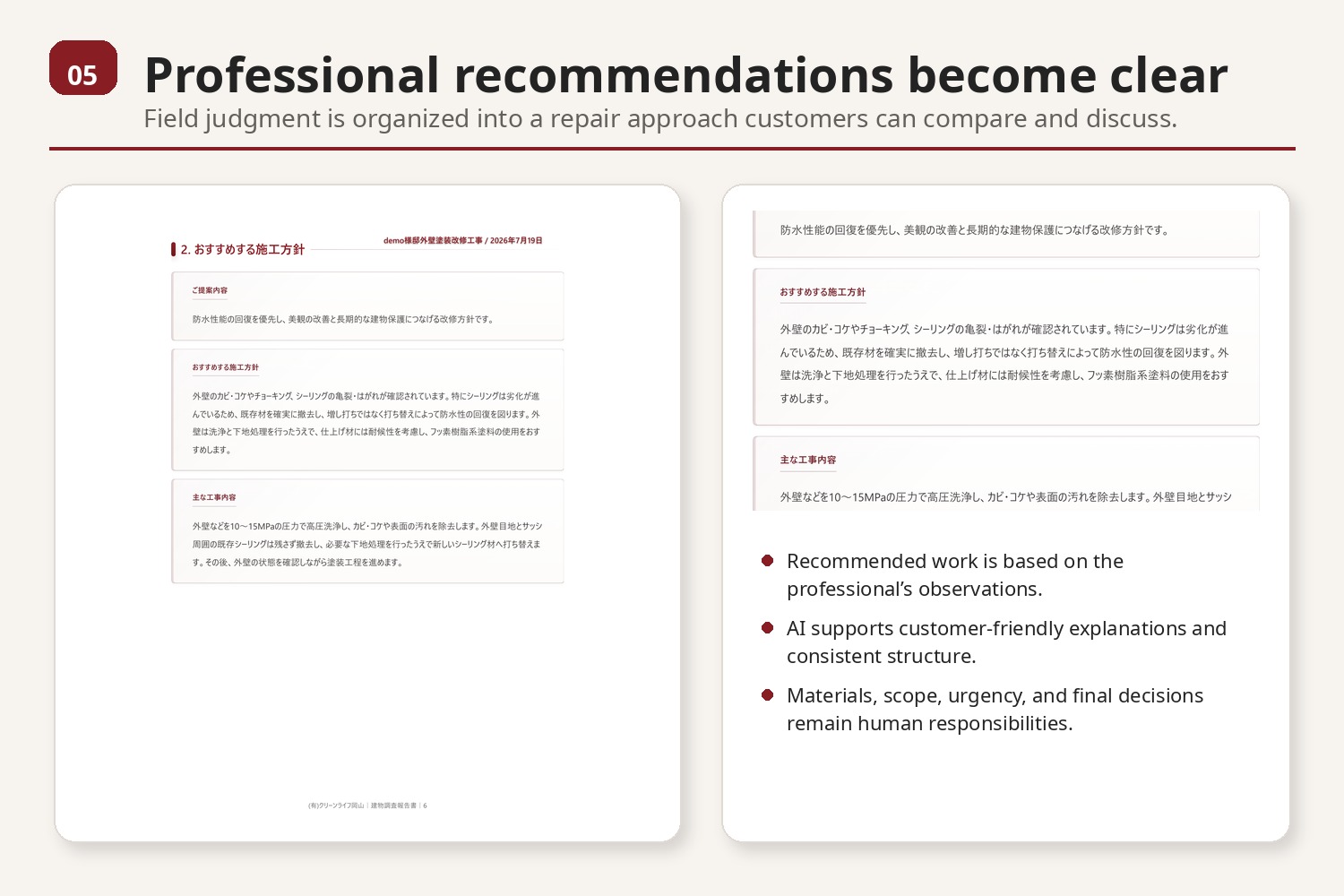
Professional field judgment is organized into a clear repair approach customers can compare and discuss.
-
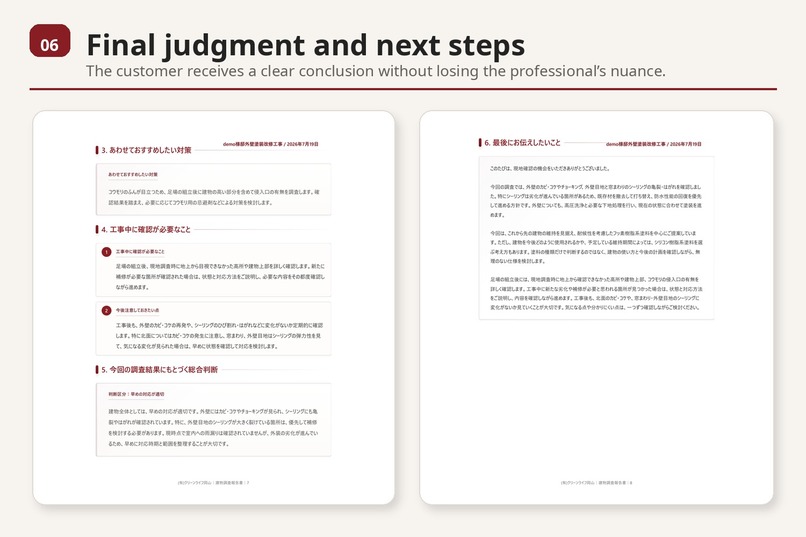
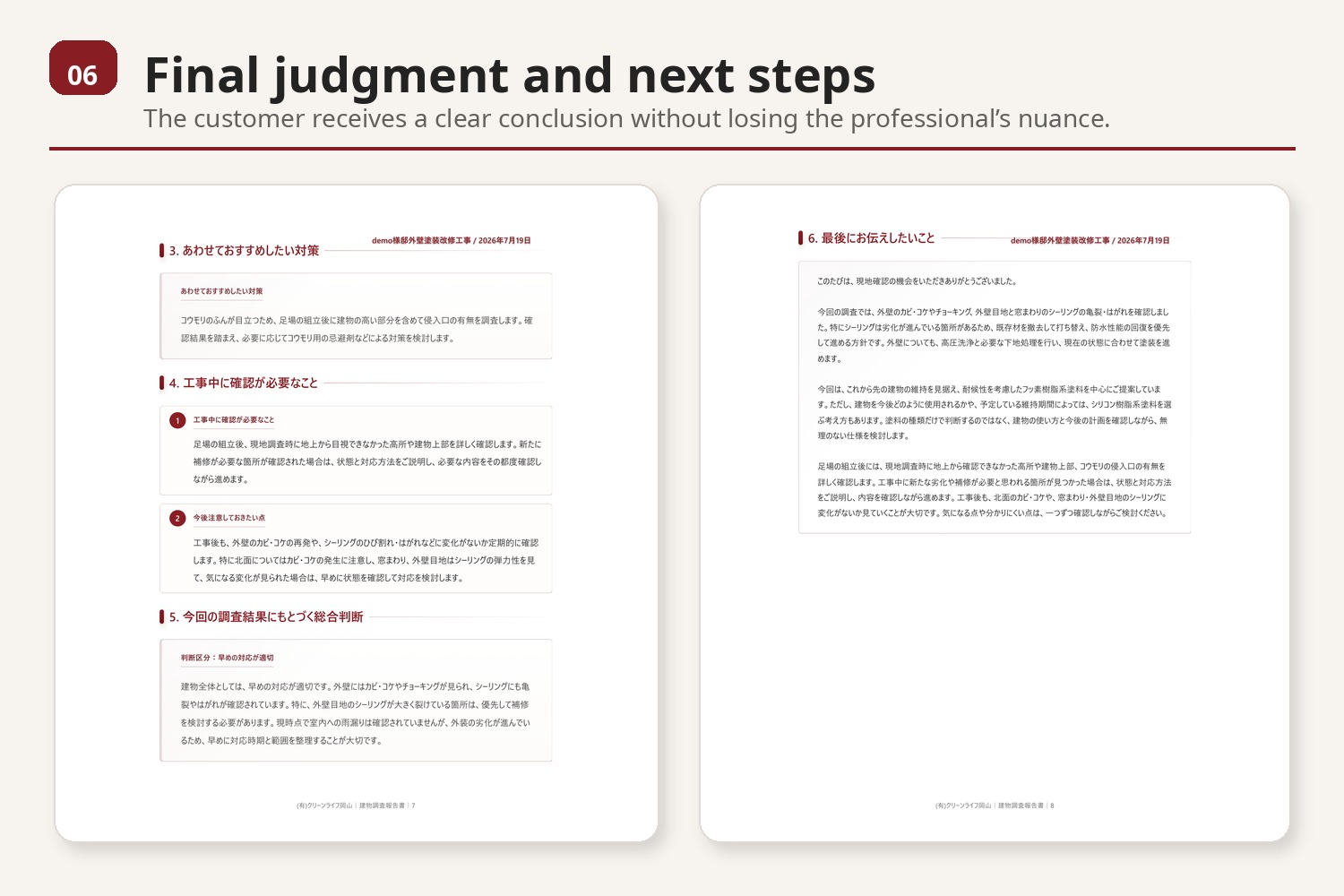
The final report gives customers a clear judgment, recommended actions, and practical next steps.
Inspiration
Tradespeople often recognize risks, necessary repairs, and unnecessary work through years of field experience. However, that knowledge is usually tacit and difficult to communicate clearly to customers.
For small construction and renovation companies, one person may handle the inspection, sales conversation, estimate, photographs, and final report. The problem is not that tradespeople lack value. Their value is often not visible in a form customers can understand and compare.
CL Field Report AI was created to turn professional field judgment into clear, photo-based information without handing the final decision to AI.
What it does
CL Field Report AI helps small contractors create understandable building inspection reports from photographs and field notes.
The professional:
- Records what was actually confirmed on site
- Adds and annotates photographs
- Links related photographs to each inspection finding
- Selects six condition ratings
- Selects the five-level overall judgment
- Reviews and approves all final wording
GPT-5.6 helps organize short field notes into natural explanations that customers can understand.
Multiple related photographs can be included in one structured AI consultation prompt, reducing repeated input.
AI does not determine the diagnosis, urgency, construction need, materials, quantities, prices, or final customer decision.
Human-selected ratings and the overall judgment are protected from AI-generated changes. If individual findings and the overall judgment do not align, rule-based warnings ask the professional to review the report.
Input data is not sent automatically. The user manually decides what information to share with GPT-5.6, reviews the response, and confirms the imported text before using it.
How we built it
The application is a local-first browser tool built with HTML, CSS, and JavaScript.
It uses:
- LocalStorage for text and report data
- IndexedDB for photographs
- Photo annotations and finding-to-photo relationships
- Input validation and navigation
- Save, Save As, recovery, and unsaved-change protection
- Customer-facing preview and structured PDF output
The workflow is designed for real field use, not only as a technical demonstration.
How we used GPT-5.6
GPT-5.6 acts as a communication assistant rather than a building diagnostician.
It helps transform professional notes into:
- Clear descriptions of the current condition
- Customer-friendly explanations
- Recommended actions based on the professional’s input
- Overall summaries
- Recommended repair approach explanations
- Supplemental cautions and next steps
The professional remains responsible for every judgment and approves the final text before it is used.
How we used Codex
Codex helped turn field feedback into small, testable code changes.
It was used to:
- Inspect the existing codebase and identify affected areas
- Implement related-photo AI workflows
- Protect human-selected judgment values
- Add rule-based consistency warnings
- Improve saving and recovery safety
- Correct photograph and PDF output order
- Check storage compatibility and JSON data
- Test display, preview, and PDF behavior
- Review Git history and document Build Week evidence
During Build Week, 23 commits improved the product while preserving compatibility with existing saved reports.
Key product and safety decisions remained human decisions. Codex accelerated implementation, investigation, testing, and documentation.
Challenges
The biggest challenge was balancing convenience with decision integrity.
Making AI more automatic would be easy, but it could also allow AI to influence judgments that should remain with the professional. We therefore designed explicit boundaries between human decisions and AI-assisted wording.
Another challenge was improving the application without breaking existing saved reports, photograph data, PDF layouts, or established field workflows.
Accomplishments
Before Build Week, the tool had already been used in real field work. One real ten-page inspection report was completed in approximately 40 minutes.
During Build Week, we strengthened the product’s safety, usability, saving, photo relationships, PDF structure, and documentation.
The result is not simply a PDF maker. It is a tool that protects professional judgment while making field knowledge understandable.
What we learned
The safest and most useful AI does not need to make more decisions.
It can create greater value by helping human decisions become clearer, more consistent, and easier for customers to understand.
The professional decides. AI helps the decision become understandable.
What’s next
We plan to improve the field-photo capture workflow, multilingual support, reusable inspection templates, and distribution for small construction and renovation companies.
Built With
- codex
- css
- gpt-5.6
- html
- indexeddb
- javascript
- localstorage
- openai

Log in or sign up for Devpost to join the conversation.