-
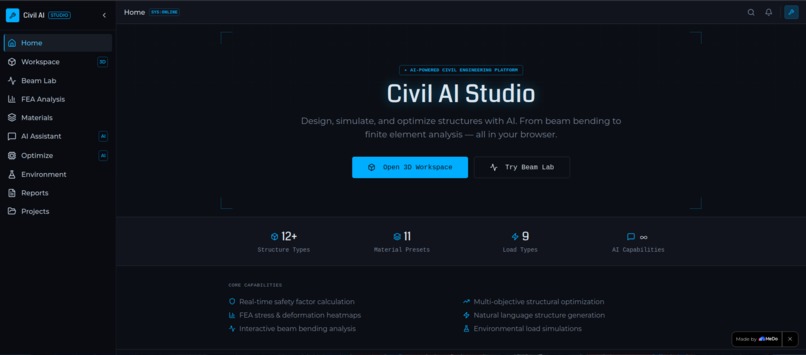
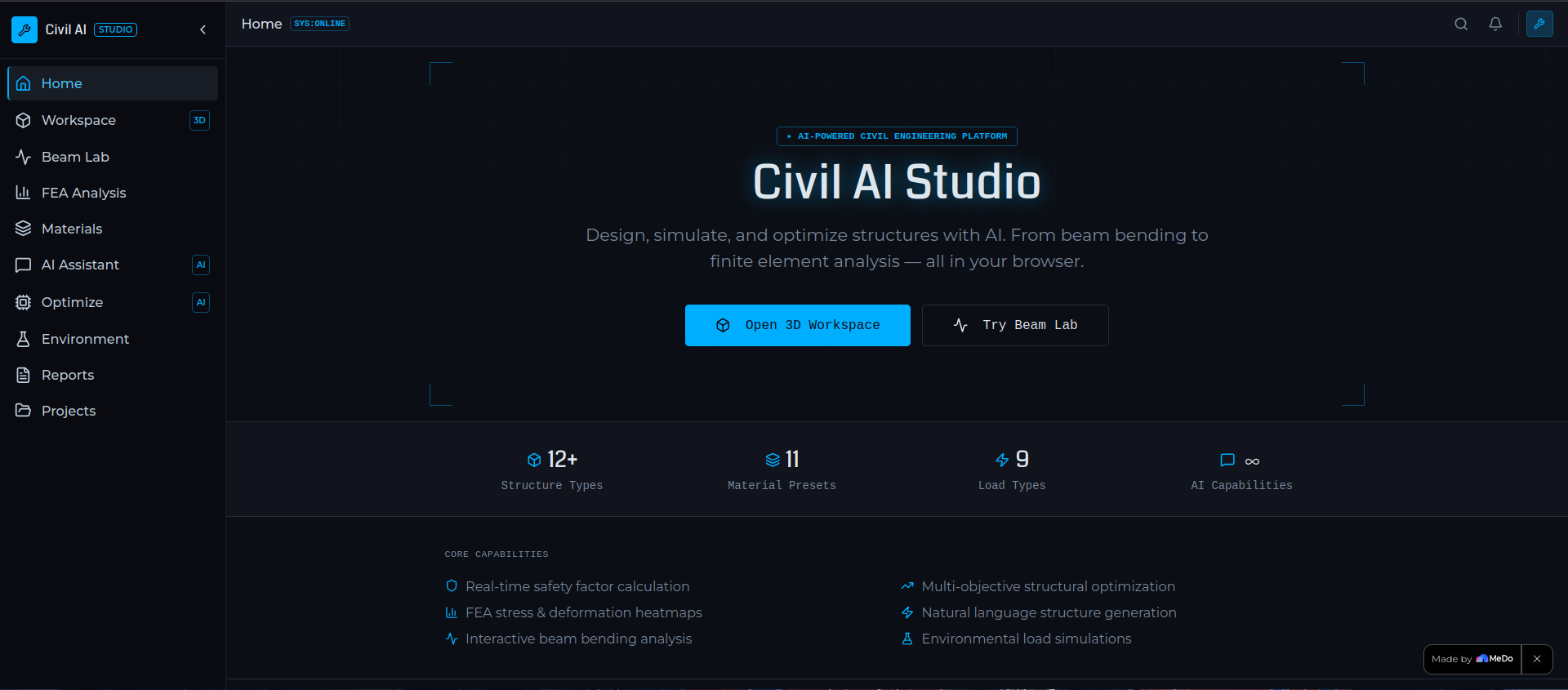
Landing page showcasing real-world civil engineering applications, workflows, and practical use cases across structures and design scenarios
-
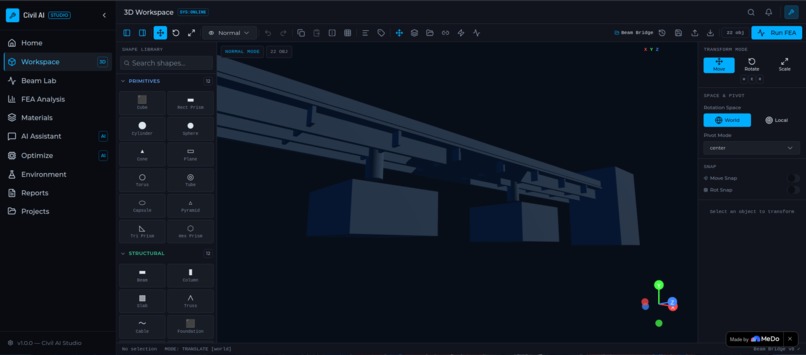
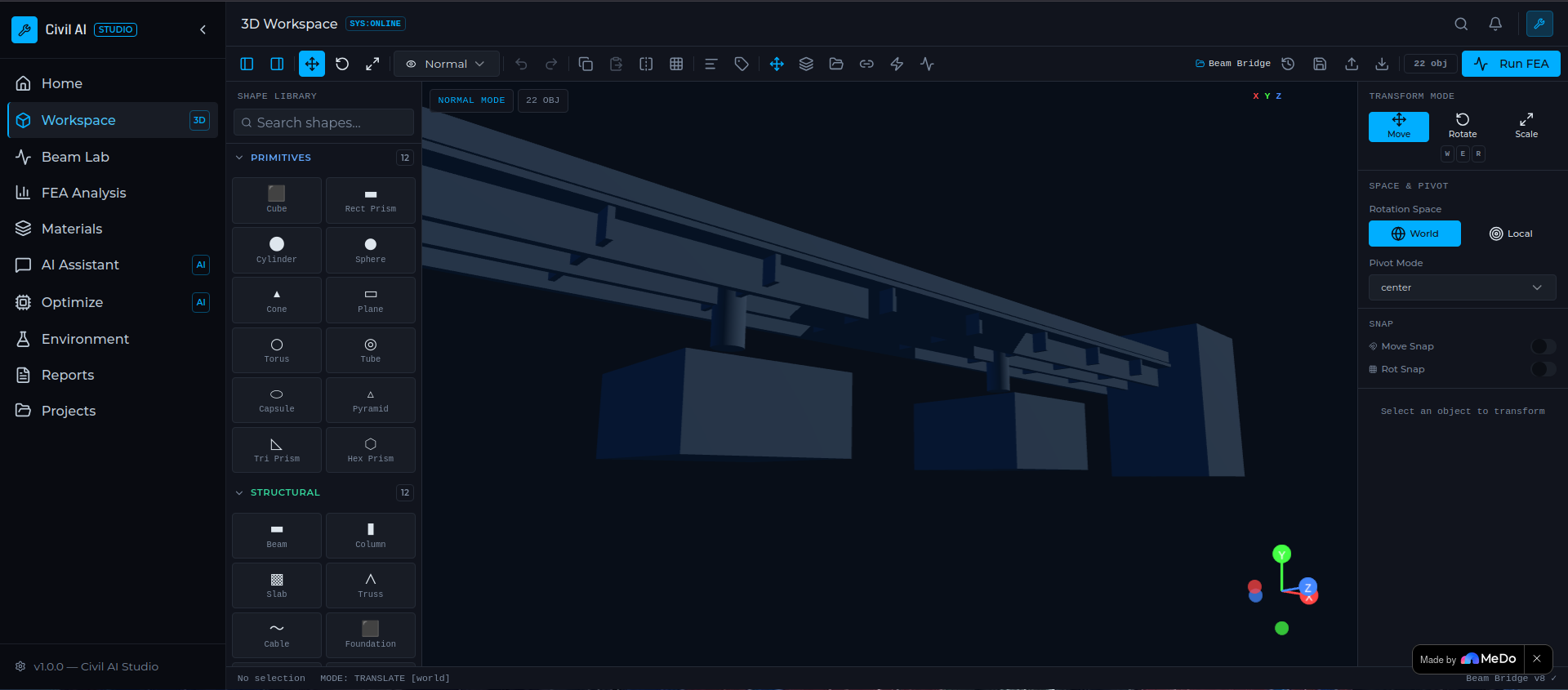
Interactive system for directly modifying structural models by adjusting geometry, supports, materials, and loads to simulation results.
-
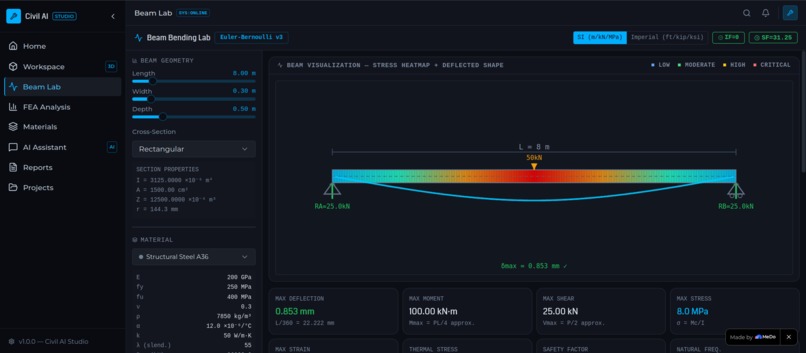
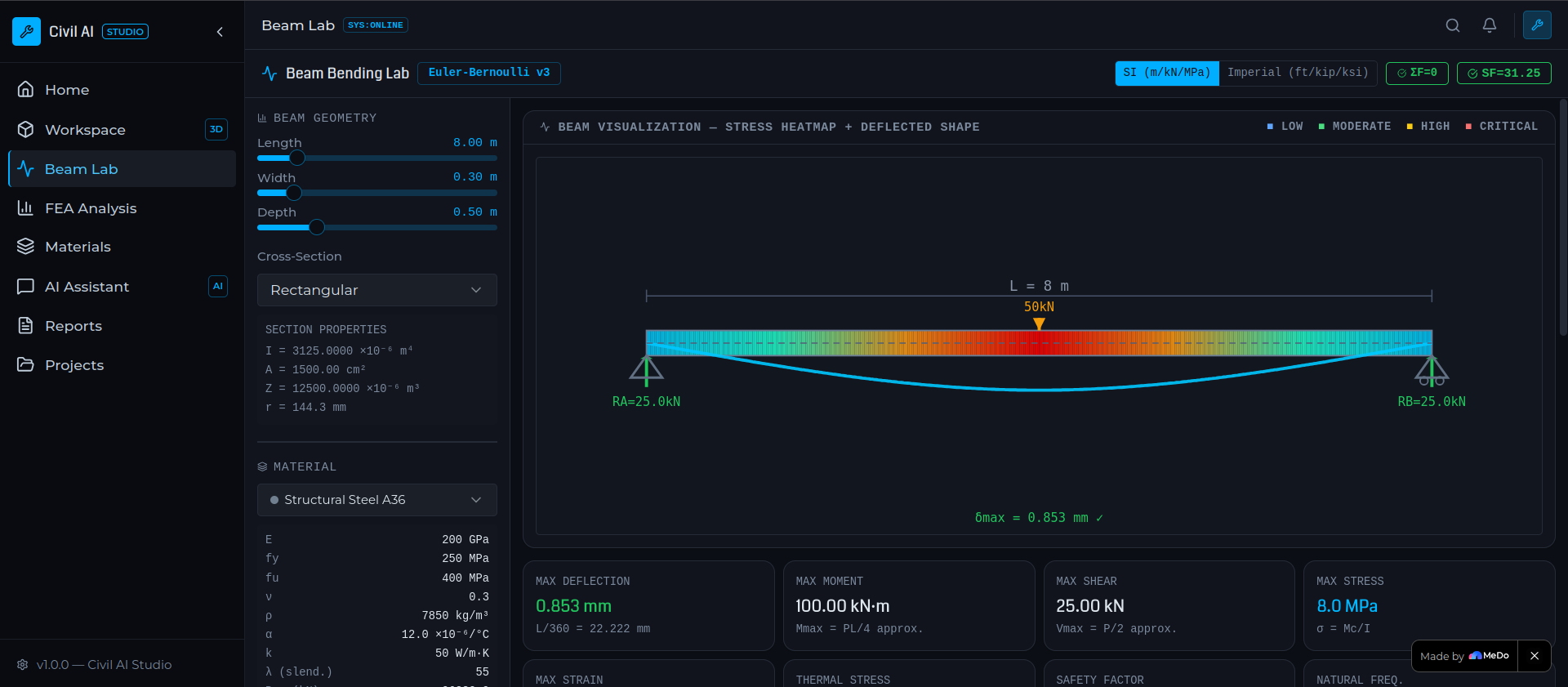
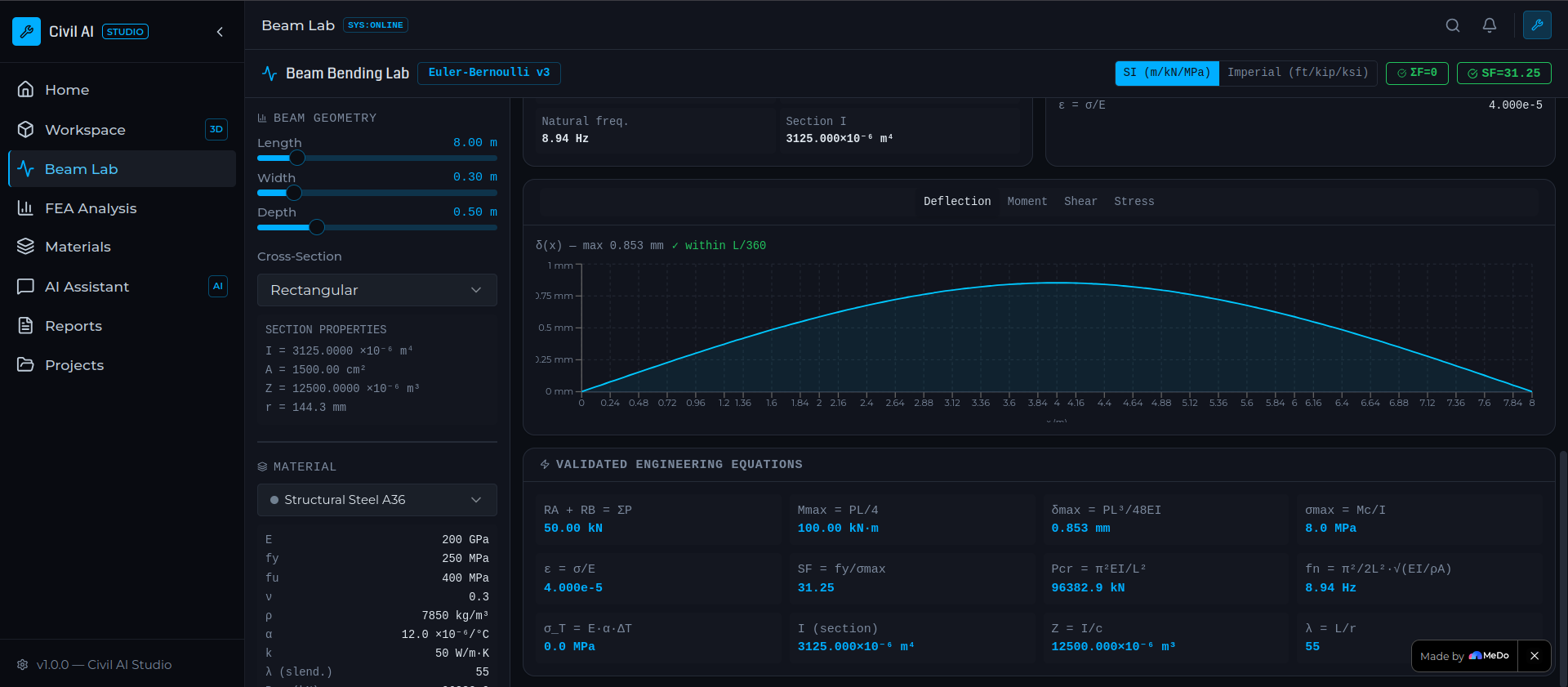
Beam Bending Lab: Interactive beam simulation for visualizing loads, supports, shear force, bending moments, and structural behavior
-
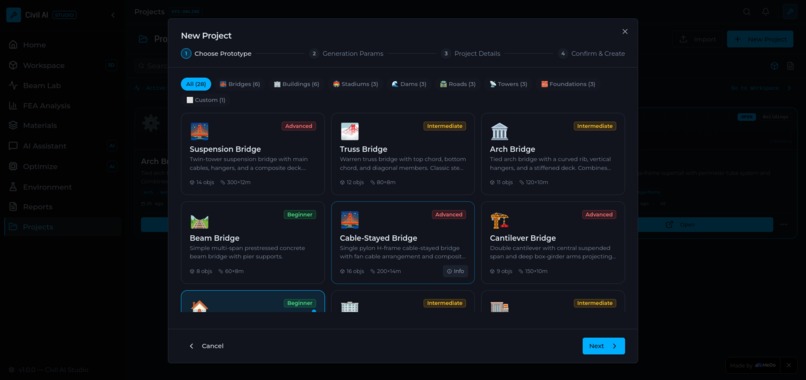
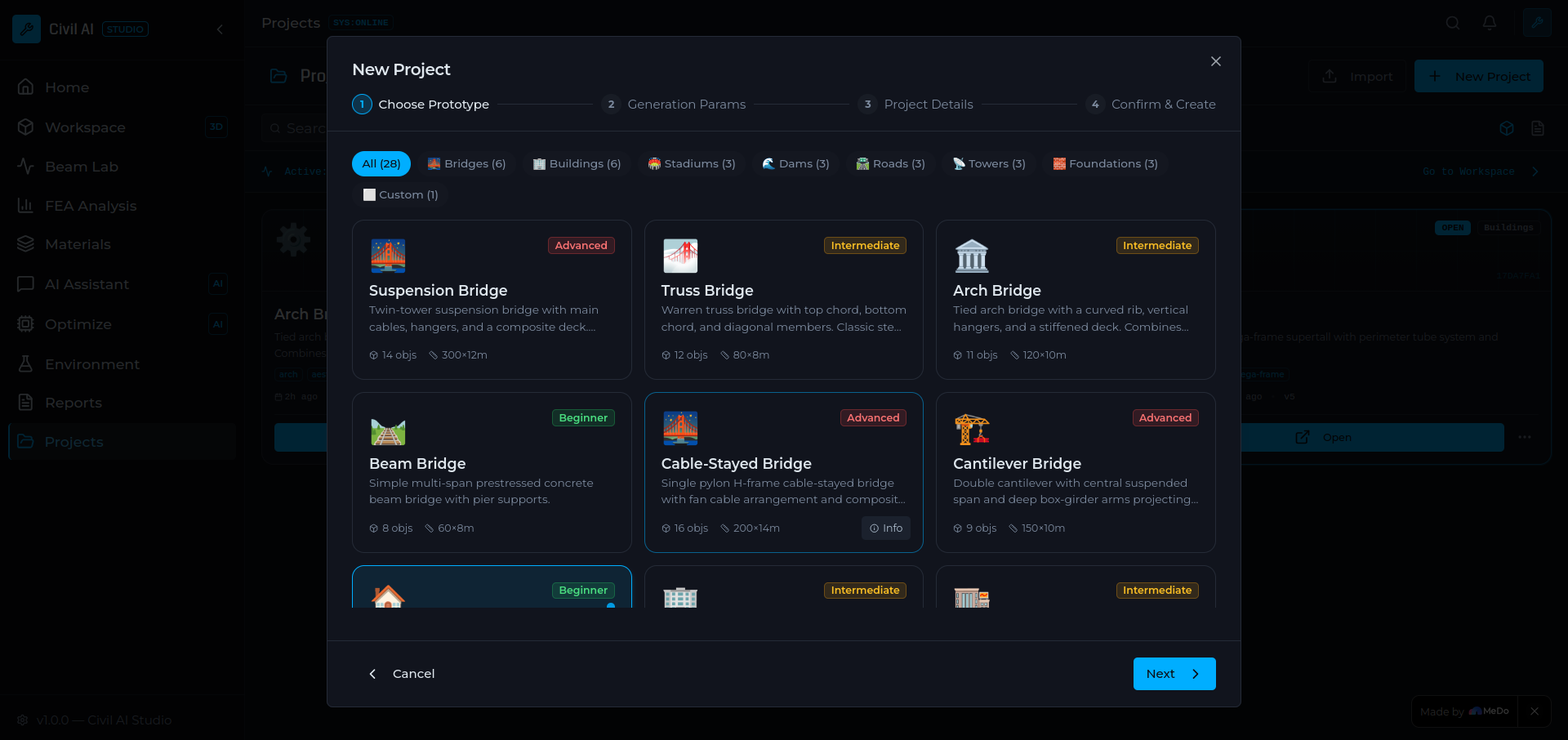
Preconfigured Start-Kit Projects: Ready-made civil engineering templates like bridges and buildings to quickly start, edit, and experiment
-
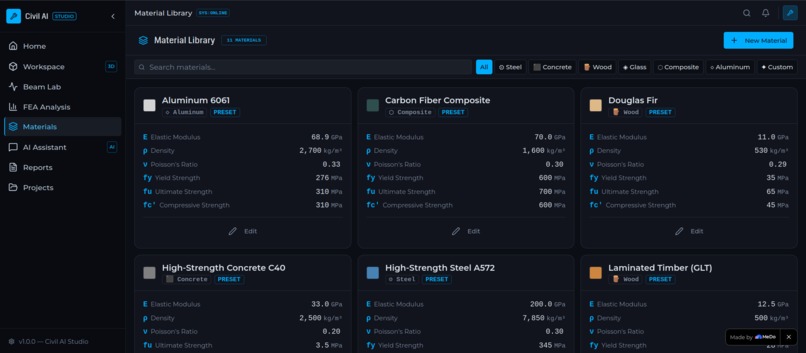
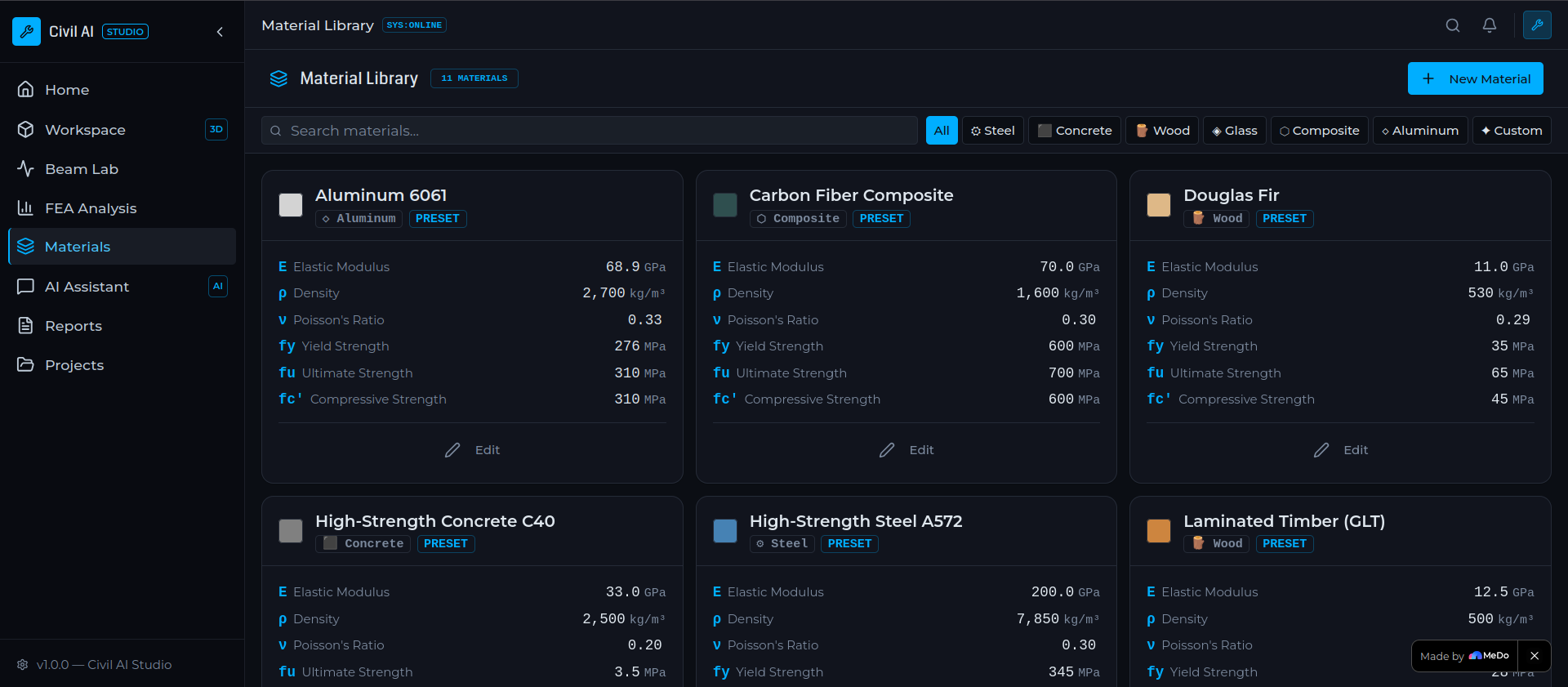
Material System: Defines materials by Density, Elastic Modulus, Poisson Ratio, Yield, Tensile & Compressive Strength for structural analysis
-
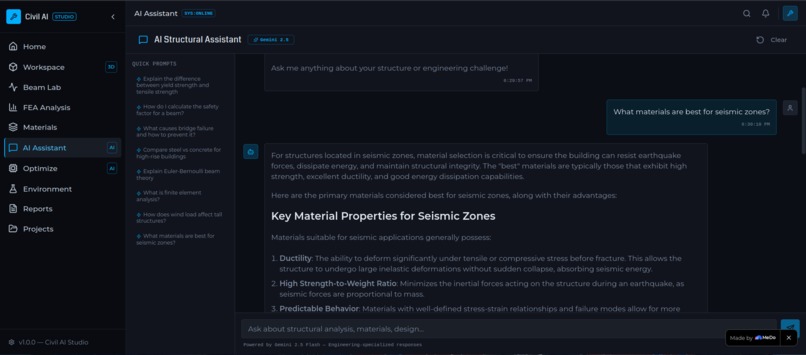
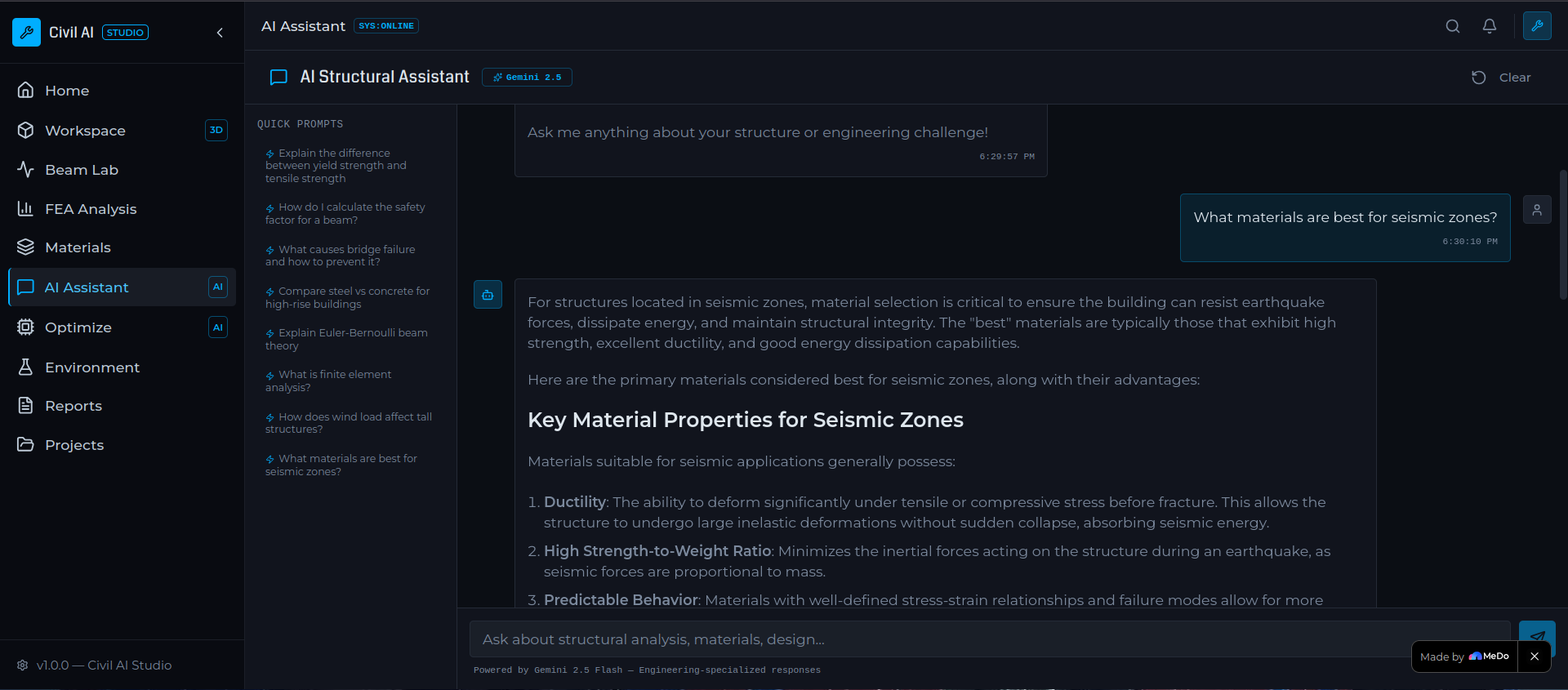
Smart engineering assistant that answers doubts, provides recommendations, explains concepts, and guides design decisions in real time
-
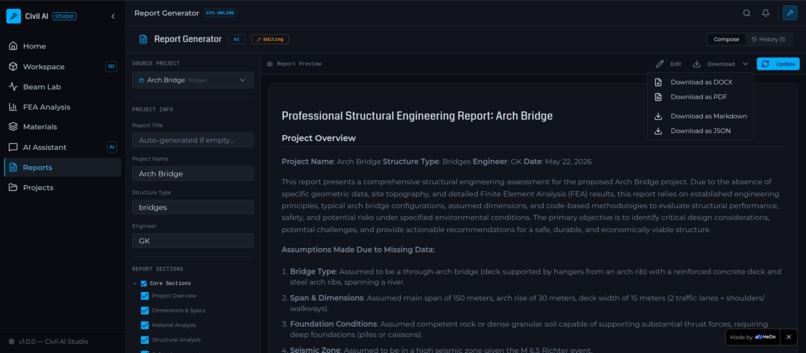
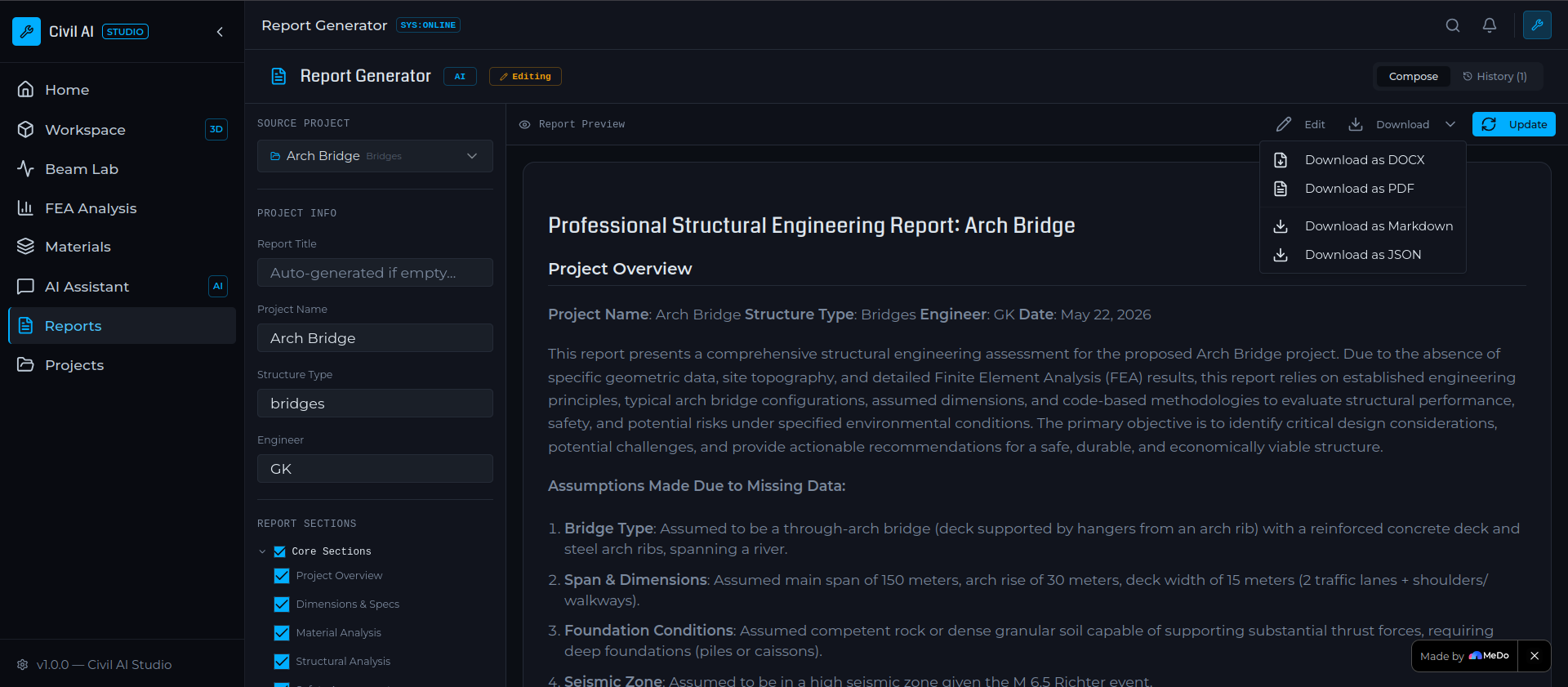
AI-powered report generator with custom topic selection for structural analysis, simulations, materials, calculations, and project insights.
-
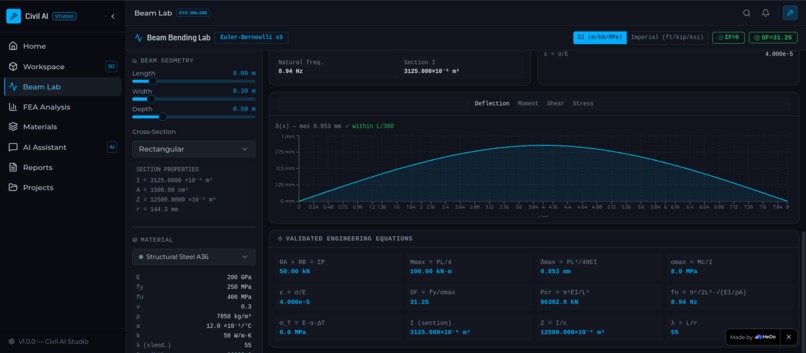
Real-time graph visualization for simulation outputs, enabling to instantly analyze structural behavior, trends, and performance changes
Inspiration
Civil engineering design tools are often fragmented, complex, and require multiple specialized software just to prototype a single structure. I wanted to simplify this process and make civil design more interactive, intelligent, and accessible, especially for students, early-stage engineers, and rapid prototyping use cases. Civil AI Studio was born from the idea of bringing AI-assisted structural visualization into a single unified workspace.
Rather than replacing traditional engineering tools, my goal is to complement them by accelerating creativity and enabling faster exploration of ideas. I wanted users to spend less time fighting software and more time designing structures.
What it does
Create and Edit Structural Models - Build structures manually inside an interactive workspace and customize: Dimensions, Geometry, Structural elements, Material properties
Perform Scientific Structural Simulations - Run engineering simulations such as: Beam bending analysis, Structural loading behavior, Finite Element Analysis (FEA), Material response evaluation. The system aims to provide scientifically meaningful results using realistic engineering calculations and material properties.
Access Real Engineering Material Data - Materials include realistic engineering parameters such as: Density (kg/m³), Elastic Modulus (MPa), Poisson Ratio, Yield Strength (MPa), Tensile Strength (MPa), Compressive Strength (MPa). This improves the educational and practical value of simulations.
AI Structural Assistant - Instead of switching between search engines, textbooks, and documentation, users can directly ask: Material recommendations, Structural concepts, Engineering doubts, Design guidance, Simulation interpretation, Analysis assistance. The assistant becomes an integrated engineering companion.
Intelligent Report Generator - Users can generate customized reports with selectable topics such as: Structural analysis, Material properties, Simulation outputs, Methodology, Results, Conclusions, Recommendations. Reports are automatically structured and formatted.
Preconfigured Starter Projects - Ready-made templates help users start quickly without creating everything from scratch.
How I built it
- React was used to build the interactive user interface.
- Three.js powers the 3D workspace for creating and editing structural models.
- Supabase handles data storage, project persistence, and backend functionality.
- Gemini API powers the AI Structural Assistant and Intelligent Report Generator for engineering guidance and automated report creation.
To improve simulation reliability, we used the MeDo platform with carefully designed prompts and scientifically accurate engineering values to enforce: Real-world material properties, Correct formulas and units, Engineering-based calculations, Consistent structural analysis outputs
Challenges I ran into
One of the biggest challenges was balancing: Simplicity and Scientific Accuracy
Engineering simulations depend heavily on: Material properties, Structural dimensions, Boundary conditions, Load calculations, Numerical approximations. I needed to ensure that results remained scientifically meaningful while still making the platform beginner-friendly. Another challenge was integrating AI in a way that supports engineering workflows rather than behaving like a generic chatbot.
What I learned
I discovered the importance of abstraction in engineering applications. A system designed around reusable concepts becomes significantly easier to expand than one built around isolated features.
On the technical side, I gained experience building scalable frontend architectures capable of handling dynamic visualization and real-time updates. From a user experience perspective, I learned that engineering tools and creative tools often have different expectations. Engineers value precision and functionality, while users also expect intuitive and visually engaging interactions. Perhaps the biggest lesson was understanding that balancing complexity and usability is one of the most important challenges in technical software development.
What's next for Civil AI Studio
- Enable export to CAD formats for professional workflows
- Add collaboration features for team-based civil design
- Introduce a library of real-world architectural templates
Built With
- css3
- gemini
- html5
- javascript
- medo
- react
- supabase
- tailwind
- three.js
- typescript
- vite


Log in or sign up for Devpost to join the conversation.