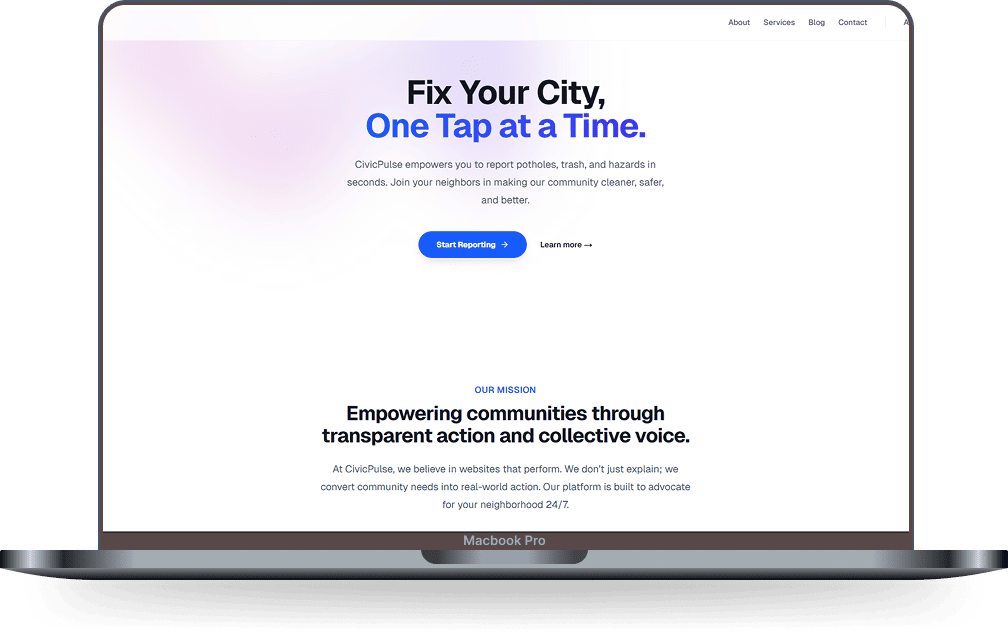
CivicPulse - Smart Civic Reporting System 🇧🇹



CivicPulse is a modern, real-time civic engagement platform designed to bridge the gap between citizens and local authorities. It empowers users to report infrastructure issues (like potholes, trash, and hazards) instantly via an interactive map, while providing administrators with a powerful dashboard to track, manage, and resolve these complaints efficiently.
Built with performance and user experience in mind, CivicPulse transforms passive observation into active community improvement.
🌟 Key Features
For Citizens (User App)
- 📍 Interactive Map Interface: Visual reporting using robust geolocation (Leaflet.js).
- 📸 Smart Reporting: Submit issues with photos, categories, and detailed descriptions.
- 🚀 Real-Time Status: Track reports from "Open" to "Pending" to "Resolved" with live updates.
- 🗳️ Community Validation: Upvote system to prioritize urgent issues based on community consensus.
- 📱 Responsive Design: Fully optimized for mobile and desktop experiences.
For Authorities (Admin Dashboard)
- 🛡️ Secure Access: Protected admin panel restricted to authorized personnel.
- 📊 Overview Dashboard: View all reports in a comprehensive list with filtering capabilities (All, Open, Pending, Resolved).
- ✅ Status Management: Update the lifecycle of a report with a single click.
- 🔍 Issue Visualization: See exact locations and user-submitted photos to plan repairs.
🛠️ Technology Stack
- Frontend: Next.js 14 (App Router, Server Components)
- UI/Styling: Tailwind CSS, Lucide React (Icons)
- Maps: React Leaflet & OpenStreetMap
- Database: MySQL (Local instance with
mysql2driver) - Notifications: React Hot Toast
- Language: TypeScript
🚀 Getting Started
Follow these instructions to set up the project locally.
Prerequisites
- Node.js (v18 or higher)
- MySQL Server installed and running
Installation
Clone the repository
git clone https://github.com/guruwangchuk7/CivicPulse---Smart-Complain-System.git
cd CivicPulse
Install dependencies
npm installConfigure Environment Create a
.env.localfile (though current configuration useslib/db.tsdirectly, it is best practice to move credentials later). Ensure your MySQL server is running onlocalhost:3306.Initialize Database The application includes a self-initialization script. Simply running the app for the first time will attempt to create the necessary tables (
reports,votes) in your MySQL database.- Database Name:
civic_pulse(Update inlib/db.tsif needed) - Credentials: Update
userandpasswordinlib/db.ts.
- Database Name:
Run the Development Server
npm run devAccess the App Open http://localhost:3000 in your browser.
📂 Project Structure
├── app/
│   ├── admin/          # Admin Dashboard page
│   ├── api/            # Backend API routes (Reports, Status, Votes)
│   ├── map/            # Main Map Application
│   └── page.tsx        # Landing Page
├── components/         # Reusable UI Components (Modals, Map, Feed)
├── lib/
│   ├── db.ts           # MySQL Connection Pool
│   └── init-db.ts      # Database Schema Initialization
├── types/              # TypeScript Interfaces
└── public/             # Static Assets
🔒 Admin Access
To access the Admin Dashboard:
- Click the "Admin" button in the top navigation bar.
- Enter an authorized email address (e.g.,
[email protected]). - Manage reports, update statuses, and filter issues.
🤝 Contributing
Contributions, issues, and feature requests are welcome!
- Fork the project
- Create your feature branch (
git checkout -b feature/AmazingFeature) - Commit your changes (
git commit -m 'Add some AmazingFeature') - Push to the branch (
git push origin feature/AmazingFeature) - Open a Pull Request
📄 License
Distributed under the MIT License. See LICENSE for more information.
Made with ❤️ for a cleaner, smarter Bhutan.

Log in or sign up for Devpost to join the conversation.