-
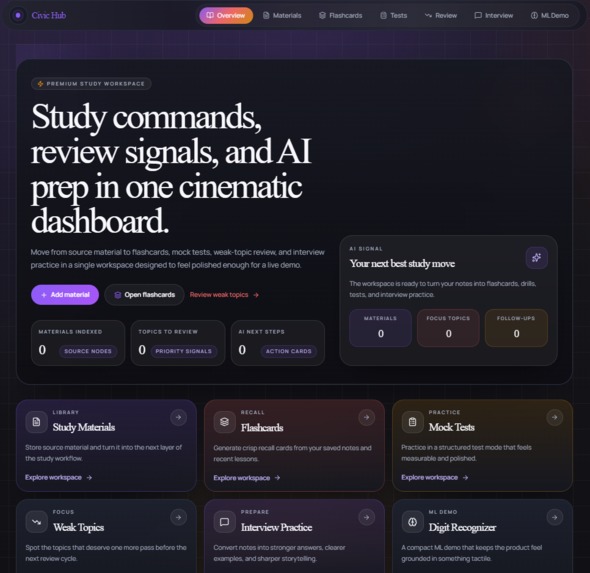
CivicHub Homepage
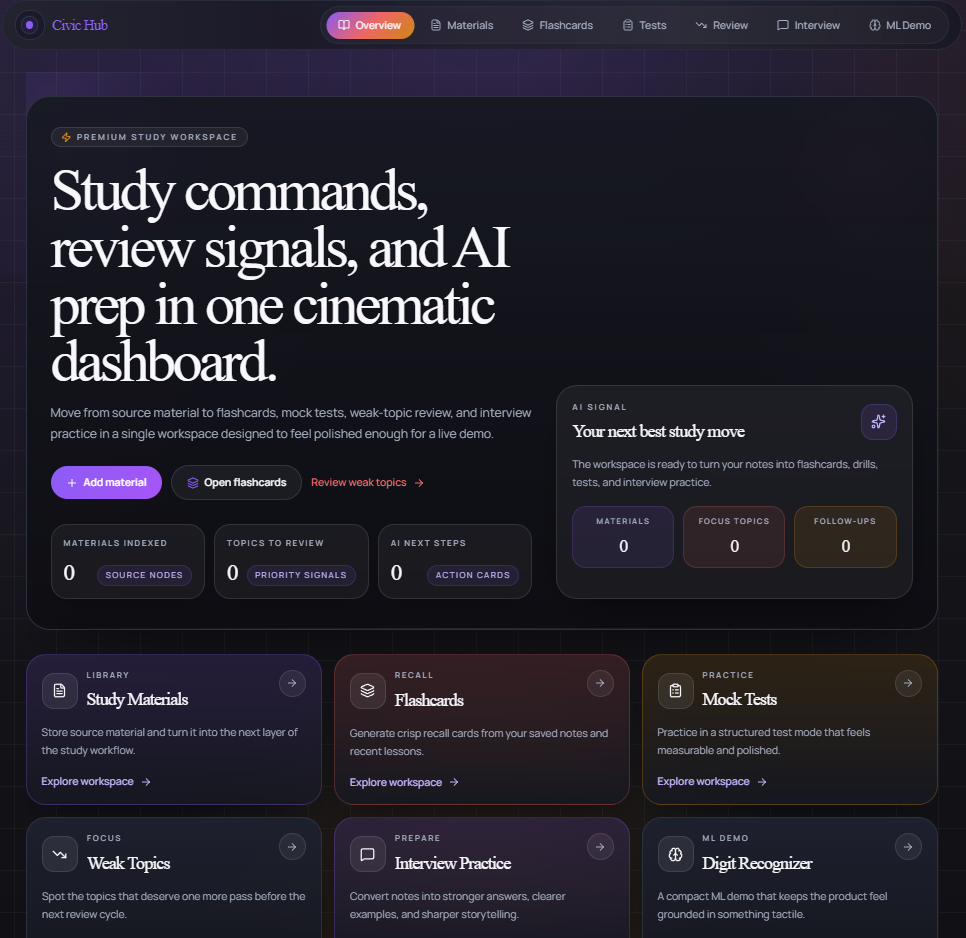
About CivicHub
CivicHub is an AI-powered education platform designed to help students turn study materials into active-learning tools. The current version focuses on a practical student workflow: saving study content, generating flashcards, creating mock tests, reviewing weak topics, building interview-prep materials, and emailing study artifacts for continued use outside the app.
Inspiration
The inspiration behind CivicHub came from a simple problem: students often already have plenty of material to study from, but that material usually stays passive. Notes, summaries, PDFs, and saved resources are useful, but they do not automatically become good practice tools. In reality, students still have to spend extra time turning that content into flashcards, quizzes, interview questions, and focused review plans.
We wanted to build something that reduces that friction. Instead of creating yet another note-taking tool, we focused on building a system that helps learners actually use their study materials. The goal was to make studying more active, more personalized, and more efficient.
What it does
CivicHub allows users to:
- save study materials in one place
- generate AI-powered flashcards
- generate mock tests for practice
- review weak topics for targeted improvement
- create interview-prep content from existing materials
- email generated study artifacts for sharing or later review
In addition to the education workflow, the project also includes a handwritten digit recognition demo to showcase an additional applied machine learning capability within the platform.
How we built it
We built CivicHub as a full-stack application with a modern frontend, backend API layer, and AI/ML integrations.
Frontend
The frontend was built with:
- React 19
- TypeScript 5
- Vite 7
- React Router 6
- Tailwind CSS 3
- shadcn/ui with Radix UI
- Axios
- GSAP
- Lenis
- Recharts
- React Hook Form
- Zod
This stack let us create a fast, responsive interface with structured forms, reusable UI components, and a clean user flow focused on the education experience.
Backend
The backend was built with:
- FastAPI
- SQLAlchemy 2
- Pydantic 2
- pydantic-settings
- python-jose
- Passlib
- bcrypt
- httpx
- Resend
FastAPI handled the API layer and backend routing, while SQLAlchemy and Pydantic supported the data and validation models. We also used email delivery to let users send generated study artifacts outside the platform.
AI / ML
For intelligence features, we integrated:
- Gemini
- Kimi
- routing and fallback behavior between providers
- built-in demo fallback responses
- scikit-learn
- Pillow
- NumPy
One important design decision was reliability. Since hackathon demos and real usage can both break when external AI APIs fail, we documented and supported fallback behavior directly in the app. That means the platform can still demonstrate core flows even when live provider behavior is limited.
Challenges we ran into
One of the biggest challenges was scope. The repository includes a broader platform vision, with backend APIs covering multiple domains, but for the current state of the project we needed to be honest and focused about what the main user experience actually is. We narrowed the story to the strongest implemented flow: education.
Another challenge was aligning the documentation with the real codebase. Earlier versions of the docs reflected a broader pitch and included outdated setup assumptions such as .env.example references or Alembic migration steps that were no longer accurate for the current version. We updated the repo-level and app-level documentation so the project story matches the product as it exists now.
A technical challenge was designing AI behavior that felt dependable. Live AI integrations are powerful, but they also introduce uncertainty. To address that, we documented real demo-auth behavior and built in fallback responses so the product experience remains stable.
We also had to balance ambition with usability. It is easy to add many AI features, but harder to make them feel like part of one coherent workflow. We focused on making sure each feature supports the same learning journey instead of feeling disconnected.
What we learned
This project taught us a lot about product focus, system design, and practical AI integration.
We learned that:
- a narrower but well-executed workflow is stronger than a broad but unclear product story
- good documentation is part of the product, not an afterthought
- fallback behavior is essential when building AI-powered apps
- educational tools become more useful when they support active recall and targeted practice rather than just content storage
- full-stack AI projects require careful coordination between UX, backend logic, and model behavior
What’s next
The current version of CivicHub proves the education workflow, but there is a lot of room to extend it. Future directions include:
- stronger personalization based on user performance
- better analytics for tracking weak topics over time
- richer study dashboards
- more adaptive quiz and interview-prep generation
- expanded tutoring and learning-support features
Why CivicHub matters
CivicHub is built around a simple idea: students do not just need more information, they need better ways to turn information into practice. By helping users transform static materials into active-learning tools, CivicHub aims to make studying more effective, more accessible, and more actionable.
Built With
- axios
- fastapi
- gemini-api
- kimi-api
- numpy
- pillow
- pydantic
- python
- radix-ui
- react
- recharts
- resend
- scikit-learn
- shadcn/ui
- sqlalchemy
- tailwind-css
- typescript
- vite

Log in or sign up for Devpost to join the conversation.