-
-
-
-
-
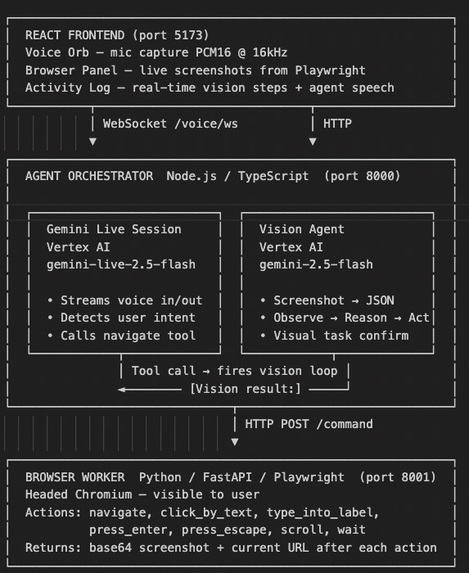
Architecture Diagram
CivicFlow — Project Story
Inspiration
The idea came from watching a family member struggle to renew their Medicare benefits online.
The portal had eight steps. Each one required reading dense legal language, finding the right checkbox, scrolling past irrelevant sections, and clicking precise targets on a screen that was designed for someone younger. The whole process took over an hour. There were three phone calls to family members for help. It should have taken five minutes.
That experience repeated itself across government websites, grocery delivery apps, insurance portals, and utility forms. The people who need these services most — older adults, people with limited mobility, caregivers managing someone else's life — are also the people most likely to be blocked by the interface itself.
Voice assistants exist, but they stop at giving instructions. "Go to the website and click the blue button in the top right corner." That is not help. That is describing a problem in a different way.
We wanted to build something that actually does the task. Not tells you how. Does it.
What We Built
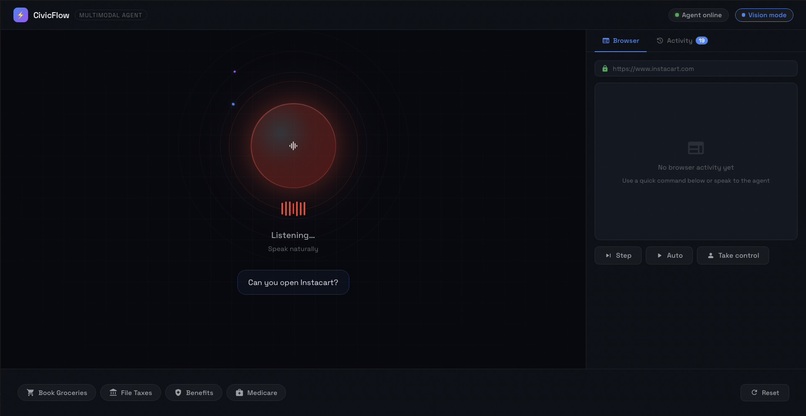
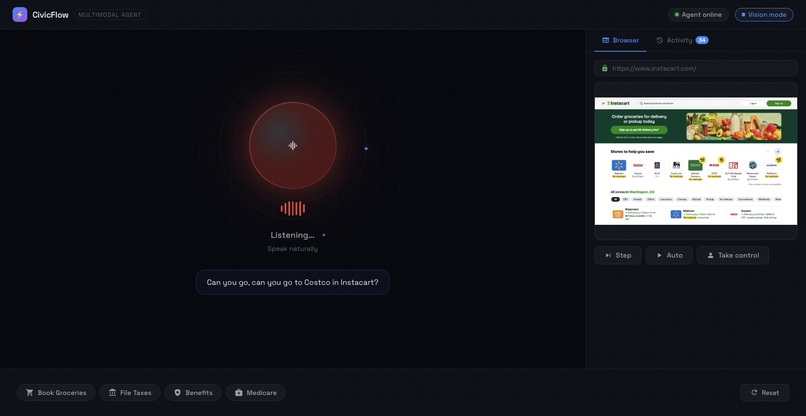
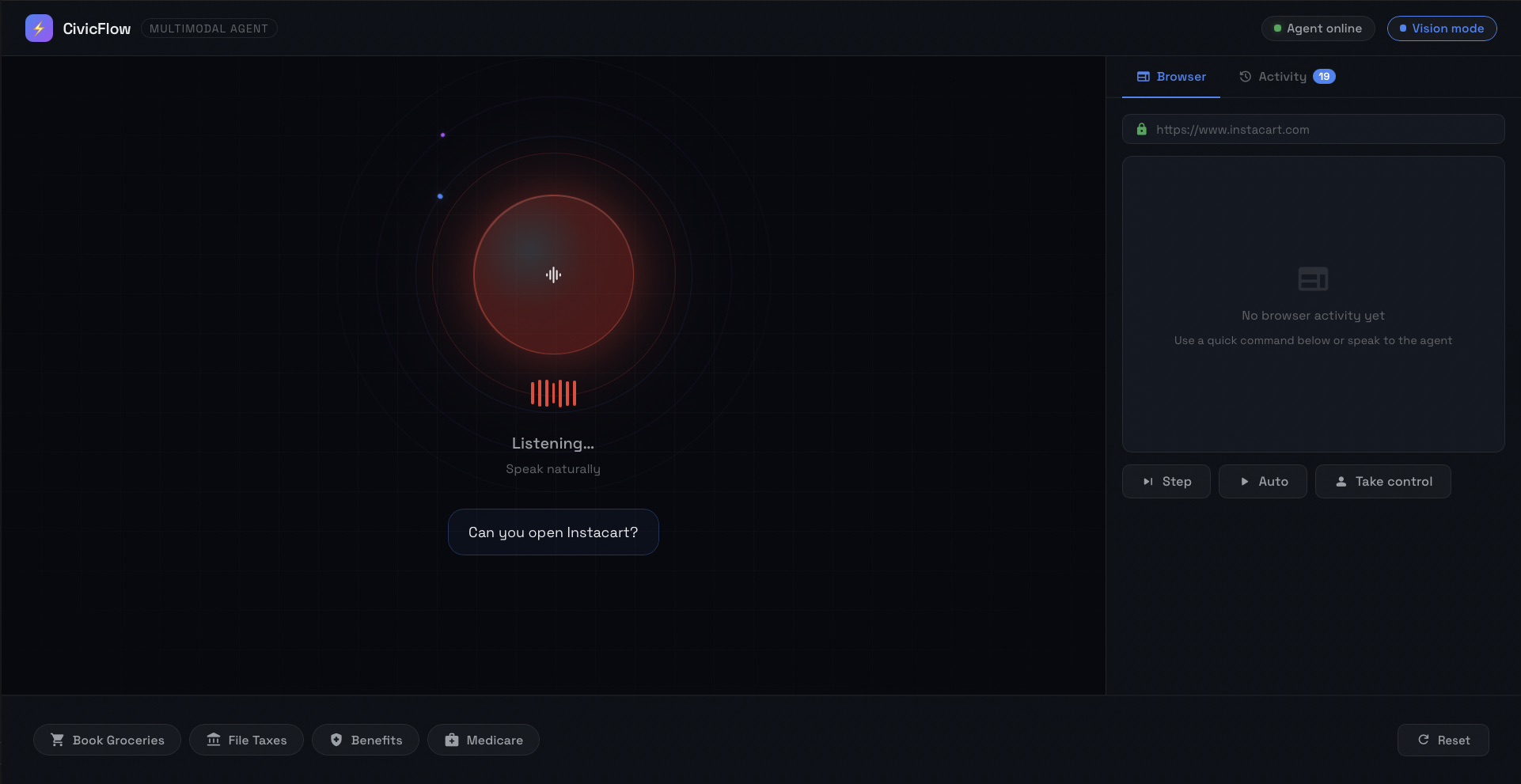
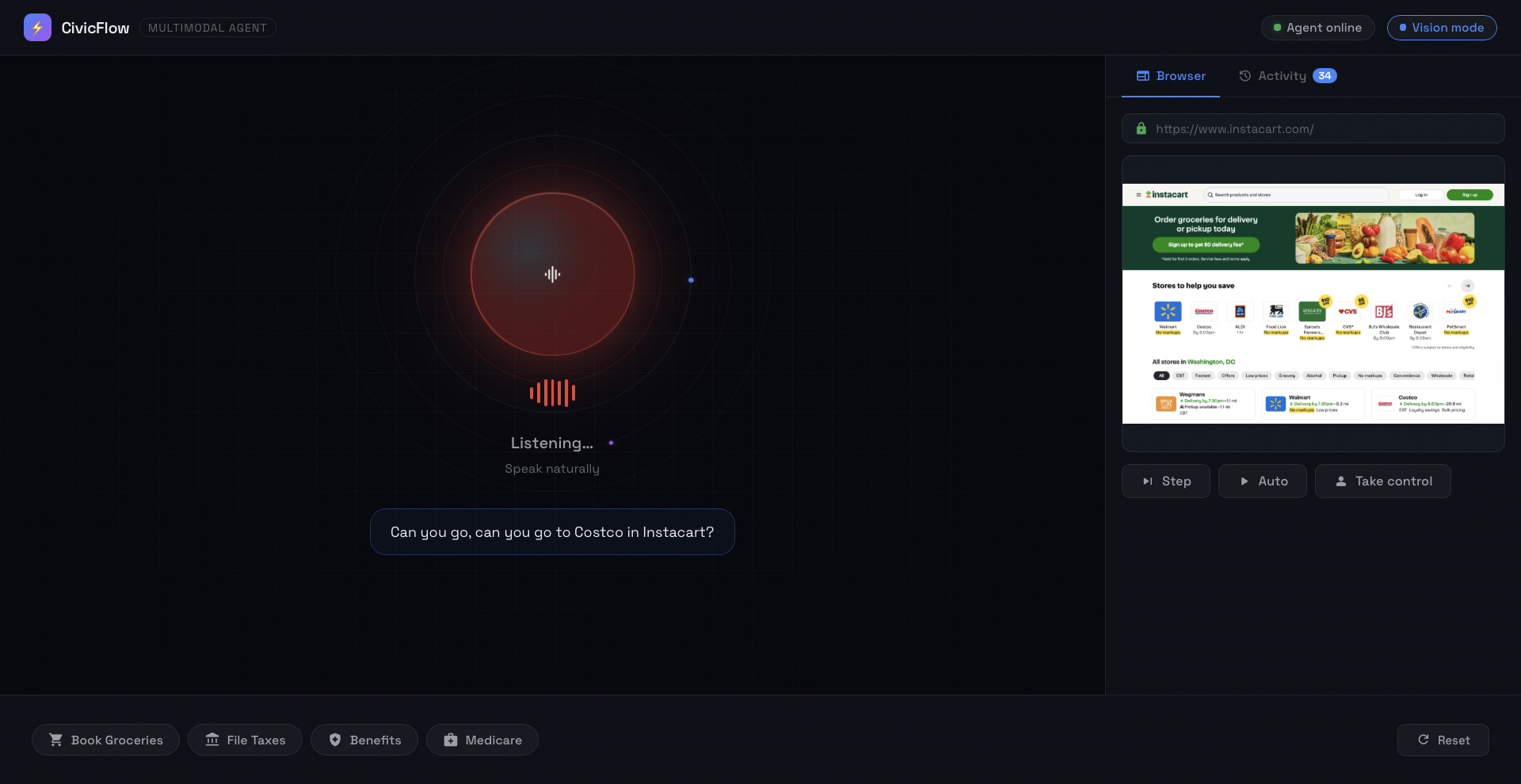
CivicFlow is an AI agent you talk to. You say what you need. It opens the browser, looks at the screen, figures out what to click, and does it — while you watch and can take over at any moment.
The key design constraint we set for ourselves: the agent cannot know anything about the website in advance. No scraping the DOM. No site-specific APIs. No pre-written scripts for Instacart or IRS.gov. It has to read the screen the same way a person does — by looking at it.
That constraint forced us to build something genuinely general. An agent that can navigate a site it has never seen before, handle a popup it wasn't expecting, and recover when something goes wrong.
How We Built It
The First Version
We started with a simple idea: stream voice to Gemini Live, get intent, navigate a browser. The first prototype had a voice agent that parsed keywords ("groceries" → open Instacart) and a vision agent that took screenshots and called Gemini to decide the next click.
It worked in demos. It failed the moment anything unexpected appeared on screen — a modal, a slow-loading page, a search dropdown that intercepted pointer events. The agent would get stuck, loop, or worse: announce that it completed a task it had not actually started.
That last problem was the most damaging. The agent would say "I've added tomatoes and eggs to your cart" while the vision loop was still in its planning phase — before it had executed a single action. We traced it back to the tool response: we were sending { success: true } to Gemini the moment the tool was called. Gemini interpreted that as task completion and spoke accordingly.
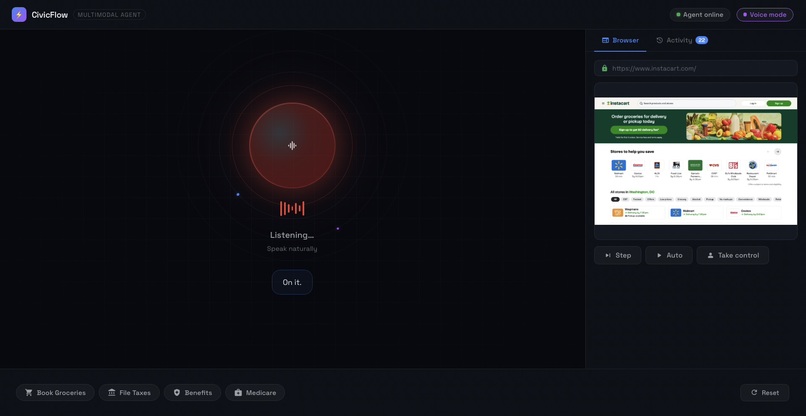
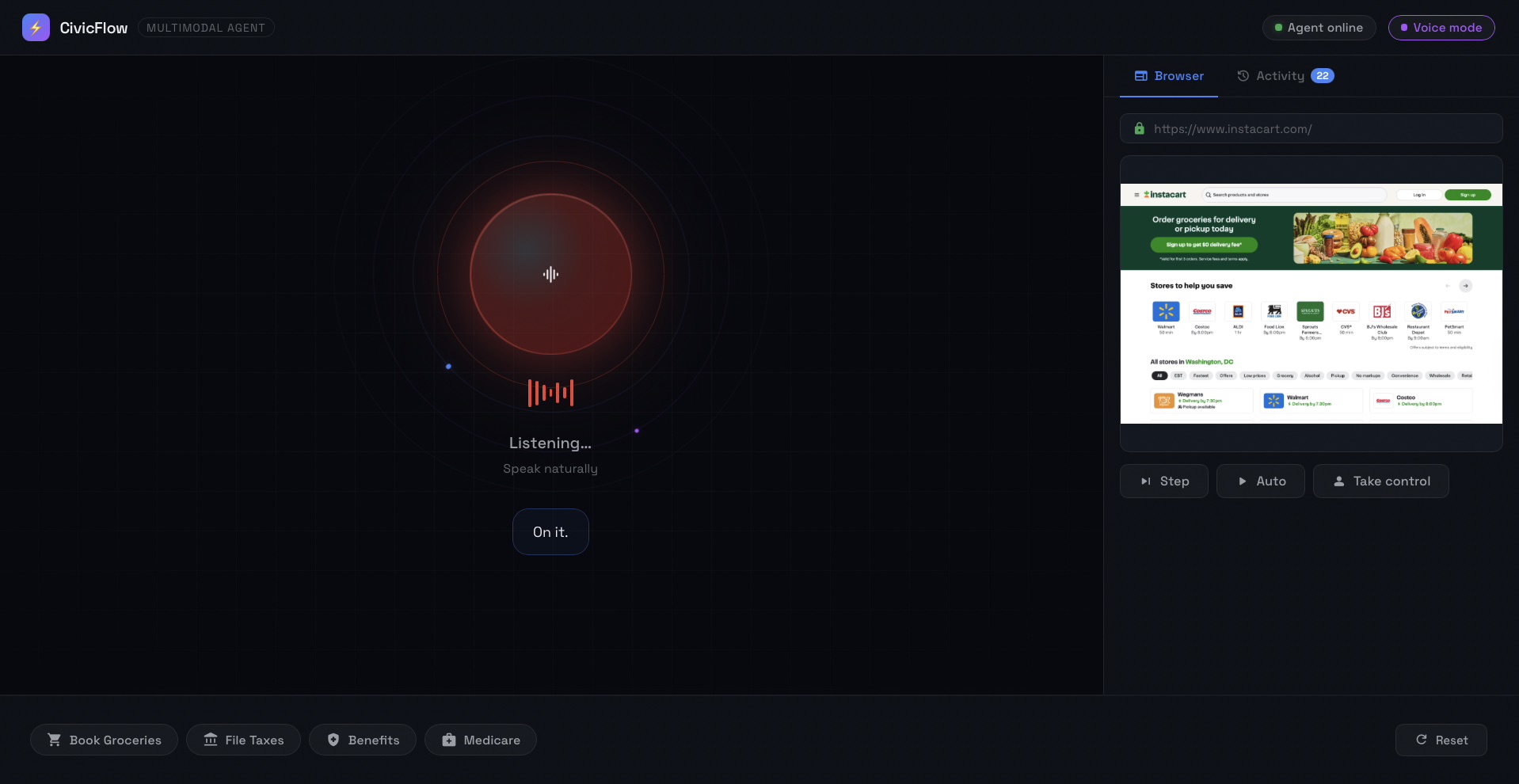
The fix was to change the tool response to { status: "started" } and make Gemini wait for a [Vision result:] message that only arrives after the vision loop actually finishes. Gemini now says "On it." and waits silently until there is real evidence to report.
Building the Vision Loop
The core of CivicFlow is a loop that runs once every ~2.5 seconds:
- Take a screenshot
- Send it to Gemini 2.5 Flash with the task and action history
- Receive a structured action:
{ observation, action, targetText, inputValue, reason } - Execute via Playwright
- Broadcast the new screenshot to the frontend
- Repeat
The observation field was an important discovery. Early prompts asked the model directly: "What action should I take?" The responses were often wrong because the model was making decisions without first grounding itself in what was actually on screen.
We restructured the prompt to require the model to describe the page before deciding anything. Forcing that step — "I see a Costco store page on Instacart with a search bar at top and category tabs below" — dramatically improved accuracy. The model started making decisions that matched the actual UI state rather than what it assumed the UI should look like.
The Verification Problem
Even with good action planning, the agent was sometimes declaring tasks complete when they were not. It would navigate to a page, see something that looked like success, and call finish.
We added a visual confirmation step. When the agent returns finish, the server takes one more screenshot and sends it back to the vision model with a different prompt: "What visible evidence proves this task actually succeeded?" If the model's answer is not finish — if it sees something incomplete — the loop continues. Completion only gets reported when the model has looked at the screen twice and agreed both times.
Real-World Websites Are Hard
We tested on actual production websites, not demos. That exposed a set of problems that would not appear in any controlled environment:
Search bar confusion. When the agent searched for "tomatoes" and then needed to search for "eggs," it tried to use "tomatoes" as the input label, because that was the current value of the search bar. We had to explicitly teach the model: use the placeholder text as the label, not the current value. fill() clears existing content automatically.
Search dropdown pointer capture. After typing in an Instacart search bar, a dropdown of suggestions appears. Clicking any suggestion failed because the search input element was capturing all pointer events. The fix: always submit with press_enter, never click dropdown suggestions.
Modal popups. Every major grocery and government site shows a promotional modal on first visit. The agent needed to dismiss these before doing anything else. We added press_escape as an action, built a modal detection rule into the prompt, and made Escape the first thing the agent tries when something is blocking the main content.
OTP and verification screens. The agent encountered phone verification screens it could not complete. Early versions would navigate away from the OTP screen and declare success. We added an explicit rule: any screen asking for a code or credential triggers request_user_input immediately. The task is not complete. Ask the user.
Multiple add buttons. When the user asked for "1 order of tomatoes," the agent saw two tomato products on the results page, each with an Add button, and added both. We rewrote the quantity rules: click Add on exactly one product, confirm the cart count incremented by the right amount, then stop.
Connecting Voice and Vision
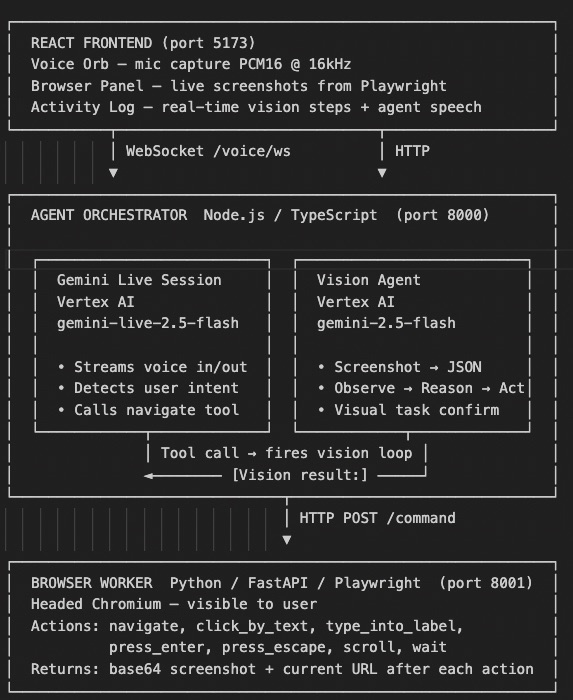
Getting the voice agent (Gemini Live) and the vision agent (Gemini 2.5 Flash) to work together required careful design.
Gemini Live handles conversation: it listens, understands intent, and calls the navigate_to_website tool with a task description. The vision loop executes that task step by step. When the vision loop finishes, it sends a [Vision result:] message back to the Live session. Gemini reads that message and speaks the actual outcome to the user.
The boundary between the two models is the task description. Gemini Live writes it. Gemini 2.5 Flash reads it. We spent significant time on the format of that description — it needs to be specific enough for the vision model to execute without ambiguity, but general enough that it works across different site states. Things like: "type 'tomatoes' into the search bar and press Enter" rather than "search for tomatoes" — the first version tells the agent exactly what to do at each micro-step.
Challenges
The agent lies when it doesn't know. Language models want to be helpful. When faced with uncertainty, they tend to produce a plausible-sounding answer rather than admitting they don't know. For a navigation agent, this is dangerous. We had to fight this at every level — in prompts, in the feedback loop, in the tool response format, in the verification step.
Real websites are adversarial. Sites are designed to maximize engagement, which means popups, login prompts, promotional overlays, and verification flows at every turn. An agent navigating a real website in 2026 will encounter these constantly. Our modal handling is decent; it is not complete. There will always be new patterns.
Context limits interrupt sessions. Gemini Live has a context window. Long sessions fill it up and the connection closes. We built a session state file that records what was completed, what is in progress, and what the current URL is. When the Live session reconnects, it reads this file and picks up the conversation. This works but it is not seamless.
The user interrupts. Real users do not wait for the agent to finish. They speak while actions are running. Each interruption creates a new tool call, which supersedes the current vision loop. We built a loop cancellation system so only one loop runs at a time, and the cancelled loops report back cleanly without polluting the result stream.
Vision models are not deterministic. The same screenshot can produce different actions on different calls. We mitigated this with action history (the model sees what it already tried and whether it worked), retry logic, and the verification step. But non-determinism remains a real challenge for any system that needs reliability.
What We Learned
We came into this thinking the hard part was voice. It turns out voice was the easy part — Gemini Live handles streaming audio well and the function calling interface is clean.
The hard part was vision. Making a model look at a pixel grid and produce actions that are correct, safe, and recoverable from failure is a genuinely difficult problem. Prompt structure matters enormously. The observation field — requiring the model to describe what it sees before acting — was a bigger improvement than any other single change we made.
We also learned that the feedback loop between voice and vision needs to be explicit and enforced. Left to its own, Gemini Live wants to be helpful and will produce answers about task completion that it has no basis for. The only reliable solution was to make it structurally impossible for Gemini to announce completion without receiving visual evidence first.
Cloud Run as a deployment target shaped how we thought about state. Everything that lives in memory needs to eventually live in a database. The browser worker's global page object, the agent's active loop ID, the session state — all of these are Cloud Run constraints waiting to become Cloud Firestore records.
What Is Next
The three things we would build immediately if we had more time:
Real accounts. Right now the agent navigates as an anonymous user. It hits login walls and OTP screens it cannot get past. Securely storing and using credentials for services the user has already authenticated with would unlock the full value of the system.
Document intake. Users photograph a mailed government notice. Document AI extracts the deadline, reference number, and portal URL. The agent navigates to that portal and starts the process. This was the original inspiration and we did not get to it.
Persistent memory across sessions. The agent currently knows what happened this session. With Firestore, it could know what it did last month — what was renewed, what is coming up, what the user struggled with before.
Built in March 2026 for the Gemini live agent challenge Hackathon.
Built With
- agentsdk
- cloudrun
- cloudstorage
- docker
- fastapi
- fullstack
- geminiliveapi
- python
- typescript
- vertexai

Log in or sign up for Devpost to join the conversation.